There are two Chatbase stories, and most reviews only tell you the first one. The first is genuinely impressive: Backstage, an AI operations layer that lets you run your support agent by talking to it — ask what customers complained about this week, tell it to fix a bad answer, describe a custom integration and watch it build one, all in plain language, with every change queued for your approval before it goes live. It is one of the few genuinely novel ideas in a crowded category, and it is why more than 10,000 businesses including IHG, Miele and National Grid run agents on the platform. The second story is the one that decides whether you stay: Chatbase does not bill you per message. It bills you in message credits, one reply can burn anywhere from 1 to 6 of them depending on which model you picked, and the $40 on the pricing page bears very little relationship to what lands on your card.
This is not a scam — it is a metering model, and plenty of platforms use one. But it is genuinely easy to misread, and the gap between the advertised price and the real monthly bill is wider here than with almost any flat-rate competitor. This 2026 review covers both halves honestly: what Backstage actually does and why it matters, the full published pricing and add-on structure, the exact credit-per-model ladder straight from Chatbase's own documentation, the reset rule that quietly costs new subscribers a month of allowance, the precise point where buying overage credits becomes more expensive than upgrading, and who should and should not sign up.
Chatbase Review 2026: Backstage, Pricing, and the Hidden Credit Costs Nobody Mentions
Overview and Background
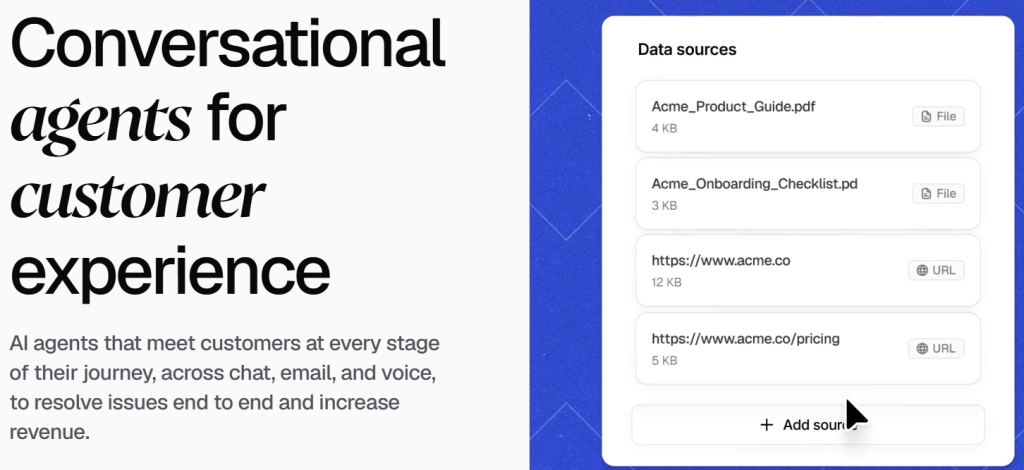
Chatbase is an AI customer experience platform founded by Yasser Elsaid in late 2022, weeks before ChatGPT launched publicly. It was one of the first commercial products to package retrieval-augmented generation — the technique that grounds a language model in your own documents without fine-tuning it. You point it at your website, PDFs, text snippets, question-and-answer pairs or a Notion workspace; it chunks, embeds and indexes that content; and at query time it retrieves the passages most relevant to a customer's question and hands them to a model to answer from. There is no vector database for you to run and no machine learning to understand.
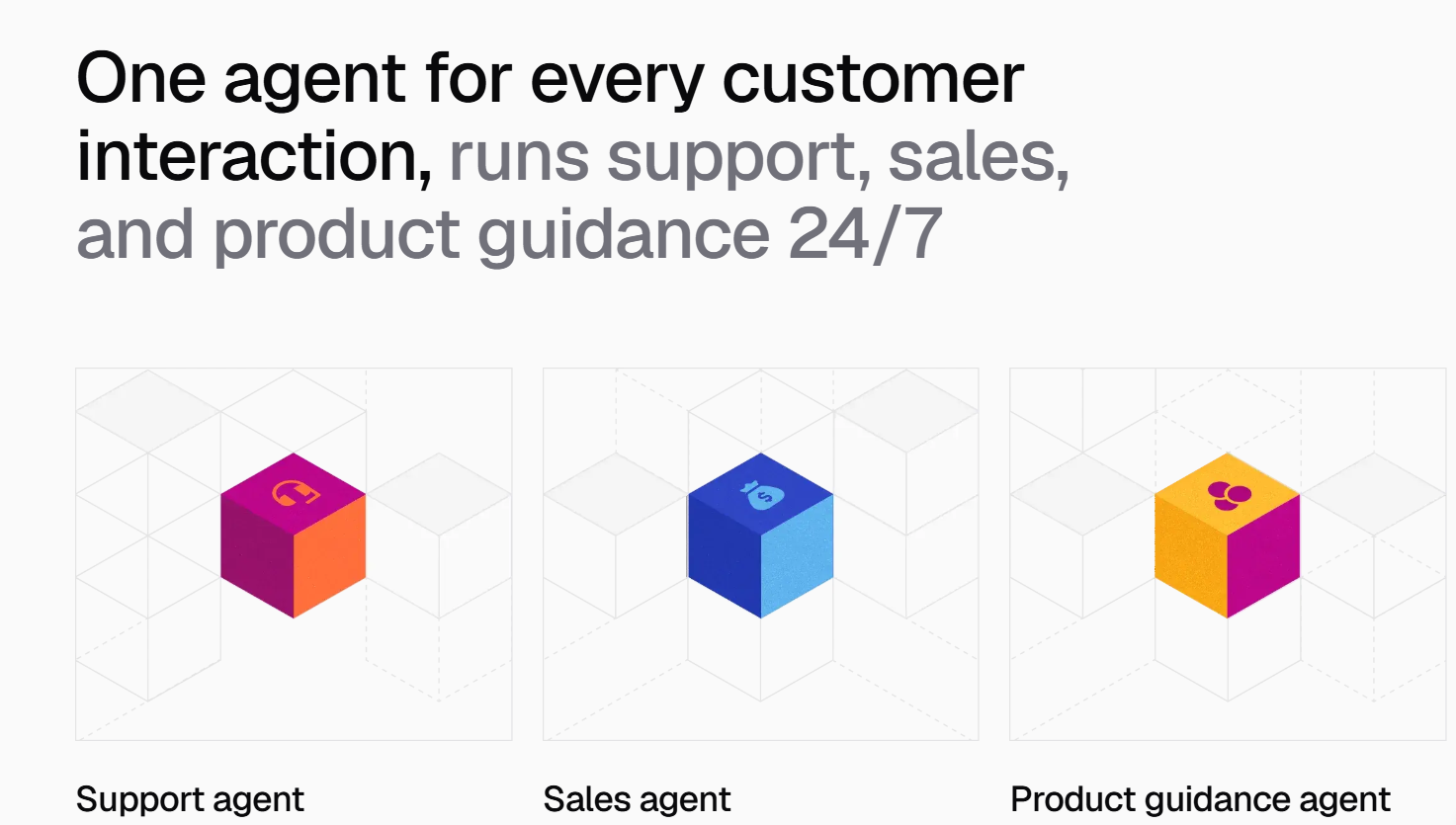
By 2026 the product has grown well past a website widget. Agents now work across chat, email, voice and telephony, with a native helpdesk, outbound campaigns, Procedures for multi-step workflows, and AI Actions that hit Stripe, Shopify, Zendesk, Salesforce, HubSpot and your own APIs. Support covers 95 or more languages with automatic detection, so an agent trained in English answers a customer writing in Vietnamese or Spanish in their own language. Data sits on AWS, encrypted in transit and at rest, isolated per account, never used to train anyone else's models, with SOC 2, GDPR and HIPAA compliance. Sitting over all of it is Backstage, which is best described as a control room you operate by conversation rather than by menu.
Why Backstage Stands Out in 2026
You configure by describing, not by clicking: Chatbase's own framing is that Backstage is your agent offstage — you ask it about customers and tell it what to fix. Instead of hunting through settings panels to adjust an instruction, tighten a boundary or wire up an integration, you say what you want in a sentence. For non-technical owners this collapses the learning curve that usually stalls a chatbot project two weeks after launch.
Changes are proposed, not applied: This is the detail that makes it trustworthy rather than alarming. Backstage shows you its intended changes for approval before anything touches the live agent, and it works across instructions, integrations and actions. You get the speed of natural-language configuration without handing an AI unsupervised write access to your customer-facing bot.
It answers questions about your customers: Ask for a summary of this week's issues and you get one. Backstage sits on top of conversation logs, topic clustering, sentiment and resolution metrics, which turns a pile of chat transcripts into something a founder will actually read on a Monday morning. Most platforms give you a dashboard and leave the interpretation to you.
It builds custom actions for you: When Chatbase has no native connector for a tool you use, you would normally be writing an API schema by hand. You can instead describe the integration to Backstage and have it construct the custom action. That moves a genuinely technical task inside reach of a non-developer, which is rare at this price point.
Model portability is a real cost lever: Because your agent is defined by data, instructions and procedures rather than by one model, you can change the engine underneath it and compare outputs side by side in the Playground. Given the credit ladder below, discovering that a 1-credit model handles your FAQ as well as a 5-credit one is not a minor optimisation — it is an eighty percent cut to your variable cost.
Pricing transparency on the plan page itself: Credit its honesty here. Chatbase publishes the per-model credit rates, the reset rule, the out-of-credits behaviour and all three add-on prices in its own public documentation. The costs in this review are hidden in the sense that buyers overlook them, not in the sense that the vendor conceals them — a distinction a lot of competitor comparison pages blur.
Key Features and Technology
Four layers matter when you are judging both capability and cost: how the agent learns, how you steer it, what it can actually do, and how you watch it.
Backstage: The Operations Centre
Backstage is a workspace for debugging, inspecting and improving your agent through conversation. In practice you use it for three jobs: interrogating what customers have been asking, correcting behaviour when the agent answers something badly, and constructing new capability such as an integration or a custom action. Because it proposes changes for approval, it doubles as a change log — you can see what was altered and why, which is more governance than most small teams would otherwise impose on themselves.
Sources, Instructions and Procedures
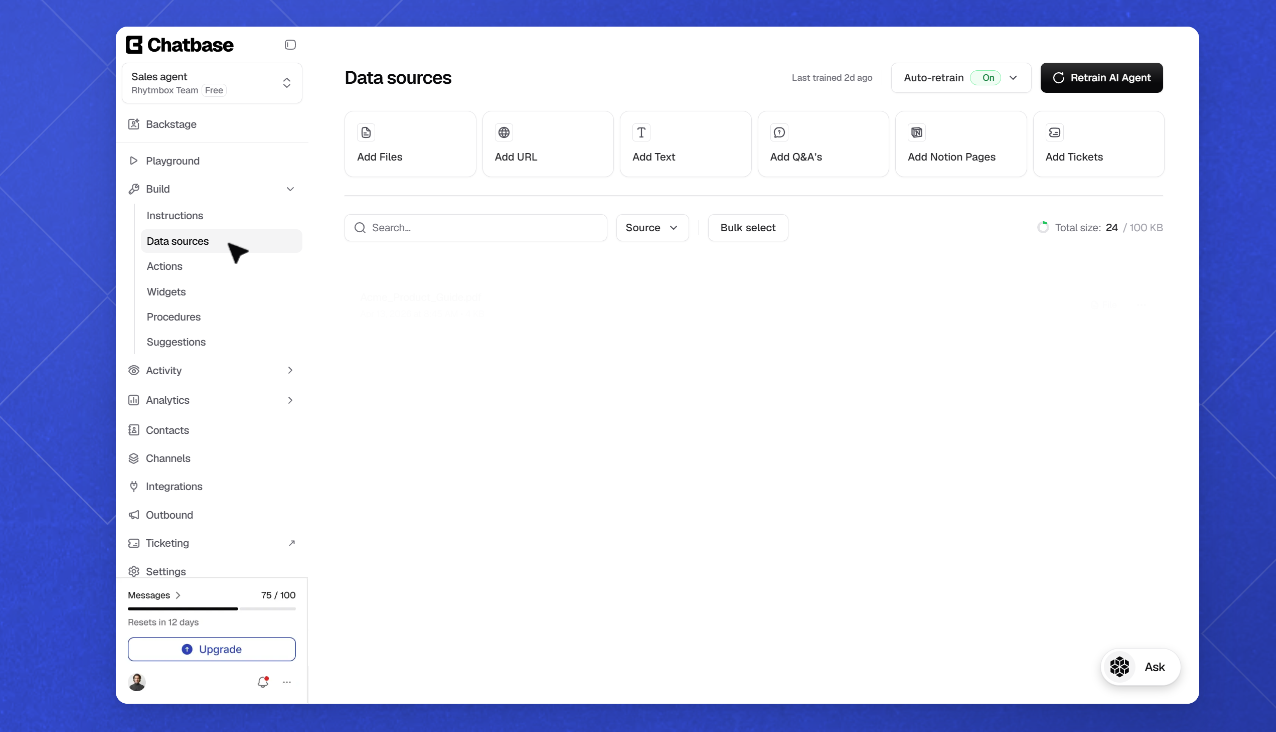
Training accepts website crawls, uploaded PDF, DOC, DOCX and TXT files, pasted text, explicit question-and-answer pairs, and Notion. Instructions define the agent's role, tone, boundaries and fallback behaviour. Procedures are the layer people underuse: step-by-step scripts telling the agent exactly how to handle a request — ask for the email, ask for the order number, look it up through the Shopify action, present the result. Actions are what the agent can do; procedures are how it should do them, and they cut both wrong answers and wasted replies.
AI Actions and Helpdesk Escalation
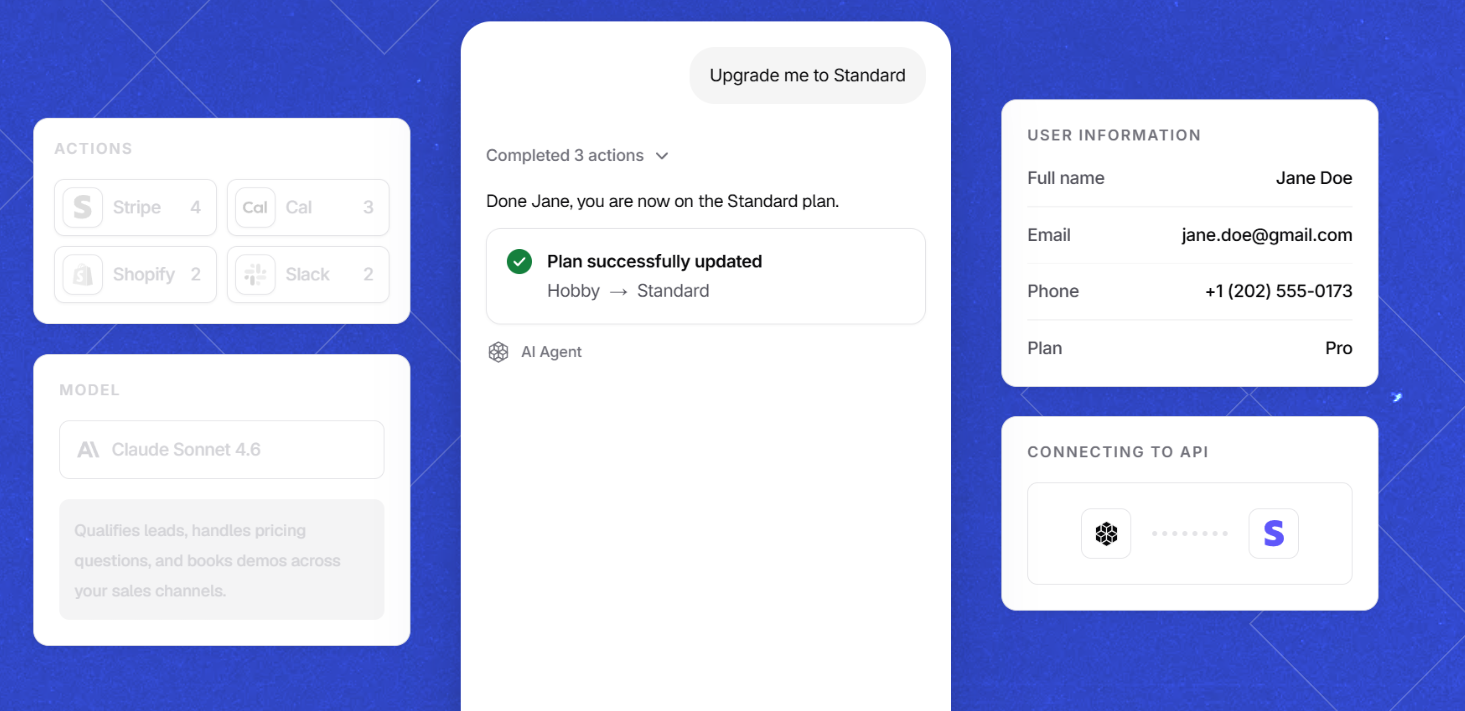
Actions cover lead capture, Calendly booking, Stripe billing and subscription queries, Shopify order and delivery lookups, custom API calls, and escalation into Zendesk, Salesforce, Intercom, HubSpot, Freshdesk, Zoho Desk, Gorgias or Chatbase's own live chat. Allowances are tiered by plan: none on Free, five per agent on Hobby, eight on Standard, twelve on Pro. Native human takeover through the built-in helpdesk starts at Standard, which is a meaningful gate — below $150 a month there is no way for a person to step into a live conversation inside Chatbase itself.
Channels, Languages and Deployment
One trained agent serves a website chat bubble, an iframe embed, a hosted help page, your support inbox, WhatsApp, Instagram, Messenger, Slack, Shopify and WordPress, plus inbound phone calls on Standard and above with ten concurrent calls on Standard and twenty on Pro. Custom domains are supported for branded agent URLs with a DNS configuration step. Zapier and Make connect the rest. Deployment is a single JavaScript snippet.
Analytics, Suggestions and the Usage Page
Basic analytics on Hobby give you conversation logs and volume; Pro adds advanced reporting and Suggestions, which flags questions your knowledge base cannot answer so you can close the gap. The single most important screen for this review, though, is the Usage page in your dashboard — it is where your real credit burn becomes visible, and checking it in week one of a trial is the difference between an informed decision and a surprise.
Pricing, Plans, and Package Structure
Chatbase publishes a free plan, three self-serve tiers and a custom enterprise tier, billed monthly with roughly 20% off annually. Paid plans open with a 7-day trial. Figures reflect the official pricing page at the time of writing; Chatbase has revised plan limits more than once during 2026, so confirm live numbers before buying.
| Plan | Monthly / yearly | Credits per month | Agents / seats / data | Key unlocks |
|---|---|---|---|---|
| Free | $0 | 50 | 1 agent, 1 seat, ~1 MB | Limited models, no AI Actions. Agents deleted after 14 days idle |
| Hobby | $40 / about $32 | 700 | 1 agent, 2 seats, ~10 MB | Advanced models, 5 AI Actions, integrations, basic analytics |
| Standard | $150 / about $120 | 4,000 | 1 agent, 3 seats, ~20 MB | Helpdesk, voice, telephony, outbound, API, auto-retrain, 8 Actions |
| Pro | $500 / about $400 | 15,000 | 1 agent, 5 seats, ~40 MB | Advanced analytics, Suggestions, tickets as a source, 12 Actions |
| Enterprise | Custom | Negotiated | Higher limits | SSO, white-labeling, audit logs, SLAs, HIPAA, zero data retention |
Exactly three add-ons are published, and it is worth being precise because third-party pricing articles contradict each other wildly on this point. Auto-recharge credits cost $40 per 1,000 and do not expire. Extra AI agents cost $25 each per month — every self-serve plan includes exactly one, so five client bots means four add-ons. Removing the “Powered by Chatbase” badge costs $99 a month, close to $1,200 a year. You will find pages quoting $39 or $199 for branding removal and $59 or $199 for a custom domain add-on that does not appear on the official page at all. Trust the vendor's own pricing page over any comparison article, including this one.
What a Credit Actually Buys You
Here is the published ladder, with the Standard plan's 4,000 monthly credits translated into actual replies. Remember that a resolved support conversation typically runs two to five replies, so divide again to get conversations.
| Model tier | Credits per reply | Replies from 4,000 credits | Rough conversations at 3 replies |
|---|---|---|---|
| Economy models | 1 | 4,000 | About 1,330 |
| Gemini and GPT-5.2 class, GLM, Mistral Medium | 2 | 2,000 | About 660 |
| Claude Sonnet 4.5 and 4.6, Grok 3 | 3 | 1,333 | About 440 |
| Grok 4, GPT-5.5 | 4 | 1,000 | About 330 |
| Claude Opus 4.5 and 4.6 | 5 | 800 | About 265 |
| Claude Opus 4.7 and 4.8 | 6 | 666 | About 220 |
Four consequences follow, and they are the real hidden costs. First, model choice swings your effective capacity by six times on identical spend. Second, plan credits do not roll over — they reset on the 1st and unused allowance simply vanishes, while only the auto-recharge credits you paid extra for persist. Third, running dry is publicly visible: your agent stops answering and displays a message telling visitors it is unavailable, which is a customer-facing failure, not a quiet internal one. That is precisely why most production accounts end up enabling auto-recharge, converting a fixed subscription into a variable bill. Fourth, the reset date is fixed, not anniversary-based. Subscribe on the 15th and your credits renew on the 1st regardless; subscribe late in a month and you have paid full price for a fraction of an allowance.
The upgrade arithmetic is worth doing once, because auto-recharge quietly overtakes the next plan up. On Hobby at $40 with 700 credits, buying about 2,750 extra credits costs $110 in top-ups — at which point you are paying $150 for roughly 3,450 credits, and Standard gives you 4,000 plus the helpdesk, voice and API for the same money. On Standard at $150 with 4,000 credits, the crossover lands at roughly 8,750 extra credits: $350 in top-ups takes you to $500 total for about 12,750 credits, while Pro costs the same $500 and includes 15,000 plus advanced analytics. If you are routinely buying more than two or three thousand overage credits a month, you are already paying for the next tier without receiving its features.
How Chatbase Compares to Alternatives
| Platform | Billing unit | Entry cost | Predictability | What spikes the bill |
|---|---|---|---|---|
| Chatbase | Credits, 1 to 6 per reply | Free, then $40/mo | Low without discipline | Premium models, traffic spikes, extra agents, branding removal |
| Intercom Fin | Per resolved conversation | About $0.99 each plus seats from $29/mo | High per unit, scales steeply | Success itself — more resolutions means a bigger bill |
| Tidio + Lyro | Conversation quotas | From about $29/mo, Lyro from about $39/mo | Good | Quota tier jumps and seat ceilings |
| Botpress | Conversation bundles | Paid tiers from roughly $150/mo | Moderate | Per-conversation overage plus build time |
| DIY RAG build | API tokens plus hosting | Roughly $2,000 to $6,000 upfront, then $150 to $350/mo | High once tuned | Engineering time, not the invoice |
vs. Intercom Fin: Fin charges only when it fully resolves a conversation, which is the fairest-sounding model in the category until you scale it — a thousand resolutions a month is roughly $990 in AI fees before seats. Chatbase costs a fraction of that and you pay for replies whether they resolve anything or not. The trade is predictability against price: Fin's bill tracks outcomes, Chatbase's tracks traffic and model choice. Teams with a mature help centre and real support headcount usually land on Fin; everyone else finds Chatbase's arithmetic far kinder.
vs. Tidio and Lyro: Lyro's conversation quotas are simply easier to forecast than credits, because a conversation is a unit a business owner already understands. Chatbase wins decisively on configurability — Backstage, Procedures, custom actions and model choice have no real equivalent at Tidio's entry price. Pick Tidio if predictable billing and human live chat matter more than depth; pick Chatbase if you want the agent doing the work.
vs. flat-rate builders and DIY: Flat-rate competitors market hard against credit metering and they have a point for high-volume, low-complexity FAQ bots. What they rarely match is the actions-and-procedures layer. A DIY stack removes metering entirely but costs thousands upfront and weeks of engineering before a customer sees anything — sensible only at genuinely high volume or with unusual compliance demands.
Pros and Cons
What Users Love
Backstage removes the configuration ceiling: Non-technical owners who would normally abandon a chatbot after launch keep improving it, because improving it means describing a change rather than learning an interface.
Setup speed is real: Under five minutes to a live agent by the vendor's own guide, and Capterra's ease-of-use sub-rating sits around 4.6 out of 5 — its strongest score by a clear margin.
Model choice is a genuine cost lever: Few competitors let you move between OpenAI, Anthropic, Gemini, DeepSeek, Mistral and others on the same agent, and fewer still let you A/B the results before committing.
Actions and Procedures resolve rather than deflect: Order lookups, billing changes and bookings completed inside the chat are what separate this from a search box with a personality.
The vendor publishes its own cost mechanics: Credit rates, reset rules and add-on prices are all in public documentation, which is more than several competitors managed when we checked their pricing pages.
Limitations Worth Knowing
Credit billing is the least forecastable model in the category: A six-times swing by model, no rollover, a fixed reset date and uncapped top-ups make a busy month genuinely hard to predict. This is the single most common complaint in user reviews.
Running out fails in front of customers: The agent displays an unavailable notice to visitors rather than degrading quietly, which effectively forces auto-recharge on any production deployment.
Support and billing complaints are a documented pattern: Trustpilot scores have run far below the software-comparison sites, with recurring reports of charges after cancellation and slow escalation; Capterra's customer-service sub-rating of about 3.8 is its weakest.
One agent per plan, and white-labeling is costly: At $25 per extra agent and $99 to remove branding, agency economics break down fast — a five-client roster adds $199 a month before a single conversation happens.
Hallucination remains a live risk: Multiple reviewers describe confident wrong answers when source material is thin. Backstage makes corrections easier but does not prevent the underlying failure.
Who Should Use Chatbase
Small businesses with steady, modest volume: If you handle tens rather than hundreds of conversations a day and your answers already exist in writing, Hobby on annual billing with an economy model is close to unbeatable value. Predictability is fine at this scale because you are nowhere near the ceiling.
Non-technical founders and operators: Backstage is aimed squarely at you. If the reason your last chatbot went stale was that nobody wanted to learn the admin panel, this is the feature that fixes it. Start free and spend your first session configuring by conversation.
E-commerce and SaaS teams needing real resolution: Shopify and Stripe actions plus Procedures make the agent complete tasks instead of describing them. Standard is the realistic tier, since helpdesk escalation and API access both start there. Watch credits closely during promotions.
Who should think twice: Agencies running many client bots, high-volume support teams who need a bill they can forecast to the dollar, and anyone whose traffic is spiky enough that a viral week could quietly triple their invoice. Price a flat-rate or per-resolution alternative properly before committing.
Getting Started Without Overspending
- Start on the free plan and time your upgrade. Build and test at $0 first. When you do subscribe, do it near the start of a calendar month so your first allowance is a full one rather than a few days of one.
- Train on clean material, not your whole site. Feed it help articles, policy pages and real documentation, plus your twenty most common questions as explicit question-and-answer pairs. Thin or contradictory sources are the main cause of both wrong answers and wasted replies.
- Configure through Backstage and review every proposed change. Describe the role, tone, boundaries and fallback behaviour you want, then approve the changes it drafts. Tell it explicitly to answer only from your sources and to admit uncertainty.
- Benchmark models against your own content. Run your hardest real questions through a 1 or 2 credit model and a premium one in the Playground, side by side. Choose the cheapest that passes your quality bar — this decision alone can be a six-times cost difference.
- Write Procedures for your top request types. A scripted order-status flow that resolves in two replies instead of five cuts your credit consumption by well over half on your highest-volume queries.
- Deploy, then watch the Usage page for a full week. Paste the JavaScript snippet into your site or WordPress custom HTML block, confirm the bubble works, then measure actual credit burn against real traffic before choosing a tier or enabling auto-recharge.
Tips for Getting Maximum Value
Treat the Usage page as a weekly habit for the first month, because credit burn per conversation is the only number that lets you forecast anything. Re-benchmark models whenever Chatbase adds new ones, since today's 2-credit option frequently matches last year's 5-credit flagship. Use Procedures aggressively on repetitive request types and let the expensive reasoning models handle only the genuinely ambiguous queries. Keep your knowledge base tight rather than comprehensive — one outdated pricing page causes more wrong answers than any prompt tuning will fix. Ask Backstage for a weekly summary of customer issues and turn the recurring gaps into new sources; on Pro, Suggestions does this automatically. Commit annually only once a full month of real data confirms the tier, because a 20% discount on the wrong plan is not a saving. Enable auto-recharge before your first spike rather than after customers have seen an unavailable notice, and set the threshold deliberately. And if you are deploying for clients, quote the extra agent and branding removal costs upfront instead of discovering them at renewal.
Future Outlook and Final Assessment
The direction of travel favours Chatbase. The AI customer service market is projected around $15 billion in 2026 and compounding at better than 25% a year, and the centre of gravity is shifting from deflection to resolution — agents that complete tasks rather than surface articles. Backstage is a bet on a second shift that looks equally correct: that the bottleneck in AI adoption is no longer model quality but the operational burden of configuring and maintaining an agent. Making that job conversational, with approval gates, is a genuinely smart answer, and a harder one for a flat-rate competitor to copy than another pricing tweak.
The honest caveats are all economic rather than technical. Credit metering is the least predictable pricing model in the category, and the pressure it creates — enable auto-recharge or risk a visible outage — converts a subscription into a variable cost. The single-agent limit and the branding add-on make agency deployment expensive. Support responsiveness and billing administration are the weakest documented areas of the business. None of this undermines the product's core value for its core buyer; all of it should be priced in before you commit, and none of it is concealed.
Conclusion
Chatbase is two products in one subscription. Backstage is the more interesting half — a genuine attempt to make running an AI agent a conversation rather than an administrative chore, complete with the approval workflow that makes it safe to trust. The credit system is the half that decides whether you are happy in month three, and it rewards exactly one behaviour: understanding it before you buy rather than after. Model choice, procedure design, subscription timing and a weekly glance at the Usage page are the four levers, and pulling them properly is the difference between a $40 bill and a $400 one.
For small business owners, non-technical founders, e-commerce operators and SaaS teams who want customers answered accurately at three in the morning, it remains one of the strongest options available — provided you go in with clear eyes about what a credit is. Test it free, measure your real burn, pick the cheapest model that does the job, and let the agent absorb the repetition while you get on with the work only you can do. That is what good software is supposed to do — take the tedious parts off your plate and make everything easy.
Test Chatbase free — measure your real credit burn before you pay a cent.
Explore more honest reviews, tutorials and tool comparisons to find the right tech for the way you work and live — at AI Solutes, where we make everything easy.
👉 Start for Free: https://ai-solutes.com/chatbase
👉 Our YouTube Channel: youtube.com/@ai-solutes
👉 Our Facebook Fanpage: Facebook
👉 Our X (Twitter): @AISolutes
- Discover FaceApp’s AI Aging Filters and Photo Transformation Trends: Market Growth, Features, and Privacy Insights
- Master AI Workflows with MultiChat AI: The Ultimate Unified Dashboard for Businesses
- Does Krisp Eliminate Background Noise? Reviewing the Krisp AI Noise-Canceling Technology
- Enago Read
- Ultimate Web Speed