

You know the moment: you’re on a high-stakes client call or a job interview, and a neighbor’s dog starts barking, a lawn mower fires up, or your own mechanical keyboard is drowning out every word — and you spend the call frantically hitting mute. Remote and hybrid work made unpredictable audio a daily reality, from coffee shops to open-plan offices to kids in the next room. And separately, there’s the other universal problem: leaving a meeting unsure what was decided or who’s doing what next. Krisp solves both. It pairs the best AI noise cancellation on the market — removing background noise, echo, and crosstalk in real time, on both sides of the call, all processed privately on your own device — with a bot-free AI meeting assistant that records, transcribes, summarizes, and pulls out action items automatically. Its technology already runs on more than 150 million devices and has processed over 4 trillion minutes of audio, works with 800-plus communication apps, and starts free, with paid plans from around $8/month.
For remote workers, freelancers, consultants, online coaches, content creators, and anyone whose income depends on clear calls, Krisp is one of those rare tools you notice the value of on your very first call. This 2026 review walks through everything that matters: what Krisp actually is, its standout features, how the AI noise cancellation and meeting assistant work, the full plan-by-plan pricing breakdown, how it compares to NVIDIA Broadcast, built-in app suppression, and Otter.ai, the honest limitations worth knowing — including a restrictive free tier and desktop-only noise cancellation — and exactly who should, and shouldn’t, use it.
Krisp Review 2026: Best-in-Class AI Noise Cancellation Meets a Bot-Free Meeting Assistant
Overview and Background
Krisp is an AI-powered audio tool that removes background noise from voice calls and meetings in real time. Instead of a basic filter, it uses trained neural networks to identify human speech and separate it from unwanted sounds like traffic, typing, fans, and background conversations. Technically, it works as a virtual audio device that sits between your microphone and your meeting app: you simply select Krisp as your mic and speaker, and it cleans your audio before it ever reaches the call. Because it operates at the system level, it works with virtually any app — Zoom, Google Meet, Microsoft Teams, Slack, Discord, VoIP tools, and recording software — without any per-platform plugins or integrations.
The product started in 2017 as a pure noise-cancellation engine, and that’s still its sharpest edge. But over the years it has evolved into a comprehensive Voice AI suite. Today it includes live transcription, automatic note-taking, summaries, action-item extraction, accent conversion, and recording, all accessible through its AI Meeting Assistant. In 2025, Krisp added a dedicated all-in-one Voice AI Platform for call centers — bundling noise cancellation, accent conversion, speech-to-speech translation (an AI Live Interpreter), and AI agent assistance — alongside a developer SDK featuring VIVA, a voice-isolation model built for AI voice agents.
Crucially, all of Krisp’s core audio processing happens locally on your device — none of your conversations are sent to external servers. In a market where most AI tools route everything through the cloud, that on-device approach is a genuine privacy differentiator, and a big reason lawyers, consultants, and healthcare professionals trust it. This review focuses on Krisp’s AI Meeting Assistant — the product individuals and small teams actually buy — rather than the separate Call Center platform or Voice SDK.
Why Krisp Stands Out in 2026
The noise cancellation is genuinely best-in-class: This is what Krisp is known for, and it delivers. It removes background noise, echo, and crosstalk by over 40 decibels and handles more than 20,000 noise types — dogs barking, construction, keyboard clatter, kids, café chatter, office hum — consistently, even in extremely loud environments like an airport. Reviewers repeatedly rate the noise cancellation a clear five out of five; it’s not marginally better than the alternatives, but noticeably, reliably better in difficult acoustic conditions.
It cleans both sides of the call: Most tools only clean up what you’re sending out. Krisp’s bi-directional noise cancellation also cleans the audio coming in, so if a colleague is calling from a windy street or has a mechanical keyboard, you can toggle Krisp on for your speakers and hear them clearly. That two-way approach — eliminating the distracting background noise of your non-Krisp-using coworkers — is a genuinely unique benefit.
On-device processing means real privacy: Every bit of Krisp’s core audio work happens locally — nothing is uploaded or stored on external servers. For privacy-conscious professionals like lawyers, consultants, and healthcare workers, that local processing isn’t a nice-to-have; it’s the reason they can use an AI tool on confidential calls at all. It also keeps latency extremely low.
It works with everything, no setup: Because Krisp sits at the system level as a virtual mic and speaker, it works with over 800 communication apps without any specific integrations. You change your audio settings once, and it applies noise cancellation everywhere — Zoom, Teams, Meet, Slack, Discord, phone calls, and recording tools alike. There’s nothing to configure per app.
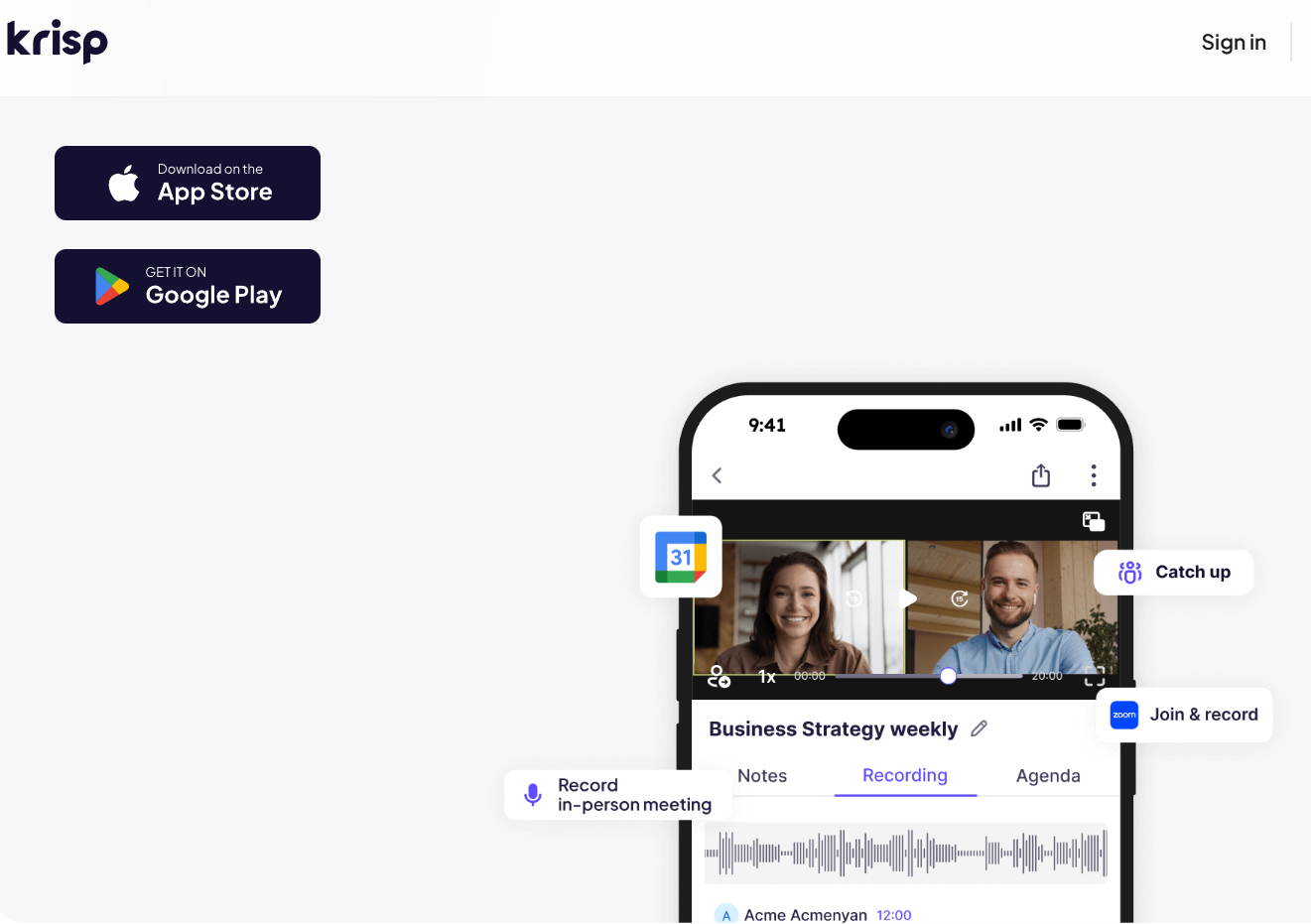
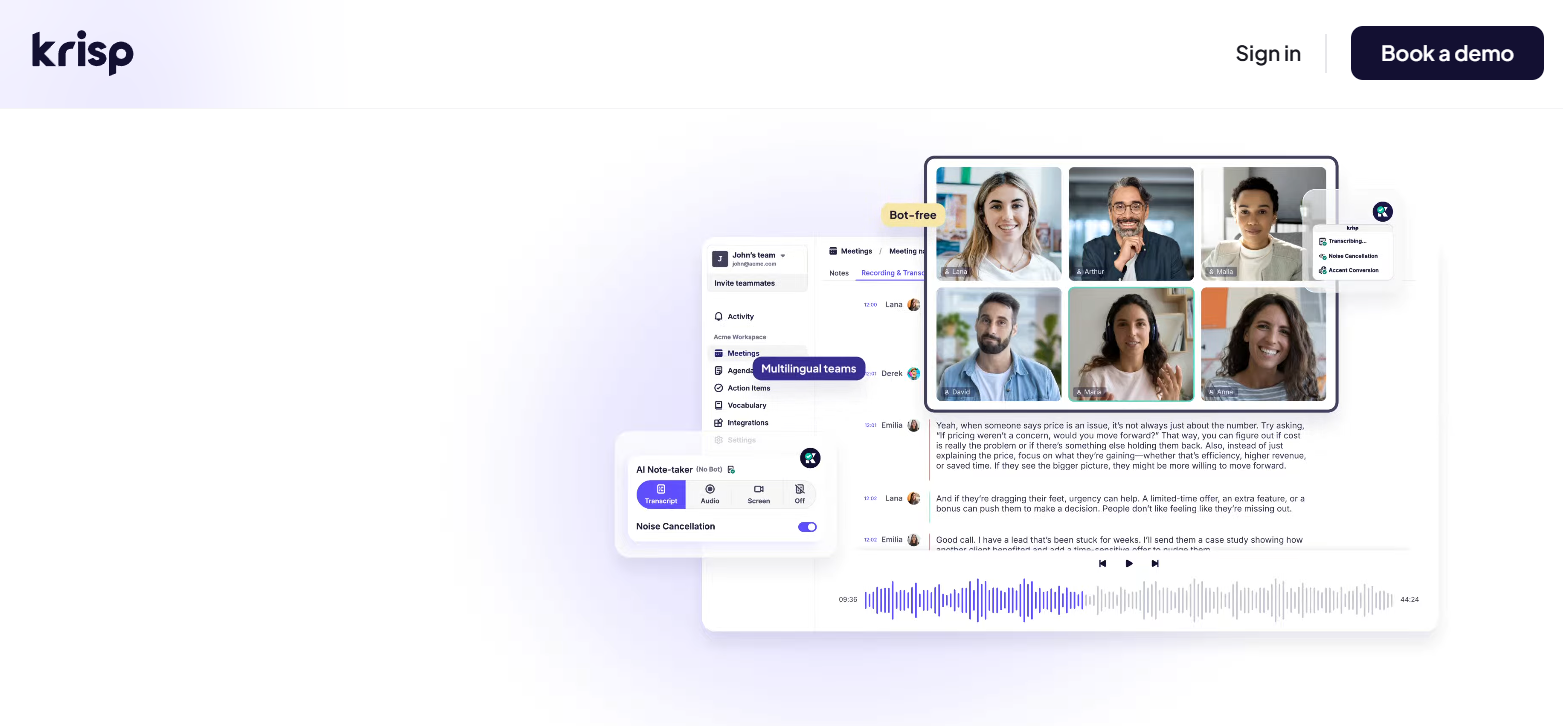
A bot-free meeting assistant: Unlike note-takers that join your call as a visible participant, Krisp records from your system audio silently — no “Notetaker has joined the meeting” message, no awkward bot in the room. It captures recordings, transcripts, summaries, and action items in the background, which makes it ideal for sensitive conversations where an obvious AI participant would be inappropriate.
Unlimited transcription and action items: On paid plans, Krisp transcribes without caps in 17-plus languages, with accuracy around 96% for clear audio, automatically detecting and listing action items separately from the summary. Even the free plan includes transcription. For anyone who records interviews, client calls, or content sessions, searchable text you can export and share is a real time-saver.
Real-time accent conversion nobody else offers: Krisp includes an accent-conversion capability that re-voices speech into a different accent in real time to improve understanding across multinational teams, with support for Indian, Filipino, South African, and Latin American English on the speaker side. It’s most developed in the call-center product and still expanding, but it’s a genuinely differentiated feature in the voice-AI space.
Key Features and Technology
Krisp’s strength is how well it does the hard part — clean audio — while bundling in useful meeting tools. Here’s how the most important pieces break down.
AI Noise Cancellation: Two-Way and On-Device
The core engine removes background noise, voices, and echo from both your outgoing microphone and the incoming audio of other participants, processed entirely on your device with very low latency. It consistently strips out traffic, fans, keyboard noise, and office hum, making voices far easier to understand on live calls — and because it operates at the system level, it applies across every meeting and calling app without separate setup. It’s the feature that justifies the subscription on its own for anyone who takes calls in unpredictable environments.
Bot-Free AI Meeting Assistant
Krisp captures your meetings without ever joining as a bot. It records from system audio in the background and then generates transcripts, summaries, and a separate list of detected action items automatically, with speaker identification and multilingual summaries. Because the noise-cancellation layer cleans the audio before transcription even begins, accuracy holds up well even in imperfect conditions. The honest trade-off is depth: Krisp joined the meeting-notes race later than specialists, and its summaries are functional rather than richly structured — you get a solid summary and bullet points, but less customization than dedicated note-takers offer.
Universal Compatibility and Integrations
As a virtual audio device, Krisp works with virtually any application that uses a microphone or speaker — no per-app plugins required. Beyond that, it offers Slack sharing, CRM push to Salesforce and HubSpot, Zapier, and options to export or download transcripts, with the control panel showing meeting duration, speaking-time percentages, and recording presets for transcript-only, audio, or video. Some of these integrations and advanced controls are reserved for the business tiers, but the cross-app audio cleaning works everywhere out of the box.
Accent Conversion, Voice AI Platform, and SDK
Beyond the individual app, Krisp has expanded into a full Voice AI Platform aimed at call centers, combining noise cancellation, real-time accent conversion, speech-to-speech translation through an AI Live Interpreter, and an AI Agent Assist that surfaces knowledge-base answers and automated post-call summaries. For developers, a Voice SDK exposes Krisp’s technology — including the VIVA voice-isolation model designed to make AI voice agents handle noisy, real-world conversations more naturally. These are separate offerings from the consumer Meeting Assistant, but they show how far the underlying voice technology now reaches.
Pricing, Plans, and Package Structure
Krisp offers a free plan plus paid tiers for individuals and teams, priced per user, with annual billing saving roughly 50% over monthly. The plans below cover the AI Meeting Assistant — the Call Center Voice AI Platform and the Voice SDK are priced separately. Plan names and prices shift over time (the individual paid plan is sometimes branded “Core”), so treat these as approximate and confirm the live pricing on Krisp’s site before subscribing.
| Plan | Approx. Price | What You Get | Best For |
|---|---|---|---|
| Free | $0 | 60 min/day noise cancellation, 2 AI notes/day, transcription, 7-day history | Light or occasional callers, and testing the tech |
| Pro (Core) | ~$8/user/mo annual (~$12–16 monthly) | Unlimited noise cancellation, unlimited transcription, full AI notes & action items, recording, 17 languages | Remote workers, freelancers — the value pick |
| Business (Advanced) | ~$10–15/user/mo annual | Everything in Pro plus team management, centralized billing, usage analytics, SSO/SCIM, CRM sync | Teams deploying Krisp across a workforce |
| Enterprise / Call Center | Custom / Call Center from ~$10/agent/mo | Custom deployment, advanced security; Call Center adds accent conversion, live interpreter, monitoring | Large orgs; BPOs and support teams (min seats apply) |
How Krisp Compares to Alternatives
| Factor | Krisp | NVIDIA Broadcast | Built-in (Zoom/Teams) | Otter.ai |
|---|---|---|---|---|
| Noise cancellation | Best-in-class, 40dB+ | Excellent | Basic to good | None |
| Two-way (incoming) cleaning | Yes | No | No | No |
| Meeting notes / transcription | Yes (bot-free) | No | Limited | Yes (deep, polished) |
| Requirements | Any desktop, all apps | NVIDIA RTX GPU | That app only | Often joins as a bot |
| Price | Free; Pro ~$8/mo | Free (with RTX) | Free (included) | From ~$17/mo |
vs. NVIDIA Broadcast (RTX Voice): NVIDIA’s tool offers excellent, free noise removal, but it requires an NVIDIA RTX graphics card — which rules out Macs and many laptops — and it only cleans your outgoing microphone. Krisp is hardware-agnostic (it runs on essentially any modern desktop), cleans both sides of the call, works across every app, and adds the meeting-assistant layer on top. If you happen to own an RTX GPU and only need to clean your own mic, NVIDIA Broadcast is a great free option; for everyone else, Krisp is far more flexible.
vs. built-in app suppression (Zoom, Teams, Meet): Every major conferencing app now has some built-in noise suppression, and it’s free and convenient. But it’s generally less powerful and consistent than Krisp, usually one-directional (it doesn’t clean noisy participants on the other end), and locked to that one app. Krisp is stronger in difficult environments, works the same way everywhere you take calls, and cleans incoming audio too. If your home office is already quiet and you live in one app, the built-in option may be enough; if audio quality directly affects your work, Krisp is the upgrade.
vs. Otter.ai and dedicated note-takers: Tools like Otter, Fireflies, and Fathom focus purely on transcription and summaries, and they produce deeper, more polished, more customizable notes than Krisp — and several offer public APIs Krisp lacks. What they don’t do is make your calls sound good, and many of them join your meeting as a visible bot. Krisp’s notes are more basic, but it’s bot-free and bundles best-in-class audio. If meeting intelligence is your top priority, a dedicated note-taker wins on notes; many people get the best of both by running Krisp for clean audio alongside a dedicated assistant for notes.
Pros and Cons
What Users Love
Best-in-class, consistent noise cancellation: It reliably removes traffic, fans, keyboard noise, and chatter even in tough environments — noticeably better than the alternatives, and the single biggest reason people pay.
Cleans both sides of the call: Two-way cancellation means a noisy colleague on the other end sounds clear too — a benefit most rivals simply don’t offer.
On-device privacy: All core processing stays on your machine, so confidential calls never leave your computer — a real differentiator for regulated professions.
Works everywhere with zero setup: As a system-level virtual device, it runs across 800-plus apps without plugins, so you configure it once and forget it.
Bot-free notes and great value: Silent recording, transcription, and action items with no awkward bot in the room — and at around $8/month, it’s cheaper than buying a noise-rejecting mic plus a separate meeting assistant.
Limitations Worth Knowing
The free tier is restrictive: 60 minutes per day of noise cancellation and two AI notes a day pushes most regular users to pay quickly, and the older free tier was more generous, which stings.
Noise cancellation is desktop-only: The mobile app handles transcription but not noise cancellation, so there’s no on-the-go audio cleaning from your phone.
CPU usage can be noticeable: Real-time neural processing on every audio frame is demanding, so older machines can see CPU spikes, especially during long calls or alongside heavy workflows.
Voice can sound slightly thin in extreme noise: When the AI has to strip away very loud noise, it can occasionally remove some of the body from your voice, producing a slightly robotic or thin sound.
AI notes are basic: The summaries are functional but less structured and customizable than dedicated note-takers like Otter, Fireflies, or Granola produce.
No public API, headset recommended: Developers get only webhooks and Zapier rather than a public REST API, and the best noise-cancellation results need a wired USB boom headset.
Who Should Use Krisp
Remote workers and freelancers: If you work from home, shared spaces, or cafés rather than a quiet, treated office, Krisp’s noise cancellation alone justifies the cost. The Pro plan removes the daily limits and is the natural fit for anyone on calls every day.
Client-facing professionals: Consultants, coaches, teachers, and sales and support reps whose income or effectiveness depends on clear calls get both the audio polish and the automatic meeting capture in one tool. Pro covers it.
Privacy-sensitive professionals: Lawyers, healthcare workers, and anyone handling confidential conversations benefit from on-device processing that keeps audio off external servers — with Enterprise available for stricter compliance needs.
Content creators: Podcasters, streamers, and course creators who record interviews and sessions get clean source audio plus searchable transcripts, which saves real editing and note-taking time. Pro is the right tier.
Who should look elsewhere: In fairness, if you already use a studio-grade microphone in an acoustically treated room, work mostly asynchronously, or need deeply customizable meeting notes, you may not need Krisp — or you might pair it with a dedicated note-taker. And remember there’s no noise cancellation on mobile.
Getting Started: Step by Step
- Download the desktop app and create a free account. Install Krisp for Windows or Mac and sign up free — or start the 7-day full-feature trial — so you can test it with no commitment.
- Set Krisp as your microphone and speaker. In your meeting or calling app’s audio settings, select Krisp as both the mic and the speaker so it can clean audio in both directions.
- Toggle noise cancellation on. Switch on cancellation for your microphone, and turn it on for your speaker too if you want to clean up noisy participants on the other end.
- Enable the meeting assistant. Turn on recording and notes so Krisp captures transcripts, summaries, and action items in the background — no bot joins the call.
- Test on a real call and check performance. Run a quick call to confirm the audio quality on your setup, and keep an eye on CPU usage if you’re on an older machine.
- Choose your plan. If you’re on calls daily, upgrade to Pro for unlimited noise cancellation and notes, ideally on annual billing for the discount.
Tips for Getting Maximum Value
Start on the free plan and test Krisp against your specific background noises before paying — the cancellation works fully on the free tier, just with a daily cap, so it’s a genuine no-risk trial of the core technology. Choose annual billing to save roughly 50%, and use a wired USB headset with a boom microphone for the cleanest results. Turn on two-way cancellation so noisy colleagues on the other end sound clear too, and if you’re on calls every day, move to Pro early — it pays for itself the first time it saves you an awkward moment or a missed action item. Watch your CPU on older machines and close heavy apps during long calls, and remember that noise cancellation is desktop-only. Add custom vocabulary for names and jargon to lift transcription accuracy, lean on the on-device processing if you handle confidential calls, and if you need richly structured, customizable notes, pair Krisp’s clean audio with a dedicated note-taker rather than relying on its summaries alone.
Future Outlook and Final Assessment
The tailwinds behind Krisp are about how we work now. Remote and hybrid work are permanent, unpredictable audio environments come with the territory, and the need for both clear calls and automatic meeting capture is only growing. Krisp’s noise cancellation is genuinely best-in-class, its bi-directional and on-device approach is hard for rivals to copy, and its expansion into a full Voice AI platform — call centers, real-time interpretation, and voice agents — shows a company building serious infrastructure rather than a single-feature app. With its technology already on 150 million devices, Krisp is well positioned for a voice-first future.
The honest caveats are clear: the free tier shrank and is restrictive, the AI notes are more basic than dedicated tools, noise cancellation is desktop-only, it can be CPU-heavy on older hardware, and built-in app suppression is “good enough” for people in quiet rooms. But for the many professionals whose work depends on sounding clear and capturing what was said, Krisp solves a persistent, real problem better than anything else — and you’ll notice the difference on your very first call.
Conclusion
Krisp set out to fix one stubborn, universal problem — the noise that gets between you and the people you’re talking to — and it does that better than anyone, on both sides of the call and entirely on your own device. Layered with a bot-free meeting assistant that quietly captures your transcripts, summaries, and action items, it has grown from a clever noise-canceller into a genuinely useful voice-AI companion. It asks you to live with a limited free tier, a desktop-only audio app, and notes that are more functional than fancy, but for anyone whose livelihood runs on clear conversations, it earns its place fast. Download it, test it on your noisiest call, and let Krisp handle the chaos in the background — making everything easy, so your voice and your message always come through clearly.
Ready to sound clear and professional on every call?
Explore more honest reviews, tutorials and tool comparisons to find the right tech for the way you work and live — at AI Solutes, where we make everything easy.
👉 Open Free Account: https://ai-solutes.com/krisp
👉 Our YouTube Channel: youtube.com/@ai-solutes
👉 Our Facebook Fanpage: Facebook
👉 Our X (Twitter): @AISolutes















