If you have ever outgrown shared hosting, or watched a cloud bill from one of the big three providers climb past anything you could justify, you already know the problem: most infrastructure is sold in fixed boxes that never quite fit your workload. You pay for RAM you do not use, or you hit a CPU ceiling the moment traffic spikes. Kamatera was built around the opposite idea. It is a long-running cloud infrastructure provider that lets you assemble a virtual server one resource at a time, choosing the exact number of CPU cores, the exact amount of memory, the exact disk size, and the data center closest to your customers. Founded in 1995, operating roughly two dozen data centers across North America, Europe, the Middle East and Asia Pacific, backed by a 99.95% uptime guarantee, and starting at around $4 per month with a 30-day free trial, Kamatera has quietly become a favorite for developers, agencies and small businesses that want real control without hyperscaler pricing.
For web developers, WordPress agencies, SaaS founders, game server hosts, remote desktop users, email operators and anyone who treats servers as a tool rather than a hobby, the pitch is simple: pay only for the resources you actually need and change them when your needs change. This 2026 review walks through what Kamatera is, how its server types differ, the full pricing picture including the add-ons that quietly raise the bill, how it compares with DigitalOcean, Vultr and shared hosting, what real users praise and complain about, and exactly who should (and should not) sign up.
Kamatera Review 2026: The Fully Customizable Cloud Server Platform That Lets You Build Exactly the Infrastructure You Need
Overview and Background
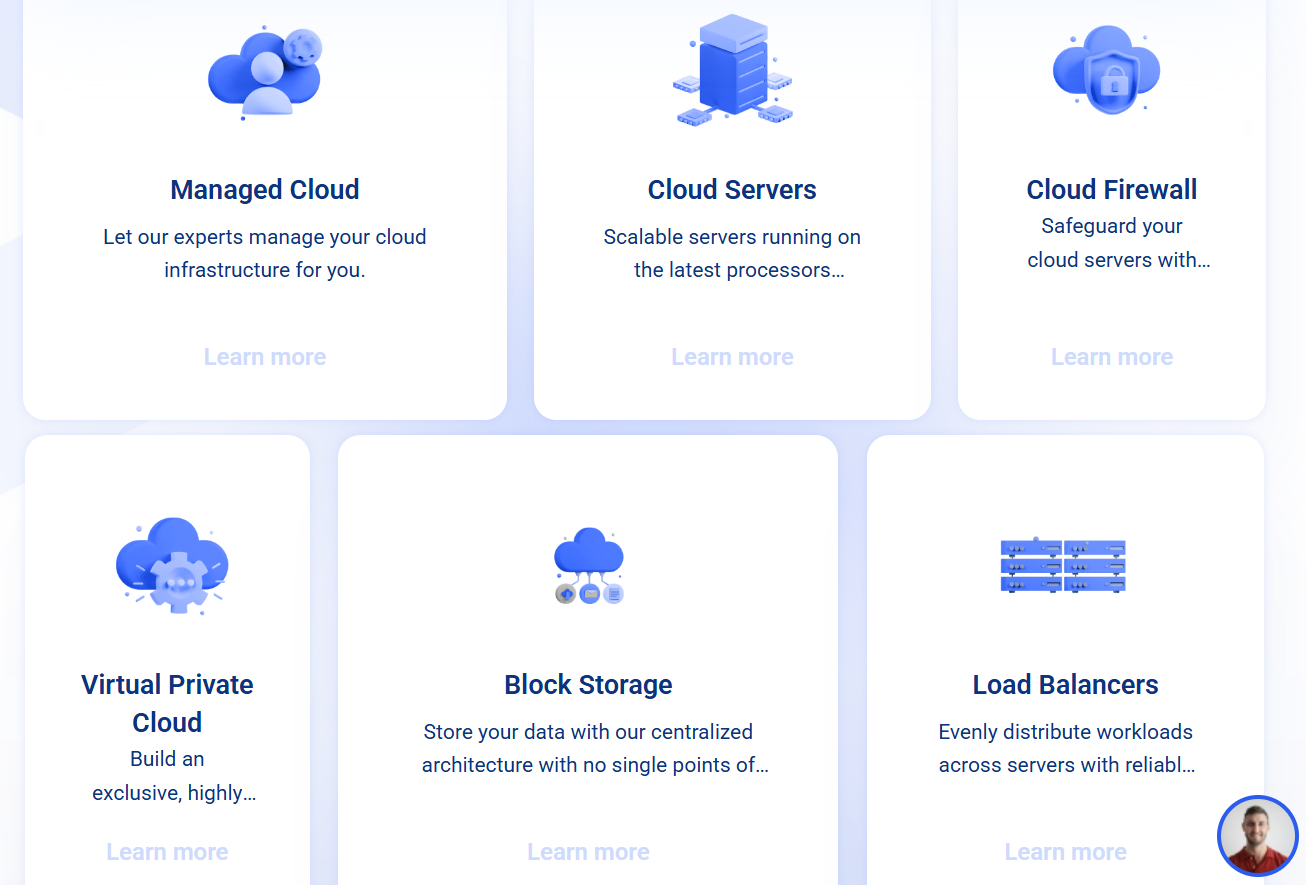
Kamatera is an infrastructure as a service (IaaS) provider that sells cloud servers, a virtual private cloud, cloud firewalls, load balancers, block storage and a managed cloud tier. The company traces its roots to 1995 and sits inside a larger group of hosting and software businesses, and it has grown by acquisition as well as organically, most recently absorbing a Netherlands based VPS provider in 2023. Its core product is the cloud server: a virtual machine you configure yourself, deploy in minutes, and bill either hourly or monthly.
What separates Kamatera from the typical VPS shop is how far the customization goes. Instead of choosing between three or four preset plans, you pick a data center, an operating system, a CPU type, the number of cores, the amount of RAM, the size and type of storage, the amount of traffic and the number of public IP addresses. Every one of those dials can be changed later, which is why the platform appeals to teams whose workloads are unpredictable. Kamatera also publishes a REST API and a Terraform provider, so the whole thing can be scripted, and it supports a long list of Linux distributions plus Windows Server.
The company’s advertised hardware includes Intel Xeon Scalable processors, NVMe storage on current server types and fast internal networking, and the use cases it promotes range from web hosting and WordPress to databases, remote desktops, ERP and CRM systems, VoIP, backups and IoT. A 99.95% uptime guarantee backs the service, with compensation in the form of service credits if the target is missed.
Why Kamatera Stands Out in 2026
True build-your-own servers: Most competitors give you a menu of fixed plans. Kamatera lets you dial vCPU cores, RAM and disk independently, so a database that needs lots of memory but little storage does not force you to buy a bigger plan than you need. Extra resources are priced per unit, which keeps the math transparent for anyone who can add up a few line items.
Flexible billing by the hour or the month: Custom servers can be billed by the hour (metered per minute of use) or on a monthly subscription. That makes Kamatera unusually friendly for short-lived workloads such as staging environments, load tests, render jobs or a weekend game server. Spin it up, use it, destroy it, and pay for the time you used.
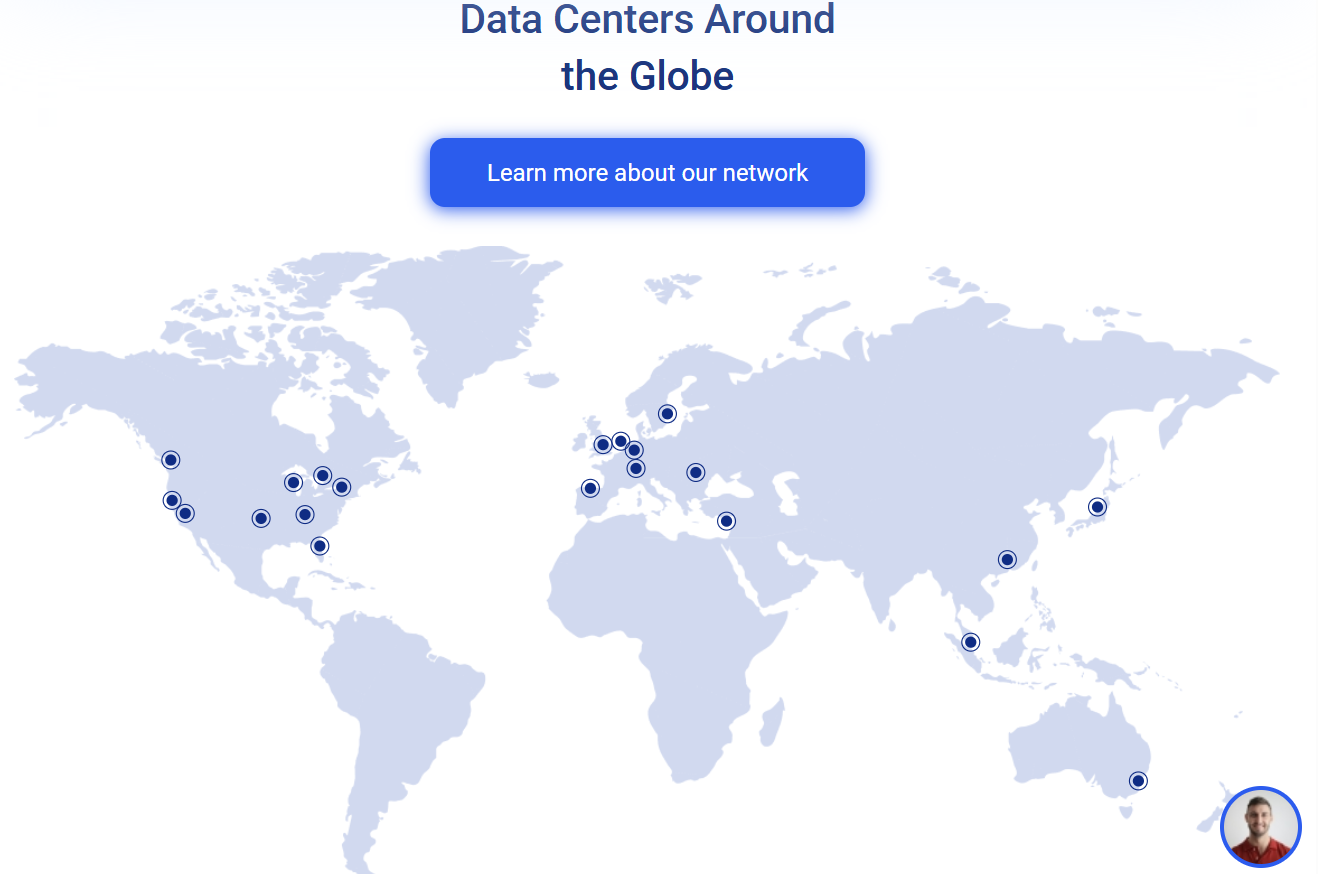
A genuinely global footprint: With roughly two dozen data centers spread across the United States, Canada, Europe, Israel, Hong Kong, Singapore, Tokyo and Sydney, you can place a server near your audience instead of accepting whatever region a budget host happens to have. One user reported dramatically lower latency for Hong Kong bound workloads after moving to a nearby Kamatera location, which is exactly the kind of win a wide map makes possible.
A real 30-day free trial: New accounts can test the platform for 30 days with credit that covers a configured server and a chunk of traffic. For a service that is aimed at people who will care about benchmarks and latency, being able to deploy a real workload before paying is the right way to sell it.
Scale up without migrating: You can resize a server as demand grows, and add load balancers, block storage, firewalls and a virtual private cloud around it. The path from a single small server to a multi-server architecture stays inside one platform, which beats rebuilding on a different provider after your first big traffic month.
Open ports and developer friendly tooling: Outbound email on port 25 is open by default, which is rare among cloud providers and useful for self-hosted mail and notification systems. A REST API, Terraform support and integrations with tools such as Jenkins, Prometheus, Traefik and Slack round out a toolbox that DevOps teams will recognize.
Round the clock support channels: Kamatera advertises 24/7 support through live chat, phone and tickets, and long-term customers frequently single out responsive staff and named account managers on multi-region deployments. Experiences vary, which we cover honestly in the limitations section, but the channels are there.
Key Features and Technology
Kamatera’s catalog is small enough to understand in one sitting, but deep enough to build serious infrastructure. Here is how it breaks down.
Cloud Servers: The Core Product
Cloud servers come in several CPU types, and choosing the right one is the most important decision on the platform. Type A (Availability) is the cheapest option and uses shared capacity, so performance can fluctuate when neighbors are busy. Type B (General Purpose) is the balanced middle ground suited to most websites and applications. Type D (Dedicated) reserves CPU threads for you, which is what you want for databases, busy stores and anything latency sensitive. A Type T (Burstable) option exists for spiky, low average workloads. You can deploy a long list of operating systems, including Ubuntu, Debian, Rocky Linux, AlmaLinux, CentOS, FreeBSD and multiple Windows Server versions, and you can upload your own ISO if you need something custom.
Networking, Security and Scaling Tools
Around the servers sit a managed cloud firewall, load balancers for distributing traffic, a virtual private cloud for isolating private infrastructure, and block storage you can attach and grow independently of the server disk. DDoS protection is included, snapshots and scheduled backups are available as paid options, and two-factor authentication plus multi-user access help teams share an account more safely. GPU servers are available for AI and rendering workloads, though pricing for those is quote based rather than published.
Managed Cloud for Teams Who Do Not Want to Run Servers
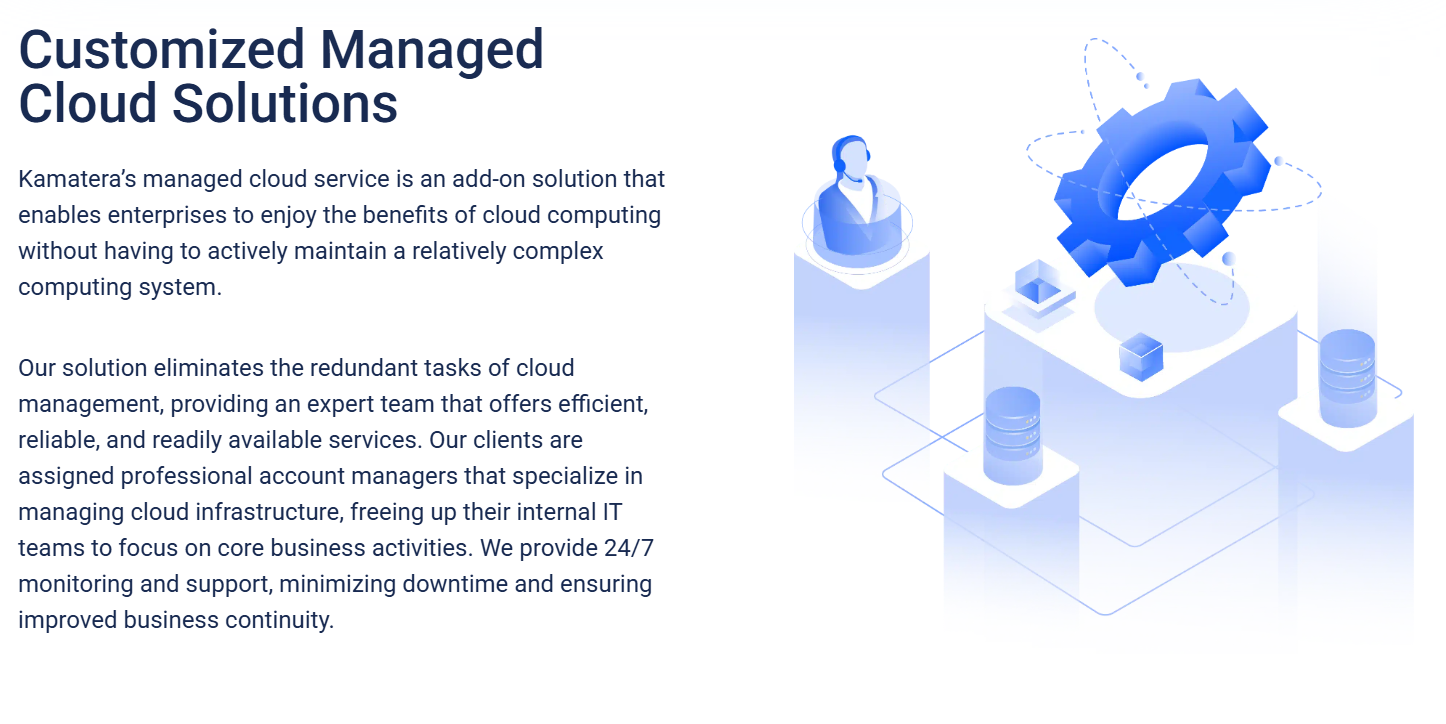
For businesses that want the infrastructure but not the sysadmin work, Kamatera offers a managed cloud tier in which its engineers help operate the environment. Pricing is custom and usually discussed with the sales team, so it is best treated as a path to explore once your project outgrows the do-it-yourself plans rather than as a budget option.
Performance and Reliability
Independent performance data is mixed, which is worth saying plainly. A TechRadar test several years ago recorded 99.97% availability over a month of monitoring with a single 19 minute outage, in line with the 99.95% guarantee. Automated benchmark sites that run recurring trials of the cheap 1GB general purpose plan have graded it in the middle to lower range, with strong storage speed and weaker raw CPU scores. That pattern is typical of low priced shared cloud plans, and it is a reminder to match the CPU type to your workload and to use the free trial to measure your own application rather than trusting any single benchmark.
Pricing, Plans, and Package Structure
Kamatera’s pricing is built from parts, and that is both its strength and its trap. You can start with an inexpensive server and add only what you need, but the final bill depends on every choice you make: CPU type, memory, storage, backups, firewall, load balancer and licenses. Custom servers can be billed hourly or monthly, while the preconfigured plans are monthly only. A 5TB traffic allowance is included at the baseline, and overage is modest per gigabyte. The table below summarizes the published starting points, which should be treated as approximate.
| Option | Approx. Price | What You Get | Best For |
|---|---|---|---|
| Basic (Type A) | From ~$4/month (~$0.005/hr) | 1 vCPU on shared capacity, 1GB RAM, 20GB SSD, 5TB traffic | Learning, testing, small side projects |
| Custom General Purpose (Type B) | From ~$9/month (~$0.012/hr) | 1 vCPU, 1GB RAM, 20GB NVMe, then add resources by unit | Small sites and apps that need steady performance |
| Standard plan | ~$25/month | 2 vCPU, 2GB RAM, 20GB SSD, dedicated thread | Business sites and lightweight production apps |
| Pro plan | ~$39/month | 2 vCPU, 4GB RAM, 20GB SSD | Busier sites, small databases, WordPress agencies |
| Custom Dedicated (Type D) | From ~$19/month (~$0.026/hr) | Reserved CPU threads, scale up cores and RAM as needed | Databases, stores, latency sensitive workloads |
| Mid-size custom build | ~$45 to $55/month | Around 4 vCPU, 8GB RAM and 100GB storage, depending on type | Growing SaaS products and multi-site hosting |
| Add-ons | Varies | Backups from ~$3/month, cloud firewall from ~$6/month, load balancer from ~$19 to $20/month, block storage from ~$0.05/GB/month, extra RAM ~$2/GB/month | Teams building a full production stack |
How Kamatera Compares to Alternatives
| Factor | Kamatera | DigitalOcean | Vultr | Shared Hosting |
|---|---|---|---|---|
| Customization | Independent CPU, RAM, disk and traffic | Preset Droplet sizes, some custom options | Preset plans across several tiers | None, fixed plan |
| Entry price | From ~$4/month | From ~$4/month (512MB RAM) | Low single digit dollars, confirm live | Often a few dollars a month |
| Billing | Hourly or monthly | Hourly with monthly cap | Hourly with monthly cap | Monthly or annual |
| Data center reach | ~two dozen locations incl. Israel, APAC | Broad global regions | Very broad global regions | Usually a few regions |
| Managed extras | Firewall, load balancer, VPC, managed cloud | Managed databases, Kubernetes, App Platform | Managed databases, Kubernetes, object storage | Control panel and support included |
| Beginner friendliness | Moderate to low | High, strong tutorials | Moderate | Highest |
| Best for | Custom builds and global placement | Developers who want polish and docs | Wide region choice and bare metal | Simple sites with little traffic |
vs. DigitalOcean: DigitalOcean is the friendlier brand, with excellent documentation, a large tutorial library and managed services such as databases and Kubernetes. Its entry Droplet is priced the same as Kamatera’s cheapest server, but it gives you less freedom to mix and match resources. If you value learning materials and managed extras, DigitalOcean wins. If you want exact control over CPU, RAM and disk, or you need a location DigitalOcean does not cover, Kamatera is the stronger fit.
vs. Vultr: Vultr is a close rival with a very wide region map, bare metal options and a clean interface. Both providers are developer oriented and both bill hourly. Kamatera’s edge is granular resource sizing and the option to run dedicated threads with custom ratios of cores to memory; Vultr’s edge is breadth of managed products and a more polished onboarding experience.
vs. shared hosting: A shared plan is cheaper and easier for a small brochure site, and it includes a control panel and support for the basics. But you share resources with strangers, you cannot install what you want, and you cannot resize. Once a site needs root access, a custom stack or predictable performance under load, a Kamatera server is the natural next step, as long as someone on your team can administer it.
Pros and Cons
What Users Love
Exact-fit resources: Independent sliders for CPU, RAM and disk mean you buy what you need, not what a plan bundles. For uneven workloads this is the single biggest saving.
Global data center choice: Roughly two dozen locations, including Asia Pacific and Israel, let you place servers close to customers, which improves latency and helps with data residency conversations.
Hourly billing and a long free trial: Short-lived projects cost very little, and the 30-day trial lets you validate performance before spending real money.
Strong uptime record from long-term customers: Reviewers who have run servers for years describe the platform as stable and predictable, backed by a 99.95% guarantee.
Developer tooling and open email port: A REST API, Terraform provider, snapshots and an open port 25 make Kamatera a practical choice for automation and self-hosted services.
Responsive support when it works: Many customers praise fast live chat and helpful engineers, and multi-region customers mention named account managers.
Limitations Worth Knowing
Billing and account complaints: The most common criticism on public review sites is billing: users report credit running out unexpectedly, repeated requests to add funds and automated suspension notices even when the account appeared to have a balance. Check your balance and payment settings regularly.
IP reputation and email deliverability: Some Kamatera address ranges have appeared on spam blacklists, and reverse DNS requests are reviewed manually and sometimes denied. Open port 25 is convenient, but anyone planning to send bulk or transactional email should test deliverability early or use a dedicated mail service.
Not beginner friendly: The interface is simple, but the platform assumes you know how to deploy, secure and maintain a server. Documentation and self-help resources are thinner than at DigitalOcean.
Uneven support experiences: Praise and criticism both appear in reviews. Basic infrastructure issues are often resolved quickly, while billing and abuse escalations can take days according to some customers.
Cheapest tier can be inconsistent: Type A shared servers share capacity, and automated benchmark grades for the entry plan are modest. Use Type B or D for anything serious.
Add-ons raise the real cost: Backups, firewalls, load balancers, licenses and extra IPs are all separate line items. No refunds are offered beyond the free trial for paid usage, so test carefully before you scale.
Who Should Use Kamatera
Developers and DevOps teams: If you already live in the terminal and want to pick your own specs and region, Kamatera is a natural fit. Start with a Type B server and script the rest with Terraform or the API.
Agencies and WordPress professionals: Agencies hosting multiple client sites benefit from sizing servers per project and moving them between regions. A Pro plan around $39 per month or a custom Type B build is a sensible starting point.
SaaS founders and startups: Teams with uneven traffic can begin small and scale up CPU and RAM as customers arrive. Pair Type D servers with a load balancer once revenue justifies it.
Remote desktop, game and app hosting: Because you control the OS and resources, Kamatera works well for Windows remote desktops and community game servers. Budget for Windows licensing in your estimate.
Beginners and non-technical site owners: If you have never touched a server, start with managed WordPress hosting or Kamatera’s managed cloud tier instead. Raw cloud servers are a powerful tool but not a gentle one.
Getting Started: Step by Step
- Open your trial account. Use the link in this review to create a Kamatera account and claim the 30-day free trial. Expect to verify a payment method and phone number.
- Choose a data center. Pick the region closest to your audience. Latency matters more than most people expect, especially for dynamic sites and APIs.
- Select an operating system and CPU type. Ubuntu or Debian suits most web projects. Choose Type B for general use or Type D if you need dedicated performance.
- Size your resources. Start modestly, for example 1 to 2 vCPU and 2 to 4GB of RAM, then add more once you have real usage data.
- Secure the server. Set up SSH keys, disable password logins, enable the cloud firewall and apply updates before you host anything public.
- Add backups and monitoring. Turn on scheduled backups or snapshots and connect a monitoring tool so you notice problems before your visitors do.
- Review billing before the trial ends. Check your estimated monthly cost, remove unused resources and set a reminder so there are no surprises when the trial period closes.
Tips for Getting Maximum Value
Treat the free trial as a proper test bench: deploy your real application, run a load test and check response times from the regions your customers actually use before you commit. Right-size aggressively, because Kamatera makes it easy to add RAM or cores later and expensive to overbuy now. Use hourly billing for staging and testing environments and destroy them when you are done. Compare monthly and hourly pricing for production servers that run all month, since monthly billing is often cheaper for always-on machines. Choose Type B or D rather than the cheapest shared tier for anything customer facing, enable the firewall and backups from day one, and keep an eye on your balance so automated billing never catches you off guard. If you plan to send email from the server, test your IP reputation with a blacklist checker first, and consider a dedicated email delivery service for marketing or transactional volume. Finally, confirm the live price and any promotions inside the order form, since cloud pricing changes often.
Future Outlook and Final Assessment
The market tailwinds favor flexible infrastructure. As more businesses run AI workloads, self-hosted tools and global applications, demand is rising for cloud servers that are cheaper and more tunable than the largest hyperscalers. Kamatera’s mix of custom sizing, a broad regional map, GPU availability and developer tooling puts it in a good position to serve that audience, and its steady expansion of data centers and hardware shows the company is still investing.
The honest caveats remain the same, though. Kamatera is not a beginner platform, public reviews contain real complaints about billing and support consistency, and the entry tier is a budget product rather than a performance leader. The best experiences come from customers who test early, size carefully and monitor their accounts.
Conclusion
Kamatera has built a durable niche by doing something the largest clouds rarely do: letting you describe the server you actually want and paying only for that. With hourly or monthly billing, a wide map of data centers, a 99.95% uptime guarantee, solid developer tooling and a free trial that lets you prove the platform with your own workload, it is a compelling choice for developers, agencies, startups and small businesses outgrowing shared hosting. It is not the right tool for absolute beginners, and it asks you to watch your billing and email reputation closely, but for the audience it targets the flexibility and value are hard to beat. Put your infrastructure on terms that fit your project, and make everything easy, one right-sized server at a time.
Build your perfect cloud server and test it free for 30 days with Kamatera.
Explore more honest reviews, tutorials and tool comparisons to find the right tech for the way you work and live — at AI Solutes, where we make everything easy.
👉 Start Your Free Trial: https://ai-solutes.com/kamatera
👉 Our YouTube Channel: youtube.com/@ai-solutes
👉 Our Facebook Fanpage: Facebook
👉 Our X (Twitter): @AISolutes
- Homestyle
- Kiwi Fruit Market 2025: Explore Varieties, Nutrition Benefits, and Global Growth Leaders
- The humanize AI
- Can Product Prototyping Feel Truly Intuitive and Collaborative? Finding Your Design Flow with Readdy AI
- Omnisend Review 2026: Compare Pricing, AI Features and Shopify Integration to Scale Ecommerce Sales