If your team has ever had a brilliant AI idea and then spent three weeks wrestling with API keys, vector database configs, and spaghetti Python before anything actually worked — you already understand the problem Dify was built to solve. Dify is an open-source, production-ready platform that lets developers and non-technical users build AI-powered chatbots, autonomous agents, and automated workflows through a visual drag-and-drop interface — no boilerplate LLM orchestration code required. Created by LangGenius and launched in March 2023, it has grown into one of the most adopted AI application platforms on the planet: 138,000+ GitHub stars, over 1 million applications deployed in production, 5 million downloads, and a $30 million Series Pre-A closed in March 2026 at a post-money valuation of $180 million. Real enterprise customers — including Maersk, Novartis, and Volvo Cars — are running Dify in production today. The self-hosted Community Edition is free forever; the cloud version starts at $59/month. The LLMOps market it operates in is projected to hit $7.14 billion in 2026 with a 21% compound annual growth rate, and Dify is squarely at the center of it.
For startup founders validating AI product ideas, marketers building document Q&A bots without engineering help, and enterprise IT teams deploying internal knowledge assistants across dozens of departments, Dify is increasingly the go-to platform. This 2026 review walks through exactly what Dify is and who makes it, what sets it apart from the crowded field of AI workflow tools, every major feature tier and capability, full cloud pricing, a head-to-head comparison with LangChain, Flowise, and n8n, honest limitations, and a profile of who will get the most value from it.
Dify Review 2026: The Open-Source AI App Builder That Turns LLM Ideas Into Production Reality — No Engineering Army Needed
Overview and Background
Dify — the name comes from “Define and modify,” reflecting the platform’s philosophy of continuous AI application improvement — is an open-source LLMOps (Large Language Model Operations) platform created by LangGenius, Inc. The company launched Dify in March 2023 with a single mission: to radically lower the barrier between an AI idea and a production-ready AI application. Rather than asking teams to learn LangChain, stand up vector databases, wire up embedding pipelines, and build custom monitoring dashboards from scratch, Dify bundles all of that infrastructure into a single, visually navigable platform.
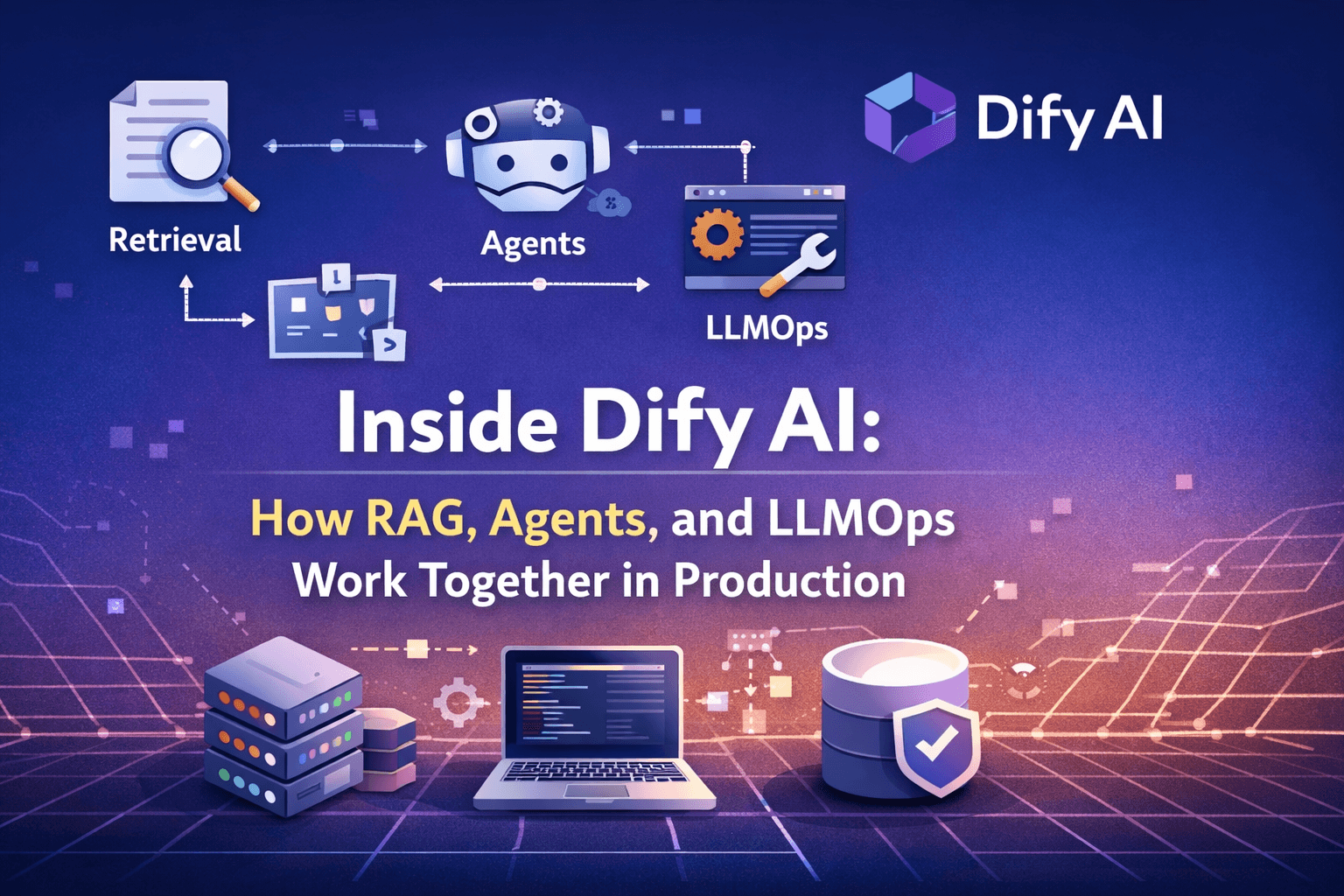
The core product combines five capabilities that are usually built separately: a visual workflow orchestrator (drag-and-drop nodes for LLM calls, conditionals, loops, and retrieval steps), a production-grade RAG pipeline for grounding AI in your own documents and data, an agent framework for building autonomous AI that can use tools and make decisions, a model management layer that lets you switch between dozens of LLM providers without rewriting your application, and a full observability stack so you can monitor, debug, and improve your AI over time. All of this is available as a self-hosted open-source deployment or as a managed cloud service.
The growth trajectory is striking. Dify crossed 100,000 GitHub stars and became the 51st most-starred repository on all of GitHub, surpassing older and better-funded competitors. In early 2026, it closed a $30 million Series Pre-A led by HSG with participation from GL Ventures, 5Y Capital, Alt-Alpha Capital, Mizuho, and NYX Ventures — a strong vote of confidence in the open-source model at a moment when several rivals (FlowiseAI was acquired by Workday, LangFlow joined IBM’s DataStax) have exited the independent space. Dify’s 800+ contributors ship weekly releases, and the community forum is active and growing.
Why Dify Stands Out in 2026
A genuinely production-ready open-source platform — not a toy: Many open-source AI tools are impressive in demos but buckle under real usage. Dify is a notable exception. With over 1 million applications deployed across companies ranging from early-stage startups to Maersk and Volvo Cars, the platform has a track record that most of its competitors simply cannot match. One reported enterprise deployment serves 19,000+ employees across 20+ departments from a single Dify instance. The Apache 2.0 license means no commercial-use restrictions on self-hosted deployments — a critical point for businesses that need to keep data on-premises.
The best RAG pipeline in the open-source ecosystem: Dify’s Retrieval-Augmented Generation engine is consistently cited by independent reviewers and practitioners as one of its strongest features — and one of the best available anywhere, including dedicated paid platforms. It handles document ingestion, chunking, embedding, and retrieval across multiple knowledge bases with out-of-box support for PDFs, Word documents, Markdown, CSV, HTML, PowerPoint files, and plain text. In 2026, Dify added Agentic RAG: rather than a one-shot retrieval step, the agent now iteratively analyzes intent, selects sources, rewrites queries, evaluates evidence quality, and retries if results are poor — a meaningful leap in accuracy for complex questions.
Model-agnostic by design — switch LLMs without rewriting anything: Dify integrates with every major LLM provider out of the box: OpenAI (GPT-4o and newer), Anthropic (Claude), Google (Gemini), Mistral, Meta (Llama via API), and any provider with an OpenAI-compatible endpoint. Local model support is available through Ollama integration, giving teams that need fully private inference a credible path. Switching models or running A/B comparisons between providers is built into the interface — a genuine productivity advantage for teams trying to control costs or optimize quality.
Full MCP integration — Dify apps become tools for other AI systems: In early 2026, Dify added bidirectional Model Context Protocol support — one of the most forward-looking additions in the platform’s history. As an MCP client, Dify agents can connect to any external MCP server (filesystems, GitHub, Slack, databases, web browsers) using the standardized protocol, eliminating per-service integrations. As an MCP server, any Dify workflow or agent can be wrapped and exposed as an MCP endpoint callable from Claude Code, Cursor, or any other MCP-enabled client. This turns Dify-built applications into composable tools in the broader agentic ecosystem.
Five distinct application types for five distinct use cases: Dify’s App Studio doesn’t force everything into a chatbot mold. It supports Chatbots (conversational AI), Text Generators (one-shot content generation), Autonomous Agents (tool-using AI that takes multi-step actions), Chatflows (multi-step conversational pipelines with branching logic), and Workflows (fully automated, non-conversational pipelines). This breadth means the same platform can run a customer-facing support bot, an internal document summarizer, an automated email classifier, and a research agent — without switching tools.
Built-in LLMOps — observability that actually ships with the product: Most teams building AI applications eventually discover they need monitoring, logging, prompt versioning, and feedback collection — and then spend weeks building it. Dify includes all of this. Application logs, performance analytics, annotation tools for fine-tuning through human feedback, and prompt management are part of the standard offering. You can continuously improve prompts, datasets, and model choices based on real production data without standing up a separate observability stack.
Backend-as-a-Service with full API coverage: Every Dify capability is exposed through a corresponding API, so teams can embed Dify’s AI into existing products, internal tools, and third-party platforms without rebuilding the stack. The plugin marketplace (800+ plugins as of 2026) extends the platform with pre-built integrations for tools like Google Search, DALL·E, Stable Diffusion, WolframAlpha, and dozens of enterprise systems — all connectable without writing integration code from scratch.
Key Features and Technology
Dify’s feature set spans the full lifecycle of an AI application — from initial prompt design to production monitoring. Here is how the major capability areas break down.
Visual Workflow Builder
The workflow canvas is the heart of Dify and the feature most praised by users new to the platform. You build AI applications by dragging nodes onto a canvas and connecting them: LLM nodes (send a prompt, get a completion), Knowledge Retrieval nodes (search your document knowledge bases), Conditional Logic nodes (branch based on outputs), HTTP Request nodes (call external APIs), Code nodes (run Python or JavaScript for custom logic), and — added in 2026 — Human Input nodes that pause an automated workflow until a person reviews or approves a step. This makes it practical to build hybrid human-in-the-loop workflows, not just fully automated ones. The visual debugger lets you step through each node’s input and output in real time, which dramatically shortens the iteration cycle compared to working purely in code.
RAG Pipeline and Knowledge Base
Dify’s knowledge base feature eliminates the need for external tools like LangChain or LlamaIndex for most RAG workflows. You create a knowledge base, upload your documents (PDF, DOCX, MD, TXT, CSV, HTML, PPTX are all supported), and Dify handles the chunking, embedding, and vector storage automatically. Multiple knowledge bases can be attached to a single application, and retrieval settings — chunk size, overlap, embedding model, retrieval mode — are configurable without touching code. The 2026 addition of Agentic RAG means your agent doesn’t just fetch documents passively; it reasons about which sources to check, rewrites queries when initial retrieval is weak, and cross-validates evidence before generating a final answer. This is the feature that separates Dify from simple chatbot builders.
Agent Framework and Multi-Agent Orchestration
Dify supports building autonomous agents using both LLM Function Calling and ReAct (Reasoning + Acting) frameworks. Agents can be equipped with over 50 built-in tools — including Google Search, code interpreters, image generation via DALL·E and Stable Diffusion, WolframAlpha for math, and web scraping utilities — as well as any custom tool you define via API or MCP connection. In 2026, Dify added Supervisor mode for multi-agent orchestration: a coordinator agent can delegate tasks to specialized sub-agents, enabling architectures where one agent handles document retrieval, another handles calculation, and a third synthesizes the final output. This is production-grade multi-agent infrastructure, not a prototype feature.
Model Management and Switching
Dify’s model layer is deliberately provider-agnostic. You connect API keys for any supported provider — OpenAI, Anthropic, Google, Azure OpenAI, Mistral, Cohere, Replicate, and more — and switch between them at the application level without changing workflow logic. Local models via Ollama are supported for teams who need fully private inference with no external API calls. Comparing model performance on the same task is built into the interface, making it practical to benchmark GPT-4o against Claude Sonnet against Gemini Pro on your own data before deciding which to use in production.
Observability, LLMOps, and the Plugin Marketplace
Once your application is live, Dify’s built-in LLMOps layer tracks every interaction: response quality, latency, token usage, error rates, and user feedback. The annotation interface lets you flag poor responses, correct them, and feed those corrections back to improve retrieval or prompt behavior — a practical fine-tuning loop that doesn’t require ML expertise. The plugin marketplace (800+ plugins in 2026) extends the platform with pre-built connectors for enterprise tools, data sources, and AI services. Everything is accessible via a REST API, so Dify can act as the AI backbone for an existing product rather than a standalone interface.
Pricing, Plans, and Package Structure
Dify’s pricing model has two distinct tracks: self-hosted (free forever under Apache 2.0) and Dify Cloud (managed SaaS with monthly or annual billing at a 17% discount). The cloud plans differ on team size, message credits, vector storage, and collaboration features. Remember the dual-cost caveat from the overview: cloud plan costs do not include LLM API usage billed directly by providers like OpenAI or Anthropic. Students and educators get free access to core features. Enterprise pricing is negotiated separately and starts at approximately $150,000/year on AWS Marketplace.
| Plan | Price | Message Credits | What You Get | Best For |
|---|---|---|---|---|
| Self-Hosted Community | Free forever | Unlimited (your own API) | Full platform, all features, no caps — Docker or Kubernetes required | Teams with DevOps capability, regulated industries, cost-sensitive orgs |
| Sandbox (Cloud) | Free | 200 (one-time) | 1 team member, limited storage, full feature exploration | Learning the platform, proof-of-concept builds, solo experimentation |
| Professional (Cloud) | $59/month | 5,000/month | Small team seats, more vector storage, production-ready capacity | Independent developers and small teams building production AI apps |
| Team (Cloud) | $159/month | 10,000/month | More seats, higher throughput, advanced collaboration, priority support | Medium-sized teams requiring collaborative AI app development |
| Enterprise (Cloud / AWS) | Custom (~$150K+/yr on AWS) | Custom | SSO, audit logs, SLA, dedicated support, custom branding, VPC deployment | Large organizations with compliance, security, and scale requirements |
How Dify Compares to Alternatives
| Factor | Dify | LangChain / LangGraph | Flowise | n8n |
|---|---|---|---|---|
| Visual builder | Yes — powerful, production-grade | No — code-first framework | Yes — simpler, lighter | Yes — general automation focus |
| Built-in RAG pipeline | Yes — best-in-class open source | Build it yourself (very flexible) | Basic RAG support | Limited, not a RAG platform |
| Agent / multi-agent | Yes — Supervisor multi-agent mode | Yes — deepest control | Basic agents | Limited AI-native agents |
| MCP support | Yes — bidirectional (client + server) | Via LangChain integrations | Yes (client + server) | Limited |
| Built-in observability | Yes — logs, analytics, annotations | Requires LangSmith (separate) | Basic logs | Workflow logs only |
| Self-hosted option | Yes — free, Apache 2.0 | Yes — open source | Yes — acquired by Workday | Yes — open source |
| Best for | Teams wanting visual AI app dev with production RAG and agents | Developers needing deep code-level LLM control | Fastest path to one conversational RAG app | General-purpose business automation with some AI nodes |
vs. LangChain / LangGraph: LangChain remains the most flexible option for developers who want precise, low-level control over every part of their LLM chain. If your use case requires custom retrieval logic, complex graph-based agent architectures, or deep integration with Python ML libraries, LangChain or LangGraph gives you more raw power. The trade-off is that everything is code — there is no visual builder, no built-in RAG UI, and no included observability (you need LangSmith separately). For teams where speed-to-production and non-developer collaboration matter, Dify wins clearly. For teams where code-level control is the priority, LangChain wins.
vs. Flowise: Flowise was one of the earliest visual LangChain builders and is faster to get running for a single conversational RAG application. However, it has a narrower feature set than Dify (lighter RAG configuration, fewer application types, basic observability), and following its acquisition by Workday in August 2025, its roadmap for independent users is less certain. Dify’s active open-source community, 138,000+ stars, and dedicated LLMOps focus make it the more comprehensive and future-resilient choice for most teams.
vs. n8n: n8n is an outstanding general-purpose workflow automation tool with AI nodes added in recent versions, but it is not purpose-built for LLM applications. It lacks Dify’s RAG pipeline, knowledge base management, LLMOps observability, and the depth of agent capabilities. If your primary need is general business process automation with occasional AI steps, n8n is excellent. If your primary need is building AI-first applications — chatbots, agents, document Q&A systems — Dify is the more appropriate tool, and the two platforms are often used together rather than in competition.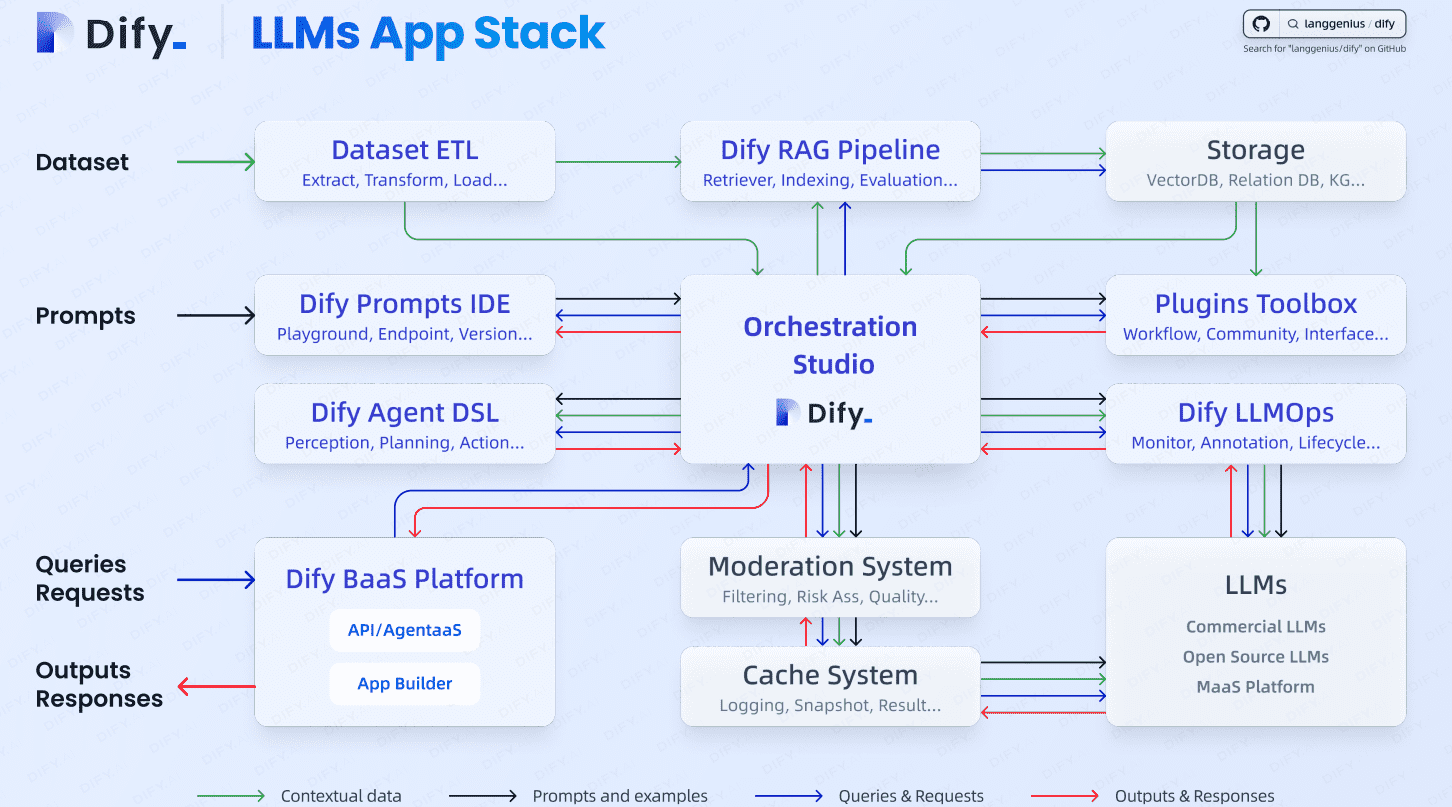
Pros and Cons
What Builders Love
From idea to working prototype in hours, not weeks: Dify’s visual builder genuinely compresses the development timeline. Getting a RAG-powered customer support chatbot up and running — documents ingested, retrieval configured, chatbot deployed — takes under two hours even for a first-time user. One commonly reported use case: an internal knowledge assistant serving thousands of employees, built and deployed over a weekend.
RAG pipeline that rivals dedicated paid platforms: Independent reviewers consistently rate Dify’s knowledge base and RAG capabilities as among the best available in any open-source package — genuinely comparable to specialized paid services. Document ingestion is broad, chunking is configurable, and the new Agentic RAG capability makes responses more accurate on complex, multi-source questions.
True model freedom — no vendor lock-in: Because Dify is model-agnostic and open-source, you can switch LLM providers, add local models via Ollama, or bring your own fine-tuned models without restructuring your application. This is a meaningful competitive advantage in a landscape where model costs and quality shift rapidly.
Self-hosted option keeps data on-premises: For companies in regulated industries — healthcare, finance, legal — the ability to run Dify entirely on their own infrastructure, with no data leaving their environment, is often the deciding factor. The Community Edition makes this free, removing the usual cost penalty for compliance-conscious deployments.
A thriving, rapidly shipping community: With 138,000+ GitHub stars, 800+ contributors, and weekly releases, Dify has one of the healthiest open-source communities in the AI tooling space. Questions get answered in the forum, bugs get fixed quickly, and new features — like bidirectional MCP support and Human Input nodes — arrive in direct response to user needs. The platform you adopt today will be meaningfully more capable in six months.
Limitations Worth Knowing
The visual builder has a ceiling — complex logic still needs code: For applications requiring intricate custom logic, advanced graph-based agent architectures, or deep integration with Python data science libraries, Dify’s visual interface eventually becomes a constraint. The platform includes Code nodes (Python and JavaScript), but if your use case is mostly code, frameworks like LangGraph give you more granularity. Dify is best thought of as a high-productivity layer, not a replacement for code-first development when that level of control is genuinely needed.
Self-hosting requires DevOps comfort — not plug-and-play for everyone: The Community Edition is free, but it is not a one-click install for teams without technical infrastructure experience. Docker Compose deployment is well-documented, but you are responsible for server setup, SSL certificates, backups, updates, and scaling. Teams without a developer or sysadmin on staff will find the managed cloud plans a more practical starting point.
Dual-cost structure can surprise first-time buyers: The cloud subscription covers the Dify workspace; LLM inference costs are separate and billed by your chosen provider. Some users on the Professional plan at $59/month have found that heavy production usage through external API providers adds meaningful cost beyond the subscription. Running usage estimates before committing to a tier is strongly recommended.
Steeper learning curve for the full platform: While the basic chatbot builder is genuinely approachable, mastering all of Dify — multi-agent orchestration, Agentic RAG configuration, advanced workflow branching, observability tuning — takes real time. The platform is deep, and users who expect to use everything immediately will find a meaningful learning investment ahead of them. Fortunately, the documentation and community forum are strong resources.
Cloud plan support quality is inconsistent: Some G2 reviewers on paid cloud plans have reported that priority email support responses were slower and less specific than expected for a $59/month product. For mission-critical production deployments, teams relying on cloud support should verify current SLA commitments and response standards before depending on it.
Not a model fine-tuning platform: Dify focuses on prompt engineering, RAG, and workflow orchestration — it does not include tools for fine-tuning model weights. Teams that need to fine-tune their own models will need separate infrastructure for that step, and connect the resulting model back into Dify via a compatible API endpoint.
Who Should Use Dify
Startups validating AI product ideas: Dify is purpose-built for the “idea to MVP” sprint. If you need to know whether your AI product concept works — whether an RAG-powered tool gives accurate answers from your data, whether an agent can complete your target workflow — you can find out in days, not months. Start with the Sandbox for free exploration, then move to Professional ($59/month) when you’re ready to build for real users.
Product managers and non-technical creators building AI tools: The visual workflow builder genuinely lets non-developers create functional AI applications — document Q&A bots, content generation pipelines, automated email routers — without writing code. If you can think in flowcharts and are comfortable with a drag-and-drop interface, Dify’s entry-level features are accessible. The Professional cloud plan removes the need for any infrastructure management.
Development teams building customer-facing AI features: For engineering teams who want to add AI capabilities to an existing product without building LLM orchestration, RAG pipelines, and observability from scratch, Dify’s Backend-as-a-Service model is a major time saver. The full REST API means Dify acts as the AI backend while your existing product remains the user-facing layer. Team plan ($159/month) or self-hosted Community Edition are the right starting points here.
Enterprise IT teams deploying internal knowledge assistants: The most common Dify enterprise deployment is an internal chatbot grounded in company documentation — employee handbooks, IT policies, sales playbooks, and operational guides. Dify handles the ingestion, chunking, and retrieval; the team customizes the interface and deploys it as a Slack bot or intranet widget. For organizations with compliance requirements, the self-hosted option keeps all data on-premises at no additional licensing cost.
Regulated industries needing on-premises AI: Healthcare, finance, legal, and government organizations often cannot use cloud-hosted AI tools that send data to external servers. Dify’s self-hosted Community Edition — free, open-source, fully deployable on private infrastructure — removes this barrier. The same platform that powers Maersk’s logistics AI can run entirely within a hospital’s own data center, connected to private LLM models via Ollama or a private API endpoint.
Getting Started: Step by Step
- Create a free account. Go to cloud.dify.ai and sign up with an email — no credit card required. You start on the Sandbox plan with 200 message credits and immediate access to the full platform UI. Alternatively, clone the GitHub repository (github.com/langgenius/dify) and run docker compose up to self-host the Community Edition on your own server.
- Connect your LLM provider. Go to Settings → Model Providers and add your API key for OpenAI, Anthropic, Google, or any other provider you use. If you want fully private inference, install Ollama on your server and connect it as a local model provider inside Dify.
- Create your first application. Click Create App and choose your application type: Chatbot for conversational AI, Workflow for automated pipelines, Agent for tool-using AI, or Chatflow for multi-step conversational logic. Give it a name and select your LLM model.
- Build a knowledge base (if using RAG). Go to Knowledge in the left sidebar, click Create Knowledge, and upload your documents. Dify ingests and indexes them automatically. Attach the knowledge base to your application via a Knowledge Retrieval node in the workflow canvas.
- Design your workflow or configure your prompt. Use the visual canvas to chain nodes — LLM calls, retrieval steps, conditionals, HTTP requests, code execution — or write a system prompt in the Orchestration panel for simpler chatbot applications. Test your application in the built-in preview window before deploying.
- Deploy and integrate. Publish your application to get a shareable chat URL for direct user access, or copy the API endpoint credentials to embed Dify as the AI backend in your existing product, website, or Slack workspace via the REST API.
- Monitor and improve. Use the Logs and Analytics panel to review real conversations, flag poor responses with annotations, and iterate on your prompts and retrieval configuration based on actual usage data. This ongoing loop is what separates a good AI application from a great one.
Tips for Getting Maximum Value
Start with the cloud Sandbox to learn the interface before committing to a plan or standing up self-hosted infrastructure — 200 credits is enough to build and test two or three meaningful prototypes. When you move to production, evaluate whether self-hosting makes sense: if your team has a developer who can run Docker, the Community Edition eliminates the $59–$159/month cloud subscription and all message credit caps, leaving only your LLM API costs. For RAG-heavy applications, spend time tuning your chunking strategy — the default settings work well for general documents but chunking by section (rather than by fixed token count) often produces noticeably better retrieval on structured documents like policy manuals and product guides. Before scaling your AI application to a large user base, use Dify’s built-in A/B model comparison to benchmark response quality and cost across two or three LLM providers on your actual data — the cheapest model that meets your quality bar is often not the one you’d intuitively pick first.
Future Outlook and Final Assessment
The tailwinds behind Dify are substantial and compounding. The LLMOps market is projected at $7.14 billion in 2026 with a 21% CAGR. Analysts estimate 750 million applications will use LLMs by 2026, and 67% of organizations are already deploying generative AI products. Demand for platforms that help non-engineers build and operate those applications — without months of custom development — is accelerating faster than the supply of AI engineers. Dify’s $30 million Series Pre-A at an $180 million valuation in March 2026, with HSG leading and major institutional investors participating, signals genuine investor conviction in the open-source model as the foundation for enterprise AI infrastructure.
The 2026 product additions — bidirectional MCP support, Agentic RAG, Human Input nodes, Supervisor multi-agent orchestration, and dynamic form handling — show a platform actively tracking what production AI teams actually need rather than shipping features for demo appeal. The threat to watch is ByteDance’s Coze Studio, which crossed 15,000 GitHub stars after its open-source release in mid-2025 and is backed by significant resources. For now, Dify holds the community lead with 138,000 stars, 800+ contributors, and 800+ marketplace plugins, but the competitive pressure will keep the release cadence high.
The honest caveats: budget carefully for the dual-cost structure before scaling on the cloud; accept that complex custom agent logic may eventually require code alongside the visual builder; and plan for a meaningful learning investment to use the full platform well. Within those parameters, Dify is one of the most credible, complete, and future-proof platforms for AI application development available anywhere — open-source or paid.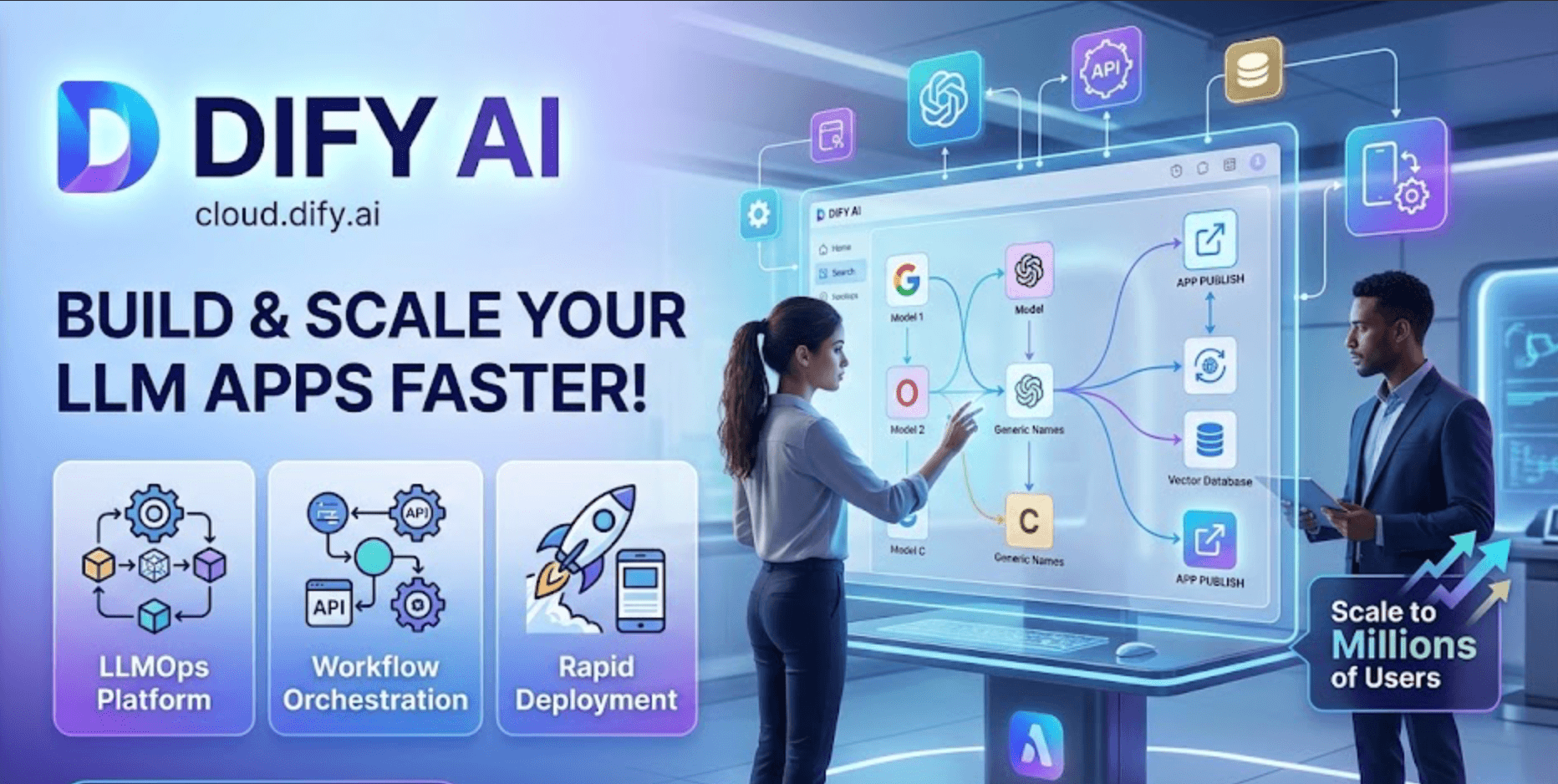
Conclusion
Dify has built something genuinely rare: an open-source AI application platform that is simultaneously accessible to non-technical users and production-grade enough for Maersk, Novartis, and Volvo Cars. The visual workflow builder lowers the barrier to building; the RAG pipeline raises the quality of what gets built; the model-agnostic architecture eliminates lock-in; and the built-in LLMOps layer keeps applications improving after they ship. Whether you are a solo developer validating an AI idea over a weekend, a product team building a customer-facing chatbot grounded in your knowledge base, or an enterprise IT department deploying internal AI across 20 departments — Dify meets you where you are and scales with you. With 138,000 stars, a thriving contributor community, and a 2026 roadmap focused squarely on production needs, it is one of the most compelling answers to the question every organization is now asking: how do we actually build AI applications that work? The answer, increasingly, is Dify — making everything easy, from first prototype to full production scale.
Ready to build your first production AI application — without the infrastructure headaches?
Explore more honest reviews, tutorials and tool comparisons to find the right tech for the way you work and live — at AI Solutes, where we make everything easy.
👉 Open Free Account: https://affiliate.dify.ai/d4teivncaps6
👉 Our Website: https://ai-solutes.com/
👉 Our YouTube Channel: youtube.com/@ai-solutes
👉 Our Facebook Fanpage: Facebook
👉 Our X (Twitter): @AISolutes
- Unlock the Future of Customer Experience with Freshworks 2025: AI, Omnichannel Support, and Business Growth
- Unlock Exponential Growth with Multiplier AI: Transforming Professional Services Through Automation and ROI
- Does Accio Accelerate Information Retrieval? Reviewing the Accio AI-Powered Search Technology
- Unlocking the Viral Potential of Your Content: How Opus Quietly Repurposes Long-Form Videos
- Does i10x AI Exponentially Boost Productivity? Reviewing the i10x AI Next-Gen Automation Technology