

If you’re trying to decide between VEED and InVideo, you’ve narrowed it down to two of the most popular browser-based AI video platforms of 2026 — but they solve the problem in fundamentally different ways, and for most creators one is the clearly smarter choice. InVideo is built around prompt-to-video automation: you type a description and it assembles a full video from stock footage and templates. VEED takes the opposite, and ultimately more useful, approach — it hands you a genuinely simple editor backed by a deep AI toolkit, so you stay in control of the result instead of fixing whatever the AI decided to produce. With over 10 million monthly active users, a $35 million Series A led by Sequoia Capital, a 4.6/5 Trustpilot rating, the most accurate auto-subtitles in its class, and the new Fabric 1.0 talking-video model, VEED has become the platform we recommend for creators who want polished, on-brand, professional video they actually control.
Both tools are capable, both run in the browser, and both have real strengths — so this is not a hatchet job. This 2026 comparison walks through how each platform handles editing, subtitles and AI cleanup, generative video, templates, pricing and team collaboration, with honest pros and cons on each side — and a clear recommendation on which one most social media creators, marketers, educators and small businesses should actually sign up for.
VEED vs InVideo (2026): Which AI Video Platform Wins for Creators, Marketers and Teams?
Overview and Background
Both platforms run entirely in your web browser — nothing to install, projects saved to the cloud, accessible from any device — but their philosophies diverge sharply. VEED, founded in London in 2017 by Sabba Keynejad and Timur Mamedov and backed by a $35 million Series A from Sequoia Capital, is an editor-first platform: a drag-and-drop timeline wrapped in a deep stack of AI tools (auto-subtitles, Magic Cut, noise removal, eye-contact correction, AI avatars and the Fabric 1.0 model). It now serves over 10 million monthly active users, holds a 4.6/5 Trustpilot rating, and counts Meta, Google, Visa, P&G and NBCUniversal among its users.
InVideo, also founded in 2017, began as a template-based editor and has since reoriented around InVideo AI — a prompt-to-video generator that turns a single text description into a full video with script, stock footage, voiceover, subtitles, music and transitions. It still ships a traditional template editor (InVideo Studio) alongside it, offers a large library of 5,000+ templates and millions of stock assets, and has integrated frontier generative models. It’s a genuinely impressive “type a prompt, get a draft” tool, and for pure hands-off automation it’s one of the most complete options available.
That difference is the whole story. InVideo optimizes for getting from nothing to a rough video as fast as possible. VEED optimizes for letting you produce exactly the video you want — captioned, branded, polished — with AI handling the tedious parts rather than the creative decisions. For the audience that values a distinctive, professional result they can stand behind, the second approach wins far more often than the first.
Why VEED Wins for Most Creators in 2026
Real editing control, not AI roulette: VEED gives you a true timeline editor, so when something isn’t right, you simply fix it — trim the clip, swap the asset, adjust the text. InVideo’s manual control is comparatively shallow: when its AI gets a video almost right, correcting that last 10% by hand is harder than in a real editor, and power users hit the ceiling quickly. With VEED, you’re never stuck cleaning up choices a model made for you.
The most accurate auto-subtitles in its class: Captioning is VEED’s signature strength and its most-praised feature. It transcribes and captions video across 100+ languages with accuracy reviewers repeatedly rank among the best of any browser tool, plus a clean editor for styling and timing. For talking-head, interview and UGC content — where captions drive engagement and accessibility — this alone is a decisive advantage over InVideo, where subtitles are competent but not the headline act.
A distinctive, on-brand look — not the “template look”: Because InVideo leans heavily on stock footage and a recognizable template library, its output can end up looking like everyone else’s, and many of its “premium” clips are now overused across social media. VEED lets you build from your own footage, your Brand Kit, and your own assets — and with Fabric 1.0 you can animate your actual product, mascot or spokesperson. The result is content that looks like your brand, not a stock montage.
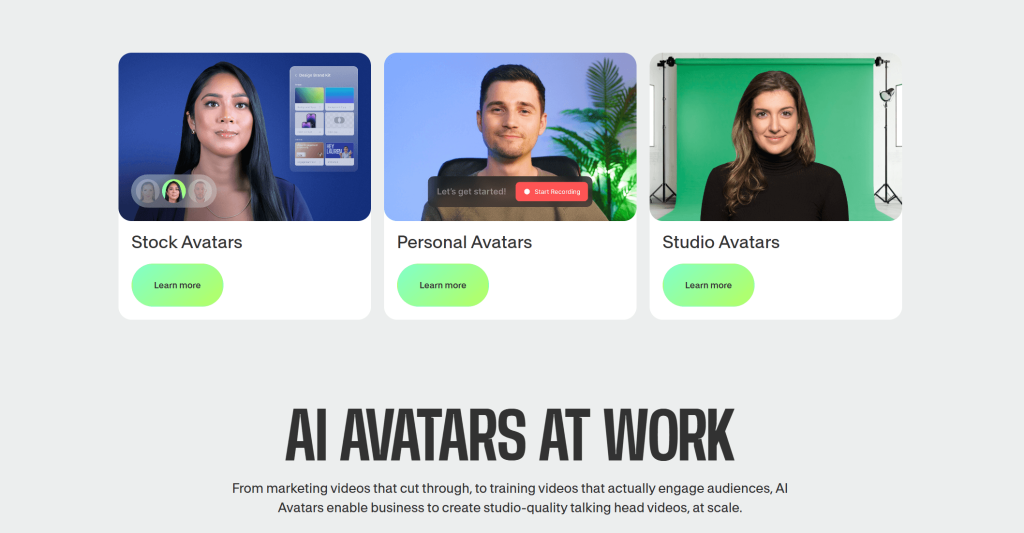
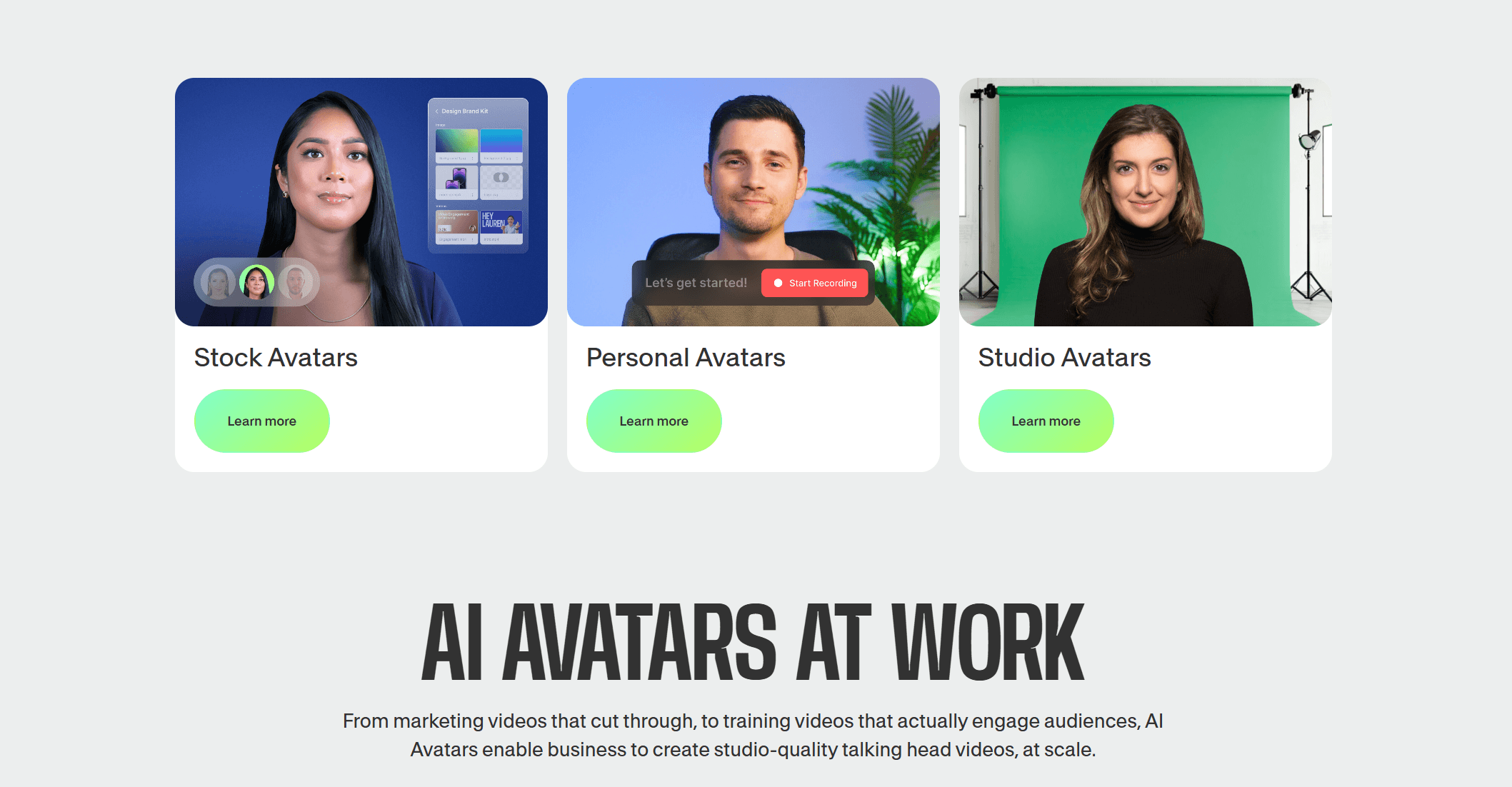
Fabric 1.0 — talking videos from any image: VEED’s standout 2026 innovation generates a lip-synced talking video from a single image plus a script or audio, animating any photo, illustration, mascot or character (up to five minutes long) with the audio driving head, hand and body motion. It’s a genuinely differentiated capability — and a step beyond the generic AI avatars that, in InVideo and similar tools, testers often describe as robotic or unnatural in their movement.
Predictable, tool-based results: A recurring InVideo frustration is that complex prompts can produce mismatched footage (“AI hallucinations”) and scripts that are generic and need significant rewriting. VEED’s tool-driven approach — you apply captions, cuts and effects to footage you chose — is simply more predictable. You get what you asked for, the first time, without prompt-engineering your way to an acceptable draft.
Magic Clips for repurposing long content: VEED’s AI clip generator scans a long recording, finds the high-impact moments, and auto-reformats them into vertical, captioned shorts for TikTok, Reels and YouTube Shorts — turning one hour-long podcast or webinar into a batch of clips in minutes. It’s a workflow podcasters and long-form creators rely on, and it’s a clear VEED strength.
A complete record-to-publish workflow with real collaboration: VEED bundles a screen-and-webcam recorder, an in-browser teleprompter, real-time collaboration with time-stamped comments, Brand Kits, and hosting with share links — capturing the entire process in one tab. Both tools offer collaboration, but VEED’s editor-first model means your whole production, from recording to review to publish, lives in a single, controllable place.
Key Differences: Feature by Feature
Both platforms cover a lot of the same ground, so the differences that matter are about how each does the job. Here’s where they actually diverge.
The Editor: Hands-On Control vs Prompt Automation
VEED’s core is a drag-and-drop timeline built for speed and precision: trim, cut, split, layer text, music and transitions, and switch aspect ratios (16:9, 1:1, 9:16) for any platform — all by hand, all under your control, but simple enough for a first-timer. InVideo’s center of gravity is the prompt: describe what you want and the AI builds the whole video. That’s faster to a first draft, but it inverts the workflow — instead of building up exactly what you want, you spend your time editing down what the AI gave you, and its manual editor is the weaker layer. If editing control matters to you, VEED is the better tool, full stop.
Subtitles & AI Cleanup: VEED’s Strongest Suit
This is where VEED pulls clearly ahead. Its auto-subtitles span 100+ languages with best-in-class accuracy and full styling control, and its cleanup tools — Magic Cut for filler-word and silence removal, background-noise removal for clearer audio, and Eye Contact Correction to fix a wandering gaze — are the small, repetitive jobs that eat a creator’s time. InVideo handles captions and added AI noise reduction and pitch correction in 2026, but accuracy-obsessed caption workflows and one-click audio fixes are squarely VEED territory.
Generative AI: Fabric 1.0 vs Prompt-to-Video
Both platforms reach for generative AI, but with different signatures. InVideo’s is end-to-end prompt-to-video plus voice cloning from a short sample — strong if you want a whole draft from one sentence. VEED’s is Fabric 1.0, the talking-video model that animates any image into an expressive, lip-synced presenter, plus a Gen-AI Studio for text-to-video and image-to-video. VEED’s advantage is flexibility and a distinctive output (your image, your character), versus InVideo’s stock-and-template assembly. It’s worth being clear: both tools also integrate the same frontier models, so cutting-edge generation isn’t a differentiator on its own.
Templates & Stock: Where InVideo Is Strong
Credit where it’s due: InVideo’s 5,000+ template library and massive integrated stock catalog are a real strength, especially if you want to drop into a ready-made marketing or social template and move fast. VEED also includes a deep stock library, brand kits and templates, but InVideo’s template breadth is larger. The trade-off is the one already noted — heavy template-and-stock reliance is exactly what makes generated videos look generic. If a polished-but-familiar look is fine for your use case, InVideo’s library is an asset; if you want to stand out, VEED’s build-your-own approach serves you better.
Recording, Collaboration & Branding
VEED doubles as a lightweight studio: a screen-and-webcam recorder with multiple layouts and an in-browser teleprompter let you capture footage without a separate tool, then edit it immediately. Both platforms offer real-time, comment-based collaboration and brand presets, so teams are well served either way — but VEED’s recording layer and tight editor integration make it the more complete capture-to-publish environment for creators who film their own content.
Pricing Compared
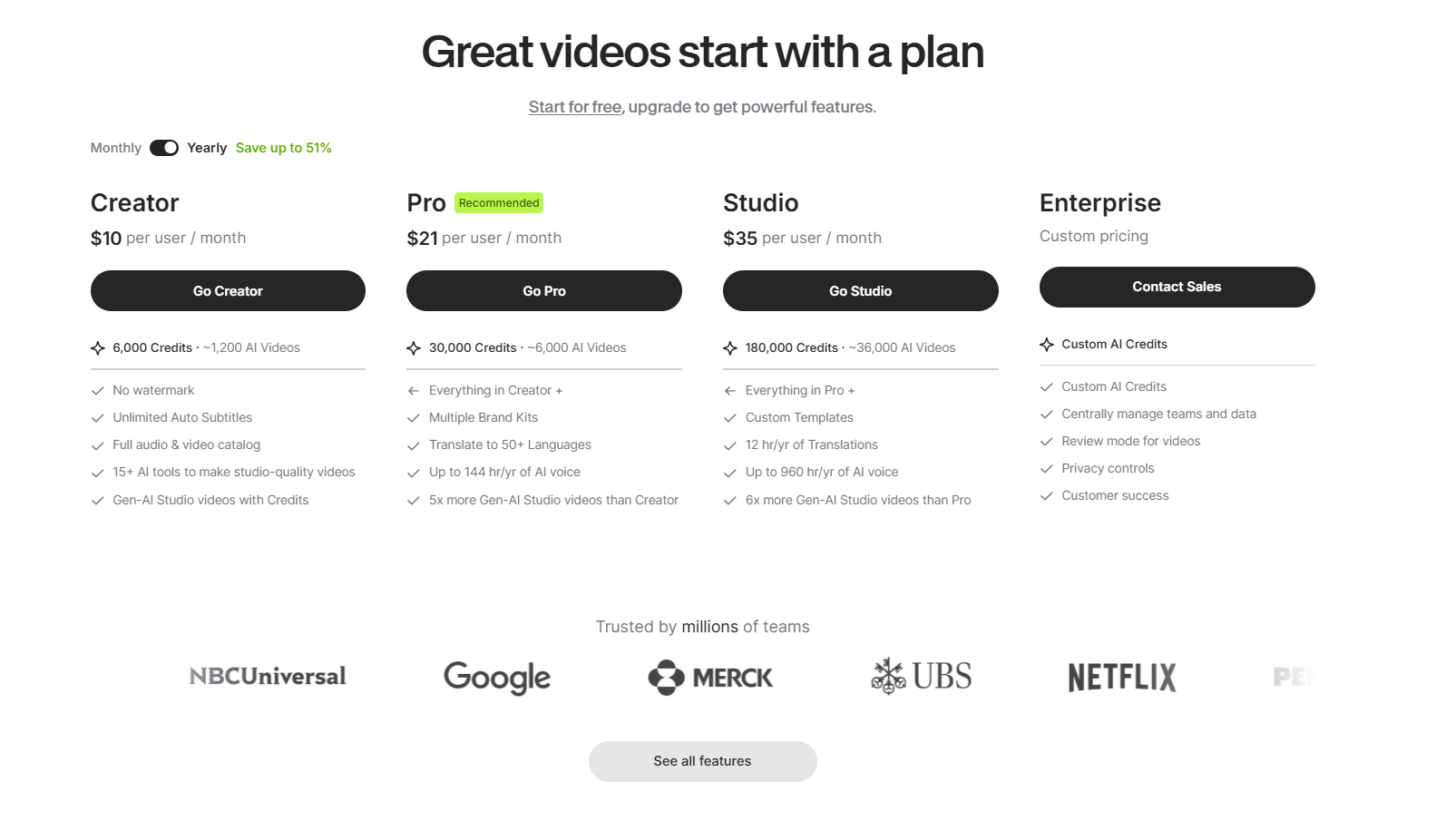
Both are subscriptions with a free tier, billed monthly or annually, and both gate generative AI behind credits or minutes that reset monthly. Plan names and prices shift with promotions and over time, so treat the figures below as approximate ranges and confirm the live price on each platform’s pricing page before subscribing. The broad picture: VEED’s paid plans unlock watermark-free 1080p/4K export, the full AI toolkit and brand kits, while InVideo’s paid tiers are structured around monthly AI generation minutes.
| Tier | VEED (approx.) | InVideo (approx.) | Notes |
|---|---|---|---|
| Free | $0 — editor, recording, limited subtitles, 720p, watermark | $0 — limited AI minutes, watermarked exports | Both free tiers are for testing, not publishing |
| Entry | Lite ~$12–18/mo — watermark-free 1080p, full stock library | Plus ~$25–28/mo — ~50 AI minutes, 2 voice clones | VEED’s entry tier is cheaper for watermark-free editing |
| Mid / Pro | Pro ~$24–30/mo — 4K, full AI toolkit, avatars, brand kit | Max ~$50–60/mo — ~200 AI minutes, 5 voice clones | InVideo’s higher tiers are minutes-driven; heavy use adds up |
| Team / Business | ~$59–70/mo per seat — collaboration, SSO, governance | ~$60/mo — removes watermarks, more storage, team features | Map your real seat count and AI volume before committing |
Head-to-Head Comparison
| Factor | VEED | InVideo | Better pick |
|---|---|---|---|
| Core approach | Editor-first with deep AI tools | Prompt-to-video automation | VEED for control |
| Editing control | Full timeline, precise | Shallow manual editor | VEED |
| Auto-subtitles | Best-in-class, 100+ languages | Competent | VEED |
| Output look | Distinctive, on-brand | Template/stock-driven | VEED |
| Signature AI | Fabric 1.0 talking videos | Prompt-to-video + voice clone | Depends on goal |
| Template library | Deep | Larger (5,000+) | InVideo |
| Speed to first draft | Fast (manual) | Fastest (one prompt) | InVideo |
| Entry price | ~$12–18/mo | ~$25–28/mo | VEED |
Where VEED wins: control, caption accuracy, a distinctive on-brand look, the Fabric 1.0 talking-video model, predictable results, podcast repurposing via Magic Clips, and a lower entry price for watermark-free editing. For anyone whose output reflects on their brand or business — which is most professionals — these are the factors that decide whether a video is worth publishing.
Where InVideo wins: raw speed from a single prompt, the largest template library, and built-in voice cloning. If your goal is to type one sentence and get a complete, stock-based marketing video — particularly for high-volume or faceless content where a generic look is acceptable — InVideo’s end-to-end automation is genuinely strong, and that’s a fair reason to choose it.
The verdict: For the creators, marketers, educators and small businesses AI Solutes serves — people who want polished, on-brand, professional video they control, with the best captions in the category — VEED is the better all-around platform and the one we recommend. Choose InVideo only if pure prompt-to-video automation is specifically what you need.
Pros and Cons
What VEED Does Better
You stay in control: A real editor means you fix what you want, when you want, instead of wrestling an AI’s choices into shape — and it’s still simple enough for total beginners.
Best captions in the category: Auto-subtitles across 100+ languages with accuracy users rank at the top of any browser tool — a daily, tangible time-saver for social and talking-head content.
On-brand, distinctive output: Build from your footage, your Brand Kit and your own characters via Fabric 1.0 — so your videos look like your brand, not a recycled stock template.
Predictable and reliable: Tool-based editing avoids the mismatched footage and generic, rewrite-heavy scripts that prompt-to-video workflows can produce.
Lower cost to publish-ready: A cheaper entry tier for watermark-free 1080p editing, plus free access for verified educators, make VEED easier on the budget for most individuals.
Honest Caveats: Where InVideo Wins (and VEED’s Limits)
InVideo is faster from a blank page: If you want a full video from a single prompt with zero editing, InVideo’s end-to-end generation is more complete — a real advantage for high-volume or faceless content.
InVideo’s template and stock library is larger: With 5,000+ templates and a vast stock catalog, InVideo is hard to beat if you simply want to drop into a ready-made design and go.
Both are cloud-only: Neither tool edits offline, so reliable internet is required. If you frequently work without connectivity, a desktop editor will suit you better than either.
VEED’s free plan is for testing only: Free exports carry a watermark, cap at 720p and a short length, and limit AI usage — so serious or client work requires a paid plan, much like InVideo’s free tier.
Generative AI runs on credits on both sides: VEED, like InVideo, charges generative features against an allowance that doesn’t roll over, and per-seat pricing adds up for teams — so budget a buffer and map your seat count before committing.
Who Should Choose VEED (and Who Might Prefer InVideo)
Social media creators and UGC makers: If captions, a distinctive look and quick repurposing into shorts drive your content, VEED’s accurate subtitles, Eye Contact Correction and Magic Clips are built for you. Start on Lite for watermark-free posts and move to Pro for 4K and the full AI toolkit.
Marketing teams and agencies: When output represents a brand and multiple people need to collaborate, VEED’s editing control, Brand Kits and real-time review keep everything on-brand and consistent. The Business plan adds shared workspaces and SSO for teams that need governance.
Educators and course creators: Screen recording, the teleprompter, accurate multilingual subtitles and translation make VEED ideal for lessons and training — and it’s free for verified educators, putting the full toolkit within reach at no cost.
Podcasters and long-form creators: If you record interviews or webinars, VEED’s Magic Clips turning one long recording into a batch of captioned vertical shorts is the single most valuable feature for your workflow. Pro is the right fit for the storage and AI access this needs.
Prefer InVideo if: you specifically want hands-off, prompt-to-video automation at high volume — for example, faceless channels or rapid stock-based marketing clips where a generic look is acceptable and you’d rather not touch an editor. For everyone focused on a controlled, professional, on-brand result, VEED is the stronger choice.
Getting Started with VEED: Step by Step
- Create a free account. Sign up at VEED with no credit card required and land straight in the browser editor — nothing to install, on any device.
- Upload or record your footage. Drag in an existing clip, or use the built-in screen-and-webcam recorder with the teleprompter to capture something new inside the platform.
- Edit on the timeline. Trim, cut and arrange clips, add text, music, transitions and stock media, and set your aspect ratio (16:9, 1:1 or 9:16) for the platform you’re publishing to.
- Apply the AI tools. Generate auto-subtitles, run Magic Cut to remove filler, clean the audio, correct eye contact — and for generated video, open Gen-AI Studio or Fabric 1.0 to create a talking video from an image or script.
- Brand and collaborate. Apply your Brand Kit for consistent fonts, colors and logos, and invite teammates to review with time-stamped comments before you finalize.
- Export or host and share. Render up to 4K on a paid plan (the free plan exports 720p with a watermark), then download or publish via VEED’s hosting and share link.
Tips for Getting Maximum Value
Start on VEED’s free plan to confirm the workflow fits, then upgrade deliberately rather than over-buying — most solo creators are well served by Lite or Pro and don’t need Business. Choose annual billing to capture the discount over monthly, and before checkout apply an active code (in June 2026 that includes 25% off the first year of annual Pro for new users, alongside frequent 20–30% seasonal codes); codes are usually new-user-only and time-limited, so verify the live price and note the 14-day refund window. If you’re an educator, claim VEED’s free access for verified teachers before paying for anything. Treat generative AI credits as a real budget line on either platform: settle your script and inputs before generating, pick the lightest model that does the job, and avoid trial-and-error regeneration, since credits don’t roll over. And if you’re genuinely torn, run the same short project through both free tiers — VEED’s caption accuracy and editing control usually make the decision for you.
Future Outlook and Final Assessment
Demand for short-form, captioned, on-brand video keeps climbing across every platform, and both VEED and InVideo are evolving fast — both have integrated frontier generative models, and both continue to ship new AI features. But the durable advantage belongs to the platform that pairs that AI power with genuine editing control and the most accurate captions in the category, because that’s what separates a video you can publish from a draft you have to fix. VEED’s editor-first bet — AI handling the tedious parts while you keep creative control — is well-aligned with how serious creators and teams actually work.
The honest caveats apply to both: cloud-only operation, free tiers meant only for testing, and credit-based generative pricing. InVideo remains the better pick for pure prompt-to-video automation and the largest template library. But for the broad audience that wants control, caption quality and a distinctive professional look, VEED is the stronger, more versatile platform — and the better value with an annual plan and an active discount.
Conclusion
VEED and InVideo are both strong browser-based video platforms, and InVideo earns real credit for its prompt-to-video speed and enormous template library. But for the creators, marketers, educators and small businesses who want polished, on-brand, professional video they truly control — backed by the most accurate captions in the category, the distinctive Fabric 1.0 talking-video model, and a complete record-to-publish workflow — VEED is the platform worth choosing in 2026. Test it on your own content, claim the right discount, and VEED turns one of the most time-consuming parts of modern work into something genuinely simple — making everything easy, one video at a time.
Ready to create professional, on-brand videos the easy way?
Explore more honest reviews, tutorials and tool comparisons to find the right tech for the way you work and live — at AI Solutes, where we make everything easy.
👉 Open Free Account: Get Started with VEED
👉 Our YouTube Channel: youtube.com/@ai-solutes
👉 Our Facebook Fanpage: Facebook
👉 Our X (Twitter): @AISolutes
- What If Deploying Enterprise Cloud Servers Took 60 Seconds Inside Kamatera’s Engine?
- What If Revenue Growth Could Run Seamlessly on Autopilot? Inside Omnisend’s E-Commerce Engine
- Unlock the Power of Figma 2025: Next-Gen AI Design Tools, Sites, and Workflow Automation Explained
- Unlock Retail Success with Increff: How AI-Driven Inventory Management Transforms Global Brands
- Dominate 2026 Campaigns with AdCreative.ai: AI Ad Generator Features, Competitor Comparison, and Pro Tips















