

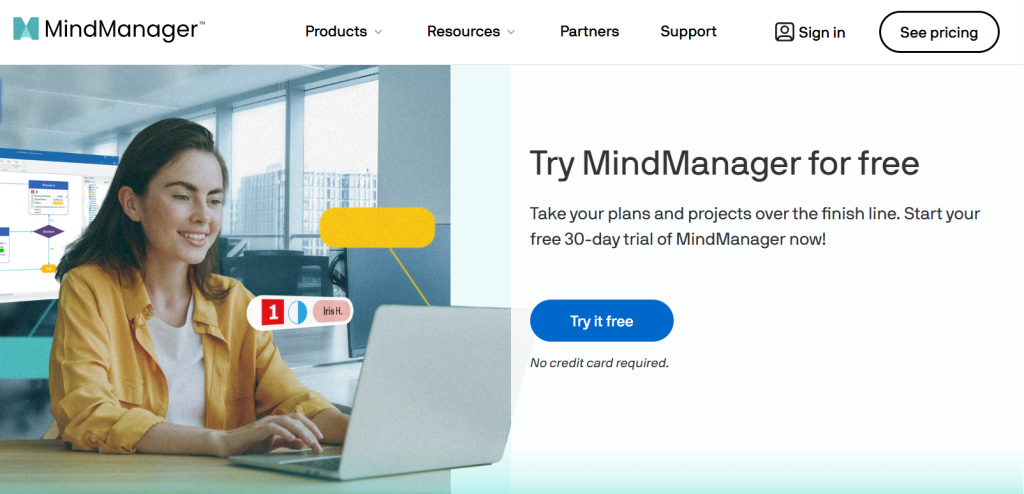
Brainstorming sessions and strategy meetings tend to produce the same problem: a wall of scattered ideas that nobody quite knows how to turn into an actual plan. MindManager has been solving that exact problem since 1998, evolving from a simple mind-mapping tool into a full visual planning platform that combines mind maps, flowcharts, Gantt charts, org charts, and concept maps in a single application. Now owned by Alludo (formerly Corel) and trusted by more than 2 million users worldwide, MindManager has built its reputation on deep Microsoft Office integration and a level of feature density that consultants, project managers, and executives rely on for genuinely complex planning work.
It’s also, by most reviewers’ accounts, one of the pricier tools in its category — with no permanent free tier, only a 30-day trial. This 2026 review walks through what MindManager actually delivers for that price, its full Essentials, Professional, and Enterprise pricing structure, how it stacks up against MindMeister, XMind, and Miro, and who genuinely needs its depth versus who would be better served by a cheaper alternative.
MindManager Review 2026: The Deep-Feature Mind Mapping Platform for Business Planning
Overview and Background
MindManager is visual thinking and mind-mapping software that transforms scattered ideas, notes, and information into structured maps, diagrams, and plans. At its core, it works like traditional mind mapping — start with a central idea and branch outward, connecting related concepts in a radial structure that mirrors how people actually think. What sets MindManager apart is how far it extends beyond that core: the same canvas supports Gantt charts, timelines, flowcharts, kanban boards, and organizational charts, letting a single map evolve from a rough brainstorm into an actionable project plan without ever leaving the application.
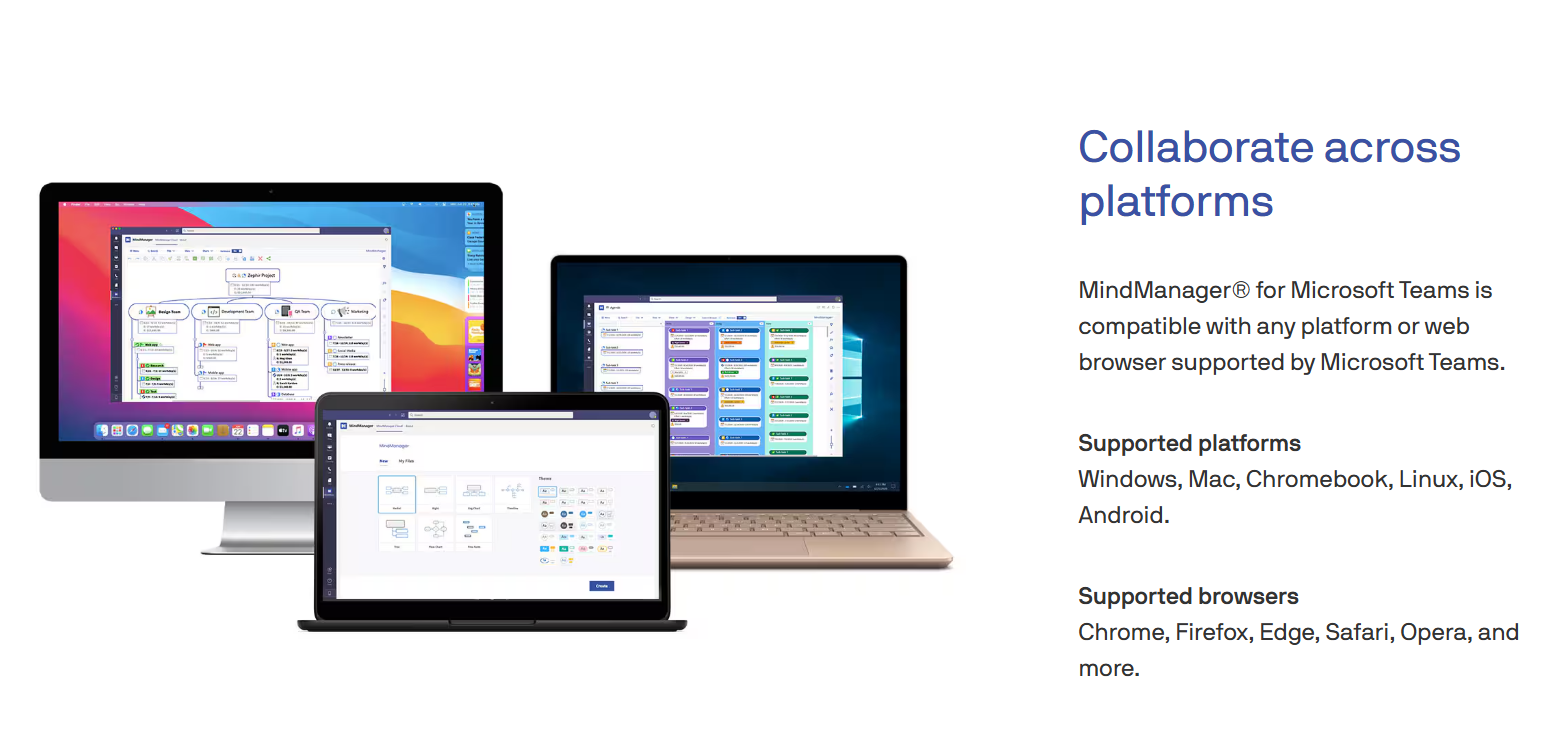
The platform is built around deep Microsoft Office integration (Excel, Outlook, SharePoint, Word) plus Zapier connectivity, document and file attachments, project cost-tracking on maps, and real-time collaborative editing. It’s available on Windows, Mac, and web browser, with iOS and Android apps, and supports seven languages including English, French, German, and Chinese.
Why MindManager Stands Out in 2026
Genuinely multi-format, not just mind maps: the ability to move between mind maps, Gantt charts, flowcharts, kanban boards, and org charts within the same tool means one map can evolve through a project’s entire lifecycle — from brainstorm to execution plan — without switching software.
Deep Microsoft ecosystem integration: native connections to Excel, Outlook, SharePoint, and Word, plus easy import/export to and from Word documents, make MindManager a strong fit for organizations already standardized on Microsoft 365.
Built-in project cost tracking: the ability to add individual costs directly to a project map and visualize budget impact is a feature most pure mind-mapping tools simply don’t offer.
Real-time collaborative editing: multiple users can edit the same map simultaneously, which matters for distributed teams doing live strategic planning rather than passing files back and forth.
Presentation-ready output: maps can be turned directly into polished, presentation-quality diagrams — a genuine time-saver for consultants and executives who need to move from internal planning to client- or board-ready visuals without rebuilding in a separate design tool.
Long-standing feature maturity: nearly three decades of continuous development shows in the depth of templates, filters, and diagram views available — a level of polish newer, lighter competitors haven’t fully matched.
Key Features and Technology
MindManager’s feature set spans idea capture, project planning, collaboration, and output — the breadth is genuinely the platform’s core selling point.
Mind Mapping and Idea Organization
The core mapping canvas supports capturing images, links, and text notes from desktop, browser, or mobile, with filters that let you isolate specific branches or themes within a large, complex map — genuinely useful once a brainstorm grows past a dozen ideas.
Project Planning and Gantt Views
Maps can convert directly into Gantt chart and timeline views for tracking tasks, dependencies, and deadlines, keeping the visual brainstorm connected to the eventual execution plan rather than treating them as separate documents.
Templates and Diagram Types
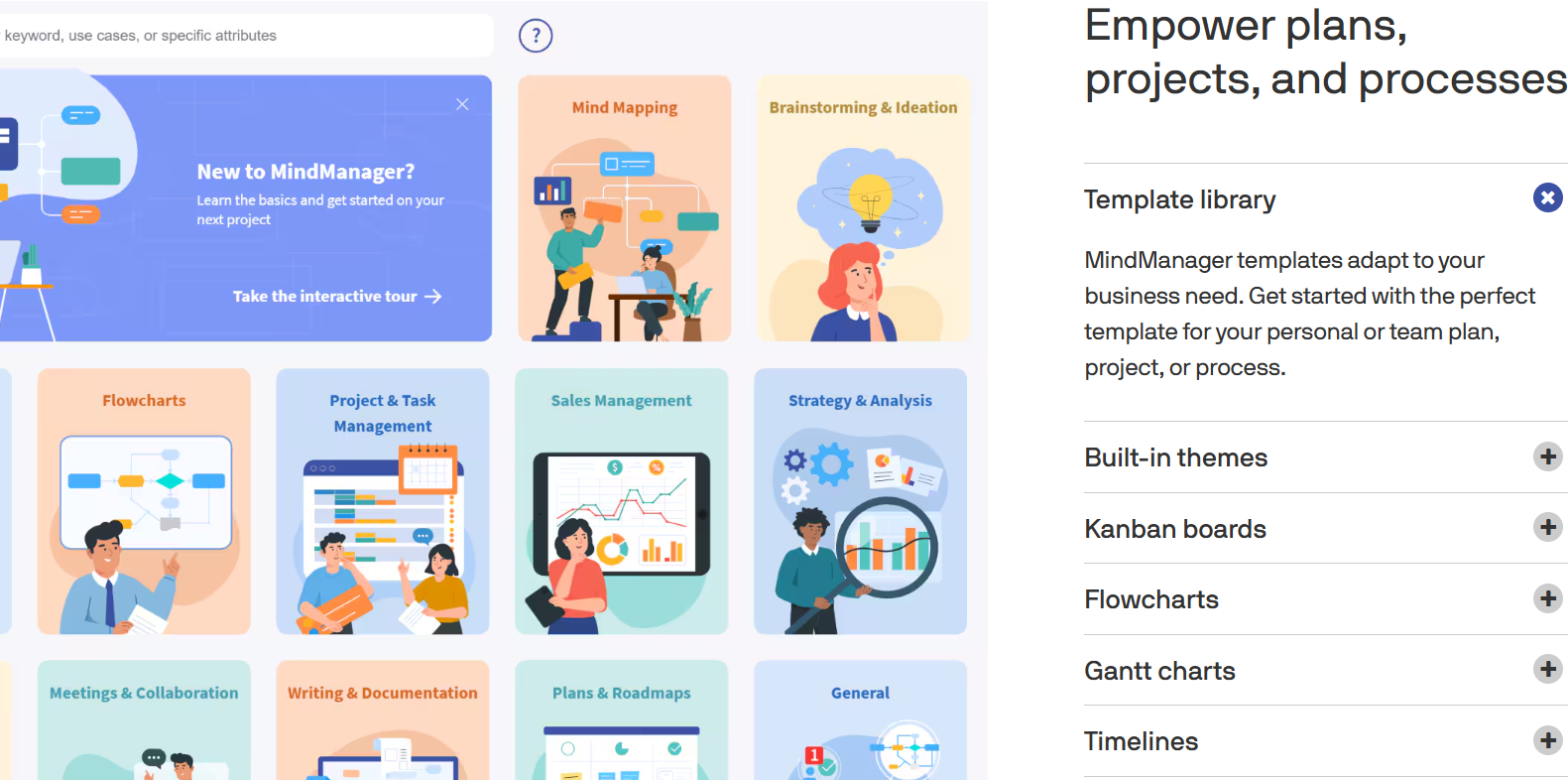
A substantial template library covers flowcharts, kanban boards, and organizational charts across use cases from strategic planning to process documentation, reducing setup time for common planning scenarios.
Collaboration and Sharing
Professional and Enterprise plans support multi-user real-time editing on shared maps, which is essential for remote strategic planning sessions — though several reviewers note collaboration licensing adds cost on top of the base subscription, so confirm exactly what’s included before assuming full team access.
Integrations
Native integrations cover Microsoft Excel, Outlook, SharePoint, and Word, plus Zapier for connecting to a broader tech stack. Notably, MindManager does not currently offer a public API, which limits deeper custom integrations for technical teams.
Pricing, Plans, and Package Structure
MindManager offers three main paid plans plus a one-time-purchase perpetual license option — a rarity among modern SaaS products worth noting for buyers who prefer ownership over an ongoing subscription. There is no permanent free tier; the only free entry point is a 30-day trial for Windows or macOS. Pricing below reflects MindManager’s published rates as of mid-2026 — always confirm current numbers on MindManager’s pricing page, since SaaS pricing shifts often.
| Plan | Price | Platform | Best For |
|---|---|---|---|
| Essentials | $99/year | Web browser only | Individual, basic mind mapping |
| Professional | $179/year | Windows, Mac, and web | Individuals and small teams (up to 5 users) |
| One-Time Purchase | $369 (perpetual) | Windows and Mac | Buyers who prefer ownership over subscription |
| Enterprise | From ~$179/user/year | Windows, Mac, and web | 5+ users, SSO, IT administration, custom pricing |
How MindManager Compares to Alternatives
| Tool | Best For | Free Plan? | Starting Price |
|---|---|---|---|
| MindManager | Deep business planning, Microsoft-integrated teams | No — 30-day trial only | $99/year |
| MindMeister | Simple collaborative brainstorming, modern UI | Yes, limited maps | Free; ~$69/year paid |
| XMind | Lightweight personal mind mapping | Yes, feature-limited | Free; ~$59/year paid |
| Miro | Team whiteboarding and modern collaborative UX | Yes, generous free tier | Free; paid plans vary |
vs. MindMeister: MindMeister offers a more modern, collaboration-first interface at roughly a third of MindManager’s Professional price, and includes a genuine free tier. MindManager pulls ahead for users who need Gantt charts, cost tracking, and deep Microsoft Office integration — features MindMeister doesn’t match — but for pure brainstorming and lightweight team collaboration, MindMeister is the more budget-friendly choice.
vs. XMind: XMind is the cheapest capable option here, with a functional free tier and strong desktop mind-mapping fundamentals, but it lacks MindManager’s project-management extensions (Gantt views, cost tracking) and Microsoft ecosystem depth. For casual personal use, XMind is hard to beat on price; for business planning workflows, MindManager’s extra features justify the premium.
vs. Miro: Miro’s whiteboarding-first approach delivers a more modern, flexible collaborative canvas with a genuinely generous free plan, and many teams prioritizing real-time visual collaboration find it a better fit. MindManager’s advantage is structural rigor — its mind-map-to-Gantt-chart pipeline and Office integration serve formal business planning workflows that Miro’s more open canvas doesn’t specifically optimize for.
Pros and Cons
What Users Love
Genuinely comprehensive feature set: the ability to move between mind maps, Gantt charts, flowcharts, and org charts in one tool consistently ranks as the top reason power users choose MindManager over lighter alternatives.
Excellent Microsoft Word import/export: reviewers consistently highlight how easily content moves between MindManager and Word, a meaningful workflow advantage for Microsoft-centric organizations.
Intuitive, visually polished interface: despite its depth, most reviewers find the core mapping experience approachable, with templates that speed up getting started on common planning scenarios.
Presentation-ready diagrams: the ability to turn working maps into polished, client- or board-ready visuals without leaving the tool saves real time for consultants and executives.
Ownership option via perpetual license: the $369 one-time purchase is a genuine rarity in 2026’s subscription-dominated software market, appealing to buyers who prefer to own their tools outright.
Limitations Worth Knowing
No free tier, unlike every major competitor: MindMeister, XMind, and Coggle all offer at least a limited free plan; MindManager’s only free entry point is a 30-day trial, which is a real barrier for casual or budget-conscious users testing the category.
Premium pricing versus category peers: at $179/year, Professional is meaningfully more expensive than MindMeister ($69/year) or XMind ($59/year) for feature-parity basic mind mapping — you’re paying for the extended project-management layer specifically.
Real learning curve for the full feature set: the depth that makes MindManager powerful for advanced users also makes it genuinely harder to pick up casually — several reviewers describe abandoning training sessions partway through due to complexity.
Collaboration can cost extra: reviewers note that full team collaboration sometimes requires additional licensing beyond the base subscription — confirm exactly what’s bundled before assuming your whole team is covered.
No public API: unlike many modern SaaS tools, MindManager doesn’t currently offer an API, limiting custom integrations for technical teams that want to connect it into a broader automated workflow beyond Zapier.
Who Should Use MindManager
Project managers and consultants who need to turn brainstorming sessions into formal, presentation-ready project plans get the strongest return on MindManager’s Gantt and timeline integration.
Microsoft 365-centric organizations that rely heavily on Word, Excel, and Outlook will find MindManager’s native integrations genuinely reduce friction versus a tool built around a different ecosystem.
Executives and business planners who need to move quickly from strategic thinking to client- or board-ready visuals will value the presentation-quality diagram output built into the core workflow.
IT and consulting teams documenting complex processes and workflows benefit from the flowchart and org chart depth beyond basic mind mapping.
Casual users and pure brainstormers who just want a simple, free way to organize ideas are better served by MindMeister, XMind, or Coggle — MindManager’s price and depth are overkill for lightweight personal use.

Getting Started: Step by Step
- Create a MindManager account and start your 30-day free trial for Windows or macOS.
- Build your first mind map using one of the built-in templates matched to your use case — strategic planning, project kickoff, or process documentation.
- Convert the map into a Gantt or timeline view once ideas are organized, to see how the plan translates into scheduled tasks.
- Connect your Microsoft 365 tools — link Outlook, Word, and Excel to test how easily content and files move between MindManager and your existing workflow.
- Invite a colleague to collaborate on a shared map in real time, and confirm whether their access is included in your plan or requires an additional license.
- Choose Professional or the one-time purchase based on whether you expect to use MindManager long-term (favoring the perpetual license) or want continuous access to new updates (favoring the subscription).
Tips for Getting Maximum Value
Use the full 30 days of your trial deliberately — build at least one real project plan from brainstorm through Gantt chart, since the platform’s actual value only becomes clear once you’ve used the multi-format pipeline end to end, not just the initial mind-mapping canvas. Before committing to Professional’s annual subscription, run the math on the $369 one-time purchase against your expected usage horizon — if you’re confident you’ll use MindManager for two or more years without needing every future feature update, the perpetual license is often the better long-term value. If collaboration is core to how you’ll use it, explicitly confirm with MindManager’s sales team which collaboration features are bundled in your chosen plan versus billed as an add-on, since this is one of the most commonly misunderstood parts of the pricing structure. Finally, if your team is Mac-primary, spend extra time testing the Mac app specifically during your trial rather than assuming feature parity with the Windows version, given the platform’s documented history of lagging Mac support.
Future Outlook and Final Assessment
Visual planning and mind mapping tools continue to proliferate, and MindManager’s near-three-decade run under Alludo suggests it has found a durable niche among organizations that need genuine project-management depth layered on top of mind mapping — a combination that lighter, cheaper competitors haven’t fully replicated. The retained one-time-purchase option is a notable holdout against subscription-only pricing that some buyers will specifically value. The honest caveats remain real, though: the lack of any permanent free tier is a genuine disadvantage against every major competitor in the category, pricing sits meaningfully above feature-parity alternatives for basic mind mapping, and the depth that makes MindManager powerful also makes it a harder sell for anyone who just wants something simple.
Conclusion
MindManager won’t be the right fit for someone who just wants a free, quick way to jot down ideas — the premium pricing and real learning curve aren’t justified for casual use, and every major competitor in the category offers a genuine free tier that MindManager doesn’t. But for project managers, consultants, and Microsoft 365-centric organizations who need to carry an idea from brainstorm through Gantt chart to presentation-ready plan without switching tools, its combination of feature depth and ecosystem integration is hard to match. Use the full trial period deliberately, run a real project through the complete workflow, and weigh the one-time purchase against the subscription based on your actual usage horizon. That’s exactly the kind of careful, well-reasoned tool decision AI Solutes exists to help you make — because we want to make everything easy.
Ready to turn scattered ideas into a real plan?
Explore more honest reviews, tutorials and tool comparisons to find the right tech for the way you work and live — at AI Solutes, where we make everything easy.
👉 Start Your Free Trial: https://ai-solutes.com/mindmanager
👉 Our YouTube Channel: youtube.com/@ai-solutes
👉 Our Facebook Fanpage: Facebook
👉 Our X (Twitter): @AISolutes
- Experience FaceApp 2025: Next-Gen AI Filters Revolutionizing Photo Editing and Digital Identity
- Niche Scraper 2025: Dominate Dropshipping with Data-Driven Product Research, Validation and Competitor Analysis
- Does CoinTracker Simplify Tax Reporting? Analyzing the CoinTracker Automated Financial Software
- Cactus AI
- Unlock Massive ROI with HubSpot CRM 2025: AI-Powered SEO, Automation, and Analytics for Digital Marketers















