Chatbase sells one of the cleanest promises in the AI support category: paste your website URL, upload a few documents, copy one embed snippet, and you have a working AI agent answering customers in under five minutes. That promise is real, and it explains how a fully bootstrapped company founded in March 2023 by a university student in Toronto grew to more than 10,000 paying businesses across 80 countries and past $10 million in annual recurring revenue without a dollar of venture funding. But the pricing page — Free, then $40, $150 and $500 a month — tells you almost nothing about what you will actually pay, because Chatbase bills in message credits, and a single AI reply can consume anywhere from one to six of them depending on which model sits in a dropdown most buyers never consciously choose.
That one detail swings your real capacity by a factor of six on identical plans, and it sits alongside the standout 2026 addition, Backstage — the same agent turned around to work for you instead of your customers, reading every conversation it has handled and drafting the exact fix for what it finds. This review walks through what Backstage does, every published plan and add-on price, the official credit cost of each model, worked examples of a real month's bill, how Chatbase compares with Intercom Fin and Tidio Lyro, the complaints that recur in buyer reviews, and which tier suits which team.
Chatbase Review 2026: Backstage, Pricing and the Hidden Credit Costs Behind a $40 AI Support Agent
Overview and Background
Chatbase is an AI agent platform for customer experience, led by founder and CEO Yasser Elsaid. Businesses train an agent on their own content — website pages, PDFs, Word documents, plain text, Q&A pairs, Notion workspaces — then deploy it across website chat, email, phone, WhatsApp, Slack, Messenger and Instagram. It answers questions, takes real actions in connected systems such as Stripe and Shopify, and hands off to a human with an AI summary and full transcript when it cannot finish the job.
The origin story is unusually lean. Elsaid built the first version in roughly six weeks and posted a demo to a small Twitter following in February 2023; the tweet went viral and the first Stripe payment landed within half an hour of a pricing page going up. Three years later the company runs a team in the twenties to low thirties out of Toronto, remains entirely self-funded, and is pushing upmarket. Named customers include IHG, Miele, National Grid, Bridgestone, Chuck E. Cheese, Pearson, Roche, Sage, F45 Training and Jumia — a spread running from hospitality and industrial manufacturing to education and e-commerce.
On security, Chatbase publishes SOC 2 Type II and GDPR compliance, stores data on AWS with encryption in transit and at rest, and states that customer data is never used to train models. HIPAA eligibility, zero data retention, SSO, audit logs and white-labeling are Enterprise-only. The platform handles 95 or more languages with automatic detection, so an agent trained on English documentation answers a Vietnamese or Spanish customer in their own language without extra configuration.
Why Chatbase Stands Out in 2026
Backstage turns the agent into your analyst: this is the single most interesting thing Chatbase shipped in 2026. Every support tool gives you a dashboard someone else designed. Backstage lets you ask your own conversations a question in plain English — what are people asking about most this week, why did refund requests double, what do customers say right before they cancel — and answers it from every conversation across every channel, not a sample somebody exported. Because it is your agent, your sources, procedures and connected systems are already loaded. There is nothing to configure.
It proposes the fix, not just the metric: the harder half of running an AI agent is knowing what to change. Backstage does not stop at “resolution is down four points.” It finds the knowledge gaps your sources do not answer, drafts the missing content, writes the exact instruction to tighten, and turns the way your human team handled hard cases into a reusable procedure. Each suggestion arrives with the number of conversations and procedures it would affect.
Genuinely fast time to value: the documentation claims a functional agent live in under five minutes, and independent reviewers consistently confirm ten to fifteen for a straightforward setup; its G2 awards for Spring 2026 include Easiest Setup. If your test is “can a non-technical marketer ship this before lunch,” Chatbase beats almost everything in the category.
One agent across every channel: the same knowledge base and brand voice serve a website widget, an in-product panel, inbound email, a phone line, WhatsApp, Slack, Messenger and Instagram. Most competitors specialise in web chat or charge per channel; Chatbase treats the agent as the product and the channel as a deployment target.
Real model choice, not a single locked engine: paid plans open advanced models from OpenAI, Anthropic, Google, DeepSeek, Meta, Mistral, MoonshotAI and Z.ai, so you can test the same question across engines and keep the one that answers your domain best. The catch — the whole subject of the pricing section below — is that this freedom is also the lever that controls your bill.
Actions that do things, not just answer things: AI Actions let the agent issue refunds, look up orders, score leads and call your own APIs. With a native Shopify app plus Stripe, Zendesk, Salesforce, HubSpot, Gorgias and Freshdesk integrations, it sits inside your workflow rather than beside it.
Key Features and Technology
Backstage: the control room
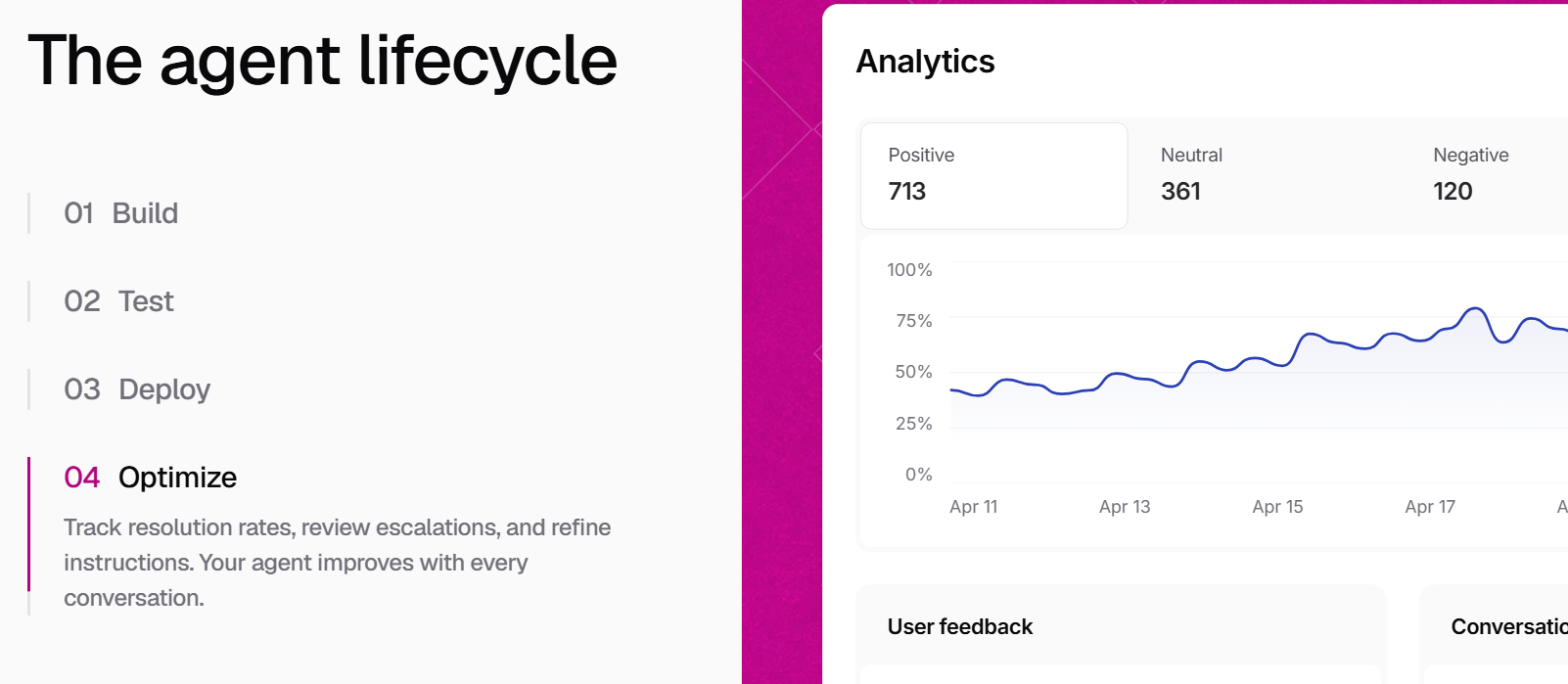
Chatbase frames it neatly — onstage the agent serves your customers, backstage it works for you. Open the workspace and you get a plain-language briefing: how many conversations the agent handled this week, whether automation moved up or down, which themes dominated, and where escalations are rising. From there you ask follow-up questions the way you would ask a colleague, and every answer links back to the actual conversations behind it so you can read the exchanges instead of trusting a number.
Two things separate it from an analytics dashboard. It reads everything rather than whatever twenty tickets someone reviewed, so it catches shifts — new questions appearing, complaints concentrating on one product — that manual review would spot a month late. And much of what customers say is not a support issue at all but product feedback nobody transcribed, which Backstage surfaces for the rest of the company. The suggestion engine then closes the loop: draft a procedure, tighten a rule, fill a knowledge gap — each tested against your saved scenarios, presented in plain English with approve, edit and reject buttons, logged in a full change history, and reversible if it made things worse.
Building and training the agent
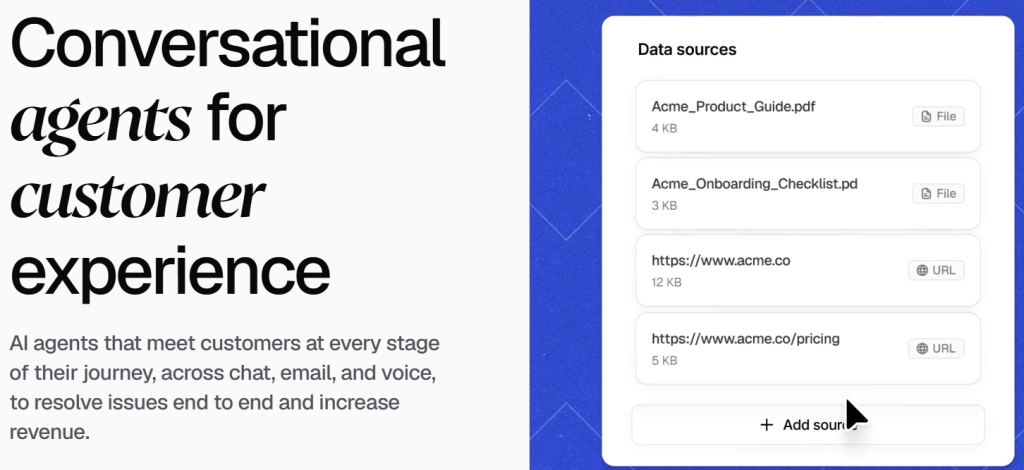
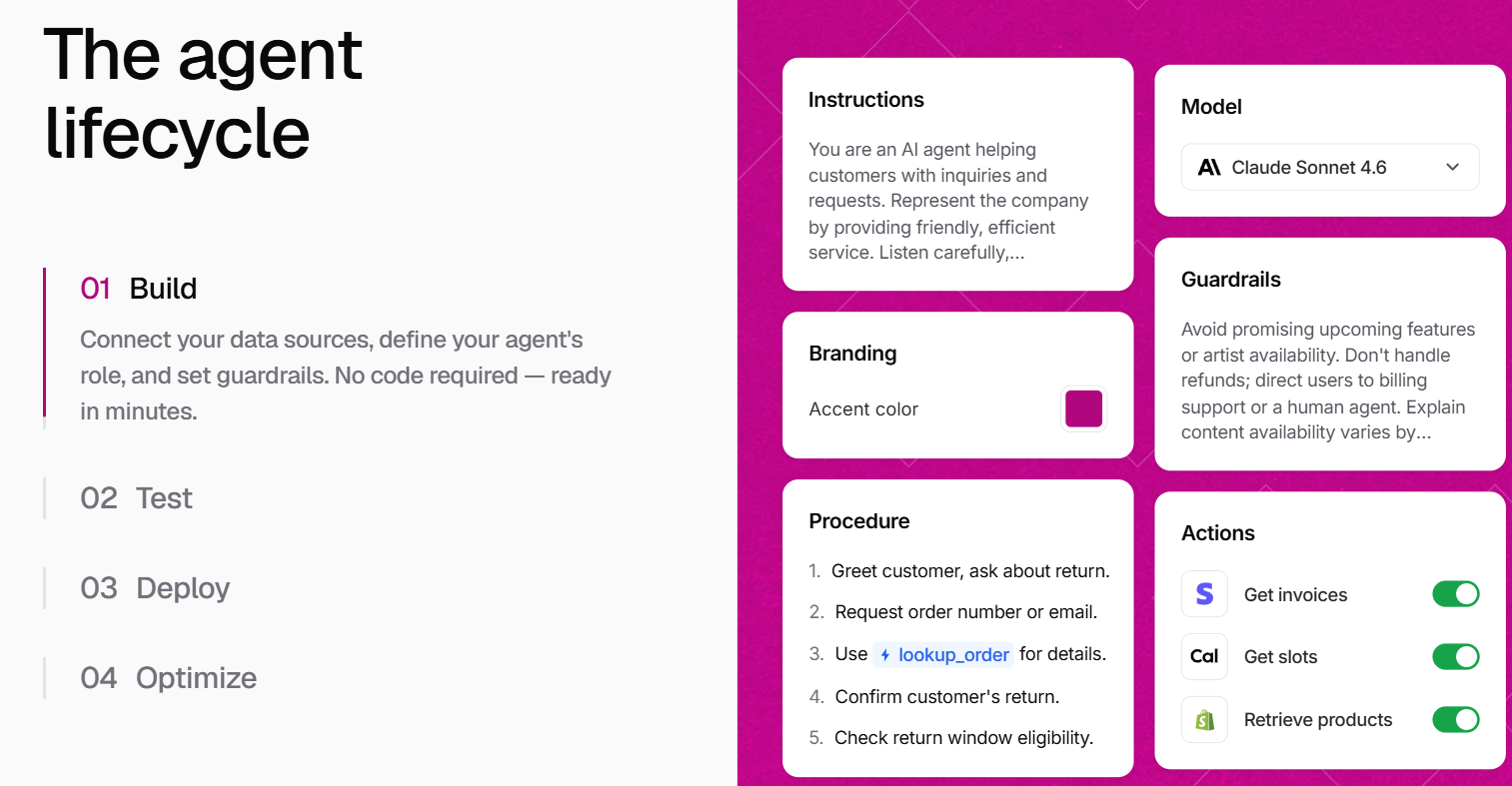
Training sources cover website crawling from a single URL, uploads of PDF, DOC, DOCX and TXT files, pasted text, question-and-answer pairs for responses that must be exact, and a Notion integration that syncs as your workspace changes. Instructions control personality; Procedures teach multi-step processes the way you would train a new hire; temperature trades consistency against creativity. Standard and above add auto-retraining, and Pro adds source suggestions plus training on resolved tickets. Capacity is a real constraint on the lower tiers: 1 MB on Free, 10 MB on Hobby, 20 MB on Standard, 40 MB on Pro.
Channels, actions and escalation
Widgets embed a customisable chat window or a standalone hosted page. Email lets the agent read, draft and send replies around the clock. Voice connects it to phone lines with natural speech — ten concurrent calls on Standard, twenty on Pro. WhatsApp, Slack, Messenger and Instagram cover messaging, and outbound campaigns let you start conversations rather than only answer them. When the agent cannot resolve something, Helpdesk hands off to a person with an AI summary and everything already tried. Zapier and Make connect the rest of the stack; a REST API and webhooks arrive at Standard.
Pricing, Plans, and Package Structure
Chatbase publishes its pricing openly, which is more than most of the category manages: a flat monthly subscription with a bundled allowance of message credits, no per-resolution fee and no per-seat licence — seats are capped rather than billed. Paying yearly takes 20% off, bringing the three self-serve tiers to roughly $32, $120 and $400 a month equivalent. Paid plans open with a seven-day trial, and the Free plan is permanent rather than time-limited, although agents on it are deleted after fourteen idle days. Figures below are the monthly rates published at the time of writing; confirm them live before subscribing, since Chatbase has adjusted both prices and credit allowances more than once.
| Plan | Price / month | Message credits | Training data / seats | Key unlocks |
|---|---|---|---|---|
| Free | $0 | 50 | 1 MB / 1 member | Limited models, no AI Actions, agent deleted after 14 days idle |
| Hobby | $40 | 700 | 10 MB / 2 members | Advanced models, 5 AI Actions, integrations, basic analytics, attachments |
| Standard | $150 | 4,000 | 20 MB / 3 members | Helpdesk, voice, telephony, outbound, API, auto-retrain, 8 AI Actions |
| Pro | $500 | 15,000 | 40 MB / 5 members | Advanced analytics, source suggestions, tickets as a source, 12 AI Actions |
| Enterprise | Custom | Committed volume | Higher limits | SSO, white-labeling, audit logs, CSM, SLAs, HIPAA, zero data retention |
Three published add-ons sit on top of every self-serve plan, and they are where a predictable bill becomes an unpredictable one. Auto-recharge credits cost $40 per 1,000 message credits, topping up automatically when your balance drops below a threshold you set; they do not expire. Extra agents cost $25 per agent per month, which matters because the self-serve comparison lists a single agent per workspace — a second language or a separate sales bot is a new line item. Removing the “Powered by Chatbase” badge costs $99 per month, or $1,188 a year, and full white-labeling is Enterprise only.
What a message credit actually costs
Here is the number that decides your bill. Chatbase's documentation publishes the credit cost of every model tier, and the spread is six to one — cheapest engines spend one credit per reply, deepest reasoning models spend six. Nothing in the plan table warns you, and the model selector shows no price.
| Credits per response | Models | Replies on Hobby (700) | Replies on Standard (4,000) | Replies on Pro (15,000) |
|---|---|---|---|---|
| 1 credit | All other models (most economical) | 700 | 4,000 | 15,000 |
| 2 credits | GPT-5.2, GPT 5.6 Terra, Gemini 2.5 / 3.1 Pro, Gemini 3.5 / 3.6 Flash, GLM 5.2, Mistral Medium 3.5 | 350 | 2,000 | 7,500 |
| 3 credits | Grok 3, Claude 4.5 Sonnet, Claude 4.6 Sonnet | 233 | 1,333 | 5,000 |
| 4 credits | Grok 4, GPT-5.5 | 175 | 1,000 | 3,750 |
| 5 credits | Claude 4.5 Opus, Claude 4.6 Opus | 140 | 800 | 3,000 |
| 6 credits | Claude 4.7 Opus, Claude 4.8 Opus | 116 | 666 | 2,500 |
Those last three columns are the review in one table. The $40 Hobby plan is either 700 answered questions a month or 116, depending entirely on a dropdown. A shop fielding twenty enquiries a day needs roughly 600 replies — comfortable on an economy model, exhausted in under a week on a top-tier reasoning one. Effective cost per reply runs from about six cents to thirty-four on the same plan, and the customer sees no difference except answer quality.
Now stack the add-ons. A mid-sized store on Standard at $150 that wants its own branding ($99), runs a second agent for another language ($25), and buys 2,000 auto-recharge credits each month ($80) pays $354 against an advertised $150 — at which point Pro at $500 with 15,000 bundled credits is arguably the more rational purchase. That is precisely the dynamic that pushes Chatbase customers up a tier. Auto-recharge credits work out to four cents each — cheaper than Hobby's bundled allowance at about 5.7 cents, dearer than Standard's 3.75 or Pro's 3.3.
How Chatbase Compares to Alternatives
The category has settled into three billing philosophies: pay per credit, pay per resolution, or pay per bundled conversation. Each is cheap in a different scenario, so the right comparison depends less on features than on your volume shape.
| Platform | Billing model | Entry cost | Cost predictability | Best fit |
|---|---|---|---|---|
| Chatbase | Flat plan + model-weighted credits | $0 free, $40/mo paid | Moderate — swings up to 6x on model choice | Fast omnichannel deployment with strong self-improvement tooling |
| Intercom Fin | Seat plan + ~$0.99 per resolved outcome | From ~$29/seat/mo plus outcomes | Low — bill rises as the AI gets better | Teams already on Intercom with 300+ monthly tickets |
| Tidio (Lyro) | Base plan + bundled AI conversation quota | Free tier, AI add-on from ~$39/mo | Moderate — three quotas metered in parallel | Small Shopify stores wanting live chat and AI together |
| DIY build on a model API | Token usage + engineering time | Low running cost, high build cost | High on tokens, low on everything else | Teams with engineers and unusual requirements |
vs. Intercom Fin: Fin charges roughly a dollar for every outcome it delivers autonomously on top of a per-seat plan. Aligned in principle — you pay for results — but your bill grows exactly as the AI improves, and independent testing has found real resolution rates below the marketed figure. Chatbase's flat allowance is more forecastable at moderate volume and far cheaper on economy models. Fin wins on depth inside a mature helpdesk; Chatbase on entry cost and breadth of channels.
vs. Tidio and Lyro: Tidio bundles live chat, AI conversations and flow visitors into three parallel quotas, which is its own kind of budgeting puzzle, and the AI sits as a paid add-on. It suits a small store wanting human chat and AI deflection in one widget. Chatbase is better once you need email, voice and WhatsApp too, and once you want the improvement loop Backstage provides.
vs. building it yourself: a competent engineer can wire retrieval over your documentation and a model API in a couple of weeks, and the running cost per answer will beat any credit price here. What you will not get is the widget, multi-channel deployment, helpdesk handoff, analytics and the tested-suggestion workflow — and you own the maintenance forever. Unless your requirements are unusual, the maths favours buying until you are well past 10,000 conversations a month.
Pros and Cons
What Teams Love
Setup speed that lives up to the marketing: ease of use is consistently the highest-scoring dimension in buyer reviews, around 4.6 out of 5 on Capterra. A non-technical person really can crawl a site, upload a PDF and embed a widget in a lunch break.
Backstage is a genuine category advance: an improvement loop that reads every conversation, proposes the specific change, tests it, and lets you approve or roll it back is not something comparable tools offer at this price.
Model freedom at every paid tier: being able to A/B the same question across engines from nine different providers is unusual, and for domain-heavy content it makes a measurable difference to answer quality.
Serious compliance posture for the price: SOC 2 Type II, GDPR, AWS hosting, encryption at rest and in transit, and a policy of never training on customer data, all from the free tier upward.
Limitations Worth Knowing
The credit unit is the weakest part of the product: a six-fold capacity swing controlled by an unpriced dropdown is a budgeting hazard, and the plan table does nothing to warn buyers. Forecasting needs your model choice, your volume and the credit table all at once.
The agent goes dark when credits run out: not degraded, not queued — customers see an unavailable message. Without auto-recharge one viral day takes your support channel offline; with it, your bill becomes variable.
Calendar-month renewal, not anniversary renewal: credits reset on the first whenever you subscribed, so signing up on the 20th costs a full month for eleven days of allowance.
Add-ons inflate the real price substantially: one agent per self-serve plan with extras at $25 a month, and $99 a month to remove a badge, are aggressive by category standards — branding removal alone is $1,188 a year, and white-labeling needs Enterprise.
Review platforms tell two different stories: G2 sits around 4.8 out of 5 from a very small review base and Capterra around 4.3 across a larger one — yet Trustpilot scores are markedly lower, with complaints concentrating on billing disputes, charges after cancellation, refund friction and slow support escalation. Capterra's customer-service sub-score is its lowest at about 3.8. It is a recognisable pattern for a fast-growing bootstrapped company whose support is catching up with its revenue, but ask direct questions about cancellation and refunds during your trial.
Hallucination is still a reported issue: retrieval grounding reduces invented answers without eliminating them, and multiple reviewers report the agent confidently answering things their documentation does not cover. Answer quality tracks source quality almost exactly.
The real entry tier is $150, not $40: Helpdesk, voice, telephony, outbound campaigns and API access all start at Standard. Hobby is an FAQ widget, not a support pipeline — and the free tier deletes your agent after fourteen idle days, which stings if you build slowly or seasonally.
Who Should Use Chatbase
Solo founders and small SaaS teams: if the goal is deflecting the same twenty questions every week, Chatbase is close to ideal. Validate on Free, then move to Hobby at $40 on a one or two-credit model for 350 to 700 answers a month.
E-commerce stores and Shopify merchants: the native Shopify app plus Actions for order tracking and refunds is a strong operational fit. Go straight to Standard at $150 for Helpdesk escalation and auto-retraining, and switch auto-recharge on before your first sale period.
Growing support teams handling real volume: past a few thousand conversations a month, Pro at $500 is the rational tier — 15,000 credits absorb a premium model, tickets-as-a-source feeds Backstage properly, and five seats cover a small team. Above that, negotiate Enterprise on committed volume.
Agencies managing multiple clients: proceed with eyes open — one agent per plan plus $25 per extra and $99 for branding removal gets expensive fast. Price Enterprise, which bundles white-labeling and flexible billing, before stacking add-ons on Pro.
Regulated industries: anyone needing SSO, audit logs, a HIPAA business associate agreement or zero data retention should skip self-serve and talk to sales. Enterprise is where those controls live, with a named team for scoping and launch.
Who should look elsewhere: if you need absolute cost certainty, or your conversations are long and emotional rather than documentation-shaped, a flat-rate competitor will serve you better. Chatbase is built for questions with answers.
Getting Started: Step by Step
- Create a free account and a first agent. Sign up, open the dashboard and create a new agent. No card is required for the Free tier, and you can have something answering questions within minutes.
- Add your best sources first, not all of them. Crawl your main documentation URL, then upload two or three high-value PDFs, and add Q&A pairs for anything that must be answered word-for-word, such as refund terms. Clean, non-contradictory sources are the biggest single determinant of answer quality.
- Write instructions that set boundaries. Tell the agent what it must not do — no refunds without a human, no legal or medical advice — before you tell it what it should. Lower the temperature for consistency on factual content.
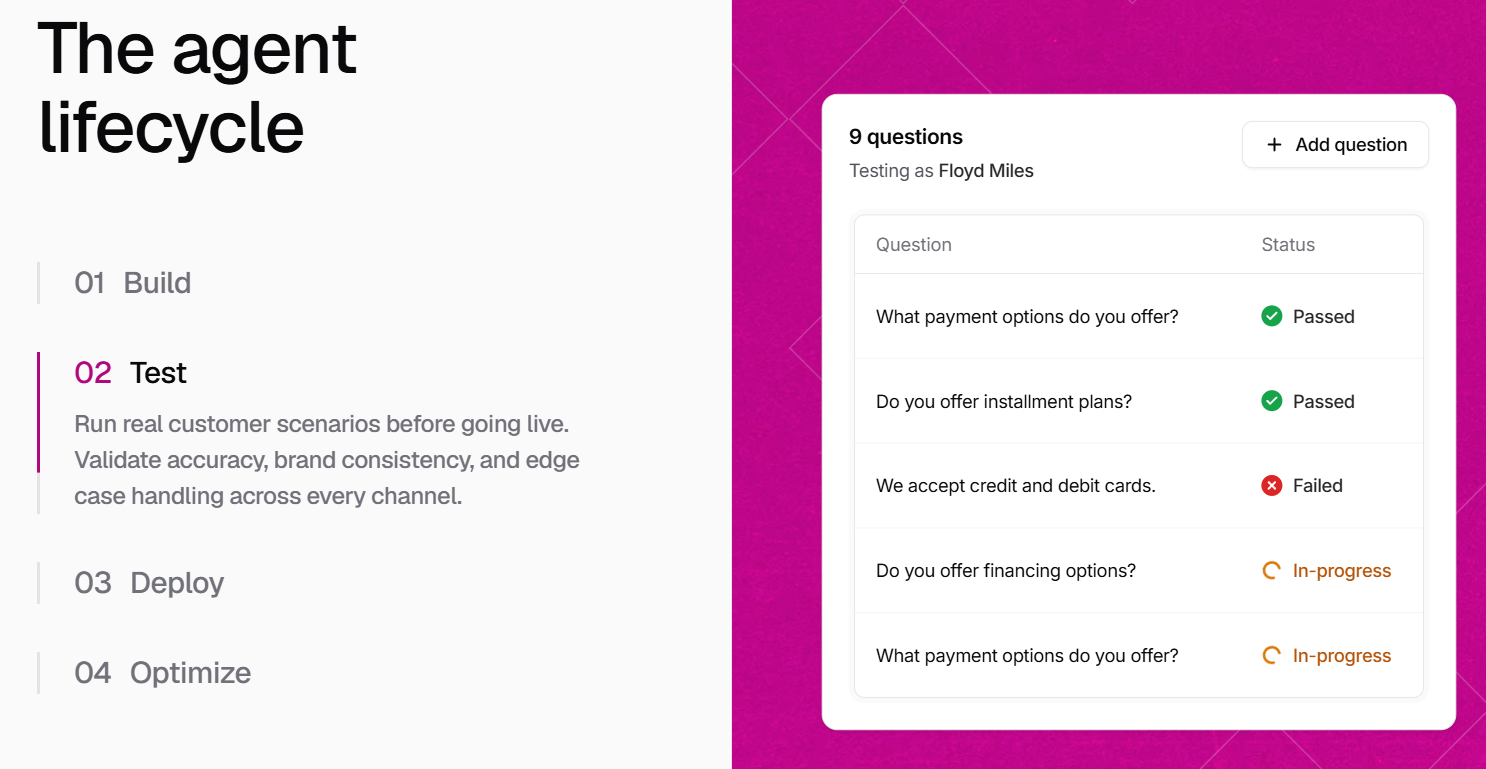
- Test deliberately against your weak spots. Ask questions your documentation answers badly and watch whether the agent admits uncertainty or invents something. This is the failure mode reviewers report most, and it is far cheaper to find it now than after launch.
- Pick your model with the credit table open. Run the same five questions on a one-credit model and a premium one. If the cheaper engine handles your domain acceptably, take it — that single choice is the difference between 700 and 116 answers a month on the same plan.
- Embed the widget and connect one channel. Paste the script into your site's head, verify the bubble appears, then add WhatsApp, email or Slack one at a time so you can see which drives your credit burn.
- Switch on auto-recharge and open Backstage weekly. Set a conservative threshold so the agent never goes silent, then make a habit of asking Backstage what customers struggled with and reviewing its suggestions. That loop is where the product earns its price.
Tips for Getting Maximum Value
Treat model selection as a budget decision rather than a quality decision, and default to the cheapest engine that clears your accuracy bar — most support questions are lookups, not reasoning problems, and reserving the expensive models for genuinely complex flows can multiply your effective capacity several times over on the same plan. Subscribe at the start of a calendar month so you are not paying full price for a partial allowance, and pay yearly once you are confident, since the 20% discount is one of the few unambiguous savings on offer. Run the free tier with your actual documentation first, and test the failure cases reviewers complain about: ask questions your docs do not cover and see whether the agent admits it does not know. Watch the Usage page for two weeks to learn your real burn rate, then size your plan from measured data rather than the marketing table. Keep the knowledge base tight — one authoritative page per topic beats five overlapping ones. Before adding a second agent at $25 a month, ask whether instructions and procedures on the existing one could cover the second use case. If you buy more than two auto-recharge packs in a month, do the arithmetic on the next tier up. And keep a record of your subscription and cancellation correspondence, given how consistently billing friction appears in public reviews.
Future Outlook and Final Assessment
The tailwinds are real. AI customer service has moved from an experiment to a line item in most support budgets, and Chatbase rode that shift from a single-founder project to eight figures of recurring revenue without outside capital. The 2026 direction is clearly upmarket: voice, telephony, a helpdesk module, outbound campaigns, procedures and Backstage all point at a company trying to become the whole support stack rather than a widget, with the enterprise feature list filling in accordingly.
The caveats have not gone away. The credit unit remains the least transparent thing about an otherwise open pricing page, and the gap between a $40 sticker and a $354 reality is wide enough to matter. Billing and support complaints in public reviews are consistent enough to be a pattern rather than noise, even as product ratings stay strong. And a lean team scaling into enterprise commitments carries real execution risk. None of that makes Chatbase a bad purchase — it makes it one you should model before you make.
Conclusion
Chatbase is one of the fastest, most approachable ways to put a capable AI agent in front of your customers, and Backstage gives it something most competitors lack: a structured way to find out what is going wrong and fix it without guessing. It deserves its reputation for setup speed, the model flexibility is real, and the compliance posture is stronger than the price suggests. What it asks in return is homework on the credit system before you subscribe, because the difference between a well-configured deployment and a badly configured one is not answer quality — it is a bill two to six times larger for the same work.
If you are a small business, a store owner, or a lean SaaS team that wants customers answered around the clock without hiring a support desk, start free, test against your own documentation, pick your model with the credit table in front of you, and size your plan from measured usage. Do that and Chatbase will do exactly what good software should do — take a demanding, repetitive job off your plate and make everything easy.
Ready to put an AI support agent live before your next coffee break?
Explore more honest reviews, tutorials and tool comparisons to find the right tech for the way you work and live — at AI Solutes, where we make everything easy.
👉 Open Free Account: https://ai-solutes.com/chatbase
👉 Our YouTube Channel: youtube.com/@ai-solutes
👉 Our Facebook Fanpage: Facebook
👉 Our X (Twitter): @AISolutes
- Can a Professional WordPress Site Be Built in Minutes? Inside 10Web’s AI Builder Engine
- Is Paysend the Ultimate Choice for International Money Sending? Exploring the Paysend Global Delivery Ecosystem
- PassFab 4WinKey and the Ecosystem of Account Management & Digital Data Recovery Tools
- Hostinger 2026 Review: Compare AI Website Builder, LiteSpeed Speed, Pricing and hPanel Features
- Master Weebly in 2026: Explore Features, Pricing, Pros, Cons, and SEO Tips to Rank Faster