Introduction
In today's digital landscape, video content reigns supreme across social media platforms, marketing campaigns, and educational materials. InVideo AI has emerged as a powerful contender in the AI-powered video creation space, promising to simplify the video production process for creators of all skill levels. After thoroughly testing the platform, I'm sharing my comprehensive review of InVideo AI's features, performance, and value proposition.
What is InVideo AI?
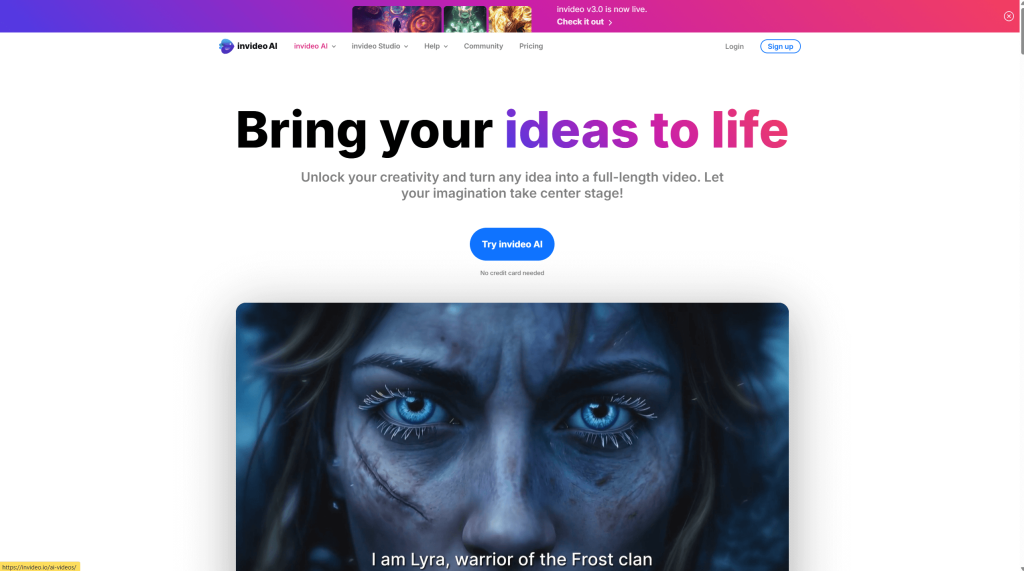
InVideo AI is a cloud-based video creation platform that leverages artificial intelligence to streamline the video production process. The platform is designed to help marketers, content creators, educators, and businesses create professional-looking videos without extensive technical knowledge or expensive equipment.
Key Features
AI Text-to-Video Conversion
One of InVideo AI's standout features is its ability to transform text prompts into fully rendered videos. Simply input your script or description, and the AI generates relevant scenes, transitions, and visual elements to match your content. This feature is particularly useful for quickly creating explainer videos, product demonstrations, or social media content.
Extensive Template Library
InVideo AI offers a vast library of customizable templates for various use cases:
- Social media posts (Instagram, TikTok, YouTube, Facebook)
- Marketing and promotional videos
- Educational content
- Business presentations
- Product showcases
The templates are professionally designed and can be easily modified to match your brand's aesthetic.
Media Library and Asset Integration
The platform provides access to:
- Millions of stock videos and images
- Royalty-free music tracks
- Sound effects
- Animated icons and elements
You can also upload your own media files, making it simple to incorporate your existing brand assets into new videos.
Text-to-Speech and Voice Over
InVideo AI offers natural-sounding text-to-speech functionality in multiple languages and accents. This eliminates the need to record your own voiceovers or hire voice talent for simple projects.
Collaborative Features
The platform includes team collaboration tools that allow multiple users to work on the same project, making it suitable for agencies and marketing teams.
User Experience and Interface
InVideo AI's interface strikes a good balance between functionality and accessibility. The drag-and-drop editor is intuitive, with most functions clearly labeled and organized. Even users with minimal video editing experience should be able to navigate the platform after a brief learning period.
The workflow is generally smooth, though more complex edits can occasionally cause slight performance lag, especially when working with high-resolution assets or multiple effects.
Output Quality
Videos produced with InVideo AI look professional when using the platform's templates and recommended settings. The quality of AI-generated content varies based on the complexity of your prompt, but for standard business and marketing videos, the results are impressive.
Export options include multiple resolutions and aspect ratios, with support for high-definition output suitable for most online platforms.
Pricing
InVideo AI offers several pricing tiers:
- Free Plan: Limited features and exports with watermarks
- Business Plan: Full access to templates and features with higher export limits
- Enterprise Plan: Custom solutions for larger teams with additional support options
The paid plans provide good value for businesses and content creators who regularly produce videos, especially when compared to the cost of traditional video production.
Pros and Cons
Pros:
- Significantly reduces video production time and complexity
- Extensive template and media library
- Intuitive interface accessible to beginners
- Professional-looking results without specialized equipment
- Reasonable pricing for the functionality offered
Cons:
- Some advanced editing features still require a learning curve
- Occasional performance issues with complex projects
- AI-generated content sometimes requires manual refinement
- Limited customization compared to professional editing software
Who Should Use InVideo AI?
InVideo AI is particularly well-suited for:
- Small business owners and marketers
- Content creators and social media managers
- Educators creating instructional content
- Anyone who needs to produce videos regularly without extensive editing knowledge
However, professional videographers or those requiring highly specialized effects may still need more advanced editing software for certain projects.
Final Verdict
InVideo AI delivers on its promise to democratize video creation through artificial intelligence. The platform successfully balances powerful features with user-friendly design, making professional video production accessible to creators of all skill levels.
With its robust template library, extensive media assets, and innovative AI capabilities, InVideo AI offers excellent value for individuals and businesses looking to enhance their video content strategy without significant time or financial investment.
For most content creation needs, especially in marketing, social media, and educational contexts, InVideo AI earns a strong recommendation as a versatile and efficient video production solution.
Rating: 4.5/5
Have you tried InVideo AI? Share your experience in the comments below!
- Open InVideo AI Account: https://ai-solutes.com/invideo
- Our Website: https://ai-solutes.com/
- Our YouTube Channel:
 / @ai-solutes

#invideo #ai #videoeditor #bestaitools2024 #aisolutes #technology #techsolutions
- Webcam Motion Capture
- Can Customer Support Be Truly Instant and Always On? Inside the Evolution of Modern Chatbots
- Leiapix AI
- Bambee HR vs Gusto & Zenefits: Cut Small Business HR & Payroll Costs With Smart Automation
- How Does Beautiful.ai Automate Presentation Design? A Deep Dive into the Smart Slide Creator