If you have ever typed a scene into an AI video generator, waited four minutes, and gotten back a clip where the water pours upward and your character’s face melts halfway through the shot, you already understand the problem Hailuo AI set out to solve. Hailuo is the consumer video and image platform built by MiniMax, the Shanghai AI company that went public in Hong Kong in January 2026 — shares closed their debut day at roughly double the offer price after the listing raised around $619 million, and the group counts Alibaba, Tencent, miHoYo and the Abu Dhabi Investment Authority among its backers. Its flagship model, Hailuo 2.3, took the top spot on WorldModelBench for physics simulation, while the preceding Hailuo 02 ranked second worldwide on the Artificial Analysis Video Arena. Clips generate in roughly 30 to 90 seconds, entry pricing sits in single digits per month when promotions run, and the free tier hands out daily credits rather than a one-time trial dump — a combination that has made Hailuo quietly popular among creators who publish daily rather than quarterly.
For social media creators, e-commerce sellers, marketers testing ad concepts, indie filmmakers storyboarding, and small business owners who need product motion without a production budget, that mix of speed, physics accuracy and low cost is genuinely compelling — but it comes wrapped in a credit system that punishes careless experimentation and a customer-service record that deserves an honest look before you enter a card number. This 2026 review walks through Hailuo’s full model line-up, its control features and Tools tab, complete pricing and credit math, head-to-head comparisons against Kling, Veo and Runway, the real limitations including an active US copyright lawsuit, and exactly who should sign up — and who should look elsewhere.
Hailuo AI Review 2026: The Fast, Physics-Leading Video Generator That Makes Cinematic Clips Affordable
Overview and Background
Hailuo AI is a browser, iOS and Android platform that turns text prompts and still images into short, high-definition video clips. It is the consumer front end for MiniMax’s proprietary model stack, built on a 456-billion-parameter Mixture of Experts architecture that also powers the company’s language, speech and music models. You write a description or upload a photograph, choose a model variant and aspect ratio, and receive a 6 to 10 second clip at 768p or 1080p, usually within a minute or two.
MiniMax was founded in early 2022 by Yan Junjie, a former SenseTime executive, alongside Yang Bin and Zhou Yucong. Its stated mission is to push toward artificial general intelligence across text, audio, image, video and music, and the model family reflects that breadth: MiniMax M1 for language, Hailuo-02 for video, Speech-02 for voice, Music-01 for audio. Those models feed products including Hailuo AI, MiniMax Audio, the companion app Talkie, and an open API platform.
The scale is substantial: MiniMax reports roughly 200 million users across more than 200 countries, plus over 50,000 registered enterprise customers and developers. Unusually for a Chinese AI firm its business is consumer-led, with individual subscribers accounting for the large majority of revenue and Singapore and the United States as its strongest markets. The January 2026 Hong Kong listing, heavily oversubscribed by retail investors, gave it a war chest earmarked for research and development. For a creator choosing a tool, that matters: Hailuo is unlikely to disappear or stop shipping model updates any time soon.
Hailuo first went viral in late 2024, when early users discovered a free Chinese video generator producing clips that held up against far more expensive tools. The model line has iterated fast since — the Hailuo 01 family, the NCR-architecture Hailuo 02 in mid-2025, and the current Hailuo 2.3 flagship — while the platform grew from a single prompt box into a creative suite with image generation, templated tools and an agent mode.
Why Hailuo AI Stands Out in 2026
Best-in-class physics simulation: This is Hailuo’s genuine technical edge, and it is measurable rather than marketing. Hailuo 2.3 ranks first on WorldModelBench for physical accuracy — mass conservation, fluid dynamics and spatial-temporal consistency. In practice, liquid pours with correct surface tension, objects collide with believable weight, cloth folds under load, and a car on rough terrain shows its suspension compressing rather than gliding like a hovercraft. If your content involves food, drink, fabric, product demos or physical action, that is the difference between a clip you publish and one you quietly delete.
Speed that changes how you work: Typical generations land in roughly 30 to 90 seconds. That sounds minor until you account for how creative work actually happens — you rarely nail a prompt first time. When each iteration costs one minute instead of five, you test eight variations in the time a slower tool gives you two.
A free tier that is a tool, not a teaser: Most competitors give you a one-time credit dump and then a wall. Hailuo’s free plan refreshes daily credits, which means you can genuinely evaluate the platform — and, for light users, keep producing indefinitely. Free output is watermarked and queue priority is lowest, but the allowance is real enough that many creators run their whole ideation phase without paying.
Serious camera and motion control: Hailuo executes directed camera language rather than drifting randomly — ask for a push-in, an orbit or a tracking shot and you generally get it. Combined with start-frame and end-frame conditioning, where you supply the opening and closing images and let the model interpolate between them, that is shot control most prompt-only generators do not offer.
Character animation and micro-expressions: The 2.3 update focused hard on faces and bodies: subjects hold expression through a shot instead of flickering, eye contact reads as intentional, and body movement carries plausible weight. For testimonial-style ad creative and emotional close-ups, this is Hailuo’s most impressive work.
Strong stylised and anime output: Hailuo 2.3 added distinct rendering modes for anime, illustration, ink-wash painting and game-CG aesthetics. These are not post-hoc filters but genuine style targets the model was trained toward, and results look painterly rather than plasticised — a meaningful differentiator for animation, fan art and stylised branding.
Cost per clip that undercuts the premium tier: At economical settings, Hailuo produces video at a fraction of what the most expensive models charge per second — independent comparisons routinely put it several times cheaper per clip than Runway. For high-volume social content, where you need forty usable clips a month rather than four perfect ones, that shift in economics is the whole argument.
Key Features and Technology
Hailuo’s capability set breaks into four layers: the model line-up, the generation controls, the templated tools that remove prompt-writing entirely, and the surrounding creative surfaces.
The Model Line-Up
Hailuo 2.3 is the current flagship and the right default for most work. It leads on physics, handles micro-expressions and full-body motion convincingly, and carries the expanded stylisation modes. Hailuo 2.3 Fast is the batch-production variant, cutting cost substantially for image-to-video iteration — the sensible choice when you are testing ten concepts before committing to a final render. Hailuo 02 remains the cinematic-architecture model, built on MiniMax’s NCR (Noise-aware Compute Redistribution) framework — roughly three times the parameters of the prior generation, four times the training data, faster inference, native 1080p and precise last-frame conditioning. Legacy Hailuo 01 variants still appear on some higher tiers. The practical rule: 2.3 for physics, character and stylised work, 02 when cinematic resolution matters most, Fast when you are batching.
Generation Modes and Controls
Text-to-video builds a clip from a written description with control over scene, action, mood and pacing. Image-to-video animates a still while preserving composition, lighting and subject detail — widely considered Hailuo’s strongest path, since you control the source image quality and the model only has to solve motion. Subject reference holds a character or product consistent across generations, which is what makes multi-clip sequences viable at all. Start-frame and end-frame control lets you define the opening and closing images and have the model generate the transition — invaluable for transformation effects, product reveals and precise storyboard beats. Layered on top is directorial camera control: name pans, push-ins, orbits or tracking shots in the prompt and the model generally honours them. Aspect ratios cover 16:9, 9:16 and 1:1, so vertical output is a first-class citizen rather than a crop.
The Tools Tab: Templates Instead of Prompts
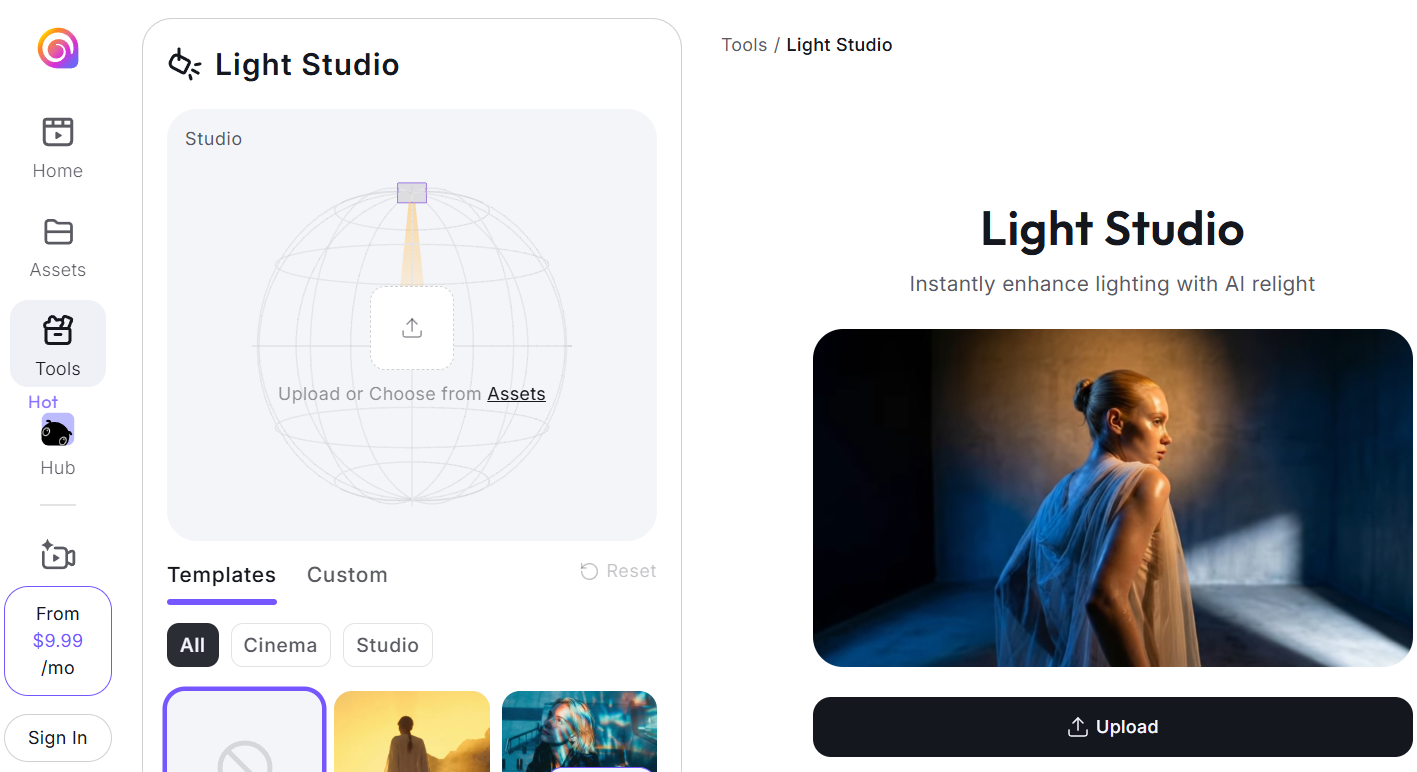
This is the part casual users like most and reviewers tend to skip. Rather than making you engineer a prompt, Hailuo ships purpose-built modes that take an upload and return a finished concept: Light Studio for relighting, CineScope for cinematic shots, an AI ad generator, Style Switch for video style transfer, SnapMorph for photo transformations, PlayFun for memes, an ASMR mode, plus lifestyle formats like LoveFrame, PetPal and BabyForm. A Trending feed shows which templates are performing — a useful signal if you publish short-form and want to ride a format before it cools.
Images, Audio and the Hailuo Agent
Video is the headline act but not the whole platform. Image generation sits in the same workspace, which matters because the strongest Hailuo workflow is often generate-image-then-animate rather than text-straight-to-video. An audio surface connects to MiniMax’s speech and music models for voice and soundtrack. The newer Hailuo Agent adds a conversational layer that selects models and assembles work on your behalf — useful if you would rather describe an outcome than configure a model. Developers can reach the same models directly through the MiniMax API for batch work.

Pricing, Plans, and Credit Structure
Hailuo runs on a monthly subscription with a credit pool, and this is the part that trips people up. Every generation spends credits based on resolution, duration and model — a low-resolution draft costs a small handful, a 1080p premium render several times more. Two structural details matter more than the headline price: subscription credits reset monthly and do not roll over, while separately purchased credit packs carry a much longer validity window. Published list prices also differ meaningfully from the promotional rates the site frequently runs, so the number you see today may not be the one in the terms of service.
| Plan | Approx. Price / Month | Credits | Best For |
|---|---|---|---|
| Free | $0 | Daily refreshing credits; watermarked output; up to 3 queued tasks | Evaluating quality and running your ideation phase at zero cost |
| Standard | ~$8–$15 (list ~$14.99; promos seen near $8) | ~1,000/month | Solo creators; the entry point for watermark-free, commercially usable output |
| Pro | ~$25–$55 | ~4,500/month | Regular publishers and freelancers producing weekly client work |
| Master / Ultra | ~$64–$125 | ~10,000–12,000/month | Small studios and agencies with steady multi-client output |
| Max | ~$199.99 | ~20,000/month plus unlimited generation in slower Relax Mode | High-volume studios where removing the credit ceiling is the point |
| Credit packs | Roughly $1 per 70 credits | Top-up; validity extends well beyond the monthly cycle | Bursty workloads — buy on demand instead of over-subscribing |
Translating credits into output is the calculation worth doing before you buy. A 1080p six-second render on the premium model has been reported at around eighty credits, so roughly a thousand monthly credits buys about a dozen top-quality clips — or several dozen if you draft at low resolution and only render finals at 1080p. Paid plans also add faster queue priority, more concurrent tasks, watermark-free downloads and commercial usage rights.
How Hailuo AI Compares to Alternatives
The AI video market in 2026 is crowded and re-prices constantly. Here is where Hailuo sits against the tools most creators shortlist, and against the traditional route of stock footage or a hired videographer.
| Option | Entry Cost | Strongest At | Main Trade-off |
|---|---|---|---|
| Hailuo AI | Free tier; paid from roughly $8–$15/mo | Physics accuracy, generation speed, character animation, anime and stylised looks | Short clips, no native audio, credits expire monthly |
| Kling | Free tier; paid from roughly $7–$10/mo | Price-to-quality ratio, longer clip durations, human-subject rendering | Also credit-based with monthly expiry; less physics-focused |
| Google Veo | Bundled with a Google AI subscription (around $20/mo) | Native synchronised audio, cinematic polish, enterprise-grade governance | Higher per-second cost; requires the Google ecosystem |
| Runway | Roughly $12–$76/mo depending on tier | A full ML editing suite, creative control, consistency of usable output | Notably more expensive per clip; steeper learning curve |
| Stock footage or a videographer | $30+/mo for stock; hundreds to thousands per shoot | Real footage, guaranteed rights, human creative judgement | Slow, costly, and impossible to iterate on in minutes |
vs. Kling: The closest direct rivals, at a similar entry price. Kling wins on clip duration — decisive if a shot must run beyond ten seconds — and several independent comparisons rate it higher for realistic human subjects. Hailuo wins on physics, iteration speed and stylised output. Many creators run both: Hailuo for fast concepting and physics-heavy shots, Kling when a sequence needs to breathe.
vs. Google Veo: Veo is the safer choice if you need a finished clip with synchronised audio in one step, or work somewhere with procurement and data-governance requirements, and it is the stronger all-rounder for cinematic polish. Hailuo counters on cost per clip and on the physics and motion scenarios where it measurably leads. If your output is silent b-roll or social content scored in an editor anyway, Veo’s audio advantage evaporates and Hailuo’s economics win.
vs. Runway: Runway is a production platform; Hailuo is a generation engine. If your work requires an actual editing environment with granular creative control and a higher floor of immediately usable takes, Runway justifies its price. If you already own an editor and simply need raw clips at volume, Hailuo delivers several times more output for the same money — and it delivers them faster.
Pros and Cons
What Creators Love
Physics that hold up under scrutiny: The number one benchmark result on WorldModelBench translates directly into fewer discarded generations. Liquids, fabric, falling objects and collisions behave the way viewers expect, which is precisely where most competing models still break.
Genuinely fast iteration: Thirty to ninety seconds per clip is the fastest in its class, and it fundamentally changes the creative rhythm. You explore more directions, land on the right one sooner, and finish a session with more usable material.
A free tier you can actually work in: Daily refreshing credits rather than a one-time trial let you evaluate honestly, learn the prompting style, and produce light volumes without paying.
Excellent image-to-video and frame control: Feed it a strong still and a motion instruction and results consistently beat text-only generation. Directed camera moves get executed rather than approximated, and start-frame to end-frame conditioning gives precision that prompt-only tools cannot match.
Backed by a well-capitalised public company: The January 2026 listing and its associated R&D funding make continued model development a reasonable expectation rather than a hope — a real consideration in a category where smaller tools disappear regularly.
Limitations Worth Knowing
The credit system penalises experimentation: Creative work means testing prompts, and every test costs credits — a handful of exploratory rounds at full resolution can consume a meaningful share of a Standard plan’s monthly allocation. Worse, unused credits expire rather than rolling over, which several subscribers describe as an unpleasant surprise after a quiet month.
A poor customer-service reputation: This is the most serious mark against the platform. Hailuo’s Trustpilot rating sits around 1.4 out of 5 across dozens of reviews, with recurring complaints about charges after cancellation, unanswered refund requests, slow or templated support, and mid-subscription changes to advertised free-credit entitlements. Support runs through email and Discord rather than live chat, and the published policy states that cancelling takes effect at the next billing cycle with no refund for the current one.
Prompt adherence is inconsistent: Reviewers testing at volume report a meaningful share of generations diverging noticeably from the written prompt — occasionally in the opposite direction to what was asked. Combined with credit consumption, that variance is the platform’s most practical day-to-day frustration.
Short clips and no long-form continuity: Six to ten seconds per generation is a hard ceiling. Anything narrative means generating, matching and stitching multiple clips, and character consistency across a sequence remains a gamble even with subject reference on.
No native audio: The video model outputs silent footage. Dialogue, sound design and music are a separate step, which adds pipeline time that competitors with synchronised audio generation avoid entirely.
An active US copyright lawsuit: In September 2025, Disney, Universal and Warner Bros. Discovery jointly sued MiniMax in California federal court, alleging both that Hailuo was trained on unauthorised copies of their works and that it generates outputs closely replicating protected characters. A judge denied MiniMax’s motion to dismiss in May 2026, allowing the case to proceed. Nothing is decided on the merits, but the practical guidance is clear: do not build commercial work around recognisable franchise characters on this or any generative platform.
Data handling and content moderation: Processing takes place under Chinese data-protection rules, which differ from US and EU frameworks — a genuine consideration for regulated industries or EU businesses with strict data requirements. Users also describe content moderation as unpredictable, with legitimate prompts occasionally blocked.
Who Should Use Hailuo AI
Short-form social creators: If you publish to TikTok, Reels or Shorts and need a steady stream of vertical clips, Hailuo’s speed, free daily credits, templates and trend feed are close to purpose-built for you. Start free, move to Standard once you publish weekly.
E-commerce sellers and product marketers: Product motion is Hailuo’s sweet spot — a still photo animated into a rotating hero shot, a liquid pour, a fabric drape. The physics advantage is not abstract here; it is the difference between a clip that sells and one that looks fake. Standard or Pro depending on catalogue size.
Performance marketers testing creative: When you need thirty ad variations to find the two that convert, cost per clip and iteration speed matter more than cinematic perfection. Draft with the Fast variant, render winners at 1080p, and the Pro tier will comfortably cover a testing cycle.
Animators, illustrators and anime creators: The dedicated anime, illustration, ink-wash and game-CG rendering modes make Hailuo one of the stronger choices for stylised work, and image-to-video lets you animate your own artwork rather than settling for whatever the model invents. Standard is usually enough to start.
Indie filmmakers and storyboard artists: For previsualisation, mood reels and shot-testing before a real shoot, camera control plus frame conditioning is genuinely useful — and far cheaper than blocking scenes any other way. Pro or higher for a full script.
Who should probably look elsewhere: If you need clips longer than ten seconds, finished audio in one step, an integrated editing timeline, enterprise data-residency guarantees, or support you can reliably escalate to, another platform will serve you better.
Getting Started: Step by Step
- Create a free account first. Sign up at the Hailuo site on web, or download the iOS or Android app. You will receive daily free credits immediately — no card required — which is more than enough to judge whether the model’s aesthetic matches your content.
- Start with image-to-video, not text-to-video. Upload a strong still — a product photo, a portrait, a piece of your own artwork — and write a short motion instruction. This is the highest-quality path on the platform and the fastest way to see what it can really do.
- Learn the camera language. Add explicit direction to your prompts — slow push-in, orbit left, handheld tracking shot. This single habit improves results more than any other prompting change.
- Draft cheap, render expensive. Work at lower resolution with the Fast model variant while you are exploring. Only spend premium credits on the composition you have already validated. This one discipline roughly triples the useful output of any given plan.
- Explore the Tools tab. Before writing complex prompts from scratch, check whether a template already covers your use case — the ad generator, cinematic mode, style transfer and relighting tools remove a lot of trial and error.
- Subscribe monthly, not annually. When the free tier stops being enough, take Standard on monthly billing. Given the documented billing and cancellation complaints, limit your exposure until you have a few clean cycles behind you.
- Build your assembly workflow. Plan how you will stitch clips and add sound — whether that is Hailuo’s own audio tools or your existing editor. Hailuo produces the raw material; something else produces the finished video.
Tips for Getting Maximum Value
Treat credits like a production budget rather than an allowance, because the platform rewards planning. Storyboard before you generate: knowing the six shots you need stops you burning a quarter of your month wandering. Always check for an active promotional rate before subscribing, since listed and checkout prices frequently differ and annual billing has been advertised at close to half off — though annual commitment is exactly what several complaint threads centre on, so weigh the discount against the risk. When a busy month hits, buy top-up credit packs instead of jumping a tier, since purchased credits carry a far longer validity window than the monthly pool that expires whether you use it or not. Lean hard on image-to-video and subject reference for recurring characters, and generate variations in one sitting so lighting and style stay consistent. Keep prompts concrete and physical — weight, material and motion play to the model’s strengths, while abstract language produces drift. And avoid the two costliest mistakes: rendering at 1080p before validating the composition, and building commercial work around branded characters given the ongoing litigation.
Future Outlook and Final Assessment
The tailwinds behind Hailuo are strong. AI video generation has moved from novelty to normal workflow in under two years, per-clip costs are falling every quarter, and short-form vertical video keeps absorbing a larger share of marketing budgets. MiniMax now has public-market capital directed at R&D, a consumer-led revenue base that keeps it focused on the creator rather than the procurement department, and a demonstrated cadence of meaningful model upgrades. The expansion from a single prompt box into images, audio, templated tools and an agent layer suggests the ambition is a complete creative workspace, not a model endpoint.
The honest caveats remain, and they are not small. The credit system fights against the way creative work actually happens. Monthly expiry punishes irregular use. The customer-service record is genuinely poor and should shape how you subscribe, not just whether. Clips are short, audio is absent, and a significant copyright case is unresolved in US federal court. None of that erases what the model does well — but it does mean Hailuo rewards the disciplined user far more than the casual one. Go in with a plan, monthly billing and realistic expectations, and it is one of the best value propositions in AI video. Go in casually and you will spend a month’s credits in an afternoon.

Conclusion
Hailuo AI is an unusually good model wrapped in a platform that asks something of you in return. The physics simulation is measurably the best available, the generation speed changes how a creative session feels, the stylised and character work is excellent, and the free daily credits let you prove all of that before spending a cent. Against that sit short clips, silent output, expiring credits, a support record worth taking seriously, and an unresolved copyright case. For short-form creators, e-commerce sellers, performance marketers, animators and indie filmmakers who work within those boundaries, it is one of the strongest value plays in AI video in 2026 — turning an idea into a publishable clip in about the time it takes to make coffee. Start free, test honestly, subscribe deliberately, and Hailuo makes cinematic video genuinely accessible — because good tools should make everything easy, not just possible.
Ready to turn a single prompt into a cinematic clip?
Explore more honest reviews, tutorials and tool comparisons to find the right tech for the way you work and live — at AI Solutes, where we make everything easy.
👉 Open Free Account: https://ai-solutes.com/hailuoai
👉 Our YouTube Channel: youtube.com/@ai-solutes
👉 Our Facebook Fanpage: Facebook
👉 Our X (Twitter): @AISolutes
- Ditch Hidden Credit Traps and Streamline Custom AI Chatbots with Chatbase?
- Master DeepSeek API Automation for Winning SEO Strategies and Real-Time Keyword Trends
- Does PixVerse Transform Video Creation? Reviewing the AI Platform’s Motion Generation Technology
- Crush Airfare in 2025 with Cheap Flight Alerts: Top Apps to Save Hundreds
- Unlock Maximum Tax Savings for 2026: FreeTaxUSA Free Federal Filing Guide, OBBBA Deductions, and Crypto Import Tips