PixVerse has rapidly emerged as one of the most exciting and versatile AI video generation platforms in the world — and in 2026, with the launch of V5.6 and the subsequent V6 update, it has firmly established itself as a go-to creative tool for content creators, marketers, filmmakers, and social media enthusiasts alike. Developed by Aishi Technology, a Beijing-based startup backed by Alibaba, PixVerse transforms simple text prompts or static images into dynamic, visually stunning video clips with minimal effort. Whether you’re a TikTok creator looking to go viral with AI-powered effects, a marketer producing polished product animations, an indie filmmaker experimenting with cinematic AI sequences, or a business owner wanting to generate affordable video content at scale — this comprehensive 2026 review covers every major feature, plan, pricing tier, and real-world consideration of the PixVerse platform.
PixVerse AI Video Generator Review 2026: The Fastest Path from Idea to Cinematic Video
Overview and Background
PixVerse is an AI-powered video generation platform that converts text prompts, images, and reference art into high-quality animated video clips in seconds. Built by Aishi Technology and backed by Alibaba, the platform launched to international audiences with a clear mission: make professional-grade video creation accessible to anyone, regardless of technical skill or production budget. What makes PixVerse stand out in a rapidly crowded market is not just video quality — it’s the sheer speed of iteration, the range of creative styles available, and a pricing structure accessible enough to invite experimentation from day one. By 2026, PixVerse has grown to over 16 million monthly active users across 175+ countries, cementing its position as one of the most globally adopted AI video tools available. The platform’s major 2026 milestones — the V5.6 release in January featuring native 4K rendering, multi-character consistency, and realistic physics simulation, followed by the V6 launch in March 2026 introducing 20+ cinematic lens controls, native audio integration, and multi-shot video sequencing — have placed PixVerse at the leading edge of what AI video generation can achieve today.
Why PixVerse Stands Out in 2026
- Native 4K Output (V5.6+): Where earlier AI video tools marketed “4K” as an upscaling gimmick, PixVerse V5.6 delivers genuine native 4K rendering — with improved texture detail, lighting accuracy, and color depth that holds up on large screens and professional displays.
- Multi-Character Consistency: One of AI video’s most persistent problems has been keeping multiple characters visually coherent across frames. V5.6 directly addresses this, allowing multi-character scenes where faces, clothing, and proportions remain stable throughout the generation.
- Start & End Frame Control: A uniquely powerful feature — users can define both the opening and closing frames of a video clip, and PixVerse generates all motion in between. Up to 7 keyframes can be chained in a single video, enabling story-driven sequences impossible in earlier AI video tools.
- Built-in Audio Generation: V5.6 and V6 generate background music, sound effects, and synchronized character dialogue automatically alongside video — eliminating the need for separate audio post-production for short-form content.
- 5 Distinct Style Presets: Anime, 3D Animation, Clay, Comic, and Cyberpunk style presets let creators lock in a visual identity instantly — without needing to engineer complex prompts from scratch.
- Beginner-Friendly Interface: Despite its technical depth, PixVerse’s dashboard is clean and intuitive — new users can generate their first video within minutes of signing up, with no prior video editing experience required.
- Generous Free Tier: PixVerse offers a functional free plan with daily credit renewals — letting new users genuinely evaluate the tool before committing to any paid subscription.
PixVerse transforms text descriptions and static images into dynamic, cinematic video clips — making professional-grade video production accessible to creators of every skill level, from social media beginners to seasoned filmmakers.
Key Features and Creative Capabilities
PixVerse’s competitive strength lies in combining high visual output quality with a feature set that covers the full spectrum of modern video creation needs — from fast social-media clips to longer narrative sequences and professional marketing assets.
Text-to-Video: Turning Ideas into Motion
PixVerse’s most popular creation mode converts written descriptions directly into video sequences. Users input detailed prompts describing scenes, actions, camera movements, and visual styles — and the AI synthesizes corresponding footage in seconds.
- Cinematic Prompt Support: PixVerse V5.6 and V6 interpret cinematic camera directions within prompts — users can specify slow dolly zooms, aerial shots, crane movements, or tracking shots, and the model executes them with genuine motion logic rather than random animation.
- Multiple Aspect Ratios: The platform supports 16:9 (YouTube), 9:16 (TikTok/Reels), 3:4, 4:3, and 1:1 (Instagram) — generating platform-optimized output for maximum reach across different social channels from a single prompt.
- Duration Options: Video generation ranges from 5 to 15 seconds per clip — with V5.6 maintaining long-form coherence across the full 15-second window, keeping architectural details, character appearances, and scene lighting consistent from first frame to last.
- Seed Locking: Users can lock a seed number to reproduce the exact same visual style and motion signature across multiple generations — a critical feature for creators building consistent branded content series.
Image-to-Video: Animating the Static
PixVerse’s Image-to-Video tool brings photographs, illustrations, concept art, and product images to life by applying realistic motion dynamics and animation effects.
- Single Image Animation: Upload any image and describe the motion you want — the AI analyzes the visual content, interprets spatial depth, and applies natural movement physics appropriate to the scene.
- Multi-Image Scene Transitions: V5.6 expanded support for uploading multiple images and generating smooth scene changes between them — enabling story sequences and product presentation videos from a collection of reference shots.
- Character Animation with Lip Sync: Upload a single portrait image and generate synchronized lip movements for dialogue or narration — producing character-driven video content without any animation software or voice acting setup.
- Product Shot Animation: Particularly valuable for e-commerce and marketing — static product photographs can be animated with 360° rotations, dynamic lighting, and cinematic reveal motions that are difficult and expensive to achieve in traditional video production.
Style Presets and Visual Effects
- Anime: Generates fluid, expressive animation with the characteristic visual language of Japanese animation — ideal for storytelling content, fan creation, and narrative-driven social media.
- 3D Animation: Produces polished 3D rendered visuals with depth, ambient occlusion, and material-accurate lighting — suitable for product reveals, educational content, and brand storytelling.
- Clay: A distinctive stop-motion-inspired aesthetic with tactile, handcrafted visual qualities — popular for children’s content, playful marketing, and creative brand differentiation.
- Comic: High-contrast linework and bold color fills inspired by graphic novel aesthetics — effective for action content, gaming, and youth-targeted social media campaigns.
- Cyberpunk: Neon-drenched futuristic visuals with atmospheric lighting, rain effects, and urban density — one of the most requested style categories for music videos, trailers, and tech-adjacent content.
Auto Sound and Auto Speech
- Auto Sound: Automatically generates realistic ambient sound effects matched to the visual content — footsteps, weather, crowd noise, machinery, and environmental audio are added without manual audio editing.
- Auto Speech: Enables text-to-speech lip-sync generation — characters speak provided dialogue with natural mouth movements synchronized to voice output, enabling dialogue-driven content without voice actors.
- Native Audio in V6: The March 2026 V6 update introduced native audio generation as a core part of the video output rather than a post-processing addition — producing tighter audio-visual synchronization than any previous version.
V6 Update: Cinematic Lens Controls and Multi-Shot Video
- 20+ Cinematic Lens Controls: V6 introduced the ability to emulate specific camera lenses and apply stylistic optical effects — wide-angle distortion, telephoto compression, anamorphic lens flares, and depth-of-field control that were previously impossible in AI-generated video.
- Multi-Shot Sequencing: V6 enables creators to build multi-shot video sequences — moving beyond single isolated clips toward coherent narrative productions where characters and settings remain consistent across multiple connected shots.
- Improved Physics Engine: V6 tracks physical properties including gravity, light reflection, and material texture across frames — handling complex motion (explosions, liquids, crowds, fabric) with fewer warping artifacts than any previous version.
- Character Consistency Across Shots: The most significant V6 improvement for professional use — characters maintain identical facial features, clothing, and proportions across different shots in a sequence, enabling genuine narrative video production at scale.
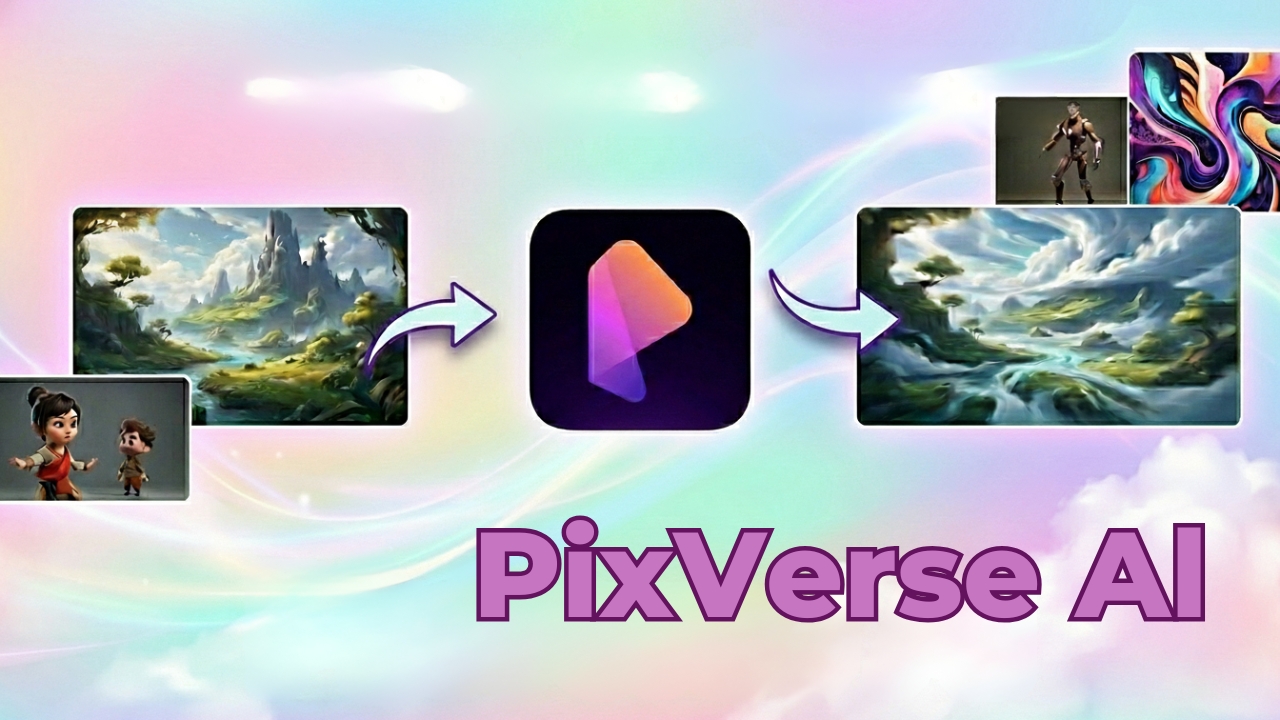 PixVerse V6’s multi-shot sequencing and cinematic lens controls mark a fundamental shift from isolated clip generation toward coherent narrative video production — enabling small teams and solo creators to produce content that previously required full production crews.
Pricing, Plans, and Credit System
PixVerse operates on a credit-based subscription model where different generation tasks consume varying amounts of credits depending on resolution, duration, and complexity. This system gives users fine-grained control over their spending while scaling naturally with usage intensity.
PixVerse Pricing Breakdown for 2026
| Plan | Monthly Price | Credits / Month | Max Resolution | Best For |
|---|---|---|---|---|
| Free | $0 | 100 initial + 60 daily | 540p (watermarked) | First-time users, casual experimentation |
| Standard | $10/month | 1,200/month + 30 daily | 720p HD (no watermark) | Hobbyists, regular social media creators |
| Pro | $30/month | 6,000/month + 30 daily | 1080p (no watermark) | Active creators, freelancers, small agencies |
| Premium | $60/month | 15,000/month | 4K (no watermark) | Professional creators, marketing teams |
| Enterprise | From $100/month | Custom | 4K + API access | Agencies, developers, large-scale production |
| Pay-As-You-Go | ~$0.20–$0.40 per clip | 500 credits = $5 | Varies by resolution | Occasional users, overflow from subscription |
Important note on pricing: At $30/month for the Pro plan with 1080p output and 6,000 credits, PixVerse is significantly more affordable than Runway ML ($35–$95/month) and competitive with Kling AI for comparable generation quality. For creators primarily producing short-form social content (5–8 second clips), the Standard plan at $10/month provides excellent value — generating approximately 40–60 HD clips per month depending on complexity. Pro tip: New users should start with the free tier and burn through the initial 100 credits testing different prompts, styles, and image inputs before subscribing. The free daily credit renewal (60 credits/day) is genuinely usable for low-volume experimentation and will give you a clear picture of which plan tier your actual usage pattern demands.
Value vs. Alternatives
- vs. Runway ML (~$35–$95/month): Runway offers more granular post-production editing tools, but at a significantly higher price point. PixVerse wins on speed, style variety, and accessibility for creators who prioritize fast generation over frame-level editing control.
- vs. Kling AI (~$8–$45/month): Kling has earned a strong reputation for lighting realism — many reviewers note it remains the benchmark for natural light simulation in AI video. PixVerse counters with broader style presets, faster iteration speed, and the unique start/end frame control feature that Kling does not offer.
- vs. Pika Labs (~$8–$70/month): Pika and PixVerse occupy similar market positions. PixVerse edges Pika on multi-character consistency and physics simulation in the V5.6+ architecture; Pika has a stronger community ecosystem and slightly more intuitive interface for absolute beginners.
- vs. Sora (OpenAI — limited access): Sora produces longer, higher-fidelity video but remains restricted to limited access tiers and produces outputs with slower generation times. PixVerse is fully publicly accessible, generates video in seconds rather than minutes, and offers a free entry point that Sora currently does not.
- vs. Hailuo AI / MiniMax: Hailuo performs strongly on photorealistic human motion. PixVerse surpasses it on stylized content, multi-character scenes, and the breadth of its creative tools ecosystem. For creators working primarily in stylized or animated aesthetics, PixVerse is the stronger choice.
Comparisons: PixVerse vs. Competitors in 2026
| PixVerse 2026 | Runway ML | Kling AI | Pika Labs | Sora (OpenAI) | |
|---|---|---|---|---|---|
| Max Resolution | Native 4K | 4K (upscaled) | 1080p | 1080p | 1080p |
| Free Tier | Yes (daily credits) | Limited trial | Yes | Yes | No (restricted) |
| Text-to-Video | Yes | Yes | Yes | Yes | Yes |
| Image-to-Video | Yes | Yes | Yes | Yes | Limited |
| Start/End Frame Control | Yes (up to 7 keyframes) | No | No | No | No |
| Built-in Audio Generation | Yes (V5.6+) | Partial | No | No | No |
| Style Presets | 5 (Anime, 3D, Clay, Comic, Cyberpunk) | Limited | Limited | Limited | None |
| Multi-Character Consistency | Yes (V5.6+) | Partial | Partial | No | Yes |
| Entry Paid Plan Price | $10/month | $35/month | $8/month | $8/month | N/A (restricted) |
| Best For | Speed, style variety, accessibility | Post-production control | Lighting realism | Beginner-friendly creation | Long-form, photorealistic |
PixVerse’s edge: In the mid-2026 AI video landscape, PixVerse delivers the most complete combination of accessibility, speed, creative style range, and innovative control features — particularly the unique start/end frame keyframe system and built-in audio generation that no major competitor currently matches at the same price point. Runway surpasses PixVerse for frame-level post-production editing; Kling leads on lighting realism; Sora produces longer, more coherent outputs in limited scenarios. But for the vast majority of creators who need fast, stylistically flexible, high-quality video at an accessible price — PixVerse V5.6 and V6 represent the best all-around value in the market.
Pros and Cons: What Creators Say
What Creators Love Most About PixVerse
- Exceptional Generation Speed: The most consistently cited advantage across independent reviews — PixVerse produces professional-looking clips in seconds, enabling rapid iteration that matches the pace of social media content cycles. Reviewers report generating complete test videos in under 3 minutes from first prompt to final output.
- Viral FX Effects: PixVerse became widely recognized for its viral transformation and motion effects — muscle surge animations, beauty transformations, dance effects, and 3D-aware camera motions that drove significant organic sharing on TikTok and YouTube Shorts. These effects remain exclusive to PixVerse and are a primary driver of its 16 million monthly active user base.
- Reliable Keyframe Control: The start/end frame feature is frequently highlighted as a game-changer for storytelling — enabling creators to plan and execute specific visual transitions that were previously achievable only with traditional video editing software and significant post-production time.
- Style Consistency: Seed locking and style presets give creators repeatable visual consistency across content series — essential for brand-building and channel identity that requires a coherent aesthetic across multiple videos.
- Genuinely Usable Free Tier: Unlike many AI platforms that restrict free tiers to the point of uselessness, PixVerse’s 60 daily credit renewal gives legitimate access to core features — allowing real evaluation of the tool’s capabilities before any financial commitment.
- Mobile App Access: PixVerse’s mobile app extends the platform beyond desktop — enabling generation on the go, which is particularly valuable for social media creators whose workflow is natively mobile.
Limitations and Caveats Worth Knowing
- Watermarks on Free Exports: All videos generated on the free plan include a visible PixVerse watermark — acceptable for personal experimentation but unusable for professional or commercial publishing without upgrading to at least the Standard plan.
- Style Preset Dependency in V5.6: Some professional reviewers note that V5.6’s output is strongly influenced by the selected style preset — which can make content feel template-driven for creators seeking a more unique visual signature. V6 addresses this with a more model-driven approach, but V6 API access remains limited as of mid-2026.
- Negative Prompt Feature Removed: The latest interface no longer includes a dedicated negative prompt section — reducing fine-tuning flexibility for advanced users who relied on negative prompts to exclude unwanted visual elements from generations.
- Credit Consumption on 4K: Native 4K rendering consumes significantly more credits per generation than HD output — heavy users producing 4K content at scale will find the Premium plan ($60/month) a near-requirement, which raises the cost ceiling substantially for professional use.
- NSFW Content Filtering: PixVerse’s automated content filtering system blocks NSFW-related uploads and certain creative use cases — the filtering is not always predictable, and legitimate creative uploads can occasionally trigger false positives that interrupt workflow without clear appeal pathways.
- 15-Second Duration Cap: While 15 seconds is generous by AI video standards, it remains a significant constraint for creators wanting to produce longer-form content without extensive manual clip-stitching — a limitation that V6’s multi-shot sequencing begins to address but does not fully resolve.
 PixVerse’s viral FX effects — transformation animations, motion effects, and 3D-aware camera moves — have driven massive organic reach on TikTok and YouTube Shorts, making it the go-to platform for creators whose primary metric is social media engagement and shareability.
Common Use Cases and Who Should Use PixVerse
Best Use Cases by Creator Profile
- Social Media Content Creators: PixVerse’s platform-optimized aspect ratios, rapid generation speed, and viral effect library make it purpose-built for TikTok, YouTube Shorts, Instagram Reels, and similar short-form video platforms. Creators who need to produce multiple pieces of content per week will find PixVerse’s speed and style variety the most operationally practical AI video tool available.
- Marketing Teams and Brand Managers: Product animation, campaign teaser videos, branded content series, and social ads that previously required video production agencies can now be produced internally in hours rather than weeks. PixVerse’s seed locking ensures consistent visual branding across campaigns.
- Independent Filmmakers and Storytellers: V6’s multi-shot sequencing and character consistency features open genuine narrative filmmaking possibilities for solo creators — producing character-driven story sequences that maintain visual coherence across scenes in a way that was technically impossible with AI video tools just 12 months ago.
- Educators and E-Learning Producers: Concept visualization, animated explainer sequences, and character-driven educational scenarios can be generated from text descriptions without animation software expertise — dramatically reducing the production cost of high-quality educational video content.
- Anime and Illustration Artists: The Anime style preset combined with Image-to-Video functionality gives artists a powerful tool to animate their own static illustrations and artworks — extending their existing creative work into motion without learning animation software.
- Developers and Technical Teams: The Enterprise API plan enables programmatic video generation at scale — useful for platforms that need to generate personalized video content, product showcases, or visual reports automatically from data inputs.
- Businesses Without Video Production Budgets: For small businesses, startups, and solopreneurs who need video content for websites, presentations, or social channels but cannot afford traditional production costs, PixVerse’s $10/month Standard plan offers a legitimate professional-quality alternative that genuinely delivers on the promise.
Step-by-Step: Getting Started with PixVerse
- Create Your Account: Visit app.pixverse.ai and sign up with Google or email — new users receive 100 initial credits immediately on first login, with 60 daily renewal credits thereafter. No payment information is required to start.
- Choose Your Creation Mode: Select Text-to-Video for prompt-driven generation, Image-to-Video to animate an existing image, or Character Animation for portrait-based lip-sync content. For your first generation, Text-to-Video is the fastest way to understand the platform’s capabilities.
- Write a Detailed Prompt: Specificity dramatically improves output quality. Include scene description, subject action, camera movement type, lighting description, mood, and duration. Example: “Cinematic close-up of a barista pouring latte art in a warm café, slow push-in camera, golden hour light streaming through windows, 8 seconds.”
- Select a Style Preset (Optional): If your content has a defined aesthetic direction, apply a style preset (Anime, 3D Animation, Clay, Comic, Cyberpunk) before generating. Leave this blank for photorealistic output.
- Choose Resolution and Aspect Ratio: Match your aspect ratio to your target platform — 9:16 for TikTok/Reels, 16:9 for YouTube. Start with 720p to conserve credits during experimentation; upgrade to 1080p or 4K for final publishable outputs.
- Generate and Evaluate: Review the output and iterate on your prompt based on what worked and what didn’t. Use the seed lock feature on generations you like to maintain that visual style across future generations in the same content series.
- Add Audio (V5.6+): Enable Auto Sound for automatic ambient audio, or Auto Speech for dialogue synchronization. For professional outputs, preview the audio generation alongside the video before finalizing your export.
- Select Your Plan Based on Usage: After your first week of free experimentation, assess how many clips you’re generating per week. Light users (5–10 clips/week) will find the Standard plan sufficient; active creators producing 20+ clips weekly should evaluate the Pro plan.
Tips for Getting Maximum Value
- Build a personal prompt library — save the exact prompt language and seed numbers for generations you like so you can reproduce consistent visual styles across future content without rebuilding from scratch each time.
- Use the start/end frame control for any content where you know exactly what your scene’s visual anchor points should be — product reveals, character entrances, and transition shots all benefit significantly from this level of directorial control.
- For social media content, generate multiple short variations of the same scene with slight prompt modifications rather than producing a single long clip — short variations give you more posting flexibility and allow A/B testing of visual approaches.
- Combine PixVerse’s Baked Recipes — wait, wrong review! Combine PixVerse’s style presets with specific lighting descriptions in your prompts for the most distinctive outputs. A Cyberpunk preset with “warm amber street light contrasting cold blue neon” produces significantly more character than the default preset output.
Future Outlook and Final Assessment
PixVerse’s 2026 trajectory — V5.6’s 4K rendering and multi-character consistency in January, followed by V6’s cinematic lens controls and multi-shot sequencing in March — demonstrates a development pace that is among the fastest in the AI video space. The platform’s 16 million monthly active users and 175-country global reach provide the data flywheel and commercial foundation needed to sustain continued model improvement. The immediate competitive pressure comes from two directions: Kling AI for users prioritizing lighting and photorealistic human motion, and Runway ML for users who need frame-level editing control alongside generation. PixVerse’s answer — faster iteration speed, broader style range, unique keyframe control, built-in audio, and a more accessible pricing structure — positions it squarely as the platform of choice for high-volume, style-diverse content creation rather than precision post-production workflows. The V6 multi-shot engine represents the most significant strategic bet: by enabling coherent narrative video production rather than isolated clip generation, PixVerse is positioning itself to compete not just in the social media content space but in short-film production, training video creation, and long-form marketing content — categories where the current 15-second generation cap has kept AI video tools sidelined.
Conclusion
PixVerse delivers one of the most capable, accessible, and rapidly evolving AI video creation experiences available in 2026. With native 4K output, multi-character consistency, start/end frame keyframe control, built-in audio generation, 5 distinct style presets, 20+ cinematic lens controls in V6, and a pricing structure that starts with a genuinely functional free tier — PixVerse has earned its place as the leading AI video tool for content creators who prioritize speed, creative flexibility, and accessible pricing over frame-level post-production control. The 15-second duration cap remains a real limitation for long-form storytelling ambitions, the removal of the negative prompt feature reduces fine-tuning options for advanced users, and the credit cost of native 4K generation adds up quickly for heavy producers. But for the overwhelming majority of social media creators, marketing teams, educators, artists, and businesses who need professional-quality video content produced fast and affordably — PixVerse V5.6 and V6 are the most complete package the AI video market currently offers.
Ready to transform your ideas into cinematic video with PixVerse — the AI platform trusted by 16 million creators in 175 countries?