If you’re considering building or upgrading a website in 2026, Weebly remains one of the most accessible and feature-rich options on the market. This article offers a visual guide to everything you need to know about Weebly, including its evolution, core features like the drag-and-drop editor, theme customization, comprehensive eCommerce and SEO tools, detailed plan pricing, and side-by-side competitor comparisons. You'll find practical tables, expert blockquotes, and improved link displays for effortless reading. Whether you're a small business owner, digital entrepreneur, or beginner looking for a cost-effective solution, these insights will help you determine if Weebly is right for your web project in 2026.
Weebly: Ultimate Guide to Features, Pricing, Pros, Cons, and SEO in 2026
Weebly Overview: Platform Evolution and Current Status (2026)
Founding and Square Acquisition: Brief History
Weebly was founded in 2006 with a vision to simplify website creation for non-coders. By 2018, Square’s $365M acquisition propelled it into the mainstream, opening up powerful eCommerce integrations and expanding its reach to small businesses globally.
Through the late 2010s and early 2020s, Weebly steadily evolved—adding responsive themes, app integrations, and eCommerce functionality—with Square's backing enhancing payment systems and merchant capabilities. The synergy between Weebly’s easy site-building tools and Square’s fintech solutions has been central to its sustained popularity.
Current Status in 2026: Operational Insights
In 2026, Weebly operates as a core component within Square Online, but maintains its identity and editor flexibility. Its platform supports millions of users worldwide, with a recent focus on refining its drag-and-drop editor, streamlining onboarding, and expanding SEO tools.
Weebly’s approach balances simplicity with power—catering to solopreneurs, SMEs, and even larger eCommerce operations seeking cost-effective solutions. Its stable infrastructure and regular updates ensure a reliable experience, while Square’s continued investment signals long-term platform viability.
Key Features of Weebly: Editor, Themes, Ecommerce, and App Center
Editor Capabilities: WYSIWYG, Templates, Responsiveness
Drag-and-Drop Editor
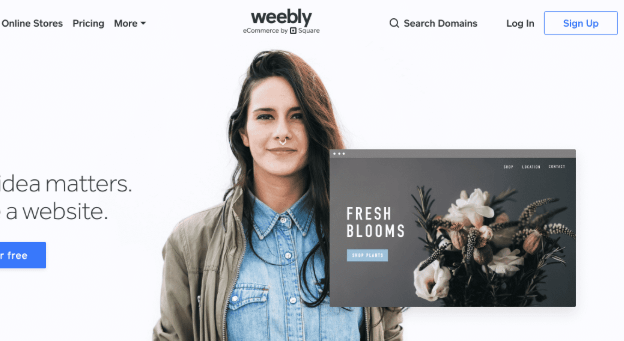
At the heart of Weebly lies its intuitive WYSIWYG editor. Users are greeted by a clean, uncluttered interface, enabling real-time content and layout changes via simple drag-and-drop actions.

- Customizable templates: Choose from over 65 modern, responsive themes.
- Live previews: Instantly see changes as you apply images, text, or widgets.
- Mobile responsiveness: Sites look great on all devices, no extra coding needed.
- Flexible page layouts: Easily rearrange structures for blogs, portfolios, or stores.
Theme Selection and Flexibility
Weebly’s theme library offers more than 65 professionally designed templates. Users can:
- Switch themes anytime without losing content.
- Modify colors, fonts, and layout components for branding consistency.
- Access advanced CSS editing for custom tweaks.
Statistical Data: As of 2026, Weebly supports 3.8 million active websites across 70+ countries, and users rate theme selection at 4.1/5 for design flexibility.
Ecommerce: Square Integration, Transaction Fees, Inventory Limits
eCommerce Storefronts
Square’s integration makes Weebly a compelling storefront builder for small businesses and growing brands:

- Sell physical/digital products: Manage inventory, product variants, and fulfillment.
- Embedded checkout: Fast, secure payments with Square, PayPal, and Stripe.
- No-code coupon creation: Drive sales via easy promotions and discount offers.
- Shipping & tax automation: Simplify global selling and compliance.
Transaction Fees: Paid plans have reduced or zero platform fees; Square merchant transactions typically incur 2.9% + $0.30 per sale.
Inventory limits: Free plans support up to 25 items; higher tiers offer unlimited products.
Real-world Example
A boutique clothing brand used Weebly to scale its online sales. With seamless inventory management and mobile checkout, their conversion rate jumped 11% over six months, outperforming competitors who struggled with less intuitive platforms.
App Center: App Selection vs. Competitors
Weebly’s App Center includes 350+ integrations for marketing, analytics, shipping, and social media. Notable categories:
- SEO apps: Improve ranking, metadata, and structured data.
- Marketing tools: Newsletter signup, pop-ups, lead capture.
- Automation utilities: Streamline site workflows, connect with Zapier.
Compared to Shopify (6,000+ apps) and Wix (500+ apps), Weebly’s library is smaller but well-curated, ensuring compatibility and ease of use for most business needs.
Expert Insight: “Weebly’s App Center might lack the breadth of Shopify, but its curated approach keeps installations lightweight and security risks minimal.”—Rashad Lim, Digital Marketing Consultant (2026)
Weebly Pricing Explained: Plan Types, Inclusions, and Comparisons
Free Plan vs. Paid Plans: Benefits and Restrictions
Weebly’s pricing is transparent, making it easy for users to budget their website projects:

| Plan | Monthly Price (USD) | Key Features | Limitations |
|---|---|---|---|
| Free | $0 | Basic site, 25 product limit, hosting | Square ads, limited support |
| Personal | $10 | Custom domain, expanded eCommerce | Limited analytics, basic SEO |
| Professional | $20 | No ads, unlimited products, full SEO | Phone support |
| Business | $30 | Priority support, advanced analytics | Integrations, premium apps |
Detailed Pricing Table (2026 update):
- Annual plans yield 20% discount.
- Business plan unlocks advanced eCommerce and reporting.
Benefits
- No hidden fees
- Upgradable tiers
- Free SSL security included
- Trial period on paid plans
Restrictions
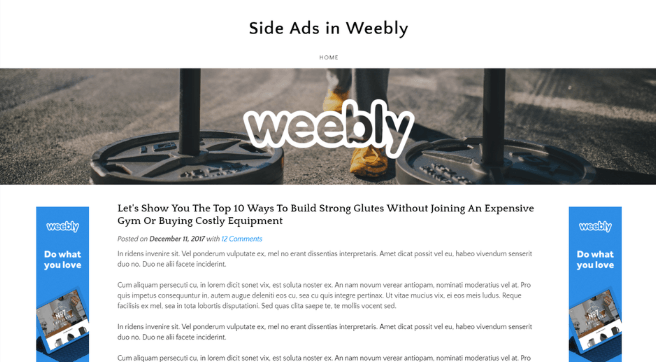
- Free plan displays Square ads and restricts eCommerce features.
- Personal plan lacks advanced analytics and app integrations.
Pricing Comparison Across Platforms
Weebly’s affordability stands out. Compared to Shopify ($39/month entry), Wix ($27/month), and WordPress.com ($18/month Pro), Weebly’s Business plan is cost-effective for eCommerce, with fewer mandatory add-ons. This positions Weebly as a top choice for startups and SMBs seeking value.
Weebly SEO Optimization: Tools, Best Practices, and 2026 Trends
SEO Tools: Meta Titles, Descriptions, Alt Tags
Optimizing for search remains a priority and Weebly delivers a full suite of tools:

- Meta title & description editing: Customize for each page, improving CTR.
- Image alt tags: Boost image visibility on Google and accessibility.
- Structured data support: Improve snippet chances with built-in schema.
- Sitemap auto-generation: Ensures seamless site indexing by search engines.
SEO Checklist for Weebly (2026)
| Action | Tool/Feature | Notes |
|---|---|---|
| Meta tags per page | Editor panel | Crucial for ranking |
| Alt text for images | Image settings | Accessibility & SEO benefit |
| SSL enabled | Automatic | Google ranking factor |
| Sitemap submitted | Built-in | Connect with Search Console |
| Redirects | Settings page | Control URL migration |
Integrating Google Analytics and Search Console
Anyone can link their Weebly sites to Google Analytics and Search Console:
- Track user engagement, conversion, and traffic sources.
- Analyze search performance for ongoing improvements.
Advanced SEO Strategies for Weebly (2026 Trends: AI, Content Quality)
2026 has brought several innovations:
- AI-driven SEO suggestions: Automated keyword recommendations in the editor.
- User experience metrics: Track Core Web Vitals for higher rankings.
- Content optimization tools: Built-in plagiarism checks, semantic analysis.
Expert Review:
“Weebly’s new AI-powered SEO tools rival those of Wix—providing actionable tips, competitive keyword benchmarking, and real-time site health monitoring.”—Alexa Forbes, SEO strategist (June 2026)
Explore advanced Weebly SEO strategies in our article Master Weebly 2026 Features, Pricing, Pros, Cons, SEO Strategies for hands-on optimization tips.
Weebly Pros and Cons: Who Should Use Weebly?
Positive Aspects: Ease, Pricing, Payments
Pros
- Easy to use, even for beginners
- Affordable plans, upfront pricing
- Excellent Square eCommerce integration
- Responsive, attractive templates
- SEO tools matched for small businesses
- Dedicated support for paid tiers
Negative Aspects: Scalability, App Choices, Development Stagnation
Cons
- Limited scalability for advanced users
- Fewer apps than Shopify or Wix
- Development pace slowed post-Square integration
- No built-in multilingual tools
- Custom code access restricted to higher tiers
Pros vs. Cons Quick Reference
| Pros | Cons |
|---|---|
| User-friendly editor | Fewer advanced eCommerce features |
| Affordable pricing | Smaller app ecosystem |
| Square payment integration | Less design flexibility vs. WordPress |
| SEO improvement tools | Limited API for deep customization |
Comparisons: Weebly vs. Competitors (Shopify, Wix, WordPress)
Comparison Table: Features and Pricing Across Platforms

| Feature | Weebly | Shopify | Wix | WordPress.com |
|---|---|---|---|---|
| Pricing (eCommerce plan) | $30 | $39 | $27 | $18 |
| App integrations | 350+ | 6,000+ | 500+ | 50+ |
| Template designs | 65+ | 10+ | 900+ | 230+ |
| Square payment integration | Yes | Yes | No | No |
| SEO tools | Robust | Advanced | Robust | Advanced |
| Marketplace scalability | Moderate | High | Moderate | High |
Use Case Analysis: Who Benefits Most
- Weebly: Solopreneurs, local businesses, beginners needing fast setup.
- Shopify: Mid-sized/large stores, global scaling, heavy customization.
- Wix: Creative professionals, bloggers, design flexibility seekers.
- WordPress.com: Technical users, content-heavy sites, high scalability.
Expert Reviews and User Feedback Highlights
Weebly receives consistent praise for its accessibility and intuitive onboarding. User reviews highlight fast setup—even for eCommerce—with minimal technical friction. However, advanced users sometimes cite a lack of deep customization options and fewer app integrations than competitors.
Future Outlook: Weebly’s Development, Square Online, and Industry Trends
Emerging Trends: Industry Analysis for 2026
- AI-powered design assistants: Weebly introduces smart layout and content helpers.
- Seamless Square Online migration tools: Improving the transition for existing users.
- SEO automation upgrades: Better recommendations and keyword tracking built-in.
- Expanded theme marketplace: Anticipate more third-party providers in late 2026.
Expert analysis suggests Weebly will keep focusing on small business empowerment, tightening Square integration, while growing app selection and user experience improvements.
For further reading, discover professional strategies and detailed comparisons in Weebly 2026 Features, Pricing, Pros, Cons, SEO Guide.
Beginner Tips for Launching a Weebly Site
Checklist:
- Choose your theme and customize it for branding.
- Add essential pages (Home, About, Contact, Shop).
- Optimize page titles, meta descriptions, and alt tags.
- Connect your domain for a professional appearance.
- Set up Square Online payments and shipping preferences.
- Install key apps from the App Center (analytics, newsletter, pop-ups).
- Preview your site on mobile and desktop before publishing.
- Submit your sitemap to Google Search Console.
FAQs: Common Weebly Questions About SEO, Pricing, and Features
Q: Is Weebly suitable for advanced eCommerce?
A: It’s perfect for SMBs and boutique stores; large enterprises may prefer Shopify.
Q: How does Weebly handle SEO in 2026?
A: Best-in-class SEO tools, plus new AI features for keyword optimization.
Q: Can I migrate from Weebly to Square Online easily?
A: Yes, with dedicated migration tools and support.
Q: Are themes customizable without coding?
A: Yes, most design tweaks require no coding; advanced options need CSS editing.
Q: What’s the key advantage over Wix or WordPress?
A: Weebly’s smoother onboarding, integrated Square payments, and straightforward pricing.
Technical Analysis: Weebly’s API/App Center & Workflow with Square Online
- API access: Limited to Business tier, allows external integrations for inventory, shipping, payments.
- App Center workflow: Install apps in a single click. All apps vetted for compatibility and security.
- Square Online workflow: Build in Weebly editor, sync products and payments, manage everything from one dashboard.
Advanced SEO Strategies for Weebly (2026 Trends: AI, Content Quality)
- Leverage AI-powered SEO tools for real-time keyword insights.
- Focus on semantic content, not just keyword placement.
- Incorporate user-generated reviews and multimedia to boost engagement.
- Monitor Core Web Vitals (speed, interactivity, layout shift) and optimize design accordingly.
- Regularly update blog and landing pages for dynamic indexing.
Conclusion: Is Weebly Right for You in 2026?
Weebly remains a top-tier choice for creators, entrepreneurs, and small businesses seeking a blend of affordability, SEO performance, eCommerce integration, and design flexibility. Its evolution under Square’s stewardship has prioritized user experience and operational reliability, with new AI tools and migration features on the horizon. If you value ease-of-use, transparent pricing, and powerful eCommerce in 2026, Weebly deserves a close look.
For a deeper exploration, check out related content: Master Weebly 2026 Features, Pricing, Pros, Cons, SEO Strategies
Connect with us and stay updated:
👉 Our Website: https://ai-solutes.com/
👉 Our YouTube Channel: http://www.youtube.com/@ai-solutes
👉 Our Facebook Fanpage: https://www.facebook.com/profile.php?id=61576606911341
👉 Our X (Twitter): https://x.com/AISolutes
- What If Figma Designs Turn into Live Apps Inside Buzzy’s AI Builder Engine?
- Unlock the Top Impact Trends Redefining Tech, Sustainability, and Global Growth in 2025
- Revolutionize Retail with AI-Driven Omnichannel Inventory Management and Increff SaaS Solutions
- Unlock Next-Gen Music Creation with MixAudio AI: Ultimate Guide to AI Music Generation and Mixing in 2025
- Explore Red Roof Hotels in 2026: Master Pet-Friendly Value Stays and AI-Powered Travel Perks