The landscape of music production is changing faster than ever before, with rapid strides in artificial intelligence propelling a creative revolution. No longer restricted to seasoned musicians or well-equipped studios, music-making is open to all through intuitive, game-like tools that prioritize customization and ease of use. MixAudio is setting the pace for this new era, enabling everyone from vloggers and podcasters to engineers and educators to effortlessly craft professional audio. This article offers an exclusive look into MixAudio’s interface, features, real-world workflows, and how it leapfrogs competitors, so you can harness the next generation of AI music in your own creative projects.
MixAudio AI Music Generator: The Future of AI Music Creation and Mixing in 2025
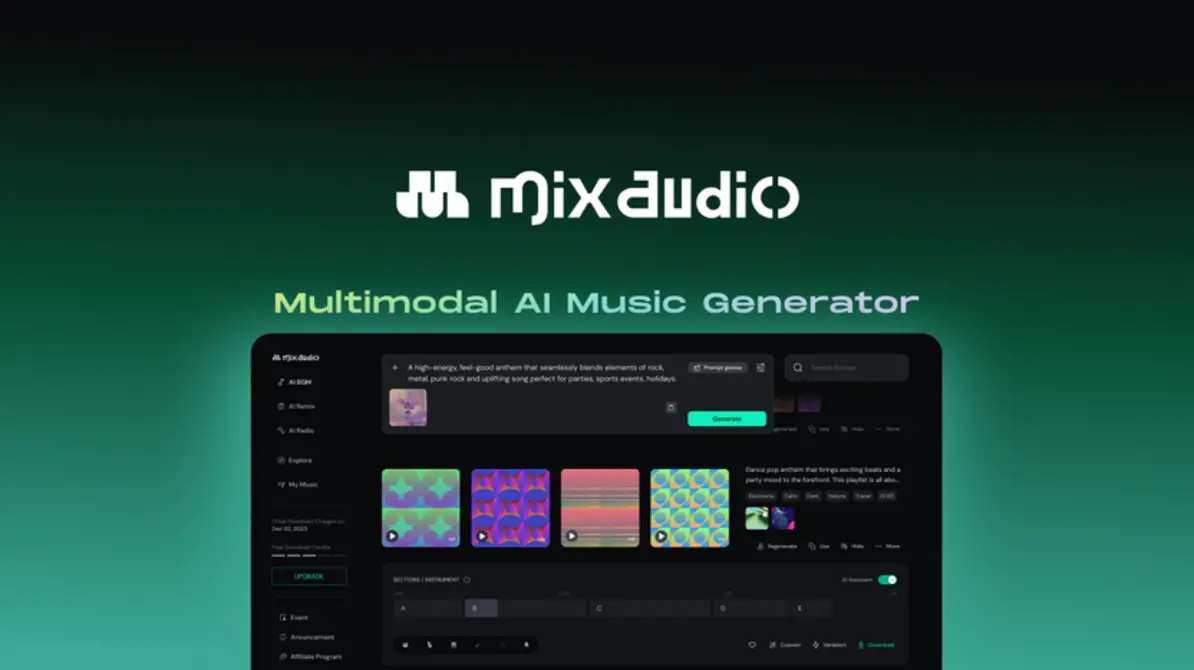
Let’s face it: music technology doesn’t stand still. From hand-recorded tapes to digital audio workstations (DAWs), each leap forward has brought new creativity and accessibility. Now, with artificial intelligence racing ahead, MixAudio leads the charge as the go-to AI-powered music creation platform. If you’ve struggled with clunky software or copyright headaches, you’ll find MixAudio’s seamless experience refreshingly different.
Before we get hands-on, let’s trace how MixAudio’s vision came to life—and why it matters for creators today.
The Definition and Evolution of MixAudio
At first glance, there are a lot of “AI music generators” out there, but MixAudio is in a league of its own. Think of it as the Spotify, GarageBand, and MidJourney of music production—all wrapped into one.
MixAudio is a comprehensive AI music production suite, designed to democratize pro-level audio creation for everyone. Its creators? A passionate crew of music technologists and AI pioneers. They saw the rise in content—videos, podcasts, games, and XR apps—outpacing the supply of affordable, unique, royalty-free backing music. MixAudio is their answer.
The Vision Behind MixAudio
Ever feel like music production is locked behind jargon, gear, and years of music theory? That’s the wall MixAudio breaks down. Its mission is simple:
“Break down barriers in the creative process. Make sound design as easy for non-musicians as it is for expert audio engineers.”
This isn’t just a slogan. MixAudio’s real-time customization and AI-assisted mixing work behind the scenes while you focus on the fun stuff: your ideas.
No fuss. No black-box AI running wild. Just you—and sound—at your fingertips.
Visual Walkthrough: The User Dashboard and Core Controls
We all know the horror of opening new software and being hit with a screen that looks like spaceship controls, right? MixAudio skips the headache. Instead, you’re greeted with a block-based, visually engaging dashboard — easy enough for beginners, powerful enough for the pros.
First-Glance Orientation: Navigating MixAudio
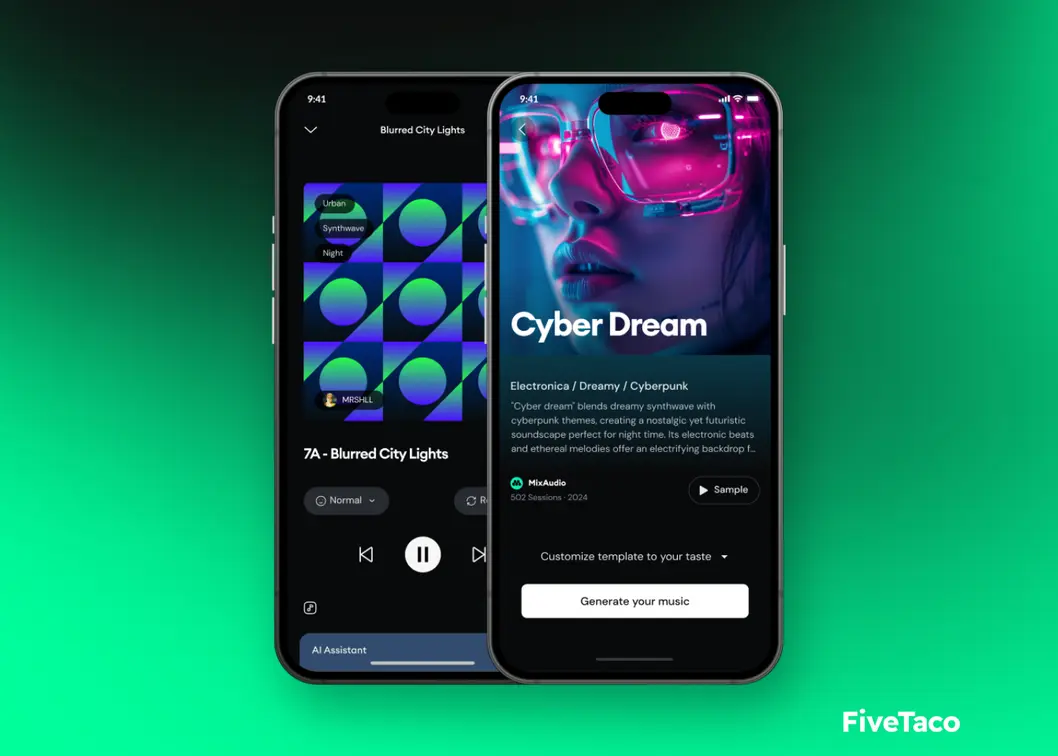
The dashboard slices the music-making process into zones, each tailored for clarity and flow. Here’s how it unfolds:
- Project Launchpad: Jump in with a new project or kickstart creativity with pre-built templates.
- AI Composition Panel: Type in your mood, style, or even a text prompt. “Uplifting morning routine” or “Dramatic sports montage”? The AI knows what to do.
- Track Assembly Console: Song sections appear as drag-and-drop blocks—think LEGO meets Ableton Live.
- Live Editor: Dive into layers—adjust volume, swap instruments, or follow AI tips for transitions you wouldn’t have dreamed up.
- Export & Share: Render to MP3/WAV, sync with video, or even stream your soundscape directly to an XR headset.
Immediate Insights
You’re not alone in your creative quest. MixAudio’s little touches make a big difference:
- Color-coded tracks: Instantly spot intros, choruses, and bridges.
- Smart hover-over tips: Not sure where to go next? The interface gently nudges your creativity based on your genre or goal.
- Templates and AI presets: Feeling stuck? Pop in a preset and let the sparks fly.
What’s awesome? There’s no manual required. You’re building tracks like a pro in minutes—seriously.
Personalized Soundscape Creation: Use Cases for Every Creator
Now let’s get to the heart of MixAudio’s magic: personalization. No more stale loops or overused stock tracks. Instead, you get custom, royalty-free soundscapes sculpted by AI—right in the moment.
How MixAudio Creates Personalized Sound and BGM
Why settle for generic? MixAudio flips the model:
- Text-to-Music: Say what you want. “Epic sci-fi battle,” “Laid-back sunset drive,” or “Spooky podcast opener.” The AI delivers a tailored, original track faster than you can outline your YouTube script.
- Adaptive Backgrounds: Imagine your video or game scene intensifying—the music responds automatically. MixAudio watches for script cues or on-screen action to dial up (or chill out) the tempo, layers, and energy.
- Style Morphing: Want to turn a pop ballad into a synthwave banger? Just slide a control. Love lo-fi? Instantly transform to jazz, EDM, cinematic, or acoustic.
Real-World Examples
Need ideas? Here’s how creators are using MixAudio right now:
- YouTube Creators: From daily vlogs to unboxing videos, tailor your intro and outro music on the fly. No more DMCA headaches or paying for exclusive tracks nobody else can afford.
- Game Developers: Picture a boss battle track that ramps up precisely as the player enters a new phase. MixAudio can do that—on its own or via game engine integration.
- Podcast Hosts: Ever had your music drown out your voice? Automatic “ducking” means your dialogue is always crisp, with background music fading in and out at just the right moments.
- XR & VR Teams: Spatial audio, 3D sound, and mood-perfect backing tracks make immersive environments richer (and super easy to update as your project changes).
More Use Cases You Might Not Expect
- Educators: Add unique audio cues or music beds for interactive lessons—perfect for making learning more engaging in digital classrooms.
- Live Streamers & Influencers: Want real-time, personalized hype music for your next Twitch or TikTok session? Generate and tweak tracks without missing a beat.
- Fitness Instructors: Build dynamic workout playlists that adjust to workout intensity for virtual classes—no more stale, generic gym music.
Tips for Maximizing Variety and Uniqueness
Don’t want your song to sound like everyone else’s? Try these:
- AI Prompt Tweaks: Want something edgier? Change one word in your prompt, and you’ll be amazed at the transformation.
- Block Swapping: Mix sections—verse, chorus, bridge—in unexpected orders. The AI adapts transitions, keeping songs fresh and surprising.
- Deep Instrument Personalization: Don’t just swap a piano for a synth—mute drums, add unexpected sound fx, or have the AI generate a brand new riff.
- Adjust Loop Granularity: Loop a single bar for dramatic tension, or stretch an entire hook for endless chill-out sequences.
Here’s the best part:
Every track is unmistakably yours—no risk of “hey, I heard that same beat in another ad!” embarrassment.
Hands-On Guide: Step-by-Step Song Assembly in MixAudio
Ready to dive in? Let’s break down how anyone—yep, even if you can’t play a note on piano—can whip up a professional-quality track in MixAudio.
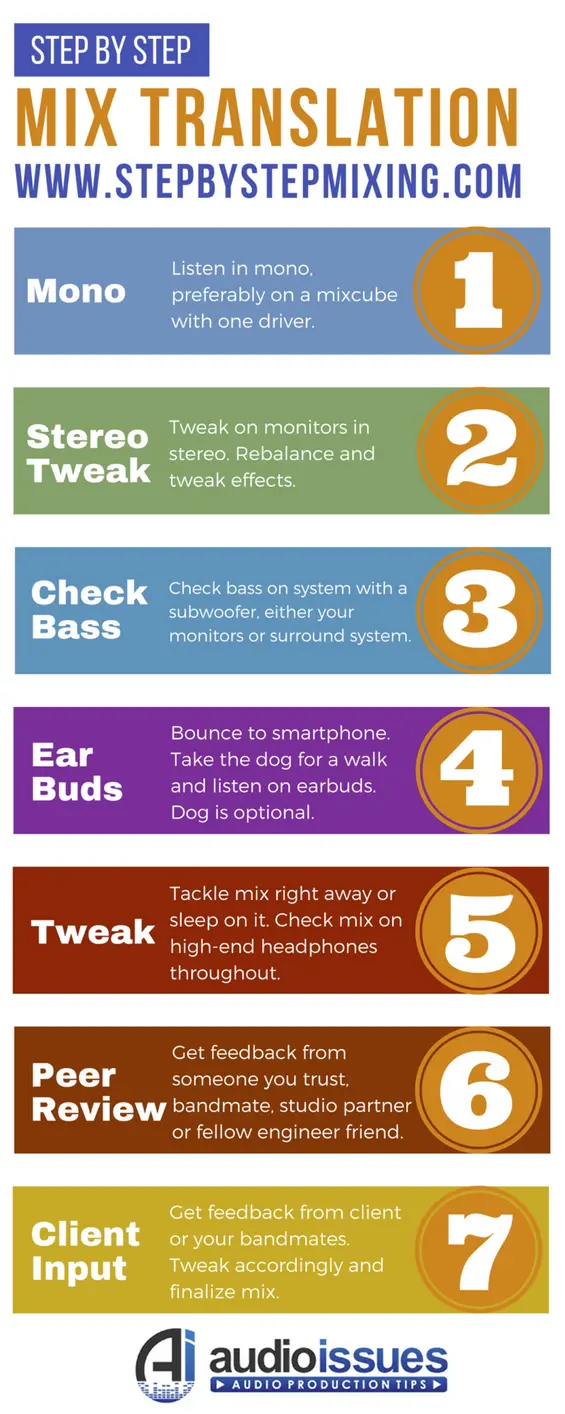
Step-by-Step: Building Music with Block Assembly AI
1. Start a New Project
Pick from templates (like “Energetic Sports Anthem” or “Dark Cinematic Ambience”) or go “blank canvas” if you’re feeling adventurous.
2. Describe Your Vision
In the AI composition panel, type what you’re after: “Vintage video game nostalgia, upbeat and quirky.”
3. AI Generates a Draft
Boom—colored blocks representing song sections (Intro, Verse, Buildup, Chorus, Drop, Outro) appear on your assembly timeline.
4. Drag, Drop & Order
Arrange, duplicate, or delete blocks. Insert bridges, drops, or quick transitions to keep things dynamic.
5. Edit Individual Layers
Want bigger drums? Isolate the rhythm layer and crank it up. Need more drama? Let the AI suggest harmonies or explore alternate instrumentations.
6. Real-Time Preview
Listen to your creation as it evolves—solo sections, or the entire track, all in one place.
7. Style and Instrument Morphing
Swap pop guitar for retro synth, turn up the strings, or change entire genres instantly. Everything updates in real-time.
8. Export Your Track
Click to export as high-res MP3, WAV, or even separate instrument “stems.” You can also push directly to your video or podcast editing app.
Best Practices for Structure, Variation, and Creativity
- Mix in Variation Blocks: Alternate choruses, unique breakdowns, or unexpected outros keep listeners hooked.
- Use AI Smart Transitions: For pro-sounding blends between wildly different sections (think EDM drop into dreamy synth pad).
- Go Wild—Safely: Worried about ruining your best version? Nondestructive editing means you can always go back.
Bonus: Making Collaboration Effortless
Bringing in a collaborator? Invite friends or teammates to comment, rearrange, or add blocks live—perfect for creative teams, bands, or even collaborating with your audience during a live stream!
“MixAudio’s block-based workflow turns music composition into a creative playground. Even total novices build pro-level tracks in minutes, while pros appreciate the deep customization.” – Digital Audio Review
Looking for video creation tools that keep up with your music?
Watch more
Next-Gen Technical Innovations: Cloud Workflow, XR, and 5G
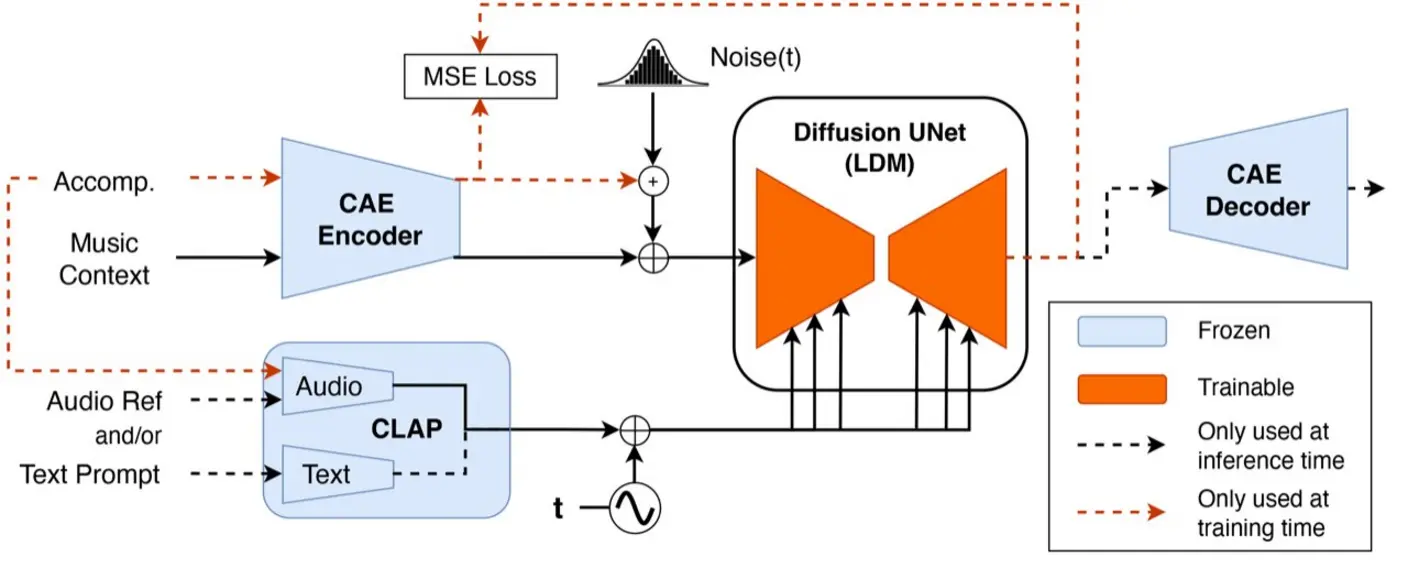
Let’s get nerdy for a second. MixAudio’s real genius? It’s not just about cool AI—it’s built for the modern, always-connected world.
Cloud-Powered Music Creation, Storage, and Delivery
Gone are the days of shuffling files between computers. Here’s what MixAudio’s cloud-native platform brings:
- Anywhere, Anytime Access: Pick up your project from any device—laptop at home, iPad at school, smartphone on the go. Your beats are never more than a click away.
- Real-Time Collaboration: Bring your whole team along for the ride. Trade ideas live, add notes, or brainstorm new hooks together, even if you’re continents apart.
- Instant Rendering: No waiting ages for your computer to process that epic drop. The heavy AI lifting happens in the cloud—so rendering is almost instantaneous.
- Enterprise-Grade Security: All your projects—demos, stems, exports—are protected by end-to-end encryption. Share with confidence.
Integration with XR and Emerging Platforms
Here’s where things get next-level cool:
- Spatial/3D Audio: Export tracks mixed for AR and VR environments, with head-tracking and real-world space in mind. Think music that moves with you.
- Low-Latency Streaming: Thanks to 5G, your custom soundscapes reach any connected device instantly—from remote classrooms to packed arenas. No lag, all the vibe.
- Developer API Access: If you want, let your games or events control the music in real time. Score a VR escape room, launch generative soundtracks during live virtual events, and more.
More Examples of Cloud Creativity
- Live Performers: Bands or DJs can pre-build backing tracks and morph them onstage—no more awkward silences or predictable loops.
- Marketers & Agencies: Centralized music libraries mean teams can access, tweak, and approve tracks globally—speeding up campaign launches.
Advanced Features for Power Users
Not just for hobbyists, MixAudio packs features pros crave:
- Version History and Undo: Obsessive tweaker? Every edit is saved, so you can always jump back and forth between versions with zero stress.
- Stem Exports: Need to remix? Export drums, bass, vocals, guitar—or whatever sounds you want—separately for advanced editing.
- AI That Collaborates, Not Bosses: MixAudio’s AI makes suggestions and fills gaps, but never monopolizes the process. You’re the director, always.
Security, scalability, and serious innovation—MixAudio isn’t just keeping up, it’s rewriting the rulebook for modern music creation.
MixAudio vs Competitors: In-Depth Feature Comparison
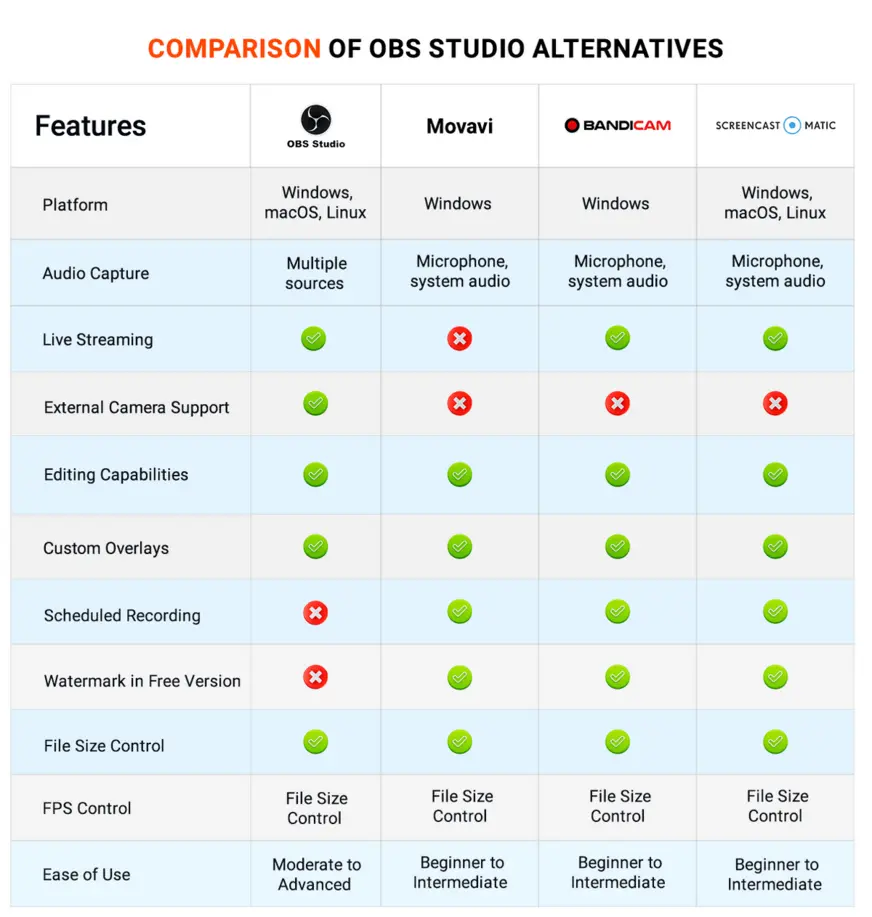
With the explosion of AI-generated music, you might be wondering: what makes MixAudio worth a spot in your toolset? Let’s size it up against Soniva, Aiva, and Ecrett Music.
Feature-by-Feature Analysis
| Feature | MixAudio | Soniva | Ecrett Music | Aiva |
|---|---|---|---|---|
| AI Real-Time Customization | ✅ | ❌ | ❌ | ❌ |
| Block-Based Assembly UI | ✅ | ❌ | ❌ | ❌ |
| Text-to-Music Generation | ✅ | ✅ | ❌ | ✅ |
| Cloud Collaboration | ✅ | ❌ | ❌ | ✅ |
| 5G & XR Integration | ✅ | ❌ | ❌ | ❌ |
| Royalty-Free Licensing | ✅ | ✅ | ✅ | ✅ |
| Developer API Access | ✅ | ✅ | ❌ | ✅ |
| Song Morphing | ✅ | ❌ | ❌ | ❌ |
| Personalized Soundscapes | ✅ | Limited | Limited | Limited |
| Pricing | Free tier + Pro | Pro only | Free + Pro | Pro only |
Licensing, Royalty-Free Options, and Support
- MixAudio: Every track is royalty-free for both personal and commercial use. Want pro-level service? Priority support is waiting, plus a self-serve knowledge base for those who like to DIY.
- Soniva/Ecrett/Aiva: Each platform has its own quirks—some cap commercial use, some restrict editing, and not all support collaboration or live integrations.
- API & Developer Tools: MixAudio’s developer-friendly API is perfect for studios, agencies, or anyone automating their workflow in apps, games, or XR projects.
Which Platform’s Best… For You?
- Just Want to Make Great Tracks—Fast?
MixAudio’s all-in-one, AI-personalized workflow is hard to beat. - Building for the Future—Games, XR, or API Automation?
MixAudio’s integration and developer tools make it the clear winner. - On a Budget?
Free tier delivers real results. Upgrade to Pro as you scale or go commercial. - Love Traditional Sheet-Music Composition?
Aiva’s detail-heavy approach may suit, but you’ll miss MixAudio’s flexibility and collaboration magic.
Craving more automation in your creative workflows?
Watch more
Industry Perspectives: Why the AI Music Market is Booming
Maybe you’re wondering—just how big is this AI music thing? According to a 2024 report by Grand View Research, the global AI music market is expected to top $1.2 billion by 2027, driven by content creation, gaming, and XR innovation. MixAudio isn’t just riding the wave—it’s building the surfboard.
- YouTube alone saw over 500 hours of video uploaded per minute in 2023. That’s a massive demand for fresh, unique music.
- Virtual and XR events exploded during COVID-19 and continue to grow—audio immersion is now table stakes, not a luxury.
What does this mean for you?
If you make content—or want to—AI music is becoming essential. MixAudio, with its flexible licensing and real-time tools, puts you at the center of this revolution.
Pop Culture & Collaboration: The Social Side of AI Music
Young creators aren’t shy about sharing process videos, behind-the-scenes remixes, or crowdsourcing input on TikTok, Discord, or Twitch. MixAudio’s collaborative cloud workflow makes it a natural fit for social content and meme remixes. Just look at how trends like #AIbeats or “remix my reel live” are blowing up on Instagram—MixAudio makes these workflows simple, enabling creators to invite fans, friends, or collaborators for real-time track-building sessions.
The Big Question: What’s Next for Music Creation?
Looking to the horizon, the MixAudio team is already experimenting with:
- AI Voice Integration: Imagine typing a prompt and generating not just music, but custom AI vocals—tailored to your narrative, brand, or character.
- Cross-Platform Playlists: Seamless export to Spotify, TikTok, and YouTube—to go from ideation to viral in a single tap.
- Adaptive Live Performance Tools: For DJs and bands, live-coding and morphing soundscapes can feed off audience energy via sensors or social input.
Want to stay ahead? Keep an eye out: MixAudio’s roadmap keeps evolving alongside creators’ wildest dreams.
Conclusion: Why MixAudio is the Choice for Future-Proof AI Music Creation
MixAudio isn’t just another tech product—it’s a glimpse into the future of how we create, collaborate, and share music. If you’re serious about leveling up your content, saving time, or just having fun experimenting with new sounds, you’ll find MixAudio delivers—no matter your niche or skill level.
With its block-based workflow, AI-powered personalization, and cloud-first approach, you’re always only a few clicks away from a track that’s tailored, royalty-free, and totally your own. Career musicians, indie devs, startup teams, or viral influencers—everyone’s welcome on this creative playground.
So next time your video, stream, or XR world needs a one-of-a-kind soundtrack, skip the stress and try MixAudio. Your workflow (and your audience) will thank you.
👉 Our Website: Watch more
👉 Our YouTube Channel: Watch more
👉 Our Facebook Fanpage: Watch more
👉 Our X (Twitter): Watch more
- Unlock Peak Cognition in 2026 with Nootropics Depot Lab-Tested Nootropic Stacks
- Make 3D
- Master EuroDNS 2026: Discover the Fastest-Growing TLDs, Pricing Shifts, and Domain Security Trends
- Ditch High Failure Rates and Elevate Data Extraction Accuracy with SOAX?
- Master Weebly in 2026: Unlock Features, Pricing, Pros and Cons, and SEO Strategies