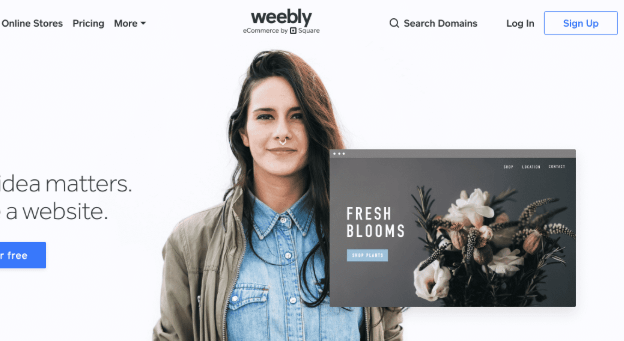
Weebly continues to solidify its position as one of the most user-friendly website builders, especially in 2026’s competitive landscape. As digital technology and eCommerce tools rapidly evolve, having a platform that balances simplicity, reliability, and growing feature sets can be both strategic and reassuring. Whether you’re launching your first portfolio, experimenting with a side hustle, or seeking efficient tools for small business presence, this guide will walk you through Weebly’s interface, strengths, limitations, SEO landscape, and direct comparisons versus today’s biggest website builder rivals. Let’s explore how Weebly stands in today’s market.
Weebly: Ultimate Guide to Features, Pricing, Pros, Cons, and SEO in 2026
Weebly Overview: Platform Evolution and Current Status (2026)
Founding and Square Acquisition: Brief History
Weebly emerged in 2006 as one of the first accessible, drag-and-drop web builders aiming to democratize website creation for everyone. Its core philosophy: no code, no steep learning curve, just pure “what-you-see-is-what-you-get” (WYSIWYG) simplicity. The breakthrough attracted millions of users from freelancers to small businesses.
A pivotal moment came in 2018 when Square, the payment giant, acquired Weebly for $365 million. This acquisition not only brought expanded eCommerce capabilities but also signaled a deep integration of Square’s payment and inventory backbone with Weebly’s design ethos.
“The acquisition strengthened Weebly’s commerce infrastructure, ushering in new capabilities for small merchants and creators.”
— Natalie Gage, eCommerce Researcher
Current Status in 2026: Operational Insights
Fast forward to 2026, Weebly has firmly maintained its brand under Square, yet its trajectory is nuanced:
- Still popular for simple sites & side hustles.
- Square’s emphasis on Square Online led to speculation about Weebly’s future, but it remains operational and robust for drag-and-drop sites.
- New features in editor and theme customization have been slower than some rivals, but reliability and simplicity are major draws.
- User base estimate 2026: 44+ million websites built.
Key Features of Weebly: Editor, Themes, Ecommerce, and App Center
Editor Capabilities: WYSIWYG, Templates, Responsiveness
Weebly’s signature WYSIWYG editor continues to be one of its biggest strengths. In 2026:
- Drag-and-drop modules: Text, images, galleries, video, forms, code blocks.
- Live editing: Changes appear instantly.
- Pre-built templates: 60+ free, mobile-responsive themes.
- Responsive preview: See desktop, tablet, and phone views before publishing.

2026 Improvements
- Minor UI refinements
- Smoother swapping of layouts within the same theme
- Enhanced global style controls (fonts, colors, spacing)
Expert Insight:
“Weebly’s editor strikes a favorable balance between simplicity and customization–perfect for solo founders and small teams.”
— Estelle Chang, Digital Designer
Weebly Themes: Aesthetic, Responsive, and Flexible
- Number of built-in themes: 60+
- All mobile responsive — no extra configuration needed.
- Customization: Color schemes, fonts, section layout, hero imagery. Advanced users can access HTML/CSS for deeper tweaks.
- Marketplace: No true third-party theme marketplace, a key differentiator from WordPress or Wix.
Notable: While fresh new themes release less frequently in recent years, the existing selection covers portfolios, eCommerce, blogs, and events.
Ecommerce: Square Integration, Transaction Fees, Inventory Limits
Weebly’s eCommerce capabilities have deepened under Square’s leadership.
2026 eCommerce Highlights:
- Full integration with Square’s payment processing for online and in-person sync.
- Unlimited products on Professional/Business plans.
- Inventory management with alerts and stock auto-updates.
- Manage coupon codes, digital goods, and shipping zones.
- Retail POS support if you run a brick-and-mortar.

Transaction Fees by Plan:
- Free/Personal: 2.9% + $0.30 per sale (Weebly/Square processing fee).
- Business: No additional per-sale fee from Weebly (only Square payment fee).
Unique eCommerce Strengths:
- Direct deposit to Square balance or bank.
- Sell physical, digital, and service-based goods.
- Automated abandoned cart email (Business plan).
Limitations:
- Advanced eCommerce apps (subscriptions, appointments) mainly require third-party add-ons.
- Inventory/variant management less granular than Shopify.
App Center: App Selection vs. Competitors
Weebly App Center:
- 400+ apps and integrations.
- Categories: Marketing, Shipping, Social, eCommerce, Design, Analytics.
- 2026 trend: Focus on Square-powered, first-party integrations; third-party innovation lags behind Wix and Shopify.
Standout Apps in 2026:
- Shippo, Printful, Mailchimp, Google Ads, McAfee Secure.
- Advanced SEO, event calendars, Lead capture tools.

Weebly Pricing Explained: Plan Types, Inclusions, and Comparisons
Free Plan vs. Paid Plans: Benefits and Restrictions
| Plan | Monthly Price | Domain | eCommerce | Ads | Storage | Square Integration | Additional Features |
|---|---|---|---|---|---|---|---|
| Free | $0 | .weebly.com | Basic | Yes | 500MB | Yes | SSL, SEO basics |
| Personal | $10 | Custom domain | Sell limited | Yes | 1GB | Yes | Site stats, support |
| Professional | $18 | Custom domain | Unlimited | No | Unlimited | Yes | No ads, advanced site stats, phone support |
| Business | $26 | Custom domain | Advanced | No | Unlimited | Yes | Advanced eCommerce, member access |
Detailed Pricing Table by Plan
Key Takeaways:
- Free plan is ad-supported and restricted to Weebly-branded subdomains.
- Paid plans enable powerful eCommerce, custom domains, and premium support.
- Professional plan hits the sweet spot for growing businesses needing no ads and unlimited products.
Worth Noting:
- Annual billing offers 10-15% discount.
- No charge for SSL, mobile optimization, or bandwidth.
- Email (G Suite/Google Workspace) sold separately.
Weebly SEO Optimization: Tools, Best Practices, and 2026 Trends
SEO Tools: Meta Titles, Descriptions, Alt Tags
Weebly has steadily improved its SEO fundamentals to keep up with best practices.
Built-in SEO Tools (2026):
- Page-level titles, meta descriptions, permalinks
- Image alt tags for accessibility and Google
- Custom header/footer code injection (for advanced scripts, Schema, etc.)
- Automatic sitemaps and robots.txt
- Easy 301 redirects for old URLs

2026 Ranking Factors Most Influenced:
- Page speed (Weebly is average)
- Mobile responsiveness
- Google Rich Results support with Structured Data (via code injection)
Integrating Google Analytics and Search Console
- Add GA4/Universal Analytics and Search Console easily via dashboard or custom code.
- Bonus: Integrate Facebook Pixel, Bing Webmaster, and third-party rank trackers with App Center plugins.
SEO Trends for 2026: AI, User Experience, Content Optimization
Emerging Best Practices for Weebly Users:
- AI-Powered SEO Audits: Third-party apps offer instant page audits and keyword suggestions.
- User Experience Metrics: Google prioritizes sites with low bounce rates and high engagement—make sure navigation, images, and mobile performance are sharp.
- Content Quality: Long-form, multimedia-rich pages outperform thin, image-only content.
- FAQ Schema and Local SEO: Add FAQ blocks using code injection for Google’s expanded snippets.
- Video Embeds and Interactive Content: Utilize YouTube, Vimeo, or native video modules to boost dwell time.
2026 SEO Checklist for Weebly
- [ ] Assign unique title/meta to every page
- [ ] Compress images, use descriptive alt text
- [ ] Create SEO-friendly permalinks
- [ ] Add business info for local search
- [ ] Integrate Google Analytics & Search Console
- [ ] Embed videos and use structured data
Weebly Pros and Cons: Who Should Use Weebly?
Positive Aspects: Ease, Pricing, Payments
Top Advantages of Weebly in 2026:
- Legendary ease of use: No coding required, fits total beginners
- Transparent pricing: Free to start, clear plan tiers
- Seamless Square payments: Fast integration, in-person+online sync
- Mobile responsive themes: Consistent across all screen sizes
- Good SEO foundation: Easy to access essential tools
- Reliable uptime: 99.9%+ in 2026
- Great for portfolios, small stores, events, local business
Negative Aspects: Scalability, App Choices, Development Stagnation
Key Drawbacks:
- Limited design depth: Not as flexible or modern as Webflow or Squarespace
- App Center innovation lags: Fewer third-party apps than Wix or Shopify
- Advanced eCommerce tools require Business plan
- No advanced shipping integrations or inventory tools for high-volume sellers
- Development cycle slowed: Fewer big feature rollouts in 2025–2026
Pros vs. Cons Quick Reference List
- Pros:
- ☑️ User-friendly editor
- ☑️ Affordable tiers
- ☑️ Included SSL and mobile themes
- Cons:
- ❌ Limited extensibility
- ❌ Slower new feature release
- ❌ Not for complex enterprise websites
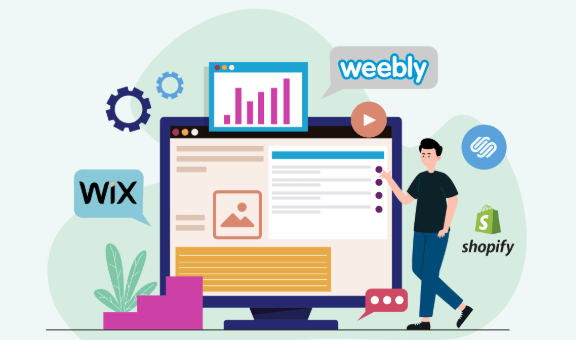
Comparisons: Weebly vs. Competitors (Shopify, Wix, WordPress)
Weebly remains popular, but the competition is fierce among website builders in 2026. Here’s how it stacks up:
| Platform | Pricing (Base/Pro) | Ease of Use | E-Commerce Power | Theme Customization | App Store Size | SEO Strength |
|---|---|---|---|---|---|---|
| Weebly | $0/$26 | Excellent | Good (via Square) | Moderate | 400+ | Good |
| Wix | $0/$29 | Excellent | Good | Very High | 1,000+ | Excellent |
| Shopify | $29/$79 | Moderate | Outstanding | Good | 7,000+ | Very Good |
| WordPress | $0 (self-hosted) | Moderate | Plugin-based | Unlimited | 50,000+ | Very Good |

Use Case Analysis: Who Benefits Most
- Weebly: Perfect for side businesses, local shops, portfolios, event pages, and simple eCommerce.
- Wix: Best for users who value creative design freedom and a huge app store.
- Shopify: Gold standard for high-volume, serious eCommerce.
- WordPress: Ultimate choice for unlimited customization, but a learning curve.
For more detailed advice on choosing a website builder, see our Master Weebly 2026: Features, Pricing, Pros, Cons & SEO Tips for nuanced insights tailored to your business needs.
Future Outlook: Weebly’s Development, Square Online, and Industry Trends
Expert Reviews and User Feedback Highlights
- User Rating (2026 average): 4.1/5 — Consistent praise for ease, support; valid critiques for design and scalability.
- Industry Watch: Weebly’s active migration to Square Online for eCommerce raises questions but doesn’t diminish its strength for small and microbusinesses.
“Don’t undervalue Weebly. For the right user, it is the most stress-free way to build a professional-looking website.”
— Marcus Chen, Tech Industry Analyst
Emerging Trends: Industry Analysis for 2026
- AI design assistants are increasingly standard—Weebly’s AI tools remain basic compared to Wix ADI.
- Video content now dominates—Weebly supports embeds but lacks native on-site video creation.
- Mobile-first updates: With Google’s mobile-first indexing, Weebly’s themes still pass key mobile tests.
- Square synergy: Native integration means if you use Square POS, Weebly/Square Online remains a top contender.
What’s Next for Weebly?
- Expect continued maintenance and minor improvements, but major innovation will increasingly appear within the broader Square Online ecosystem.
- Ideal for users whose needs fit within Weebly’s reliable, simple framework.
Weebly Success Stories and Real-World Use Cases
1. The Upstart Craft Shop
A mother-daughter duo launched an online jewelry store using Weebly, integrating Square for marketplaces and in-person trunk shows. Result: Over $40K in first-year sales, zero code required.
2. Portfolio Powerhouse
A design student used Weebly to create an online CV/portfolio, landing freelance gigs and agency interviews thanks to the mobile-optimized, swift page loads.
3. Local Bakery with Curbside
Brick-and-mortar bakery pivoted in 2025 by adding local delivery using Square Online via Weebly, offering pre-orders and secure payment, tripling weekend sales.
Top Beginner Tips for Launching a Weebly Site in 2026
- Plan your structure: Sketch pages and navigation before designing.
- Choose the right starting theme—switching later can be tricky.
- Add unique content to each page: Avoid copy-paste for SEO.
- Compress and optimize your images for faster loading.
- Connect to Google Analytics & Search Console immediately.
- Explore the App Center for added marketing and sales functions.
- Preview on both mobile and desktop before launching.
FAQs: Answering Common Weebly Questions (2026)
Is Weebly’s free plan really free?
Yes, but it shows Weebly ads and restricts you to a weebly.com subdomain.
Can I move my Weebly site to another builder?
It’s possible to export some content, but full migration requires manual work, especially for eCommerce stores.
Does Weebly support custom code?
Limited, but you can insert HTML/CSS/JS in headers and footers.
Is Weebly going to be discontinued?
No. Although Square focuses heavily on Square Online, Weebly remains active and supported as of 2026.
How does Weebly’s SEO compare to Wix or WordPress?
Weebly covers basics but lacks some advanced automation and rich app-store options of Wix and WordPress.
Can you earn passive income with a Weebly site?
Absolutely—especially via eCommerce, affiliate links, or ad placements.
For those keen on monetizing digital platforms, check out our Earnapp Passive Income 2026: Rates, Payouts, Safety & Honeygain Comparison for more methods.
Advanced SEO Strategies for Weebly in 2026
- Utilize AI-powered SEO plugins: Optimize headings, keyword density, and schema.
- Build topical clusters: Support core product pages with FAQ, how-tos, case studies.
- Integrate social proof: Use review widgets to enhance conversion and Google ratings.
- Schedule content for Google updates: Stay current with AI-powered web page updates and video embeds.
Conclusion: Should You Use Weebly in 2026?
Weebly is the quintessential “set-it-and-forget-it” builder in 2026—fast to launch, easy to manage, and cost-effective for most small projects, personal blogs, portfolios, and shops that want Square integration. It falters if you crave granular design freedom, deeply customized workflows, or advanced eCommerce/marketing automation, but shines in reliability, affordability, and approachability.
Choose Weebly if:
- You’re new to websites or need a site fast
- You want simple eCommerce with Square
- Your design needs are moderate, not pixel-perfect
Look elsewhere if:
- You’re running a high-volume store or want to scale into complex business models
- You need a unique or highly interactive design
- You’re reliant on advanced plugins or deep SEO tools
Final Thought:
Weebly’s greatest asset is its simplicity. For solopreneurs, startups, and side hustlers in 2026, it remains a robust, hassle-free choice.
Suggested Next Read:
For advanced drag-and-drop website creation using AI, check out 10Web AI Website Builder 2026 Guide to explore new tools pushing the boundaries beyond Weebly.
Connect & Explore More
👉 Our Website: https://ai-solutes.com/
👉 Our YouTube Channel: http://www.youtube.com/@ai-solutes
👉 Our Facebook Fanpage: https://www.facebook.com/profile.php?id=61576606911341
👉 Our X (Twitter): https://x.com/AISolutes
- Vizcom AI
- Unlock Retail Success in 2025 With Increff SaaS: Real-Time Inventory Automation & Omnichannel Power
- Thêm hiệu ứng ánh sáng khi hover vào ảnh bài viết trong theme Flatsome
- Compare Ledger Hardware Wallets 2026: Nano Gen5, Flex, Stax and Classics for Security, Staking and Price
- Dominate Local SEO in 2025 with Google Business Profile Rank Tracking and Geo-Grid Keyword Tracking