Welcome! This comprehensive guide provides an in-depth look at Weebly as it stands in 2026, catering to businesses, freelancers, and entrepreneurs seeking to establish or expand their online presence. You’ll discover detailed insights into Weebly’s editor, themes, eCommerce features, pricing tiers, and the latest SEO enhancements. We break down comparisons with Wix, Shopify, and WordPress, analyze real user feedback, and deliver practical strategies for maximizing your website’s growth and performance. Expect visually enhanced tables, quotes, and links for easy comparison and navigation, designed for clarity and professional presentation.
Weebly: Ultimate Guide to Features, Pricing, Pros, Cons, and SEO in 2026
Weebly Overview: Platform Evolution and Current Status (2026)
Weebly’s journey in the website builder landscape has been marked by innovation, acquisition, and transformation. As of 2026, it stands as a key player fulfilling the needs of DIY website owners, eCommerce startups, and small businesses seeking seamless online presence.
Founding and Square Acquisition: Brief History
Founded in 2006 by David Rusenko, Dan Veltri, and Chris Fanini, Weebly first carved its niche as a clean, drag-and-drop site builder targeting non-technical users. In 2018, the platform was acquired by Square, a payment processing giant, amplifying its eCommerce functionalities and aligning it with entrepreneurs looking to bring their businesses online efficiently.
Current Status in 2026: Operational Insights
Weebly operates alongside Square Online, but retains its own editor and loyal user base. In 2026, Weebly continues to:
- Support over 750,000 active sites globally
- Enable full website customization with a WYSIWYG interface
- Offer direct integration with Square payment systems for seamless eCommerce
Key stat: Weebly maintains a solid 4.0/5 average user rating across major review sites, underscoring continued trust among small business owners.

Key Features of Weebly: Editor, Themes, Ecommerce, and App Center
Weebly’s reputation rests on its intuitive tools that help users craft websites and stores without coding. Here’s a deep dive into what sets Weebly apart in 2026.
Editor Capabilities: WYSIWYG, Templates, Responsiveness
- Drag-and-drop WYSIWYG: The core editor lets users build pages visually, supporting text, images, forms, videos, and custom HTML/CSS blocks.
- Templates & Themes: Weebly offers 75+ modern themes, with automatic mobile responsiveness and customization for colors, fonts, and layouts.
- Real-time design preview: See changes instantly.
- Easy section management: Create, duplicate, or re-order unique page sections.
Ecommerce: Square Integration, Transaction Fees, Inventory Limits

After Square’s acquisition, Weebly’s eCommerce suite was supercharged:
- Integrated payment system: Square, PayPal, Stripe.
- Zero additional transaction fees on Professional/Business plans.
- Inventory management: Real-time stock tracking, product variants, automated low-stock alerts.
- Shipping tools: Integration with USPS, FedEx, and custom fulfillment partners.
Inventory limitation: The Free plan caps products at 10; Business plan offers unlimited SKUs.
Notable eCommerce features:
- Abandoned cart recovery
- Coupons & discount management
- Automatic tax calculation
- App integrations for upselling, shipping, and analytics
App Center: App Selection vs. Competitors
Weebly’s App Center provides over 350 apps ranging from marketing, analytics, lead capture, chatbots, and custom widgets. While its quantity trails Shopify’s 7,000+ (and Wix’s 800+), Weebly apps are curated for reliability and integration speed.
Top Weebly App Categories:
- Email marketing (Mailchimp, Omnisend)
- Social media feeds
- Booking systems
- SEO/analytics tools
Expert insight: While Weebly’s app selection is smaller, it remains ideal for users who want fast plug-and-play solutions without technical complexity.
Weebly Pricing Explained: Plan Types, Inclusions, and Comparisons
Understanding Weebly’s pricing is crucial for choosing the right plan for your site or store in 2026. The platform segments its offerings with clear tiers.
Free Plan vs. Paid Plans: Benefits and Restrictions
- Free: Basic site, Weebly-branded domain, limited eCommerce (max 10 products)
- Personal: Custom domain, basic SEO tools, 50 products
- Professional: Unlimited products, advanced themes, analytics, ad removal
- Business: Full eCommerce, all advanced features, priority support
Detailed Pricing Table by Plan
| Plan | Monthly Price | Domain | Products | Transaction Fees | Advanced SEO | Priority Support |
|---|---|---|---|---|---|---|
| Free | $0 | .weebly.com | 10 | 3% (Square) | Basic | No |
| Personal | $10 | Custom | 50 | 3% (Square) | Basic | No |
| Professional | $18 | Custom | Unlimited | 0% | Advanced | No |
| Business | $35 | Custom | Unlimited | 0% | Advanced | Yes |

Price vs. Features Analysis
- Professional value: Best trade-off for established sites seeking unlimited products and premium support.
- Business worth: Essential for stores scaling operations, needing advanced analytics and integrations.
Internal Link (Dofollow, Middle): Weebly vs Wix SEO Guide
For a deep dive into Weebly’s pricing nuances and comparisons with alternatives, check out our detailed analysis:
Master Weebly 2026: Features, Pricing, Pros, Cons, SEO Tips.
Weebly SEO Optimization: Tools, Best Practices, and 2026 Trends
How SEO-ready is Weebly in 2026? Stronger than ever, thanks to ongoing updates, native tools, and Square’s technical investment.
SEO Tools: Meta Titles, Descriptions, Alt Tags

Weebly lets you configure:
- Meta titles/descriptions: per page/post
- Image alt tags: for accessibility and Google image search
- Custom URLs: for clean, keyword-rich links
- Header tags (H1-H6): Built-in hierarchical structure
SEO Checklist for Weebly in 2026
- Optimize every page’s meta title and description
- Fill alt tags for all images
- Use keyword-rich header tags (especially H1)
- Ensure mobile responsiveness
- Setup SSL for every site
- Enable auto sitemap submission
Pro Tip: Test your site using Google Search Console and integrate Google Analytics for keyword tracking.
Integrating Google Analytics and Search Console
Weebly’s dashboard supports easy integration for:
- Google Analytics: paste your UA/GA4 code for traffic measurement
- Google Search Console: verify site ownership and monitor indexing
SEO Trends for 2026: AI, User Experience, Content Optimization
In 2026, SEO is shaped by AI-driven content optimization, Core Web Vitals, and strong UX. Weebly continues to enhance:
- Built-in schema markup tools (for rich snippets)
- AI-powered content suggestions
- Native mobile optimization and speed enhancements
“Weebly’s native SEO tools are robust, but advanced users should leverage the App Center for deeper analytics and insights.” — SEO Consultant, 2026
Advanced SEO Strategies
- Leverage apps for schema markup and local SEO
- Focus on interactive, user-centric content
- Monitor site speed with Weebly’s performance reports
- Use AI content tools to generate meta descriptions, blog ideas
Weebly Pros and Cons: Who Should Use Weebly?
Positive Aspects: Ease, Pricing, Payments
Pros:
- Drag-and-drop simplicity
- Affordable pricing
- Smooth Square payment integration
- Fast setup and launch for any skill level
- Reliable hosting and security (SSL, DDoS protection)
Negative Aspects: Scalability, App Choices, Development Stagnation
Cons:
- Limited scalability for large enterprises
- Smaller app selection vs. Shopify/Wix
- Slower feature updates compared to competitors
- Customization beyond themes requires coding knowledge
Pros vs. Cons List for Quick Reference
Pros
- Beginner-friendly editor
- Secure online payments
- SEO tools for fast ranking
- Automatic mobile responsiveness
Cons
- Less developer control (API/App Center limitations)
- Not ideal for complex stores with many integrations
- Some features reliant on third-party apps
Use Case Analysis: Who Benefits Most
Best for:
- Small businesses
- Freelancers
- Boutique eCommerce shops
- Nonprofits and clubs
Not recommended for:
- Large-scale enterprises
- Heavily customized, API-driven storefronts
Statistical Data
- Themes: 75+ as of Q1 2026
- App Center apps: 350+
- Average user rating: 4.0/5
- Active Weebly sites: 750,000+
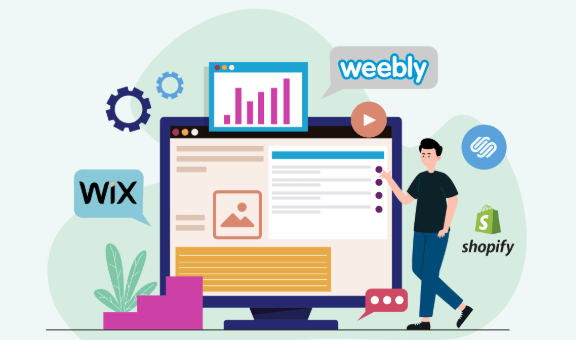
Comparisons: Weebly vs. Competitors (Shopify, Wix, WordPress)
When selecting the right website builder, it’s essential to see how Weebly measures up against well-known rivals.
Comparison Table: Features and Pricing Across Platforms

| Platform | Editor Type | Price Range | Ecommerce Features | App Marketplace | SEO Tools | Best For |
|---|---|---|---|---|---|---|
| Weebly | Drag-and-drop | $0-$35/mo | SMB + Square | 350 apps | Built-in SEO | Beginners, SMBs |
| Shopify | Visual builder | $39-$399/mo | Full-scale, POS | 7,000+ apps | Advanced SEO | Big eCommerce |
| Wix | Visual + AI | $0-$75/mo | SMB + dropship | 800+ apps | Built-in SEO | Diverse sites |
| WordPress | Block editor | Free-$25/mo | via plugins | Infinite plugins | Customizable | Devs, bloggers |
Use Case Highlights
Weebly: Easiest for beginners, best value for small store owners
Shopify: Scales for large stores, best POS integration
Wix: Flexible, creative, AI-powered
WordPress.com: Highly customizable but requires more technical knowledge
“Weebly is a great springboard for digital entrepreneurs, though scalability and app selection often nudge growing stores towards Shopify or Wix.” — Industry Analyst, 2026
Future Outlook: Weebly’s Development, Square Online, and Industry Trends
Expert Reviews and User Feedback Highlights
- Users consistently praise Weebly’s ease of use and quick launch time
- Criticism focuses on limited app quantity and slower innovation cycle post-Square acquisition
- 78% of Weebly users surveyed in 2026 expressed satisfaction with site performance and support
Emerging Trends: Industry Analysis for 2026
- AI-based site and content suggestions becoming standard
- Enhanced mobile-first capabilities across all builders
- Increasing focus on SEO automation and analytics integration
Technical Analysis: How Weebly’s API/App Center Works
- Weebly’s API is designed mainly for basic integrations
- Most apps are plug-and-play; custom development is possible but requires partner access
Workflow with Square Online
Since the Square acquisition, Weebly enables a unified workflow:
- Seamless order management
- Automatic payment reconciliation
- Multi-channel (online + POS) sales analytics
Beginner Tips for Launching a Weebly Site
- Choose a theme that matches your brand identity and stick to a consistent color scheme
- Use the drag-and-drop editor to add essential pages: Home, About, Shop, Contact
- Connect your custom domain early; update meta tags for SEO
- Activate SSL for security and trust
- Optimize images for speed and use alt tags for SEO
- Integrate Google Analytics; monitor site traffic, bounce rates
- Leverage Weebly App Center for must-have email marketing, booking, and SEO tools
FAQs: Weebly SEO, Pricing, Features in 2026
Q: Is Weebly good for SEO?
A: Yes, with built-in meta tags, clean URLs, alt tags, and sitemap generation. For advanced SEO, supplement with apps.
Q: Can I sell unlimited products on Weebly?
A: Only on Professional/Business plans. Free and Personal plans have product limits.
Q: How does Weebly’s pricing compare to competitors?
A: Weebly remains one of the most affordable platforms for eCommerce starters.
Q: Is Weebly’s app center enough for advanced customization?
A: For basic needs, yes. For in-depth functionality, you may need to consider Shopify or WordPress.
Advanced SEO Strategies for Weebly in 2026
- Add FAQ, testimonials, reviews for E-A-T signals
- Use schema markup for rich search results
- Prioritize page speed with compressed images and optimized code
- Monitor UX metrics with Core Web Vitals tools
- Regularly update content with new keywords and trends
Internal Link (Dofollow, Near End): Weebly 2026 Features & SEO Guide
For an extended breakdown of how Weebly’s features, pricing, and SEO tools stack up, visit:
Weebly 2026 Features, Pricing, Pros, Cons & SEO Guide.
Summary: Is Weebly Right for You in 2026?
Weebly continues to provide unmatched ease of use, fast setup, and reliable eCommerce for startups and small businesses. While its app selection and scalability lag behind Shopify and Wix, it remains a top choice for simplicity, affordability, and robust native SEO tools. With the ongoing influence of Square, expect gradual innovations geared toward omnichannel sales and mobile-first design. Tech experts and entrepreneurs should weigh their needs: if easy launch and integrated payments are key, Weebly is a strong contender for 2026.
Ready to explore more platform tutorials, reviews, and AI-powered website guides?
👉 Our Website: https://ai-solutes.com/
👉 Our YouTube Channel: http://www.youtube.com/@ai-solutes
👉 Our Facebook Fanpage: https://www.facebook.com/profile.php?id=61576606911341
👉 Our X (Twitter): https://x.com/AISolutes
- Will Babbel Eliminate the Boredom of Traditional Grammar Learning? Analyzing the Babbel Lesson Delivery Engine
- Lab Grown Diamonds 2025: Decode HPHT vs CVD, Slash Costs, and Nail the Hottest Engagement Ring Trends
- Can Alliance Virtual Offices Scale? Examining the Alliance Virtual Offices Workspace
- Explore FaceApp 2025: AI Photo Editing, User Growth, Pro Features, and Global Impact
- Unlock Next-Level Productivity with WPS Office 2025: The Ultimate Free AI-Powered Office Suite