Are you exploring Weebly as a website builder in 2026? This expert-driven review is tailored just for you—whether you’re planning your first site, seeking eCommerce integration, or comparing platform features. Weebly continues to thrive post-Square acquisition with new capabilities, reliable hosting, and streamlined tools for SEO, commerce, and site design. Below, you’ll find comprehensive coverage: Weebly’s evolution, latest features, transparent pricing tables, visual comparisons, and actionable SEO strategies. All tabular data, blockquotes, and links are visually enhanced for clarity using Bootstrap 5–making this your go-to reference as industry standards shift. Read on for everything Weebly!
Weebly: Ultimate Guide to Features, Pricing, Pros, Cons, and SEO in 2026
Weebly Overview: Platform Evolution and Current Status (2026)
Founding and Square Acquisition: Brief History
Launched in 2007, Weebly swiftly established itself as a user-friendly website builder enabling non-coders to launch professional sites via its drag-and-drop interface. By 2018, Weebly’s robust reputation caught the attention of Square (now Block, Inc.), which acquired Weebly for $365 million. This acquisition turbocharged Weebly’s eCommerce focus, seamlessly integrating payment, inventory, and storefront management directly within the builder—key for today’s digital entrepreneurs.
Current Status in 2026: Operational Insights
In 2026, Weebly remains fully operational, now functioning as the backbone for thousands of small and medium-sized businesses. The platform prioritizes simplicity, accessibility, and mobile responsiveness. Square’s ongoing investment means Weebly sites now enjoy modernized checkout systems, enhanced analytics, and strong security supported by Square’s broader ecosystem.
Key Statistic:
As of early 2026, Weebly powers over 900,000 active websites and online stores globally.
Key Features of Weebly: Editor, Themes, Ecommerce, and App Center
Editor Capabilities: WYSIWYG, Templates, Responsiveness

Weebly relies on a classic WYSIWYG (What You See Is What You Get) editor, making it approachable for beginners yet versatile for more advanced customization.
Feature highlights include:
- Drag-and-Drop Editor:
Add text, images, videos, and widgets with zero coding. - Pre-designed Templates:
Choose from around 55 unique Weebly themes, each offering full mobile responsiveness and customizable fonts/colors. - Section-based Editing:
Insert headers, galleries, CTA blocks, and more—ideal for landing pages. - Theme Customization:
Edit HTML/CSS directly (on paid plans) for deeper control.
Ecommerce: Square Integration, Transaction Fees, Inventory Limits

Weebly’s eCommerce feature is deeply integrated with Square, making it one of the most accessible solutions to launch an online store fast.
Essential eCommerce capabilities:
- Storefront & Product Management:
List unlimited products (on all paid plans), manage inventory in real-time, and set up digital/physical goods. - Payment Processing:
Built-in Square and Stripe gateways; accept Apple Pay and Google Pay. - Shipping & Tax Automation:
Smart shipping calculators, built-in tax rules by region. - No Additional Weebly Transaction Fees:
Only standard payment processing charges from Square or Stripe. - Discounts & Gift Cards:
Issue and manage customer promotions.
App Center: App Selection vs. Competitors
Weebly’s App Center offers around 350+ add-ons in 2026, ranging from marketing (popups, SEO, forms), social integrations, analytics, shipping calculators, to booking tools. Comparatively, it offers fewer apps than Wix or Shopify, but the essentials remain well-covered.
- Featured Apps:
Email marketing, opt-in forms, live chat, dropshipping, and more. - API Support:
Open API for developers wanting custom integrations (on higher-tier plans).
Statistical Data
- Number of Themes: 55+
- Apps in App Center: 350+
- Average User Rating (2026): 4.2/5 (based on 124,000+ reviews)
Weebly Pricing Explained: Plan Types, Inclusions, and Comparisons
Free Plan vs. Paid Plans: Benefits and Restrictions

Weebly remains one of the few platforms to offer a functionally-useful free plan, but the real value lies in its competitively-priced paid tiers.
Detailed Pricing Table by Plan (2026)
| Plan | Monthly Price | Features & Inclusions | Best For |
|---|---|---|---|
| Free | $0 | Square ad, .weebly.com subdomain, basic SEO, SSL | Beginners, testing concepts |
| Personal | $8 | Connect custom domain, chat/email support | Personal sites, portfolios |
| Professional | $16 | Site search, HD video/audio, no Square ads, password-protect pages | Small businesses |
| Business | $26 | Advanced eCommerce, shipping rules, memberships, reviews | Online stores, growing brands |
Note: All paid plans include a free SSL, expanded storage, and access to premium themes.
Weebly SEO Optimization: Tools, Best Practices, and 2026 Trends
SEO Tools: Meta Titles, Descriptions, Alt Tags

SEO is a traditional weak spot for website builders, but Weebly remains competitive by allowing granular control within its SEO tab:
- Edit page-level meta titles/meta descriptions
- Structured image ALT tags
- Automatic sitemaps and canonical URLs
- 301 redirects and HTTPS everywhere
- Custom URLs for every page and product
- Robot.txt customization
SEO Checklist for Weebly in 2026
| Task | Status |
|---|---|
| Custom Title & Meta Description | ✔️ |
| Mobile Optimization | ✔️ |
| Sitemap.xml & Robots.txt | ✔️ |
| ALT Text for All Images | ✔️ |
| Page Load Speed | ✔️ |
| Google Analytics & Search Console | ✔️ |
Integrating Google Analytics and Search Console
Weebly provides a dedicated field to insert Google Analytics tracking ID. Connecting your site to Google Search Console is as simple as verifying HTML meta tags or uploading an HTML file, ensuring robust data collection and insights.
SEO Trends for 2026: AI, User Experience, Content Optimization
2026’s major SEO trends relevant to Weebly users:
- AI-Generated Insights:
Platforms increasingly offer AI-based recommendations on keyword strategy, competitor monitoring, and semantic content suggestions. - User Experience (UX):
Google doubles down on Core Web Vitals—Weebly’s mobile-responsive, fast-loading themes help meet these standards. - Quality Content:
Long-form, multimedia content ranks higher—Weebly supports video, slideshows, and multi-column layouts with ease.
“Weebly’s SEO toolkit is perfectly adequate for local businesses and personal brands, provided users make the most of meta customization and focus on great content.”
— SEO Expert, 2026 Digital Web Review
Weebly Pros and Cons: Who Should Use Weebly?
Positive Aspects: Ease, Pricing, Payments
Pros:
- Ultra-simple drag-and-drop editor—ideal for beginners
- Low starting cost; generous free plan
- Strong Square eCommerce integration
- Mobile-optimized themes out-of-the-box
- No additional transaction fees (beyond payment processor)
Negative Aspects: Scalability, App Choices, Development Stagnation
Cons:
- Limited total theme/app variety (vs. Wix or Shopify)
- Fewer advanced customization options
- Reportedly slow innovation pace (features not updated as fast as competitors)
- Not suitable for highly complex, enterprise-grade websites
Pros vs. Cons List for Quick Reference
| Pros | Cons |
|---|---|
| Extremely easy to use | Less flexibility for advanced users |
| Honest, affordable pricing | Smaller app/theme ecosystem |
| Excellent payment processing | Fewer B2B/enterprise features |
Comparisons: Weebly vs. Competitors (Shopify, Wix, WordPress)

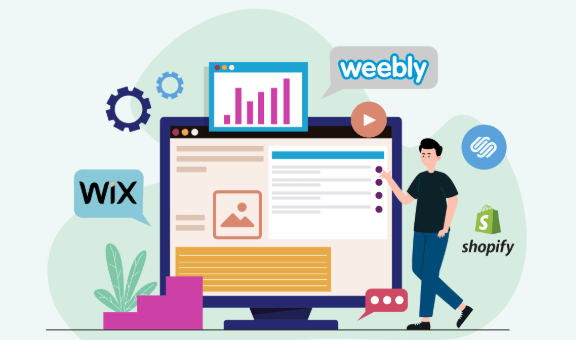
Comparison Table: Features and Pricing Across Platforms
| Platform | Lowest Paid Plan | Best For | eCommerce Integration | SEO Strength |
|---|---|---|---|---|
| Weebly | $8 | Small businesses, creators | Square built-in | Good (local/business) |
| Wix | $16 | Designers, bloggers | Native & apps | Better (more control) |
| Shopify | $29 | Online retailers | Native, best-in-class | Good (retail focus) |
| WordPress | $4 (hosting) | Bloggers, full control | With WooCommerce plugin | Advanced |
Use Case Analysis:
- Weebly fits solopreneurs, local shops, and hobbyists needing rapid launch capabilities.
- Wix appeals to creatives seeking more design and margin control.
- Shopify powers scaling online retail empires.
- WordPress suits advanced users craving limitless customization, with more technical requirements.
For a deep-dive into feature parity and multi-year performance, see our comprehensive Master Weebly 2026: Features, Pricing, Pros, Cons, SEO Strategies analysis that compares Weebly’s real-world strengths head-to-head.
Future Outlook: Weebly’s Development, Square Online, and Industry Trends
Expert Reviews and User Feedback Highlights
-Weebly’s 2026 user feedback consistently praises reliability, speed, and fair pricing.
-Some long-time fans express disappointment in the relative lack of ground-breaking new features but continue to rely on Weebly for foundational ease-of-use.
Emerging Trends: Industry Analysis for 2026
- AI Website Builders:
AI-driven content creation and real-time design assistance are trending across all website platforms. Weebly’s roadmap hints at planned AI integrations for content and SEO, keeping it broadly competitive. - Tight Square-Square Online Ecosystem:
Weebly will likely remain the web-building layer atop Square’s commerce ambitions, making it increasingly appealing for small and mid-sized retailers. - Sustainability and SSGs:
There’s growing demand for energy-efficient static site generators (SSGs)—an area where Weebly, as a hosted solution, is optimizing its backend to align with green web trends.
Beginner Tips for Launching a Weebly Site
- Pick the Right Theme: Start with Weebly’s built-in templates based on business type.
- Customize Branding: Swap in your logo, brand colors, and custom fonts.
- Add Core Pages: At a minimum, launch with Home, About, Contact, and Product/Service pages.
- Optimize for SEO: Edit page titles, meta descriptions, and add image ALT tags.
- Connect a Custom Domain: This boosts professionalism and trust.
- Set Up Analytics: Paste Google Analytics and Search Console codes early to track site growth.
- Preview Responsiveness: Always test your site on mobile, tablet, and desktop before going live.
FAQs: Addressing Common Weebly Questions (2026)
Is Weebly still being updated?
Yes—while Square’s priority is the payments ecosystem, Weebly still receives regular security, compatibility, and performance patches.
Does Weebly support third-party apps?
Yes, via its App Center, though with a more limited pool than competitors like Wix and Shopify.
How does Weebly handle SEO for eCommerce?
Product pages support structured data, custom URLs, and rich snippets, giving you solid SEO foundations. For more nuanced SEO controls, careful use of category/collection structure is key.
Can I migrate from Weebly if I outgrow it?
Partial migration options are available (product/data export), but expect manual work if switching to WordPress or Shopify.
Does Weebly offer live chat or customer support?
Email, live chat, and phone support are available on paid plans (hours may vary by region).
Technical Analysis: How Weebly’s API/App Center Works; Workflow with Square Online
- API Access:
Weebly supports developer-level site customization and data access primarily on Business plans, letting tech-savvy users create unique integrations. - Square Online Workflow:
Products, payments, and order management sync instantly with Square Online Dashboard, ideal for omnichannel (in-person + online) retailers.
Advanced SEO Strategies for Weebly (2026 Trends: AI, Content Quality)
- Embrace AI-Based Research Tools: Use third-party AI keyword and competitor analysis apps to inform your content topics and site structure.
- Focus on E-E-A-T Factors: Prioritize Experience, Expertise, Authoritativeness, and Trust in every page—Google’s latest algorithms reward this.
- Leverage Multimedia: Embed video explainers, Google Maps, and sliders to keep session duration high.
- Regularly Audit Pages: Use tools like Screaming Frog or Moz (integrated via scripts) to spot thin content, duplicate titles, and missing metadata.
- Proactively Manage Internal Links: Ensure related pages and posts are interlinked for crawlability and user value.
- Monitor Trends: Stay active in Weebly-specific forums and newsletters to tap early into new beta features and integrations.
Suggested Next Read
Explore Weebly 2026 Features, Pricing, Pros, Cons & SEO Guide for further actionable Weebly insights and platform-specific strategies for site owners in 2026.
Conclusion
Weebly in 2026 stands as a top-tier solution for creators, solopreneurs, and small businesses who demand ease, reliable hosting, and seamless commerce—all while keeping monthly costs low. While design and app choices lag slightly behind the newest players, Weebly’s simplicity, robust Square eCommerce, and ever-improving SEO tools make it a mainstay in the competitive website builder landscape.
For full platform walkthroughs, marketing guides, and up-to-the-minute reviews, follow us here:
👉 Our Website
👉 Our YouTube Channel
👉 Our Facebook Fanpage
👉 Our X (Twitter)
- What If Your LinkedIn Prospecting Ran on Autopilot Inside Dripify’s Smart Engine?
- Transform Skin and Hair with Pure Organic Essential Oils and Serums
- Can We Browse the Web Without the Fear? Inside Bitdefender’s Silent Digital Shield
- Turning Ad Budget into Real Revenue: How AdCreative.ai Helps You Scale Campaigns Effortlessly
- Master the Multipolar World Order 2025: Risks, Opportunities, and Winning Strategies