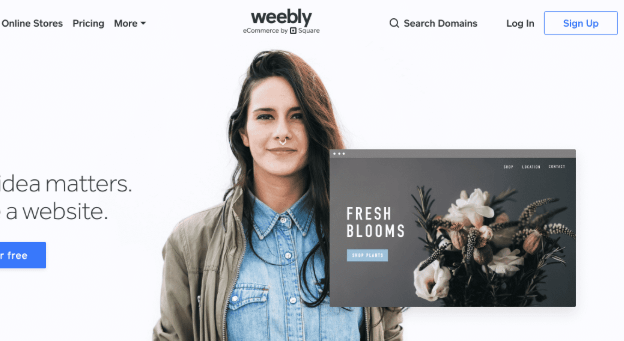
Welcome to the most comprehensive visual guide for Weebly in 2026! This article is crafted to help entrepreneurs, small businesses, and tech enthusiasts navigate the latest updates on Weebly’s features, pricing, pros and cons, and SEO strategies. Whether you’re new to website building or considering switching platforms, you’ll find in-depth insights, real-world examples, and practical comparisons — all laid out with enhanced visuals for clarity and ease of reading. Explore the tables, blockquotes, and links for expert advice and analysis on how Weebly fits your needs in the fast-evolving digital landscape.
Weebly: Ultimate Guide to Features, Pricing, Pros, Cons, and SEO in 2026
Weebly Overview: Platform Evolution and Current Status (2026)
Founding and Square Acquisition: Brief History
Founded in 2006, Weebly began as a pioneer of easy drag-and-drop web design, targeting small businesses, startups, and digital creators who needed a no-code solution. By focusing on non-technical users, it removed traditional barriers to entry, democratizing website creation in a space previously dominated by WordPress and hand-coded HTML/CSS.
A major turning point for Weebly was its acquisition by Square (now Block, Inc.) in 2018. This strategic move fueled Weebly’s evolution from a standalone website builder into a robust eCommerce platform, merging Square’s powerful payment processing and inventory solutions into the very heart of Weebly’s offering.
Current Status in 2026: Operational Insights
Fast forward to 2026, Weebly maintains its stronghold among budget-conscious small businesses and side hustlers. While certain areas (like the App Center) haven’t kept pace with more aggressive competitors, its stability, value, and Square deep-integration remain attractive — especially for those invested in the Square ecosystem.
Key stats (2026):
- Active Sites: Over 35 million (down from peak, but stable)
- Themes Available: 60+ professionally designed, all mobile-responsive
- App Center: ~390 curated add-ons (eCommerce, marketing, analytics)
- eCommerce Transactions (2025): $4.2B processed via Square
Key Features of Weebly: Editor, Themes, Ecommerce, and App Center
Editor Capabilities: WYSIWYG, Templates, and Responsiveness
Weebly’s WYSIWYG (What You See Is What You Get) editor is its crown jewel for newcomers:
- Real-Time Drag & Drop: No coding required. Simply add images, text, forms, videos, testimonials, galleries, and custom elements.
- Advanced Block Editing (2026): Enhanced flexibility to move, duplicate, or adjust content rows.
- Mobile Preview Mode: Instantly see how changes look on phones or tablets.
- Theme Library: 60+ modern, fully responsive themes — color, font, and layout are customizable via simple controls.
Expert Insight:
Weebly remains a leading choice for anyone seeking streamlined site launches. However, if your focus is pixel-perfect customizations or complex visual animations, platforms like Wix or Webflow may provide more advanced design freedom.

eCommerce: Square Integration, Transaction Fees, Inventory Management
A major strength in 2026 is Weebly’s native Square integration:
- Unified Dashboard: Manage both website and in-store sales in one backend.
- Payment Options: Accept credit cards, mobile wallets, Square gift cards, Apple Pay/Google Pay.
- No Weebly Transaction Fees: Only Square’s standard payment processing fees apply (e.g., 2.9% + 30¢/transaction in the US).
- Unlimited Items (Business Plan): List and organize products, variants, inventory levels, tax, and shipping rules.
- Digital Goods: Sell eBooks, courses, art, and software (with download restrictions).
- Abandoned Cart Recovery (Pro, Business): Recover lost sales automatically.
These features greatly benefit physical and digital retailers, especially those already using Square POS in-store.

App Center: App Selection vs. Competitors
While Weebly’s App Center is less extensive than Shopify or Wix’s, it focuses on reliability over quantity:
- Categories: eCommerce enhancements, marketing tools, email automation, analytics, booking, forms, and social feeds.
- Square Emphasis: Many apps are built to plug directly into the Square/Weebly business ecosystem.
- Notable 2026 Apps: Printful (print-on-demand), Shippo (shipping rates), Omnisend (email), Privy (pop-ups), POWr (forms/tabs).
- API Availability: Advanced users can tap into the Weebly API to custom-integrate third-party solutions or ERP systems.
Stat: As of 2026, ~390 apps (versus 6000+ on Shopify, 800+ on Wix) — but curation and ease-of-use are top priorities.
Weebly Pricing Explained: Plan Types, Inclusions, and Comparisons
Free Plan vs. Paid Plans: Benefits and Restrictions
Weebly continues to offer one of the most generous free plans of any website builder — but also some unique paid-tier options that unlock crucial business features.
Detailed Pricing Table (2026):
| Plan | Monthly Price (Billed Annually) | Storage | Custom Domain | ECommerce | Key Features |
|---|---|---|---|---|---|
| Free | $0 | 500 MB | No | Square Online (limited) | Weebly branding, basic SEO, SSL |
| Personal | $9 | Unlimited | Yes | Basic | Connect a custom domain, simple shipping |
| Professional | $16 | Unlimited | Yes | Pro | Site search, password protection, tax & shipping calculator, phone support |
| Business | $29 | Unlimited | Yes | Advanced | Advanced eCommerce (real-time shipping, inventory, coupons, digital goods), priority support |
Note: Monthly prices slightly higher if not annually billed. All plans include SSL, mobile-responsive themes, and Square eCommerce integration.

At a Glance: Free vs Paid
- Free: Great for testing, portfolios, or basic info sites (forced Weebly branding + domain).
- Personal: Entry for custom domains/branding.
- Professional: Unlock all essential features for most SMBs.
- Business: Serious eCommerce (unlimited products, advanced shipping/tax rules, coupons, digital sales, and more).
Weebly SEO Optimization: Tools, Best Practices, and 2026 Trends
SEO Tools: Meta Titles, Descriptions, Alt Tags, and More
Weebly provides built-in SEO tools suitable for most small businesses:
- Custom Meta Titles & Descriptions: Edit per page (essential for ranking/CTR).
- Clean, Structured URLs: Based on page names – easily editable.
- Header Tags (H1, H2, etc.): Assign to key site sections.
- Automatic Sitemap & Robots.txt: Generated and submitted.
- Alt Text for Images: Add/modify for better image SEO/accessibility.
- 301 Redirects: Manage broken links or old URLs.
- SSL Sites (HTTPS): Standard on all plans (crucial for search trust/signals).
Integrating Google Analytics and Search Console
Direct integration means you can monitor performance, set goals, and analyze page/user behavior with just a few clicks:
- Easy “Site Verification” Dialog: Connect Search Console for indexing/reporting.
- Analytics Tracking: Add Google Analytics or Facebook Pixel with automatic script-injection.
SEO Checklist for Weebly (2026):
| SEO Task | Native Tool | Complexity |
|---|---|---|
| Meta Title/Desc Editing | Yes | Easy |
| Image Alt Text Optimization | Yes | Easy |
| Schema Markup (Structured Data) | Third-party app | Moderate |
| Page Speed Optimization | Theme-dependent | Moderate |
| AI SEO Suggestions | Beta (Square AI) | Simple |
| Blog/Content Management | Yes | Easy |
| 301 Redirects | Yes | Moderate |
SEO Trends for 2026: AI, User Experience, Content Optimization
- AI Tools: Weebly’s Square AI offers auto-generated content and keyword suggestions (still in beta, but rapidly improving).
- Core Web Vitals: Themes are optimized for mobile and speed, but heavy apps or custom scripts may require manual finetuning.
- Structured Data: Still requires third-party app or manual editing (gap vs. Wix/Shopify’s built-in schemas).
- Focus on UX: Google’s 2026 algorithm prioritizes accessibility, page experience, navigation, and ease of interaction — areas where Weebly is naturally strong due to its simplicity.
- Content Quality: The best Weebly sites in 2026 invest in unique, well-structured, multimedia-rich content optimized for both users and search engines.

Weebly Pros and Cons: Who Should Use Weebly?
Positive Aspects: Ease, Pricing, Payments
Pros:
- Beginner-Friendly Interface: No coding required, drag-and-drop simplicity.
- Competitive Pricing: Especially generous free plan and affordable paid plans.
- Strong Square Integration: Flawless for in-person & online sellers in the Square ecosystem.
- Reliable Hosting & Security: Fast, stable hosting with free SSL.
- No Transaction Fees (other than payment processor): Keep more of your revenue.
- Solid Mobile Responsiveness: All themes scale automatically.
Negative Aspects: Scalability, App Choices, Development Stagnation
Cons:
- Limited Advanced Customizations: Less flexibility compared to Wix, Webflow, or WordPress for pixel-perfect or highly interactive designs.
- App Center Depth: Far fewer third-party extensions vs. Shopify or Wix — some verticals must adapt or compromise.
- Slower Innovation Pace: Feature releases and theme updates have slowed.
- API/Developer Tools: Available, but less robust documentation/community than some competitors.
- eCommerce Scalability: Not ideal for large or highly customized online stores (Shopify, WooCommerce, or BigCommerce are better upmarket).
Pros vs. Cons List for Quick Reference
| Pros | Cons |
|---|---|
| Easy drag-and-drop editor | Limited design/developer customizations |
| Free plan (no credit card required) | Smaller app selection |
| Seamless Square eCommerce/payment integration | Less rapid feature rollout |
| Strong SEO basics | Not best for enterprise/large eCommerce |
| Simple Google tools integration | Some apps behind paid tiers |
Who Benefits Most:
- Local retailers (with/without physical POS)
- SMBs needing to launch quickly and affordably
- Nonprofits, personal portfolio sites, membership organizations
- Blog-first creators who want less maintenance
Comparisons: Weebly vs. Competitors (Shopify, Wix, WordPress)
Comparison Table: Features and Pricing Across Platforms
| Feature | Weebly | Shopify | Wix | WordPress.com |
|---|---|---|---|---|
| Free Plan | Yes | No | Yes | Yes (limited) |
| Cheapest Paid | $9/mo | $29/mo | $17/mo | $9/mo |
| Themes | 60+ | 110 | 800+ | 100+ |
| App Market | 390 | 6000+ | 800+ | 50,000+ (WP.org) |
| Drag & Drop | Yes | No (basic) | Yes | Yes (block-based) |
| Strong eCommerce | Good | Best-in-Class | Strong | Moderate (WooCommerce) |
| Integrated POS | Square | Shopify POS | Wix POS | No (3rd-party) |
| Developer Tools | API | REST API | Velo by Wix | Open Platform |

Use Case Analysis
- Weebly wins on speed, ease, and value for money when deep customizations aren’t needed — and for Square sellers.
- Shopify dominates for complex, high-growth commerce.
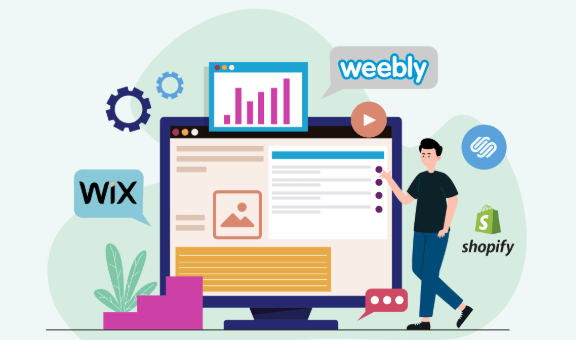
- Wix is ideal for design-forward users who want greater creative flexibility.
- WordPress.com allows ultimate extensibility and massive content-driven sites.
Embedding an Internal Link Example
For solopreneurs or creators pivoting toward eCommerce and digital products, understanding how Weebly stacks up to Shopify, Wix, or specialized print-on-demand solutions is essential. If you want to explore strategies for scaling your apparel or merchandise brand, see this detailed guide on How to Scale a Print-on-Demand Apparel Brand with TapStitch in 2026.
Future Outlook: Weebly’s Development, Square Online, and Industry Trends
Expert Reviews and User Feedback Highlights
- Trustpilot (2026): 4.0/5 average rating — praised for ease of use and affordable pricing, but some users cite app limitations and fewer big updates.
- G2 Crowd: Cited as “Best for Local Retail + Online Crossover,” 2026 “Top 5” for SMB website builders.
- Expert Quote:
“Weebly is the best launchpad for micro and local business owners in the Square ecosystem, but power sellers may eventually outgrow its app market or design options.”
— Marie Lee, Tech Analyst, SaaSRadar
Emerging Trends: Industry Analysis for 2026
- Square Online Evolution: Expect deeper AI-driven automation for inventory, email, and smart page recommendations.
- Progressive Web Apps (PWA): Rollout scheduled for late 2026 — improved mobile shopping/user experience.
- Third-Party Apps: Integration focus is shifting to higher-quality curated apps and direct Square partner tools.
- Direct-to-Consumer (DTC) Expansion: Weebly’s new template categories increasingly cater to personal brands, content creators, and hybrid retail models.
Technical Analysis: Weebly’s App Center & Square Integration
- API Access: Only available to Business Plan holders.
- Workflow Example: Inventory sync is seamless from POS (in-store) to online; customer data unified across transactions for smarter remarketing.
- Support for Headless Commerce: Currently limited — advanced users should look to Shopify, Webflow, or WooCommerce for full decoupling/API-driven experiences.
Beginner Tips for Launching a Weebly Site
- Choose Your Template Carefully: Pick a theme that fits your vibe, but also your business needs (blog, store, portfolio).
- Leverage Prebuilt Blocks: Speed up design with Weebly’s section templates.
- Set Your Main SEO Fields: Tweak meta titles and descriptions for every page to boost search rankings.
- Integrate Analytics from Day One: Use Google Analytics and Search Console out of the gate to track early performance.
- Explore Essential Apps: If you intend to sell, add apps for reviews, shipping, and email marketing.
FAQs: Weebly SEO, Pricing, and Features
Q1: Is Weebly free for eCommerce?
A: Yes, but with significant feature limits; most businesses upgrade to unlock advanced checkout, inventory, and customization.
Q2: Can I migrate my Weebly site to another platform?
A: Manual migrations are possible (export HTML/CSS/content), but full one-click migration features are limited — consider future needs.
Q3: Does Weebly offer multilingual support?
A: Native tools are minimal, but workarounds and select paid apps allow basic multi-language sites.
Q4: Can I use my own domain with the free plan?
A: No, connecting a custom domain requires at least the Personal plan.
Advanced SEO Strategies for Weebly (2026 & Beyond)
- AI Content & Keyword Suggestions: Leverage Square AI to identify keyword gaps and automate on-page copy tweaks.
- Schema Markup for Products/Events: Use third-party apps to add advanced schema for better search visibility.
- Speed Optimization: Minimize heavy apps and media; stick to streamlined themes for best Core Web Vitals.
- Content Clusters: Build interconnected blog/topic pages to boost topical authority in your niche.
- User Experience Signals: Prioritize navigation simplicity and accessibility — these are heavily rewarded by 2026 search algorithms.
For creators pushing the limits of AI-powered site builders, see our hands-on Smodin AI Writer Review 2026—Humanizer, Plagiarism, Pricing, AI Detector Bypass to further enhance your Weebly content and workflows.
Conclusion
In 2026, Weebly remains a powerful web platform for SMBs, entrepreneurs, nonprofits, and creators wanting maximum simplicity, rapid deployment, and seamless Square integration — all at a highly competitive price. While it won’t dethrone Wix, Shopify, or WordPress for users craving unbridled design or app flexibility, it’s a reliable launchpad in the right hands. Focus on strong visual storytelling, leverage built-in and AI SEO tools, and pick add-ons that drive your goals.
Next Steps: Explore other AI-powered web builder reviews, advanced eCommerce guides, and the latest SEO trends in our resource archive.
👉 Our Website: https://ai-solutes.com/
👉 Our YouTube Channel: http://www.youtube.com/@ai-solutes
👉 Our Facebook Fanpage: https://www.facebook.com/profile.php?id=61576606911341
👉 Our X (Twitter): https://x.com/AISolutes
- Dominate Local Ecommerce with Pippit AI: Regional SEO & Personalized Video Automation Strategies
- Explore Polybuzz AI: Secure Android Messaging and Next-Level Persona Customization
- Revolutionize Retail with AI-Driven Omnichannel Inventory Management and Increff SaaS Solutions
- Will Babbel Eliminate the Boredom of Traditional Grammar Learning? Analyzing the Babbel Lesson Delivery Engine
- Transform Healthcare with Jimeng AI: Powering Clinical Decision Support, Integration, and Privacy Compliance