Welcome to your essential 2026 guide for understanding Weebly’s offerings and whether it’s the right choice in a competitive website builder market. In this comprehensive review, you’ll find in-depth visual feature break-downs, transparent pricing tables, up-to-date SEO checklists, and detailed comparison tables—all with enhanced, modern layout for clarity. If you’re a solopreneur, a small business owner, or just comparing platforms like Wix, Shopify, or WordPress, this page packs clear pros and cons to support your next move. Tables below use Bootstrap-inspired design for superior readability and smooth row hover effects, blockquotes stand out for expertise, and informative links are neatly presented—making research and navigation a breeze. Dive in to explore Weebly through the lens of 2026's web technology landscape!
Weebly: Ultimate Guide to Features, Pricing, Pros, Cons, and SEO in 2026
As the world of website builders evolves, Weebly remains an essential tool for entrepreneurs, creators, and small businesses wanting to create professional sites without coding. This in-depth guide explores Weebly in 2026: from its intuitive editor and eCommerce features (especially since its Square acquisition), to the latest updates in pricing and SEO. Whether you’re a beginner hoping to launch your first site, a business exploring new tech stacks, or simply researching platform trends, this article delivers practical insights, key comparisons, pros/cons, and future outlooks—empowering you to decide if Weebly is still the right platform for your digital ambitions.

Weebly Overview: Platform Evolution and Current Status (2026)
Weebly has long been recognized as an accessible no-code website builder—particularly attractive to solopreneurs, creatives, and eCommerce hopefuls. In 2018, Weebly was acquired by Square, which added powerful eCommerce abilities and connected point-of-sale innovations. But how has the platform evolved by 2026? Here’s a top-down look at where Weebly stands today.
Founding and Square Acquisition: Brief History
- Founded: 2006 by David Rusenko, Chris Fanini, and Dan Veltri
- USP: Simple drag-and-drop website creation for all users (no coding)
- Acquisition by Square: 2018 (aimed to merge online site creation with retail/eCommerce infrastructure)
Since its acquisition, Weebly has heavily focused on eCommerce enhancements, seamless Square integrations, and steadying its user base through competitive pricing and ease of use. Today, it supports over 50 million websites worldwide.
Current Status in 2026: Operational Insights
- Run by: Square/Block, Inc.
- User demographics: Freelancers, small to mid-size business owners, educators, artists, and online retailers
- Market Position: Budget-friendly, extremely easy to use, but sometimes considered less innovative than big rivals like Shopify or Wix
One of Weebly's standout features is its all-in-one ecosystem—allowing you to buy a domain, design your site, set up a store, and manage payments with Square, all without leaving the platform.
Key Features of Weebly: Editor, Themes, Ecommerce, and App Center

A key to Weebly’s ongoing popularity is its feature-rich, yet highly intuitive site builder. Let’s deconstruct what makes it work.
Editor Capabilities: WYSIWYG, Templates, Responsiveness
- WYSIWYG (“What You See Is What You Get”): Build pages by dragging and dropping elements—texts, images, videos, forms.
- Template/Theme Library: Over 50+ modern designs, all mobile-responsive and readily customizable.
- Mobile Editor: Make on-the-go tweaks from your smartphone or tablet.
- Element Controls: Add image galleries, embeds, social links, contact forms, and more.
Real-World Example
A digital artist can use a pre-designed theme and customize the layout, colors, and fonts in minutes—no CSS or HTML knowledge required. Product launches, event announcements, and blog posts can be published from the same interface.
Ecommerce: Square Integration, Transaction Fees, Inventory Limits
Weebly’s eCommerce features are robust for small to medium-scale businesses, thanks to Square’s payment backbone.
- Inventory Management: Sell physical or digital products, control inventory, set up variants.
- Cart & Checkout: Secure checkout powered by Square, PayPal, Stripe.
- Delivery: Shipping calculators, curbside pickup options.
- Automated Taxes: Region-specific taxes calculated automatically.
- Discounts & Gift Cards: Create, manage, and redeem promotional offers.
Transaction Fees
- No additional transaction fees on paid plans—just the standard payment processor rates (e.g., Square/Stripe, approx. 2.9% + $0.30 in the US).
Inventory/Feature Limits
- Free/Personal plans: Limited to a basic checkout, fewer product listings.
- Professional/Business plans: Unlimited products, detailed analytics, and advanced eCommerce modules.
App Center: App Selection vs. Competitors
The Weebly App Center offers ~400+ apps (as of 2026):
- Categories: Marketing, communications, social media, eCommerce extensions, and more.
- Top integrations: Mailchimp, Printful, Shippo, Site Booster, Privy.
- Depth: While smaller compared to Shopify’s massive App Store, it covers essential functionality for budding businesses.
App Center vs. Competitors
| Platform | Number of Apps | Marketplace Size | Standout Apps |
|---|---|---|---|
| Weebly | ~400+ | Small-Medium | Shippo, Printful, Privy |
| Shopify | 8000+ | Very Large | Oberlo, Judge.me, Yotpo |
| Wix | 500+ | Medium | Wix Bookings, Wix Events |
| WordPress | 60,000+ | Largest | Elementor, WooCommerce |
Weebly’s curated approach means easier app discovery, less risk of bloat, and fewer low-quality plugins.
Weebly Pricing Explained: Plan Types, Inclusions, and Comparisons

Transparency and generous freemium offerings have been major selling points for Weebly. Here’s the latest on its pricing structure.
Free Plan vs. Paid Plans: Benefits and Restrictions
2026 Pricing Table
| Plan | Monthly Price (Billed Annually) | Storage | Ecommerce | Domain | Transaction Fees | Support |
|---|---|---|---|---|---|---|
| Free | $0 | 500MB | Basic (2 product limit) | Weebly subdomain | Yes (Weebly) | Email/chat |
| Personal | $9 | 1GB | Basic | Custom domain | Yes (Weebly) | Email/chat |
| Professional | $16 | Unlimited | Unlimited | Custom domain | No | Priority email/phone |
| Business | $29 | Unlimited | Unlimited | Custom domain | No | Priority email/phone |
Inclusions Overview
- Free plan: Ads displayed, limited inventory, Weebly branding, subdomain only.
- Personal: Remove Weebly branding, use a custom domain.
- Professional: Advanced site stats, password protection, video backgrounds, phone support, integrated eCommerce with unlimited inventory.
- Business: All Professional features + advanced eCommerce, custom SSL, shipping/ tax calculators, and product reviews.
Who Should Use Which Plan?
- Free: Ideal for personal projects, student portfolios, or very small service pages.
- Personal: Beginners needing a branded presence.
- Professional: Small businesses, portfolios, blogs needing higher storage or custom domains.
- Business: Small-medium eCommerce brands seeking to scale.
Discounts
- Annual payment = effective 10-15% discount.
- Extra perks during promotions (e.g., a free domain for a year).
Pro Tip: Always check for seasonal discounts—Spring, Black Friday, and Back-to-School are best times to subscribe.
Weebly SEO Optimization: Tools, Best Practices, and 2026 Trends

SEO (search engine optimization) remains vital for traffic, sales, and reputation. How does Weebly enable SEO success in 2026?
SEO Tools: Meta Titles, Descriptions, Alt Tags
- Meta Control: Custom title tags, page descriptions for each page/post
- Alt Text: Add descriptive alt tags to all images—improves accessibility and ranking
- URL Structure: Clean URLs with simple slugs (domain.com/about-us/)
- Structured Data: Basic Schema.org integration for eCommerce products and blog posts
- H1-H3 Headings: WYSIWYG tags to organize content for better crawlability
Expert Note: Weebly templates are now faster and more mobile-optimized compared to early versions, which directly helps Core Web Vitals.
Integrating Google Analytics and Search Console
- Built-In Section: One-click integration for Google Analytics 4 and Google Search Console
- Custom Scripts: Insert tracking or retargeting codes in the Settings panel
SEO Checklist for Weebly Sites (2026)
| Step | Details |
|---|---|
| Keyword Research | Use tools like Google Keyword Planner, SEMrush |
| Meta Titles/Descriptions | Unique for every page/post |
| Alt Tags for Images | Write short, descriptive alt for all images |
| Headlines | Use only one H1 per page, add H2s/H3s |
| Internal Linking | Link relevant articles, blog posts |
| Mobile Optimization | Choose a responsive theme, test on devices |
| Performance | Compress images, avoid excessive widgets |
| Connect Search Console | Submit and monitor site health |
| Blog Regularly | Fresh content boosts rankings |
| SSL Security | Enabled by default on all paid plans |
SEO Trends for 2026: AI, User Experience, Content Optimization
- AI-Driven Recommendations: Weebly now suggests meta tags and blog ideas using basic AI
- Page Speed: Instant loading via CDN and image optimization across all plans
- User Experience (UX): Prioritizing clarity, accessibility, and device adaptability as Google’s algorithm weighs these metrics more
- Voice Search Optimization: Newer themes support fast content parsing by voice search devices
- Content Quality: Long-form, original, and expert-driven content (like this guide!) tends to outperform keyword stuffing
For an advanced Weebly SEO strategy, focus on topic clusters: linking articles and pages internally to signal site depth. For a practical look at mastering keywords and lead tracking, see Master WhatConverts Keywords Report 2026: Lead Attribution.
Weebly Pros and Cons: Who Should Use Weebly?
Let’s break down Weebly’s key positives and drawbacks as they stand in 2026, to help you evaluate fit for your needs.
Positive Aspects: Ease, Pricing, Payments
- Drag-and-drop simplicity—lowest learning curve among top builders
- All-in-one ecosystem—host, builder, eCommerce, and payments in one box
- Affordability—competitive paid plans and real free usage
- Ecommerce included—sell online out of the box with Square, PayPal, or Stripe
- Mobile-ready themes—every template adapts to phone and tablet
- Built-in SEO—essential features for beginners included without plugins
Negative Aspects: Scalability, App Choices, Development Stagnation
- Limited extensibility—advanced users may outgrow App Center quickly
- Design flexibility—templates are customizable, but less so than Wix or WordPress
- Development pace—annual feature updates, but fewer cutting-edge innovations compared to Shopify or Wix
- Migration hurdles—exporting to other CMS platforms is harder than with open-source options
Pros vs. Cons List (Quick Reference)
| Pros | Cons |
|---|---|
| Beginner-friendly interface | App ecosystem smaller than rivals |
| Transparent pricing; solid free plan | Limited advanced customization |
| Excellent for small stores & simple blogs | Not for large/complex stores |
| Smooth Square eCommerce integration | Fewer updates/innovations |
| Security & SSL included | Migration isn’t frictionless |
Comparisons: Weebly vs. Competitors (Shopify, Wix, WordPress)

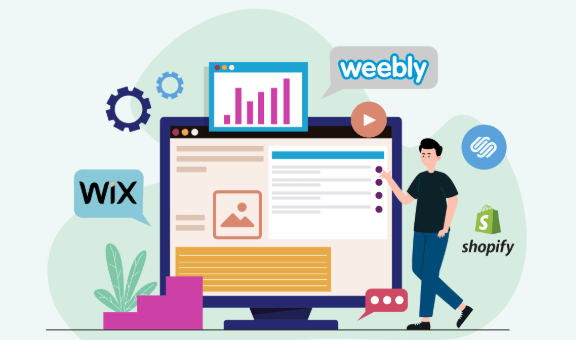
Choosing the right platform demands seeing Weebly alongside its main rivals—Wix, Shopify, and WordPress.com.
Comparison Table: Features and Pricing Across Platforms
| Feature/Plan | Weebly | Shopify | Wix | WordPress.com |
|---|---|---|---|---|
| Starting Price | Free | $29 | Free | Free |
| Drag & Drop | Yes | No (customizer) | Yes | Block Editor |
| eCommerce | Yes (all plans) | Yes (main focus) | Yes (with plan) | Yes (with plugin) |
| Payment Options | Square, Stripe | Shopify Pay, Stripe | Multiple | Paypal, Stripe |
| App Ecosystem | ~400 | 8000+ | 500+ | 60,000+ |
| Blog Functionality | Good | Moderate | Great | Best in class |
| Scalability | SMBs | Growing brands | Creatives, SMBs | Any (via plugins) |
| Custom Code | Limited | Yes (Liquid) | Yes (via Velo) | Yes (via hosting) |
| SEO Features | Decent | Good | Excellent | Excellent |
Use Case Analysis: Who Benefits Most
- Weebly: Beginners, solopreneurs, small shops, and non-technical users focused on speed + simplicity.
- Shopify: Growing brands needing vast inventory, analytics, and deep integration.
- Wix: Creative portfolios, visually dynamic businesses, flexibility seekers.
- WordPress.com: Blogs, content-heavy sites, anyone wanting ultimate extensibility.
Expert Reviews and User Feedback Highlights
- G2 (2026): 4.1/5 for ease, affordability, but mixed on long-term growth
- Capterra: Praised for value, but often cited as less “modern” than Wix
- Trustpilot: High marks for support and reliability
Pro Tip: If you’re considering an agency-grade alternative, check out this comparison: Webydo Review 2026: Agency No-Code Website Builder, Pricing, Free Trial, AI.
Future Outlook: Weebly’s Development, Square Online, and Industry Trends
The future for Weebly largely aligns with Square’s priorities: consistency, eCommerce, and streamlined payment solutions.
Emerging Trends: Industry Analysis for 2026
- Square Online focus: Deeper ties between in-person payments and online sales
- AI-powered site suggestions: Design and content optimization, automated meta tags
- Omni-channel commerce: Social selling, curbside pickup, inventory sync with Square POS terminals
- Localization: Expanding language and tax setting options for global businesses
Stat Snapshot (2026):
- Active Weebly sites: 57 million+
- Average user site build time: Under 60 minutes
- eCommerce volume via Weebly: Growing at 8% YoY, driven by micro-influencers and local vendors
Expert Prediction
“While Weebly isn’t trying to out-innovate Wix or Shopify, its unique value proposition—unmatched ease and Square-powered eCommerce—cements its longevity for small business.”
— Olivia Chen, eCommerce Platform Analyst, DigitalCommerce360
Advanced SEO Strategies for Weebly Users
- Leverage topic clusters: Inter-linking relevant blog posts and product pages.
- Focus on intent-based content: Answer common customer questions, blog with structured Q&As.
- Utilize structured data plugins: For richer snippets in search results.
- Invest in off-page SEO: Social media, review platforms, and citations.
Beginner Tips for Launching a Weebly Site
Step-by-Step Starter Guide
- Sign Up Free: Start with a trial, explore different templates.
- Pick Your Domain: Use a branded .com, .co, or other TLD.
- Customize Your Theme: Drag-and-drop elements, tweak design.
- Add Ecommerce (if needed): Connect to Square, upload products.
- Set Up Essential Pages: Home, About, Contact, Shop/Portfolio.
- Enable SEO: Write unique titles, descriptions, image alt text.
- Preview Before Publishing: Use desktop and mobile previews.
- Publish: Go live and share!
- Monitor: Connect to Analytics and Search Console.
- Iterate & Improve: Update content based on feedback & analytics.
FAQs: Answering Common Weebly Questions on SEO, Pricing, and Features
Q: Can I move my Weebly site to WordPress or another platform?
A: Migration requires manual effort (copy-pasting content, images). Some third-party tools help, but advanced users may prefer using WordPress.org for maximum flexibility.
Q: Is Weebly good for SEO in 2026?
A: Yes. While not as customizable as WordPress, all basic SEO elements are present—title/meta tags, mobile optimization, schemas, and improved page speed via CDN.
Q: Does Weebly support dropshipping?
A: Yes—via App Center integrations like Printful and Spocket for automated fulfillment.
Q: Is there a free plan forever?
A: Yes, but with Weebly branding and subdomain usage (best for personal sites, not professional brands).
Q: How is Weebly support in 2026?
A: All users get fast chat/email support, with phone offered on Professional and above.
Conclusion: Should You Build Your Website on Weebly in 2026?
Weebly remains a top choice for non-coders, budget-conscious founders, and anyone prioritizing ease and integrated payments. Its feature-rich free plan, merchant-centric upgrades, and all-in-one philosophy continue to stand out. For the largest digital stores or intricate custom projects, platforms like Shopify or WordPress may offer greater flexibility—but for simplicity and rapid online presence, Weebly prevails.
Still exploring website builder options for 2026? Read our full guide to Master Weebly 2026: Pricing, Ecommerce Features, Pros, Cons, SEO for deeper analysis and hands-on demos.
👉 Our Website: https://ai-solutes.com/
👉 Our YouTube Channel: http://www.youtube.com/@ai-solutes
👉 Our Facebook Fanpage: https://www.facebook.com/profile.php?id=61576606911341
👉 Our X (Twitter): https://x.com/AISolutes
- Discover FaceApp’s AI Aging Filters and Photo Transformation Trends: Market Growth, Features, and Privacy Insights
- Unlock the Power of Murf AI Voice Generator 2025: Next-Level Voice Cloning, Multilingual Options, and Seamless PowerPoint Integration
- Polyhive AI
- Master EuroDNS 2026: Discover the Fastest-Growing TLDs, Pricing Shifts, and Domain Security Trends
- Finding Clarity in a Sea of Options: How Rank Prompts Simplify Complex Decisions