

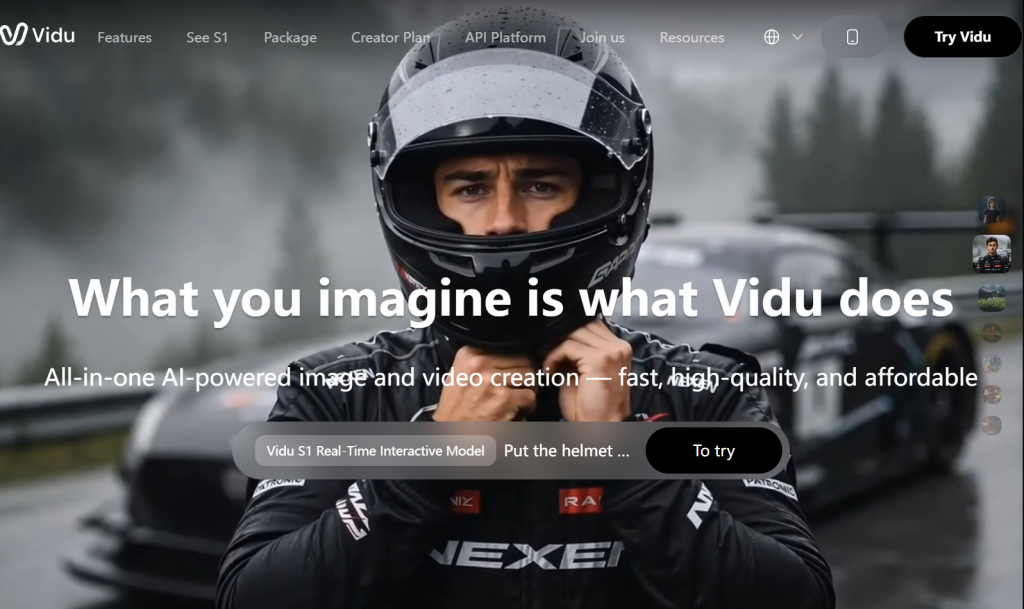
Most AI video tools can make something move. Very few can make a character act — hold an identity across shots, land a micro-expression, carry an emotional beat from one frame to the next. That distinction is the entire product thesis behind Vidu, and it explains why a Beijing startup founded in March 2023 has become one of the most credible names in a category dominated by Google and OpenAI. Built by ShengShu Technology — a team out of Tsinghua University led by CEO Luo Yihang, formerly of ByteDance’s Volcano Engine cloud unit — Vidu has shipped five model generations in under three years. Its latest, Vidu Q3, produces 16-second clips with synchronized audio at native 1080p and was ranked by benchmarking authority Artificial Analysis as number one in China and number two globally, ahead of several better-known Western platforms.
The money agrees. In April 2026, alongside the global launch of Vidu Q3 Reference-to-Video, ShengShu announced a Series B of RMB 2 billion led by Alibaba Cloud, with Baidu Ventures and others increasing their positions. This 2026 review covers the whole picture honestly: the Q2 and Q3 model families and what each is actually for, reference-to-video with up to seven inputs, the anime strength and the realism weakness, complete credit-based pricing, comparisons against Kling, Veo and Runway, the refund and support complaints you should know about, and exactly who should open an account.
Vidu Review 2026: The AI Video Model Built for Storytelling, Character Consistency, and Anime
Overview and Background
Vidu is an AI video generation platform that turns text prompts, still images or multiple reference frames into 24fps cinematic clips. The web studio at vidu.com is the main entry point, with iOS and Android apps alongside it and an API for developers. Reported reach is over 10 million users across more than 200 countries.
The company behind it, ShengShu Technology, was founded in Beijing in March 2023 by researchers connected to Tsinghua University and has iterated at a genuinely unusual pace: Vidu 1.5, then 2.0, then Q1, then Q2 in October 2025, then Q3. Each generation moved measurably on consistency, semantic understanding, motion dynamics and inference speed. Q2 arrived with an explicit positioning against OpenAI’s Sora and a slogan the company built the whole model around — not just video, but acting. Q3 followed as what ShengShu describes as the first video model built specifically for storytelling, supporting 16-second synchronized audio-video generation, native 1080p output, cinematic shot transitions and multilingual text rendering inside the frame.
The April 2026 funding round reframes what this company is trying to be. The RMB 2 billion Series B — led by Alibaba Cloud, with participation from the China Internet Investment Fund, TAL Education Group, Luminous Ventures and others, plus existing backers Baidu Ventures, LINK-X CAPITAL and Delta Capital increasing their stakes — was raised to fund a broader ambition: a general world model spanning digital and physical environments. ShengShu is developing a World Generation Model that powers the Vidu family for digital content, and a World Action Model aimed at physical-world interaction, both sitting on a shared foundation. Video generation, in other words, is the visible product of a much larger research programme.

Why Vidu Stands Out in 2026
There are a dozen credible video models now. Here’s what Vidu does that the others don’t.
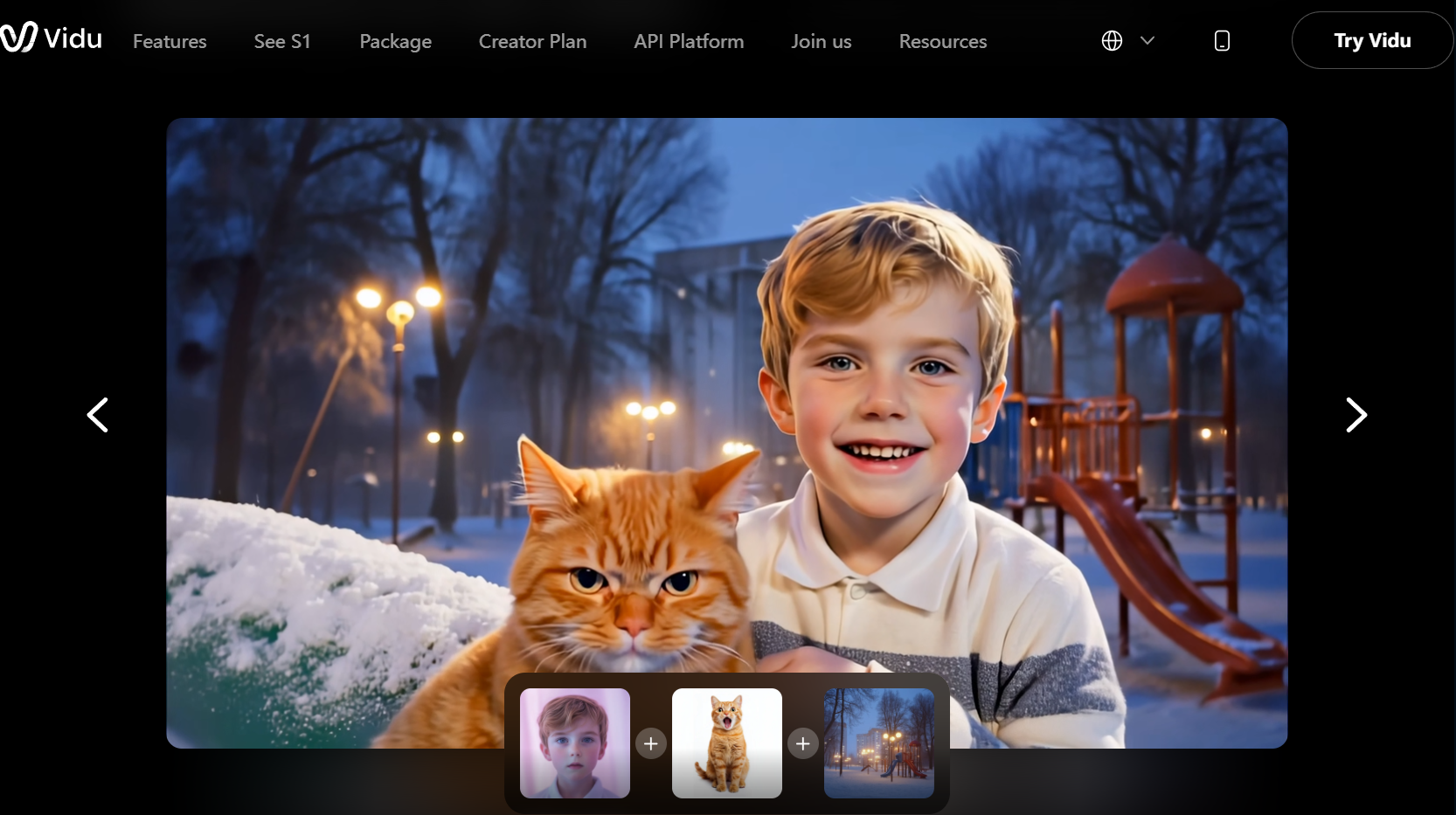
Reference-to-video with up to seven inputs: This is the standout technical capability and the reason to choose Vidu specifically. You supply multiple reference images — a character’s face, a costume, a prop, an environment, a visual style — and the model composes them into a single coherent clip. Merging unrelated elements into one believable scene is genuinely hard, and Vidu does it better than most. For anyone producing a series of clips that must feel like the same world with the same characters, this solves the problem that makes AI video unusable for narrative work.
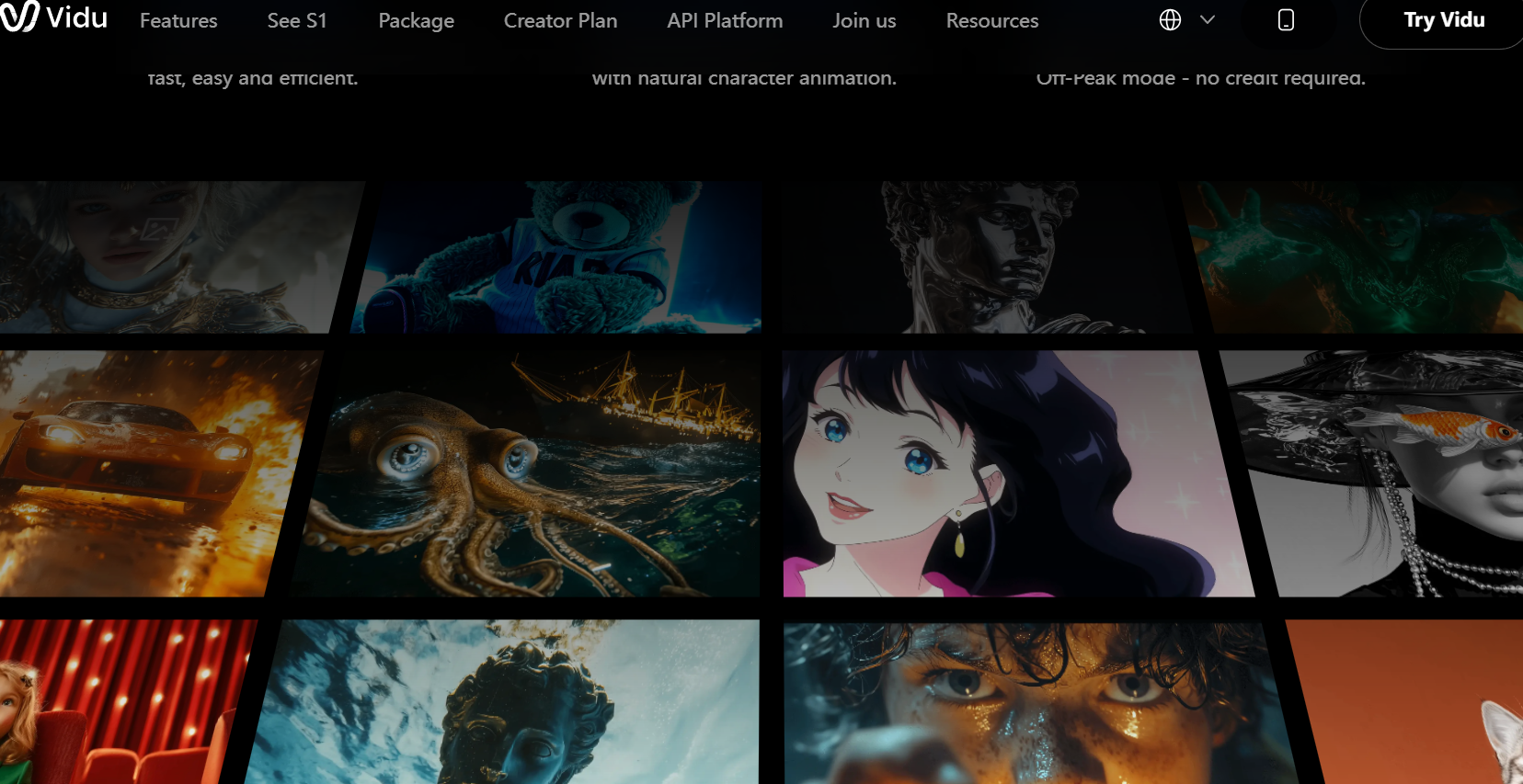
Micro-expressions and performance, not just motion: Independent comparative testing has singled out Vidu’s facial work — emotional transitions that read as smooth and restrained rather than exaggerated, with believable hesitation and reaction. Most models animate a face; Vidu is tuned to make it perform. For talking-head content, fashion, character storytelling and anything where a viewer reads emotion off a face, that difference is visible immediately.
Anime quality that beats the Western leaders: This is the clearest consensus in independent reviews. Character animation in anime styles is fluid and natural in ways that Runway and Sora reportedly don’t match. If your work is anime, manga-adjacent, stylised or illustrated, Vidu isn’t just competitive here — it’s arguably the best option available at any price.
Genuine benchmark standing: Being ranked number two globally by Artificial Analysis is not a vendor claim about itself. In a field where Google, OpenAI, Kuaishou and ByteDance are all shipping frontier models, an independent benchmark placing Vidu that high is meaningful validation that the technical work is real.
Native audio generation: Q3 produces synchronized audio alongside video, and the platform includes an AI sound effects generator outputting 48kHz audio matched to the clip content — something several competitors still don’t offer natively. It removes an entire post-production step for short-form work.
Frame-level control that actually helps: Image-to-video supports both first-frame and last-frame conditioning, so you can define where a shot starts and where it ends and let the model handle the motion between. Combined with six categories of cinematic effects in the Q3 release — particle systems, fluid simulation, dynamic motion, camera movement, transitions and lighting — you get considerably more direction than a text prompt alone provides.
Fast, cheap iteration: Clips generate in roughly ten seconds, and effective cost lands around a dollar to two dollars per finished minute depending on quality tier. In a workflow where you’ll discard four takes for every one you keep, generation speed and per-clip cost matter more than headline quality benchmarks.
Key Features and Technology
Understanding the two model families is the single most useful thing you can do before generating anything, because picking the wrong one wastes both credits and time.
The Q2 and Q3 Model Families
The Q3 series, available in Pro and Turbo variants, is the fidelity choice — longest durations at up to 16 seconds, native 1080p, synchronized audio, cinematic shot language and the strongest prompt adherence. Use it for final output and narrative sequences. The Q2 series, in Pro, Turbo and Pro Fast variants, is optimised for speed and complex character consistency at shorter durations. Use it for concepting, iteration and reference-heavy character work where you need many takes quickly. Both support start-and-end frame conditioning.
Generation Modes
Text-to-video accepts natural language and produces clips in cinematic, realistic or anime styles. Image-to-video animates a still with natural motion — upload a product photo and get it rotating or in use, which is the fastest route to e-commerce creative. Reference-to-video is the flagship mode described above. On top of these sits a large template library covering popular social effects, which lets you produce shareable clips without writing prompts at all.
Audio, Effects and Output Control
Q3 generates audio synchronized to the video in the same pass, and a separate AI sound effects generator produces 48kHz audio matched to what’s happening on screen — footsteps, ambient room tone, impacts. The Q3 release also added six categories of cinematic effect covering particle systems, fluid simulation, dynamic motion, camera movement, transitions and lighting, which give you directorial vocabulary rather than just descriptive prompts. Output is native 1080p at 24fps with multilingual text rendering inside the frame, and paid plans carry commercial usage rights.
The Wider Ecosystem
Q3 is integrated across a broader product family including Vidu Agent, Vidu Claw and the Vidu App, forming a workflow that runs from ideation through production to deployment rather than stopping at a single generated clip. There’s an API for developers building video generation into their own products, and Vidu models are also available through several third-party creative platforms — useful if you already work inside another tool and want access to Vidu’s models without a separate subscription.
Pricing, Plans, and Package Structure
Vidu runs on credits, with subscription tiers granting a monthly allowance. Published figures differ noticeably between sources because annual and monthly rates get quoted interchangeably — the company’s own materials list annual pricing while many review listings show the higher monthly figure. The table gives realistic approximate ranges as of mid-2026.
| Plan | Approx. Price | Credits & Output | Best For |
|---|---|---|---|
| Free | $0 — no card required | ~40–80 monthly credits, roughly 10–16 short clips | Everyone — enough to properly judge output on a real project |
| Standard | ~$8/mo annual; ~$10/mo monthly | ~800 credits, commercial usage rights, 1080p output | Hobbyists and part-time creators posting a few clips a week |
| Premium | ~$28/mo annual; ~$35/mo monthly | ~4,000 credits plus high-speed generation and priority queue | The value sweet spot — regular creators shipping content weekly |
| Ultimate | ~$79/mo annual; ~$99/mo monthly | ~8,000 credits, reported up to 200 videos per day | Agencies and production teams generating hundreds of clips monthly |
| API / Enterprise | Usage-based or custom quote | Team workspaces, negotiated credit pools, programmatic access | Developers embedding generation, and high-volume production houses |
Credit consumption is driven by three things: clip duration, which scales roughly linearly; quality tier, where the top settings can cost two to two-and-a-half times the standard rate; and certain advanced features, which add a small premium. A short standard-quality clip runs around five credits; an eight-second 1080p clip roughly ten. That works out to somewhere between about $0.90 and $2 per finished minute depending on tier — competitive against essentially everything in this category, and a rounding error against traditional production.
How Vidu Compares to Alternatives
This category re-prices and re-ranks almost monthly, and by mid-2026 there are at least six models worth serious evaluation. Here’s where Vidu sits.
| Option | Approx. Entry Cost | Core Strength | Main Trade-Off |
|---|---|---|---|
| Vidu | Free tier; ~$8–10/mo | Multi-reference consistency, micro-expressions, best-in-class anime, native audio, fast and cheap | Photoreal humans lag the leaders; shorter clips; support and refund complaints |
| Kling 3.0 | Free tier; from ~$7/mo | Price-to-quality leader — 4K/60fps, clips extendable to minutes, strong motion physics | Slower generation queues; billing and expiring-credit complaints of its own |
| Google Veo 3.1 | Via Google AI plans / Vertex | Quality leader — true 4K, synchronized audio in one pass, safest enterprise choice | Costs more per second; less granular reference control than Vidu |
| Runway Gen-4.5 | Free tier; paid from ~$15/mo | Workflow leader — full editing suite, most consistent results, mature production platform | More expensive per clip; weaker on stylised and anime output |
| Traditional production / motion designer | ~$500–5,000 per finished minute | Full creative control, brand-perfect output, no artifacts or physics failures | Days or weeks per deliverable; impossible economics for volume testing |
vs. Kling: The closest comparison on price and positioning, and honestly a tough call. Kling wins decisively on clip length — its extend feature chains segments into videos measured in minutes, where Vidu caps at 16 seconds — and on raw resolution with 4K output. Vidu wins on multi-reference character consistency and on stylised and anime work. Both have credit systems and both have documented billing frustrations. If you need long-form or photoreal 4K, Kling. If you need the same character across a set of shots, Vidu.
vs. Veo and Runway: These are the safer choices for commercial client work — Veo for maximum cinematic fidelity and enterprise governance, Runway for a mature end-to-end production workspace with real editing tools rather than just a generator. Both cost more per clip. Vidu’s argument against them is specific rather than general: cheaper iteration, better reference control, and clearly stronger stylised output. For photorealistic human footage in a client deliverable, the honest recommendation is still Veo or Runway.
The practical answer — use two: Experienced teams increasingly separate exploration from finishing. Concept and iterate on a fast, cheap model, then move the winning direction to whichever model finishes it best. Vidu is genuinely excellent in the exploration role, and for anime or character-driven work it’s often the finisher too.
Pros and Cons
What Creators Love
Speed and anime quality dominate the positive reviews: Vidu holds roughly 4.7 out of 5 on G2, with reviewers consistently naming generation speed and stylised output as the reasons. Ten-second turnarounds change how you work — you iterate instead of waiting.
Character consistency across shots actually works: The multi-reference system is the feature people keep coming back for. Holding a face, a costume and a style stable across a sequence is what separates a set of clips from a story.
The free tier is genuinely usable: No card, a real monthly allowance, and free credits on signup. You can evaluate the product on your own material before spending anything.
Templates make it accessible to non-prompters: If writing prompts isn’t your skill, the template library produces shareable clips from a photo and two clicks. It’s the fastest route from install to something worth posting.
Strong value per finished minute: Roughly a dollar or two per minute of usable video, with commercial rights on paid plans, undercuts most of the category and all of traditional production.
Serious backing and rapid shipping: Five model generations in under three years, an Alibaba Cloud-led round in April 2026 and a top-two global benchmark placement suggest the pace of improvement will continue.
Limitations Worth Knowing
Photorealistic humans are the weak spot: The gap between Vidu’s anime work and its realistic human footage is wide. Complex movement, overlapping limbs, fast motion, hand articulation and multi-object interaction still produce artifacts that break the illusion. If your deliverable is photoreal people doing complicated things, test extremely carefully before committing.
Refund and support complaints are real: Trustpilot ratings associated with Vidu’s older domain sit around 2.0 out of 5, with the large majority of those reviews at one star and almost all citing refund difficulty and unresponsive support. The sample is small — roughly a dozen reviews — and it contrasts sharply with the strong G2 score, so weigh it accordingly. But assume that getting money back may be difficult, and prefer monthly billing until you’re confident.
Failed generations and credits — verify current behaviour: Reviews conflict here. Multiple sources name credits consumed by failed or unusable renders as the biggest functional complaint, while a hands-on tester in July 2026 reported that unsuccessful generations did not consume credits. The policy may have changed. Check it deliberately during your free-tier testing, because it materially affects your real cost.
Complex prompts fail more than simple ones: Multi-element prompts with layered instructions often produce unexpected results or fail outright. The platform rewards short, focused prompts and punishes the elaborate paragraph-length descriptions that work well on some competitors.
Clip length caps at 16 seconds: Fine for social, ads and teasers. Restrictive for anything longer, where you’ll be stitching segments in an editor — and competitors offering minutes-long output have a real advantage for narrative work.
Credit budgeting is genuinely hard: With consumption varying by duration, quality tier and features, and no simple universal rate, you cannot forecast monthly cost from the plan description alone. Measure your own workflow before scaling.
Consider where your data goes: Vidu is operated from China, and generation is cloud-based, so your prompts and uploaded reference images are processed on the company’s servers. For personal creative work this is unremarkable. If you’re uploading unreleased product designs, client material under NDA or anything commercially sensitive, review the terms and your own compliance obligations first — as you should with any cloud generation platform.
Who Should Use Vidu
Anime, manga and stylised content creators: This is the strongest recommendation in the review. If your work is illustrated or animated in style, Vidu is arguably the best model available regardless of price. Start free, then move to Premium once you’re producing regularly.
Short-form social creators: TikTok, Reels and Shorts live in exactly the 4-to-16-second window Vidu is built for, and the template library plus native audio removes most of the production work. Standard covers a few posts a week; Premium if you post daily.
Marketers and e-commerce operators: Image-to-video turns a flat product photo into motion creative, and the reference system keeps your product looking like your product across a batch of ad variations. Generate ten concepts for the cost of a coffee, test them, scale the winner.
Filmmakers and studios doing pre-visualisation: Storyboarding and pre-viz is where multi-reference consistency pays off most — you can show a client the actual character in the actual environment before a camera exists. Q3 for fidelity, Q2 for fast iteration.
Developers building video into products: The API and the availability of Vidu models through third-party creative platforms make it a practical generation backend, particularly where character consistency matters more than photorealism.
Who should skip it: Anyone whose deliverable is photorealistic human footage for a paying client — Veo or Runway are the safer choices. Anyone needing clips longer than 16 seconds without stitching should look at Kling. And teams with strict data-governance requirements should evaluate the terms before uploading anything sensitive.
Getting Started: Step by Step
- Open a free account and note your credit balance. No payment method is needed. Write down the starting number — you’ll need it to measure real costs later.
- Test the style you actually need first. If you need anime, generate anime. If you need photoreal humans, generate that. Vidu’s quality varies enormously by style, so testing the wrong thing tells you nothing useful.
- Start with short, simple prompts. One subject, one action, one mood. The platform performs better on focused instructions than elaborate ones — save the complexity for after you understand how it responds.
- Check whether failed generations cost you credits. Deliberately push a complex prompt until something fails, then check your balance. This single test tells you more about your true monthly cost than any pricing page.
- Try reference-to-video properly. Upload several references — a character, a setting, a style — and see how well the model holds them together. This is Vidu’s real differentiator, so evaluate it rather than only testing text prompts.
- Use Q2 to explore and Q3 to finish. Iterate cheaply at short durations and standard quality, select your winners, then regenerate only those at the top setting. This is where the 40–60% credit saving comes from.
- Choose monthly before annual. Given the refund complaints, run a full month on monthly billing before taking the annual discount, and confirm commercial usage rights cover your intended use.
Tips for Getting Maximum Value
Concept at four seconds and standard quality, always — you can judge composition, style and motion in four seconds just as well as in sixteen, at a fraction of the credits. Build a reusable reference set for recurring characters and locations rather than re-uploading ad hoc, since consistency compounds across a project. Use first-frame and last-frame conditioning to direct a shot instead of describing it, which is both more reliable and cheaper than regenerating until the model guesses right. Keep prompts short and specific, and add complexity one element at a time so you can see what actually broke when something fails. Lean on the native audio generation before reaching for a separate sound library — it’s matched to your clip and saves a post-production step. Batch your generation rather than trickling it out, so you can compare takes side by side and learn what this model responds to. Treat everything as a production accelerator rather than a finished asset: expect to trim, colour-correct and caption in an editor afterwards. And on the commercial side, stay monthly until you’re confident, keep records of what you agreed to, and confirm your usage rights before anything goes into a paid campaign.
Future Outlook and Final Assessment
The competitive picture in AI video shifted decisively during 2026, and Vidu is a direct beneficiary. A market that had two or three credible players in early 2025 now has a dozen frontier models, synchronized native audio has become table stakes, and the quality gap between a ten-dollar consumer plan and an enterprise API has narrowed to the point where blind testers struggle to separate them. Chinese labs now occupy much of the top of the independent leaderboards. Vidu Q3 sitting at number two globally on Artificial Analysis is a fact worth sitting with, given how little name recognition the company has outside its category.
The strategic direction is more ambitious than video. The RMB 2 billion Series B was explicitly raised to build a general world model — a World Generation Model for digital content and a World Action Model for physical-world interaction, on a shared foundation. Whether that vision arrives is a separate question, but it means the video product is being funded by a research programme with much larger goals rather than being the whole company. With Alibaba Cloud leading the round, compute and distribution are unlikely to be constraints.
The caveats are specific rather than fatal. Photorealistic human motion trails the leaders. Sixteen seconds is short next to competitors measuring output in minutes. Refund and support complaints exist and deserve your caution. Credit budgeting requires measurement rather than estimation. None of these undermine what Vidu is genuinely excellent at — they simply define the work it’s the right tool for.
Conclusion
Vidu is a specialist that happens to be world-class at its specialty. It won’t give you the photorealistic cinematic footage that Veo produces, and it won’t give you Runway’s full production workspace. What it gives you instead is a model that understands character — one that can hold a face, a costume and a style consistent across a sequence from seven reference images, land a micro-expression that reads as real emotion, and produce anime-style animation that genuinely outperforms far more famous competitors. It does this in about ten seconds per clip, for roughly a dollar or two per finished minute, on a free tier that requires no credit card.
Approach it with your eyes open. Test the style you actually need rather than the demos on the homepage, check how failed generations affect your credits, stay on monthly billing until you trust it, and be thoughtful about whose photographs you upload. Do that and you get a genuinely powerful creative tool at a price that makes experimentation free of consequence — because being able to try ten ideas before committing to one is exactly the kind of freedom that helps make everything easy.
Turn a prompt, a photo or a character into cinematic video — free to start, no card required.
Explore more honest reviews, tutorials and tool comparisons to find the right tech for the way you work and live — at AI Solutes, where we make everything easy.
👉 Open Free Account: https://ai-solutes.com/vidu
👉 Our YouTube Channel: youtube.com/@ai-solutes
👉 Our Facebook Fanpage: Facebook
👉 Our X (Twitter): @AISolutes
- Does i10x AI Exponentially Boost Productivity? Reviewing the i10x AI Next-Gen Automation Technology
- InVideo AI Review: The Ultimate Video Creation Tool?
- Unlock 3D Collaboration in 2025: Best Platforms, Pricing, and Immersive Workflows
- Writeless AI
- Is MyClaw the Ultimate Companion for Pet Parents? Exploring the MyClaw Pet Care Ecosystem















