

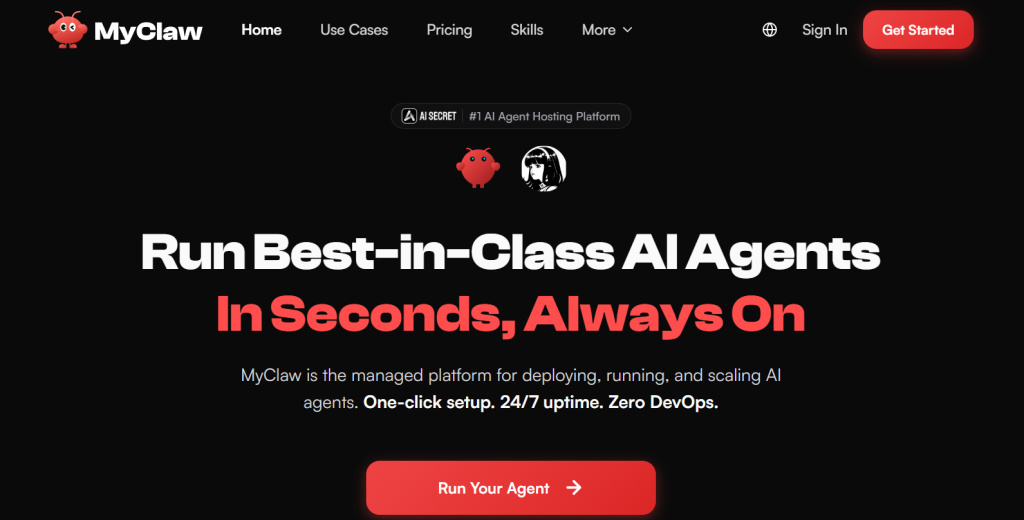
OpenClaw — the viral open-source AI agent that browses the web, writes code, manages your inbox, and runs errands from a WhatsApp message — has been one of the most talked-about tools in tech this year, racking up hundreds of thousands of GitHub stars and a reputation as “AI with hands.” There’s just one catch: to actually run it, you’re supposed to install it on an always-on server, wire up a background daemon, harden the security yourself, and keep a machine (often a dedicated Mac Mini or a rented VPS) online 24/7. For developers that’s a fun weekend; for everyone else, it’s a wall. MyClaw exists to knock that wall down. It’s a managed cloud hosting platform that deploys, runs, and scales AI agents like OpenClaw and Hermes Agent for you — one-click setup, 30-second launch, 24/7 uptime, auto-updates, daily backups, and zero DevOps.
For founders, marketers, freelancers, and busy professionals who want a personal AI agent that keeps working while they sleep — without becoming a part-time sysadmin — that’s a genuinely useful proposition. With plans starting around $16.60 per month (billed annually), 100+ integrations, 200+ model options, and access to your agent from email, Telegram, WhatsApp, or the browser, MyClaw is betting that most people want the power of an autonomous agent without the infrastructure headache. This 2026 review walks through exactly what MyClaw does, the agents it runs, the full feature set, transparent pricing (including the one cost that isn’t included), honest comparisons against self-hosting, the real limitations and security considerations, and precisely who should — and shouldn’t — sign up.
MyClaw Review 2026: Managed Cloud Hosting That Puts a 24/7 OpenClaw AI Agent Online in 30 Seconds — No DevOps Required
Overview and Background
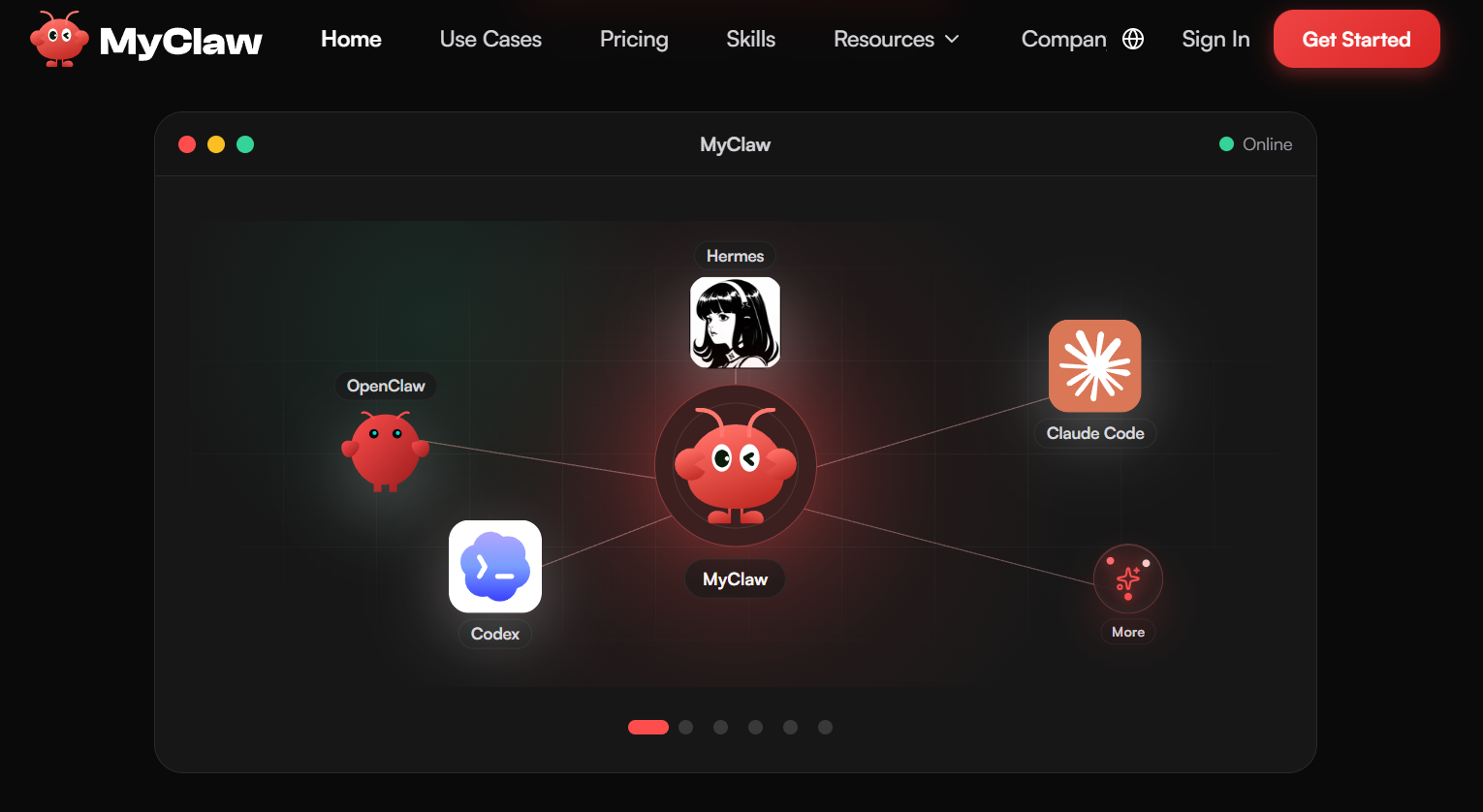
MyClaw is a managed platform for deploying, running, and scaling AI agents in the cloud. Instead of installing an autonomous agent on your own hardware and babysitting the infrastructure, you spin up a private, always-on instance on MyClaw’s servers in about 30 seconds, connect it to your channels and tools, and let it work. The platform is built primarily around OpenClaw and Hermes Agent, and positions itself to run best-in-class agents like Claude Code and Codex as the ecosystem grows.
To understand why a hosting service like this matters, you have to understand OpenClaw. Created by Austrian developer Peter Steinberger and launched in late 2025, OpenClaw (which cycled through the names Clawdbot and Moltbot before settling on OpenClaw in early 2026, after a trademark nudge from Anthropic) is an open-source, MIT-licensed autonomous AI agent. Unlike a chatbot that only answers questions, it takes action — running shell commands, controlling a browser, reading and writing files, managing email and calendars, and completing multi-step tasks triggered by a simple text message. It stores persistent memory as plain files, extends itself through a portable “skills” system, and runs on a heartbeat scheduler so it can act proactively without being prompted. It became one of the fastest-growing open-source projects in GitHub history, adopted from Silicon Valley to major Chinese cloud providers, and its creator has since joined OpenAI to lead personal-agent work while the project moves toward an independent open-source foundation.
The core insight behind MyClaw is simple: the agent software is free, but running it well is not easy. OpenClaw’s own reputation includes complaints about complex installation, high computational demands, and the need for an always-on machine — exactly the friction that stops non-developers from ever getting started. MyClaw sells the missing piece: dedicated, isolated compute (its plans allocate specific vCPU cores, RAM, and SSD storage), automatic updates as the fast-moving agent evolves, daily backups, encryption, and priority support. Operated by Cubo World Inc., MyClaw markets itself as the “#1 AI Agent Hosting Platform,” advertising 100+ integrations and 200+ model options across its stack.
Why MyClaw Stands Out in 2026
One-click deploy in about 30 seconds: The headline benefit is that MyClaw removes the entire setup gauntlet. There’s no server to provision, no daemon to configure, no dependencies to install and no security image to harden — you pick an agent, click deploy, and you’re running in roughly half a minute. For the enormous audience that wanted OpenClaw but bounced off the install instructions, this is the whole ballgame.
Genuinely always-on, 24/7 hosting: An autonomous agent is only useful if it’s actually running when work needs doing. Self-hosting on a laptop means the agent sleeps when you close the lid; MyClaw keeps your instance online around the clock, so scheduled tasks, monitoring, and proactive automations fire on time whether or not your own devices are on. That reliability is the difference between a novelty and a dependable digital teammate.
Private, isolated, encrypted instances with daily backups: Every plan runs on a fully private, encrypted instance with its own guaranteed slice of compute, plus automatic daily backups. Given that these agents touch your files, messages, and accounts, instance isolation and routine backups are meaningful safeguards versus a hastily configured DIY box — and a real part of what you’re paying for.
Auto-updates and zero maintenance: OpenClaw moves fast, with frequent releases and a rapidly expanding skills ecosystem. Keeping a self-hosted instance current is ongoing work; MyClaw handles updates and maintenance for you, so your agent stays on the latest version with security patches applied — without you tracking changelogs or re-deploying by hand.
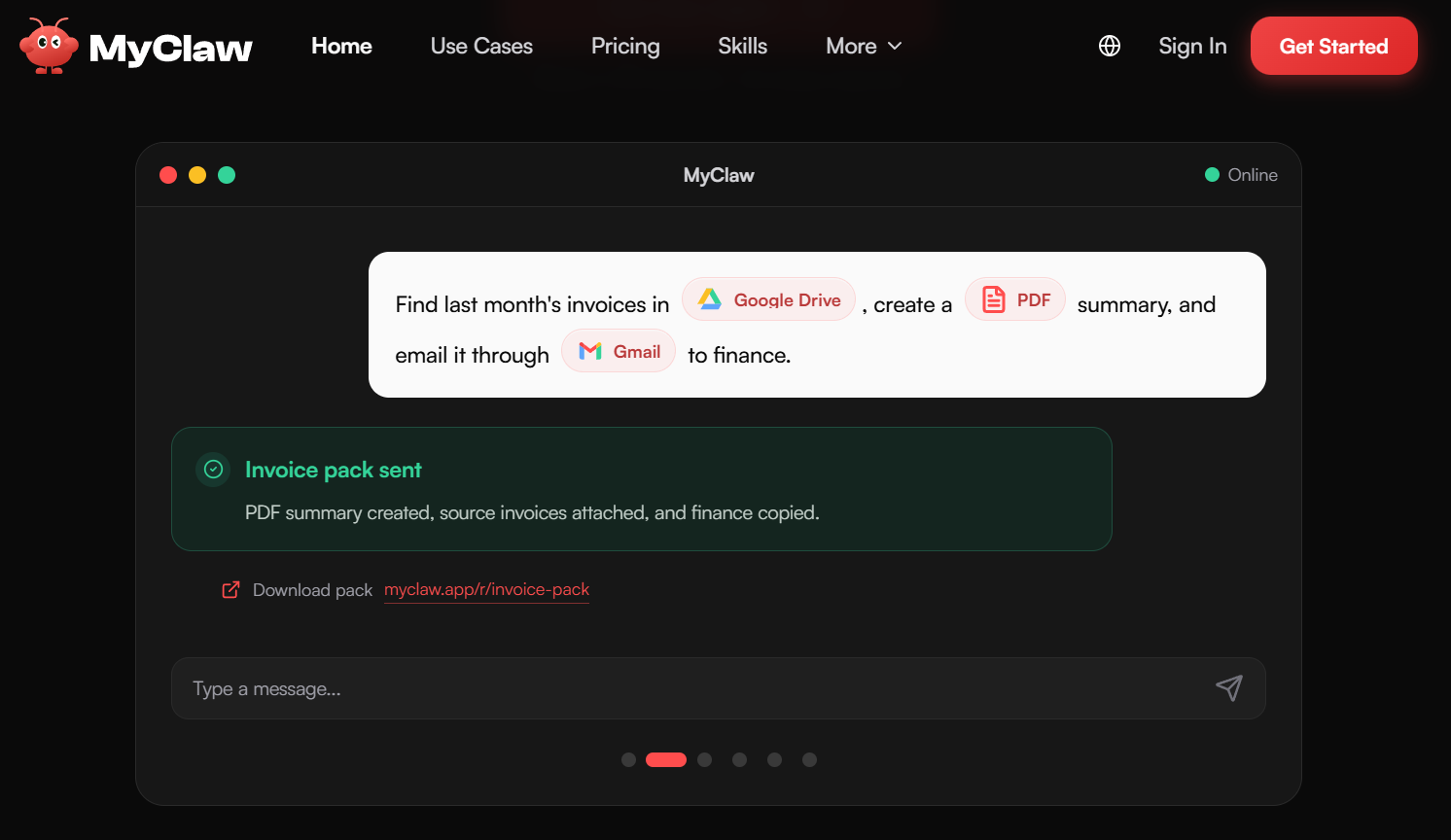
Reach your agent from the channels you already use: MyClaw lets you talk to your hosted agent from email, Telegram, WhatsApp, or the browser, and connect it to the files, repos, apps, and data your workflow already relies on. You’re not learning a new dashboard — you’re messaging an assistant from the apps that are already open on your phone.
100+ integrations and 200+ model options: The platform advertises deep flexibility: hundreds of integrations to plug the agent into your stack, and 200+ model choices so you can pair the agent with whichever LLM fits your budget and task — from frontier cloud models to more economical options. That breadth future-proofs your setup as models and prices shift.
More than one agent, one platform: MyClaw isn’t locked to a single tool. It runs OpenClaw and Hermes Agent today and frames itself as a home for top agents like Claude Code and Codex, so as the agent landscape evolves you can host different agents from one managed place rather than re-learning infrastructure for each.
Key Features and Technology
MyClaw’s feature set is best understood in four layers: the managed infrastructure, the agents it runs, the always-on automation, and the connections that make it useful. Here’s how it breaks down.
Managed Deployment and Infrastructure
At its core, MyClaw is infrastructure-as-a-service tuned for AI agents. Each plan provisions a dedicated, isolated instance with a specific allocation of vCPU cores, RAM, and SSD storage (from 2 cores / 4 GB / 40 GB at the entry level up to 16–64 cores / 32–128 GB / 320–1,280 GB at the top). Deployment is one-click and near-instant, the environment is fully private and encrypted, and MyClaw manages updates, maintenance, and daily backups so the machine side of the equation is invisible to you. This is the part self-hosters spend the most time on, and it’s exactly what MyClaw abstracts away.
The Agents It Runs — OpenClaw and Hermes Agent
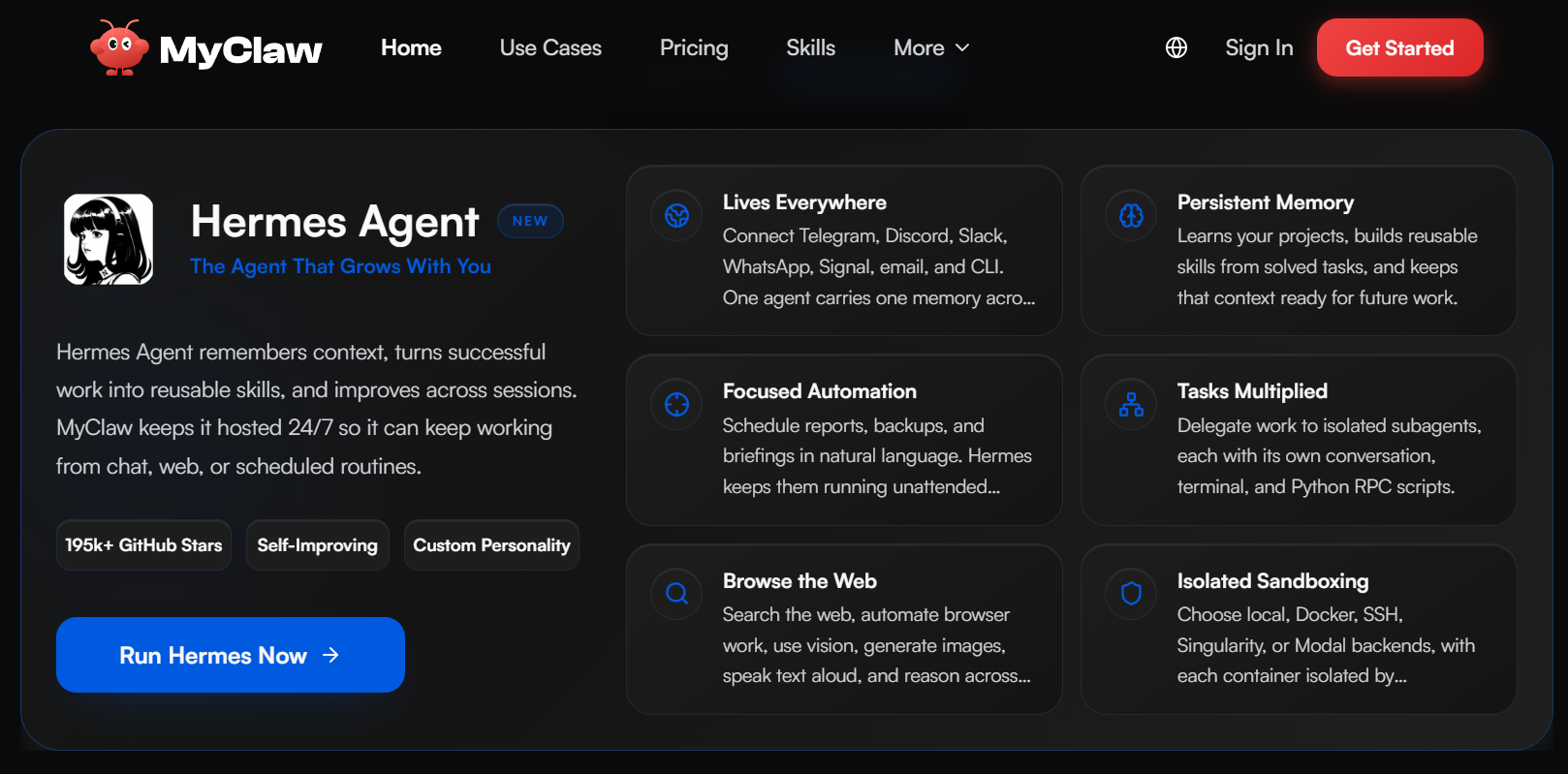
The star is OpenClaw: an autonomous agent that goes beyond chat to browse the web, write and run code, generate files, draft pages, and return results you can actually use. It maintains persistent memory, so it remembers context and adapts to your habits over time, and it’s extended through modular “skills” that teach it new tasks. Alongside it, MyClaw hosts Hermes Agent as a second option, giving users a choice of agent depending on their needs. Both are delivered as managed, always-on instances rather than something you compile and babysit yourself.
Always-On Automation and Scheduling
Because the instance never sleeps, your agent can run on a schedule rather than only when you prompt it. MyClaw highlights recurring jobs like daily reports, price monitoring, inbox triage, and page-watching: you set the goal once, and the hosted agent works on it continuously, only pinging you when something needs review or a decision. This “set it and forget it” automation is what turns an AI agent from a chat toy into a genuine background worker.
Skills, Integrations, and Model Choice
Every plan includes custom skills and integrations, so you can extend the agent’s capabilities and wire it into the apps, repos, and data you already use — with 100+ integrations advertised across the platform. On the model side, MyClaw supports 200+ options, letting you point the agent at the LLM that best balances capability and cost for each task. Crucially, you supply your own model access (API key), which keeps you in control of which provider you use and how much you spend on inference.
Pricing, Plans, and Package Structure
MyClaw is a subscription service with four tiers, billed monthly or annually (annual billing saves roughly 44%), and you can cancel anytime. The plans differ mainly in the compute they allocate — more vCPU, RAM, and storage as you climb — with priority support unlocking at Pro and guaranteed high-performance resources at Ultra. The prices below show the effective monthly rate on annual billing, followed by the month-to-month rate. Remember that AI model tokens are not included in any tier.
| Plan | Approx. Price | Resources | Best For |
|---|---|---|---|
| Lite | ~$16.60/mo annually (or $29/mo monthly) | 2 vCPU, 4 GB RAM, 40 GB SSD, daily backups | Personal projects and getting started |
| Pro (most popular) | ~$33.30/mo annually (or $59/mo monthly) | 4 vCPU, 8 GB RAM, 80 GB SSD, priority support | Power users who rely on AI daily |
| Max | ~$66.60/mo annually (or $119/mo monthly) | 8 vCPU, 16 GB RAM, 160 GB SSD, priority support | Heavy workloads and higher performance |
| Ultra | ~$133.30+/mo annually (or $239/mo monthly) | 16–64 vCPU, 32–128 GB RAM, 320–1,280 GB SSD, guaranteed resources | Demanding, always-busy multi-agent workloads |
How MyClaw Compares to Alternatives
| Factor | MyClaw (managed) | Self-host on a VPS | 1-Click Cloud Image | Local Mac Mini |
|---|---|---|---|---|
| Setup effort | ~30 seconds, one click | High (manual install, config) | Moderate (deploy, then manage) | High (hardware + setup) |
| DevOps / maintenance | None (auto-updates, backups) | You handle everything | You patch and update | You maintain the machine |
| Always-on 24/7 | Yes, by design | Yes (if you keep it up) | Yes (if you keep it up) | Only when powered on |
| Ongoing cost | From ~$16.60/mo + tokens | VPS fee + tokens (often cheaper) | Cloud fee + tokens | Upfront hardware + power + tokens |
| Best for | Non-DevOps users who value time | Technical users who want control | Semi-technical middle ground | Privacy-first local enthusiasts |
vs. self-hosting on a VPS: Renting a raw cloud server and installing OpenClaw yourself is usually the cheapest path on paper, and it gives technical users total control over configuration and data. But you own the whole burden — installation, security hardening, updates, uptime monitoring, and backups — and OpenClaw’s known learning curve and computational demands make that non-trivial. MyClaw trades a modest premium for erasing all of that. If you’re comfortable in a terminal and enjoy tinkering, self-hosting wins on cost; if your time is worth more than the difference, MyClaw wins on convenience.
vs. a 1-click cloud image: Some cloud providers offer security-hardened 1-click OpenClaw deploys, which lower the setup bar considerably. They’re a solid middle ground, but you still manage the underlying server — patching, scaling, and keeping the agent updated over time. MyClaw goes a step further by managing the instance for you end-to-end, including auto-updates and daily backups, so there’s genuinely nothing to administer after launch.
vs. running it locally on a Mac Mini: Plenty of enthusiasts buy a dedicated Mac Mini to run OpenClaw at home, which keeps everything local and private and avoids monthly hosting fees. The trade-offs are real: hundreds of dollars in upfront hardware, ongoing power and maintenance, and an agent that’s only “always on” as long as that machine and your home internet are. MyClaw removes the hardware investment and the reliability worry, at the cost of running on someone else’s cloud — the classic local-control-versus-managed-convenience choice.
Pros and Cons
What Users Love
It removes the hardest part: The biggest win is accessibility. OpenClaw’s power was always gated behind a painful setup; MyClaw’s one-click, 30-second deploy opens the door to people who would never have gotten it running otherwise. For non-developers, that’s transformative.
Truly always-on: Because the instance lives in the cloud, scheduled automations, monitoring, and proactive tasks actually run 24/7 — not just when your laptop is open. That reliability is what makes an agent worth trusting with recurring work.
Zero maintenance, always current: Auto-updates and managed maintenance mean your agent stays on the latest version with patches applied, without you tracking a fast-moving open-source project or re-deploying by hand. Set it up once and it keeps itself fresh.
Sensible safeguards baked in: Private, isolated, encrypted instances plus daily backups give you a materially safer starting point than a rushed DIY server — a real plus when the agent has access to your files and accounts.
Flexible and channel-native: With 200+ model options, 100+ integrations, support for multiple agents, and access from email, Telegram, WhatsApp, or browser, MyClaw fits into your existing tools rather than forcing a new workflow — and lets you tune cost versus capability by choosing your model.
Limitations Worth Knowing
AI tokens are a separate, variable cost: The most common surprise. MyClaw’s fee covers hosting only — you pay for model usage through your own API key on top, and a busy agent can add anywhere from a few dollars to well over $100 a month. The true monthly cost is hosting plus tokens, not the sticker price alone.
Cheaper to self-host if you have the skills: For technical users comfortable managing a server, renting a plain VPS and installing OpenClaw yourself is usually less expensive. MyClaw’s value is convenience, not the lowest possible price — so the ROI depends on how much you value your time.
You still own the security posture: Hosting isolates and encrypts your instance, but autonomous agents with system access carry real risks — security researchers have flagged a “lethal trifecta” of private-data access, exposure to untrusted content, and the ability to act. You should scope permissions carefully, be cautious with third-party skills, and avoid handing the agent unfettered access to critical accounts.
Getting real value still takes some savvy: Deployment is instant, but writing good goals, choosing the right model, and configuring skills and integrations to get useful output is a learning curve of its own. The infrastructure is handled; making the agent genuinely productive is still on you.
Tied to a young, fast-moving ecosystem: OpenClaw is barely a year old, has changed names multiple times, and is in the middle of a governance transition. It’s exciting, but it’s also volatile — expect rapid change, occasional rough edges, and evolving best practices around this whole category.
No clearly advertised free tier: Pricing starts at a paid plan (from roughly $16.60/month on annual billing), so there isn’t an obvious permanent free option to lean on. Check MyClaw’s current terms for any trial or money-back window before committing.
Who Should Use MyClaw
Non-technical people who want OpenClaw without the setup: If you’ve read the OpenClaw hype but glazed over at the install instructions, MyClaw is built for exactly you. Start on Lite to explore, then move to Pro once the agent becomes part of your daily routine.
Busy founders, marketers, and freelancers: Anyone who wants a 24/7 assistant handling inbox triage, monitoring, research, and recurring reports — while they focus on higher-value work — is the sweet spot. The Pro plan’s resources and priority support suit this group well.
Developers who’d rather ship than sysadmin: Plenty of capable engineers simply don’t want to babysit another server. If your time is better spent building than patching and monitoring an agent host, MyClaw is a reasonable “buy, don’t build” call — Max or Ultra if you’re running heavy or multiple agents.
Power users and small teams scaling automations: As your agent takes on more concurrent, always-busy tasks, the higher tiers’ guaranteed compute keeps performance steady. Ultra’s 16–64 core range is aimed squarely at demanding, multi-agent setups.
Who should probably skip it: Hardcore DIY developers with spare hardware and a love of tinkering will get it cheaper by self-hosting; strict privacy purists who want every byte to stay on their own machine may prefer a local install; and anyone on a shoestring who isn’t ready to pay a hosting fee plus token costs should wait until an always-on agent clearly earns its keep.
Getting Started: Step by Step
- Create your account and choose a plan. Sign up on MyClaw and pick the tier that matches your workload — Lite to explore, Pro for daily use — opting for annual billing if you want the ~44% discount.
- Pick your agent and deploy. Select OpenClaw or Hermes Agent and click deploy; your private, always-on instance spins up in about 30 seconds with no manual installation.
- Connect your AI model. Add your own API key from your chosen provider (Anthropic, OpenAI, Google, or a compatible model) so the agent can think — remember this usage is billed separately from hosting.
- Link your channels and tools. Connect email, Telegram, WhatsApp, or the browser, and wire in the files, apps, and integrations your workflow uses so you can message the agent from where you already work.
- Set goals, skills, and permissions. Give the agent clear tasks, enable the skills you need, and scope its access carefully — grant only what’s necessary, especially for sensitive accounts.
- Schedule and let it run. Set recurring automations (daily reports, monitoring, triage) and let your hosted agent work 24/7, checking in with you only when review is needed.
Tips for Getting Maximum Value
Right-size your plan to your actual usage rather than over-buying — most individuals are well served by Lite or Pro, and you can upgrade as your automations grow. Control your real total cost by matching the model to the task: use a cheaper, faster model for routine monitoring and reserve frontier models for genuinely hard work, since tokens are your variable expense on top of hosting. Choose annual billing once you’re confident MyClaw is a keeper to lock in the ~44% saving. Treat security as a first-class setup step: start the agent with limited permissions, be selective about third-party skills, and expand access only as you build trust in its behavior. Lean into the always-on advantage by scheduling the boring, recurring jobs — inbox triage, price and page monitoring, daily digests — where 24/7 uptime pays off most. And because both MyClaw’s pricing and the OpenClaw ecosystem are evolving quickly, check the official pricing page and current model support before you commit, and keep an eye on the project’s updates so your setup stays current.
Future Outlook and Final Assessment
The tailwinds behind MyClaw are strong. Autonomous AI agents are widely seen as the next major step beyond chatbots, and OpenClaw is at the center of that wave — one of the fastest-growing open-source projects ever, now with its creator at OpenAI and a move toward an independent, well-supported open-source foundation. As more people want an agent that acts on their behalf around the clock, the demand for someone to run it reliably only grows, and a polished managed host is a natural answer. MyClaw’s bet is that the future of agents is “always-on and hassle-free,” and that’s a reasonable place to stand.
The honest caveats hold: you’ll pay for AI tokens on top of hosting, technical users can do it cheaper themselves, the security responsibility for an autonomous agent is real, and the underlying ecosystem is young and fast-changing. But within those boundaries, MyClaw does the one thing that matters most for this category — it turns a powerful-but-fiddly open-source agent into a running service in under a minute — and for the right person, that convenience is well worth the price.
Conclusion
MyClaw takes the most exciting — and most intimidating — tool in the AI-agent world and makes it approachable. OpenClaw’s promise of an assistant that actually does things, all day, every day, was always throttled by the reality of self-hosting; MyClaw removes that friction with one-click deployment, genuine 24/7 uptime, auto-updates, backups, and private, encrypted instances, so you can go from “I’ve heard about this” to “it’s running” in about thirty seconds. Just go in clear-eyed: account for AI token costs on top of the subscription, configure your agent’s permissions with care, and pick the plan that matches how hard you’ll work it. Do that, and MyClaw hands you a capable, always-on AI teammate without the infrastructure headache — the kind of quiet leverage that, true to the AI Solutes way, makes everything easy.
Ready to put a 24/7 AI agent online without the DevOps headache?
Explore more honest reviews, tutorials and tool comparisons to find the right tech for the way you work and live — at AI Solutes, where we make everything easy.
👉 Get Started: https://ai-solutes.com/myclaw
👉 Our YouTube Channel: youtube.com/@ai-solutes
👉 Our Facebook Fanpage: Facebook
👉 Our X (Twitter): @AISolutes
- Explore Polybuzz AI: Secure Android Messaging and Next-Level Persona Customization
- Can You Generate High-Converting Marketing Assets Exploring Creao AI’s Smart Tools?
- Master CO2-Extracted Full Spectrum CBD: Verify COAs, Ensure Purity, and Choose CBDfx for Better Results
- ElevenLabs’ AI voice generation ‘very likely’ used in a Russian influence operation
- Digital Transformation 2025: Harness AI Personalization and Omnichannel Commerce to Future-Proof Your Business















