ImagineArt has rapidly evolved from a text-to-image generator into one of the most comprehensive all-in-one AI creative suites available in 2026 — consolidating image generation, video creation, voice cloning, AI music, background removal, 4K upscaling, and automated workflow pipelines into a single subscription trusted by over 100 million users worldwide. Before diving into the detailed feature breakdown and pricing analysis ahead, it’s worth noting what makes ImagineArt genuinely stand out in a crowded generative AI market: 15+ state-of-the-art models including Flux 2, Kling 3.0, Seedance 2.0, and Google Veo 3.1 accessible from one dashboard, the ImagineFlow node-based workflow automation system, a Personalize Character feature for custom AI characters, a free tier with daily credit refreshes requiring no credit card, one-click Imagine Apps for ad creative generation, and a built-in Team Workspace with role-based permissions. Whether you’re an e-commerce brand automating product photography, a content creator building YouTube and TikTok assets without filming, a digital marketer running multi-format campaigns at scale, a designer automating repetitive visual tasks, or a developer integrating AI image and video generation into your own application — this comprehensive 2026 review walks you through every major feature, plan, and real-world consideration of the ImagineArt platform.
ImagineArt Review 2026: The All-in-One AI Creative Suite That Replaces Five Tools at Once
Overview and Background
ImagineArt is an all-in-one generative AI creative platform designed to help creators, marketers, agencies, and enterprises produce professional-quality images, videos, music, and voice content at scale — simply by describing their ideas in plain text. Available across web, Android, and iOS, ImagineArt unifies over 50 AI models and multiple specialized studios under a single intuitive dashboard, replacing the fragmented stack of Midjourney, Runway, ElevenLabs, and other single-purpose tools that most professional creators currently juggle.
Where standalone AI image generators focus solely on text-to-image output, ImagineArt’s design philosophy is creative consolidation: giving individuals and teams a single workspace to imagine, generate, edit, animate, upscale, voice, and publish multi-format visual content — without context-switching between subscriptions, interfaces, or file formats.
Trusted by over 100 million users globally, ImagineArt has grown into one of the most widely adopted AI creative platforms in the world — a signal not only of accessibility but of genuine, repeated utility across a diverse audience of beginners and professionals alike.
Why ImagineArt Stands Out in 2026
- 15+ State-of-the-Art Models in One Place: Access ImagineArt 1.5, Flux 2, Kling 3.0, Seedance 2.0, Google Veo 3.1, and more — all from a single dashboard, without managing separate accounts or API keys for each model provider.
- ImagineFlow Workflow Automation: Build node-based visual pipelines that chain generation, editing, and export steps into fully automated, repeatable processes — a professional-grade automation capability rarely found in AI creative tools at this price point.
- Free Tier with Daily Credit Refresh: No credit card required to start — the free plan includes 100 credits with a daily refresh, making ImagineArt one of the most accessible AI creative platforms for users evaluating generative AI for the first time.
- Beyond Images — Video, Voice, and Music: ImagineArt generates HD video from text or images, clones voices, produces AI music, and powers a Lipsync Studio — making it a true multi-format creative suite rather than a single-output image tool.
- Imagine Apps for Instant Campaigns: One-click Imagine Apps transform a logo or product image into complete ad creative sets, social media posts, and full campaign visuals — compressing hours of design work into minutes for marketing teams.
- 100 Million+ User Community: Access a massive community of AI creators for inspiration, prompt sharing, and collaboration — with a public gallery of generated content that serves as a living reference library for exploring the platform’s creative range.

ImagineArt brings 15+ cutting-edge AI models, video creation, voice cloning, and workflow automation together in one platform — trusted by over 100 million users to generate professional-quality visual content at scale.
Key Features and AI Capabilities
ImagineArt’s competitive strength in 2026 is the sheer breadth of its generative AI toolset — offering image, video, audio, and automation capabilities that individually would require five or more separate platform subscriptions, all unified under one account.
Image Generation Studio
At the core of ImagineArt is its flagship text-to-image generation engine — one of the most capable and customizable in the market:
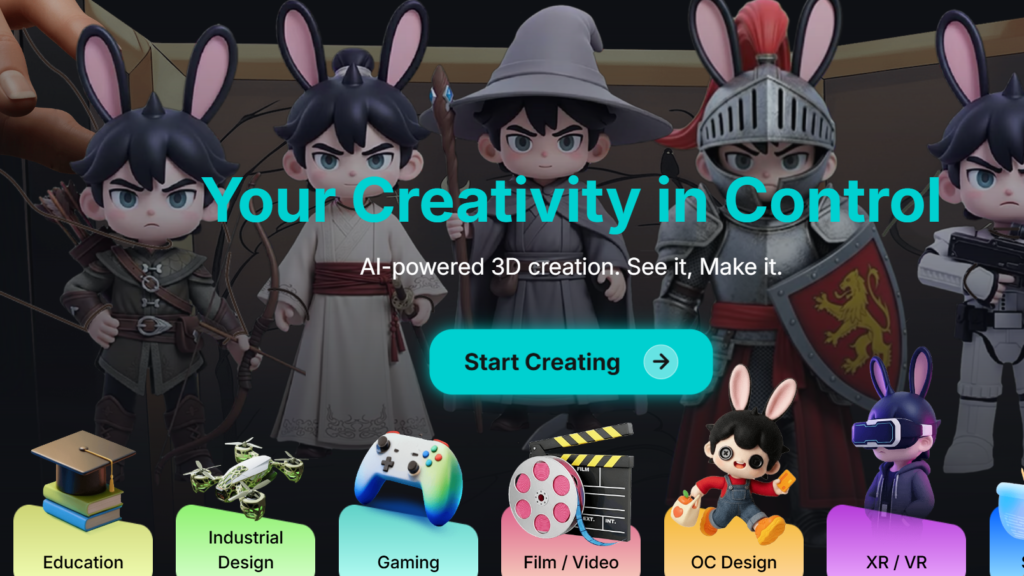
- Text-to-Image Generation: Convert descriptive text prompts into high-quality images across a vast range of styles — photorealistic portraits, digital illustrations, fantasy artwork, product photography, architectural visualizations, and more — in seconds.
- 50+ AI Models: Switch between models including Flux 2, ImagineArt 1.5, and others to match the visual style, realism level, and creative direction each project demands — without leaving the platform or managing separate model subscriptions.
- Image Reference Input: Upload an existing photo or image as a visual reference; the AI analyzes style, composition, and elements to generate new images that align with the uploaded aesthetic — giving users precise creative control beyond text alone.
- Personalize Character: Design custom AI characters using multiple reference images — maintaining consistent character identity across a series of generated images for storytelling, branding, game design, or social media personas.
- Real-Time Canvas: Watch images generate in real time as prompts are typed — enabling an interactive, iterative creative experience where ideas can be refined continuously rather than submitted and waited on.
- Aspect Ratio and Resolution Controls: Set precise aspect ratios, resolutions, and CFG scale values — giving advanced users granular control over output dimensions and prompt adherence without needing to understand model internals.
- Extensive Preset Library: Access a broad library of style presets — from anime and watercolor to cinematic and hyperrealistic — enabling users to generate desired aesthetics with minimal prompt engineering effort.
Video Generation Studio
ImagineArt’s video capabilities place it among the most powerful multi-format AI creative platforms available at any price point:
- Text-to-Video: Generate high-definition video clips directly from text descriptions — producing cinematic sequences, product demonstrations, social media content, and visual concepts without cameras, crews, or editing software.
- Image-to-Video Animation: Animate any still image — including AI-generated images or uploaded photos — with a wide range of motion styles including anime, claymation, Pixar-inspired, and cinematic movement.
- Kling 3.0 and Google Veo 3.1: Access two of the most advanced publicly available video generation models — Kling 3.0 for creative and stylized video, and Google Veo 3.1 for high-fidelity realistic video production — both available within the ImagineArt subscription.
- Seedance 2.0: Leverage Seedance 2.0 for nuanced motion control and character animation — particularly valuable for creators building character-driven video content or narrative sequences.
- 1080p HD Output: All video generations are output at 1080p HD resolution — suitable for social media publishing, marketing presentations, and client deliverables without quality compromise.
Editing and Upscaling Studio
- AI Inpainting: Select any area of a generated or uploaded image and replace or modify it with new AI-generated content — enabling precise, surgical edits without rebuilding images from scratch.
- Outpainting / Canvas Expansion: Extend any image beyond its original borders — filling expanded canvas areas with AI-generated content that seamlessly matches the existing image’s style and composition.
- Background Removal: Remove image backgrounds instantly — producing clean, isolated subjects ready for product photography, compositing, or social media use without manual masking.
- 4K Upscaling: Upscale any AI-generated or uploaded image to 4K resolution — enhancing detail, sharpness, and print-readiness for professional output requirements.
- HDR Enhancement: Apply HDR processing to boost the dynamic range and visual impact of generated images — producing richer, more dimensional outputs suitable for high-quality displays and print.
Audio Studio — Voice Cloning, TTS, and AI Music
ImagineArt’s audio capabilities go well beyond what most “AI image generators” offer — adding a full voice and music production layer to the creative suite:
- AI Voice Cloning: Clone any voice from a short audio sample — enabling creators to produce consistent voiceovers, narrations, and character voices across long-form projects without re-recording.
- Text-to-Speech: Generate natural-sounding spoken audio from any text input — useful for video narration, accessibility features, e-learning content, and social media voiceovers.
- Lipsync Studio: Synchronize AI-generated or uploaded video with any audio track — producing realistic lipsync output for character animation, localization, and marketing video production.
- AI Music Generator: Generate original AI music tracks from style and mood descriptions — creating royalty-free background music for videos, presentations, and creative projects without licensing costs or music production expertise.
ImagineFlow Workflow Automation
ImagineFlow is ImagineArt’s most distinctive professional feature — a node-based visual pipeline builder that elevates the platform from an interactive creative tool to a scalable automated production system:
- Node-Based Pipeline Design: Chain generation, editing, upscaling, and export steps into visual workflows — building repeatable automated processes that execute multi-step creative operations with a single trigger.
- Claude and ChatGPT Integration: Embed AI language model steps directly inside ImagineFlow pipelines — using LLM-generated prompts, captions, or creative briefs as dynamic inputs to downstream image and video generation nodes.
- Product Photoshoot Workflow: Transform a single product photo into an entire studio gallery — lifestyle, luxury, minimal, cinematic, and seasonal variations — in under five minutes using a pre-built ImagineFlow pipeline, eliminating the cost and logistics of traditional product photography.
- Agency-Scale Throughput: Run high-volume creative production jobs — campaign asset sets, catalog imagery, social media batches — at a speed and consistency that manual generation cannot match, making ImagineFlow a genuine competitive advantage for agencies and high-volume brands.
Imagine Apps — One-Click Creative Campaigns
- Ad Creative Generation: Upload a logo or product image and generate a complete set of production-ready ad creatives — sized and formatted for every major platform including Meta, Google, LinkedIn, and TikTok — in a single click.
- Social Media Asset Packs: Generate full social media post sets from a single creative brief — producing on-brand, platform-optimized visual content at a pace that keeps up with modern content calendar demands.
- Campaign Sets: Launch complete visual campaigns from a product image or brand asset — outputting a coordinated suite of images, video clips, and social posts aligned to a single creative direction.
Team Workspace and Collaboration
- Real-Time Collaboration: Invite team members to shared workspaces — enabling simultaneous creative work, asset review, and project management without file sharing or version confusion.
- Role-Based Permissions: Assign admin, editor, and viewer roles to team members and external collaborators — maintaining creative control while enabling appropriate access for agencies managing client projects.
- Folder Management and Version History: Organize generated assets into project folders and track version history — keeping large creative libraries manageable and enabling revision workflows without losing previous outputs.
Developer API
ImagineArt provides a high-performance API platform enabling rapid AI image, video, and audio generation for developers — allowing software teams to embed ImagineArt’s generative capabilities into their own applications without building or maintaining underlying AI models. This makes ImagineArt a viable backend for products requiring AI content generation at scale.

Content creators, e-commerce brands, and marketing agencies use ImagineArt’s image generation, video creation, and ImagineFlow workflow automation to produce entire campaign asset libraries in minutes — without cameras, studios, or traditional design tools.
Pricing, Plans, and Accessibility
ImagineArt offers a credit-based subscription model with a free tier and multiple paid plans — providing flexibility across casual users, independent creators, and high-volume professional teams. Understanding the credit system is essential to choosing the right plan for your actual usage patterns.
ImagineArt Pricing Breakdown for 2026
| Plan | Price | Best For | Key Inclusions |
|---|---|---|---|
| Free | $0 (no credit card required) | Platform evaluation, casual exploration | 100 credits with daily refresh; access to core image generation; public outputs; limited model access; no video or advanced features |
| Basic | ~$9/month | Light individual use, entry-level creators | Increased monthly credits; private generation visibility; broader model access; suitable for low-volume personal projects |
| Standard | $30/month (or ~$20/month billed annually) | Active creators, freelancers, small teams | Significantly more credits; full image and video model access; ImagineFlow workflows; Team Workspace; priority generation; private outputs |
| Ultimate | $50/month (or ~$34/month billed annually) | Agencies, e-commerce brands, power users | ~530 video generations/month; highest credit allocation; all models including Kling 3.0 and Veo 3.1; concurrent generation; maximum priority; full API access |
| Unlimited | $120/month | High-volume studios and enterprise teams | Unlimited real-time generations; up to 8,000 image generations/month; 2,000 video generations/month; highest priority queue; all platform features |
Important credit note: ImagineArt uses a monthly credit allocation model — unused credits do not roll over at month end. This means the cheapest plan is not always the most cost-effective if your usage is uneven. Plan selection should be based on your actual generation frequency, not just headline credit numbers.
Pro tip: Start on the free tier to evaluate image quality and interface fit. If you produce regular visual content for marketing, social media, or e-commerce, the Standard annual plan at ~$20/month delivers strong ROI compared to paying separately for Midjourney (~$10–48/month), Runway (~$15–95/month), and ElevenLabs (~$5–99/month). For agencies running campaign production at volume, the Ultimate plan’s video generation capacity at $34/month billed annually is one of the strongest value propositions in the AI creative tools market.
Value vs. Alternatives
- vs. Midjourney ($10–48/month): Midjourney produces exceptional artistic image quality but is image-only — no video, no voice, no workflow automation. ImagineArt matches or exceeds Midjourney’s image output quality via Flux 2 and other top models while delivering a complete multi-format creative suite at a comparable or lower total cost when accounting for all replaced tools.
- vs. Runway ($15–95/month): Runway specializes in professional AI video production with deep editing capabilities. ImagineArt offers comparable video generation quality via Kling 3.0 and Veo 3.1 at a significantly lower price point — making it the better value for creators who need both image and video without committing to Runway’s video-focused pricing.
- vs. Adobe Firefly (included in Creative Cloud, ~$54.99/month): Adobe Firefly’s strength is its integration within the Creative Cloud ecosystem. ImagineArt wins on model variety, video generation, workflow automation, voice capabilities, and standalone value — particularly for creators who don’t need the full Adobe suite.
- vs. DALL-E / ChatGPT Plus ($20/month): ChatGPT’s image generation via DALL-E is convenient but limited in artistic control, model variety, and output volume. ImagineArt delivers far greater creative depth, customization, and throughput for users whose primary workflow is visual content production rather than general AI assistance.
Comparisons: ImagineArt vs. Competitors in 2026
| ImagineArt 2026 | Midjourney | Runway | Adobe Firefly | DALL-E / ChatGPT | |
|---|---|---|---|---|---|
| Text-to-Image Generation | Yes (50+ models) | Yes (best artistic quality) | Yes (limited) | Yes | Yes (DALL-E 3) |
| Text-to-Video | Yes (Kling 3.0, Veo 3.1, Seedance 2.0) | No | Yes (core strength) | Limited (beta) | No |
| Voice Cloning / TTS | Yes | No | No | No | Yes (TTS only) |
| AI Music Generation | Yes | No | No | No | No |
| Workflow Automation | Yes (ImagineFlow, node-based) | No | Limited | Limited | No |
| 4K Upscaling | Yes | Yes | Yes | Yes | No |
| Custom Character Consistency | Yes (Personalize Character) | Limited | No | No | No |
| Team Workspace | Yes | Yes (via Discord) | Yes | Yes | No |
| Free Tier (No Credit Card) | Yes (daily refresh) | No | Yes (limited) | Yes (limited) | Partial (GPT free tier) |
| Developer API | Yes | No | Yes | Yes (enterprise) | Yes |
| Annual Entry Price | ~$20/month (Standard, annual) | ~$10/month (Basic) | ~$15/month (Standard) | Included in CC (~$54.99/month) | $20/month (Plus) |
| Best For | All-in-one multi-format AI creative production | Artistic image quality | Professional AI video | Adobe ecosystem users | Conversational AI + images |
ImagineArt’s edge: No competitor at the Standard plan price point matches ImagineArt’s combination of 50+ image models, professional video generation via Kling 3.0 and Veo 3.1, voice cloning, AI music, ImagineFlow automation, Personalize Character, Imagine Apps, and a Team Workspace. Midjourney wins on pure artistic image quality; Runway wins on professional video editing depth; Adobe Firefly wins for existing Creative Cloud subscribers. For independent creators, marketing teams, e-commerce brands, and agencies who need multi-format AI creative output at scale under a single subscription, ImagineArt is the clear consolidation choice in 2026.
Pros and Cons: What Users Say
What Users Love Most About ImagineArt
- Creative Breadth in One Subscription: Across G2, Capterra, and independent reviews, users consistently praise ImagineArt’s ability to replace multiple separate subscriptions — citing the elimination of Midjourney, Runway, and ElevenLabs costs as an immediate financial win alongside the workflow convenience of a unified creative dashboard.
- Model Variety and Quality: Users appreciate the ability to switch between 15+ top-tier models within a single session — matching the right model to each project’s specific quality, style, and speed requirements without logging into separate platforms.
- ImagineFlow for Agency-Scale Work: Professional users and agencies consistently cite ImagineFlow as a standout feature — the ability to automate multi-step creative pipelines transforms what would be hours of repetitive manual generation into automated batch workflows that run at scale.
- Ease of Use for All Skill Levels: G2 reviewers specifically highlight the accessible interface as enabling beginners to produce professional-quality outputs immediately — while still offering the advanced controls (CFG scale, aspect ratio, negative prompts, reference images) that experienced creators demand.
- Product Photography Automation: E-commerce sellers and digital marketers repeatedly highlight the Product Photoshoot Workflow as delivering immediate, measurable ROI — replacing expensive studio photography sessions with AI-generated lifestyle and product imagery in minutes.
- Free Tier Accessibility: The no-credit-card free tier with daily refresh is cited by first-time AI creative tool users as the primary reason they chose ImagineArt to explore generative AI — lowering the adoption barrier that credit card requirements create for students, freelancers, and cautious evaluators.
Limitations and Caveats Worth Knowing
- Credits Expire Monthly: Unused credits do not roll over at the end of each billing cycle — a meaningful constraint for users whose creative output is uneven month-to-month. Heavy users in slow months effectively forfeit paid capacity, making plan selection a careful exercise in honest usage forecasting rather than optimistic budgeting.
- Video Credits Drain Quickly: High-end video models like Seedance 2.0 and Kling 3.0 consume credits at significantly higher rates than image generation — users who underestimate their video needs on Standard plan may exhaust credits faster than expected and face the choice of upgrading or waiting for the next billing cycle.
- Free Tier Public Output Limitation: All outputs on the free tier are public by default — meaning generated images are visible in the community gallery. This is a meaningful privacy concern for users exploring commercial or sensitive creative concepts, who will need to upgrade to a paid plan to generate privately.
- Learning Curve for ImagineFlow: While basic image generation is immediately accessible, the ImagineFlow workflow builder has a meaningful learning curve — users without prior experience with node-based automation tools will need to invest time in tutorials and experimentation before realizing its full productivity potential.
- Customer Support Responsiveness: G2 reviewers note that customer support response times can lag — with some users citing difficulty getting timely help for billing questions, credit discrepancies, and technical issues. For enterprise users and agencies with deadline-sensitive production workflows, this is a risk worth acknowledging before committing at higher tiers.
- Monthly Plan Pricing: Month-to-month billing is notably expensive relative to annual commitment and to some single-purpose competitors — users not ready to commit annually may find the monthly Standard plan at $30/month harder to justify versus dedicated tools like Midjourney Basic at $10/month for image-only use cases.

E-commerce brands and marketing agencies use ImagineArt’s Product Photoshoot Workflow and Imagine Apps to generate complete campaign asset libraries — replacing traditional photography and design workflows with AI-powered production that runs in minutes, not days.
Common Use Cases and Who Should Use ImagineArt
Best Use Cases by User Profile
- E-Commerce Brands and Product Sellers: Use the Product Photoshoot Workflow to generate entire studio-quality image galleries from a single product photo — lifestyle shots, seasonal variations, and platform-specific formats — eliminating photography costs and production timelines for catalog updates and new product launches.
- Social Media Content Creators: Generate YouTube thumbnails, TikTok visual content, Instagram posts, and short video clips from text descriptions — maintaining a consistent, high-quality content calendar without filming equipment, editing software, or graphic design skills.
- Digital Marketing Agencies: Use ImagineFlow to automate multi-format campaign asset production — generating coordinated image and video sets for multiple clients simultaneously, at a throughput that manual creation cannot approach.
- Independent Designers and Illustrators: Use ImagineArt’s reference-based generation and Personalize Character feature to develop consistent visual identities, character sheets, and stylistic frameworks — then use AI generation to produce variations and assets faster than manual illustration allows.
- Game Developers and Storytellers: Design consistent custom characters with Personalize Character, generate environmental concept art, and produce narrative video sequences — using ImagineArt as an AI concept art pipeline that accelerates pre-production without replacing creative direction.
- Fashion and Lifestyle Brands: Generate model photography, editorial layouts, and seasonal lookbooks from text descriptions and reference images — producing brand-consistent visual content for digital and print channels at a fraction of traditional shoot costs.
- Developers and Software Teams: Integrate ImagineArt’s image, video, and audio generation capabilities into products via the developer API — building AI creative features into applications without managing underlying model infrastructure.
Step-by-Step: Getting Started with ImagineArt
- Access the Free Tier: Visit imagine.art — no credit card required. Create a free account and start generating images immediately with the daily refreshed credit allowance. Use this phase specifically to evaluate image quality, interface feel, and model variety before committing to any paid plan.
- Experiment with Multiple Models: Try the same prompt across several different models — Flux 2, ImagineArt 1.5, and others — to understand how model selection affects output style, realism, and creative direction. This exploration pays dividends in every future project.
- Try Image-to-Video on a Generated Image: Take your best image output and pass it through the video generation studio — experiencing ImagineArt’s multi-format capability firsthand and evaluating whether video quality meets your production standards before upgrading.
- Test the Product Photoshoot Workflow: If you sell products or manage brand visuals, upload a product photo and run the pre-built ImagineFlow photoshoot pipeline — the output quality relative to time invested is typically the clearest demonstration of the platform’s ROI for commercial users.
- Choose Your Plan: If you generate content regularly across image and video formats, the Standard annual plan at ~$20/month delivers compelling value. For high-volume agencies and e-commerce teams, the Ultimate plan at ~$34/month annually is purpose-built for production-scale throughput. Commit annually to avoid the significant monthly billing premium.
Tips for Getting Maximum Value
- Invest time in learning ImagineFlow before relying on manual generation for repetitive project types — the automation ROI compounds rapidly for any workflow you perform more than a few times per month.
- Use image reference inputs rather than relying solely on text prompts for style-sensitive projects — uploading a reference image alongside your text description dramatically improves aesthetic consistency and reduces the iterative generation cycles needed to reach the target look.
- Monitor credit consumption by model type — image generation, video generation, and upscaling consume credits at different rates. Track your usage in the first billing cycle to calibrate whether your current plan aligns with your actual production volume before credits expire.
- For team use, configure role-based permissions carefully before onboarding collaborators — distinguishing between editors who generate content and viewers who review and approve it prevents unintended credit consumption by team members unfamiliar with the credit cost of high-end video models.
Future Outlook and Final Assessment
ImagineArt’s 2026 trajectory — expanding its model roster, deepening ImagineFlow automation capabilities, growing its Imagine Apps one-click solution library, and scaling its 100-million-user community — positions it as the platform most likely to consolidate the fragmented AI creative tools market into a single professional standard for multi-format visual content production.
The platform’s ongoing integration of cutting-edge third-party models (Google Veo, Kling, Seedance) alongside its own ImagineArt models reflects a strategic position as a model aggregator and workflow layer rather than a single-model tool — meaning ImagineArt’s value increases every time a new frontier model is added to its roster, regardless of which company built it.
The primary competitive pressure comes from Adobe’s continued AI integration within Creative Cloud for users already inside that ecosystem, and from Midjourney’s devotion to pure image quality for artistic creators who prioritize aesthetic output above all else. But for the vast majority of professional creators and teams who need multi-format AI content production — image, video, voice, and music — under a single subscription with automation capability, ImagineArt’s consolidation value is increasingly difficult to match.
Conclusion
ImagineArt delivers one of the most complete, capable, and cost-effective AI creative suite experiences available in 2026. With 50+ AI models for image generation, professional HD video via Kling 3.0 and Google Veo 3.1, voice cloning, AI music generation, Lipsync Studio, ImagineFlow node-based workflow automation, Personalize Character for consistent AI characters, Imagine Apps for one-click campaign production, a Team Workspace with role-based permissions, a developer API, cross-platform access across web and mobile, and a free tier with no credit card required — ImagineArt has earned its place as the leading all-in-one AI creative platform for content creators, e-commerce brands, marketing agencies, and developers who refuse to pay for five separate subscriptions when one delivers everything they need. The monthly credit expiry policy, the video credit drain on high-end models, the public-output limitation on the free tier, and the ImagineFlow learning curve are real friction points — but for the vast majority of visual content professionals in 2026, ImagineArt is the AI creative platform that makes every other tool on your list redundant.
Ready to replace your fragmented AI tool stack with one platform that generates images, videos, voice, and music — all from a single dashboard?
👉 Open ImagineAre Account: https://ai-solutes.com/popai
👉 Our YouTube Channel: http://www.youtube.com/@ai-solutes
👉 Our Facebook Fanpage: https://www.facebook.com/profile.php?id=61576606911341
👉 Our X (Twitter): https://x.com/AISolutes
- Master Colossyan AI Video Generator: Features, Pricing, and Pro Strategies to Scale Global Video
- Supercharge Your Agency or SMB with Cloudways Managed Cloud Hosting: Speed, Security and Scalability Unlocked
- Blockadelabs
- Unlock the Future: How Coursera Dominates AI Upskilling and Digital Learning in 2025
- Could Switching Your Enterprise Training Workflows to VEED.io’s Template System Drastically Cut Down Asset Turnaround Time?