Welcome to your deep-dive into the future of workplace productivity with Microsoft Copilot 2025! In this dynamic era, productivity isn’t just a buzzword but a tangible advantage, shaped by intelligent dashboards, seamless integration, and industry-specific AI, all working in harmony to elevate your daily workflow. This article unpacks both the technology and the transformative user experiences Copilot delivers—from unified dashboards and powerful automation to simple, step-by-step guides you can try today. Whether you’re leading an enterprise or fine-tuning your freelance routine, discover how Microsoft Copilot 2025 can revolutionize your approach to efficiency, communication, and creative output.
Microsoft Copilot 2025 Unified Dashboard Interface
Imagine opening your computer at the start of the day and seeing a sleek command center—not a scattered array of apps and notifications competing for attention, but a unified dashboard where everything you need is just a click away. That’s the magic of Microsoft Copilot 2025.

Not long ago, professionals spent hours every week bouncing between emails, calendars, spreadsheets, chat windows, and project management tools. Now, Copilot’s unified dashboard means your major productivity apps—Outlook, Teams, Word, Excel, PowerPoint—are seamlessly interconnected. Information flows smoothly. Decisions get made faster. Distractions fade away.
Why the Unified Dashboard Matters
Let’s face it: time is the only currency we can’t really earn back. Running between siloed apps kills your flow and eats valuable minutes. Copilot’s unified dashboard is designed to counter this exact problem by centralizing:
- Your workflow tools
- AI-powered suggestions
- Real-time analytics
- Notifications, reminders, and more
So whether you’re a project manager overseeing dozens of deliverables or a startup founder hustling from pitch meetings to strategy docs, you waste less energy tracking down information—and invest more in what matters.
Key Features of the Copilot Dashboard
Let’s break down some game-changing features Copilot brings to its dashboard:
- Centralized Tool Access: Outlook, Teams, and Office apps converge at your fingertips. You can launch meetings, draft emails, edit presentations, and analyze data all within one hub.
- Task Overview: No more guesswork about what’s next. Your dashboard offers real-time project summaries, upcoming deadlines, and an organized task queue.
- AI Activity Feed: Stay updated on Copilot’s recommendations, document generation, and smart nudges about your schedule.
- Customization: Personalize your dashboard layout. Pin your most-used tools, add widgets tailored to your industry (whether you’re in healthcare or finance), and keep your workflow tight.
Expert Insights
“Unified dashboards are not just UI upgrades—when properly designed, they transform digital friction into fluid productivity. Copilot 2025 sets new standards for enterprise usability.”
— Dr. Aisha Malcolm, Enterprise AI Strategist
Essentially, Copilot’s dashboard is your daily productivity cockpit—engineered not just for convenience but for actual results. Think of it as leveling-up your workspace, with less clutter and more clarity.
User Experience: The Game Changer
Ever felt that a “smart assistant” only slows you down because you’re always switching windows or hunting for reminders? Copilot 2025 solves that with a one-stop interface. You won’t just manage communications and content—you’ll command your entire day from a single, coherent space.
How the Unified Dashboard Elevates Your Workflow
Here’s what shifts once you adopt the dashboard:
- Reduced App-Switching: Schedule meetings, edit docs, and assign tasks without jumping between tabs. Efficiency goes up, frustration goes down.
- Integrated Alerts & Reminders: Copilot intelligently nudges you—about deadlines, collaborations, approvals, or any workflow stalling.
- Productivity Analytics: See the hours saved by automation, where bottlenecks happen, and what’s improving (or not).
And the best part? You don’t need a degree in tech to figure it out. Newcomers are productive in minutes, while power users can dive into granular automation and deep customizations. A win for everyone.
Copilot Integration with Outlook and Teams
If you ask most business pros where their time goes, it’s usually a mix of emails and chat threads—and that’s where Copilot’s second big leap comes alive: direct Outlook and Teams integration.

Let’s talk about why this matters, then get into the nitty-gritty.
How Copilot Transforms Outlook
With Copilot living inside Outlook, you get:
- Automated Email Drafting: Ever struggle with the right tone or context in reply emails? Copilot uses your calendar, attachments, and previous chats to draft nuanced responses that sound authentically you.
- Smart Scheduling: Tired of calendar gymnastics? Copilot checks everyone’s schedule and urgency level, then suggests meeting times that really work.
- Priority Inbox Management: Important emails get surfaced; quick actions (follow-ups, task creation) are prompted before you even finish reading.
Imagine your inbox acting like a personalized assistant, sorting urgency and prepping responses while you grab your morning coffee.
Teams: Redefining AI Collaboration
Meetings shouldn’t be a data black hole where decisions vanish—all thanks to Copilot, they’re not.
- Real-Time Summaries: Copilot takes meeting notes live, aggregates tasks, and emails follow-ups before you’ve even left the video chat.
- Task Automation: Delegate, update, and track deliverables in real time, using just a conversational prompt.
- Seamless File Sharing: Based on what you’re discussing, Copilot finds and suggests files to attach—so you’re never scrambling for a doc mid-call.
Data Point
According to Microsoft’s 2025 adoption survey, 72% of enterprises report faster task completion and improved communication clarity after implementing Copilot-assisted Outlook and Teams workflows.
That’s more than a number—it’s hours of real work given back to real people.
Real-World Example
Picture a legal team responsible for massive due diligence. Instead of drafting every outreach email manually, tracking document reviews in a mess of spreadsheets, or scheduling endless calls, Copilot steps in:
- Drafts thoughtful initial contacts
- Tracks which documents are reviewed
- Organizes meetings—with automated invites
All with just a few clicks. The legal team spends less time tracking and more time strategizing.
Smooth Integration – User Verdict
“Copilot’s Outlook and Teams integrations save our team nearly 10 hours weekly. We’re no longer bogged down by repetitive tasks—everything we need is a single click away.”
— Lisa Tran, Operations Manager, GenTech Legal
Integration this deep turns Copilot from “cool tech” to a native productivity engine—the kind of assistant you actually use, not just install and forget.
Industry-Specific Microsoft Copilot Use Cases
Here’s where Copilot becomes more than one-size-fits-all. Rather than generic automation tools, Copilot 2025 features specialized AI models tailored to the exact needs of healthcare professionals, legal teams, and manufacturing operations. This makes productivity gains not just possible, but personalized.

Let’s see how this plays out, sector by sector.
Healthcare: Clinical Productivity and Compliance
Healthcare isn’t just about seeing patients—it’s rigorous, regulated, and paper-heavy. Copilot’s healthcare-specific AI works wonders:
- Automated Patient Notes: Imagine a doctor dictating during a consultation, and Copilot instantly transcribes and fills patient records—directly into the EHR system.
- Regulatory Tracking: Staying compliant is a moving target. Copilot flags new regulations or policy updates, so your clinical documentation stays up-to-date.
- Scheduling Optimization: AI analyzes trends (patient inflow, staff capacity) and suggests improvements—less overbooking, smoother transitions.
A 2024 study from the American Medical Informatics Association found that doctors spend over 17 hours per week on documentation alone. With Copilot, this time drops dramatically, freeing up hours for actual patient care.
Legal: Due Diligence and Research
Law practices have their own pain points—endless contract reviews, deadlines that can’t slip, and reams of precedents. Copilot’s legal intelligence delivers:
- Contract Summarization: Feed in a 60-page contract–Copilot extracts key clauses, legal risks, and actionable deadlines.
- Deadline Automation: It’s a headache tracking court dates and filings. Copilot monitors these, sending out reminders so nothing falls through the cracks.
- Case Research: Searches massive court databases, flags relevant precedents, and highlights trends—all in minutes.
Watch more: Midjourney v7 prompts 2025 guide
Manufacturing: Supply Chain Intelligence
Factories and logistics thrive on efficiency. Copilot’s manufacturing AI features bring:
- Inventory Monitoring: Analyzes live sensor (IoT) data, forecasts stockouts or surpluses—a game changer for lean operations.
- Work Order Automation: Supervisor messages or emails convert instantly into actionable work orders.
- Compliance Assurance: Audits and documentation are prepared automatically, ready for regulatory review.
Expert Insights: The Value of Tailored AI
“Generic AI can only solve generic problems. Copilot’s domain specificity means healthcare professionals, lawyers, and manufacturers all access productivity gains that truly fit their industry context.”
— Dr. Ravi Kumar, AI Solutions Architect
Data-Driven Impact
Let’s talk numbers:
- Healthcare: Time spent on documentation slashed by 40%
- Legal: Contract review speeds double on average
- Manufacturing: Inventory errors drop by 30% post-Copilot
These aren’t theoretical. They’re measurable, sector-by-sector improvements driven by targeted features.
Bonus Scenario: Nonprofits & Education
The power of tailored features isn’t just for business. Picture a nonprofit using Copilot to automate grant applications, organize fundraising events, and track volunteer communications. Universities leverage Copilot for curriculum scheduling, grading automation, and academic compliance—saving educators hours each week.
AI-Driven Productivity Workflow in Microsoft 365
Central to Copilot is its power to automate complex workflows within Microsoft 365—freeing you and your team from repetitive, high-volume tasks.

Who benefits? Everyone from small startups to global enterprises and even solopreneurs. With Copilot embedded, you don’t just delegate—you orchestrate.
Copilot-Powered Workflow Examples
Here’s a slice of Copilot in action:
- Meeting Recaps & Action Items: After a Teams call, you’ll find a concise summary and a drafted follow-up email ready to send—copied to everyone relevant, with tasks auto-assigned.
- Document Generation: Need a proposal or contract? Copilot assembles it from existing docs and recent communications, even double-checks compliance so you don’t miss a clause.
- Project Monitoring: Copilot creates visual dashboards that update in real time, helping you spot bottlenecks before they become disasters.
- Automation Chains: Setup onboarding, invoice processing, or support ticket routing in minutes—Copilot handles the details.
Practical Strategies for Boosting Output
How does Copilot ramp up your efficiency?
How Copilot Saves Time:
- No More Manual Data Entry: Copilot pulls info from emails and chats to fill forms, spreadsheets, or CRM platforms.
- Automatic App Sync: From calendar events to spreadsheet updates, Copilot pushes changes everywhere you need them—no switching, no copying.
- Predictive Automation: Copilot predicts recurrent tasks (weekly reports, monthly billing) and automates them before you even ask.
Case Study
Imagine a fast-growing startup running a nationwide product launch. With Copilot, every step—marketing emails, team reminders, survey distribution, live reporting—runs in parallel, with Copilot keeping schedules and tracking deliverables. Result: launch planning time drops by half, and the team’s stress levels plummet.
Expert Commentary
“Copilot’s workflow automation is now so advanced, even small businesses or non-technical teams can operate at enterprise-grade efficiency. The leap in productivity is measurable, not just anecdotal.”
— Janet Silva, Productivity Analyst
Integration with Other AI Tools
Copilot doesn’t work alone. It plays well with other major platforms—think Midjourney for creative renders, Deepseek for SEO, and analytics engines for business intelligence.
For instance, integrating Copilot with Deepseek API for SEO Automation lets you analyze keyword trends, automate reporting, and execute content strategies that actually move the needle. It’s not just about saving effort—it’s about driving smart, connected workflows.
Real-Life Example: Marketing Teams
Picture a marketing agency syncing Copilot with design tools and analytics platforms. Campaign ideas get drafted in Word, assets managed and revised in Teams, and performance tracked automatically across dashboards. The agency gains a 360-degree view of campaign health, with hours returned to creative work instead of admin.
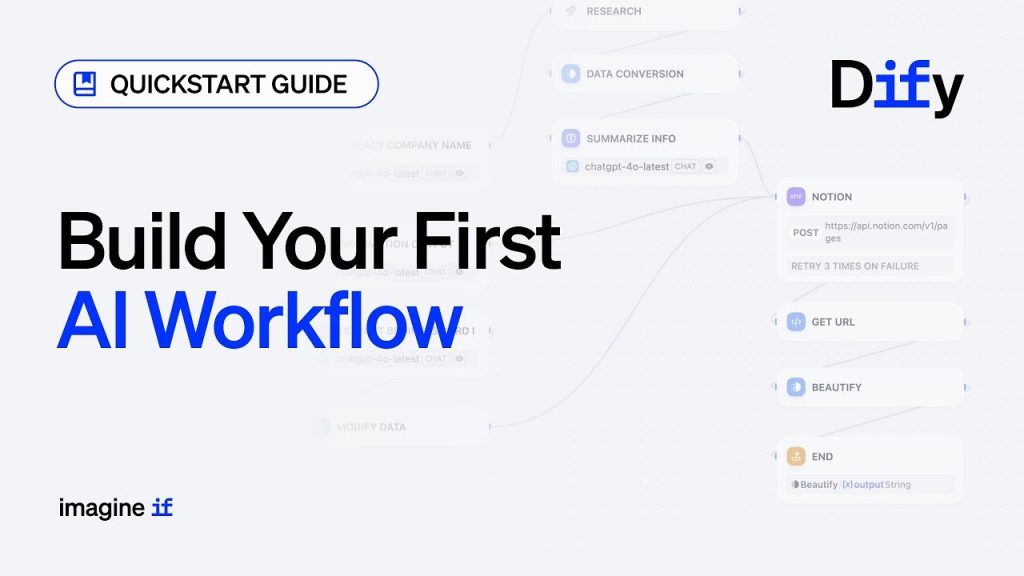
Step-by-Step Guide to Copilot Automation
Ready to move from curious reader to full-blown Copilot user? Here’s a hands-on, beginner-friendly walkthrough to transform your routine—automating those daily grinds, boosting your creative output, and streamlining operations.

Step 1: Access the Unified Dashboard
- Log in to your Microsoft 365 admin panel.
- Click the Copilot icon to launch the unified dashboard.
- Explore the main sections: Tasks, Integrations, Analytics, Industry Tools.
Tip: Spend a few minutes clicking through—get comfy with Copilot’s layout before building workflows.
Step 2: Connect Outlook and Teams
- Open the Integrations section.
- Select Outlook and Teams and follow prompts to securely link your accounts.
- Enable real-time sync and tweak notification preferences.
Pro Tip: Copilot leverages personal settings—blocking unwanted meetings, setting your out-of-office replies, and prioritizing calendar events.
Step 3: Choose an Industry-Specific Template
- Browse workflow templates (Healthcare, Legal, Manufacturing, etc.)
- Pick something relevant—maybe “automated meeting notes for healthcare” or “contract review for legal.”
- Preview each template’s steps and required inputs before you begin.
Curious? Try running a template as a demo—no risk, just learning.
Step 4: Configure Automation Steps
- Drag and drop blocks—think “Generate Email”, “Create Task”, “Summarize Document”—into your workflow builder.
- Set triggers: What starts the flow? Is it time-based, event-driven, or manual?
- Assign permissions: Who contributes? Who approves changes?
A lively workflow can have simple steps (meeting notes) or complex chains (client onboarding with documents, calendar, and communication integration).
Step 5: Activate and Monitor
- Click “Activate Workflow.”
- Use dashboard analytics to track progress, spot bottlenecks, and get Copilot’s improvement suggestions.
- Adjust settings, triggers, or permissions as your business evolves.
Pro Tips for Automation Beginners
- Start Small: Pick one high-friction task, like sending meeting recaps, and automate it before you scale.
- Review Regularly: Double-check Copilot’s suggestions—sometimes human input is critical before launching changes.
- Scale Up: Confident with your first workflow? Expand into cross-departmental processes for maximum impact.
Actionable Summary
You don’t need to write a single line of code. Simple drag-and-drop logic lets you build and evolve workflows—so even the least technical team member can start automating like a pro.
Advanced Tips for Power Users
If you’re a developer or tech-savvy leader, Copilot exposes advanced APIs and scripting hooks. Build custom widgets, automate specialized data pulls, or integrate external services—expanding Copilot’s reach far beyond standard templates.
Conclusion: Why Microsoft Copilot 2025 Changes the Productivity Game
Microsoft Copilot 2025 isn’t just about “doing things faster.” It’s about empowering teams to do smarter, more meaningful work while leaving behind the grind of repetitive admin. The unified dashboard offers clarity in a chaotic workday. Native links with Outlook and Teams mean your most important conversations are never lost. And industry-optimized features guarantee that everyone—from nurses to lawyers to factory supervisors—gets AI that truly understands their world.
With Copilot’s step-by-step instructions, you don’t have to be a tech wizard to benefit from automation and intelligence. Whether your goal is launching products, managing compliance, or simply having more time for deep work, Copilot meets you where you are. This is real transformation—not tech for tech’s sake, but workflows that work for you.
Ready to ride the new wave of AI-powered productivity?
Watch more: N8N Visual Workflow Builder AI Automation 2025
Start Your Copilot Journey Today
Are you an enterprise leader ready to oversee global teams, a freelancer craving freedom from repetitive chores, or a student dreaming of a smarter study routine? No matter your path, Microsoft Copilot 2025 is your toolkit for future-ready productivity.
Explore tutorials, product updates, and AI-powered inspiration below—connect with us, ask questions, and share your wins!
👉 Our Website: https://ai-solutes.com/
👉 Our YouTube Channel: http://www.youtube.com/@ai-solutes
👉 Our Facebook Fanpage: https://www.facebook.com/profile.php?id=61576606911341
👉 Our X (Twitter): https://x.com/AISolutes
And that’s the story of Microsoft Copilot 2025—a productivity revolution, designed for real people in a rapidly changing digital world. Are you ready to make the leap?
- Master Midjourney V7 Prompts in 2025: Ultimate Guide to Styles, Features, and AI Art Comparisons
- Discover How Ulike Sapphire Ice-cooling Technology Delivers Painless At-Home IPL Hair Removal for All Skin Types
- Transform Retail Inventory in 2026: Increff AI Inventory and Omnichannel Platform Review
- Genspark Review 2026: The End of Search?
- Can We Turn Brain Chaos into Clear Strategies? Inside MindManager’s Visual Mapping Tools