


Every organization that runs on data eventually faces the same three-in-the-morning question: if our systems went down right now — ransomware, a failed hypervisor, an accidental deletion, a cloud outage — how fast, and how cleanly, could we get everything back? For a startling number of businesses, the honest answer is “slower than we’d like, and less cleanly than we think.” Veeam exists to change that answer. It is the world’s most widely used data resilience platform — a single system for backing up, securing, and instantly recovering data across virtual machines, physical servers, public cloud, SaaS apps like Microsoft 365, Kubernetes, and even identity systems. With more than 400,000 customers worldwide, the #1 spot in global data protection market share, annual recurring revenue that has surged past $1.6 billion, and a genuinely free edition that protects up to 10 workloads at no cost, Veeam has become the default choice for IT teams who treat recovery not as an afterthought but as a core discipline.
But Veeam in 2026 is no longer “just backup.” It has evolved into a cyber-resilience and AI-governance platform, layering immutable-by-design protection, ransomware recovery warranties, and AI-driven recovery intelligence on top of its backup foundation — while positioning itself as the safe harbor for the wave of teams migrating away from VMware. This review walks through Veeam’s entire ecosystem — what it is and who builds it, the products and technology, the real (and often quote-based) pricing, honest head-to-head comparisons, genuine limitations worth knowing, and exactly who should — and shouldn’t — build their data strategy on it.
Veeam Review 2026: The Data Resilience Platform That Turns Backup Into Cyber-Ready, AI-Aware Recovery
Overview and Background
Veeam Software is a data resilience company that builds backup, disaster recovery, and cyber-protection software for virtual, physical, cloud-native, SaaS, and Kubernetes workloads. Founded in 2006 by Ratmir Timashev and Andrei Baronov, the company earned its early reputation by doing one thing exceptionally well — fast, reliable backup for virtualized environments (VMware and Hyper-V) at a time when most tools were still built for a physical-server world. That focus paid off. In January 2020, private-equity firm Insight Partners acquired Veeam in a deal reported at around $5 billion and moved its corporate headquarters to Columbus, Ohio. Under CEO Anand Eswaran, who took the helm in 2021, Veeam has posted years of double-digit growth, reached roughly 30% profitability, and — as of early 2025 — carried a reported valuation near $15 billion, with persistent speculation about an eventual IPO.
The market position is not marketing spin. Veeam is recognized by IDC as #1 in global data protection market share, and it has been named a Leader in the Gartner Magic Quadrant for Data Protection multiple years running — most recently ranked highest in Ability to Execute for the seventh time — as well as a Leader in The Forrester Wave for data resilience. Its customer roster spans household names like Siemens, Volkswagen, Shell, Airbus, Canon, and Carrefour, alongside hundreds of thousands of small and mid-sized businesses. The company sells almost entirely through a global network of channel partners and service providers rather than direct, which shapes how you buy it (more on that in pricing).
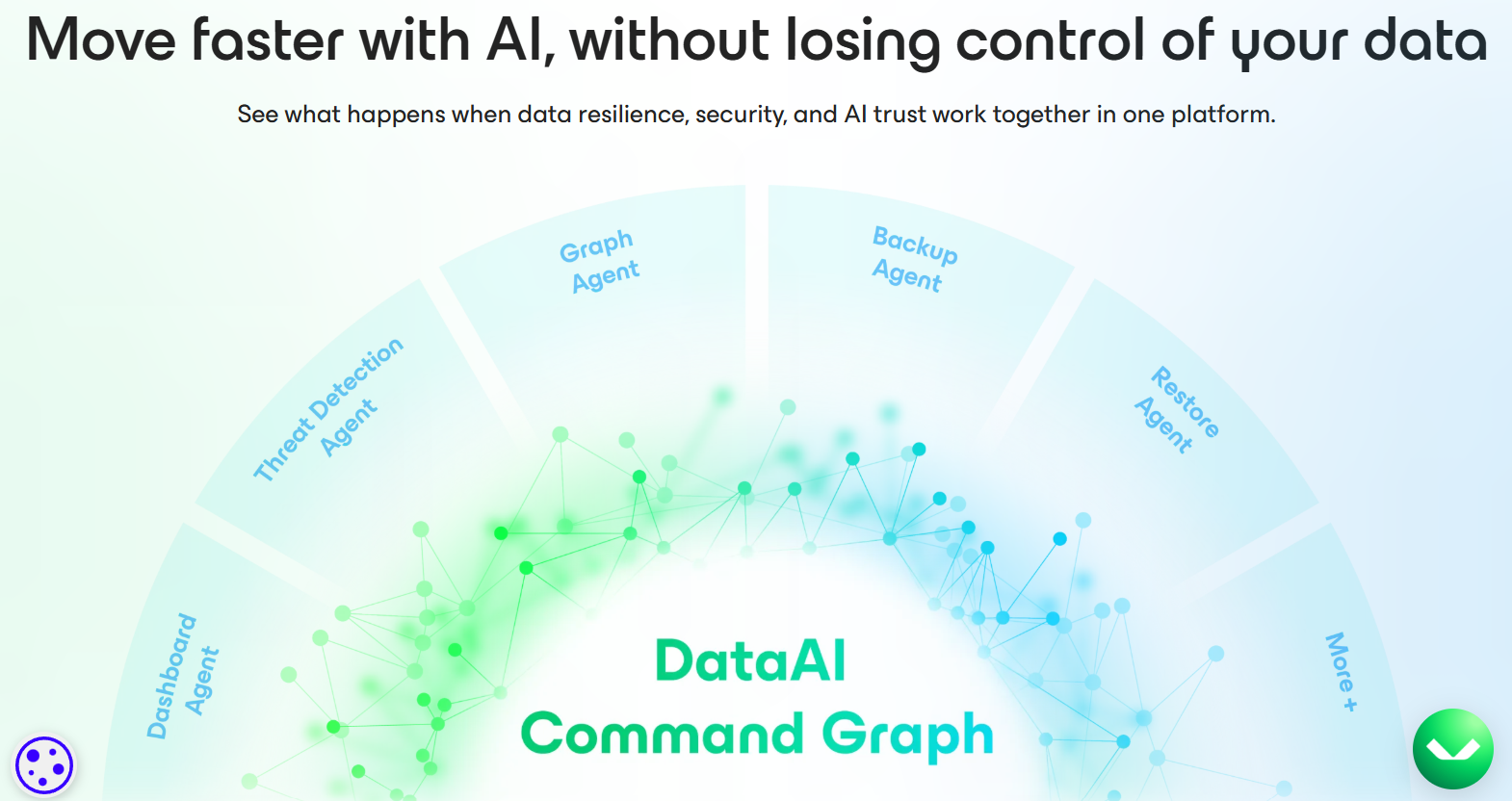
What makes Veeam relevant to a 2026 tools audience — beyond enterprise IT — is its deliberate pivot toward cyber resilience and AI. The newer Veeam DataAI Command Platform aims to unify visibility, security, governance, and recovery across data, AI systems, and identities, and the company has pushed hard into AI-era capabilities: AI-driven recovery insights, governance for AI agents, and tooling to help organizations adopt AI without losing control of their data. In short, Veeam has repositioned “backup” as the foundational layer of trusted, AI-ready data.

Why Veeam Stands Out in 2026
Immutable, secure-by-design protection: Veeam’s core promise in the ransomware era is that your backups themselves can’t be tampered with. Immutable-by-design backups mean that even if attackers compromise your environment, the recovery copies stay clean and unaltered — no encryption, no deletion. Combined with automated malware scanning of backups and the new Recon Scanner (which adds forensic threat detection), Veeam is built so you recover clean every time rather than restoring the very malware you’re trying to escape.
Instant recovery that’s genuinely fast: Backup is only half the job; the real value is speed of return. Veeam is known for instant VM recovery — spinning a workload back to life directly from the backup repository in minutes — and the company markets recovery up to 5x faster across a hybrid estate. Veeam Data Platform v13 even adds Instant Recovery directly into Microsoft Azure using a clean-room validation process, so you can restore critical workloads into the cloud without first rebuilding infrastructure.
Hypervisor-agnostic freedom — the VMware safety net: This is arguably Veeam’s biggest 2026 differentiator. As many organizations reassess VMware after its acquisition by Broadcom, Veeam offers true data portability and broad hypervisor support — VMware, Hyper-V, Nutanix AHV, Proxmox, Scale Computing HyperCore, and more, with Red Hat OpenShift Virtualization and a Universal Hypervisor Integration API on the 2026 roadmap. Because Veeam isn’t locked to any one platform, it lets you back up on one hypervisor and restore on another, turning it into a migration and anti-lock-in tool as much as a backup one.
Ransomware recovery with a warranty: Veeam doesn’t just claim to protect against ransomware — its Premium tier and Cyber Secure program back recovery with an actual Ransomware Recovery Warranty, plus dedicated incident response through Coveware by Veeam, a team that has handled thousands of cyber-extortion cases. For risk-conscious leadership, “we have a warranty on our ability to recover” is a very different conversation than “we hope our backups work.”
A real AI and governance angle: Where Veeam intersects the broader AI-tools landscape is its DataAI Command Platform and AI-driven recovery insights — using intelligence to pinpoint the cleanest recovery point and speed up decision-making during an incident. Newer capabilities like Intelligent ResOps and agent-governance tooling are aimed squarely at the agentic-AI era, helping teams keep AI systems and the data feeding them both protected and auditable.
One platform, nearly every workload: Few competitors match Veeam’s breadth. A single ecosystem covers on-prem VMs and physical servers, AWS, Azure and Google Cloud, Microsoft 365 and Entra ID, Salesforce, NAS/unstructured data, and Kubernetes (via Veeam Kasten). For teams tired of stitching together three or four point tools, that consolidation is a major operational win.
Independently validated market leadership: It’s rare for the popular choice to also be the analyst-endorsed one, but Veeam pulls it off — #1 in market share per IDC and a repeat Leader in both Gartner and Forrester evaluations. For a category where the cost of choosing wrong is measured in downtime and lost data, that track record is genuine reassurance.
Key Features and Technology
Veeam’s portfolio is best understood as a layered platform: a core data-protection engine, a fully managed SaaS option, specialized coverage for Kubernetes and cloud storage, and a security layer wrapped around all of it. Here is how the ecosystem breaks down.
Veeam Data Platform — The On-Prem Backbone
This is the flagship you install and run yourself, built around the legendary Veeam Backup & Replication engine. It handles image-based backups, replication for disaster recovery, granular restores (a single file, an email, a database record, or a whole VM), and instant recovery. The higher editions bundle Veeam ONE for monitoring, analytics, capacity planning, and compliance reporting across the backup estate, and Veeam Recovery Orchestrator for automated, tested disaster-recovery runbooks. The 2025–26 v13 release added a Linux-based, secure-by-default Veeam Software Appliance and a unified console you can activate without a disruptive migration; v13.1 is layering on Active Directory Forest recovery in minutes, single-port secure transport, NAS and cloud malware detection, and post-quantum cryptography.
Veeam Data Cloud — Backup as a Service
For teams who don’t want to manage backup infrastructure at all, Veeam Data Cloud is the fully managed, SaaS delivery of Veeam’s protection — most prominently for Microsoft 365 and Microsoft Entra ID, but extending to Salesforce and Azure. It’s the cleanest on-ramp for cloud-first and SaaS-heavy organizations: Microsoft famously does not guarantee recovery of your Microsoft 365 data under the shared-responsibility model, and Veeam Data Cloud closes that gap without you standing up a single server.
Veeam Kasten — Kubernetes Data Protection
As more workloads move to containers, Veeam Kasten provides purpose-built backup, mobility, and disaster recovery for Kubernetes — covering the specific realities of cloud-native apps (stateful sets, persistent volumes, application-consistent snapshots) that traditional backup tools handle poorly. It’s a serious differentiator for engineering-led and platform teams.
Veeam Vault — Secure Cloud Storage
Veeam Vault is fully managed, immutable cloud storage designed to be the offsite, air-gapped copy in your backup strategy — useful for meeting the classic 3-2-1-1-0 rule (three copies, two media types, one offsite, one immutable/offline, zero errors). It removes the friction of separately configuring object storage, though it is a distinct cost line from the software license.
Cyber Resilience and Recovery Layer
Wrapping the whole platform is Veeam’s security story: immutable backups, automated malware and anomaly scanning, the Recon Scanner for forensic detection, open SOC/SIEM integration through the Veeam Incident API, the Cyber Secure program (which strengthens posture before an attack and confirms recovery after, with a warranty), and Coveware by Veeam for hands-on incident response. This is the layer that reframes Veeam from “backup vendor” to “cyber-resilience platform.”
Pricing, Plans, and Package Structure
Veeam has moved almost entirely to a subscription model (new perpetual licenses have been discontinued), priced per workload through channel partners — so there is no simple public price tag, and final numbers vary by region, reseller, edition, term length, and deal size. The figures below reflect commonly cited market ranges for the Veeam Data Platform tiers, not official list prices, and should be treated as ballpark. Cloud storage (e.g., Veeam Vault) is typically a separate line item, and Veeam has raised prices roughly 4–8% in both January 2025 and January 2026, so multi-year budgeting should assume compounding increases.
| Plan / Edition | Approx. Price | What You Get | Best For |
|---|---|---|---|
| Community Edition | Free (forever) | Full-feature backup for up to 10 workloads/instances, no credit card | Home labs, very small setups, evaluating in production |
| Backup Essentials (SMB) | Quote-based (5-instance packs, 50-instance ceiling) | Enterprise-grade features scaled and priced for small environments | Small businesses with 5–50 workloads |
| Data Platform Foundation | ~$250 / workload / year* | Core backup, replication, instant recovery, license portability | Orgs needing solid, portable protection without extras |
| Data Platform Advanced | ~$350 / workload / year* | Adds Veeam ONE monitoring, analytics, capacity planning, enhanced security | Mid-market teams needing proactive monitoring and reporting |
| Data Platform Premium | ~$450 / workload / year* | Adds Recovery Orchestrator, automated recovery testing, Recon Scanner, Ransomware Recovery Warranty | Enterprises with strict DR, security, and compliance needs |
| Veeam Data Cloud (SaaS) | From ~$1–3 / user / month* | Fully managed backup for Microsoft 365, Entra ID, Salesforce, Azure | Cloud/SaaS-first teams who won’t run infrastructure |
| Veeam Vault (storage) | From ~$14 / TB / month* | Immutable, offsite cloud storage for backup copies and cloud DR | Adding an air-gapped, offsite tier to any Veeam deployment |
How Veeam Compares to Alternatives
| Factor | Veeam | Rubrik | Cohesity | Native / Legacy Tools |
|---|---|---|---|---|
| Deployment model | Software-first (self-hosted, SaaS, or via provider) | SaaS/appliance, subscription-only | Hyperconverged appliance / SaaS | Built-in snapshots, scripts, or tape |
| Workload breadth | Very broad: VM, physical, cloud, SaaS, K8s, identity | Broad, cloud-leaning | Broad, data-management focus | Narrow / platform-specific |
| Hypervisor portability | Excellent (key VMware-alternative story) | Good | Good | Usually locked to one platform |
| Ransomware / cyber recovery | Immutable + warranty + Coveware IR | Strong (security-first brand) | Strong | Minimal / manual |
| Free tier | Yes — up to 10 workloads | No (trial only) | No (trial only) | Bundled but limited |
| Pricing transparency | Quote-based via partners | Quote-based, often premium | Quote-based, appliance cost | Low license cost, high labor |
vs. Rubrik: Rubrik is Veeam’s most talked-about modern rival, with a polished, security-first, SaaS-native platform and strong momentum since its IPO. Its edge is a clean cloud-era experience and cyber-recovery focus. Veeam counters with far broader deployment flexibility (you can self-host, go SaaS, or buy through a provider), deeper hypervisor portability, a genuine free tier, and the longest track record in the category. For cloud-first teams that want managed simplicity above all, Rubrik is compelling; for teams that value flexibility, breadth, and avoiding lock-in, Veeam pulls ahead.
vs. Cohesity (and the former Veritas): Cohesity — now combined with Veritas’s enterprise data-protection business — is a heavyweight in large-enterprise data management, strong where consolidating secondary data and analytics matter. It can be excellent at the top end, but it often carries appliance-centric assumptions and enterprise complexity. Veeam is typically lighter to start, more hardware-agnostic, and easier for mid-market teams to adopt without a large platform commitment.
vs. native snapshots, scripts, or legacy tape: Relying on a hypervisor’s built-in snapshots, hand-rolled scripts, or aging tape backup looks cheap on the license line, but it quietly shifts cost onto your team’s time and your recovery risk. These approaches rarely deliver immutability, application-consistent restores, ransomware scanning, or fast cross-platform recovery. Veeam automates all of it — the license costs more, but the recovery confidence (and the hours saved) usually justify the move for any business whose data actually matters.
Pros and Cons
What IT Teams Love
Rock-solid reliability and fast restores: The single most consistent praise in user reviews is that Veeam simply works — backups complete, and restores (from a single file to an entire VM) are fast and dependable. In a category where the whole point is “does it come back,” that reputation is Veeam’s strongest asset.
Genuine flexibility and no lock-in: Back up on one platform, restore on another; run it on-prem, in the cloud, or as SaaS; protect almost any workload from one system. That portability is increasingly valuable as teams rethink VMware and diversify their infrastructure.
Serious ransomware and cyber-resilience posture: Immutable backups, malware scanning, forensic detection, open SOC integration, and an actual recovery warranty put Veeam well ahead of basic backup tools — and give leadership a defensible answer to “are we protected?”
A real free edition and a low-risk on-ramp: Community Edition protects up to 10 workloads with full features at no cost — a rarity among enterprise platforms. It lets you prove the tool in production before spending a cent, which reviewers repeatedly highlight as a reason they adopted it.
Proven leadership and a large ecosystem: #1 market share, repeat Gartner and Forrester Leader status, a huge partner and community network, and deep integrations with Microsoft, AWS, HPE, Nutanix and more mean you’re buying into a well-supported, well-documented platform — not a risky bet.
Limitations Worth Knowing
It can get expensive at scale: The most common complaint is cost. Per-workload licensing adds up quickly in large or fast-growing environments, cloud storage is a separate expense, and Veeam has pushed 4–8% price increases in consecutive years. For big estates, budget carefully and negotiate hard.
Licensing is genuinely confusing: The VUL instance-counting model (workstations, NAS capacity, and Entra ID users all convert to instances at different ratios) trips up newcomers and large deployments alike. Getting a quote right means doing a careful workload inventory first — it is not a glance-at-the-page purchase.
The UI and multiple consoles can feel fragmented: Between Backup & Replication, Veeam ONE, the Data Cloud portal, and other modules, some users find the experience complex or spread across too many interfaces. The v13 unified console is a direct response, but full mastery still has a learning curve.
It expects real infrastructure and skill: Self-hosted Veeam wants a backup server, storage repositories, and adequate compute — and it rewards a competent admin. Reviewers note it can be resource-hungry and that architecture “can feel complex for beginners.” It is overkill for a single laptop or a tiny shop that just needs file sync.
Support and quotes run through partners: Because Veeam sells via channel partners, your buying and sometimes your support experience depends on that partner — and while support is generally well-rated, some users report occasional slow response times. Choose a strong, responsive Veeam partner, as it materially shapes your experience.
Who Should Use Veeam
Small businesses that have outgrown “hope”: If you’re running a handful of servers or VMs and currently relying on manual copies or nothing at all, start with Community Edition (up to 10 workloads, free), then step into Backup Essentials as you grow. It’s the lowest-risk way to get enterprise-grade protection.
Mid-market and enterprise IT teams: Organizations with mixed estates — VMs, physical servers, multiple clouds, and SaaS — get the most from Veeam’s breadth. Data Platform Advanced (for monitoring) or Premium (for orchestrated DR, ransomware warranty, and forensic scanning) is the natural fit where uptime and compliance are non-negotiable.
Teams re-evaluating VMware: If Broadcom’s changes have you weighing Hyper-V, Proxmox, Nutanix, or another hypervisor, Veeam’s portability turns a scary migration into a manageable one — back up where you are, restore where you’re going. For many, this alone justifies adopting Veeam now.
Microsoft 365 and SaaS-heavy organizations: If most of your critical data lives in Microsoft 365, Entra ID, or Salesforce, Veeam Data Cloud closes the shared-responsibility gap without you managing infrastructure — the cleanest, fastest route to real SaaS backup.
Managed service providers and IT consultants: Veeam’s service-provider program, multi-tenancy, and partner ecosystem make it a strong platform to deliver backup-as-a-service to your own clients — a genuine revenue line, not just an internal tool. Where Veeam is a poor fit: individuals or micro-teams who simply need consumer file backup or cloud sync will find it far more than they need.

Getting Started: Step by Step
- Inventory your workloads first. List your VMs, physical servers, workstations, NAS/unstructured data capacity, cloud instances, and Microsoft 365/Entra ID users. This is the single most important step — it determines both the right product and your VUL instance count (and therefore your price).
- Start free with Community Edition. Download Veeam Backup & Replication Community Edition and protect up to 10 workloads at no cost. Use it to validate performance, restore speed, and fit in your real environment before spending anything.
- Choose the right product line. Pick self-hosted Veeam Data Platform for full control, Veeam Data Cloud for managed SaaS (especially Microsoft 365), Veeam Kasten for Kubernetes, and add Veeam Vault if you need immutable offsite storage.
- Design your backup strategy. Apply the 3-2-1-1-0 rule — multiple copies, different media, one offsite, one immutable/air-gapped, zero errors — and enable immutability plus malware scanning from the start rather than bolting them on later.
- Get a quote through a Veeam partner. Take your instance count to a reseller, compare one-, three-, and five-year terms, and confirm exactly what’s included — insist that storage, support, and implementation are itemized, and ask about renewal rates up front.
- Deploy, then test recovery — repeatedly. A backup you’ve never restored is a hope, not a plan. Schedule regular recovery tests (Premium can automate this), keep the platform updated, and rehearse your ransomware playbook before you ever need it.
Tips for Getting Maximum Value
Squeeze the most out of Veeam by treating licensing and testing as ongoing disciplines, not one-time tasks. Always begin with the free Community Edition to prove value before you buy, and size your paid quote around a precise workload inventory — because the VUL ratios (three workstations or 500 GB of NAS to one instance) can cut or inflate your bill significantly depending on how you count. Negotiate on term length and, crucially, on renewal rates, which can climb to 25–30%+ and are negotiable; locking a multi-year rate can blunt the annual 4–8% increases. Don’t over-buy editions: pay for Premium only if you genuinely need orchestrated DR, automated recovery testing, and the ransomware warranty — many teams are well served by Foundation or Advanced. Enable immutability and malware scanning from day one, keep at least one air-gapped copy (Veeam Vault or object storage), and actually schedule recovery drills, since an untested backup is the most expensive kind. And choose your partner carefully — a responsive, knowledgeable Veeam reseller shapes both your pricing and your support experience.
Future Outlook and Final Assessment
The tailwinds behind Veeam are strong. Ransomware isn’t slowing down, regulatory pressure on data resilience keeps rising, the VMware shake-up is sending organizations hunting for portable, hypervisor-agnostic protection, and AI is putting a premium on trusted, recoverable, well-governed data. Veeam’s bet — that backup should evolve into a full cyber-resilience and AI-governance layer — lines up neatly with all four trends, and its 2026 roadmap — v13.1’s identity recovery and post-quantum cryptography, broader hypervisor support, and agent-governance tooling — shows a company extending its lead rather than resting on market share.
The honest caveats remain: it’s priced at a premium and can get expensive at scale, the VUL licensing is genuinely confusing, self-hosting demands real infrastructure and skill, and quotes and support run through partners. But those are the trade-offs of a serious, enterprise-grade platform — and for most organizations whose data underpins the business, they’re trade-offs worth making. Within its lane, Veeam delivers one of the most reliable, flexible, and cyber-ready data protection experiences available in 2026.
Conclusion
Veeam has earned its place as the world’s leading data resilience platform by nailing the thing that matters most — getting your data back, fast and clean, no matter what breaks or who attacks. It’s reliable where it counts, flexible enough to protect almost any workload without lock-in, seriously equipped for the ransomware era, and forward-looking in its embrace of AI and cyber resilience. It isn’t the cheapest or the simplest option, and its licensing takes real homework — but for professionals, IT teams, and growing businesses whose data is the business, few tools inspire more confidence. Inventory your workloads, start with the free edition, pick the tier that matches how you actually operate, and Veeam takes one of the most stressful responsibilities in modern business and helps make everything easy.
Ready to make data loss and downtime a non-issue?
Explore more honest reviews, tutorials and tool comparisons to find the right tech for the way you work and live — at AI Solutes, where we make everything easy.
👉 Start for Free: https://ai-solutes.com/veeam
👉 Our YouTube Channel: youtube.com/@ai-solutes
👉 Our Facebook Fanpage: Facebook
👉 Our X (Twitter): @AISolutes
- OpalAi
- Master ManyChat Flow Creation for Automated Lead Generation and High-Converting Instagram Campaigns
- Can Unbounce Increase Conversion Rates? Examining the Unbounce Landing Page Builder
- Discover How FaceApp Revolutionizes AI Photo Editing and Global Trends in 2025
- Discover Notta – Your Ultimate AI-Powered Transcription Assistant















