

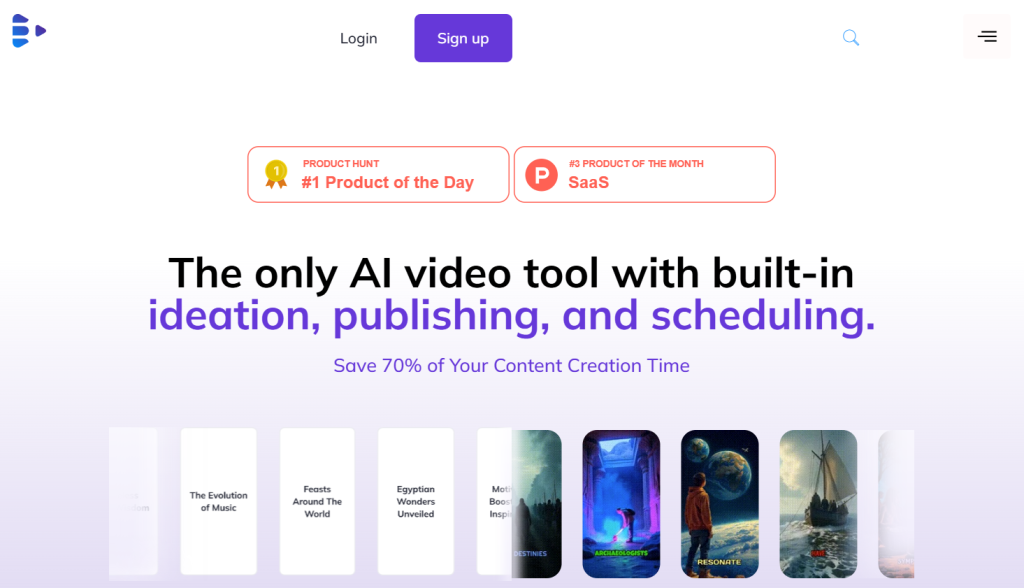
Everyone knows video is where the audience is — but actually producing it is brutal. You have to find an idea that will land, write a script, shoot it (on camera, if you dare), edit it, and then remember to post it consistently across TikTok, Reels, and Shorts. Syllaby was built to automate that entire chain. It’s an AI content-strategy and video-production platform that takes you from a keyword your customers are actually searching for, to a finished faceless or AI-avatar video, to a scheduled post — often in under an hour, with no camera and no editing skills required. Its founding idea is deceptively sharp: social platforms are search engines, so the videos that answer the real questions people type in are the ones that consistently win.
For entrepreneurs, marketers, coaches, and small businesses who need a steady stream of content without hiring a writer, an editor, and an on-camera presenter, that’s a genuinely compelling promise. This 2026 review breaks down exactly what Syllaby does, the AI models under its hood, its credit-based pricing (and the honest caveats around it), how it compares to HeyGen, InVideo, and Pictory, and precisely who should use it.
Syllaby Review 2026: The Keyword-to-Video Platform for Faceless Content Creators
Overview and Background
Syllaby (syllaby.io) is an all-in-one AI platform for social-media content strategy and video production. Rather than being a single-trick generator, it covers the full cycle: viral, keyword-driven ideation; AI script writing; faceless and AI-avatar video creation; an in-app editor; and a content calendar with direct scheduling and analytics — all in one dashboard. You give it a topic or a keyword; it helps you research, script, produce, and publish the video.
The platform was founded in January 2023 by Austin Armstrong, a two-time seven-figure entrepreneur, Forbes Agency Council member, bestselling author of VIRALITY!, and a social-media creator with roughly 4.5 million followers across TikTok, YouTube, and Instagram. That pedigree matters here: Armstrong built Syllaby around a philosophy he uses on his own channels — that businesses answering the exact questions their customers search for generate leads more consistently than those chasing fleeting trends. Syllaby turns that idea into a repeatable four-step system — Discover, Generate, Customize, Schedule — designed to take you from zero to a month of scheduled videos in under an hour. It has grown to tens of thousands of active users and a large affiliate community, and it leans on authentic creator experience rather than theoretical design.
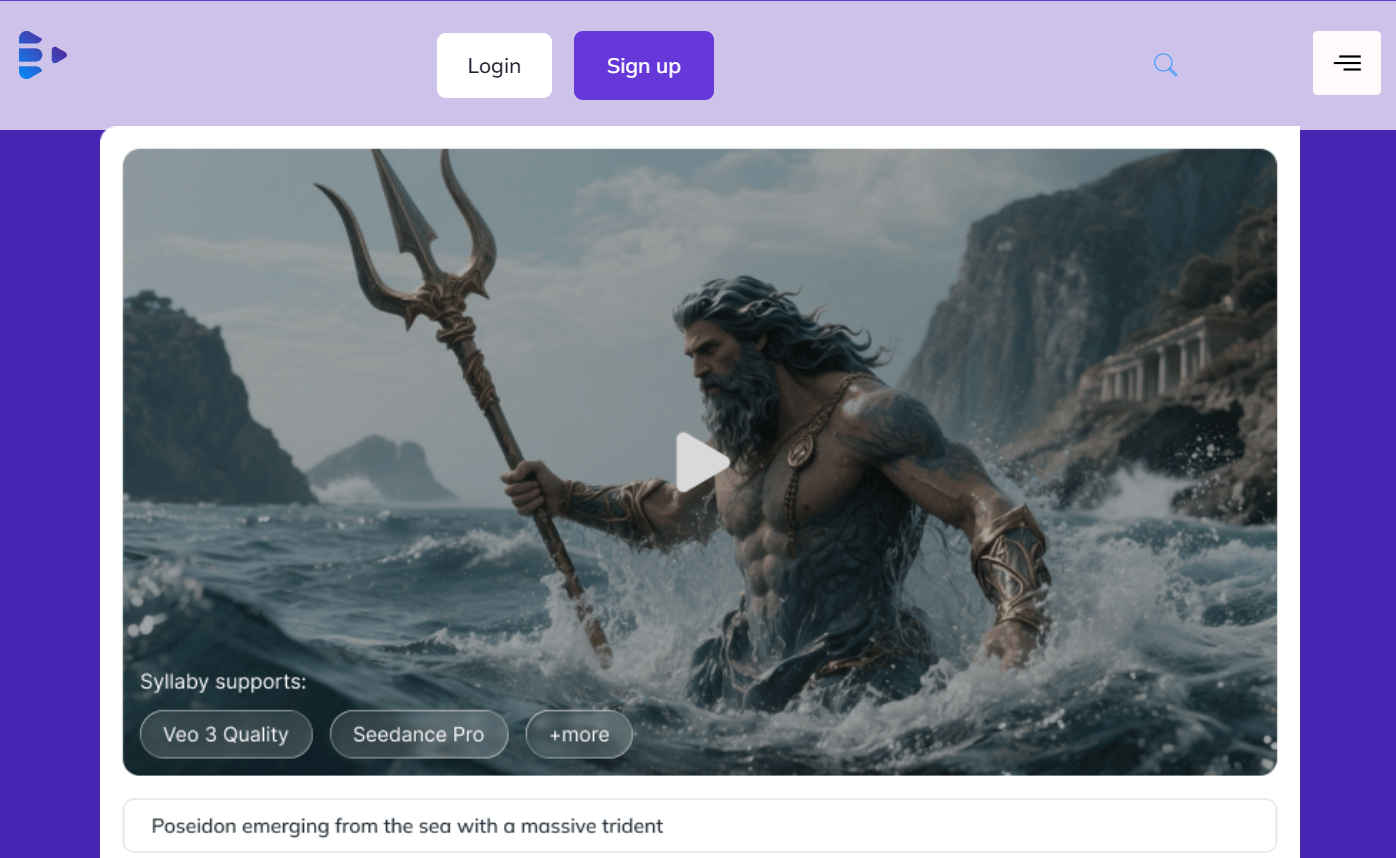
Under the hood, Syllaby is also a hub for leading generative video models. Its text-to-video feature lets you generate cinematic scenes with engines like Sora 2, Google Veo 3, and Seedance, while its faceless-video engine keeps an AI character looking consistent across every scene — the exact problem that trips up simpler clip generators.
Why Syllaby Stands Out in 2026
Search-driven ideation, not trend-chasing: This is Syllaby’s real differentiator. Its keyword-research engine surfaces the actual questions your audience searches on YouTube, TikTok, Instagram, and Google — complete with search volume, CPC, and competition data — so your videos target demand that already exists. It’s an SEO mindset applied to short-form video, and almost no competitor builds ideation in this way.
A truly end-to-end workflow: Discover, script, produce, edit, schedule, and analyze — all in one place. Most creators stitch together a keyword tool, ChatGPT, a video generator, and a scheduler; Syllaby collapses that stack into a single repeatable system, which is exactly why it’s described as the most workflow-integrated tool in its category.
Faceless videos with character consistency: Syllaby generates AI visuals that keep the same character look across every scene, paired with realistic or cloned voice narration, subtitles, and vertical or horizontal output. For faceless-channel creators, that consistency is what separates a coherent video from a slideshow of unrelated images.
Your own digital twin — or no face at all: Prefer to appear on camera? The AI Avatar feature clones your face and voice from a short recording. Prefer privacy? Stay fully faceless. Either way, voice cloning keeps your brand sound consistent without hiring voice talent.
A marketplace of top video models: Instead of locking you into one engine, Syllaby lets you generate cinematic scenes with Sora 2, Veo 3, and Seedance, choosing quality versus cost per shot. You get frontier models without juggling multiple subscriptions.
Built by a creator who actually uses it: With a founder running a 4.5-million-follower content operation on the same tool, Syllaby’s roadmap reflects real production needs. Users repeatedly praise responsive support and a team that ships features based on creator feedback.
Bulk creation and direct publishing: Draft, schedule, and auto-publish across social channels from one calendar, letting you batch a month of content and step away. For solopreneurs juggling everything, that scheduling layer is a quiet but huge time-saver.
Key Features and Technology
Syllaby packs an entire content team’s toolkit into a guided workflow. Here’s how the core pieces fit together.
Keyword Research and Viral Ideation
The starting point. Enter a niche or keyword and Syllaby surfaces the real questions your audience is searching, with search volume, cost-per-click, competition level, and SERP signals shown right in the dashboard. Instead of guessing what might go viral, you build content around demand you can see — the feature early users consistently name as the biggest selling point.
AI Script Generation
From a chosen topic, Syllaby writes a full video script in 25+ languages, with configurable tone, style, and length, optimized for short-form formats like TikTok, Reels, and Shorts. It removes the blank-page problem and keeps scripts on-brand, though intricate or highly technical topics may still benefit from a human edit.
Faceless Videos with Character Consistency
Scripts convert into faceless videos: AI-generated visuals that hold a consistent character across scenes, narrated by an ultra-realistic or cloned voice, with subtitles and the aspect ratio your platform needs. A reviewer on G2 noted the AI produces unique images that match the script — a step beyond rivals that only manage a few seconds of footage or generic stock B-roll.
AI Avatars and Voice Cloning
For creators who want a face on screen, Syllaby’s AI Avatar clones your likeness and voice from a short recording to create a digital twin. Voice cloning also lets you narrate in your own voice (or pick from AI voices), keeping a consistent, human-feeling brand sound across every video without booking talent.
Text-to-Video Models and URL-to-Video
Generate cinematic AI scenes using frontier models — Sora 2, Sora 2 Pro, Google Veo 3 (Fast and Quality), and Seedance (Lite and Pro) — picking the trade-off between quality and credit cost. A handy URL-to-Video tool turns an Amazon, eBay, or real-estate listing into a product video in minutes by scraping its images, ideal for e-commerce and marketing.
Built-in Editor, Calendar, and Scheduling
An in-app editor handles trims, transitions, overlays, image swaps, and voiceovers so you can polish without an external tool, and newer additions like Text to Scene, AI Lip Sync, Infinite Canvas, and a Video Slicer expand creative control. A content calendar then lets you schedule and auto-publish to platforms like TikTok, YouTube, Instagram, and Facebook, so you can bulk-create and plan weeks ahead.
Analytics and Multi-Platform Publishing
Built-in analytics track engagement and audience insights so you can see what’s working and refine future content, closing the loop from idea to published post to performance data. Videos export in standard formats for sharing anywhere, with direct publishing to major channels from inside Syllaby.
Pricing, Plans, and Package Structure
Syllaby uses credit-based monthly tiers, with a 7-day free trial up front. Reported prices vary noticeably across sources and Syllaby adjusts its plans over time, so treat the figures below as a guide and confirm the current numbers on the official pricing page. Annual billing typically saves around 15%, and there’s also a one-time Lifetime Access deal for creators who prefer no recurring fees.
| Plan | Approx. Price (US) | Credits / Month | Best For |
|---|---|---|---|
| Free Trial | $0 for 7 days | Large trial allowance | Testing the platform (may watermark) |
| Basic | ~$29 / month | ~500 (2x on annual) | Solo creators getting started |
| Standard | ~$78 / month | ~1,500 | Regular creators, more voice clones |
| Premium | ~$153 / month | ~5,000 | High-volume creators & teams |
| Enterprise / Lifetime | Custom / one-time | Custom / monthly credits | Agencies; no-recurring-fee buyers |
Higher tiers add more monthly credits, additional voice clones, more storage, and larger (or unlimited) scheduling. Remember that credits don’t roll over month to month, and there’s a 30-day refund policy on paid plans — useful reassurance given the entry price is a real commitment.
How Syllaby Compares to Alternatives
Syllaby sits in a busy field, but its keyword-to-schedule pipeline sets it apart from tools that only do one part of the job. Here’s how it compares to HeyGen (avatars), InVideo AI (text/URL-to-video), and Pictory (script-to-video).
| Factor | Syllaby | HeyGen | InVideo AI | Pictory |
|---|---|---|---|---|
| Core focus | Keyword → video → schedule | Realistic AI avatars | Text / URL to video | Script / blog to video |
| Keyword / SEO ideation | Yes — core strength | No | No | No |
| Faceless + avatars | Both | Avatars (best quality) | Faceless | Faceless |
| Built-in scheduling | Yes | No | No | No |
| Entry price (approx.) | ~$29/mo | ~$29/mo | ~$28/mo | ~$19–25/mo |
vs. HeyGen: HeyGen is the leader for ultra-realistic talking-head avatars, and its render quality outclasses Syllaby’s avatars. But HeyGen doesn’t do keyword ideation or scheduling — it’s a video engine, not a strategy pipeline. If avatar realism is your priority, choose HeyGen; if you want the whole workflow from idea to scheduled post, Syllaby wins.
vs. InVideo AI: InVideo excels at turning a prompt or URL into a polished video with a huge stock library, and it’s a strong general-purpose creator. Syllaby’s edge is the research-first approach and the built-in calendar — you’re not just making a video, you’re making the right video and shipping it on schedule.
vs. Pictory: Pictory is great and affordable for converting existing scripts or blog posts into videos, but it starts where you already have the content. Syllaby starts a step earlier, at the idea, and finishes a step later, at publishing. (Competitor pricing and features change frequently; verify current details on each vendor’s site.)
Pros and Cons
What Creators Love
A complete, integrated pipeline: keyword research, scripting, video, editing, scheduling, and analytics in one tool — no more juggling four subscriptions.
Search-based ideation: building content around real search demand gives videos a genuine performance edge over trend-chasing.
Faceless and avatar flexibility: consistent characters, voice cloning, and a digital-twin avatar mean no camera or talent needed.
Frontier models in one place: generate with Sora 2, Veo 3, and Seedance, choosing quality versus cost per shot.
Creator-built with strong support: a founder who uses the product daily, plus responsive support and a generous 7-day trial.
Limitations Worth Knowing
No permanent free tier: after the 7-day trial you must pay, and the trial’s caps and watermarks make it hard to fully test the pipeline first.
No-rollover credits: unused credits expire each cycle, and premium video models (like Veo 3 Quality) burn through them fast.
Avatar quality trails specialists: the AI-avatar render quality sits below dedicated tools such as HeyGen or Creatify.
Scripts need a human touch: AI output is solid for straightforward topics but needs editing for nuance, brand voice, or technical jargon, and voices can occasionally mispronounce words.
Fewer integrations and no mobile app: it publishes to a smaller set of platforms than some rivals, and there’s currently no dedicated mobile app.
Who Should Use Syllaby
Faceless-channel creators and solopreneurs: if you’re building faceless YouTube, TikTok, or Reels channels and want keyword-to-video-to-schedule in one place, Syllaby is arguably the most purpose-built tool for exactly that. Start on Basic and scale credits as your calendar fills.
Small businesses and local marketers: for straightforward content — product demos, FAQs, local-service promos — Syllaby’s pipeline undercuts hiring a content team, and the URL-to-video tool is handy for e-commerce listings.
Coaches and educators: turn lessons and FAQs into a steady stream of faceless educational videos without being on camera — just validate script and avatar quality against your subject matter during the trial first.
Who should look elsewhere: if you need broadcast-grade avatar realism, choose HeyGen; if you want frame-level editing control, use a full editor; and if your content is complex brand storytelling, expect to add a meaningful human hand regardless of the tool.
Getting Started: Step by Step
- Start your 7-day free trial at Syllaby and choose your industry or niche so recommendations are relevant.
- Discover keywords and ideas — browse the questions your audience is searching, using volume and competition data to pick winners.
- Generate a script for a chosen topic, then set the tone, style, and length to match your brand.
- Create the video — go faceless with a consistent AI character, or use your cloned-voice AI avatar, and pick a text-to-video model if you want cinematic scenes.
- Customize and edit visuals, swap images, add subtitles, and fine-tune with the built-in editor.
- Schedule and publish across your channels from the content calendar, batching a week or month at once.
- Review analytics to see what performed, then repeat the loop — upgrading to a paid tier once you know your credit needs.
Tips for Getting Maximum Value
Get the most out of Syllaby by starting with keyword research every time — the whole point is to make videos people are already searching for, so let the data pick your topics rather than your gut. Because credits don’t roll over, plan a batch of content near the start of each billing cycle so you actually use what you pay for, and reserve the expensive premium models (Sora, Veo Quality) for hero videos while using lighter engines for routine clips. Treat AI scripts as strong first drafts and give them a quick human edit for tone and accuracy, and clone your own voice early to lock in a recognizable brand sound. Lean on the content calendar to schedule weeks ahead so consistency doesn’t depend on motivation, use the URL-to-video tool to spin product pages into promos fast, and test everything thoroughly during the 7-day trial — generate real scripts and videos for your niche — before committing to a plan.
Future Outlook and Final Assessment
Syllaby is well positioned in a market that keeps growing: demand for consistent short-form video isn’t slowing, and faceless, search-driven content is a proven way for small teams to compete. The platform ships updates quickly — folding in new generative models like Sora 2 and Veo 3, plus features such as AI Lip Sync and Infinite Canvas — and its research-first philosophy gives it a durable identity beyond any single AI trend. The honest caveats remain: there’s no permanent free tier, credits don’t roll over, premium renders are costly, and avatar quality trails the specialists. For its intended use, none of these undercut the core value.
Conclusion
Syllaby has carved out a clear identity by nailing something most AI video tools ignore: strategy. By starting with what your audience is actually searching for and carrying you all the way to a scheduled, published video, it turns the scattered chaos of content creation into a repeatable system. It won’t match a dedicated avatar tool’s realism, and its credit model rewards planning over impulse — but for entrepreneurs, marketers, and faceless-channel creators who need consistent output without a team, it compresses a week of work into an afternoon. For anyone who wants to turn ideas into published videos with less effort, Syllaby is exactly the kind of tool that makes everything easy. Start the free trial, run a real keyword through the whole pipeline, and let your first finished video make the decision for you.
Ready to Turn Search Trends Into Scroll-Stopping Videos?
Explore more honest reviews, tutorials and tool comparisons to find the right tech for the way you work and live — at AI Solutes, where we make everything easy.
👉 Start Your Free Trial: https://ai-solutes.com/syllaby
👉 Our YouTube Channel: youtube.com/@ai-solutes
👉 Our Facebook Fanpage: Facebook
👉 Our X (Twitter): @AISolutes
- Accidentally Deleted a Precious Memory? How EaseUS Gently Brings Your Lost Files Back
- Master DocHub PDF Editor: Boost Productivity with Seamless Dashboard, Form Templates, and Secure Digital Signatures
- Master HeyGen AI Video Generator 2026: Video Agent 2.0 Features, Tutorials, Pricing and Top Alternatives
- Vidon AI
- Does Amazon Music Offer the Best Value in Digital Audio? Evaluating the Amazon Music Subscription Suite















