

Building a great deck is only half the battle. The other half is everything around it: your team fighting over versions in a shared file, slides quietly drifting off-brand, and then the worst part — hitting “send” on an investor or client deck and having absolutely no idea whether anyone actually read it. For founders raising money, agencies pitching clients, and sales teams chasing deals, those blind spots cost real opportunities. Pitch is built to close them. It’s collaborative presentation software for modern teams that pairs beautiful, on-brand templates and Google-Docs-style real-time editing with an AI agent that drafts decks for you — and, crucially, with engagement analytics and “pitch rooms” that show you exactly who opened your deck, which slides held their attention, and when to follow up. Founded in Berlin in 2018 by the team behind Wunderlist and trusted by brands like Pentagram, Synthesia, and Index Ventures, Pitch has grown into a complete pitching platform, with a genuinely useful free plan and paid plans starting around $8 per seat per month.
For startup founders, agencies, sales and marketing teams, consultants, and small businesses that win work through presentations, Pitch promises faster decks, tighter collaboration, and data on what actually lands. This 2026 review walks through everything that matters: what Pitch actually is, its standout features, the new Pitch Agent AI, the full plan-by-plan pricing breakdown, how it compares to Canva, Gamma, and Google Slides, and the honest limitations worth knowing — including a seat minimum and design constraints that will shape whether it’s right for you.
Pitch Review 2026: Beautiful, Collaborative Presentations (and Pitch Rooms) for Modern Teams
Overview and Background
Pitch is a cloud-based presentation platform designed for teams who build decks together. At its simplest, it’s often described as “Google Slides with polish” — a clean, browser-based slide editor with beautifully designed templates and smooth real-time collaboration. But over the past couple of years it has grown well beyond that, positioning itself as a complete pitching platform: in addition to creating presentations, it offers personalized pitch rooms to nurture prospects, CRM integrations, and advanced analytics to track engagement, so teams can manage more of the customer lifecycle in one place.
The company was founded in Berlin in 2018 by Christian Reber and the team behind the popular Wunderlist app, and it’s used by millions of teams, including well-known brands like Pentagram, Thrive Global, Synthesia, and Index Ventures. Pitch is available in the browser and as desktop and mobile apps, and it’s actively developed — the company ships updates almost weekly, with its most recent work focused on Pitch Agent, an AI that builds on-brand presentations from your real templates.
According to Capterra, Pitch is used mostly by small businesses and is especially popular with marketing, design, product, and client-facing teams — CEOs and founders communicating strategy, designers building visual narratives, and account managers creating client-ready decks. Its core appeal is speed and consistency: thoughtfully designed layouts mean you spend less time nudging boxes into alignment and more time on the story, while brand controls keep every deck looking cohesive.
Why Pitch Stands Out in 2026
It’s beautiful and on-brand by default: This is Pitch’s signature strength. Its templates are clearly crafted by professional designers, and the Style Builder — similar to PowerPoint’s slide master — lets you lock in your brand colors, fonts, and styles so every deck comes out cohesive and polished. Users consistently say they can produce smart, professional-looking slides without a designer and without fiddling with alignment, which is exactly what a busy founder or marketer wants.
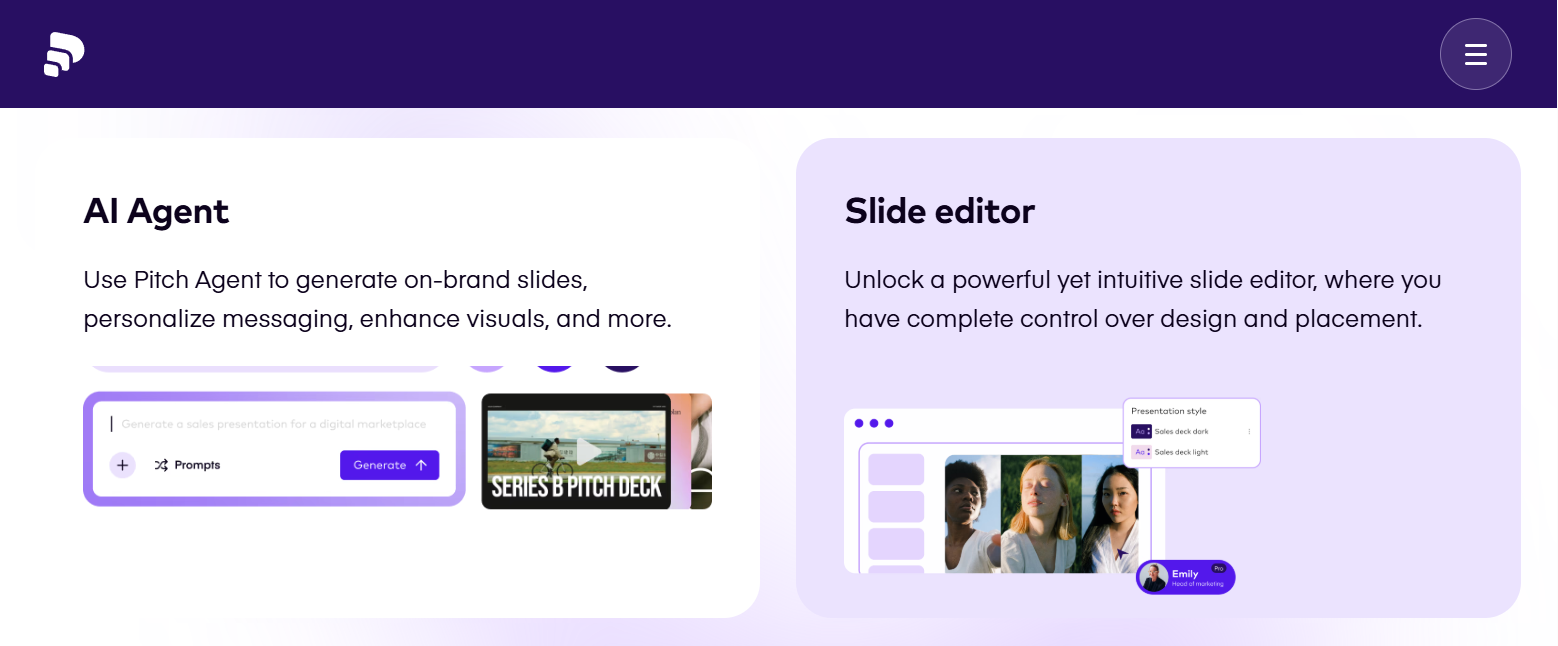
Real-time collaboration built for teams: Pitch handles multiple people editing the same deck simultaneously, Google-Docs style, with comments, emoji reactions, and a genuinely useful workflow layer — you can set a status on each slide (in progress, needs review, done) and assign slides to teammates. For a team building a deck together under deadline, that shared visibility removes the version chaos of emailing files back and forth.
Pitch Agent generates on-brand decks: This is where Pitch meets the AI wave. Pitch Agent can generate a presentation in seconds, and unlike generic AI deck makers it builds from your real templates with custom layouts that reflect your brand’s own patterns. You can use it to draft a deck, personalize messaging, or enhance visuals, turning a blank canvas into a structured starting point you then refine — a real time-saver for first drafts.
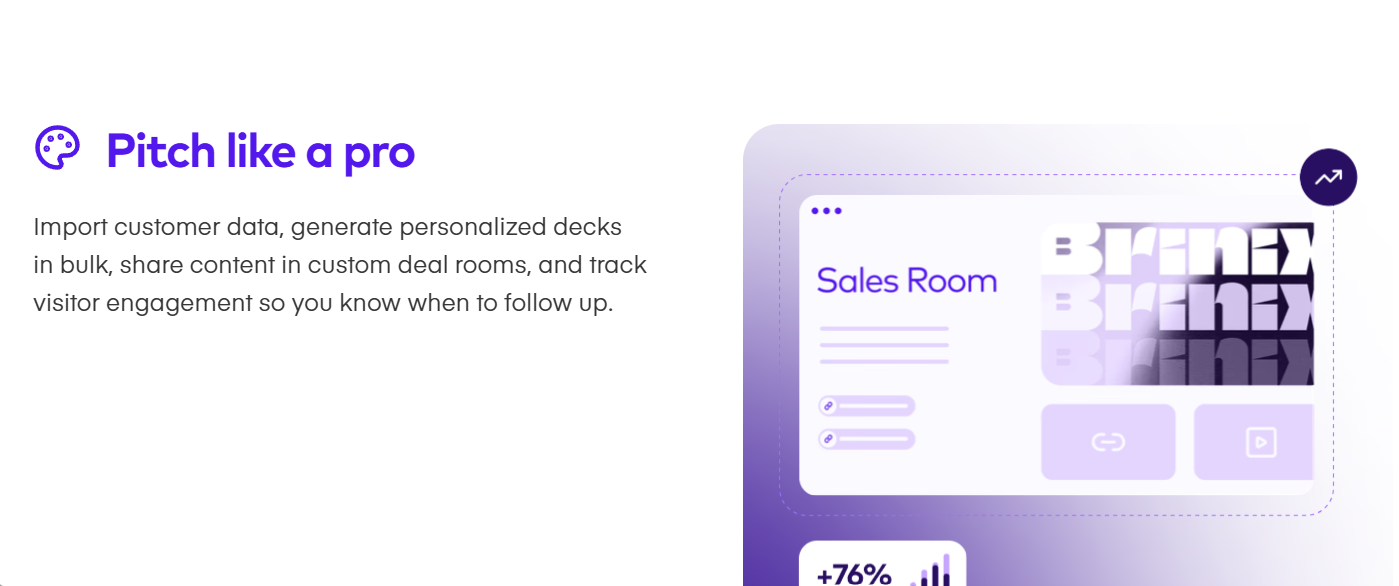
Analytics and pitch rooms go beyond the deck: This is what separates Pitch from ordinary slide tools. With advanced links you can see who opened your presentation, which slides they spent time on, and how they engaged — turning follow-up guesswork into data. Pitch rooms take it further, letting you create personalized spaces to share decks and nurture prospects through a deal. For sales teams and fundraising founders, knowing an investor lingered on your financials slide is genuinely actionable.
Guardrails that keep decks consistent: Pitch intentionally limits some options — like font sizes — and while that surprises people at first, many come to appreciate it. As one reviewer noted, the constraints actually improved the readability and clarity of their presentations versus the endless, distracting options in PowerPoint. For teams that value consistency over fiddly control, that opinionated design is a feature, not a bug.
Easy, always-current sharing: Instead of emailing a heavy file, you share a link that’s always up to date and preserves animations and embedded video, and recipients can view it in any browser. You can also import existing PowerPoint files to migrate your decks, and embed live content from tools like Google Sheets and Google Analytics.
Works in the browser, desktop, and mobile: Pitch runs smoothly in the browser without heavy software, with desktop and mobile apps that allow offline editing and presenting and sync your changes when you reconnect — handy for finishing a deck on a flight or presenting where the Wi-Fi is unreliable.
Key Features and Technology
Pitch’s strength is how its tools serve teams that present to win work. Here’s how the most important pieces break down.
Templates, Brand Tools, and the Slide Editor
Pitch ships with over a hundred fully editable, professionally designed templates spanning pitch decks, sales decks, reports, proposals, and more, plus suggested layouts, stickers, and a media library. The minimal editor puts the key functions front and center, making design feel intuitive, while the Style Builder lets you define reusable brand styles so your whole team stays consistent. Integrated apps — Unsplash for photos, Giphy for GIFs, icon sets, and Brandfetch for logos — make it easy to drop in polished visual assets without leaving the editor.
Pitch Agent: AI Deck Generation
Pitch Agent is the platform’s AI engine, generating presentations and slides from your prompts and, importantly, from your own real templates so the output matches your brand rather than looking generic. AI actions run on credits that are shared across your team and renew with your subscription, with the option to buy more if you exceed your monthly quota. In honesty, Pitch’s AI is newer than dedicated AI-native tools like Gamma, which can spin up a full deck from a single topic even faster — but Pitch’s advantage is that its AI works within your established brand and template system, so drafts need less re-skinning.
Real-Time Collaboration and Workflow
Collaboration is where Pitch shines. Teams edit the same presentation together in real time, leave comments and reactions, and use slide-level status indicators and assignments to track who’s doing what. Workspaces and teamspaces organize your decks by team or project with access controls over who can see what, and a free “commenter” role lets you add stakeholders who can view and comment — but not edit — at no extra cost, which is perfect for gathering feedback without paying for more seats. It’s a workflow designed around how teams actually build decks together.
Analytics, Pitch Rooms, and Integrations
Beyond the deck, advanced links let you track slide views and time spent and can require an email or passcode to open, while pitch rooms create personalized hubs to share content and move prospects through a deal. You can record a presentation with a small video of your face for asynchronous sharing, and embed live, dynamic content — Google Sheets, Google Analytics, monday.com boards, ChartMogul revenue reports, and more — so your data stays current inside the slides. Integrations with Notion and others round out a toolkit aimed squarely at client-facing and sales workflows.
Pricing, Plans, and Package Structure
Pitch offers a free plan plus paid tiers priced per seat, with annual billing saving roughly 18% over monthly. Paid plans require a minimum of around three users, and AI credits are shared across the team and renew with your subscription. Pitch has been actively reworking its plans and naming, so the structure below is approximate — confirm the live pricing, current plan names, and seat minimums on Pitch’s site before subscribing.
| Plan | Approx. Price | What You Get | Best For |
|---|---|---|---|
| Free | $0 | Core editor, templates, real-time collaboration, basic links (Pitch-branded), limited AI credits, 10GB storage | Individuals and small teams trying Pitch out |
| Pro (Plus) | ~$8/seat/mo (min ~3 seats) | Unbranded exports, native videos, interactive embeds, custom fonts, workspace management, some analytics | Teams wanting polished, unbranded decks |
| Business | ~$22/seat/mo | Everything in Pro plus unlimited advanced links, fuller analytics, teamspaces, up to ~200 members | Sales teams and agencies that win work with decks |
| Enterprise | Custom | SSO, advanced security and admin controls, dedicated support | Larger organizations with security needs |
How Pitch Compares to Alternatives
| Factor | Pitch | Canva | Gamma | Google Slides |
|---|---|---|---|---|
| Focus | Team decks + pitch rooms | General design + slides | AI-generated decks | Simple linear slides |
| Real-time collaboration | Excellent (with workflow) | Good | Good | Excellent |
| AI deck generation | Yes (Pitch Agent) | Yes (Magic) | Excellent (its core) | Basic (Gemini) |
| Engagement analytics | Yes (a key strength) | Limited | Yes | No |
| Price | Free; paid from ~$8/seat (3 min) | Free; Pro ~$15/mo | Free; paid from ~$8–10/mo | Free (Workspace) |
vs. Canva: Canva is more versatile and cheaper, covering every kind of design with a vast template library and a generous free tier, and it doesn’t impose a seat minimum. Where Pitch pulls ahead is focus: it’s purpose-built for collaborative team decks, with stronger brand consistency controls, a slide-level workflow, and the analytics and pitch rooms Canva lacks. If you want an all-purpose design tool for one person, Canva wins; if your team builds and tracks high-stakes decks together, Pitch is the more specialized fit.
vs. Gamma: Gamma is the most AI-forward option — give it a topic and it generates a full deck in under a minute, and its conversational “agent” mode is excellent for going from zero to draft fast. Pitch’s AI is newer and credit-limited, but it builds within your real brand templates and pairs with far stronger real-time collaboration, analytics, and deal-room features. For raw AI speed and solo drafting, Gamma leads; for a polished, brand-consistent team workflow with engagement tracking, Pitch is the better home.
vs. Google Slides and PowerPoint: The incumbents are free or already bundled with your existing software, familiar to everyone, and perfectly fine for internal decks and early drafts. What they don’t give you is Pitch’s design polish out of the box, its brand-consistency guardrails, its slide-status workflow, or its engagement analytics. For investor-facing or client-winning presentations where polish and follow-up data matter, Pitch is a clear upgrade — though it’s another subscription and asks for a short adjustment from the tools you already know.
Pros and Cons
What Users Love
Polished, on-brand decks fast: Designer-made templates and brand controls let anyone produce consistent, professional-looking slides without a designer or hours of alignment fiddling.
Best-in-class collaboration: Real-time co-editing plus slide status and assignments make Pitch genuinely excellent for teams building decks together.
Fast drafts with Pitch Agent: The AI generates on-brand presentations from your own templates, giving you a structured starting point instead of a blank slide.
Analytics and pitch rooms: Seeing who viewed your deck, which slides held attention, and engaging prospects in dedicated rooms turns presentations into a measurable sales asset.
Clean sharing and browser-based ease: Always-current share links, PPTX import, and a smooth browser experience make Pitch easy to live with and easy to share from.
Limitations Worth Knowing
A seat minimum on paid plans: Paid tiers require around three seats, so solo users effectively pay for three — making Pitch pricier than it first appears for individuals.
The free plan is restrictive: It caps presentations, adds Pitch branding to shared links, includes only limited AI credits, and locks advanced analytics and unbranded exports behind paid plans.
Design control is intentionally limited: Restricted fonts and font sizes keep decks consistent but frustrate power users who want full creative freedom.
Video and export quirks: Video embedding leans on platforms like YouTube rather than free uploads, and exported file sizes can be large.
A learning curve and rough edges: Switching from PowerPoint or Google Slides takes a short adjustment, some controls are harder to find, and the mobile app and offline access trail the desktop experience.
AI runs on limited credits: Pitch Agent uses shared monthly credits that can run out, with overage charges — so heavy AI use adds to the cost.
Who Should Use Pitch
Startup founders raising capital: Professional polish plus engagement analytics help you stand out to investors and refine your story based on which slides hold their attention. A Pro or Business plan gives you the analytics that make fundraising decks smarter.
Agencies and client-facing teams: On-brand client decks, real-time collaboration, and pitch rooms to nurture prospects make Pitch a strong fit for agency work. The Business plan’s unlimited advanced links suit teams that pitch constantly.
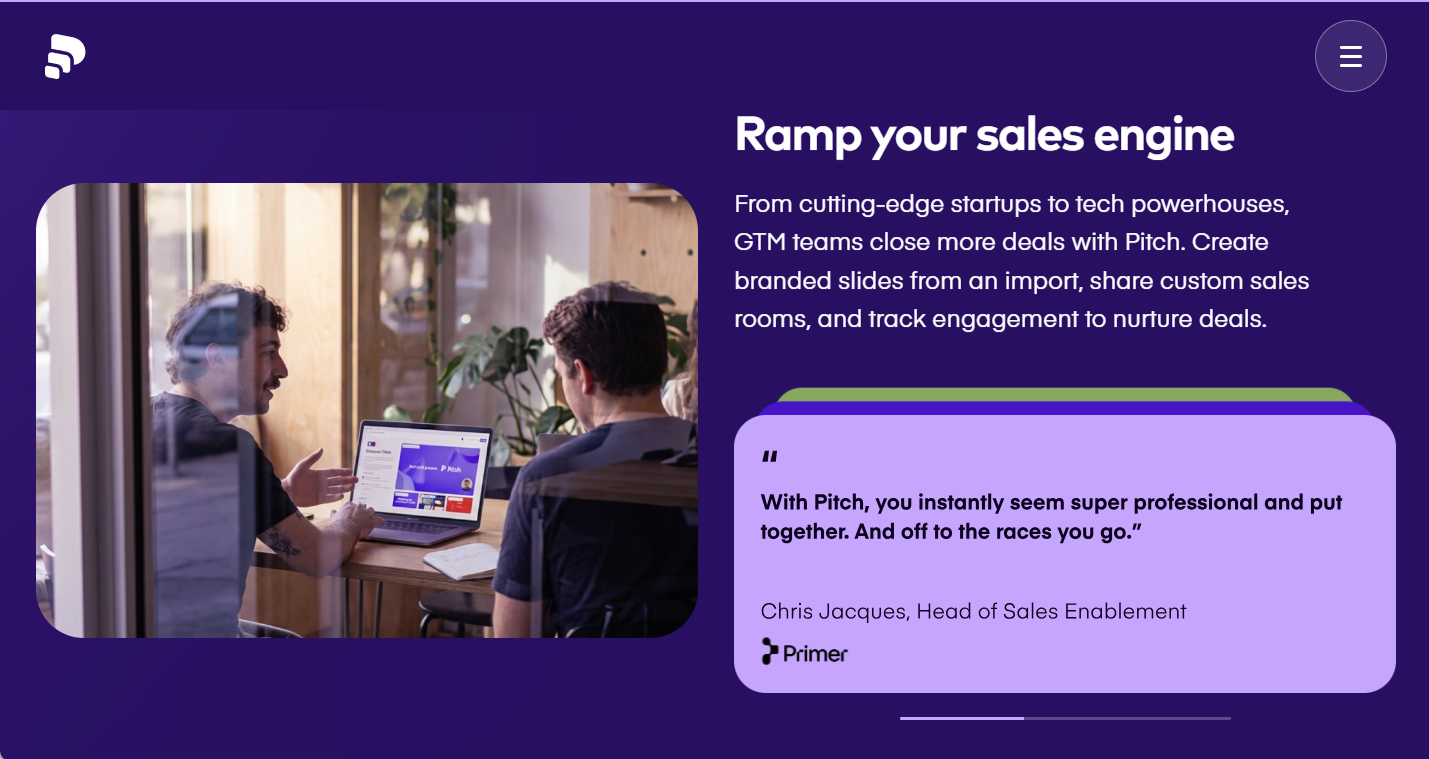
Sales teams: Sales decks, deal rooms, engagement tracking, and CRM-friendly integrations turn presentations into a measurable part of the pipeline. Business is built for exactly this use case.
Marketing teams and small teams: For collaborative, on-brand campaign decks, reports, and recurring presentations, Pitch’s templates and workflow keep everyone aligned. The Pro plan covers most small teams well.
Who should look elsewhere: In fairness, solo users on a budget will find the three-seat minimum hard to justify and may prefer Canva or Gamma; power users who want total design freedom may be happier in PowerPoint; and if pure AI generation speed is the priority, Gamma leads.
Getting Started: Step by Step
- Create a free account. Sign up with no credit card and set up your workspace so you can explore Pitch with your own content.
- Set up your brand. Use the Style Builder to lock in your colors, fonts, and styles so every deck your team creates comes out on-brand automatically.
- Start a deck. Pick from the 100-plus templates, generate a first draft with Pitch Agent, or import an existing PowerPoint file to migrate it.
- Build and collaborate. Invite teammates to co-edit in real time, leave comments, and use slide status and assignments to track progress — add stakeholders as free commenters for feedback.
- Share and track. Send an always-current link or set up a pitch room, and on a paid plan turn on advanced links to see who viewed your deck and which slides engaged them.
- Choose your plan. If Pitch fits your team, pick Pro or Business — keeping the roughly three-seat minimum in mind — ideally on annual billing for the discount.
Tips for Getting Maximum Value
Start on the generous free plan and test Pitch with your real decks before paying, and set up your brand Style Builder first so every presentation is automatically on-brand. Use Pitch Agent to generate a fast first draft, then refine it rather than starting from a blank slide, and lean into the design guardrails — the font and sizing limits keep your decks clean and readable, so work with them instead of fighting them. If you’re a sales team or fundraising founder, the real payoff is the analytics: use advanced links and pitch rooms to see who’s engaging and time your follow-ups around it. Keep the seat minimum in mind, since paid plans require around three users — Pitch is most worthwhile for teams, so solo users should weigh Canva or Gamma instead. Choose annual billing to save roughly 18%, use the free commenter role to collect stakeholder feedback without buying extra seats, budget your shared AI credits (and watch overage charges), and import your existing PowerPoint decks to migrate quickly.
Future Outlook and Final Assessment
The direction of travel favors Pitch. Presentations remain central to sales, fundraising, and client work, and the shift from static slides to collaborative, AI-assisted, trackable pitching is exactly where the platform is investing — Pitch Agent for generation, pitch rooms for nurturing deals, and analytics for follow-up. The company ships updates almost weekly and is trusted by serious brands, which suggests an actively developed product with momentum rather than one standing still. For teams that present to win work, that combination of polish, collaboration, and engagement data is genuinely compelling.
The honest caveats are clear: the three-seat minimum makes it team-priced rather than solo-friendly, the free plan is limited, the design experience is intentionally constrained, and AI-native rivals like Gamma generate decks faster from scratch. But within those boundaries, Pitch is one of the most polished and capable collaborative presentation platforms available in 2026 — and for the right team, the analytics and pitch rooms turn presentations from a cost into a revenue tool.
Conclusion
Pitch set out to make presentations beautiful, collaborative, and measurable, and it largely succeeds — pairing designer-quality templates and real-time teamwork with an AI agent and the kind of engagement analytics and pitch rooms that ordinary slide tools simply don’t offer. It asks you to accept a seat minimum, some design guardrails, and a short learning curve, but for founders, agencies, and sales and marketing teams who win work through presentations, those trade-offs buy a genuinely modern pitching platform. Set up your brand, build your deck together, share it, and watch what lands — and Pitch turns the scramble of team presentations into something polished and data-driven, making everything easy from first draft to closed deal.
Ready to build beautiful, trackable presentations with your team?
Explore more honest reviews, tutorials and tool comparisons to find the right tech for the way you work and live — at AI Solutes, where we make everything easy.
👉 Open Free Account: Get Started with Pitch
👉 Our Website: https://ai-solutes.com/
👉 Our YouTube Channel: youtube.com/@ai-solutes
👉 Our Facebook Fanpage: Facebook
👉 Our X (Twitter): @AISolutes
- Stable Video 3D AI
- Does Ottocast Seamlessly Cut the Cord? Evaluating the Ottocast Wireless CarPlay and Android Auto Suite
- Unlock SEO Success in 2025 With Frase AI Content Optimization for WordPress and Agencies
- TopView.ai Review 2026: The AI Marketing Video Agent That Turns a Product Link Into Scroll-Stopping Ads in Minutes
- ChatAvatar















