

Sooner or later, every phone owner hits a wall the device itself won’t let them past — a forgotten screen passcode, a frozen iPhone stuck on the Apple logo, a box of irreplaceable photos lost to a botched update, or the slow dread of migrating years of data to a new handset. That gap between what your phone should let you do and what it actually allows is exactly the space iMobie has spent over a decade filling. Founded in 2011 and based in the US, iMobie is a specialist software developer whose entire catalog exists to rescue, transfer, unlock, clean, and manage data on iPhone, iPad, Android, Mac, and Windows. The company says its tools have served tens of millions of users across 200+ countries — its Trustpilot profile references more than 8 million — and its flagship apps like AnyTrans and PhoneRescue have been name-checked by outlets including MacRumors, Computerworld, Macworld, CNET and Android Police. With most products starting around $20–30 and a sprawling suite that now stretches into AI screen recording and video tools, iMobie has quietly become one of the most complete answers to a question almost everyone eventually asks: how do I get my phone to do the thing it’s stubbornly refusing to do?
But a big catalog and a long résumé don’t automatically make a brand the right buy — and iMobie’s tools come with real limitations, a polarizing subscription model, and strict compatibility rules that catch a lot of shoppers off guard. This 2026 review walks through iMobie’s entire ecosystem — every major product line, the pricing structure and its catches, how it stacks up against Dr.Fone, iMyFone and Tenorshare, the honest pros and cons drawn from thousands of real user reviews, and exactly who should (and shouldn’t) reach for iMobie’s software.
iMobie Review 2026: The Decade-Old Phone-Rescue Software Suite That Unlocks, Recovers, and Transfers Almost Anything
Overview and Background
iMobie Inc. is a software company established in 2011 that builds desktop utilities for managing mobile devices and computers. Its founding premise is simple and has barely changed in fifteen years: smartphones store the most important things in our lives, yet the manufacturers lock those things behind walls — closed backup systems, opaque file structures, forgotten passwords, activation locks — and ordinary people need a friendlier bridge. iMobie’s answer is a family of point-and-click Windows and Mac apps that each solve one of those walls, from data recovery and system repair to phone-to-phone transfer, screen unlocking, and storage cleanup.
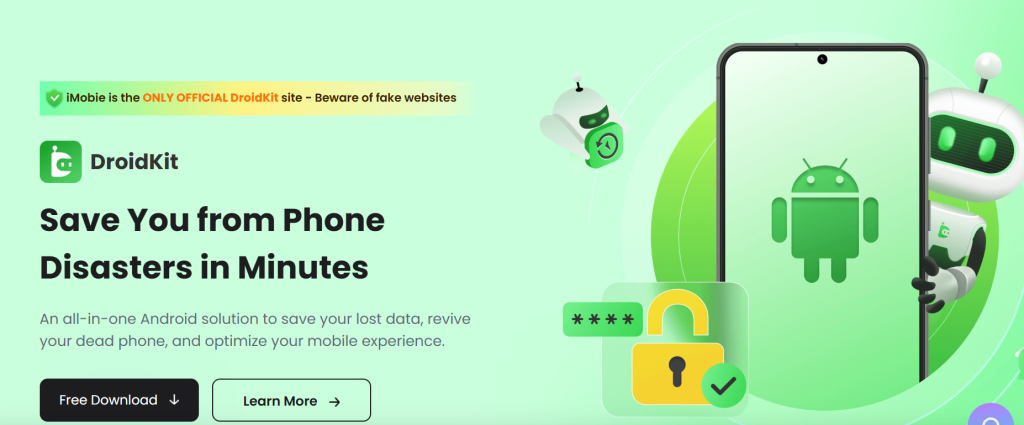
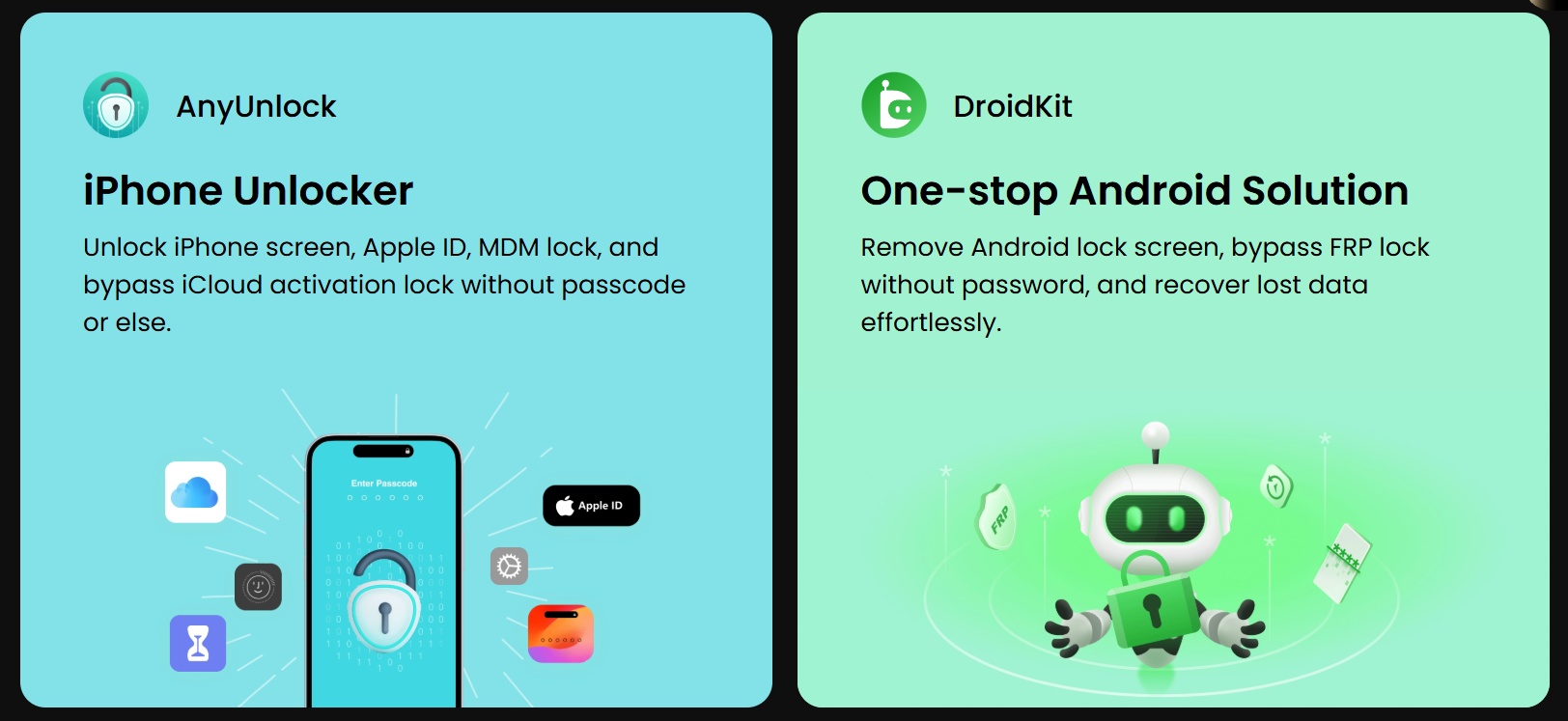
Over the years the catalog has grown well beyond its iPhone roots. The unlock-and-recovery line includes AnyUnlock (iPhone/iPad screen, Apple ID, iCloud activation and MDM unlocking), DroidKit (an all-in-one Android toolkit for screen unlock, FRP bypass, data recovery, system fix and cleanup), and PhoneRescue for both iOS and Android data recovery. The transfer line covers AnyTrans (the long-running iPhone/iPad manager), AnyDroid, PhoneTrans (cross-platform iOS↔Android migration) and AppTrans (WhatsApp and app transfer). The maintenance line adds AnyFix (iOS system repair), PhoneClean and MacClean. And in recent years iMobie has pushed into multimedia and AI with FocuSee (an auto-zoom screen recorder), Vozard (AI voice changer), AnyMiro (4K screen mirroring), AnyEnhancer (AI video upscaling), and a clutch of free tools like a HEIC converter and the M1 App Checker.
That breadth makes iMobie unusually versatile, but it also means “is iMobie good?” has no single answer — it depends entirely on which tool you’re buying and whether your exact device and OS version are supported. The company sells worldwide, processes purchases through standard encrypted checkout, offers a 60-day money-back guarantee on most one-time and annual licenses (shorter on monthly and quarterly plans), and replies to customer queries by live chat and email rather than phone. Its Trustpilot rating sits in the low-to-mid 3s out of 5 across roughly 1,400 reviews — a notably polarized split that’s worth understanding before you buy.
Why iMobie Stands Out in 2026
One brand for nearly every phone problem: Most competitors specialize in one or two jobs. iMobie covers the whole map — unlock, recover, repair, transfer, back up, clean, mirror, and now record and enhance video. When the same vendor can rescue your lost messages, fix a boot loop, move your data to a new phone, and free up storage, you learn one company’s interface and trust model instead of juggling five.
A genuinely long track record: Software that touches your most sensitive data — passwords, backups, recovery — lives or dies on trust, and iMobie has been shipping since 2011. A fifteen-year-old developer with millions of users, sustained press coverage, and a public support team that visibly replies to negative reviews is a meaningfully safer bet than the dozens of anonymous “unlock” tools that appear and vanish every year.
Approachable, wizard-style design: iMobie’s tools are built for non-technical users. Each app walks you through a clear, numbered flow — connect device, choose a feature, click start — rather than dropping you into command-line territory. For an audience facing a stressful problem (a locked phone, deleted photos), that hand-holding is the whole value proposition, and it’s the thing reviewers praise most consistently.
Cross-platform and cross-ecosystem reach: Few suites bridge iOS and Android as freely as iMobie does. PhoneTrans moves data directly between an iPhone and an Android phone; AppTrans migrates WhatsApp history across platforms without root or jailbreak; DroidKit and AnyTrans cover the two mobile worlds from a single vendor. For households or workplaces running mixed devices, that flexibility is rare.
An expanding AI and creator toolkit: iMobie is no longer just a phone-rescue shop. FocuSee’s automatic cursor-tracking and zoom effects have earned strong reviews from marketers and founders making demo videos, while Vozard, AnyMiro and AnyEnhancer push the brand into AI voice, mirroring and video upscaling — surfacing a real productivity and content-creation angle alongside the utilities.
Responsive, visible customer support: Across review platforms, the most recurring positive theme isn’t the software — it’s the support team. Many users who hit a wall report polite, prompt replies (typically within 24–48 hours) and, crucially, refunds processed without a fight when a tool didn’t work for their device. That responsiveness materially de-risks a category that’s otherwise full of fly-by-night operators.
A 60-day safety net on most plans: Most annual and one-time licenses carry a 60-day money-back guarantee, and the apps offer free trials so you can confirm a tool detects your situation before paying. Used correctly — trial first, then buy the right edition — that policy lets you de-risk the purchase, even if the refund experience isn’t universally smooth (more on that below).
Key Features and Technology
iMobie’s strength is how cleanly its catalog maps to distinct jobs. Here’s how the ecosystem breaks down.
Unlock & Recovery — Get Back In and Get Your Data Back
This is iMobie’s headline category. AnyUnlock handles iPhone and iPad lock situations — removing the screen passcode, Apple ID, Screen Time passcode, MDM management profiles, and bypassing iCloud Activation Lock on supported older models. DroidKit is the Android counterpart, bundling screen-lock removal, Google FRP (Factory Reset Protection) bypass for brands like Samsung, Xiaomi, OPPO and Motorola, deep data recovery (including without a backup), system-fix tools, and a junk cleaner. PhoneRescue for iOS and Android rounds out recovery, pulling back deleted photos, messages, contacts and more — sometimes directly from the device, sometimes from iTunes/iCloud or Android backups. The unifying pitch is “highest success rate,” but real-world results depend heavily on your device model, OS version, and how the data was lost.
Transfer & Management — Move and Organize Everything
AnyTrans is the veteran of the lineup: a one-stop iPhone/iPad manager that transfers and backs up photos, music, messages and more, and lets you peek inside iTunes and iCloud content without the device in hand. AnyDroid does the same for Android. PhoneTrans specializes in one-click migration between phones — including across iOS and Android — making it a go-to for new-device setup. AppTrans tackles the famously painful job of moving WhatsApp (and other app data) between phones and platforms without jailbreak or root. Together they target the two moments people most need help: switching phones and rescuing content from Apple’s and Google’s closed backup systems.
Repair, Clean & Maintain — Keep Devices Healthy
AnyFix is iMobie’s iOS doctor, advertised to fix 350+ iPhone, iPad, Apple TV and iTunes system issues — boot loops, stuck Apple logos, recovery-mode lockups — often without data loss. PhoneClean deep-cleans iPhone/iPad storage and junk, while MacClean and the Ashampoo-powered WinOptimizer bundle do the same for Mac and Windows. DroidKit’s System Fix and System Cleaner cover the Android side. These are the “maintenance” half of the suite — less dramatic than unlocking a phone, but the tools people return to repeatedly.
Multimedia & AI — The New Creator Tools
FocuSee is the breakout star here — a screen recorder that automatically follows your cursor and applies dynamic zoom, turning raw captures into polished demo videos with minimal editing, and it draws some of iMobie’s warmest reviews. Vozard is a real-time AI voice changer for gaming and streaming; AnyMiro mirrors a phone to your computer in 4K with low lag; AnyEnhancer upscales and cleans up video with AI models; and Wipit removes watermarks and unwanted objects from photos and video. This wing reframes iMobie as a tools-for-professionals-and-digital-natives brand, not just a phone-fixer.
Pricing, Plans, and Package Structure
iMobie prices each product separately, almost always across three tiers: a monthly (or quarterly) subscription, a one-year subscription, and a one-time “lifetime” purchase. The subscriptions auto-renew — monthly plans renew monthly, annual plans yearly — until you cancel, which is the single biggest source of billing complaints, so set a reminder or cancel right after purchase if you only need a one-off fix. Listed prices below reflect the discounted figures iMobie commonly shows, with the higher struck-through “list” price in parentheses; the brand runs frequent promotions, so treat these as a current snapshot rather than fixed numbers. Mac editions usually cost a few dollars more than Windows, and unlock tools are typically licensed per device while managers like AnyTrans cover unlimited devices on one computer.
| Product (Windows) | Monthly / Quarterly | 1-Year | One-Time |
|---|---|---|---|
| AnyTrans (iPhone manager) | ~$35.99 / mo | ~$39.99 | ~$59.99 |
| AnyUnlock – Screen Unlock | ~$35.99 / mo | ~$39.99 | ~$59.99 |
| DroidKit (per feature) | ~$25.99–35.99 / mo | ~$29.99–39.99 | ~$45.99–55.99 |
| PhoneRescue for iOS | ~$45.99 / mo | ~$49.99 | ~$69.99 |
| AnyFix (iOS repair) | ~$35.99 / mo | ~$39.99 | ~$59.99 |
| PhoneTrans (migration) | ~$29.99 / qtr | ~$35.99 | ~$45.99 |
| PhoneClean / MacClean | — | ~$19.99 | ~$29.99 |
| FocuSee (AI recorder) | ~$24.99 / mo | ~$99.99 | ~$199.99 |
How iMobie Compares to Alternatives
| Factor | iMobie | Dr.Fone (Wondershare) | iMyFone / Tenorshare | Apple/Google DIY |
|---|---|---|---|---|
| Product breadth | Very broad (unlock, recover, repair, transfer, clean, AI) | Broad, modular toolkit | Broad, many single-purpose tools | Built-in basics only |
| iOS + Android coverage | Both, with cross-platform transfer | Both | Both | Within own ecosystem |
| Pricing model | Per-feature, auto-renew + lifetime option | Subscription-heavy | Subscription + lifetime | Free |
| Trustpilot (approx.) | ~3.3–3.4 / 5 | ~4.3 / 5 | ~4.7 / ~3.5 / 5 | N/A |
| Best for | One vendor for many phone jobs | Polished all-rounder | Targeted single fixes | Free basic backup/transfer |
vs. Dr.Fone (Wondershare): Dr.Fone is iMobie’s closest full-suite rival and currently carries a stronger Trustpilot rating (around 4.3). Its modular “toolkit” structure and brand recognition give it an edge in polish and perceived reliability. iMobie counters with broader coverage in some categories (its Android FRP and AI-creator tools are deep) and the lifetime-license option. For a refined, reputation-first all-rounder, Dr.Fone leads; for breadth and one-time pricing, iMobie is competitive.
vs. iMyFone and Tenorshare: These two churn out many single-purpose tools (unlock, recovery, repair) much like iMobie’s per-feature model. iMyFone tends to score higher on Trustpilot (around 4.7) while Tenorshare sits closer to iMobie (around 3.5). All three share the same caveat: success is device- and OS-dependent, and you should trial before buying. iMobie’s advantage is having the whole spread under one account and a support team that’s visibly active.
vs. the free Apple/Google DIY route: Finder/iTunes, iCloud, Google Backup and Smart Switch handle basic backup and transfer for free — and you should always try them first. iMobie earns its money in the gaps those tools leave: recovering data you forgot to back up, fixing a phone that won’t boot, moving content Apple and Google won’t let you export, or unlocking a device you own but are locked out of. If the free path solves your problem, take it; iMobie is the paid specialist for when it doesn’t.
Pros and Cons
What Users Love
It saves the day when it works: The strongest reviews come from people who got back into a locked phone in minutes, recovered photos they thought were gone forever, or removed an MDM lock on an old work iPad for a few dollars. When a tool matches your device, the payoff is immediate and genuinely relieving.
Easy enough for anyone: Reviewers repeatedly describe the apps as simple and “plug-and-play,” with self-described non-technical and older users completing tasks like photo transfer or unlocking without trouble. The guided, step-by-step design lowers the stress of an already stressful situation.
Support that actually responds: Time and again, even critical reviewers note that iMobie’s support replied promptly, walked them through troubleshooting, and processed refunds when a tool couldn’t help. For sensitive-data software, that human follow-through is a real differentiator.
One ecosystem, many problems: Owning AnyTrans, PhoneRescue and AnyFix from one vendor means a single trusted toolkit for transferring, recovering and repairing — handy enough that some users buy multiple iMobie products over the years and stick with the brand.
FocuSee is a standout: Beyond the utilities, FocuSee draws consistently glowing feedback from marketers, founders and educators for cutting demo-video production time dramatically with its auto-zoom recording — a sign iMobie’s newer AI tools can compete on their own merits.
Limitations Worth Knowing
Strict compatibility catches buyers out: This is the number-one complaint. Tools — especially iCloud Activation Lock bypass — support only specific models and OS versions, and many people pay before realizing their device falls outside the list. Always verify your exact model and OS against the official compatibility list first.
Auto-renewing subscriptions frustrate people: A recurring grievance is being charged again at renewal, or finding cancellation confusing. If you only need a one-time fix, choose the one-time license or cancel the subscription immediately after purchase, and watch for the renewal reminder email.
Per-feature pricing adds up: Because AnyUnlock and DroidKit sell each capability separately, “buying the app” to cover several jobs can cost far more than the advertised entry price. Budget for the specific feature you need, not the brand as a whole.
Results and refunds aren’t guaranteed: Reviews are polarized — a large share of five-star ratings alongside a sizeable block of one-star ones. Some users report tools that didn’t work for their case and refund requests that were slow or contested. The 60-day guarantee helps, but read its terms (and the shorter windows on monthly/quarterly plans) carefully.
Licenses are tied to one machine: Even “lifetime” licenses generally bind to a single computer, so switching laptops means contacting support to unbind and reactivate. Several reviewers found this process slow when they changed devices.
Use it only on devices you own: Unlock features (passcode, Apple ID, activation lock, FRP, MDM) are intended for your own devices or those you have clear authorization to manage. Beyond the ethics, locks like iCloud Activation Lock exist as anti-theft protection — so confirm legitimate ownership before buying, both because it’s right and because it’s required.
Who Should Use iMobie
People facing a specific phone emergency: Locked out of your own iPhone, stuck on a boot loop, or staring at deleted photos with no backup? This is iMobie’s sweet spot. Identify the exact tool (AnyUnlock, AnyFix, PhoneRescue), confirm your device is supported, trial it, then buy the matching feature.
Anyone switching or managing phones: If you regularly set up new devices or wrangle data across iPhone and Android, AnyTrans, PhoneTrans and AppTrans handle the transfers Apple and Google make awkward. The one-time licenses pay off over years of upgrades.
Mixed-device households and small businesses: With one vendor covering iOS, Android, Mac and Windows, families and small teams running varied hardware get a single, learnable toolkit. The family and business/education licenses make multi-machine coverage more economical.
Content creators and marketers: If you make tutorials, product demos or social clips, FocuSee, AnyMiro, AnyEnhancer and Wipit are worth a look on their own — start with FocuSee’s free trial to see if its auto-zoom recording fits your workflow.
Who should think twice: If your device runs the very latest hardware/OS that a tool doesn’t yet support, if Apple’s or Google’s free tools already solve your problem, or if you’re uneasy about subscription billing, pause — trial first, confirm compatibility, and prefer the one-time license.
Getting Started: Step by Step
- Pinpoint the exact problem. Unlock, recover, repair, transfer, or clean? iMobie sells distinct tools (and distinct features) for each, so naming the job tells you which product — and which specific feature — you actually need.
- Check compatibility before anything else. Find your exact device model and OS version, then confirm it appears on the tool’s official supported list. This single step prevents the most common cause of disappointment and wasted money.
- Download the free trial. Install the app on your Windows or Mac computer and run the free scan or detection so you can confirm it sees your device and situation before paying anything.
- Pick the right license. Choose a one-time license for tools you’ll reuse, or a monthly plan for a genuine one-off — and if you pick a subscription, decide up front whether to cancel immediately so it won’t auto-renew.
- Connect and run the wizard. Plug in your phone via USB, follow the on-screen steps, and let the tool do its work. Keep the device connected and unlocked-to-trust as prompted.
- Back up first, and keep your receipt. Where possible, back up before recovery or repair, and save your order details — they make reactivation on a new computer, or a 60-day refund request, far smoother if you need them.
Tips for Getting Maximum Value
Always start with the free trial and the free Apple/Google tools before paying — if iMobie’s scan can’t see your data or your device isn’t supported, you’ll know before spending a cent. When you do buy, the one-time “lifetime” license is usually the better deal than the annual subscription and sidesteps auto-renewal entirely; if you genuinely need only a single fix, take the monthly plan and cancel it the same day, then watch for the renewal reminder email. Buy only the specific feature you need rather than assuming one purchase covers a whole app, since AnyUnlock and DroidKit license functions separately. Hunt for an active promo code on the official store (prices are frequently discounted below list), claim the ~30% education discount if you’re a student or teacher, and lean on the 60-day money-back guarantee as your safety net — but read its terms, keep your receipt, and contact support promptly if a tool doesn’t deliver, because reviewers consistently report the support team is where iMobie is at its best.
Future Outlook and Final Assessment
iMobie’s direction is clear and sensible: keep maintaining its proven phone-rescue and transfer utilities while expanding into AI-powered creator tools like FocuSee, Vozard and AnyEnhancer, where the growth — and the higher review scores — increasingly are. As phones get more locked-down and people’s data lives become ever more valuable, the demand for friendly bridges over Apple’s and Google’s walls isn’t going away, and a fifteen-year-old developer with active support and a 60-day guarantee is well placed to keep serving it.
The honest caveats remain front and center: compatibility is strict, so check your exact device first; the subscription auto-renews, so choose the one-time license or cancel promptly; features are sold separately, so budget for the job not the brand; and reviews are genuinely mixed, so trial before you trust. Stay inside those boundaries — and use the tools only on devices you own — and iMobie is one of the most capable, approachable phone-utility suites you can buy in 2026.
Bottom line: For everyday phone management and switching devices, AnyTrans on a one-time license is the smart-value pick most people should start with. For a specific crisis — a locked phone, a dead boot, lost data — buy the exact matching feature in AnyUnlock, AnyFix or PhoneRescue after confirming compatibility and trialing it. And if you create video content, FocuSee is the premium pick that may justify itself on its own.
Conclusion
iMobie has built something rare: a single, decade-tested ecosystem that meets phone owners at their most frustrating moments — locked out, glitching, switching, or staring at data they thought was gone — and hands them a guided, click-through fix instead of a dead end. It isn’t flawless: compatibility is unforgiving, the per-feature subscriptions demand attention, and the reviews are split. But approach it the right way — confirm your device is supported, trial before you buy, pick the one-time license, and keep the tools to your own devices — and iMobie does exactly what it set out to do back in 2011: take the walls between you and your own digital life and make everything easy.
Ready to rescue, unlock, or move your phone data the easy way?
Explore more honest reviews, tutorials and tool comparisons to find the right tech for the way you work and live — at AI Solutes, where we make everything easy.
👉 Open Free Account: Get Started with iMobie
👉 Our Website: https://ai-solutes.com/
👉 Our YouTube Channel: youtube.com/@ai-solutes
👉 Our Facebook Fanpage: Facebook
👉 Our X (Twitter): @AISolutes
- Master Krisp AI in 2026: Boost Call Clarity with Noise Cancellation, Meeting Assistant, and Call Center AI
- Synthesia
- Webydo Review 2026: Unlock Agency-Grade No-Code Web Design With Pricing, Free Trial, and AI Features
- Crush Airfare in 2025 with Cheap Flight Alerts: Top Apps to Save Hundreds
- Can Presentations Feel Like a Journey? Exploring Prezi’s Infinite Canvas Experience















