

If you have ever tried to scrape a competitor’s prices, verify how your ads render in another country, manage a dozen social accounts, or pull the fresh web data that feeds a scraping pipeline or AI model, you already know the wall you eventually hit: the block. CAPTCHAs, IP bans, “this content isn’t available in your region,” and rate limits turn a straightforward job into a game of whack-a-mole. The tool built to knock that wall down is a proxy network — and Proxy-Cheap is one of the most aggressively affordable ways to get one. Founded in 2018, Proxy-Cheap offers residential, datacenter, ISP, and mobile proxies on a pay-as-you-go model with no minimum spend, drawing on a pool of roughly 7 million-plus residential IPs across 120+ countries, with datacenter IPv6 addresses starting around $0.20 per proxy and rotating residential from roughly $2.49 per GB. For anyone who needs to route traffic through real-looking IP addresses without an enterprise budget, it’s a name that comes up again and again.
For web scrapers, marketers, SEO specialists, freelancers, and small teams building automation and data workflows — the exact digital-native professionals we write for at AI Solutes — the appeal is obvious: proxies are the plumbing behind price monitoring, ad verification, market research, multi-account management, and the data collection that increasingly powers AI and machine-learning projects. But “cheap” always invites a fair question — what are you trading away? This 2026 review walks through Proxy-Cheap’s full product range, real pricing, independent test results, how it stacks up against Bright Data, IPRoyal and Decodo, its honest limitations, and exactly who should (and shouldn’t) buy in.
Proxy-Cheap Review 2026: Budget Residential, Datacenter, ISP and Mobile Proxies for Scraping, Automation and AI Data Collection
Overview and Background
Proxy-Cheap is a proxy service provider that launched in 2018 with a single, clear positioning: deliver the same core proxy types the premium players offer, but at a price point that individuals, freelancers, and small businesses can actually afford. In a market where residential bandwidth routinely sells for $5 to $10 per GB, Proxy-Cheap has built its reputation on undercutting that norm and letting you buy exactly what you need, when you need it, through a flexible pay-as-you-go system with no mandatory monthly commitment.
The company serves a broad base of marketers, web scrapers, developers, privacy-conscious users, and businesses that need cost-effective ways to collect data or manage multiple online identities. Its network spans a large pool of residential IPs — figures reported across the industry range from about 7 million residential addresses, plus a sizeable mobile pool and a dedicated block of static ISP proxies — reaching 120+ countries and roughly 180 total locations once you count individual ISP options. Proxy-Cheap covers all four of the main proxy categories: rotating and static residential, datacenter (IPv4 and IPv6), mobile (rotating and static), and ISP proxies, with support for HTTP, HTTPS and SOCKS5. It also offers niche products like sneaker proxies for release-day buyers.
Why Proxy-Cheap Stands Out in 2026
Genuinely low entry pricing: This is the headline, and it holds up. Datacenter IPv6 proxies start around $0.20 per IP, datacenter IPv4 sits near $1.13–$1.18, and rotating residential begins in the low single digits per GB and falls further with volume. For price-sensitive buyers running bulk scraping or testing, Proxy-Cheap is consistently among the cheapest credible options in the category — the name is not just marketing.
Pay-as-you-go with no minimum commitment: You are not forced into a monthly subscription to get started. You buy the proxies or bandwidth you need and top up as you go, which is ideal for irregular projects, one-off scraping jobs, or simply testing whether proxies fit your workflow before committing real budget. For freelancers and small teams with uneven usage, this flexibility is worth real money.
A complete spread of proxy types: Many budget providers specialize in one lane. Proxy-Cheap covers the full range — rotating and static residential, datacenter IPv4 and IPv6, static and rotating mobile, ISP, and sneaker proxies — so as your needs shift from cheap bulk scraping to stealthy social media work, you can stay within one dashboard and one balance rather than juggling multiple vendors.
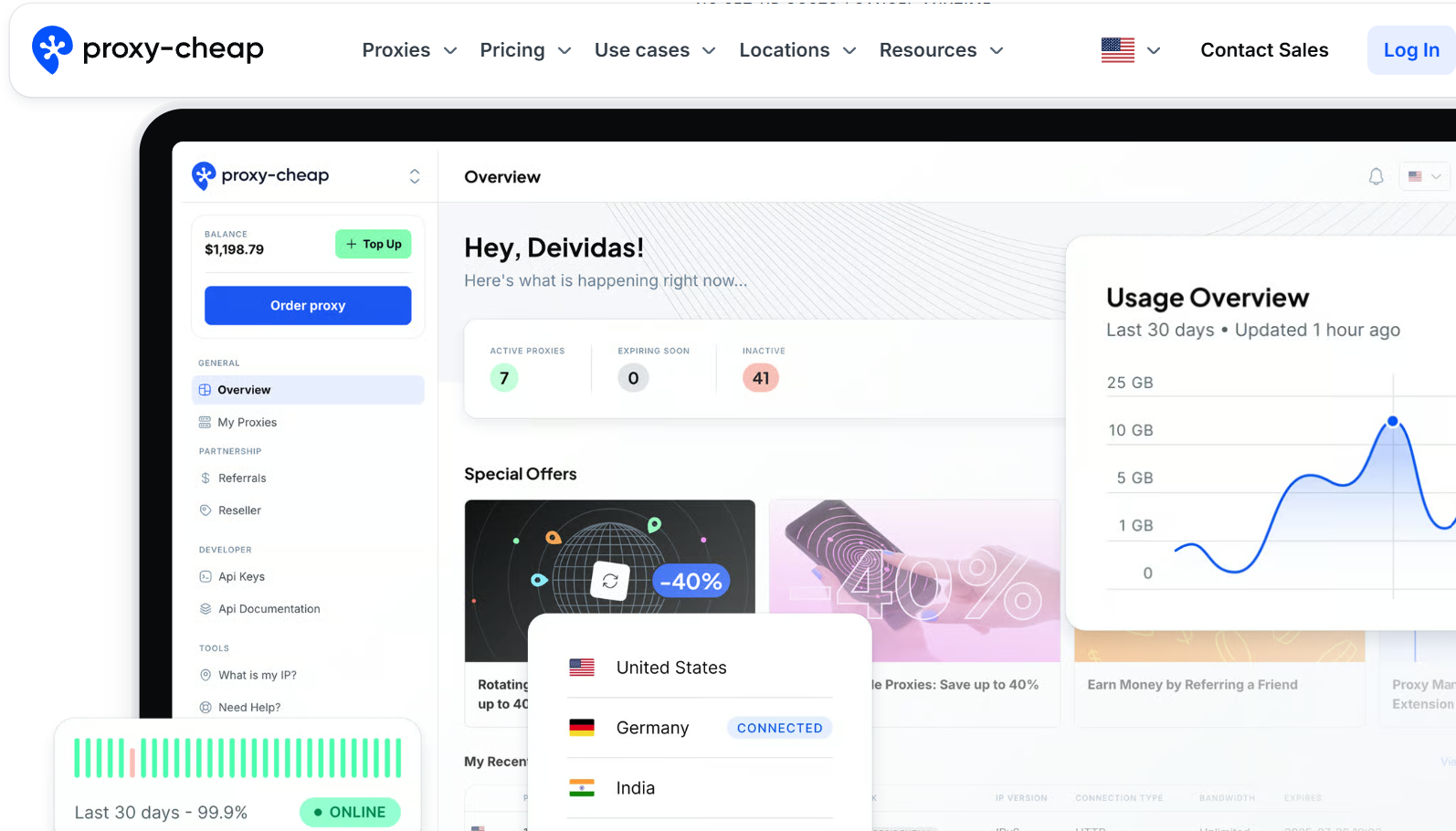
Beginner-friendly dashboard and tooling: The proxy manager is built for people who don’t want a steep learning curve. Independent reviewers highlight one-click switching between proxies, real-time usage stats, a handy Chrome extension for browser integration, on-demand API endpoint generation, and one-click export of proxy lists. New users can even take a short sign-up quiz that recommends a proxy type based on their use case.
Multiple protocols and easy integrations: With HTTP, HTTPS and SOCKS5 support and standard username-password authentication, Proxy-Cheap slots cleanly into common scraping frameworks like Scrapy, Puppeteer and Selenium, and pairs with anti-detect browsers such as Multilogin and GoLogin for multi-account setups. That interoperability matters more than any single feature when you’re wiring proxies into an existing stack.
Ethical, consent-based IP sourcing: Proxy-Cheap states that its residential IPs come from real users who have opted in, which matters both legally and reputationally in a market where several cut-price networks have been caught sourcing IPs from compromised devices. Sourcing is one thing worth checking with any proxy vendor, and Proxy-Cheap’s stated stance is on the right side of that line.
A natural fit for AI and automation pipelines: This is where a proxy network intersects with the broader AI-tools landscape. Training data, retrieval-augmented generation, price-intelligence feeds, and autonomous web agents all depend on collecting large volumes of public web data without being blocked — and that is precisely a proxy’s job. For professionals building data-driven and AI-assisted workflows on a budget, Proxy-Cheap is a low-cost way to keep the data flowing.
Key Features and Technology
Proxy-Cheap’s catalog maps neatly to different tasks and budgets. Here is how the ecosystem breaks down, and what each type is actually good for.
Residential Proxies — Rotating and Static (ISP)
Residential proxies route your traffic through real IP addresses assigned by internet service providers to genuine home devices, which makes them the most trusted and hardest-to-detect option for sensitive tasks. Proxy-Cheap’s rotating residential pool automatically cycles IPs for anonymity and high-volume scraping, and is billed per GB. Its static residential (ISP) proxies give you a fixed, long-lived residential IP — the right choice for account management and any workflow where a stable identity beats a fresh one. Importantly, Proxy-Cheap sells a cleaner premium static residential tier alongside the standard one; reviewers report the premium IPs return low fraud scores and pass detection, while the cheapest static IPs are more likely to be flagged as datacenter addresses. If your work touches social media or e-commerce, that distinction is the whole ballgame.
Datacenter Proxies — IPv4 and IPv6
Datacenter proxies are server-based IPs — fast, cheap, and abundant, but easier for defended sites to spot. They are the workhorse for bulk scraping of unprotected targets, price monitoring, and SEO tasks where speed matters more than perfect stealth. Proxy-Cheap’s datacenter IPv4 addresses come with unlimited bandwidth and high throughput, while its datacenter IPv6 proxies are the budget champion of the whole lineup, starting around $0.20–$0.30 per IP for tasks where the target supports IPv6. If your job is scraping large volumes of loosely protected pages, this is where Proxy-Cheap’s pricing is hardest to beat.
Mobile Proxies — Rotating and Static
Mobile proxies route traffic through real 3G/4G/5G mobile networks, giving them the highest anonymity and the lowest block rates of any proxy type — because thousands of real users share a single carrier IP, platforms are extremely reluctant to ban them. Proxy-Cheap offers both rotating mobile (billed per GB) for scaling across many mobile IPs and static mobile (a dedicated mobile IP) for app testing, ad verification, and the most sensitive social media tasks. Mobile is the priciest tier here, as it is everywhere, but it is also the most resilient against strict anti-bot systems.
Dashboard, Tools and Integrations
Beyond the raw IPs, Proxy-Cheap’s control panel is a genuine selling point for less technical buyers. You get one-click proxy switching, real-time usage and bandwidth stats, generated API endpoints for automation, exportable proxy lists, and a Chrome extension for quick in-browser use. Session control lets you rotate IPs on an adjustable 5-to-30-minute window. Authentication is via username and password, and the whole thing is designed to be set up in minutes rather than hours — which is exactly what you want when proxies are a means to an end, not the project itself.
Pricing, Plans and Package Structure
Proxy-Cheap uses a flexible, pay-as-you-go structure with no minimum monetary commitment: residential and mobile are billed per GB of traffic, while datacenter, ISP and static products are priced per individual IP, usually on a monthly basis. Volume brings the per-unit cost down meaningfully — rotating residential, for example, drops from around $3 per GB on a small 10 GB purchase toward roughly $1 per GB at very high volumes. Accepted payment methods include PayPal, major credit cards and cryptocurrencies. The figures below are approximate and move with promotions and plan tiers, so always confirm the current price on the official Proxy-Cheap store before you buy.
| Proxy Type | Approx. Starting Price | Billing | Best For |
|---|---|---|---|
| Datacenter IPv6 | ~$0.20–0.30 / proxy | Per IP | Cheapest bulk scraping of IPv6-ready, lightly defended targets |
| Datacenter IPv4 | ~$1.13–1.18 / proxy | Per IP | Fast general scraping, SEO monitoring, high-throughput tasks |
| Static Residential (ISP) | ~$1.27–1.99 / proxy | Per IP | Stable long-term identity; social/e-commerce on the premium tier |
| Rotating Residential | ~$2.49–3.00 / GB (less at volume) | Per GB | Large-scale scraping needing fresh, rotating IPs |
| Rotating Mobile | ~$4–6 / GB | Per GB | Highest anonymity; strict anti-bot targets and mobile tasks |
| Static Mobile | ~$11.61–13.00 / proxy | Per IP | Dedicated mobile IP for app testing and ad verification |
How Proxy-Cheap Compares to Alternatives
| Factor | Proxy-Cheap | Bright Data | IPRoyal | Free / Public Proxies |
|---|---|---|---|---|
| Residential entry price | ~$2.49–3 / GB | ~$3.53–5.88 / GB | ~$1.75 / GB | Free |
| Datacenter entry price | ~$0.15+ / IP | ~$0.90 / IP | ~$1.39 / IP | Free |
| Targeting granularity | Country + ISP only | Country, city, ASN, carrier | Country, city, state | None |
| Pool / scale | ~7M+ residential | 150M+ residential | 34M+ across types | Tiny, unstable |
| Free trial | No (limited refund window) | 7-day (business verification) | Pay-as-you-go, no expiry | Free |
| Best for | Budget basic-to-mid tasks | Enterprise, unblockable APIs | Budget with more targeting | Throwaway testing only |
vs. Bright Data: Bright Data is the enterprise heavyweight, with a 150 million-plus residential pool, precision targeting down to city, ASN and carrier, and powerful unblocking APIs like Web Unlocker and SERP. It is also several times more expensive and geared toward large, mission-critical operations. If you need guaranteed success rates at scale and have the budget, Bright Data wins; if you’re cost-sensitive and your targets aren’t heavily defended, Proxy-Cheap delivers a large fraction of the utility for a fraction of the price.
vs. IPRoyal: IPRoyal is Proxy-Cheap’s closest budget rival and, in some respects, the stronger value: it offers non-expiring pay-as-you-go traffic, finer country/city/state targeting, an ethically sourced 34 million-plus IP pool, and well-regarded live support. Proxy-Cheap often edges it on raw datacenter pricing and breadth of niche products, but if targeting precision and traffic that never expires matter to you, IPRoyal deserves a serious look.
vs. free or public proxies: Free proxy lists look tempting at zero cost, but they are the most expensive option once you count failures — they’re slow, frequently dead, shared with abusers, and some are outright dangerous (run to sniff credentials). For anything beyond a throwaway test, a low-cost paid provider like Proxy-Cheap is both cheaper in practice and vastly safer. This is the trade almost every serious user should make.
Pros and Cons
What Users Love
Hard-to-beat pricing: The core promise is real. Across datacenter, residential and mobile, Proxy-Cheap consistently ranks among the cheapest credible providers, and its datacenter IPv6 rates in particular are tough for anyone to undercut.
Flexible pay-as-you-go model: No minimum spend and no forced subscription means you pay only for what you use — perfect for irregular projects, quick tests, and small teams that don’t want to commit to a monthly plan.
Every proxy type in one place: Rotating and static residential, datacenter IPv4/IPv6, static and rotating mobile, ISP and sneaker proxies all live under one account, so you can grow from cheap scraping to sensitive account work without switching vendors.
Easy, well-equipped dashboard: One-click switching, real-time usage stats, a Chrome extension, generated API endpoints, and exportable proxy lists make setup fast even for non-technical users, and the sign-up quiz helps newcomers pick the right product.
Clean premium tier when you need it: Reviewers confirm the premium static residential IPs come back with low or zero fraud scores and pass platform detection, so demanding social and e-commerce work is possible if you buy the right tier.
Broad compatibility and ethical sourcing: HTTP/HTTPS/SOCKS5 support integrates smoothly with Scrapy, Selenium, Puppeteer and anti-detect browsers, and the company’s consent-based IP sourcing is a meaningful reassurance in a market with some bad actors.
Limitations Worth Knowing
No city or ASN-level targeting: Proxy-Cheap only supports country and ISP-level targeting. If your work depends on city-specific or carrier-specific IPs — local ad verification, hyper-local price checks — this is a real constraint, and rivals like IPRoyal and Bright Data do it better.
Cheaper tiers can be mislabeled or geo-mismatched: A recurring complaint is that budget “residential” or “ISP” IPs sometimes register as datacenter addresses, or that an IP sold as one country is detected as another by platforms like TikTok and Facebook. The premium tier largely avoids this, but you have to know to buy it.
High fraud scores on budget IPs: Some users report fraud scores in the 80s on the cheapest proxies, which makes them unsuitable for social media, e-commerce, or any target that runs reputation checks. Test the specific IPs you’re issued before relying on them.
Customer support is a common pain point: Reviews frequently cite slow responses, bot-heavy chat, and support windows that auto-close if you step away. If responsive, high-touch support is essential to you, weigh this carefully.
Strict, inconsistent refunds and no true free trial: Proxy-Cheap advertises a refund window (roughly 24–72 hours with under ~20% bandwidth used) but users report it being applied unevenly, sometimes as account credit rather than cash. There’s no traditional free trial, so testing means spending first.
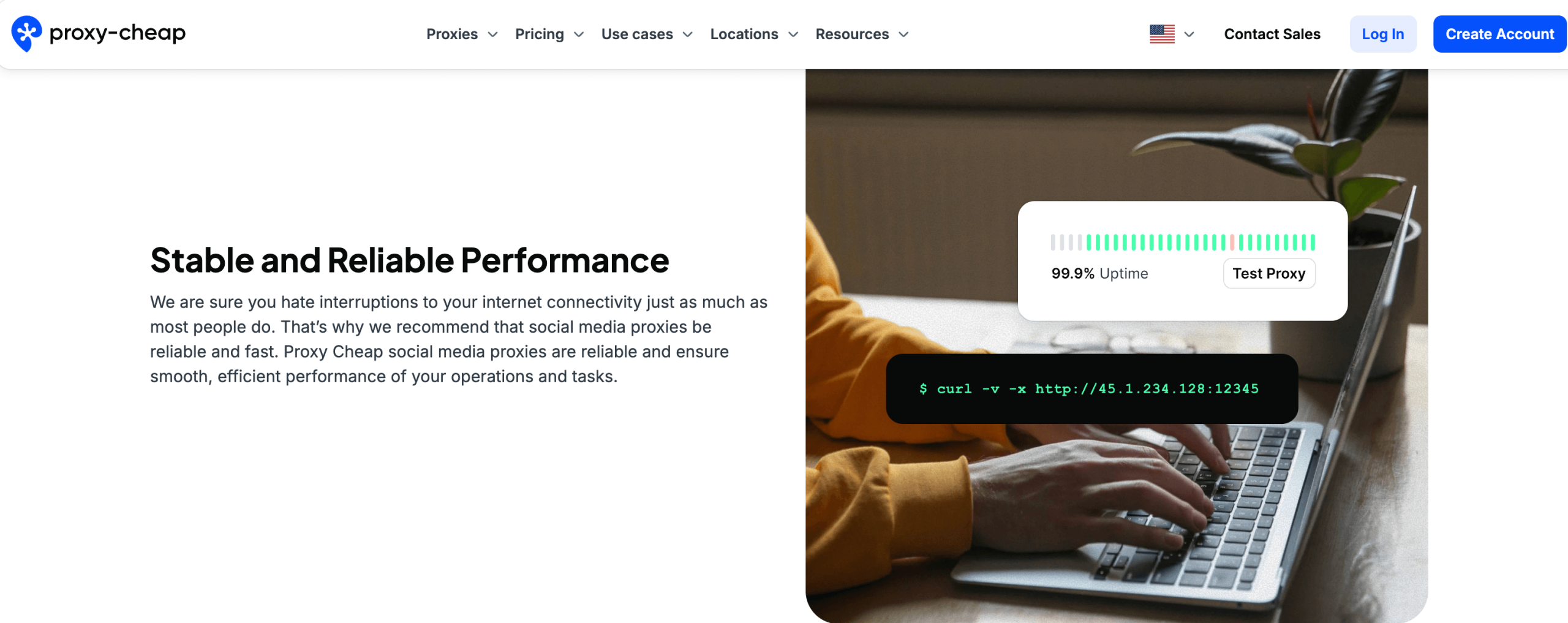
Not built for the most demanding work: Independent testing showed higher latency (roughly 500–800 ms), no sticky sessions beyond the 30-minute window, and struggles on high-security sites and enterprise use cases lacking IP whitelisting or advanced session control. It’s a budget-to-mid tool, and it’s honest to name where it stops.
Who Should Use Proxy-Cheap
Budget-conscious scrapers, marketers and freelancers: If cost is your main constraint and you’re scraping loosely defended pages, monitoring SEO, or collecting data at moderate scale, Proxy-Cheap’s datacenter and standard residential proxies deliver strong value. Start with datacenter IPv6 or IPv4 for the cheapest reliable throughput.
Developers and small teams building data or AI pipelines: For feeding scrapers, price-intelligence feeds, RAG datasets, or AI agents that need public web data without a big infrastructure bill, the pay-as-you-go model and SOCKS5 support make it easy to wire in. Buy rotating residential per GB and scale as your pipeline grows.
Multi-account social media managers — with the right tier: Managing several accounts is doable, but only if you buy the premium static residential or mobile proxies and pair them with an anti-detect browser. Do not attempt serious social work on the cheapest IPs; the fraud scores will get you flagged.
First-time proxy buyers testing the waters: The beginner-friendly dashboard, sign-up quiz, and no-minimum pricing make Proxy-Cheap an accessible on-ramp to learn how proxies work before committing to a pricier provider. A small pay-as-you-go top-up is a low-risk way to experiment.
Who should look elsewhere: If you need enterprise-grade reliability, guaranteed success rates on heavily defended sites, city-level targeting, or premium customer support, a provider like Bright Data (for scale) or IPRoyal (for budget with better targeting) will serve you better. Match the tool to the stakes of the job.
Getting Started: Step by Step
- Create an account and take the quiz. Sign up on Proxy-Cheap, and if you’re unsure which product fits, use the short sign-up quiz that recommends a proxy type based on your target and use case.
- Pick the right proxy type and tier. Choose datacenter IPv6/IPv4 for cheap bulk scraping, rotating residential for large-scale stealthy collection, or premium static residential / mobile for social and e-commerce. Don’t over-buy — match the tier to how strict your target is.
- Top up on pay-as-you-go. Fund your balance with PayPal, card or crypto, and buy only the bandwidth or number of IPs a real test will consume. There’s no minimum, so start small.
- Generate your proxies and credentials. In the dashboard, create your proxy endpoints, set the rotation window (5–30 minutes) if using rotating IPs, and note your username-password authentication or export the list.
- Integrate and configure. Plug the proxies into your browser via the Chrome extension, into a scraping framework like Scrapy or Puppeteer, or into an anti-detect browser such as Multilogin or GoLogin for multi-account work.
- Test before you scale. Run a small batch against your actual target and check success rate, geo accuracy and fraud score. Only scale up once the specific IPs prove themselves — this one habit saves the most wasted budget.
Tips for Getting Maximum Value
Start every project on pay-as-you-go and test before you commit real volume — Proxy-Cheap’s biggest risk is buying the wrong tier, and a small trial batch against your true target reveals fraud scores and geo-mismatches before they cost you. Take the sign-up quiz if you’re new; it steers you to the right product. Reach for the cheapest datacenter IPv6 addresses for bulk scraping of unprotected pages, but step up to premium static residential or mobile the moment social media, account creation, or e-commerce is involved — the cheap IPs will get flagged, and the extra spend pays for itself in avoided bans. Buy in higher volume when your usage is steady, since per-GB and per-IP rates fall meaningfully at scale, and always judge a proxy by its cost per successful request rather than the sticker price. Confirm geolocation on the exact IPs you’re issued before wiring them into a live workflow, keep your expectations realistic on support response times, and always verify the current promo price on the official store — discounts here move often, and the listed rate is rarely the lowest available.
Future Outlook and Final Assessment
The tailwinds behind proxies are strong and getting stronger. Web scraping, price intelligence, ad verification and market research were already booming, and the explosion of AI has added a vast new source of demand: models, RAG pipelines and autonomous agents all need large volumes of fresh, public web data, and proxies are the infrastructure that keeps that data flowing past blocks and geo-walls. In a landscape where enterprise providers charge accordingly, there will always be a large audience for a genuinely affordable, flexible, pay-as-you-go option — which is exactly the lane Proxy-Cheap owns.
The honest caveats remain, and they matter: targeting stops at country and ISP level, the cheapest IPs can be mislabeled or carry high fraud scores, support can be slow, and refunds are strict with no true free trial. But within those boundaries — and if you buy the right tier for the job and test before you scale — Proxy-Cheap delivers real, usable proxy access at prices that are hard to argue with, backed by an easy dashboard and the full spread of proxy types under one roof.
Conclusion
Proxy-Cheap lives up to its name: it is one of the most affordable ways to get residential, datacenter, ISP and mobile proxies, wrapped in a beginner-friendly dashboard and a flexible pay-as-you-go model with no minimum commitment. It isn’t the tool for enterprise-critical operations or hyper-local targeting, and the cheapest tiers demand testing before you trust them — but for the scrapers, marketers, freelancers and small teams who make up the digital-native world, it’s a low-risk, low-cost entry point into proxy-powered data collection. Pick the right tier for your target, test before you scale, and Proxy-Cheap turns one of the trickiest parts of working with web data into something genuinely accessible — helping you make everything easy, one request at a time.
Ready to power your scraping, automation and AI data work — without the enterprise price tag?
Explore more honest reviews, tutorials and tool comparisons to find the right tech for the way you work and live — at AI Solutes, where we make everything easy.
👉 Get Started: https://ai-solutes.com/proxycheap
👉 Our YouTube Channel: youtube.com/@ai-solutes
👉 Our Facebook Fanpage: Facebook
👉 Our X (Twitter): @AISolutes
- Is lemlist the Ultimate Lead Generation Platform for Embedding Dynamic Images and Videos? An In-Depth Review
- Revolutionize Retail with AI-Driven Omnichannel Inventory Management and Increff SaaS Solutions
- RevZilla Dominates: Inside the Largest US Motorcycle Gear Store
- Should Devs AI Optimize Workflow? Analyzing the Devs AI Development Platform
- How Does SocialBee Optimize Content Recycling to Maintain a Consistent and Active Social Media Presence?















