If you have ever tried to collect prices from a retailer in another country, check how your ads appear in a different city, track search rankings from the other side of the world, or run a dozen social accounts without tripping a platform alarm, you have already met the problem that proxy networks exist to solve. Websites decide what to show you, and whether to let you in at all, based on the IP address you arrive from. A single office connection gets blocked, throttled, or shown a different version of the page. SOAX is a UK-based proxy provider built around the idea that you should be able to choose exactly which real-world IP address your traffic uses, and control how and when it changes. It runs a residential and mobile network advertised at 195+ locations, serves a customer base the company puts at over 5,000 product teams, and handles an average of 717 million requests per day according to its own figures. Its entry point is a free Sandbox account, with pay-as-you-go credit top-ups from roughly $2 to $5 per GB depending on the country you target.
For marketers, SEO professionals, e-commerce sellers, data analysts, researchers, and developers feeding AI and automation pipelines, a proxy is a quiet but essential piece of the toolkit. This 2026 review walks through what SOAX is, how its credit and country-tier pricing really works, what independent testing says about speed and success rates, how it compares with Bright Data, Oxylabs, and Decodo, and the honest limitations you should weigh before you buy, including support hours, expiring credits, and a polarized Trustpilot profile.
SOAX Review 2026: A Residential and Mobile Proxy Network With Precise Targeting and Credit-Based Pricing
Overview and Background
SOAX is a proxy and data-access provider operated by SOAX Ltd, headquartered in Uxbridge, London. Independent reviewers date the company to 2020 and describe it as a mid-market, developer-friendly alternative to the biggest names in the industry. Its core products are residential proxies, which route your requests through IP addresses assigned to real home internet connections, and mobile proxies, which use IP addresses from mobile carrier networks. Both are sold under a single subscription at the same rates, and you can mix them in one account.
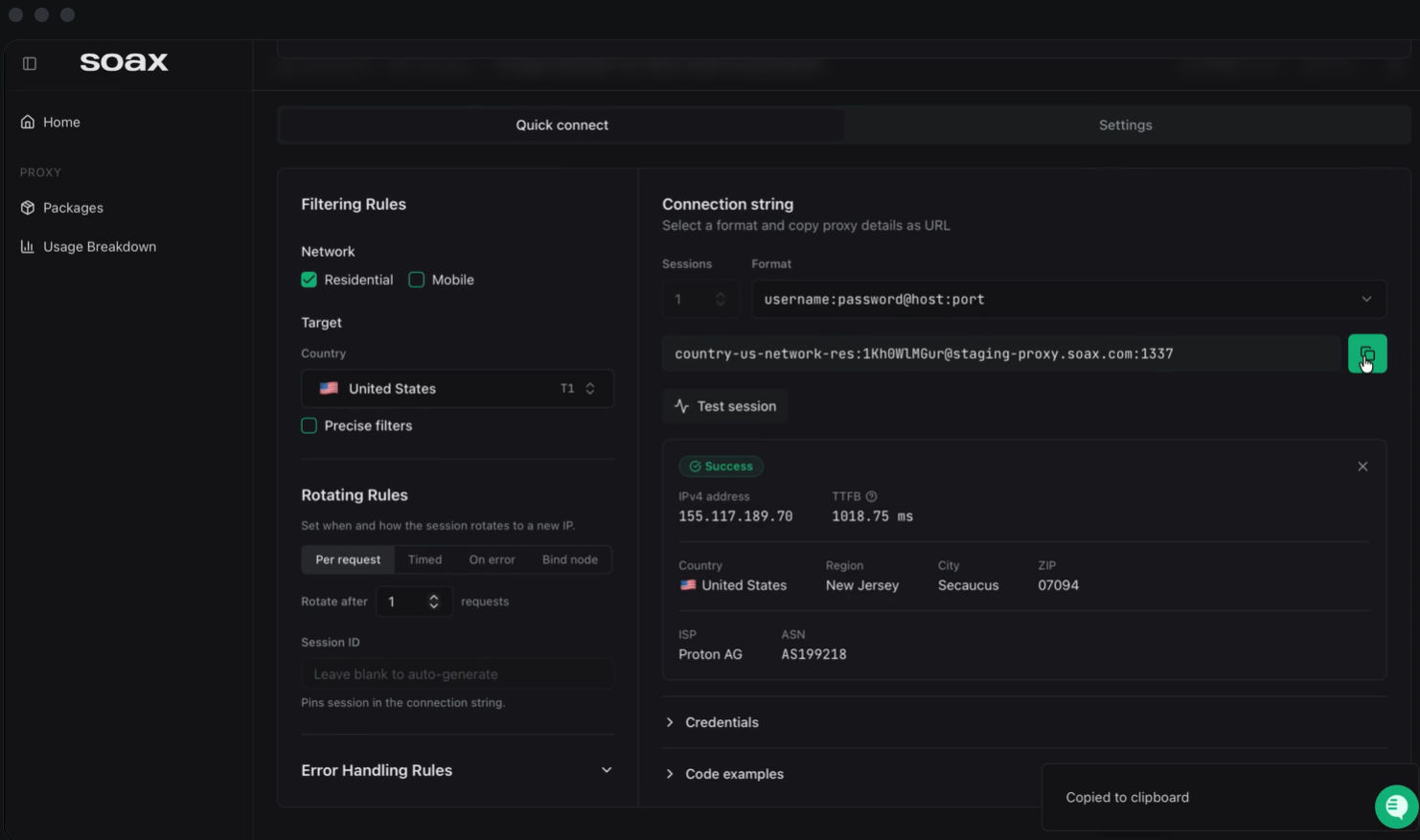
What the company emphasizes is control. Its marketing describes a connected system for selecting and rotating IPs, with rules for which node is chosen, when it rotates, and how errors are handled, all managed from a central dashboard. In practice that means you can ask for an IP in a specific country, state, city, or even a particular internet provider, then decide whether it should change on every request, after a set number of requests, after a set time, or only when something fails. For teams that need consistent, predictable behavior from a proxy rather than a black box, that design is the main reason to look at SOAX.
SOAX also offers a managed data acquisition service, where its team builds and runs custom data pipelines for technical customers, and a scraping browser that was still in beta at the time of independent testing. Datacenter and ISP proxy products appear to have been wound down between late 2025 and mid-2026 according to Proxyway, although at least one third-party listing still shows a US datacenter option, so confirm what is currently sold before you plan around it. The core of the business, and the focus of this review, is the residential and mobile network.
Why SOAX Stands Out in 2026
Precise geographic and network targeting: Most proxy buyers need more than “somewhere in Germany.” SOAX lets you filter by country, state, city, and ISP or ASN, and Proxyway notes that ISP targeting is included on every plan while ASN and ZIP code filtering sit on higher tiers. For ad verification, local SEO checks, and price monitoring that varies by region, that granularity is genuinely useful.
Flexible rotation and sticky sessions: You can rotate the IP on every request, after a chosen number of requests, after a time interval, or on error, or lock a session to a single node. Proxyway reports sticky sessions that can run up to a week or a million requests, and TechRadar notes custom session lengths with mobile sessions of up to 60 minutes. That range covers both high-volume scraping and login-based workflows that need a stable identity.
Strong measured reliability: In Proxyway’s April 2026 benchmarks, the residential network posted an average success rate of 99.78% on the global gateway and 99.92% on the US gateway, with response times for a small page averaging roughly 0.5 to 1.0 seconds depending on the gateway. The reviewer described the infrastructure as reliable, with few outages over three weeks of testing, and latency as better than average.
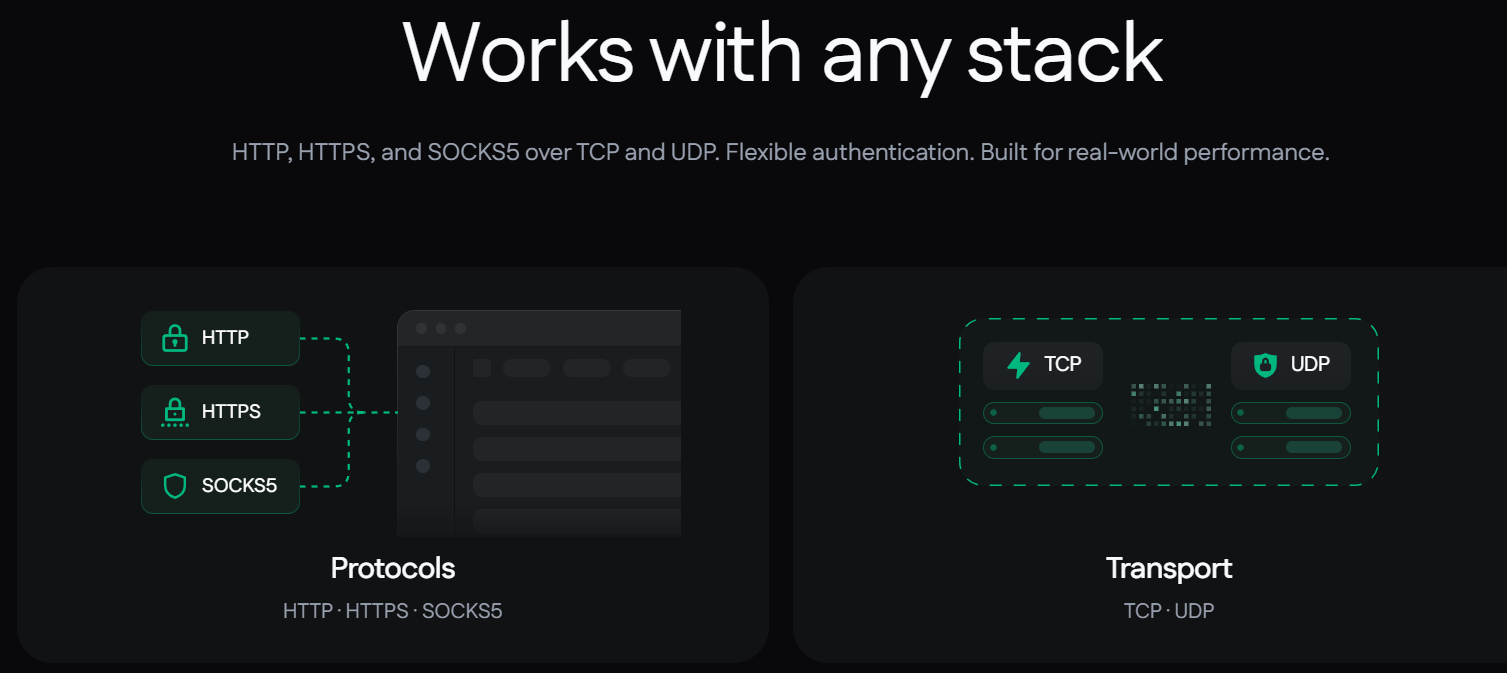
Modern protocol and access support: SOAX supports HTTP, HTTPS, and SOCKS5, including UDP and QUIC traffic, and offers both username and password authentication and IP allowlisting. Unlimited threads and ports, domain allow and deny lists, and custom error codes returned in response headers make debugging much less painful than with a generic gateway.
Package-based access management: The dashboard lets you create separate packages with their own limits for proxy type, protocol, port, country, domain, team member, and traffic cap. If you are an agency handing proxy access to several clients or colleagues, you can ring-fence usage instead of sharing one master credential.
A free way in, with a cheap paid trial: A Sandbox account costs nothing to open and needs no card. SOAX also advertises a paid trial of three days and 400 MB for $1.99, which is a low-risk way to test your targets before committing to a monthly plan.
Built-in security basics: Two-factor authentication is on by default, session management is available, and optional identity verification through Sumsub unlocks crypto payments and restricted ports or domains. It is the kind of compliance posture that matters if your use case touches regulated industries.
Key Features and Technology
SOAX packages its network into a small number of clear building blocks. Here is how they fit together and what each means in real use.
The Residential Proxy Network
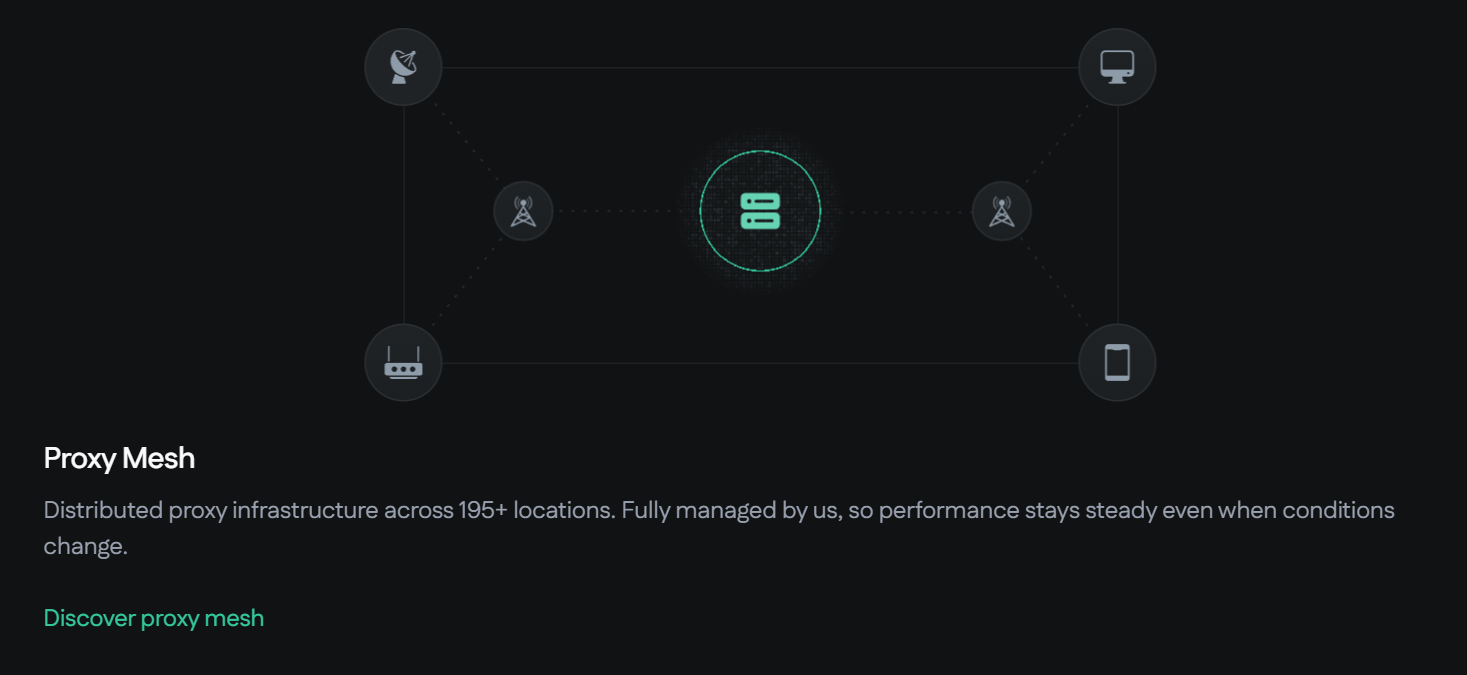
Residential proxies are the workhorse. SOAX advertises a pool of roughly 155 million residential IPs across more than 195 countries and locations, although independent reviewers could not verify that number. Proxyway measured about 1.67 million unique residential IPs over 21 days through a single global gateway, which it still rated as above average for the category, and the SOAX homepage itself cites more than 12 million unique IPs in the past 30 days. The gap between advertised and observed figures is common across the whole proxy industry, so judge the network by success rate on your targets, not by the headline pool size. Gateways were available on the US East Coast, in the Netherlands, and in Singapore at the time of testing.
The Mobile Proxy Network
Mobile proxies use carrier-assigned addresses that many platforms treat as highly trustworthy, because thousands of real users share them. SOAX advertises a mobile pool of roughly 30 to 33 million IPs. In Proxyway’s test the mobile pool was smaller than most rivals but perfectly usable, with a measured global success rate near 99.7% and a US rate around 99.85%. The one weak spot was the EU mobile gateway, which averaged about 96.5%. If your work depends on European mobile exits, test that route specifically.
Targeting, Rotation, and Control
This is where the platform earns its keep. A single endpoint can be told to return an IP from a given country, state, city, or ISP, to hold it for a chosen time, or to swap it on a rule. Extra controls include choosing where DNS resolution happens, filtering destination domains, and a Web Optimizer for error handling. The dashboard includes a built-in proxy checker and a setup widget, and the API covers account status, locations, usage, and proxy string generation, although it does not handle billing or plan changes.
Developer Tools and Integrations
SOAX publishes setup guides for around fifteen anti-detect browsers, offers a free online proxy checker that handles up to 50 proxies at a time, and exposes error details in response headers. It also lists scraping products for AI, search, video, and e-commerce use cases. For people building scrapers or data collection scripts, that ecosystem shortens the path from signup to a working request.
Performance in Independent Testing
Using Proxyway’s April 2026 data, the US residential gateway averaged about 0.55 seconds for a small 6 KB page and succeeded 99.92% of the time. Larger 2 MB pages took a global average of about 3.3 seconds, with a median closer to 1.5 seconds, which is respectable for a residential network because home connections are inherently slower than data center lines. TechRadar’s earlier UK test measured an average time to first byte of around 787 milliseconds. Speeds always vary by target site, location, and proxy type, so treat these as directional rather than guaranteed.
Pricing, Plans, and Package Structure
SOAX uses a credit system where one credit is worth $1 of usage. Each plan has a monthly fee that converts into the same number of credits, and the per-GB rate you pay falls as you move up a plan and rises or falls with the country tier you target. Tier 1 countries such as the US cost the most, Tier 3 countries cost the least, and unfiltered traffic is billed according to where the IP actually sits, which can make budgeting harder. Prices below are shown excluding VAT, reflect third-party snapshots from 2026, and may change.
| Plan | Approx. Monthly Fee | Included Credits | Approx. Rate Per GB (Tier 1 / 2 / 3) | Best For |
|---|---|---|---|---|
| Sandbox | $0 | None (buy top-ups) | ~$5.00 / $4.00 / $2.00 | Testing, light or occasional use, no subscription |
| Builder | ~$200 | 200 | ~$3.00 / $2.25 / $1.20 | Freelancers and small teams with steady monthly volume |
| Team | ~$500 | 500 | ~$2.20 / $1.65 / $0.90 | Agencies and growing data teams |
| Scale | ~$1,500 | 1,500 | ~$1.50 / $1.15 / $0.60 | Heavy users who need ASN and ZIP targeting |
| Enterprise | ~$3,000+ | 3,000 | Volume bands starting around $0.85 / $0.55 / $0.35 | Large operations needing postpaid billing and dedicated pools |
Beyond the table, a few details shape the real cost. Credits on Sandbox and monthly plans expire after about 60 days, while annual plans can keep credits for up to 12 months. Proxyway reports top-ups starting at $25, and lists a paid starter trial of three days and 400 MB for $1.99. Payment is accepted by card, PayPal, and cryptocurrency, with identity verification required for crypto. Upgrades take effect immediately, while downgrades apply at the next billing cycle. Refunds are not a given: the published position is that plans, top-ups, and postpaid usage are generally non-refundable. One reviewer also reported pay-as-you-go being temporarily unavailable in May 2026, so confirm that option is currently open to new customers.
How SOAX Compares to Alternatives
The residential proxy market is crowded, and the right choice depends on whether you value price, pool size, enterprise tooling, or simple control. The table below uses entry-level pay-as-you-go per-GB ranges from a 2026 price comparison and general market positioning. Treat the figures as approximate and verify them before deciding.
| Provider | Approx. Residential $/GB Range | Positioning | Main Strength | Main Trade-Off |
|---|---|---|---|---|
| SOAX | ~$2.00 to $3.60 | Mid-market, developer focused | Granular targeting and rotation, strong measured success rates | Tier-based credit pricing, limited support hours |
| Bright Data | ~$5.01 to $8.00 | Enterprise scale | Very broad product range and compliance tooling | Higher entry cost, steeper learning curve |
| Oxylabs | ~$5.50 to $9.00 | Enterprise and corporate | Large network, mature scraping APIs, account support | Premium pricing |
| Decodo | ~$2.20 to $7.00 | Value focused | Many pricing tiers and approachable plans | Pricing tiers can be harder to compare |
| DIY or free proxies | $0 upfront | Hobby or one-off tasks | No cost | Poor reliability, frequent blocks, real security risks |
SOAX vs. Bright Data: Bright Data is the industry heavyweight, with a huge catalog and deep compliance features, but its residential rates start noticeably higher. SOAX is the better fit when you want precise targeting and rotation at a lower per-GB cost and do not need an enterprise suite of extras.
SOAX vs. Oxylabs: Oxylabs targets large organizations that value dedicated account management and mature scraping APIs, and it prices accordingly. SOAX gives smaller teams comparable core proxy control with a friendlier entry price, though with thinner support hours and a sparser dashboard.
SOAX vs. Decodo: Decodo competes most directly on value, and its low-end pricing overlaps with SOAX. The decision often comes down to which provider performs better on your specific target sites, so test both on the same tasks before committing.
SOAX vs. free or DIY proxies: Free public proxy lists cost nothing, but they are slow, unreliable, frequently blacklisted, and can expose your traffic to interception. For any work that touches client data, accounts, or revenue, a managed residential network is a far safer choice.
Pros and Cons
What Users Love
Excellent measured success rates: Independent testing recorded success rates close to 99.8% to 99.9% on most residential gateways, which is the number that matters most when a scraper or monitoring job must finish cleanly.
Fine-grained control: Country, state, city, ISP, and rotation rules give you real command over your traffic, and the per-package limits make it easy to share access safely.
Flexible entry options: A free Sandbox account, a low-cost paid trial, and credit top-ups let you start small without a large monthly commitment.
Competitive mid-market pricing: Compared with the highest-priced enterprise providers, SOAX residential rates are significantly lower, especially on higher plans and in cheaper country tiers.
Strong reviews on software platforms: G2 shows a 4.8 out of 5 rating from 66 reviews, and Proxyway scored SOAX 4.5 out of 5, calling it a developer’s best friend.
Limitations Worth Knowing
Complex, hard-to-budget pricing: Credits, plan fees, and three country tiers make cost forecasting harder than a flat per-GB model. Unfiltered traffic is billed by IP location, so unexpected exits can raise your bill.
Credits expire and refunds are limited: Credits on monthly plans lapse after about 60 days, and the stated policy treats plans and top-ups as generally non-refundable. Unused volume is money lost.
Support is weekday-only for most users: Standard support runs roughly 07:00 to 19:00 UTC, Monday to Friday, with only critical incidents covered around the clock. Proxyway waited about an hour and a half for a human after the live chat started with an AI bot, and received an unrelated canned reply.
A polarized Trustpilot profile: SOAX holds about 3.4 out of 5 from 149 reviews, split between a large block of five-star ratings and a smaller group of one-star complaints. Reported problems include sticky sessions rotating earlier than configured, billing disputes, and abrupt account restrictions. Only a handful of reviews are recent, so the picture may not be representative, but the complaints are worth reading.
Sparse dashboard and limited analytics: Usage stats do not show success rates, latency, or destination domains, and the interface is English only.
Undisclosed sourcing and a weaker EU mobile route: Reviewers noted that SOAX does not fully disclose how its residential IPs are sourced, and the EU mobile gateway lagged behind the rest of the network in testing.
Who Should Use SOAX
SEO and marketing professionals: If you track rankings, verify ads, or audit local search results across cities and countries, SOAX’s city and ISP targeting is a strong match. The Builder plan covers most solo consultants and small agencies.
E-commerce sellers and price-monitoring teams: Region-specific pricing and stock checks need clean local IPs and consistent sessions. Start with Builder, target Tier 2 and Tier 3 markets where possible to keep costs down, and move to Team as volume grows.
Developers and AI data teams: Anyone building scrapers or collecting public data for automation and machine learning will appreciate the rotation rules, SOCKS5 and QUIC support, and error headers. Consider Team or Scale if you need ASN and ZIP filters.
Social media managers and agencies: Managing multiple accounts safely depends on stable, location-appropriate identities. Sticky residential or mobile sessions, plus package-level access limits, make SOAX workable for client teams, provided you follow each platform’s rules.
Who should look elsewhere: If you need round-the-clock human support, a rigid flat price per GB, or datacenter and ISP proxies, compare other providers first. Very light users may also find the Sandbox top-up model less flexible than they hoped.
Getting Started: Step by Step
- Create a Sandbox account: Sign up at the official SOAX site. No credit card is needed to open the account, though you will need to buy credits before you can send traffic.
- Run a low-cost test: Take the $1.99 trial, or add a small top-up, so you can test your real target websites before committing to a monthly plan.
- Create a package: In the dashboard, set up a package and choose residential or mobile, your protocol, port, country, and any domain or traffic limits you want to enforce.
- Configure targeting and rotation: Pick your country, state, city, or ISP, then decide between rotating on every request, rotating on a timer, or holding a sticky session.
- Connect your tool: Copy the generated proxy string into your browser, anti-detect tool, or script, and choose username and password authentication or add your IP to the allowlist.
- Verify with the proxy checker: Use the built-in checker to confirm the exit IP, location, and speed before launching a large job.
- Monitor usage and upgrade deliberately: Watch credit consumption by package and tier, and move up a plan only once your monthly volume justifies the lower per-GB rate.
Tips for Getting Maximum Value
Match your plan to your real traffic instead of your hopes. Estimate gigabytes per month by country tier, because a heavy US workload at about $3.00 per GB on Builder will cost far more than the same volume aimed at Tier 3 markets. Set explicit location filters so that unfiltered requests do not exit in expensive countries, and keep rotation rules tight so sticky sessions do not burn bandwidth on retries. Because credits expire after about 60 days on monthly plans, avoid buying more than you can use, and consider an annual plan only if your usage is predictable. Block image, video, and font requests in your scraper whenever you do not need them, since bandwidth is what you pay for. Test your hardest targets first, ask the support team about your use case before you scale, and keep a record of any session problems in case you need to raise a billing question. Finally, read the acceptable use terms and complete verification early if you plan to pay in crypto or use restricted ports, so you are not delayed at a critical moment.
Future Outlook and Final Assessment
Demand for proxy infrastructure keeps rising as price intelligence, ad verification, localization testing, and AI data collection move from specialist tasks to routine business operations. SOAX is positioned sensibly for that shift, with a unified residential and mobile network, a developer-oriented control layer, and pricing that undercuts the biggest enterprise names. The company has also been reshaping its lineup, trimming older product lines and adding managed data services, which suggests a sharper focus on the core network.
The caveats stand and should be restated plainly. Pricing is credit-based and tier-dependent, credits expire, refunds are limited, support is weekday-only for most customers, and public feedback is mixed enough that you should test before you commit. Advertised pool sizes are far larger than what independent reviewers could measure, which is typical for the industry but still worth keeping in mind.
Conclusion
SOAX is not the cheapest proxy provider and it is not the largest, and independent reviewers say so openly. What it offers is a well-engineered residential and mobile network with very good measured success rates, precise targeting, and rotation controls that give technical users real command over their traffic, all at a mid-market price. If you can live with credit-based billing, weekday support, and the need to test carefully before scaling, it is a strong choice for marketers, e-commerce teams, agencies, and developers who need dependable access to the web as it appears in different places. Start small, measure on your own targets, and scale when the numbers prove themselves. That is how a good tool should fit into your workflow, and it is exactly how we think about technology at AI Solutes: make everything easy.
Ready to see what 195+ locations and granular rotation controls can do for your data projects? Try SOAX today.
Explore more honest reviews, tutorials and tool comparisons to find the right tech for the way you work and live — at AI Solutes, where we make everything easy.
👉 Get Started: https://soax.com/
👉 Our YouTube Channel: youtube.com/@ai-solutes
👉 Our Facebook Fanpage: Facebook
👉 Our X (Twitter): @AISolutes