


You delete a folder by mistake. A USB stick throws a “format this disk” error the moment you plug it in. A laptop won’t boot and every family photo you never backed up suddenly feels irreplaceable. This is the exact moment EaseUS Data Recovery Wizard was built for. EaseUS is a 20-year-old software company with more than 530 million users across 190+ countries, and its Data Recovery Wizard alone has been used by over 72 million people to pull back deleted, formatted, or corrupted files from hard drives, SSDs, USB drives, memory cards, and even NAS devices. Pricing starts at completely free (up to 2GB of recovered data), with paid Pro plans running from roughly $70 to $150 depending on the license term, and the tool carries a 4.4–4.8 average across Trustpilot, Capterra, and G2. This review walks through exactly what the Data Recovery function does, how it performs against real-world data loss scenarios, full pricing, honest limitations pulled from verified user reviews, and who should (and shouldn’t) reach for it first.
For freelancers who just lost a client deliverable, small business owners without a proper backup routine, content creators managing terabytes of raw footage, and everyday users who emptied the Recycle Bin a little too fast, data loss is a genuine emergency — and the software you choose in that moment matters. This 2026 review covers EaseUS Data Recovery Wizard’s core recovery engine, scan modes, file-format coverage, pricing tiers, how it stacks up against Disk Drill, Stellar Data Recovery, and Recuva, real user feedback (the good and the frustrating), and a step-by-step walkthrough to get your files back.
EaseUS Data Recovery Wizard Review 2026: The Most Approachable Way to Get Lost Files Back
Overview and Background
EaseUS Data Recovery Wizard is the flagship data recovery product from EaseUS, a Chengdu-founded software company established in 2004 that has since grown into one of the most recognized names in consumer and small-business data management. Alongside Data Recovery Wizard, EaseUS also builds Todo Backup, Partition Master, Todo PCTrans, and a growing line of AI-assisted repair and multimedia tools — but data recovery is where the company built its reputation, and it remains the product most reviewed by outlets like PCMag, CNET, TechRadar, and Softpedia.
The core insight behind the product is simple: when a file is deleted, the operating system typically just marks that storage space as available — it doesn’t immediately erase the data. As long as nothing new has been written to that space, specialized scanning can usually find and rebuild the original file. EaseUS built its entire engine around doing that scanning reliably, with the latest 20.1.0 release adding a new recovery engine, improved fragmented-file handling for FAT32/exFAT/RAW drives, and support for the ZFS file system.
EaseUS Data Recovery Wizard ships in three tiers — Free, Pro, and Technician — for both Windows and Mac, plus a separate mobile line (MobiSaver) for iPhone and Android. The software is available as a direct download from the official EaseUS site and through resellers, and the company backs paid licenses with a 30-day money-back guarantee.
Why EaseUS Data Recovery Wizard Stands Out in 2026
A genuinely simple three-step workflow: Select the drive or location, scan, then preview and recover. EaseUS designed this specifically so that someone with zero technical background can operate it, and independent reviewers consistently point to the interface as one of the least intimidating in the category — a real advantage over more technical tools like R-Studio.
Broad coverage across storage types and file formats: The Data Recovery Wizard supports more than 2,000 storage device types — internal and external hard drives, SSDs, USB flash drives, memory cards, cameras, and NAS devices — and over 1,000 file formats spanning photos (JPG, RAW, CR2, NEF, PSD), documents (DOC, XLS, PPT, PDF), videos (MP4, MOV, MKV), audio, and email archives (PST, DBX).
Recover while scanning: Rather than forcing you to wait for a full deep scan to complete, EaseUS lets you pull out files as soon as they’re found. For a large drive where a deep scan can take hours, this is a genuinely useful time-saver when you need one critical file back immediately.
File preview before you pay: Both the free and trial versions let you browse and preview recoverable files — photos, documents, and some videos — before committing to a purchase, so you know your data is actually there before spending anything.
Wide range of loss scenarios covered: Beyond simple accidental deletion, the tool handles formatted drives, RAW/unrecognized partitions, lost or deleted partitions, inaccessible or offline disks, and even recovering files off a crashed operating system — a single tool for most of the ways data actually disappears.
Built-in file repair for corrupted recoveries: Through its companion Fixo repair engine, EaseUS can attempt to repair corrupted photos and videos (including damaged MP4/MOV files) discovered during the recovery process, rather than handing you a file that opens but won’t play.
Genuine scale and track record: With 72 million-plus recorded users of the recovery tool specifically and two decades in the market, EaseUS has more real-world testing behind its recovery engine than most newer competitors, and it’s been shortlisted in G2’s data recovery product leader list.
Key Features and Technology
The Data Recovery Wizard is organized around a handful of scan modes and recovery utilities that cover the vast majority of everyday data loss situations.
Scan Modes: Quick, Deep, and RAW Recovery
Quick Scan checks the file system’s index and typically surfaces recently deleted files within seconds to a couple of minutes — ideal for a fresh accidental deletion or an emptied Recycle Bin. Deep Scan digs sector-by-sector through the drive to reconstruct files the file system no longer has a record of, which takes substantially longer but recovers far more in cases of formatting, partition loss, or long-standing deletions. RAW recovery kicks in when a drive shows up as unformatted or unreadable, scanning for file signatures directly rather than relying on any file system structure at all.
Partition and Disk-Level Recovery
Beyond individual files, the software specializes in recovering entire lost, deleted, or corrupted partitions, along with data from unknown/uninitialized disks, inaccessible drives, and offline disks. This partition-level recovery is one of the areas where EaseUS differentiates itself from lighter-weight free tools that only handle simple file-level deletion.
NAS and Network Storage Recovery
For small businesses and power users running network-attached storage, EaseUS extends recovery support to most major NAS brands and their associated file formats — a feature that many consumer-grade competitors skip entirely, and one that matters for anyone running a shared drive as informal backup infrastructure.
Filtering, Preview, and Selective Recovery
A built-in file filter lets you sort scan results by file type, date deleted, or name, which is essential when a deep scan on a large drive can turn up tens of thousands of recoverable items. The Explorer-style preview pane lets you check files are intact before you commit to recovering them, and an Auto-Recover setting can automatically save found files to a specified location so you don’t have to babysit a long scan.
Pricing, Plans, and Package Structure
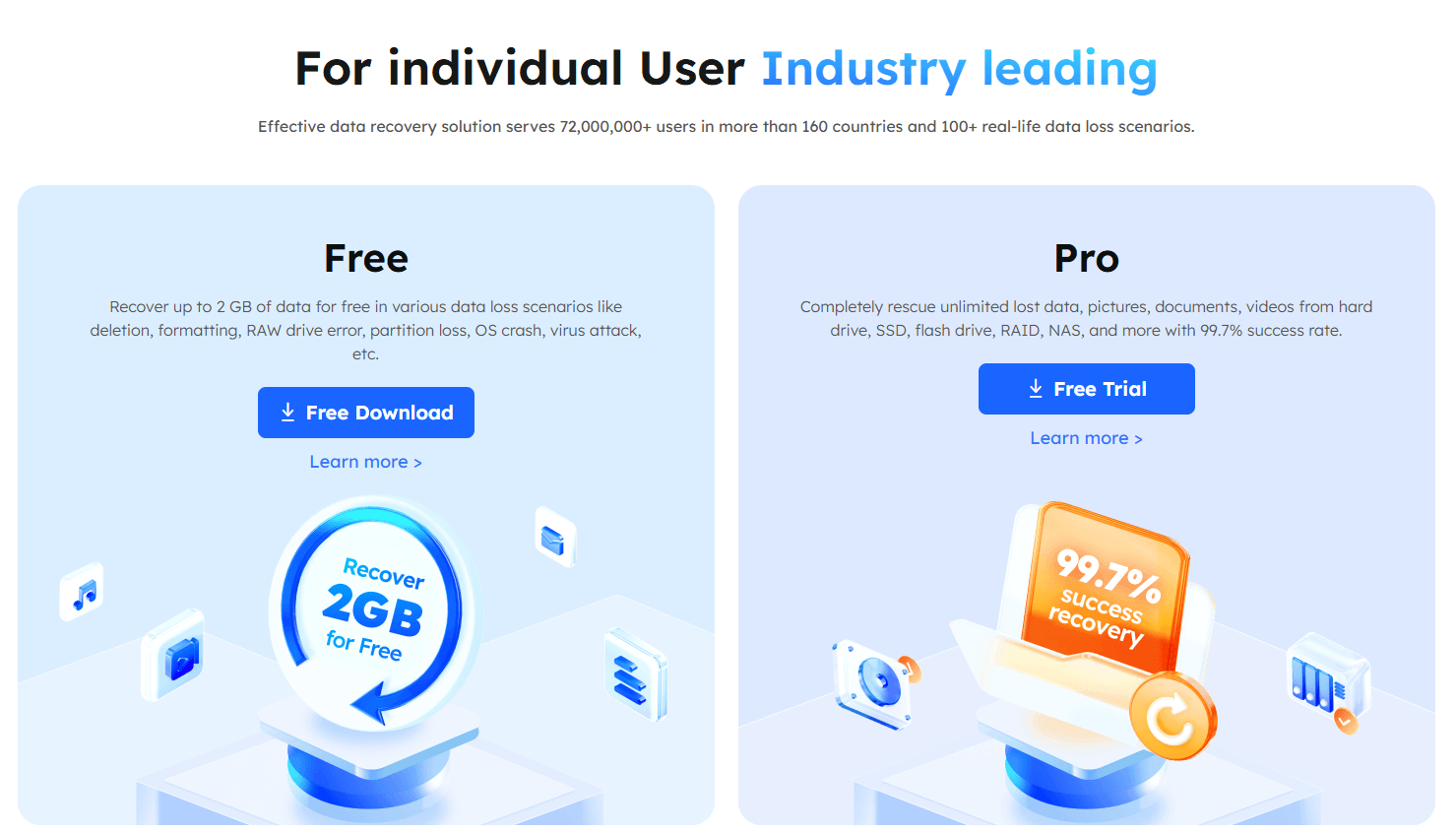
EaseUS Data Recovery Wizard is sold as a one-time license fee rather than a recurring subscription, though the different license lengths function similarly to tiers. The Free edition recovers up to 2GB of data at no cost and is a genuinely useful way to confirm your files are recoverable before paying anything. Beyond that, Pro pricing is typically presented in Monthly, Annual, and Lifetime license options, and EaseUS runs frequent storefront discounts and exit-intent coupon pop-ups, so the price you’re quoted on first visit is rarely the final one.
| Plan | Approx. Price | What You Get | Best For |
|---|---|---|---|
| Free | $0 | Scan, preview, and recover up to 2GB of data | Confirming files are recoverable before buying |
| Pro – One-Month | ~$69.95 | One license, unlimited recovery, 1-month free upgrades, remote assistance | A single, one-off recovery job |
| Pro – One-Year (best value) | ~$99.95 | One license, unlimited recovery, 1-year free upgrades, remote assistance | Anyone who may need recovery more than once this year |
| Pro – Lifetime | ~$149.95 | One license, unlimited recovery, lifetime free upgrades, remote assistance | Freelancers, IT support, or anyone who wants this on hand permanently |
| Technician / Unlimited | Custom — contact EaseUS | Multi-machine licensing for commercial/IT use | IT shops and data recovery businesses |
How EaseUS Data Recovery Wizard Compares to Alternatives
| Factor | EaseUS Data Recovery Wizard | Disk Drill | Stellar Data Recovery | Recuva (free tool) |
|---|---|---|---|---|
| Free tier limit | 2GB recoverable | 500MB recoverable | 1GB recoverable | Unlimited but basic, no advanced scan |
| Entry paid price | ~$69.95 (1-month) | ~$89 lifetime (Win + Mac) | ~$69.99/yr or ~$129 lifetime | Free; Pro ~$19.95 one-time |
| Platform coverage | Windows + Mac (separate products) | Windows + Mac, one bundled license | Windows + Mac (separate products) | Windows only |
| Ease of use | Very beginner-friendly | Beginner-friendly | Moderate; reported crashes in testing | Simple but dated interface |
| Best for | Broad scenario coverage, NAS, non-technical users | Best overall value across two platforms | Photo/video-heavy recovery on a budget | Simple, very recent deletions, zero budget |
vs. Disk Drill: Disk Drill has built a strong reputation as the best all-around value in the category, largely because its one lifetime license covers both Windows and Mac and its free tier includes broader file-system healing tools. EaseUS counters with a larger free-recovery allowance (2GB vs. 500MB) and deeper NAS and partition-level recovery, but if you regularly switch between a Windows PC and a Mac, Disk Drill’s cross-platform license is worth comparing directly.
vs. Stellar Data Recovery: Stellar covers similar ground with comparable pricing, but independent testing has flagged inconsistent stability and crashes during scans on some non-Windows file formats — a reliability gap EaseUS doesn’t share in most reviews. Stellar’s higher Premium tier ($199) also draws criticism for feeling overpriced relative to what it adds.
vs. Recuva (free): Recuva remains a solid, genuinely free option for very recent, simple deletions on Windows, and it’s worth trying first if your budget is zero. But it lacks deep-scan sophistication, partition recovery, NAS support, and file preview quality — for anything beyond a straightforward recent deletion, EaseUS’s paid tier will typically find more.
Pros and Cons
What Users Love
Genuinely beginner-friendly: Reviewers and verified Capterra users repeatedly describe the interface as intuitive “even for non-technical users,” which matters enormously in a stressful data-loss moment when you don’t want to learn new software.
Strong real-world recovery outcomes: Verified reviews cite successful recovery of formatted USB drives, crashed-laptop documents, and client work files that other tools failed to find — with several users specifically noting EaseUS preserved original file names where competitors renamed recovered files.
Clean security track record: Independent VirusTotal scans of the installer returned zero detections across 72 engines, and the recovery process runs entirely offline with no observed data uploads — an important reassurance given how sensitive recovered files often are.
Preview before you pay: Being able to see your files are actually recoverable before spending money removes a lot of the risk that comes with data-recovery purchases generally.
Responsive customer support: Multiple Trustpilot reviewers highlight fast, thorough responses from EaseUS’s support team, including weekend turnaround on technical questions.
Limitations Worth Knowing
Pricing complaints are common: The most frequent negative feedback across review platforms targets pricing — specifically the push toward paid upgrades once the free 2GB limit is hit, and aggressive last-chance discount pop-ups during checkout that some users find manipulative.
Preview doesn’t cover every format: Certain file types — 360-degree video is a documented example — show up as detected during a scan but can’t be previewed in the trial, meaning you’re paying somewhat on trust for edge-case formats.
Real-world recovery rates can fall short of marketing claims: EaseUS advertises a 99.7% success rate, but independent hands-on testing has found recovery rates closer to 70–80% on some formatted-drive scenarios — still solid, but worth tempering expectations against the headline number.
Deep Scan can be slow on large drives: A full sector-by-sector scan on a large or heavily fragmented drive can take a long time, and while you can recover files as they’re found, there’s still a real wait for the most thorough results.
No recovery tool beats physical damage: If a drive has failed physically — clicking noises, not spinning up, not detected by the BIOS — no software recovery tool, EaseUS included, will help. That scenario needs a professional data recovery lab, which EaseUS itself offers as a separate paid service.
Free version is limited to Windows/Mac desktop use: The free 2GB allowance is per the desktop editions; mobile recovery (MobiSaver for iPhone/Android) and NAS-specific recovery lean more heavily on the paid tier from the outset.
Who Should Use EaseUS Data Recovery Wizard

Freelancers and small business owners without formal backups: If a deleted invoice folder or a corrupted client deliverable would genuinely hurt your business, the One-Year Pro license is a low-cost insurance policy you’ll be glad to have the first time you need it.
Content creators and photographers: With support for 1,000+ file formats including RAW camera formats and video, plus built-in file repair for corrupted MP4/MOV/JPEG files, this is a solid first stop before assuming footage or shoots are gone for good.
Everyday users recovering from a simple mistake: Accidentally emptied the Recycle Bin or deleted the wrong folder? Start with the free version — Quick Scan will likely find your files within the free 2GB limit and cost you nothing.
IT support techs and small MSPs: The Technician/Unlimited license, priced by inquiry, is built for people who need to run recovery across multiple client machines and want a tool non-technical clients can also self-serve if licensed individually.
Anyone budget-conscious across two platforms: If you regularly need recovery on both a Windows machine and a Mac, price out Disk Drill’s combined license alongside EaseUS’s separate Windows and Mac products before committing.
Getting Started: Step by Step
- Stop using the affected drive. The moment you notice data loss, stop saving new files to that drive — every write risks overwriting the very data you’re trying to recover.
- Download and install the free version. Get EaseUS Data Recovery Wizard Free from the official EaseUS site and install it — ideally onto a different drive than the one you’re recovering from.
- Select the drive or location. Choose the disk, partition, or specific folder where your lost data was, including any lost/unrecognized partitions the tool detects.
- Run a scan. Start with Quick Scan for a fast check of recently deleted files; if that doesn’t find what you need, let Deep Scan run for a more thorough sector-level search.
- Filter and preview your results. Use the file-type and date filters to narrow a large results list, and preview files to confirm they’re intact before recovering them.
- Recover to a different drive. Always save recovered files to a separate physical drive than the one you scanned, never back to the original location.
- Upgrade only if needed. If your recoverable data exceeds the free 2GB limit, upgrade to Pro at that point — you’ll already know your files are there before you pay.
Tips for Getting Maximum Value
Always run the free scan first — it costs nothing and tells you within minutes whether your files are recoverable at all, which is the real decision point before spending money on any recovery tool. If you’re offered a discount pop-up during checkout or when attempting to close the purchase window, take a moment before paying full price, since EaseUS runs frequent promotional codes that can meaningfully lower the cost. If your recovery need is a one-time event, the One-Month Pro license is the cheapest path to your files; if there’s any chance you’ll need recovery again this year (shared family PC, small office, multiple drives), the One-Year plan costs only a little more and covers you going forward. And if your drive is making unusual noises, isn’t spinning up, or isn’t detected by your computer’s BIOS at all, stop trying software recovery — that’s physical damage, and EaseUS’s own paid Manual Recovery Service (or another professional lab) is the right next step, not repeated scan attempts that can worsen the damage.
Future Outlook and Final Assessment
Data loss isn’t going away — if anything, the growing volume of personal and professional data spread across phones, cloud-synced folders, external drives, and NAS boxes means more surface area for something to go wrong, not less. EaseUS has responded by continuing to widen format support (the 20.1.0 release added ZFS and improved fragmented-file recovery) and by folding AI-assisted repair into its broader Fixo and Easemate product lines, signaling the company intends to keep data recovery as its anchor product while building out adjacent tools rather than drifting away from it.
The honest caveats are worth restating: real-world recovery rates can run below the advertised 99.7% figure depending on how the drive was lost, pricing and checkout tactics draw legitimate criticism, and no software tool — EaseUS or otherwise — can fix physical hardware failure. But within those boundaries, EaseUS Data Recovery Wizard remains one of the most approachable, broadly capable, and well-tested recovery tools available in 2026, backed by a large enough user base and support team that most common data-loss scenarios are well within its wheelhouse.
Conclusion
EaseUS Data Recovery Wizard earns its long-standing reputation the straightforward way: it finds files other tools miss, it doesn’t require any technical background to operate, and its free tier is generous enough to let you confirm real recovery before you ever reach for a credit card. It isn’t flawless — the pricing tactics and occasional preview gaps are fair criticisms — but for freelancers, small business owners, content creators, and everyday users who just need their files back without a steep learning curve, it remains one of the safest first calls to make. Run the free scan, see what it finds, and let EaseUS make everything easy the next time a deleted file or a bad format threatens to become a real problem.
Lost a file? Scan for free and see what EaseUS can bring back.
Explore more honest reviews, tutorials and tool comparisons to find the right tech for the way you work and live — at AI Solutes, where we make everything easy.
👉 Open Free Account: https://ai-solutes.com/easeus
👉 Our YouTube Channel: youtube.com/@ai-solutes
👉 Our Facebook Fanpage: Facebook
👉 Our X (Twitter): @AISolutes
- Can a CRM Finally Adapt to Your Business? Inside Attio’s Radically Flexible Data Model
- Discover Silverts Adaptive Clothing 2026: Best Easy-Dressing Styles for Seniors and Disabilities
- Does Spocket Enhance Daily Travel? Analyzing the Spocket Smart E-Mobility Solution
- Discover the Best Affordable Electric Bikes for Urban Commuters in 2026
- Master Weebly in 2026: Compare Features, Pricing, Pros, Cons, and SEO to Build a Better Site















