

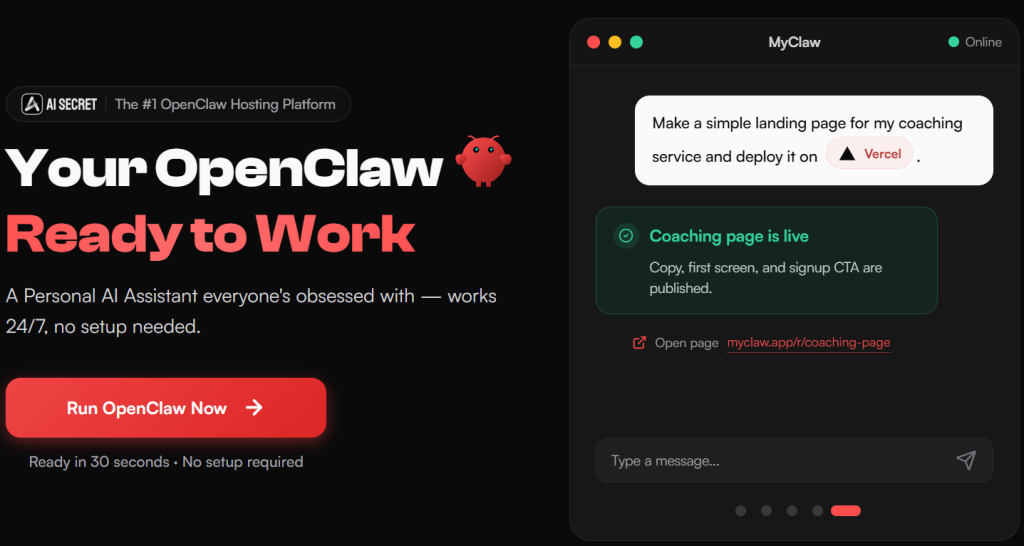
Everyone who has watched a demo of OpenClaw — the open-source AI agent that went from zero to hundreds of thousands of GitHub stars in weeks — has had the same reaction: I want that. And almost everyone who then tried to actually install it hit the same wall: cloning repos, wrestling with Docker, fixing Python version conflicts, and giving up two hours later with nothing running. MyClaw exists to close that exact gap. It’s a managed cloud hosting platform that deploys a private, always-on instance of OpenClaw (or the newer Hermes Agent) in about 30 seconds, with zero DevOps required. With plans starting around $17–29 a month, a fully isolated container for every user, and integrations spanning Gmail, Slack, WhatsApp, GitHub, and 100+ other tools, MyClaw has positioned itself as one of the fastest on-ramps into the personal-AI-agent trend — though, as with any young platform riding a viral wave, the real-world reviews tell a more mixed story than the marketing page.
For developers, solo founders, marketers, and anyone curious about running their own “Jarvis” without becoming a part-time sysadmin, the pitch is compelling. This 2026 review walks through what MyClaw actually does, its full pricing breakdown, how it compares to other managed OpenClaw hosts like xCloud, the honest user feedback (including real complaints about billing clarity and stability), and exactly who should — and shouldn’t — sign up today.
MyClaw Review 2026: Managed OpenClaw Hosting Without the DevOps Headache
Overview and Background
MyClaw.ai, operated by Cubo World Inc., launched its fully managed OpenClaw hosting service in early 2026, positioning itself as the world’s first plug-and-play commercial deployment of OpenClaw (formerly known as Clawdbot and Moltbot). The core idea is simple: OpenClaw itself is free and open source, but running it well — keeping it online 24/7, updating it, wiring up integrations, and managing security — is genuinely hard for anyone without server experience. MyClaw spins up a dedicated Linux virtual server with a private, encrypted OpenClaw (or Hermes Agent) instance for each customer, pre-configured with curated skills, model access, and connector setup already handled.
The underlying OpenClaw project itself has been a genuine phenomenon — it crossed 100,000+ GitHub stars within weeks of release and has been described by early users as the first AI assistant that “actually does things” rather than just chatting. MyClaw rides that wave directly, and its own site cites 10,000+ people who have reserved a spot on the platform. That said, third-party review coverage is thin and mixed: MyClaw currently sits around 2.3/5 on Trustpilot from a small number of reviews, alongside more favorable coverage in tech blog reviews that call it “the easiest way to run your own AI agent.”
Why MyClaw Stands Out in 2026
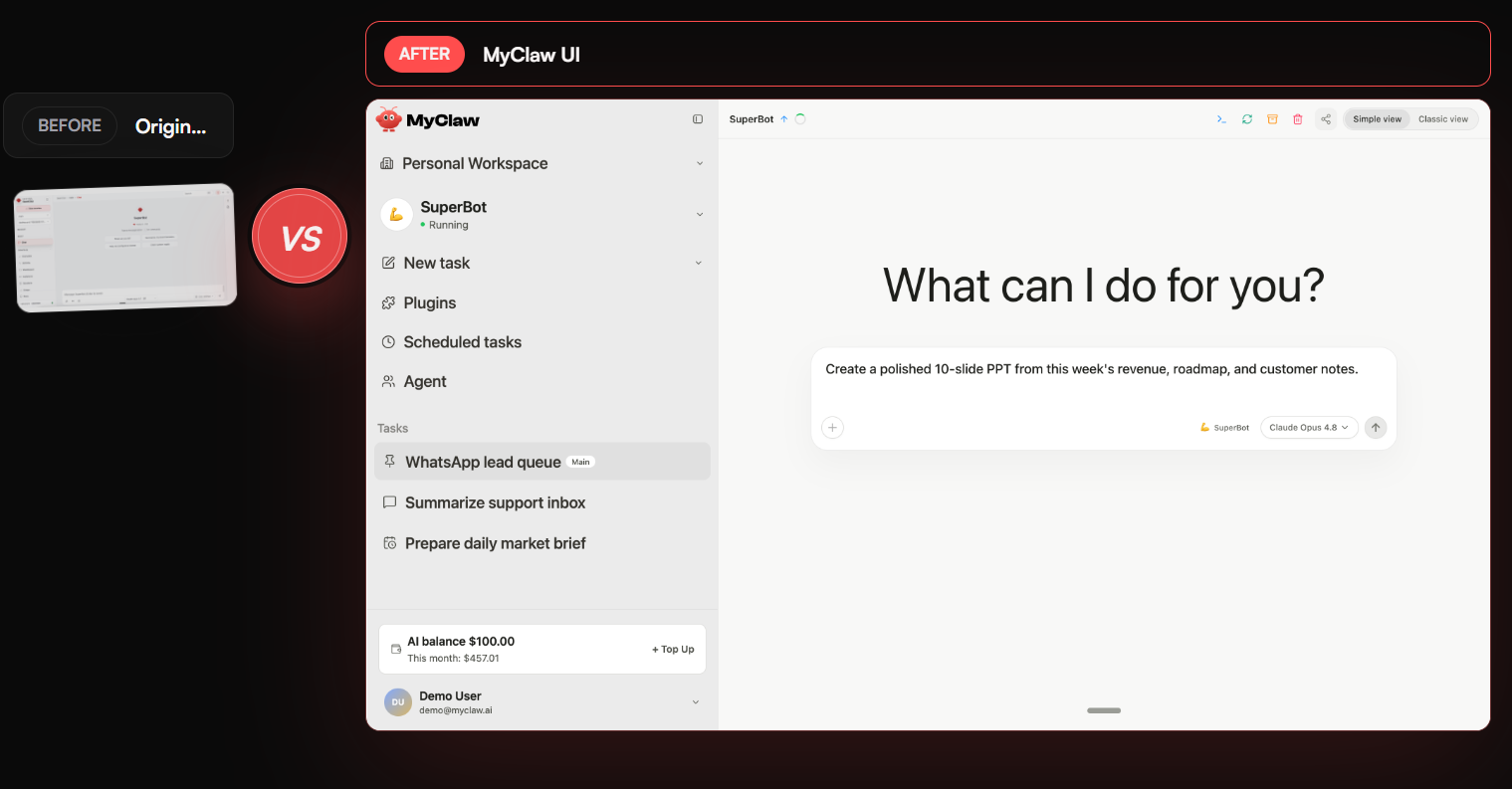
Genuine 30-second deployment: where native OpenClaw setup means installing dependencies, configuring models and keys, and building your first workflow from a blank slate, MyClaw’s whole pitch is a working instance in roughly 30 seconds with curated skills and templates already in place.
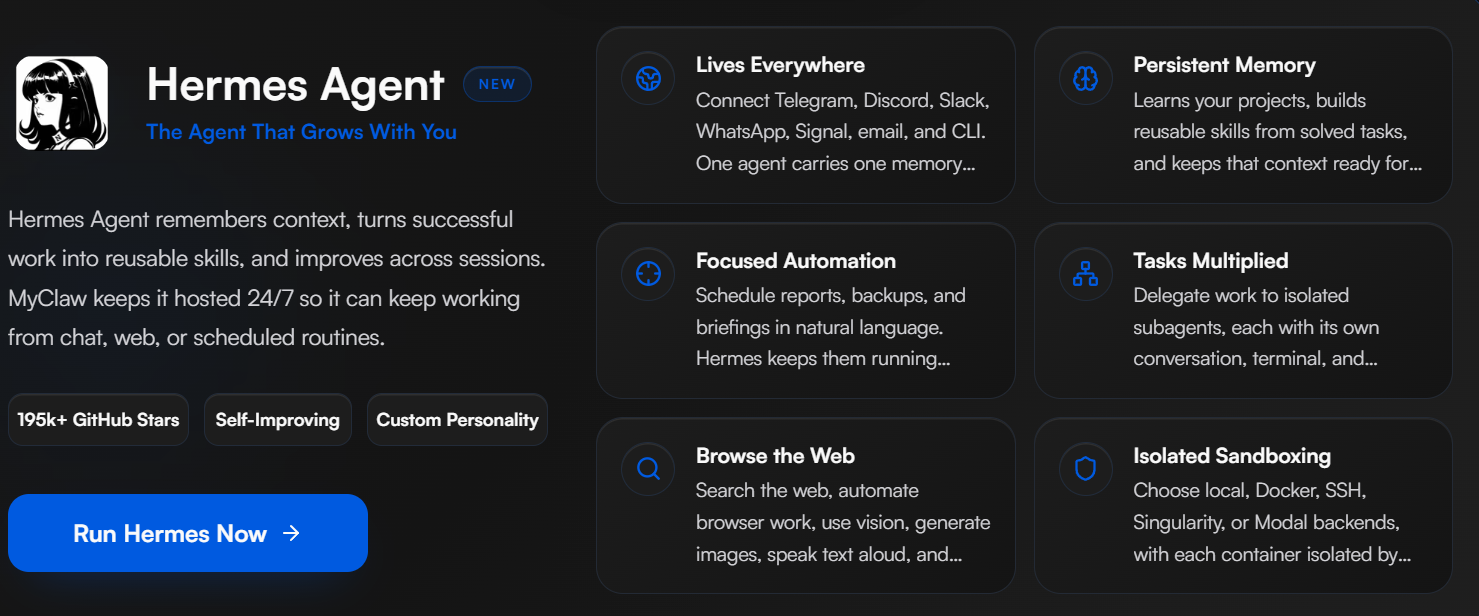
Buy one, get one free trial: subscribing to either OpenClaw or Hermes Agent hosting currently comes with a free 30-day Max-tier trial of the other agent, letting you compare both runtimes before committing further budget to one.
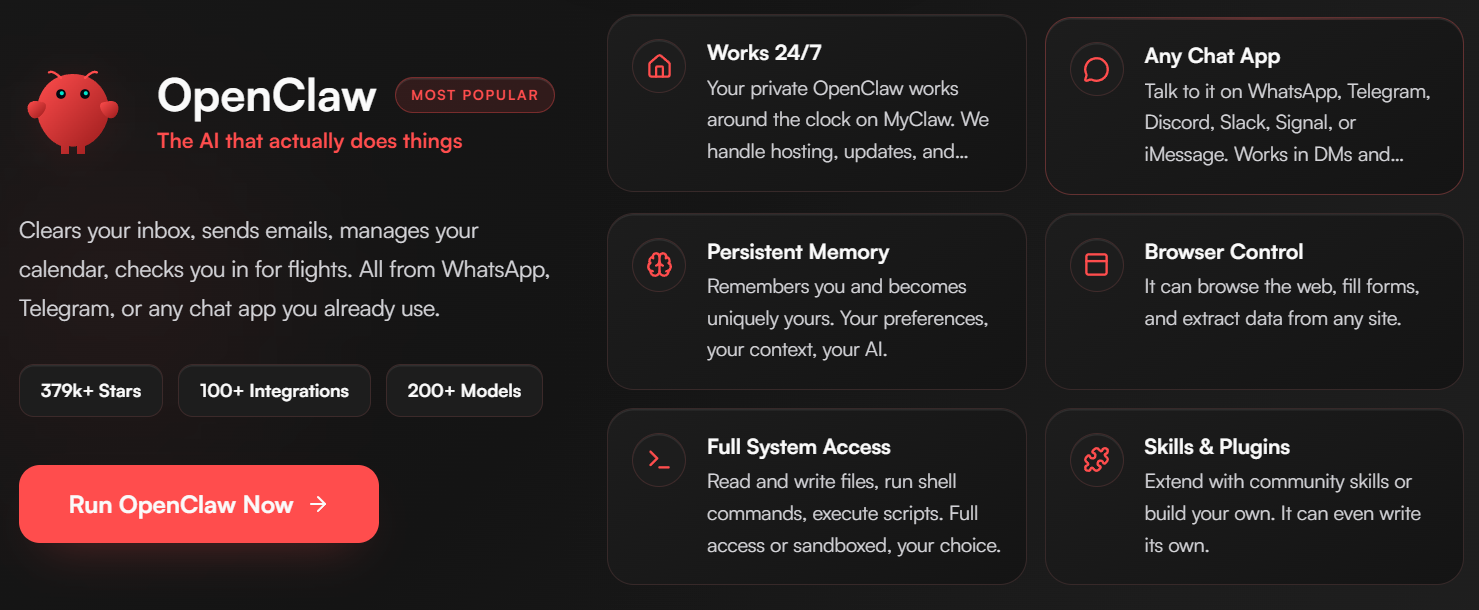
Model flexibility, not lock-in: MyClaw doesn’t tie you to a single AI provider — it supports Claude for reasoning, GPT for coding, Gemini for long context, DeepSeek for cost control, and 200+ models total through compatible providers, letting you assign the right model to each task.
Deep, real integrations: Gmail, Google Docs, Calendar, Sheets, Slack, Shopify, Salesforce, WhatsApp, Telegram, GitHub, Notion, ClickUp, Jira, Linear, and Trello are all connectable, meaning the agent can genuinely act inside tools teams already use rather than existing as an isolated chat window.
Curated skills over catalog overload: instead of dumping users into a giant, undocumented skill library, MyClaw surfaces a small set of strong starting skills (Gmail, Notion, document summarization, long-term memory) that install in one click, with the broader library available once the basics are running.
Fully isolated, private instances: every plan runs on its own dedicated, encrypted container rather than a shared multi-tenant environment, which matters if the agent will touch email, files, or business data.
Key Features and Technology
MyClaw’s product breaks down into infrastructure, the agent runtime itself, and the workflow layer that makes the agent usable day to day.
Infrastructure and Hosting
Every plan is a dedicated Linux virtual server with allocated vCPU, RAM, SSD storage, and monthly traffic. MyClaw handles auto-updates, daily backups, uptime, scaling, and security patching, so the customer never touches a terminal unless they choose to.
Agent Runtimes: OpenClaw and Hermes Agent
OpenClaw is the flagship — an open-source agent capable of browsing the web, writing and running code, managing files, controlling apps, and executing multi-step tasks from a single natural-language goal. Hermes Agent is offered as a second runtime option, and MyClaw’s current promotion lets subscribers trial both.
Channels and Connectors
Access the agent from email, Telegram, WhatsApp, Discord, or a browser dashboard, and connect it to the 100+ supported apps and services for context and action — no manual exports or copy-pasting required between tools.
Scheduling and Autonomy
Set a recurring goal once — a daily report, a price-monitoring job, inbox triage — and the agent runs it on schedule, surfacing results and only pinging you when a decision needs review, rather than requiring a fresh prompt every time.
Pricing, Plans, and Package Structure
MyClaw prices by compute tier rather than by feature — every plan gets the same core capabilities (always-on uptime, auto-updates, encrypted private instance, daily backups, custom skills), and higher tiers primarily add more vCPU, RAM, storage, priority support, and bundled AI credits. Annual billing saves roughly 43–58% versus paying monthly. Remember that AI token/model usage is billed separately from the subscription in all cases. Prices below are approximate as of mid-2026 — always confirm the live price on MyClaw’s pricing page before subscribing.
| Plan | Monthly Price | Annual Price | Resources | Best For |
|---|---|---|---|---|
| Lite | ~$29 | ~$16.6/mo (billed ~$199/yr) | 2 vCPU, 4GB RAM, 40GB SSD | Personal projects, getting started |
| Pro | ~$59 | ~$33.3/mo (billed ~$399/yr) | 4 vCPU, 8GB RAM, 80GB SSD, +$100 AI credits | Power users relying on AI daily |
| Max | ~$119 | ~$66.6/mo (billed ~$799/yr) | 8 vCPU, 16GB RAM, 160GB SSD, +$150 AI credits | Heavy workloads, max performance |
| Ultra | ~$239+ | ~$133.3+/mo (billed ~$1,599/yr) | 16–64 vCPU, 32–128GB RAM, up to 1,280GB SSD | Demanding, high-performance workloads |
All plans are cancel-anytime with no long-term contract, and both Team and Personal billing tracks are available. Pro tier and above also carry a “Most Popular” designation on MyClaw’s site and include priority support that Lite doesn’t.
How MyClaw Compares to Alternatives
| Option | Entry Price | Model Access | Standout Strength |
|---|---|---|---|
| MyClaw | ~$17–29/mo | 200+ models, no BYOK required | Fastest setup, curated skills, dual runtime (OpenClaw + Hermes) |
| xCloud | ~$24/mo | BYOK only | 280+ Trustpilot reviews, strong reliability reputation, 30+ data centers |
| Self-hosted VPS (Hetzner/Contabo) | ~$4–12/mo + your time | BYOK only | Lowest sticker price, full control for technical users |
vs. xCloud: xCloud has a longer public review history — 280+ Trustpilot reviews with a solid reputation — and a broader network of 30+ data center locations, but it’s a BYOK (bring-your-own-API-key) platform without a bundled model gateway, and runs on dedicated VMs without the sandboxed execution some newer competitors offer. MyClaw includes model access and starter credits directly in its paid tiers, which simplifies onboarding, but its own review footprint is much thinner and more mixed right now.
vs. a self-hosted VPS: a budget VPS from Hetzner or Contabo can run OpenClaw for a fraction of MyClaw’s price on paper, but that comparison ignores setup and maintenance time — Docker configuration, SSL, security patching, and troubleshooting typically add several hours a month. If your time is worth more than a modest hourly rate, the total cost of ownership tends to favor managed hosting; if you’re comfortable with a terminal and want maximum control, self-hosting is genuinely the cheaper path.
Pros and Cons
What Users Like
Genuinely fast onboarding: multiple independent reviews confirm a working agent within minutes, a real contrast to the multi-hour DIY installation path many users describe hitting a wall with.
No infrastructure babysitting: reviewers consistently credit MyClaw for eliminating the “keep the server alive” burden that comes with self-hosting an open-source agent.
Real multi-model flexibility: the ability to route different tasks to Claude, GPT, Gemini, or DeepSeek without separate accounts is a genuinely useful feature that not all competitors offer at this price point.
Broad connector ecosystem: the 100+ integrations mean the agent can act inside real workflows — email, docs, CRM, project tools — rather than staying confined to a chat box.
Limitations Worth Knowing
Thin, mixed independent review history: as a young platform, MyClaw’s Trustpilot presence is small and currently averages around 2.3/5, with at least one detailed review describing unclear credit billing and platform instability (crashed sessions, broken output links). This is worth weighing seriously against the more polished marketing copy and third-party blog coverage, which skews more positive.
AI usage costs stack on top of the subscription: the base plan price does not include model/token usage, so your real monthly cost will run higher than the sticker price depending on how much you use the agent — budget accordingly rather than assuming the plan price is the full bill.
Newer than some competitors: platforms like xCloud have a longer public track record and larger review base; if reliability history matters more to you than feature breadth, that’s a real factor to weigh.
Autonomous agents carry inherent risk: any platform giving an AI agent access to email, files, and connected apps deserves a security review before connecting sensitive accounts — this is a category-wide caution, not unique to MyClaw, but worth taking seriously given how new this class of product is.
Who Should Use MyClaw
Solo founders and freelancers curious about AI agents but unwilling to spend a weekend on Docker and server config will get immediate value from the Lite plan’s near-instant setup.
Marketers and content operators running repetitive workflows — SEO checks, price monitoring, social scheduling — can lean on the always-on scheduling feature to run jobs unattended, similar to the e-commerce use case MyClaw highlights on its site.
Developers who want multi-model flexibility without juggling separate API accounts for Claude, GPT, and others will find the Pro tier’s bundled model access and credits a genuine convenience.
Risk-averse buyers and businesses handling sensitive data should weigh the platform’s thin independent review history and the reported billing-clarity and stability complaints carefully, and may want to start on the cheapest plan and stress-test the platform for a month before connecting business-critical accounts or committing to an annual plan.
Getting Started: Step by Step
- Pick a plan — start with Lite if you’re testing the waters; every tier includes a dedicated OpenClaw or Hermes Agent instance.
- Sign up and let MyClaw provision your instance — this typically takes under a minute, with no manual server configuration.
- Install a small set of starter skills — begin with the curated options (Gmail, Notion, document summarization) rather than the full skill library, to get a working setup fast.
- Connect your first channel — link Telegram, WhatsApp, email, or the browser dashboard so you can talk to your agent from wherever you already work.
- Give it a real, specific goal — a concrete task (“summarize this week’s invoices and email finance”) produces a much better first impression than a vague open-ended prompt.
- Set up a recurring job — once the basics work, configure a scheduled task (daily report, inbox triage) so the agent starts delivering value without prompting.
- Monitor AI usage and costs — check token/credit consumption early in your first billing cycle so you know your real total monthly cost before it surprises you.
Tips for Getting Maximum Value
Take advantage of the current buy-one-get-one-free 30-day Max trial to test both OpenClaw and Hermes Agent before deciding which runtime fits your workflow better — there’s little reason to commit to one without comparing them directly while the promotion is active. Start with a narrow, well-defined first task rather than a broad “manage my life” prompt; agents (and reviewers) consistently report better first impressions from specific, scoped goals. Read the billing FAQ on AI credits and model usage before your first invoice, since that’s the single most common source of unexpected cost according to user reviews. If reliability is your top priority and you’re comparing platforms, weigh MyClaw’s newer, thinner review history against more established alternatives like xCloud, and consider starting on a monthly plan rather than annual until you’ve verified stability for your own use case. Finally, treat any autonomous agent with account access the way you’d treat a new employee — grant permissions incrementally rather than connecting your entire digital life on day one.
Future Outlook and Final Assessment
Autonomous AI agents are arguably the fastest-growing category in AI right now, and OpenClaw’s explosive open-source growth suggests demand for “personal Jarvis” tools is real rather than hype. MyClaw’s bet — that most people want the agent, not the sysadmin work of running it — is a reasonable one, and its curated-skills, multi-model, buy-one-get-one approach shows a team iterating quickly on a genuinely fast-moving product category. The honest caveats matter too: this is a young platform with a thin and currently mixed independent review record, separate AI usage billing that needs to be budgeted for, and the inherent risks of any product giving an AI agent real access to your accounts and tools. None of that makes MyClaw a bad choice — it makes it a choice worth testing cautiously on a low-cost plan before going all-in.
Conclusion
MyClaw solves a real, specific problem: OpenClaw is genuinely powerful, but genuinely hard to self-host well, and MyClaw’s managed platform closes that gap faster than almost any alternative on the market. It’s not without real caveats — the independent review record is thin and currently more mixed than the marketing copy suggests, and AI usage costs sit on top of the subscription price rather than inside it. For developers, founders, and marketers who want to test what an always-on AI agent can actually do for their workflow, starting small on the Lite plan is a low-risk way to find out. That’s the whole idea behind AI Solutes, too — we dig through the pricing pages, the fine print, and the real user reviews so you don’t have to, because we believe in helping you make everything easy.
Ready to put your own AI agent to work?
Explore more honest reviews, tutorials and tool comparisons to find the right tech for the way you work and live — at AI Solutes, where we make everything easy.
👉 Start Your Free Trial: https://ai-solutes.com/myclaw
👉 Our YouTube Channel: youtube.com/@ai-solutes
👉 Our Facebook Fanpage: Facebook
- Never Miss a Lead Again: How Manychat Quietly Converts DMs into Loyal Customers
- OpenArt AI 2026 Review: Generate Multimodel AI Art and Keep Characters Consistent
- Can We Turn Brain Chaos into Clear Strategies? Inside MindManager’s Visual Mapping Tools
- Does Headspace Genuinely Reduce Everyday Stress? Evaluating the Headspace Mindfulness Suite
- Unlock Script-to-Video AI Automation with InVideo for Effortless, Scalable Content Creation















