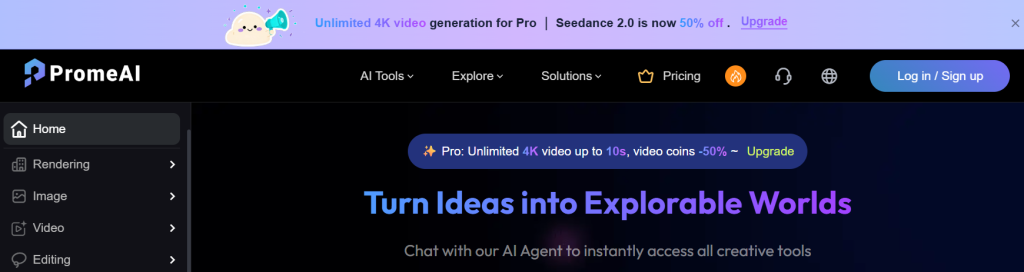
Anyone who designs for a living knows the real bottleneck isn't ideas — it's the hours spent turning a rough sketch, a floor plan, or a napkin doodle into something polished enough to show a client. General AI image tools like Midjourney can produce gorgeous pictures, but they largely ignore your structure: feed them a line drawing and you get an interpretation, not a faithful render of the thing you actually drew. PromeAI was built to close that gap. Billed as the industry-first AI sketch-rendering platform, it turns hand-drawn sketches, 3D screenshots, and photos into photorealistic renders that keep your original layout intact — then wraps that around a full suite of 42 AI tools for image generation, editing, and video. It's less a novelty art generator and more a working design assistant for people who ship visuals on deadline.
For architects, interior and product designers, e-commerce sellers, marketers, content creators, and freelancers, that focus changes the value equation. Trusted by more than 2,000,000 users and over 100,000 Pro members, with a library of 1,700+ styles and hundreds of millions of designs generated, PromeAI offers a genuine free tier you can open without a credit card and paid plans starting around $16 per month. This 2026 review walks through exactly what PromeAI does, its signature sketch-rendering and control features, the full toolkit, transparent coin-based pricing, honest comparisons against Midjourney and traditional rendering, the real limitations, and precisely who should — and shouldn't — sign up.
PromeAI Review 2026: The Industry-First AI Sketch-Rendering Suite That Turns Rough Ideas Into Polished Visuals in Seconds
Overview and Background
PromeAI is an all-in-one AI design platform built around controllable, structure-aware image generation. Its core capability — the one that put it on the map — is sketch rendering: upload a rough drawing, a modeling-software screenshot, or a reference photo, choose a visual style, and PromeAI generates a realistic, photo-like render that preserves the geometry and composition you started with. Around that, the platform stacks a broad toolkit for text-to-image generation, precise editing, and AI video, all designed to compress the early, time-consuming stages of a creative project from hours into minutes.
The product comes from Team LibAI, the group also behind the popular background-removal tool cutout.pro, so the team has real pedigree in production-grade image AI. The name itself signals the mission: “Prome” blends “Pro” and “Me,” a nod to Prometheus — the mythological figure who brought fire to humanity — reflecting the goal of using AI to turn every user into a “Pro.” That positioning as a controllable AIGC (C-AIGC) platform, rather than a blank-canvas generator, is what distinguishes it from general art tools: the emphasis is on control, consistency, and design-specific workflows.
The scale is substantial. PromeAI reports more than 2,000,000 users and over 100,000 Pro members, a community that has produced hundreds of millions of designs, and a style library exceeding 1,700 presets spanning interior, architecture, product, e-commerce, and game/anime aesthetics. It supports leading underlying models — including GPT Image 2, Nano Banana, and Seedream for images, and Seedance, LTX, and others for video — so users get access to a rotating roster of frontier engines from one interface. The platform is web-based, English-language, offers mobile apps, and has picked up industry recognition including an AI Awards 2023 nod and “Global Top 20” placement.
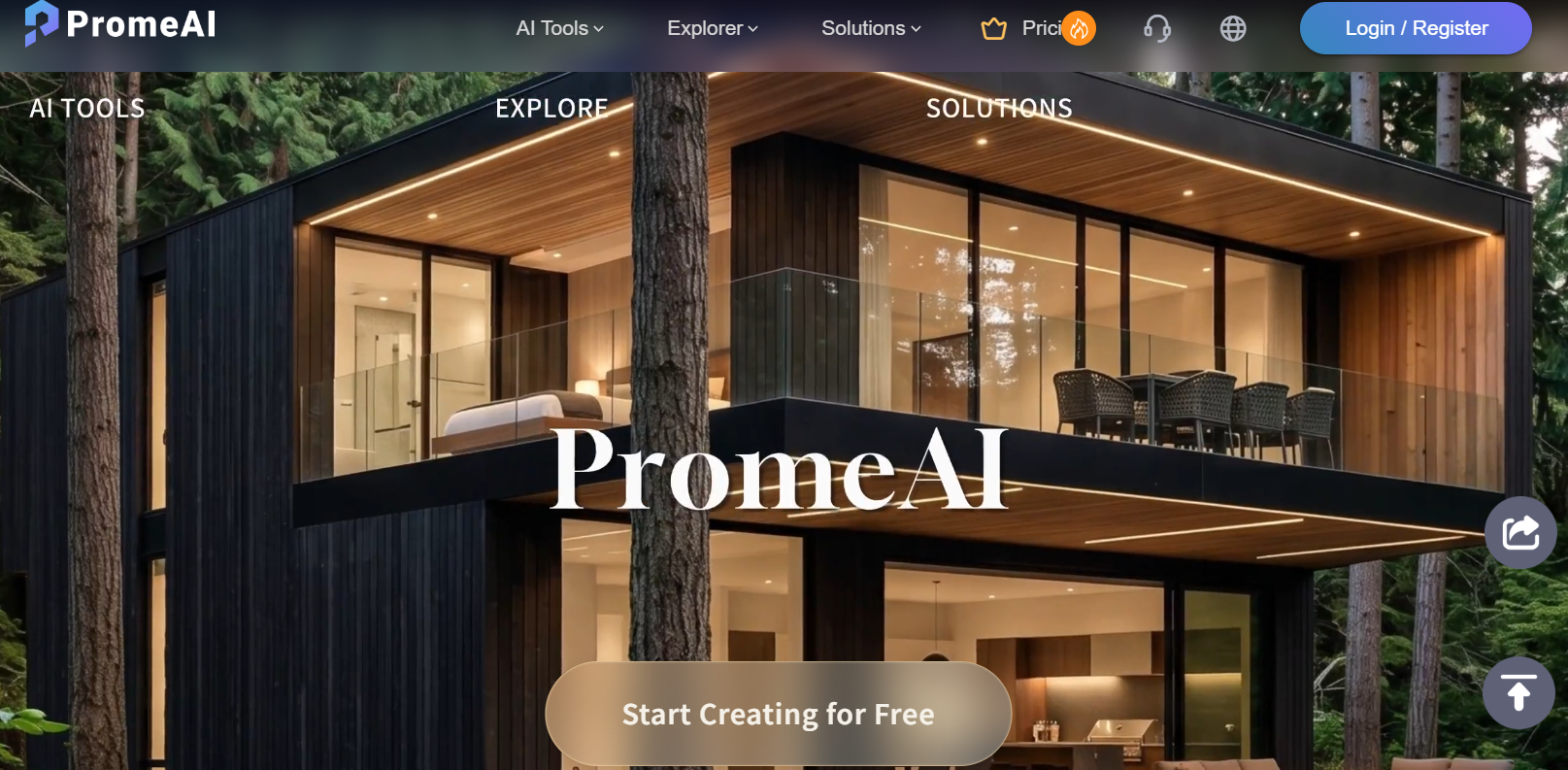
Why PromeAI Stands Out in 2026
Industry-first controllable sketch rendering: This is the headline feature and the reason designers reach for PromeAI over generic tools. It keeps the structure of your input — a floor plan stays a floor plan, a product outline stays that product — while the AI fills in textures, lighting, and depth based on your chosen style. In independent hands-on testing, a rough living-room sketch became a fully rendered interior in about ten seconds, which is the kind of speed that changes how you present concepts.
42 tools in one platform, not a single trick: Few competitors span the range PromeAI does. The same account covers image generation, detailed editing (upscaling, erase-and-replace, outpainting, background removal, mockups), and video (image-to-video, text-to-video, enhancement). That breadth means you research, generate, refine, and animate without stitching together five separate subscriptions.
Purpose-built for real design verticals: Rather than generic prompts, PromeAI ships dedicated solutions for interior design, architecture, e-commerce, and game/animation, plus targeted workflows like Interior Remodel, Exterior Renovator, Virtual Try-On, AI Supermodel, and an AI Architecture Generator. The tooling speaks the language of the industries it serves.
Frontier models under one roof: Instead of locking you to a single engine, PromeAI exposes a rotating lineup of top image and video models — GPT Image 2, Nano Banana, Seedream, Seedance, LTX and more — so you can pick the right engine for each job and benefit as new models land, all without separate accounts or API keys.
Consistency and precision controls: Beyond one-off generation, features like Consistency Rendering (train a lightweight model from a single image for cohesive style across outputs), TextureLock Rendering (retain specific textures), and Region Rendering (edit a precise area with a control image) give the fine-grained control that professional work demands — something blank-canvas generators struggle to offer.
A genuine free tier, mobile apps, and a big community: You can start creating for free with no credit card, invite friends for bonus coins, and tap a vibrant community plus 1,700+ styles and ready-made design templates. Mobile apps for iOS and Android mean you can generate on the go, not just at your desk.
Commercial rights and a growing video suite: Paid plans grant full ownership and commercial-use rights to your generations, and the video tools — including unlimited 4K generation on certain models for Pro subscribers — have improved markedly over the past year, making PromeAI increasingly viable for social content and quick concept animations, not just stills.
Key Features and Technology
PromeAI's toolkit is best understood in four groups: controllable rendering, image generation and editing, video, and design-specific workflows. Here's how it breaks down.
Sketch Rendering & Controllable Generation
This is the heart of PromeAI. Sketch Rendering converts line drawings, 3D screenshots, or photos into realistic renders while preserving your structure, guided by a style you select from the library. Consistency Rendering lets you train your own lightweight model from as little as a single image, so a whole series of outputs shares one cohesive look — invaluable for brand or project consistency. TextureLock Rendering retains chosen textures through the render, Region Rendering gives pixel-level control over a specific area using a control image, and Creative Fusion blends the structure of your sketch with an artistic reference style. Together these are what make PromeAI feel like a design instrument rather than a slot machine.
AI Image Generation & Editing
On the generation side, a text-to-image engine turns prompts into art, illustrations, and photorealistic images using top models. The editing suite is where a lot of daily value lives: the Magic Editor makes prompt-based fine adjustments, Erase & Replace swaps a specific element (change a sofa, replace flooring) without regenerating the whole scene, the HD Upscaler adds genuine detail and resolution for print-quality output, Outpainting expands an image's canvas, and there are dedicated tools for background removal, relighting, and realistic mockups. It adds up to a near-complete image workflow without leaving the platform.
AI Video Generation
PromeAI's video tools turn still assets into motion. Image-to-Video animates your favorite images, Text-to-Video generates clips from prompts, a Video Enhancer sharpens and upscales footage, a Motion Brush directs movement in specific areas, and preset AI Video Effects apply templated looks. On the Pro plan, certain video models run with unlimited generation and unlimited 4K within short clip lengths, while others get a 50% coin discount — a meaningful perk for anyone producing short-form content regularly.
Design Workflows & Industry Solutions
Layered on top are ready-made workflows aimed at specific jobs: Interior Remodel and Exterior Renovator for property visuals, an AI Architecture Generator and Scenario Changer for architectural concepts, Virtual Try-On and AI Supermodel for fashion and e-commerce, plus AI Headshots, Logo Maker, Pattern Generator, Sticker Maker, and even a 3D Model Generator. Dedicated solution paths for Interior Design, Architecture, E-commerce, and Game/Animation bundle the relevant tools so each type of professional has a clear starting point rather than a blank prompt box.
Pricing, Plans, and Package Structure
PromeAI is a freemium, coin-based subscription. There's a permanent free plan to explore the core tools, then three main paid tiers plus a Team option. Every plan grants a monthly coin allowance you spend on generations, and paid tiers unlock faster speeds, HD downloads, and commercial rights. Billing is monthly or annual, with annual saving roughly 26%. The figures below are approximate — PromeAI runs frequent promotions and adjusts pricing, so confirm the live numbers before subscribing.
| Plan | Approx. Price | Coins / Key Limits | Best For |
|---|---|---|---|
| Free | $0 (no card needed) | Limited monthly coins, slower speed, 3 concurrent, personal use only, no HD download | Trying the core tools before paying |
| Base | ~$19/mo (or ~$16/mo annual) | 500 coins/mo, fast speed, video generation, HD downloads (~up to 500 images or ~33 videos/mo) | Individuals and hobbyists getting started |
| Standard | ~$39/mo (or ~$29/mo annual) | 2,000 coins/mo, commercial rights, 24-hour support (~up to 2,000 images or ~133 videos/mo) | Working designers who need commercial use |
| Pro (most popular) | ~$79/mo (or ~$59/mo annual) | 6,000 coins/mo, unlimited 4K on select video models, higher concurrency, permanent history, 50% coin top-ups | Heavy users and content-at-scale creators |
| Team | ~$3,900/yr (custom) | Shared workspace, higher limits, team management | Studios and collaborative design teams |
How PromeAI Compares to Alternatives
| Factor | PromeAI | Midjourney | Adobe Firefly | Traditional Rendering |
|---|---|---|---|---|
| Core focus | Design-first sketch rendering + full toolkit | General AI art from text prompts | General image gen, commercial-safe | Manual, precision CAD rendering |
| Keeps your sketch structure | Yes (core strength) | Limited | Partial (via references) | Exact (you build it) |
| Editing + video in one | Yes (42 tools) | Limited | Within Adobe suite | Separate software |
| Final-output precision | Concept-grade | Concept-grade | Concept-grade | Production-grade |
| Entry price | Free tier; paid from ~$16/mo | From ~$10/mo (varies) | Free tier; paid via Adobe plans | High (licenses + time) |
vs. Midjourney: Midjourney produces some of the most striking general AI imagery available, and it's excellent for mood, concept art, and inspiration. But it's a text-prompt tool at heart — it doesn't faithfully render your sketch, doesn't offer design-specific editing like erase-and-replace or region control, and has no dedicated interior/architecture/e-commerce workflows. For pure creative imagery, Midjourney is superb; for turning your actual drawings into on-brief renders with fine control, PromeAI is built for the job.
vs. Adobe Firefly: Firefly's big advantages are its commercial-safe training data and tight integration with the Adobe ecosystem, which matters if you already live in Photoshop. PromeAI counters with its sketch-rendering specialty, a wider spread of design-specific tools and styles, and a standalone free tier that doesn't require an Adobe subscription. If you're already all-in on Creative Cloud, Firefly is convenient; if you want a focused design generator with structure control, PromeAI is the more targeted pick.
vs. traditional rendering (V-Ray, KeyShot, or hiring a visualizer): Dedicated rendering software and professional visualizers deliver final, pixel-perfect output that PromeAI isn't trying to replace — but they cost far more in licenses, learning time, or fees, and they're overkill for early concepts. PromeAI's role is to compress the schematic and presentation stages: get a client-ready visual in minutes, iterate freely, and reserve the expensive, precise pipeline for the final deliverable. Used that way, it complements traditional tools rather than competing head-on.
Pros and Cons
What Designers Love
Sketch-to-render speed: The standout praise is how fast rough ideas become polished visuals — often around ten seconds — while respecting the structure you drew. For anyone who used to spend hours on concept presentations, that compression is genuinely transformative.
One tool for a whole workflow: Generation, editing, and video living in a single platform means fewer subscriptions and less context-switching. The HD Upscaler and Erase & Replace tools in particular earn repeated mentions for real day-to-day usefulness.
Real control, not just luck: Consistency Rendering, TextureLock, and Region Rendering give professionals the fine-grained control that random-prompt generators can't, which is why design-focused users prefer it for client work.
A free plan that's actually usable: The permanent free tier lets you test the core sketch-rendering trick before paying, and the huge style library plus community give beginners a fast on-ramp.
Access to top models and commercial rights: A rotating roster of frontier image and video engines under one login, plus full commercial-use rights on paid plans, makes it practical for real business output rather than just experimentation.
Limitations Worth Knowing
Coins can run out fast, especially on video: The credit system is the most common friction point. Images are cheap, but high-resolution video generations consume coins quickly, so heavy users may burn through an allowance and need to top up or move up a tier. Model your real usage before choosing a plan.
It's a concept tool, not final CAD output: PromeAI accelerates early visualization but won't replace precision renderers like V-Ray or KeyShot. Complex mechanical designs with exact tolerances don't render reliably — treat it as a fast draft engine, not a production pipeline.
Video quality isn't yet cinematic: The video features are functional and improving, but they're not on par with dedicated tools like Runway or Pika for high-end, cinematic output. They're best for quick concept animations and social clips rather than polished film work.
A learning curve across many settings: With 42 tools plus style, mode, creativity, perspective, and lighting options, there's a lot to learn. The payoff is control, but newcomers should expect some experimentation before results feel consistent.
Commercial rights require a paid plan: The free tier is personal-use only with no HD downloads, so any business use means subscribing to at least Standard. Factor that in if you're evaluating it for client or commercial work.
Results vary with input quality: As with any generative tool, output depends on the clarity of your sketch and the fit of your chosen style. Expect to iterate, and to apply human taste and cleanup on top — PromeAI speeds the work, it doesn't fully replace a skilled designer's eye.
Who Should Use PromeAI
Architects and interior designers: If you regularly turn sketches, floor plans, or SketchUp screenshots into client-ready concepts, PromeAI is squarely built for you. Most working designers will get the best value from Standard, which adds commercial rights and enough coins for steady visualization.
E-commerce sellers and marketers: Virtual Try-On, AI Supermodel, background generation, mockups, and product storytelling make PromeAI a strong fit for producing on-brand product visuals and campaign assets quickly — a Standard plan covers most needs, Pro if you're generating at volume.
Product, game, and animation designers: For early ideation, character and scene concepts, pixel art, low-poly, and 3D-model starting points, the toolkit accelerates the exploratory phase where speed matters most.
Content creators and freelancers: If you need a steady stream of images and short videos across formats without juggling multiple subscriptions, PromeAI's all-in-one approach and free starting tier make it easy to test and scale. Start free, then move to Base or Standard as your output grows.
Who should probably look elsewhere: If you need pixel-perfect, final-output renders, stick with V-Ray or KeyShot; if your priority is cinematic AI video, a dedicated tool like Runway will serve you better today. PromeAI is the right choice for fast, controllable concept work — not the last mile of precision production.
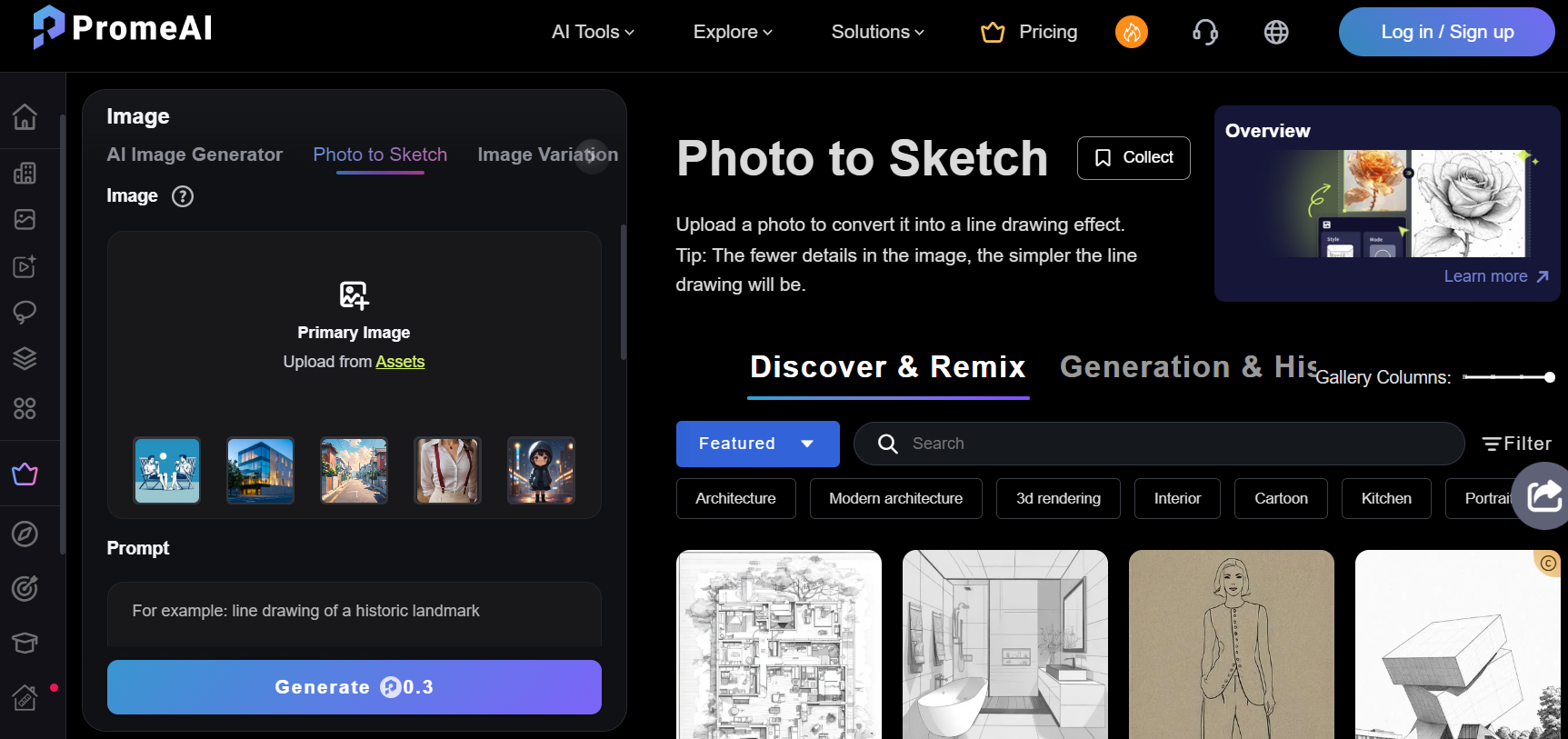
Getting Started: Step by Step
- Sign up free. Create an account with no credit card required and claim your free monthly coins; invite friends to earn bonus coins for both of you.
- Pick the right tool. Choose Sketch Rendering to convert a drawing, AI Image Generator for text-to-image, or a workflow like Interior Remodel or Virtual Try-On for a specific job.
- Upload your input and choose a style. Add your sketch, screenshot, or photo, then select a style from the 1,700+ library that matches the look you're after.
- Dial in the controls. Adjust settings like mode, creativity/artistry, perspective, and lighting to steer how much freedom the AI has, then generate.
- Refine with the editing tools. Use Erase & Replace, Region Rendering, HD Upscaler, or Outpainting to perfect the result without starting over — and animate it with Image-to-Video if you need motion.
- Upgrade when you outgrow free. Move to Base or Standard for faster speeds, HD downloads, and commercial rights once PromeAI becomes part of your regular workflow.
Tips for Getting Maximum Value
Treat the free plan as a real test — run an actual sketch-to-render job so you can judge the output against your standards before paying. When you subscribe, match the tier to your usage rather than your ambition: if you mostly generate images and need commercial rights, Standard is usually the sweet spot, while Pro only pays off if you're producing video or working at high volume. Guard your coins by choosing the right model for the task — use lighter, cheaper models for quick drafts and reserve premium engines for final outputs, and take advantage of Pro's unlimited video models if motion is central to your work. Invest a little time learning the control settings (mode, creativity, perspective, lighting) and building consistency models, since that's where PromeAI's quality separates from random generators. Always check for an active promo code and remember annual billing saves around 26%. And keep expectations calibrated: use PromeAI to accelerate concepts and presentations, then hand off to precision tools for the final, production-grade deliverable.
Future Outlook and Final Assessment
The trajectory favors tools like PromeAI. As AI image generation becomes commoditized, the durable advantage shifts to platforms that offer real control and design-specific workflows rather than one more prompt box — and PromeAI's sketch-rendering specialty, consistency features, and vertical solutions put it on the right side of that shift. Its steady addition of frontier models and rapidly improving video suite suggest a team investing to stay current, and its large, active community gives it momentum in a crowded field. For designers who need to move from idea to visual faster, that combination is compelling.
The honest caveats hold: it's a concept accelerator rather than a final-render engine, the coin system rewards planning, video isn't yet best-in-class, and there's a learning curve to the deeper controls. But within those boundaries, PromeAI is one of the most focused and genuinely useful AI design platforms available in 2026 — and with a free tier to test it, the barrier to finding out is refreshingly low.
Conclusion
PromeAI has carved out something distinctive in a crowded market: a design-first AI platform that respects your structure, gives you real control, and bundles generation, editing, and video into one coherent workspace. It's built by a team with genuine image-AI pedigree, aimed squarely at the professionals who live in the gap between rough concept and finished presentation, and backed by a community of millions. Keep your expectations calibrated to what it does best — fast, controllable concept visualization — give it clear inputs to work from, and pick the plan that matches your output, and PromeAI makes one of the most demanding parts of creative work feel dramatically lighter. For designers and creators chasing more ideas in less time, that's exactly the kind of leverage that, true to the AI Solutes way, makes everything easy.
Ready to turn your rough ideas into polished visuals in seconds?
Explore more honest reviews, tutorials and tool comparisons to find the right tech for the way you work and live — at AI Solutes, where we make everything easy.
👉 Open Free Account: Get Started with PromeAI
👉 Our YouTube Channel: youtube.com/@ai-solutes
👉 Our Facebook Fanpage: Facebook
👉 Our X (Twitter): @AISolutes