MindManager has spent three decades evolving from a simple brainstorming utility into one of the most powerful visual productivity platforms available in 2026 — combining advanced mind mapping, Gantt-based project planning, real-time team collaboration, deep Microsoft ecosystem integration, and a growing AI-acceleration layer into a single cross-platform workspace trusted by teams at Dow, P&G, and EDC. Before diving into the detailed feature breakdown and pricing analysis ahead, it’s worth highlighting what makes MindManager genuinely stand out in a crowded market: an unmatched drag-and-drop interface for building complex visual maps, seamless integration with Microsoft Teams, SharePoint, Outlook, and Office, flexible view switching between mind map, flowchart, Gantt, timeline, and org chart formats, a perpetual license option alongside subscription plans, a 30-day money-back guarantee, and cross-platform availability across Windows, Mac, and web. Whether you’re a project manager mapping a product roadmap, a consultant facilitating strategy workshops, a student organizing research, an executive communicating vision to stakeholders, or a team leader coordinating distributed workflows — this comprehensive 2026 review walks you through every major feature, plan, and real-world consideration of the MindManager platform.
MindManager Review 2026: The Visual Productivity Platform That Turns Ideas Into Execution
Overview and Background
MindManager is an all-in-one visual thinking and project productivity platform designed to help individuals, teams, and enterprises capture ideas, organize complex information, and turn plans into action through dynamic, interactive maps and diagrams. Developed by Corel Corporation and available across Windows, Mac, and web browsers, MindManager combines the clarity of mind mapping with the execution power of project management — giving users a single workspace to think, plan, communicate, and deliver.
Where general-purpose project management tools like Jira or Asana prioritize task tracking in list or board formats, MindManager’s core philosophy is visual-first thinking: the belief that seeing the full structure of a project, problem, or idea simultaneously — and being able to navigate, annotate, and act on it — accelerates both individual clarity and team alignment in ways that linear tools simply cannot.
Since its acquisition by Corel, MindManager has continued to deepen its integrations with the Microsoft ecosystem, expand its collaborative capabilities, and layer in AI-powered features — positioning it firmly as the enterprise-grade mind mapping solution of choice for organizations already invested in Microsoft 365 infrastructure.
Why MindManager Stands Out in 2026
- Best-in-Class Microsoft Integration: MindManager connects natively with Teams, SharePoint, Outlook, Excel, Word, and PowerPoint — making it the natural choice for the hundreds of millions of Microsoft 365 users who want visual thinking without leaving their ecosystem.
- Multi-View Flexibility: Toggle seamlessly between mind map, tree diagram, concept map, flowchart, org chart, Gantt chart, and timeline views of the same content — matching the visualization format to the audience and context, not the other way around.
- Gantt & Project Planning Built In: Unlike lightweight mind mapping tools, MindManager includes native Gantt chart views with task dependencies, resource assignments, and progress tracking — turning a brainstormed project outline into a managed delivery plan without switching tools.
- Perpetual License Available: In a market moving aggressively toward subscription-only pricing, MindManager offers a one-time purchase perpetual license — a meaningful option for users and organizations that prefer to own software outright.
- AI Acceleration Layer: MindManager’s AI-driven features help users generate map structures, expand ideas, and surface connections automatically — reducing the friction between a raw idea and a structured, actionable plan.
- Enterprise Trust: Used by teams at Fortune 500 companies across industries including engineering, finance, consulting, and healthcare — MindManager carries the security posture, compliance capabilities, and support infrastructure that enterprise deployments require.
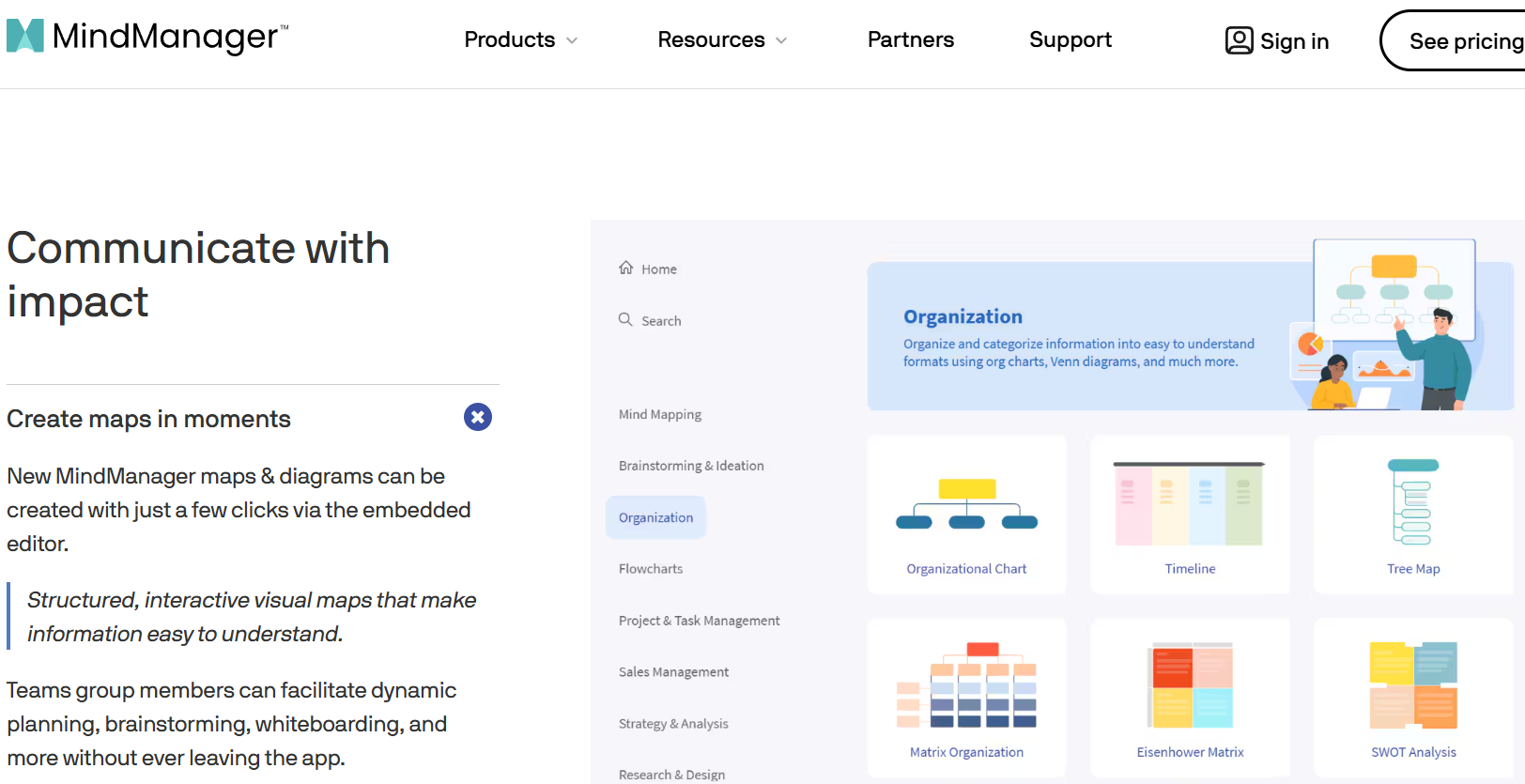 MindManager brings visual thinking, project planning, and team collaboration together in one flexible platform — trusted by enterprise teams at Dow, P&G, and EDC to transform complex information into clear, actionable maps.
Key Features and Capabilities
MindManager’s competitive strength in 2026 lies in the depth and versatility of its visual thinking toolkit — offering a breadth of diagram types, project tools, and integrations that individually would require multiple specialized applications.
Advanced Mind Mapping
At its foundation, MindManager delivers the most feature-rich mind mapping experience available on the market:
- Drag-and-Drop Canvas: Build mind maps intuitively from a blank canvas or a library of guided templates — adding task nodes, subtopics, relationships, notes, hyperlinks, and file attachments through a clean, responsive interface that scales from quick brainstorms to enterprise-scale knowledge maps.
- Rich Topic Formatting: Apply color coding, icons, callouts, boundaries, and relationship arrows to create maps that communicate priority, status, and structure at a glance — going well beyond the basic colored bubbles offered by lighter tools.
- Template Library: Access a curated collection of templates spanning project planning, meeting facilitation, strategic analysis, SWOT diagrams, competitive analysis, knowledge maps, and more — giving any user a structured starting point regardless of the use case.
- Map Parts and Reusable Components: Save frequently used map structures as reusable “map parts” — accelerating the creation of recurring document types like weekly status updates, project kick-off plans, or client onboarding workflows.
Multi-View Visualization
One of MindManager’s most distinctive capabilities is its ability to present the same underlying information across multiple visual formats without rebuilding from scratch:
- Mind Map View: The classic radial or tree-structured layout for brainstorming, idea capture, and conceptual organization.
- Flowchart / Process Diagram: Visualize workflows, decision trees, and business processes with standard flowchart notation — ideal for documenting procedures and system architectures.
- Org Chart View: Generate organizational charts automatically from any hierarchical map structure — useful for team planning, reporting structures, and stakeholder mapping.
- Timeline View: Lay out events, milestones, and phases along a horizontal timeline — ideal for roadmaps, communications plans, and historical context mapping.
- Gantt Chart View: Convert any task-based mind map into a full Gantt chart with dependencies, durations, start/end dates, and resource assignments — bridging the gap between ideation and project execution without leaving the platform.
Project Planning and Management
MindManager goes significantly further than typical mind mapping tools by embedding project management capabilities directly into the visual environment:
- Task Assignment and Tracking: Assign tasks to team members, set priorities, track completion percentages, and monitor project health — all within the context of the visual map rather than in a separate task list that loses its relationship to the broader plan.
- Dependencies and Critical Path: Define task dependencies within Gantt views to surface the critical path automatically — enabling project managers to identify bottlenecks and optimize delivery schedules visually.
- Resource Management: Assign and track resource allocation across tasks — preventing over-commitment and helping managers balance workloads across team members.
- Budget and Cost Visualization: Attach cost data to project nodes and visualize budget allocations and financial impact across the map — enabling financial tracking within the planning context rather than as a separate spreadsheet exercise.
- Dashboard and Status Views: Filter maps by priority, assignee, deadline, or status to generate instant project dashboards — giving stakeholders the executive summary view without duplicating information in another tool.
Microsoft Ecosystem Integration
For organizations running Microsoft 365, MindManager’s integration depth is a core differentiator:
- Microsoft Teams: Embed and co-edit MindManager maps directly within Teams channels and meetings — enabling real-time visual collaboration without switching applications or losing meeting context.
- SharePoint and OneDrive: Store, access, and collaborate on maps directly from SharePoint and OneDrive — keeping MindManager files within existing organizational storage and compliance frameworks.
- Outlook Calendar Sync: Import tasks and deadlines from Outlook calendars into MindManager projects — and push updated timelines back into Outlook — maintaining a single source of truth across planning and communication tools.
- Excel and Word Integration: Import structured data from Excel into map format, and export maps to Word documents or PowerPoint presentations — making MindManager a natural bridge between data sources and executive-ready outputs.
- PowerPoint Export: Convert mind maps directly into formatted PowerPoint slide decks — a major time-saver for consultants and managers who regularly transform planning sessions into stakeholder presentations.
Real-Time Collaboration
- Co-Editing: Multiple team members can edit the same map simultaneously with live presence indicators — enabling distributed teams to collaborate on planning sessions, workshop outputs, and knowledge documents in real time.
- Comments and Annotations: Leave contextual comments on specific map nodes, reply to teammates, and track discussion threads — keeping decision context attached to the relevant part of the plan rather than buried in email chains.
- Permissions and Sharing Controls: Set view-only or edit permissions for external collaborators — maintaining control over sensitive strategic documents while enabling appropriate stakeholder access.
- Cloud Storage (“Places”): MindManager’s “Places” feature integrates with Box, Dropbox, iCloud, OneDrive, and SharePoint — giving teams flexible cloud storage options aligned with their existing infrastructure.
AI-Powered Features
MindManager’s AI acceleration layer, expanding through 2024–2026, helps users move faster from raw input to structured, actionable maps:
- AI Map Generation: Generate a structured mind map from a text prompt or topic description — reducing the blank-canvas friction that slows down initial planning sessions and brainstorming workshops.
- Idea Expansion: Select any topic node and use AI to suggest related subtopics, considerations, or action items — surfacing connections and completeness gaps that human planners might overlook under time pressure.
- Smart Templates: AI-assisted template recommendations based on the nature of your content — matching the right structural framework to the problem type automatically rather than requiring manual template browsing.
Export, Output, and Integration
- Export Formats: Export maps to PDF, HTML, Word, Excel, PowerPoint, PNG, SVG, and MindManager’s native format — enabling downstream use in virtually any workflow or communication channel.
- Web Publishing: Publish interactive maps to the web for stakeholder review — enabling non-MindManager users to navigate and explore complex maps in a browser without requiring a license.
- Jira Integration: Sync MindManager maps with Jira issues — particularly valuable for product and engineering teams that plan visually in MindManager and execute in Jira without manual data re-entry between the two.

MindManager’s Gantt chart integration, multi-view flexibility, and Microsoft Teams co-editing make it the go-to visual productivity platform for project managers and cross-functional teams managing complex deliverables.
Pricing, Plans, and Licensing
MindManager offers a well-structured pricing model that balances accessibility for individual users with enterprise-grade licensing options — including a perpetual license that remains a meaningful differentiator in an increasingly subscription-dominated software market.
MindManager Pricing Breakdown for 2026
| Plan | Price | Best For | Key Inclusions |
|---|---|---|---|
| Free Trial | $0 (30 days) | Evaluation before purchase | Full feature access for 30 days; no credit card required; 30-day money-back guarantee on first purchase |
| Essentials (Annual) | $99/year | Individual users, light business use | Core mind mapping, multiple view types, templates, cloud storage integration, export to Office formats |
| Professional (Annual) | $179/year | Power users, project managers, consultants | All Essentials features + Gantt charts, task management, Microsoft Teams integration, co-editing, advanced integrations (Jira, SharePoint, Outlook), AI features, web publishing |
| Perpetual License | $369 (one-time) | Users who prefer to own rather than subscribe | Lifetime access to current version’s feature set; no recurring billing; upgrade pricing available for future major versions |
| Enterprise | Custom (contact sales) | Large organizations, enterprise deployments | Volume licensing, centralized administration, SSO, advanced security and compliance, dedicated support, custom onboarding |
Guarantee: MindManager offers a 30-day money-back guarantee on initial purchases — providing a meaningful risk-free evaluation window beyond the free trial period itself.
Pro tip: Start with the 30-day free trial on the Professional plan — it gives you full access to every premium feature, including Gantt views and Microsoft Teams integration. If your workflows are primarily about visual thinking and brainstorming without project execution needs, the Essentials plan may suffice. If you manage projects, lead teams, or present to stakeholders regularly, Professional’s ROI is clear at $179/year — especially compared to the equivalent value of separate mind mapping, project planning, and presentation tools.
Value vs. Alternatives
- vs. Microsoft Visio ($5–$15/user/month): Visio excels at enterprise-grade technical diagramming — floor plans, network diagrams, engineering schematics. MindManager wins on brainstorming fluidity, project integration, and the ability to evolve from idea to plan within the same document. For strategic and project-oriented visual work, MindManager is the superior choice.
- vs. Miro (Free–$16/user/month): Miro offers an expansive collaborative whiteboard ideal for design thinking and distributed workshops. MindManager wins on structured project planning, Gantt integration, and Microsoft ecosystem depth — making it better suited for organizations that need visual thinking to connect directly to project execution.
- vs. XMind ($79.99/year): XMind competes on price and aesthetic appeal, with strong free-tier value. MindManager surpasses it in enterprise integrations, Gantt planning depth, collaboration features, and organizational trust — justifying its higher price point for professional and team deployments.
- vs. Ayoa / MindMeister (varies): These tools target creative and neurodiverse users with appealing visual design. MindManager’s depth in project execution, Microsoft integration, and enterprise-grade security positions it as the stronger platform for corporate and professional environments.
Comparisons: MindManager vs. Competitors in 2026
| MindManager 2026 | Microsoft Visio | Miro | XMind | MindMeister | |
|---|---|---|---|---|---|
| Mind Mapping | Yes (best-in-class) | Limited | Yes (whiteboard-style) | Yes (strong) | Yes (solid) |
| Gantt Chart / Project Planning | Yes (native, full-featured) | Limited | Via templates only | Basic | No |
| Multi-View Switching | Yes (6+ views) | Partial | No | Yes (limited) | No |
| Microsoft Teams Integration | Yes (deep, native) | Yes | Yes (basic) | No | No |
| Real-Time Collaboration | Yes | Yes | Yes (core strength) | Limited | Yes |
| AI-Powered Map Generation | Yes | No | Yes (Miro AI) | Yes (XMind AI) | Limited |
| Perpetual License Option | Yes ($369) | No (subscription only) | No | Yes | No |
| Jira Integration | Yes | Yes | Yes | No | No |
| PowerPoint Export | Yes (native) | Yes | Yes | Yes | Limited |
| Annual Entry Price | $99/year | ~$60–$180/year | Free–$192/year | $79.99/year | Free–$108/year |
| Best For | Visual project planning, Microsoft orgs | Technical diagramming, enterprise | Creative collaboration, workshops | Personal mind mapping | Simple team mind maps |
MindManager’s edge: No competitor in the mid-market price tier matches MindManager’s combination of enterprise-grade mind mapping, native Gantt project planning, six-plus view-switching formats, deep Microsoft 365 integration, Jira connectivity, and a perpetual license option. Miro wins on open collaborative whiteboard work; XMind wins on price for solo users; Microsoft Visio wins on technical schematic depth. For the vast majority of business professionals who need visual thinking to connect directly to project planning and team execution within a Microsoft environment, MindManager is the clear leader in 2026.
Pros and Cons: What Users Say
What Users Love Most About MindManager
- Microsoft Ecosystem Depth: Across Capterra, G2, and GetApp reviews, MindManager’s Microsoft integration is consistently cited as the top differentiator — with users praising the ability to work within Teams, sync with Outlook, and push outputs directly to PowerPoint and Word without manual reformatting.
- Multi-View Flexibility: Users consistently highlight the ability to switch between mind map, Gantt, flowchart, and timeline views of the same content as a standout productivity feature — particularly valuable for professionals who present the same project to different audiences in different formats.
- Brainstorming to Execution Pipeline: The ability to start with a free-form brainstorm and progressively structure it into a project plan — assigning tasks, setting dates, and generating a Gantt chart — without ever leaving MindManager is cited by project managers as one of the highest-value workflows the platform enables.
- Template Quality: Reviewers across multiple platforms praise the breadth and quality of MindManager’s template library — covering use cases from strategic planning and competitive analysis to meeting facilitation and onboarding workflows.
- Long-Term Reliability: Multiple Capterra reviewers with 10–20+ years of MindManager usage cite its consistency, stability, and continuous improvement as reasons they have never meaningfully considered switching — a retention signal that speaks to deep platform satisfaction.
- Perpetual License Value: Users who prefer ownership over subscription consistently cite MindManager as one of the only premium mind mapping tools that still offers a one-time purchase option — a genuine differentiator for budget-conscious power users and organizations with strict licensing policies.
Limitations and Caveats Worth Knowing
- Mac Version Parity: Multiple reviewers note that the macOS version lags behind the Windows version in features, stability, and interface polish — a meaningful concern for Mac-first teams or mixed-platform organizations. Windows users get the full MindManager experience; Mac users get a solid but noticeably secondary product.
- Collaboration Requires Paid Tiers: Real-time co-editing and advanced collaboration features are locked behind the Professional plan — making the cost of entry for collaborative team use notably higher than free-tier collaborative tools like Miro or MindMeister.
- Learning Curve for Full Depth: While the basic mind mapping interface is intuitive, unlocking MindManager’s full power — Gantt views, resource management, integrations, map parts, filters — requires meaningful learning investment. New users without prior exposure to project management tools may find the feature surface overwhelming at first.
- Printing Complex Maps: Reviewers consistently flag printing large, complex maps as a frustrating experience — font scaling, layout management, and multi-page printing all require manual adjustment to produce readable hard-copy outputs.
- Web Version Limitations: Some users report the web (browser) version feels less polished and capable than the desktop application — with a less efficient interface and reduced feature access compared to the installed Windows client.
- Price Perception for Basic Users: Users who need only basic mind mapping without project management, Gantt integration, or Microsoft workflow depth find MindManager’s Professional pricing harder to justify — and cite XMind or Miro free tiers as sufficient for simpler use cases.
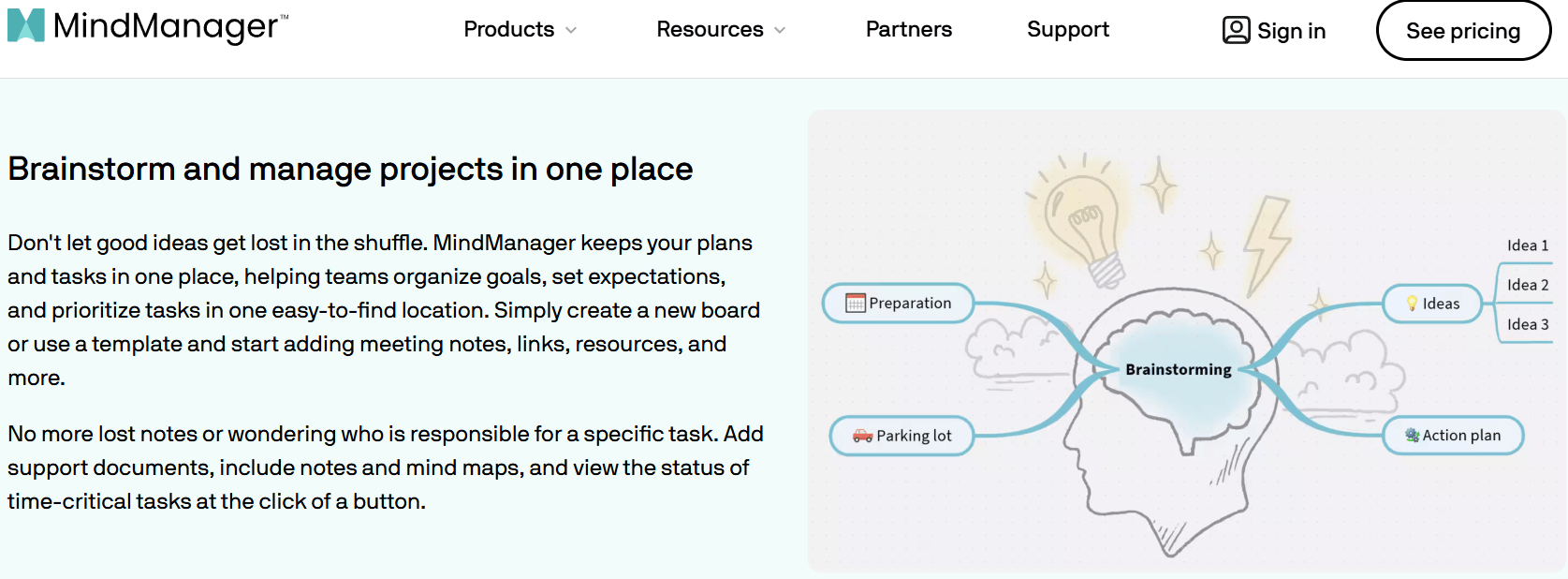
Consultants, executives, and project teams use MindManager to facilitate strategy workshops, stakeholder alignment sessions, and project planning meetings — transforming complex discussions into clear, structured maps that drive action.
Common Use Cases and Who Should Use MindManager
Best Use Cases by User Profile
- Project Managers: Use MindManager to plan projects visually — starting with a brainstormed work breakdown structure, assigning tasks, setting dependencies, switching to Gantt view for timeline management, and exporting status reports to PowerPoint for stakeholder updates, all within a single platform.
- Management Consultants and Strategy Teams: Facilitate client workshops using MindManager’s collaborative mapping tools — capturing strategy inputs, structuring findings, building initiative maps, and exporting client-ready deliverables in Word and PowerPoint format without losing the work-in-progress maps.
- Students and Researchers: Use mind maps to organize research literature, structure thesis arguments, map conceptual frameworks, and prepare visual study guides — with the ability to attach source documents and hyperlinks directly to map nodes for integrated reference management.
- IT and Engineering Teams: Document system architectures, process flows, decision trees, and technical dependencies visually — with Jira integration enabling bidirectional sync between planning maps and active sprint backlogs.
- Executives and Team Leaders: Run visual planning sessions in Microsoft Teams, distribute interactive maps to stakeholders via web publishing, and maintain living strategy documents that evolve with organizational priorities rather than collecting dust in static slide decks.
- Educators and Facilitators: Build lesson plans, curriculum maps, and workshop frameworks using MindManager’s template library — and use the presentation mode to walk audiences through complex content in a visually engaging, non-linear format.
- Sales and Marketing Teams: Map competitive landscapes, plan campaign workflows, build account plans, and organize content calendars — with the ability to share interactive maps externally for client-facing use without requiring recipients to hold a MindManager license.
Step-by-Step: Getting Started with MindManager
- Start the Free Trial: Visit mindmanager.com and begin the 30-day free trial of the Professional plan — no credit card required. This gives you full access to all premium features, including Gantt views, Microsoft Teams integration, and co-editing, so you can evaluate the complete platform against your real workflows.
- Choose a Template: Browse MindManager’s template library and select one matching your most pressing use case — whether that’s a project plan, brainstorming session, SWOT analysis, or meeting agenda. Starting from a template accelerates the initial learning curve significantly.
- Connect Your Microsoft Tools: If you’re in a Microsoft 365 environment, connect MindManager to your OneDrive or SharePoint storage and install the Teams integration — this immediately unlocks the most distinctive value the platform offers for enterprise users.
- Try Multi-View Switching: Build a basic project map, then switch between mind map, Gantt, and timeline views to experience how the same content can serve different audiences and purposes — this is the workflow that converts most trialists into paying users.
- Choose Your Plan: If project management and team collaboration are central to your use case, the Professional plan at $179/year delivers clear ROI. For solo users focused on personal visual thinking without project execution needs, the Essentials plan at $99/year is the right entry point. If you philosophically prefer owning software, the $369 perpetual license is a fair long-term value at under two years of Professional subscription cost.
Tips for Getting Maximum Value
- Use the AI map generation feature to create an initial structure for any new planning session — even if you rebuild it significantly, the AI-generated scaffold dramatically reduces blank-canvas paralysis and gets the team into refinement mode faster.
- Build reusable “map parts” for recurring project types — a standard project kick-off template, a weekly team meeting map, a client onboarding checklist — and share them across your team to standardize how projects are started and tracked.
- For stakeholder communication, use the web publishing feature rather than exporting static PDFs — interactive maps let recipients explore the content at their own depth, rather than paging through a flat document that loses all the navigational context.
- When integrating with Jira, maintain MindManager as the planning and roadmapping layer and Jira as the execution layer — use the sync to avoid manual data re-entry while keeping each tool doing what it does best.
Future Outlook and Final Assessment
MindManager’s 2026 trajectory — deepening AI integration, expanding Microsoft ecosystem connectivity, continuing to iterate on the web platform, and maintaining a perpetual license alongside subscriptions — positions it well to remain the enterprise standard for visual project thinking as AI-augmented knowledge work continues to accelerate.
The platform’s evolution toward AI-assisted map generation and idea expansion addresses the single biggest barrier to mind mapping adoption: the blank-canvas problem. As these features mature, MindManager moves from a tool that helps you organize ideas you’ve already had to one that actively helps you surface ideas you haven’t yet thought of — a meaningful shift in value proposition.
The core competitive pressure comes from Miro’s growing enterprise footprint, particularly for organizations that prioritize open collaborative workshops over structured project planning. But for Microsoft-centric organizations specifically, and for any team that needs visual thinking to connect directly to execution rather than remaining a facilitation artifact, MindManager’s depth remains unmatched at its price point.
Conclusion
MindManager delivers one of the most complete, enterprise-ready, and genuinely powerful visual productivity experiences available in 2026. With best-in-class mind mapping, native Gantt project planning, six-plus interchangeable visual formats, deep Microsoft 365 integration including Teams co-editing and SharePoint storage, AI-powered map generation and idea expansion, Jira connectivity, flexible export to Word and PowerPoint, robust collaboration and sharing controls, and flexible pricing including a $369 perpetual license — MindManager has earned its place as the premier visual thinking platform for professionals, project managers, and organizations who need ideas to connect directly to execution. The macOS experience gap, the collaboration cost barrier, the printing complexity, and the learning curve for full feature depth are real friction points — but for the vast majority of business professionals and enterprise teams in 2026, MindManager is the visual productivity tool that turns scattered thinking into structured action.
Ready to transform how your team plans, communicates, and executes with the leading visual productivity platform?
👉 Open MindManager Account: https://ai-solutes.com/mindmanager
👉 Our YouTube Channel: http://www.youtube.com/@ai-solutes
👉 Our Facebook Fanpage: https://www.facebook.com/profile.php?id=61576606911341
👉 Our X (Twitter): https://x.com/AISolutes
- Discover Jonathan Parker at MIT Sloan and His Breakthrough Household Finance and Fintech Research
- Master FreeTaxUSA for Free Federal Tax Filing in 2026: Maximize Refunds with OBBBA and 1099 Crypto Updates
- Alpha3D
- SpeachGen
- Can You Generate High-Converting Marketing Assets Exploring Creao AI’s Smart Tools?