

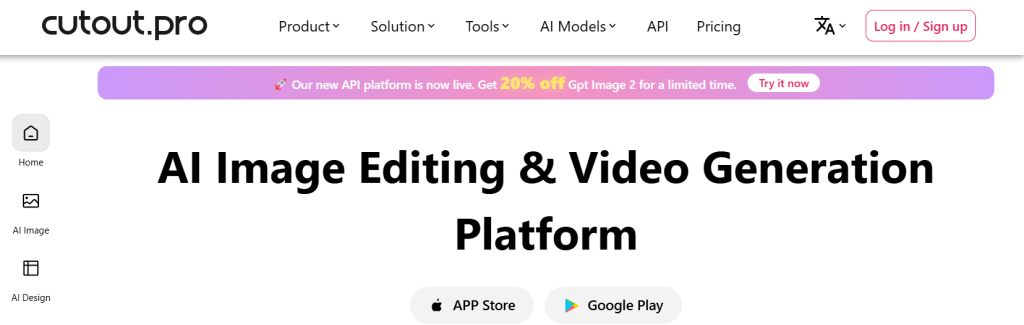
Every e-commerce seller eventually hits the same wall: hundreds of product photos, each needing a clean white background, and neither the Photoshop skills nor the hours to do it manually. Cutout.Pro was built to remove that wall entirely. Launched in 2018, this browser-based AI visual editing platform bundles background removal, photo upscaling, portrait retouching, passport photo creation, and even video background removal without a green screen into one workspace — a genuinely broader toolkit than single-purpose competitors like Remove.bg. With a free tier to start, subscription plans from $5.99 a month, and a claimed user base spanning tens of thousands of businesses, Cutout.Pro has built a real following among e-commerce sellers, social media managers, and content creators who need fast, good-enough visual editing without touching a professional editing suite.
But this review isn’t going to stop at the feature list. Cutout.Pro’s automation accuracy trails the category leaders on complex edges, its credit-based pricing can be genuinely confusing to forecast, and there’s an unresolved 2024 data exposure report worth understanding before you upload sensitive client work. This 2026 review breaks down what Cutout.Pro does well, exactly how the pricing works across its confusing mix of subscriptions and pay-as-you-go credits, how it compares to Remove.bg and Canva, the honest limitations and trust concerns, and precisely who should — and shouldn’t — build their workflow around it.
Cutout.Pro Review 2026: The All-in-One AI Photo and Video Editor for Fast, Good-Enough Visual Editing
Overview and Background
Cutout.Pro launched in January 2018 with a straightforward premise: make professional-grade photo and video editing accessible without requiring Photoshop skills or a design background. Rather than specializing in one editing task the way Remove.bg focuses purely on background removal or Let’s Enhance focuses purely on upscaling, Cutout.Pro bundles a genuinely wide toolkit into a single browser-based workspace — you can remove a product’s background, upscale the result to print resolution, retouch a portrait, generate a compliant passport photo, colorize an old black-and-white image, and strip the background from a video clip, all without leaving the platform or exporting to a second tool.
The platform has grown into a genuinely global product, with dedicated mobile apps for iOS and Android alongside desktop applications for Mac and Windows, in addition to the core browser-based web app. Cutout.Pro also offers a developer API, letting e-commerce platforms and SaaS products integrate background removal and enhancement directly into their own automated pipelines rather than routing images through a manual dashboard.
Cutout.Pro’s real standout feature — and the thing that most clearly separates it from the wider field of background removal tools — is automated video background removal. Most competitors, including Remove.bg, focus exclusively on still images. Being able to strip the background from a full video clip without a green screen is a genuine differentiator for content creators, short-form video producers, and marketers who don’t have a studio setup.
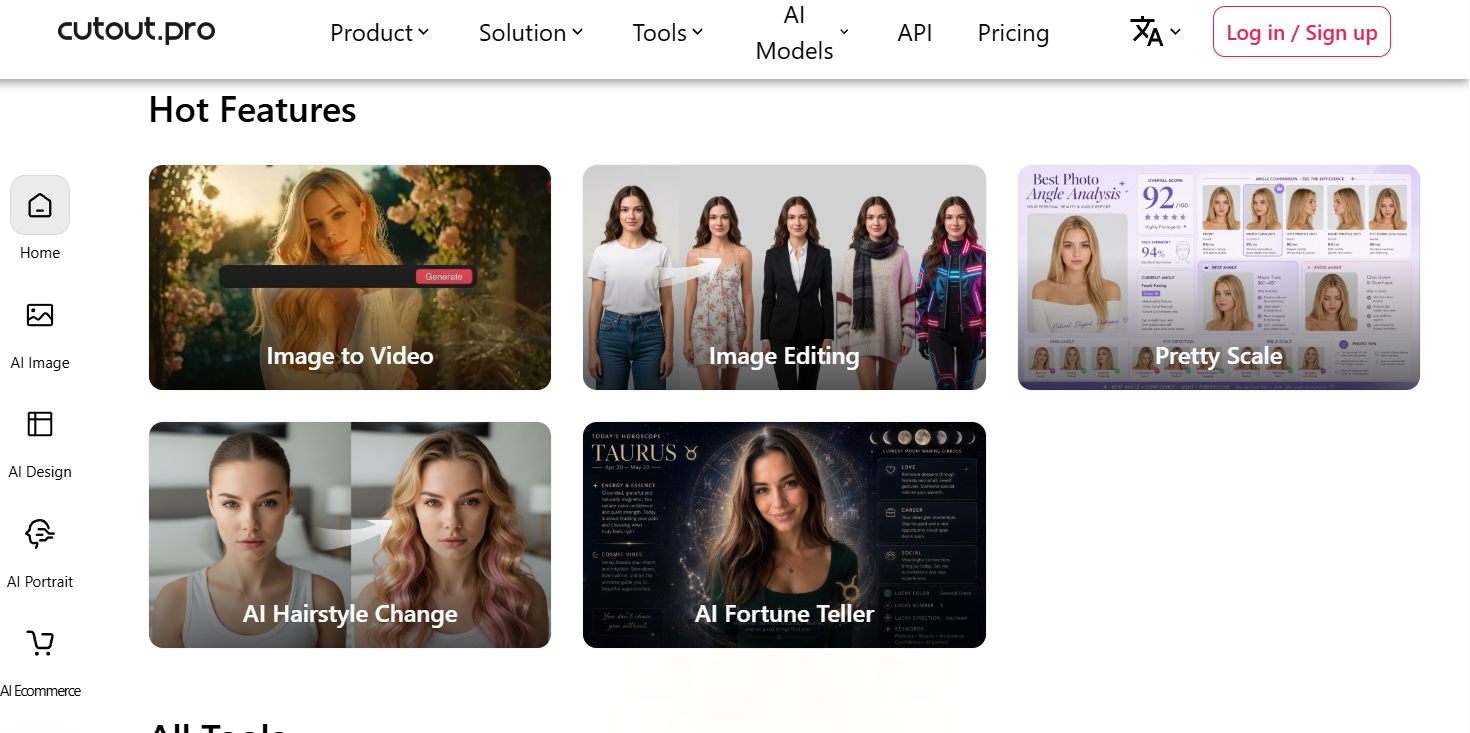
Why Cutout.Pro Stands Out in 2026
Video background removal without a green screen: This remains Cutout.Pro’s clearest competitive edge. For creators recording talking-head content, product demos, or short-form video without a dedicated studio setup, automated video background removal saves real time compared to manual rotoscoping or investing in physical green-screen equipment.
A genuinely broad, all-in-one toolkit: Where most competitors do one thing well, Cutout.Pro bundles background removal, upscaling, portrait retouching, passport photo generation, colorization, and AI art generation into a single account. For a small business or solo creator, that consolidation means one subscription instead of four or five separate tools.
Reliable on standard, routine editing tasks: Independent reviews consistently note that for the 80-90% of everyday editing work — clean product backgrounds, sharper photos, quick ID shots, basic retouching — Cutout.Pro handles the job reliably and fast, even if it isn’t the tool for intricate, pixel-perfect creative work.
A genuinely low-cost entry point: At $5.99 a month for the Basic plan (or roughly $4.17/month billed annually), Cutout.Pro is one of the more affordable ways to get consistent access to AI background removal and enhancement without committing to a full Adobe Creative Cloud subscription.
A developer-friendly API for scale: E-commerce platforms and SaaS products can integrate Cutout.Pro’s background removal and enhancement directly into automated pipelines starting at $49.99/month, with white-labeling and dedicated support available at the Scale tier — a real option for businesses that want to build the capability into their own product rather than sending images to a manual dashboard.
Key Features and Technology
Cutout.Pro’s feature set breaks into a handful of clear tool categories, each accessible from the same dashboard using the same credit pool.
Background Removal and Edge Detection
The core one-click background remover processes standard product photos in 10 to 15 seconds, with independent testing putting accuracy in the 85% to 92% range on complex edges like hair, fur, and transparent materials. That trails category leader Remove.bg’s reported 95% to 98% accuracy, but performs reliably on straightforward subjects with clean, high-contrast edges — the bulk of routine e-commerce and portrait work.
Photo Enhancement and Upscaling
The Photo Enhancer sharpens, upscales, and restores image quality in a single step, which several reviewers highlight for reviving old, blurry, or low-resolution photos into cleaner, higher-resolution output — useful both for personal photo restoration and preparing product images for print.
Passport and ID Photo Maker
The AI passport photo maker automatically removes backgrounds, applies compliant background colors, and sizes photos to meet passport, visa, and ID requirements for most countries. In hands-on testing, standard portraits were handled well, though unusual lighting or head angles occasionally required manual adjustment.
Video Background Removal
This is the feature most directly responsible for Cutout.Pro’s differentiation. Upload a clip, and the AI removes the background frame by frame without requiring a physical green screen setup — a meaningful time-saver for creators who film without a dedicated studio.
Creative and Restoration Tools
Beyond the core utility tools, Cutout.Pro also offers photo-to-cartoon and sketch conversion, an AI art generator for stylized illustrations, and colorization tools for restoring old black-and-white photos — features aimed more at social content and personal projects than professional commercial work.

Pricing, Plans, and Package Structure
Cutout.Pro uses a genuinely hybrid pricing model that combines pay-as-you-go credits, monthly subscription plans, and separate API pricing — and getting the choice wrong can mean real overpaying. Standard-resolution processing costs 1 credit per image; HD processing costs 2 credits, effectively doubling your per-image cost if you need professional-quality output. Video background removal consumes 3 to 5 credits per second of footage, which adds up quickly on longer clips. Unused credits roll over month to month, up to a maximum of 5 times your monthly credit allotment.
| Plan | Price | Credits | Best For |
|---|---|---|---|
| Free | $0 | 5 credits + unlimited low-res previews | Testing the platform before committing |
| Basic | $5.99/month (≈ $4.17/month billed annually) | 40 credits/month | Occasional personal or small-batch use |
| Pro | $19.99/month (≈ $10.00/month billed annually) | 200 credits/month | Regular creators and small e-commerce sellers |
| Pay-as-you-go | From $0.30/image or $0.50/video second | No subscription | Very infrequent, one-off usage only |
| API (Growth / Scale) | $49.99/month / $149.99/month | Volume-based | Developers and automated e-commerce pipelines |
Run the math against your actual usage before choosing: at roughly 30 images a month, the annual Starter plan saves nearly 60% over pay-as-you-go pricing. At higher volumes — a few hundred images monthly — the Pro or Business annual tiers can cut your effective per-image cost to less than a third of what pay-as-you-go would charge. A casual user who defaults to a monthly subscription without checking their real usage risks overpaying; a high-volume user sticking with pay-as-you-go credits leaves substantial savings on the table.
How Cutout.Pro Compares to Alternatives
| Tool | Accuracy (complex edges) | Scope | Best For |
|---|---|---|---|
| Cutout.Pro | 85–92% | All-in-one: photo + video editing suite | Batch e-commerce work and video creators without a green screen |
| Remove.bg | 95–98% | Background removal only | Users who only need best-in-class background removal |
| Canva Background Remover | Slightly lower, acceptable for social | Bundled into Canva Pro design suite | Existing Canva Pro users needing occasional background removal |
| Photoshop / Adobe Express | Gold standard with manual control | Full professional editing suite | Pixel-perfect editorial and fine-art work |
vs. Remove.bg: If background removal is the only task you need and hair-edge accuracy is critical, Remove.bg’s simpler, single-purpose interface and higher accuracy make it the better specialist tool. Cutout.Pro pulls ahead the moment you need anything beyond background removal in the same workflow — enhancement, retouching, or video — without paying for and switching between multiple subscriptions.
vs. Canva: If you’re already a Canva Pro subscriber, its bundled background remover is essentially free incremental value and good enough for social media graphics. Cutout.Pro is the better choice once your needs go beyond casual social content into batch e-commerce processing or video work Canva doesn’t cover.
vs. Photoshop: Photoshop’s Select Subject and Refine Edge tools remain the gold standard for accuracy and fine control, but that comes with a real learning curve and a much higher subscription cost. Cutout.Pro is the pragmatic choice when speed and volume matter more than pixel-perfect precision — treat Photoshop as your fallback for the 10-15% of images the AI genuinely can’t handle well.
Pros and Cons
What Users Love
Genuinely user-friendly for non-designers: Reviewers repeatedly note achieving professional-looking results with little to no photo editing experience, thanks to the platform’s straightforward, guided interface.
Strong performance on standard portraits and product shots: Multiple users specifically praise the tool’s handling of fine details like hair and fur on straightforward subjects, describing results that hold up well for professional marketing use.
Batch processing that genuinely saves time: Freelance photographers and e-commerce sellers cite batch processing as a workflow game-changer, letting them deliver client work in a fraction of the time manual editing would take.
Real breadth in one subscription: Users who previously juggled separate tools for background removal, upscaling, and retouching appreciate consolidating everything into a single account and credit pool.
Limitations Worth Knowing
Unresolved data breach reporting: The 2024 dataset exposure report and Cutout.Pro’s denial remain an open discrepancy with no public technical resolution. This is a genuine trust consideration, particularly for anything sensitive or client-confidential.
Accuracy trails the category leader on hard cases: Wispy hair, transparent materials, motion blur, and low-contrast subjects can defeat the AI, and the 85-92% accuracy range means a real portion of images will need manual touch-up in a separate tool.
Credit-based pricing is genuinely hard to forecast: Multi-operation pipelines, HD export multipliers, and variable video credit consumption make it easy to underestimate real monthly cost, especially for growing teams scaling up their usage.
Limited advanced editing tools: Reviewers consistently note the absence of layering options, advanced color correction, and a wider filter set compared to full editing suites — you’ll hit a ceiling fast on anything beyond routine adjustments.
No offline access: Every tool runs in the cloud, so a stable internet connection is required for all processing — a real constraint for anyone working in the field or with unreliable connectivity.
Who Should Use Cutout.Pro
E-commerce sellers processing product photos at scale: Batch background removal and enhancement across large catalogs is exactly the routine, high-volume use case Cutout.Pro is built for, and the Pro or Business plan comfortably covers hundreds of images a month.
Content creators recording without a green screen: The video background removal feature is a genuine time-saver for talking-head content, product demos, and short-form video where a physical studio setup isn’t practical.
Small businesses producing ID and passport photos in-house: The compliant passport photo maker handles most standard portraits automatically, saving a trip to a professional photo studio for straightforward cases.
Developers building automated image pipelines: The API tiers make sense for e-commerce platforms and SaaS products that want to bake background removal or enhancement directly into their own product rather than routing images through a manual dashboard.
Not the right fit: Editorial and fine-art photographers needing pixel-perfect, hair-detail-critical cutouts should lean on Remove.bg or Photoshop instead, and anyone handling highly sensitive client work should weigh the unresolved 2024 data exposure concern carefully before uploading confidential material.
Getting Started: Step by Step
- Sign up with email or Google. You receive 5 free credits to start, plus unlimited low-resolution previews so you can test quality before spending any credits on full-resolution output.
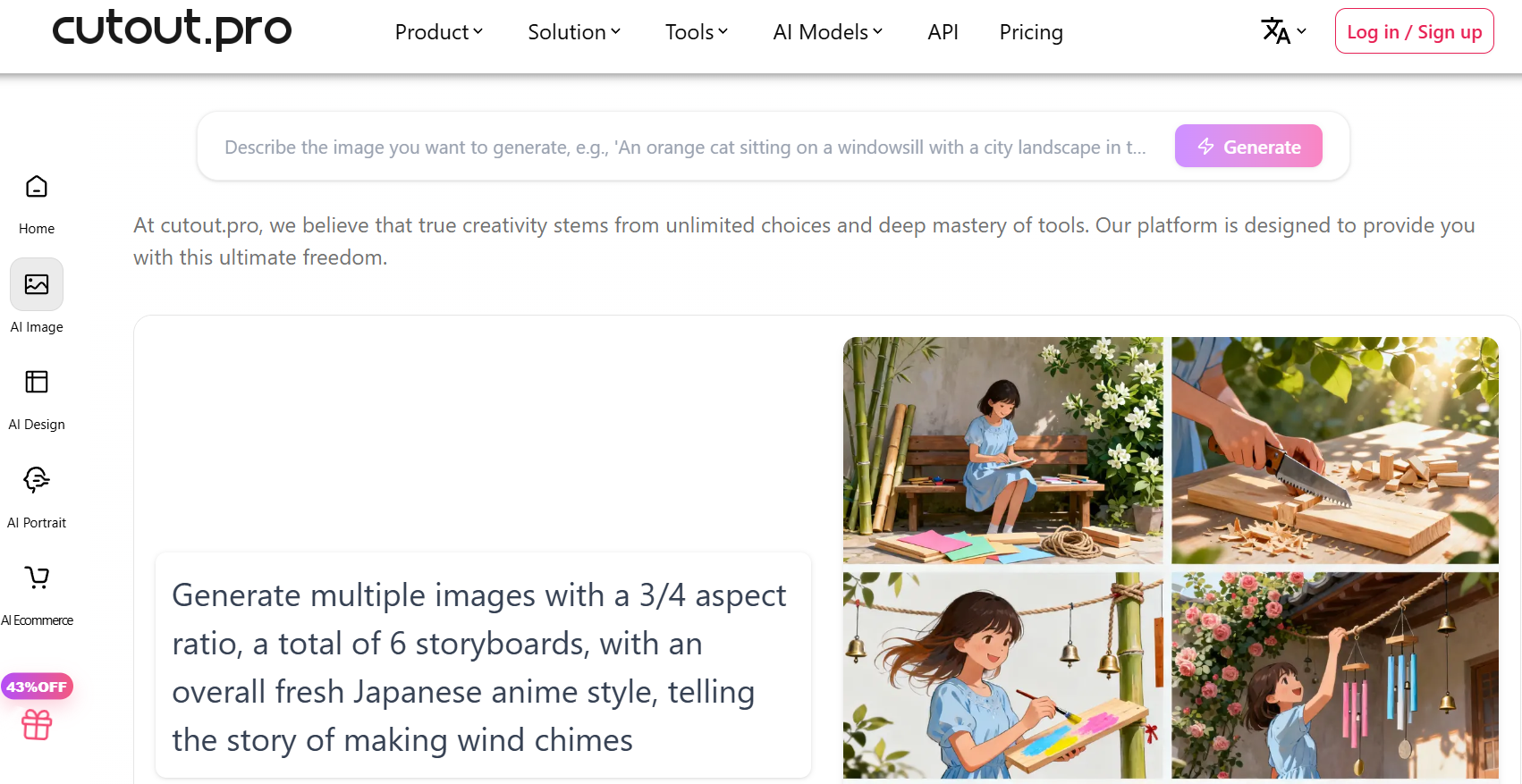
- Select the tool you need. Choose from the dashboard: Background Remover, Photo Enhancer, Passport Photo Maker, Video Background Removal, AI Art Generator, or the e-commerce product tools.
- Upload your file. Drag and drop or browse — supported formats include JPG, PNG, and WebP for images, and MP4 and MOV for video. Most images process in 10 to 15 seconds.
- Review the AI-generated result. Use the built-in editing tools to clean up any edge artifacts, adjust the cutout boundary, or apply a background replacement before finalizing.
- Choose your resolution and download. Standard resolution costs 1 credit; HD costs 2. Export as PNG with transparency, JPG, or your original dimensions.
- Test batch processing on a real sample. Upload multiple files at once to confirm your actual per-image credit cost across your specific workflow before committing to a monthly plan.
- Pick your subscription based on real usage. Compare your test-batch credit consumption against the Basic, Pro, and pay-as-you-go pricing to find the genuinely cheapest option for your volume.
Tips for Getting Maximum Value
Always test with representative images from your actual workload before committing to a paid plan — every product line, portrait style, and video setup has unique quirks that only hands-on testing will reveal. Batch your work into single sessions rather than processing images one at a time; the platform is built for volume, and grouping your editing into fewer, larger sessions makes it easier to track your real credit consumption against your plan. If your pipeline involves multiple operations on the same image, calculate the true credit cost of the full pipeline, not just the first step, since background removal plus enhancement plus resize consumes credits at each stage. Keep a fallback plan for the roughly 10-15% of images the AI struggles with — wispy hair, glass, transparent objects — by having Photoshop, GIMP, or a freelance retoucher on standby rather than burning credits on repeated attempts. And if you’re processing anything sensitive or client-confidential, weigh the unresolved 2024 data exposure report against your specific risk tolerance before uploading.
Future Outlook and Final Assessment
The tailwinds favor Cutout.Pro and the broader AI visual editing category. E-commerce continues to demand faster, cheaper product photography workflows, and short-form video’s dominance keeps pushing demand for tools that remove the barrier of a physical studio setup. Cutout.Pro’s continued investment in video background removal, its developer API, and its all-in-one positioning against increasingly narrow single-purpose competitors all suggest a platform trying to be the default visual editing layer for growing e-commerce and content teams rather than a single-feature novelty.
The honest caveats remain real and worth restating: accuracy trails the category leader on genuinely complex images, the credit-based pricing rewards careful planning and punishes assumption, and the unresolved 2024 data exposure report is a legitimate trust concern that a “no breach occurred” denial without a public technical post-mortem doesn’t fully settle. Within those boundaries, Cutout.Pro delivers a capable, genuinely broad, and reasonably priced AI editing toolkit for the routine, high-volume work that eats up most creators’ and sellers’ time.
Conclusion
Cutout.Pro delivers exactly what it promises for the routine, high-volume visual editing work that eats up most of a creator’s or seller’s day: fast, good-enough automation across a genuinely broad toolkit, anchored by a video background removal feature few competitors match. It isn’t the tool for pixel-perfect editorial work, and the unresolved 2024 data exposure report deserves a real look before you commit to handling sensitive material on the platform. Confirm your actual usage against the credit-based pricing, keep a manual fallback for the hardest 10-15% of images, and Cutout.Pro can genuinely cut hours out of your weekly editing workload — making everything easy, one background at a time.
Ready to cut editing hours out of your workflow?
Explore more honest reviews, tutorials and tool comparisons to find the right tech for the way you work and live — at AI Solutes, where we make everything easy.
👉 Open Free Account: https://ai-solutes.com/cutoutpro
👉 Our YouTube Channel: youtube.com/@ai-solutes
👉 Our Facebook Fanpage: Facebook
👉 Our X (Twitter): @AISolutes















