YouCam Online Editor has rapidly evolved from a beauty-focused selfie enhancement app into one of the most comprehensive AI-powered photo editing platforms available in 2026 — and it’s doing so entirely in your browser, with no heavy software download required. Developed by Perfect Corp (NYSE: PERF), the company behind the YouCam ecosystem that has collectively surpassed 800 million downloads worldwide, YouCam Online Editor brings Generative AI to everyday image creation and enhancement: one-click photo upscaling to 4K, AI background removal and replacement, AI Headshot generation with over 70 style options, text-to-image generation, AI Avatar creation, AI Image Extender, old photo restoration, product photography optimization, passport photo creation, makeup transfer, AI colorization of black-and-white photos, batch editing for up to 50 images at once, and a full developer SDK/API for teams embedding these capabilities into their own products. Whether you’re a content creator needing social-ready visuals in minutes, a professional wanting studio-quality LinkedIn headshots without a photographer, an e-commerce seller optimizing product images, a marketer producing batch-edited campaign visuals, a student restoring old family photos, or a developer integrating AI image tools into your application — this comprehensive 2026 review walks you through every major feature, plan, use case, and real-world consideration of the YouCam Online Editor platform.
YouCam Online Editor Review 2026: The Browser-Based AI Photo Editor That Makes Everyone Look Like a Pro
Overview and Background
YouCam Online Editor is a cloud-based, AI-powered photo editing and image generation platform developed by Perfect Corp — a Taiwanese technology company founded in 2015 by Alice Chang with a vision to use AI and augmented reality to transform the beauty and photo editing experience for everyday users. Perfect Corp is listed on the NYSE (ticker: PERF) and has built one of the largest consumer AI imaging ecosystems in the world, including YouCam Makeup, YouCam Perfect, YouCam AI Pro, YouCam Enhance, YouCam Video, and the web-based YouCam Online Editor reviewed here.
Where legacy desktop photo editors like Adobe Photoshop focus on technical depth and professional-grade manual control, YouCam Online Editor’s design philosophy centers on accessibility and AI automation: delivering professional-quality image results through one-click and drag-and-drop workflows that require zero prior editing experience. By 2025, users across the broader YouCam ecosystem had created nearly 200 million AI-generated images and videos — a scale of adoption that reflects genuine, real-world utility rather than novelty.
The platform operates entirely in the browser — compatible with Windows, Mac, and Linux desktops as well as mobile tablets — with no software installation required and secure processing that keeps user data protected throughout every session.
Why YouCam Online Editor Stands Out in 2026
- No Software Installation Required: YouCam Online Editor runs entirely in your web browser — accessible on any device with no downloads, no storage consumption, and no compatibility headaches. Start editing within seconds of visiting the site.
- Generative AI at the Core: Beyond basic enhancement, YouCam integrates full Generative AI capabilities — text-to-image generation, AI Avatar creation, AI Headshot generation with 70+ styles, AI Image Extender, and AI Replacement — making it a creative generation tool, not just an editing utility.
- Batch Processing for Up to 50 Images: Enhance, upscale, or edit multiple images simultaneously — a critical efficiency feature for e-commerce sellers, marketers, and content creators managing high image volumes.
- 4K Photo Enhancement in One Click: Upload any blurry, grainy, or low-resolution image and receive an AI-reconstructed, upscaled output at up to 4K resolution — with fine details rebuilt rather than just smoothed.
- Beauty & Portrait AI Tools: Leveraging Perfect Corp’s deep expertise in beauty technology — skin smoothing, blemish removal, makeup transfer, hairstyle generation, teeth whitening, eye enhancement, and facial feature refinement — all applied with AI precision.
- Developer API/SDK Available: Teams building products that need AI image editing or generation capabilities can access YouCam’s technology via a well-documented SDK and API — embedding the platform’s AI depth into their own applications.
- Free Tier with Meaningful Access: Core tools including photo enhancement, background removal, and basic editing are accessible for free — with premium features unlocking advanced AI generation, batch processing, and watermark-free downloads.
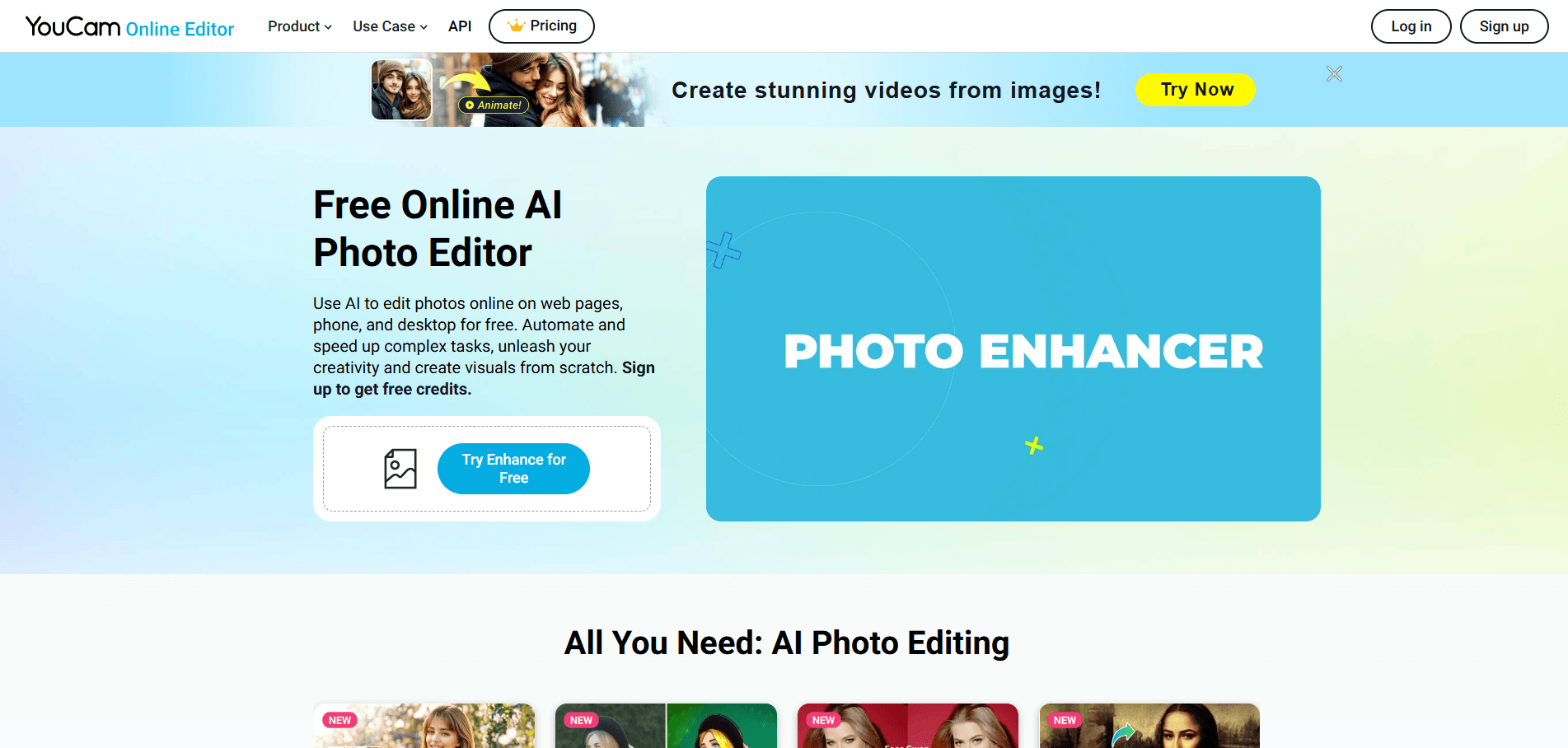
YouCam Online Editor brings Generative AI-powered photo enhancement, creation, and transformation directly into your browser — no downloads, no design skills required, and professional-quality results accessible to everyone from casual users to enterprise marketing teams.
Key Features and AI Capabilities
YouCam Online Editor’s competitive strength in 2026 is its breadth of AI tools covering the full spectrum of image editing needs — from one-click enhancement and background management through to full Generative AI creation — all consolidated in a single browser-based workspace.
AI Photo Enhancement and Restoration
The most universally used feature across all user types is the one-click AI Photo Enhancer — a tool that transforms blurry, grainy, dark, or low-resolution images into sharp, vibrant, high-resolution outputs without any manual adjustments.
- 4K Upscaling: AI reconstructs fine details in low-resolution images — hair texture, fabric patterns, facial features — upscaling to 4K resolution at twice the original size without the softness that conventional interpolation produces.
- Unblur and Sharpen: Restores focus to motion-blurred or out-of-focus shots by rebuilding lost edge detail — one of the most requested features for recovering otherwise unusable photos from important events.
- Noise Reduction: Removes grain and digital noise from low-light or high-ISO shots, restoring clean image quality without sacrificing color accuracy.
- Old Photo Restoration: Repairs scratches, fading, discoloration, and deterioration in scanned old photographs — making decades-old family photos look freshly taken. The tool automatically detects damage and reconstructs missing areas with contextually accurate content.
- AI Colorization: Converts black-and-white photos into natural, realistic color images using AI that interprets context — skin tones, foliage, sky, clothing — to produce plausible colorization rather than generic tinted results.
- Batch Enhancement (Up to 50 Images): Process entire folders of photos simultaneously — a transformative time-saver for real estate photographers, e-commerce sellers, event photographers, or marketers managing large asset libraries.
Background Removal, Change, and Blur
- AI Background Removal: Precisely isolates subjects — people, products, pets, objects — from complex backgrounds in seconds, with edge accuracy that handles hair, transparent objects, and fine details that challenge simpler tools.
- Background Change: Replace removed backgrounds with solid colors, gradient fills, stock scenes, or custom uploaded images — enabling instant product photography optimization, social media content creation, or professional portrait backgrounds without a studio.
- Background Blur (Bokeh Effect): Apply a professional depth-of-field blur to any background — turning smartphone photos into DSLR-quality portrait shots with a single click.
- AI Lighting: Adjust and re-light portrait and product images after the fact — correcting flat lighting, adding dramatic shadows, or applying studio-quality lighting effects to photos taken in suboptimal conditions.
Generative AI: Creation Beyond Editing
YouCam Online Editor’s most differentiated capability set in 2026 is its suite of Generative AI tools that go beyond editing existing photos into generating entirely new visual content.
- AI Headshot Generator (70+ Styles): Transform casual selfies into professional studio-quality headshots for LinkedIn, resumes, or corporate websites — with over 70 style options covering business formal, creative, academic, and artistic aesthetics. High-resolution outputs with accurate facial detail, natural lighting, and professional backgrounds replace expensive photographer sessions for profile photography.
- AI Avatar Generator: Create stylized digital avatars in a wide range of visual directions — from photorealistic portraits to artistic interpretations — for social profiles, gaming, community platforms, or personal branding without any design skills.
- AI Image Generator (Text-to-Image): Generate original images from text descriptions using YouCam Image 2.0 — the platform’s next-generation text-to-image model delivering high visual quality and industry-leading text rendering within generated scenes.
- AI Image Extender: Expand the borders of any image — adding contextually generated content beyond the original frame. Fix awkward crops, convert vertical shots to horizontal, or extend backgrounds to fit different aspect ratios without distortion.
- AI Replacement: Circle any object in a photo, type a description of what should replace it, and watch AI swap the element with photorealistic accuracy — changing products, backgrounds, clothing, accessories, or scene elements without visible seams.
- AI Image Remixing (Image-to-Image): Reference two source images to combine styles and subjects — blending visual elements from multiple references into a single coherent output using intuitive text-guided prompts.
Beauty and Portrait Retouching
Drawing on Perfect Corp’s decade of beauty AI technology leadership across the YouCam ecosystem, YouCam Online Editor includes a comprehensive portrait enhancement toolkit.
- Skin Smoothing and Blemish Removal: AI-powered skin retouching that reduces blemishes, evens skin tone, and smooths texture while preserving natural skin character — avoiding the plastic, over-processed look common in lower-quality beauty filters.
- AI Hairstyle Generator: Try different hairstyles, lengths, and colors virtually on any portrait photo — a feature developed from Perfect Corp’s AR beauty try-on technology used by major beauty brands globally.
- Makeup Transfer: Apply makeup looks from reference images or templates directly to portrait photos — blending foundation, eyeshadow, lip color, and contouring with realistic skin-tone awareness.
- Teeth Whitening and Eye Enhancement: Targeted micro-retouching tools that produce natural-looking refinements without the exaggeration that ruins portrait credibility.
Practical Editing and Utility Tools
- Object Removal: Erase unwanted elements — strangers in the background, watermarks, power lines, litter — with AI content-aware fill that reconstructs the scene behind the removed object realistically.
- Passport Photo Creator: Generate compliant passport, visa, and ID photos from standard portraits — automatically sizing, centering, and adjusting background to meet official requirements for dozens of countries.
- Crop, Flip, Rotate, Resize: Full suite of standard image geometry adjustments for any platform or print requirement — with preset aspect ratio templates for Instagram, LinkedIn, Twitter, YouTube, and print formats.
- Image Animation: Transform static images into dynamic animated visuals — from smooth cinematic pans to viral AI effects like AI Hug and AI Dance that render realistic high-definition movement from a single photo.
- Product Photography Optimization: Enhance and prepare product images for e-commerce listings — background removal, lighting correction, and resolution upscaling all applicable in a single workflow tailored for online retail presentation.
Developer API and SDK
For development teams, YouCam Online Editor provides an API and SDK covering enhancement, background management, Generative AI generation, and beauty retouching — making it a viable backend for applications that need to embed AI image intelligence without building the capability from scratch. The API is documented for web, iOS, and Android integration and has been adopted by beauty brands, e-commerce platforms, and digital media companies globally.
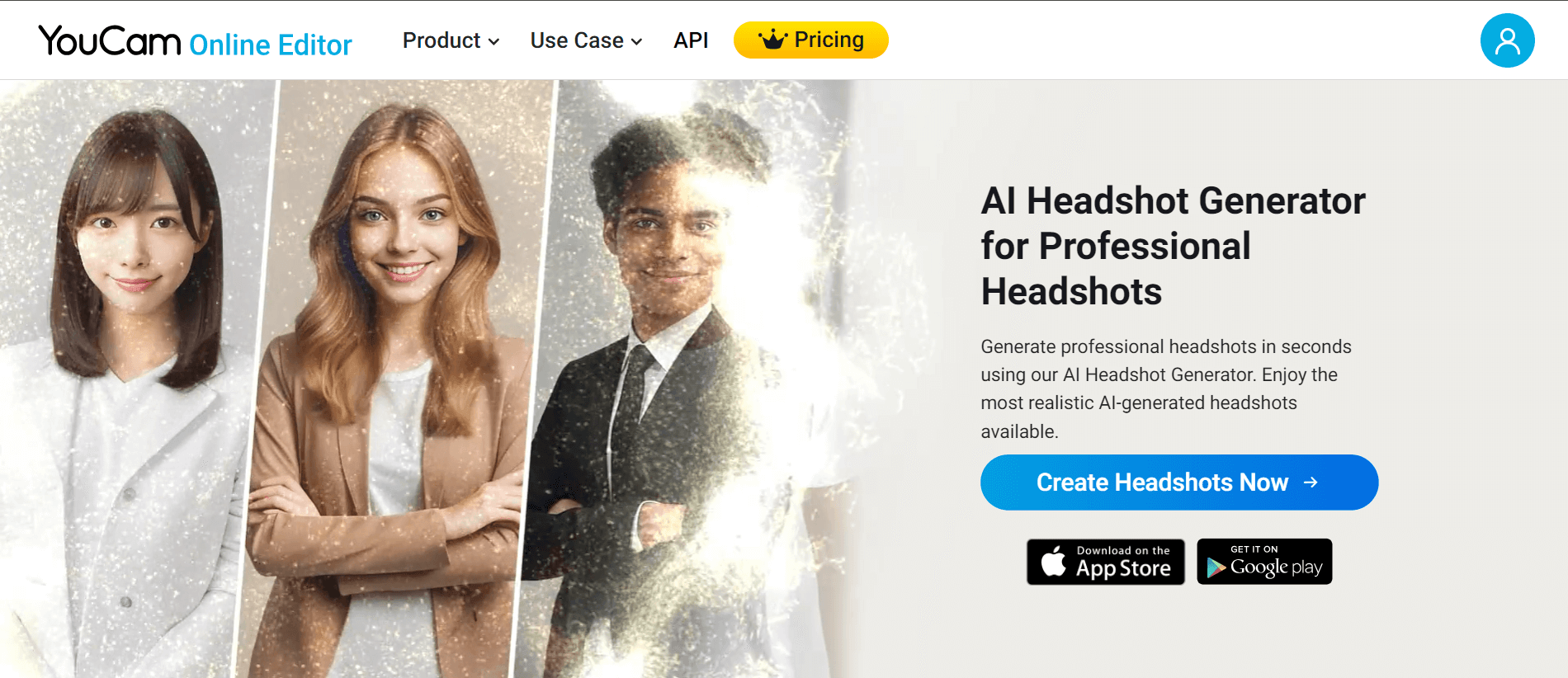
From AI-generated LinkedIn headshots to e-commerce product photo optimization and viral social media content, YouCam Online Editor gives individuals and businesses a professional visual output pipeline that works entirely from a web browser in minutes.
Pricing, Plans, and Accessibility
YouCam Online Editor offers a freemium access model — core editing tools are available without payment, with premium AI generation, batch processing, watermark-free downloads, and advanced features unlocked through a subscription.
YouCam Online Editor Pricing Breakdown for 2026
| Plan | Price | Best For | Key Inclusions |
|---|---|---|---|
| Free | $0 | Casual users, platform evaluation | Core editing tools, basic enhancement, background removal, limited AI credits, watermarked downloads |
| Premium (Monthly) | ~$8.99–$9.99/month | Regular individual creators and professionals | Full AI generation suite, batch processing up to 50 images, watermark-free downloads, 4K upscaling, advanced headshot and avatar tools |
| Premium (Annual) | ~$35/year (~$2.92/month) | Year-round content creators, marketers | All monthly Premium features at significantly reduced rate; annual commitment for sustained daily use |
| Developer / API Access | Custom (contact vendor) | Software teams, SaaS products, enterprise | SDK/API access to enhancement, generation, beauty AI, and background tools for product integration |
| Free Trial | Available | Users evaluating premium features | Trial access to premium features before subscription commitment |
Important note on AI credit limits: Some premium AI generation features operate on a credit or daily usage basis even within paid plans — a limitation some long-term subscribers have noted after plan terms were adjusted post-signup. Always verify current feature limits on the YouCam pricing page before committing, particularly for batch AI generation workflows that require high daily volume.
Pro tip: The annual plan at approximately $35/year represents exceptional value for anyone who uses YouCam Online Editor even a few times per week — at under $3/month, it undercuts virtually every competing AI photo editing subscription including Adobe Express, Canva Pro, and Fotor’s premium tier. Start with the free tier to verify that the AI headshot and enhancement quality meets your specific needs, then convert to the annual plan for maximum cost efficiency.
Value vs. Alternatives
- vs. Adobe Express / Adobe Firefly: Adobe’s ecosystem offers deeper creative control and tighter integration with Photoshop and Illustrator — but at $9.99–$54.99/month depending on plan. For users who need AI-powered enhancement and generation without full Adobe suite integration, YouCam delivers comparable generative quality at a fraction of the cost.
- vs. Canva Pro ($15/month): Canva wins on design templates, brand kits, and document creation. YouCam wins on dedicated AI photo enhancement quality, portrait retouching depth, and headshot generation — particularly for image-focused rather than design-focused workflows.
- vs. Fotor (Free / ~$8.99/month): Foxit competes on price point. YouCam differentiates on beauty AI depth (drawing on Perfect Corp’s 10+ years of AR beauty technology), the breadth of Generative AI tools, and the batch processing capability that Fotor’s free tier restricts heavily.
- vs. Remove.bg (background removal only): Remove.bg is a single-purpose tool that does one thing well. YouCam Online Editor delivers equivalent background removal quality as part of a comprehensive editing suite — making it the better platform choice for users who need more than one function.
- vs. Professional Photographer (Headshots): A professional headshot session typically costs $150–$500. YouCam’s AI Headshot Generator produces LinkedIn-quality results from existing selfies — representing a 95%+ cost reduction for the specific use case of profile photography.
Comparisons: YouCam Online Editor vs. Competitors in 2026
| YouCam Online Editor 2026 | Adobe Express | Canva Pro | Fotor | Remove.bg | |
|---|---|---|---|---|---|
| Browser-Based (No Install) | Yes | Yes | Yes | Yes | Yes |
| AI Photo Enhancement (4K) | Yes (batch, 4K) | Limited | Limited | Yes | No |
| AI Headshot Generator | Yes (70+ styles) | No | Limited | Yes (limited) | No |
| AI Avatar Generator | Yes | No | No | No | No |
| Text-to-Image Generation | Yes (Image 2.0) | Yes (Firefly) | Yes | Yes | No |
| Background Removal | Yes (AI-powered) | Yes | Yes | Yes | Yes (only feature) |
| Old Photo Restoration | Yes | No | No | Yes | No |
| Beauty / Portrait Retouching AI | Yes (industry-leading) | Limited | No | Yes (basic) | No |
| Batch Processing | Yes (up to 50 images) | Limited | Yes (limited) | Limited | Yes (bulk) |
| Developer API/SDK | Yes | Yes (enterprise) | Yes | No | Yes (single-purpose) |
| Free Tier | Yes (core tools) | Yes (limited) | Yes (limited) | Yes (watermarked) | Yes (low-res) |
| Annual Premium Price | ~$35/year | ~$119.99/year | ~$120/year | ~$39.99/year | ~$96/year (API) |
| Best For | AI generation, portraits, beauty, batch enhancement | Brand design, Adobe integration | Design templates, social graphics | Budget photo enhancement | Background removal only |
YouCam’s edge: No browser-based AI photo editor in the under-$40/year price tier matches YouCam Online Editor’s combination of 4K batch photo enhancement, 70+ style AI headshot generation, full Generative AI suite (text-to-image, avatars, image extension, object replacement), industry-leading beauty and portrait retouching AI, old photo restoration, and developer API access. Adobe Express and Canva Pro offer stronger design templating — but at 3–4× the annual cost and without YouCam’s portrait AI depth. For the individual creator, professional, or small business focused on image quality and AI-powered visual creation rather than broad design workflows, YouCam Online Editor delivers the best AI-to-price ratio in 2026.
Pros and Cons: What Users Say
What Users Love Most About YouCam Online Editor
- Zero Learning Curve: The most consistently praised aspect across Capterra, GetApp, and SoftwareAdvice reviews — users with no prior photo editing experience describe achieving professional-quality results on their first session. The platform’s accessibility to non-designers is repeatedly cited as its most important practical differentiator.
- AI Headshot Quality: Independent reviewers testing across multiple AI headshot platforms consistently rank YouCam’s headshot generator among the top tier for facial accuracy, lighting realism, and natural professional backgrounds — with over 70 style options providing genuine variety beyond what competitors typically offer.
- Batch Enhancement Speed: Content creators and e-commerce managers highlight the 50-image batch enhancement capability as a workflow-transforming feature — reducing hours of individual image processing into minutes of automated output.
- Beauty AI Authenticity: Users who’ve compared YouCam’s portrait retouching against competing tools consistently note that it avoids the uncanny, over-smoothed look — skin retouching preserves natural texture while removing distracting blemishes, producing results that look professionally retouched rather than digitally altered.
- Browser Accessibility: Reviewers coming from desktop-only tools like Photoshop express relief at being able to edit from any device, anywhere, without software licensing tied to a specific machine — particularly useful for teams working across multiple workstations or locations.
- Old Photo Restoration Results: Family history enthusiasts and archivists specifically call out the old photo restoration tool as delivering results that would otherwise require specialized paid services — recovering meaningful family memories from damaged or deteriorated photographs.
Limitations and Caveats Worth Knowing
- AI Credit Limits on Premium Plans: Some premium subscribers report that high-volume AI generation features have been subject to daily usage caps that were introduced or changed after initial subscription — creating frustration for users who signed up expecting unlimited access. Always verify current credit and usage terms directly on the pricing page before subscribing.
- Less Manual Control Than Desktop Editors: YouCam Online Editor’s automation-first approach means professional editors who want granular pixel-level control, layer-based workflows, or non-destructive editing history will find the platform limiting compared to Photoshop or GIMP. It is optimized for speed and accessibility, not technical precision.
- Internet Dependency: All AI processing happens in the cloud — a reliable, fast internet connection is required for meaningful use. Users in environments with slow or intermittent connectivity will experience frustrating upload and processing delays, particularly for large batch jobs.
- No Dedicated Desktop Application: YouCam Online Editor is browser-based and mobile-app-based only — there is no installable desktop software for users who prefer offline-capable applications or work in environments where browser-based tools are restricted.
- Watermarks on Free Downloads: The free tier applies watermarks to downloaded images — a standard freemium limitation but one that means the free version is not suitable for any professional output use case without upgrading to a paid plan.
- Refund Policy Friction: Some user reviews report difficulty obtaining refunds for accidental premium purchases — particularly where free trial terms were not clearly communicated before a charge was applied. Confirming trial versus purchase terms before subscribing is strongly recommended.

Content creators, social media managers, e-commerce sellers, and marketing professionals use YouCam Online Editor to compress what previously required hours of manual Photoshop work into minutes of AI-powered editing — without the software cost, learning curve, or device dependency.
Common Use Cases and Who Should Use YouCam Online Editor
Best Use Cases by User Profile
- Social Media Content Creators: YouCam Online Editor’s combination of one-click enhancement, background replacement, AI image extension, and viral animation effects (AI Dance, AI Hug) makes it purpose-built for the volume and visual quality demands of consistent social media posting. The platform’s no-install browser access means content can be created and edited from anywhere — between shoots, at a café, or on a tablet.
- Job Seekers and Professionals Needing LinkedIn Headshots: The AI Headshot Generator delivers studio-quality LinkedIn profile photos from casual selfies across 70+ professional and creative styles — eliminating the need for a $150–$500 professional photography session and producing results in minutes rather than days.
- E-Commerce Sellers and Product Marketers: Background removal, background replacement, AI lighting correction, and 4K upscaling applied to product photos in batch — transforming smartphone product shots into marketplace-ready images at the quality level that drives click-through rates on Amazon, Etsy, and Shopify.
- Marketing and Creative Teams: Batch enhancement of campaign image libraries, AI replacement for A/B testing visual variants, text-to-image generation for rapid concept visualization, and watermark-free downloads at professional resolution — all without requiring a Photoshop license or a dedicated graphic designer for every asset.
- Family Historians and Photo Preservationists: The old photo restoration and AI colorization tools offer accessible, high-quality recovery of deteriorated or black-and-white photographs — producing results that preserve family memories and typically compare favorably to paid professional restoration services at a fraction of the cost.
- Beauty and Fashion Influencers: Drawing on Perfect Corp’s deep AR beauty technology, YouCam’s makeup transfer, hairstyle generator, and portrait retouching tools are specifically calibrated for beauty content — delivering the high-quality portrait enhancement that fashion and beauty audiences expect from professional shoots.
- Developers Building Image-Centric Applications: The YouCam API and SDK give product teams access to world-class AI enhancement, Generative AI, and beauty retouching capabilities without building the models from scratch — accelerating time to market for apps in e-commerce, social platforms, beauty tech, and consumer photography.
Step-by-Step: Getting Started with YouCam Online Editor
- Access the Platform: Visit yce.perfectcorp.com — the platform is fully browser-based. Create a free account (email required) to unlock the full free tool suite including basic enhancement, background removal, and limited AI generation credits.
- Test AI Enhancement on Your Own Photos: Upload a photo you’ve been dissatisfied with — a blurry shot from a phone, a dark indoor photo, or an old scanned image — and run the one-click AI Enhancer. Evaluate the 4K upscaling and detail reconstruction quality on your actual content before deciding whether to upgrade.
- Try the AI Headshot Generator: Upload a recent clear selfie and explore the headshot style options — professional business, academic, creative. Use the free tier credits to generate a few options and assess whether the facial accuracy and background quality meet your professional standards.
- Test Background Removal on a Product Photo: If you sell products online, upload one of your existing product images and test the background removal. Evaluate edge accuracy on complex shapes (labels, textures, reflective surfaces) to gauge how well it handles your specific product category.
- Explore Batch Enhancement: Upload a folder of similar images (product shots, event photos, portrait series) and run batch enhancement to see the time savings versus individual processing — the value of this feature is most apparent in direct before/after comparison at scale.
- Evaluate the Annual Plan: If the free-tier evaluation confirms quality that matches your workflow needs, convert to the annual plan (~$35/year) for watermark-free downloads and full AI generation access. At under $3/month, it represents among the best value in the AI photo editing subscription market.
- Developer Teams — Review the API Documentation: If you’re building a product, visit Perfect Corp’s developer portal to review the API documentation, SDK integration guides, and available AI modules before scoping your integration work.
Tips for Getting Maximum Value
- Use the AI Image Extender before cropping — if you have a great portrait that’s too tightly framed for a specific platform format, extending the background outward is faster and higher quality than cropping into the subject and losing resolution.
- For batch product photography, standardize your input conditions (consistent background color, lighting direction, camera distance) before uploading — AI enhancement produces its best results when starting from consistent source quality rather than correcting for wildly different input conditions image-by-image.
- When using the AI Headshot Generator for professional use, test multiple style options and collect informal feedback from colleagues or trusted contacts before selecting your final LinkedIn or resume image — what looks professionally appropriate varies significantly by industry and regional culture.
- For old photo restoration, scan at the highest available resolution before uploading — the AI restoration model works best when given maximum source data to analyze, even if the original photo is badly damaged.
Future Outlook and Final Assessment
YouCam Online Editor’s 2026 trajectory — launching YouCam Image 2.0 with next-generation text-to-image quality, expanding the AI animation and video generation suite, deepening the Generative AI creation toolkit, and maintaining an accessible browser-first architecture — positions it as a platform closing the gap between consumer accessibility and professional AI imaging quality at a pace that larger competitors like Adobe struggle to match on price.
Perfect Corp’s NYSE listing, its B2B enterprise beauty-tech relationships with major global brands, and the broader YouCam ecosystem’s 800M+ download scale give the platform infrastructure advantages that pure-play browser tool competitors lack. The company’s “Beautiful AI” positioning — combining technical AI depth with design quality and consumer accessibility — is a coherent strategic identity that differentiates it from both professional tools that sacrifice accessibility and consumer tools that sacrifice quality.
The primary risk remains the AI credit and usage limit consistency issue — if subscribers experience perceived changes to feature availability mid-subscription, the trust damage to premium conversion and renewal rates could undermine the platform’s competitive pricing advantage. Transparent, stable feature commitments at each plan tier will be critical to long-term subscriber loyalty.
Conclusion
YouCam Online Editor delivers one of the most complete, accessible, and genuinely useful AI-powered photo editing and generation experiences available in 2026. With one-click 4K photo enhancement, batch processing for up to 50 images, a 70+ style AI Headshot Generator, full Generative AI suite (text-to-image, avatars, image extension, object replacement, AI colorization), industry-leading beauty and portrait retouching AI from Perfect Corp’s decade of AR technology leadership, old photo restoration, passport photo creation, product photography optimization, image animation, browser-based access with no installation required, and a developer API/SDK for product integration — all starting at approximately $35/year for the annual premium plan — YouCam Online Editor has earned its place as the leading AI photo editor for individuals, content creators, marketing teams, and e-commerce sellers who need professional-quality visual output without professional-grade complexity or cost. The automation-first approach means it’s not a Photoshop replacement for technical professionals who need manual layer control — but for the vast majority of image editing and creation needs in 2026, YouCam Online Editor is the fastest, most capable, and most cost-effective path from raw photo to professional result.
Ready to experience professional-quality AI photo editing, headshot generation, and image creation — directly in your browser, starting for free?
👉 Open YouCam Online Editor Account: https://ai-solutes.com/youcamonline.editor
👉 Our YouTube Channel: http://www.youtube.com/@ai-solutes
👉 Our Facebook Fanpage: https://www.facebook.com/profile.php?id=61576606911341
👉 Our X (Twitter): https://x.com/AISolutes
- Unlock Retail Transformation with Modern SaaS Architecture and Increff Solutions for 2025
- Is Wealthfront the Ultimate Automated Brokerage? Exploring the Wealthfront Digital Wealth Ecosystem
- Unlock SEO Success with Spin Rewriter’s ENL Semantic Spinning Technology for Scalable Content Automation
- Spokeo Free vs Premium 2025: Unlock the Best Plan for Deep Background Checks
- Does Skywork AI Maximize Office Productivity? Reviewing the Skywork AI All-in-One Workspace Technology