

If your website’s support inbox is drowning in the same handful of questions every single day, Chatbase is built to take that repetition off your plate in about ten minutes, not ten weeks. Chatbase is a no-code platform for building custom AI chatbots and AI agents trained entirely on your own content — your website, PDFs, Notion pages, help-center articles, even your existing Zendesk or Salesforce tickets — so the bot answers in your voice, with your facts, instead of a generic AI hallucinating on your behalf. Bootstrapped by solo founder Yasser Elsaid since a viral tweet in February 2023, Chatbase has grown into a genuine bootstrapped success story: it crossed $10 million in annual recurring revenue in May 2026, serves over 10,000 paying businesses across 80-plus countries — including names like IHG, Miele, and National Grid — and did it all without raising a single dollar of venture funding.
For small businesses, SaaS teams, agencies, and e-commerce stores that need a working support bot fast and don’t have engineering time to spare, that combination of speed and self-serve simplicity is the whole appeal. This 2026 review walks through what Chatbase actually does, its full 2026 feature set including the new voice AI agents, current pricing and the credit system that drives it, how it compares to Botpress and Voiceflow, the honest pros and cons real users report, and exactly who should — and shouldn’t — build on it.
Chatbase Review 2026: The No-Code AI Chatbot Builder That Turns Your Content Into a Support Agent in Minutes
Overview and Background
Chatbase started life as a much narrower idea: a “ChatGPT for your PDFs” tool that let anyone upload a document and chat with its contents. Founder Yasser Elsaid, who moved from Egypt to Canada for university, built the first version in about six weeks and tweeted a demo to his 16 Twitter followers in February 2023. He had his first paying customer within 30 minutes of putting up a pricing page. That early traction convinced him to drop everything university-related and go all-in — a bet that turned into a Toronto-based, fully bootstrapped company now generating over $10 million in ARR with a lean, engineering-heavy team of roughly 26 to 30 people.
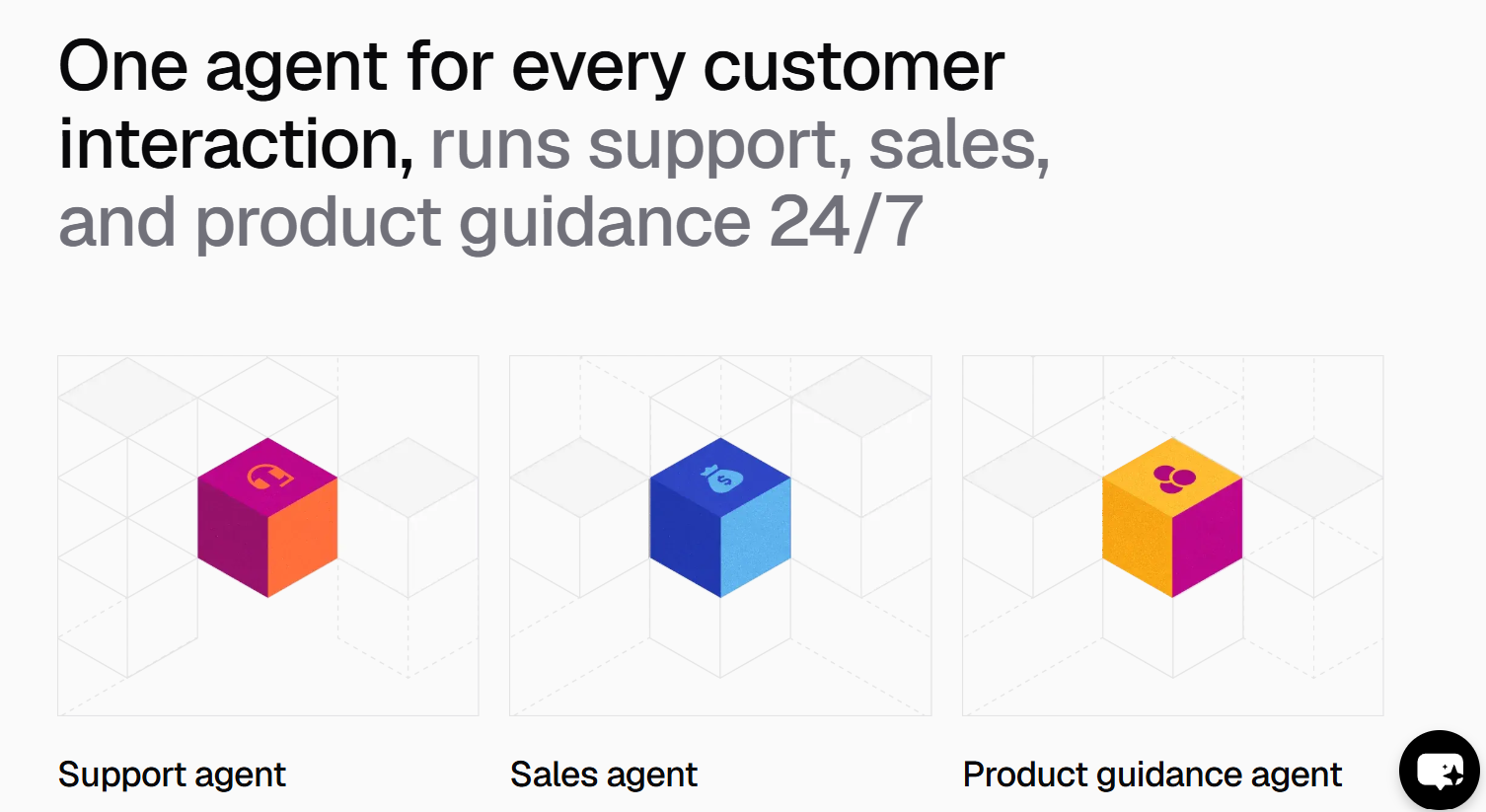
The product itself has evolved well past its “PDF chatbot” origins. In 2026, Chatbase is positioning itself as a full harness for customer-facing AI agents: text chat widgets, voice AI agents that handle phone calls, outbound WhatsApp campaigns, a lightweight helpdesk module, and an Agent Builder that lets teams “vibe code” a working agent from a single prompt. The platform is SOC 2 Type II certified and GDPR compliant, with SSO added in January 2026 — a meaningful signal that Chatbase is chasing larger customers, not just solo founders and small shops.

Why Chatbase Stands Out in 2026
Genuinely fast setup: Paste a website URL or upload a handful of documents and Chatbase crawls, indexes, and trains a working chatbot in minutes — reviewers consistently confirm a functional bot is live well within ten minutes of signing up, with no code required.
Broad, flexible training sources: Beyond static PDFs and websites, Chatbase ingests Notion pages, DOC/DOCX/TXT/CSV files, and — notably — existing Zendesk and Salesforce support tickets, so businesses with years of resolved tickets can turn that history directly into training data.
Voice AI agents extend it past the chat widget: Launched in 2026, Chatbase’s voice agents let a business handle basic phone-based support with natural-sounding AI speech, moving the product beyond text-only interactions into telephony.
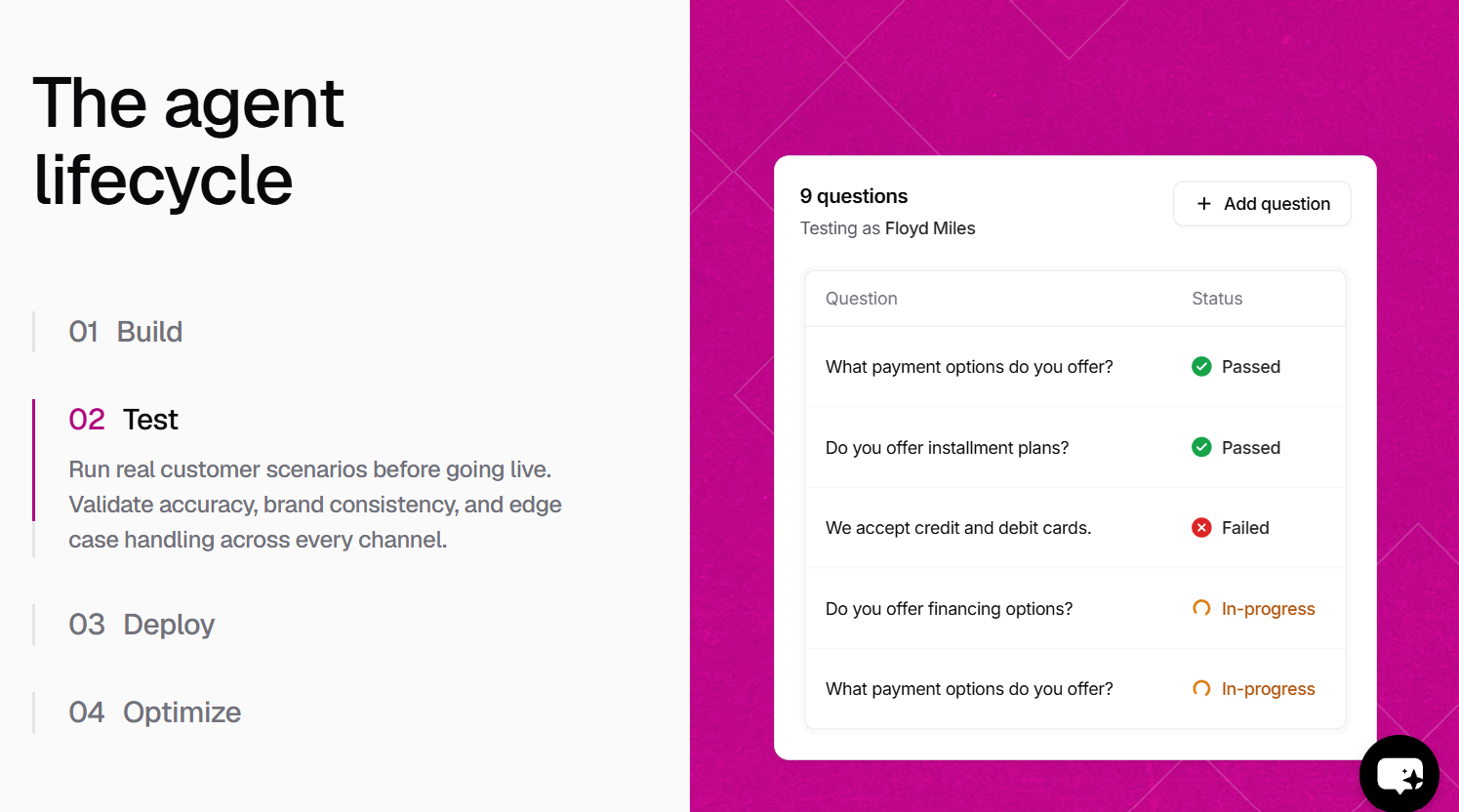
A real feedback loop for accuracy: The dashboard lets teams review past conversations, spot where the bot failed, and directly edit or improve its answers — a practical way to raise accuracy over time instead of guessing at what’s going wrong.
Enterprise-grade security at accessible pricing: SOC 2 Type II certification, GDPR compliance, AES-256 encryption, SSO, domain allowlisting, and role-based access controls are unusual to find bundled into a self-serve product at this price point.
True global reach: Automatic reply-language detection and a chat widget UI localized in 40-plus languages, including right-to-left support for Arabic and Hebrew, make Chatbase a realistic option for businesses serving international audiences without building separate bots per market.
Bootstrapped, product-obsessed engineering culture: With no outside investors setting a growth timeline, Chatbase has consistently kept the majority of its small team in engineering — a structure the founder credits directly for the platform’s shipping pace and product quality.
Key Features and Technology
Chatbase’s toolset spans four main areas: agent creation and training, deployment channels, analytics and refinement, and enterprise-grade governance.
Agent Creation and Training
Train an agent on website URLs, PDFs, Word documents, plain text, CSVs, Notion workspaces, or imported Zendesk/Salesforce tickets. The Agent Builder can also generate a working agent from a single natural-language prompt, and Chatbase supports up to roughly 33 million characters of training data per agent on its platform-wide ceiling, though practical per-plan storage limits are considerably smaller.
Deployment Channels
Beyond the standard embeddable website widget, Chatbase now supports voice AI agents for phone-based support and outbound WhatsApp campaigns, plus a lightweight helpdesk module for managing conversations that need a human touch — though native human handoff remains limited and typically requires a workaround rather than a built-in escalation path.
Analytics and Refinement
Conversation-level analytics include satisfaction ratings, topic clustering, missed-question detection, and per-response confidence scoring, giving teams a clear view of where the bot is succeeding and where its knowledge base has gaps. The Pro plan adds source suggestions that flag exactly which documents to add to close those gaps.
Security and Governance
SOC 2 Type II certification, GDPR compliance, AES-256 encryption, SSO (added January 2026), domain allowlisting, rate limiting, and role-based access controls are available, and Chatbase states customer data is never used to train underlying AI models.
Pricing, Plans, and Package Structure
Chatbase uses a freemium, credit-based subscription model billed per workspace rather than per seat. Reported figures vary somewhat between third-party trackers and Chatbase’s own pricing page updates, so treat the numbers below as approximate ranges and confirm the live figures at chatbase.co/pricing before subscribing.
| Plan | Approx. Price | Credits/Month | Best For |
|---|---|---|---|
| Free | $0 | ~50–100 credits | Testing only — agent deleted after 14 days of inactivity |
| Hobby | ~$40/mo | ~1,500 credits | Solo founders, single-site FAQ bots |
| Standard | ~$120–150/mo | ~10,000 credits | Small teams with moderate multi-channel volume |
| Pro | ~$400–500/mo | ~40,000 credits | Agencies and growing businesses at real support volume |
| Enterprise | Custom | Custom | Large organizations needing SSO, SLAs, and dedicated support |
On top of the base plan, common add-ons include extra AI agents (roughly $25–$300/agent depending on billing cycle), auto-recharge credits (roughly $14–$40 per 1,000 credits), and removing the “Powered by Chatbase” badge for white-label deployment, which runs into the neighborhood of $99/month or roughly $1,188/year — a cost several reviewers flag as steep relative to comparable tools.
How Chatbase Compares to Alternatives
| Tool | Model | Strength | Weakness vs. Chatbase |
|---|---|---|---|
| Chatbase | No-code, credit-based | Fastest setup, broad training sources | — |
| Botpress | Visual flow builder + AI | Native human handoff, 100+ integrations, persistent memory | Steeper setup and learning curve than Chatbase’s paste-and-go flow |
| Voiceflow | Drag-and-drop conversation design | Complex branching logic, mature phone support via Twilio/Vonage | More design overhead for teams that just want a fast FAQ bot |
| Intercom / Zendesk | Full helpdesk suite + AI layer | Complete ticketing, reporting, and human-agent workflows | Considerably higher cost and complexity for teams that only need a knowledge-base bot |
| Hiring support staff | N/A | Human judgment on edge cases | Far higher fixed cost than a bot handling routine, repetitive questions |
vs. Botpress: Botpress edges ahead on native human handoff and integration depth, which matters for teams whose support volume regularly needs escalation. Chatbase wins on raw time-to-launch — most teams don’t need Botpress’s flexibility for a straightforward FAQ or documentation bot.
vs. Voiceflow: If your use case genuinely requires branching conversation logic — lead qualification with different follow-up paths, for example — Voiceflow’s visual design tools are purpose-built for that complexity. Chatbase is the faster, simpler choice when the goal is answering questions accurately, not designing a multi-step conversation flow.
vs. Intercom/Zendesk: A full helpdesk platform makes sense once a team needs ticketing, SLA tracking, and coordinated human-agent workflows at scale. Chatbase is better understood as a complement to that stack — it deflects the routine, repetitive questions so the help desk handles what actually needs a human.
Pros and Cons
What Users Love
Setup speed is real, not marketing: Multiple independent reviews confirm a working chatbot deployed within roughly ten minutes of signing up, with no technical skill required.
Strong ease-of-use ratings: Capterra reviewers rate ease of use particularly highly, and the interface is repeatedly described as accessible for non-developers and small teams.
Flexible, wide-ranging training sources: The ability to pull in existing Zendesk or Salesforce ticket history alongside documents and websites means businesses don’t have to rebuild a knowledge base from scratch.
Enterprise security without enterprise complexity: SOC 2 Type II, GDPR compliance, and SSO give security-conscious buyers real assurances at self-serve pricing tiers.
Limitations Worth Knowing
A striking review-platform gap: While G2 and Capterra scores for Chatbase run high (commonly in the 4.3–4.8/5 range), Trustpilot ratings have sat far lower — some sources cite scores around 2/5 — driven largely by billing and support complaints. That split is unusual enough to warrant reading a spread of review sources yourself before committing to an annual plan.
Credit-based billing is genuinely confusing: Because credits are consumed per AI response and vary by model, predicting your true monthly cost takes real math up front, and unexpected traffic spikes can drain credits faster than anticipated.
No native human handoff: Escalating a conversation to a live agent requires a workaround rather than a built-in feature — a real gap for teams that need tight human-AI collaboration on complex tickets.
White-labeling is expensive: Removing the “Powered by Chatbase” badge costs roughly $99/month on top of the base plan — a meaningful add-on for agencies deploying the bot on client sites.
Only one AI agent per plan by default: Multi-brand businesses and agencies managing several chatbots will need to pay per additional agent, which changes the real cost at scale.
Who Should Use Chatbase
Small businesses and solo founders: If your support volume is mostly repetitive FAQ-style questions, the Hobby or Standard tier gets a working bot live the same day, replacing hours of manual email replies.
SaaS companies with existing help documentation: Teams that already maintain a knowledge base or Zendesk ticket history get outsized value, since that content becomes training data almost immediately.
Agencies deploying bots for clients: Chatbase works, but budget carefully for extra agents and white-label branding — the Pro tier plus add-ons is the realistic starting point, not the Hobby plan.
Internationally facing businesses: The 40-plus language localization and automatic reply-language detection make Chatbase a strong fit for teams serving multiple markets from a single bot.
Not a strong fit: Teams that need complex, branching conversation logic, tight native human-handoff workflows, or a full ticketing and helpdesk system will hit Chatbase’s ceiling quickly and are better served starting with Botpress, Voiceflow, or a dedicated helpdesk platform with an AI layer built in.
Getting Started: Step by Step
- Sign up for the free plan and test the setup flow before paying anything — remember the free agent is deleted after 14 days of inactivity.
- Add your training sources — paste your website URL, upload PDFs or documents, and connect Notion or existing Zendesk/Salesforce tickets if you have them.
- Choose your AI model based on the accuracy-versus-credit-cost tradeoff for your expected conversation volume.
- Customize the widget — branding, colors, greeting messages — to match your site before embedding it live.
- Review real conversations weekly in the dashboard to catch wrong or low-confidence answers early and correct them directly.
- Add analytics tracking for missed questions and topic clustering to identify gaps in your knowledge base before customers hit them repeatedly.
- Upgrade once credits or agent limits become a real constraint rather than pre-paying for headroom you may not need yet.
Tips for Getting Maximum Value
Start by mapping your realistic monthly conversation volume against the credits-per-response figure for your chosen AI model before you pick a plan — the credit math, not the plan name, is what actually determines your bill, and picking a cheaper AI model can meaningfully stretch a lower tier further. Review flagged and low-confidence conversations weekly rather than monthly; the feedback loop is only useful if you act on it before a bad answer reaches dozens of customers. If you’re an agency, price extra agents and white-labeling into your client quotes from day one rather than discovering the add-on costs after signing a contract. Because the gap between Chatbase’s G2/Capterra scores and its Trustpilot rating is unusually wide, read a spread of review sources — not just the highest-rated one — before committing to annual billing, and consider starting on a monthly plan for at least one full billing cycle to confirm the credit consumption matches your expectations.
Future Outlook and Final Assessment
AI-assisted customer support has moved from experimental to expected — most support leaders have already explored conversational AI, and the remaining question for most businesses is which tool delivers reliably rather than whether to adopt one at all. Chatbase’s bootstrapped growth story, its expansion into voice agents and outbound WhatsApp, and its push toward enterprise-grade security all point to a platform investing seriously in staying ahead of the no-code chatbot category rather than resting on its original PDF-chatbot idea. The honest caveats are real too: the credit-based pricing takes real math to plan around, native human handoff is still a gap, and the unusually wide split between software-review-site ratings and Trustpilot scores deserves a closer look before you commit budget.
Conclusion
Chatbase has grown from a viral weekend project into a genuinely profitable, bootstrapped AI company by sticking to one core promise: turn your existing content into a working support agent, fast, without a developer in the loop. For small businesses, SaaS teams, and agencies that need that speed and don’t require deep conversation-flow design or native human handoff, it delivers exactly what it promises. Do the credit math up front, budget for white-labeling if you’re an agency, and read a spread of reviews before you commit to annual billing — and Chatbase will do what a good support tool should: make everything easy.
Ready to turn your website content into a working support agent in minutes?
Explore more honest reviews, tutorials and tool comparisons to find the right tech for the way you work and live — at AI Solutes, where we make everything easy.
👉 Open Free Account: https://ai-solutes.com/chatbase
👉 Our YouTube Channel: youtube.com/@ai-solutes
👉 Our Facebook Fanpage: Facebook
👉 Our X (Twitter): @AISolutes
- Flywheel Energy Storage Will Transform Grids and Industry: Next-Gen Materials, Markets, and Roadmaps 2025–2033
- Discover FaceApp’s AI Aging Filter, Best-in-Class Privacy Protection, and Viral Download Trends for 2025
- TutorOcean
- Can Alliance Virtual Offices Scale? Examining the Alliance Virtual Offices Workspace
- Transform Your Support Teams with Hiver: The Ultimate Omnichannel AI Inbox Compared to Zendesk















