

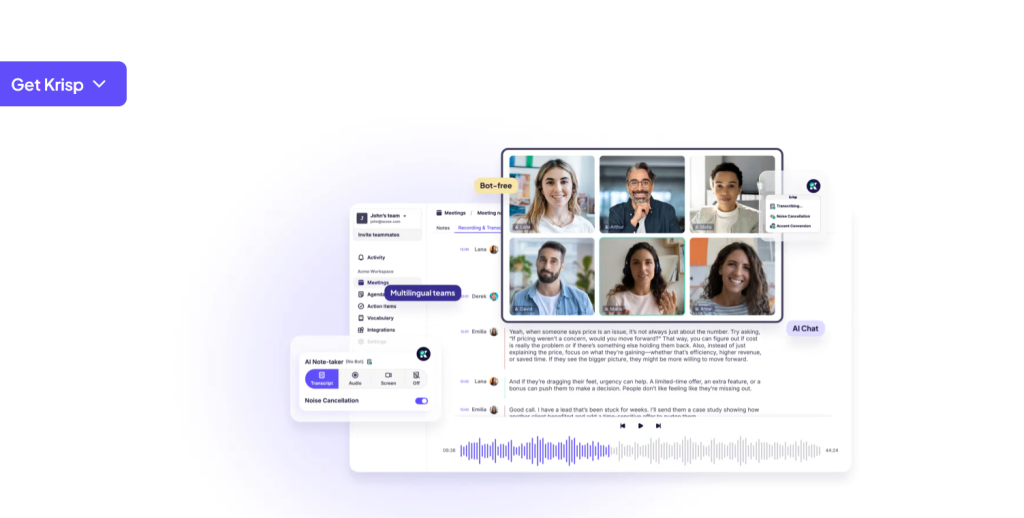
There’s a specific kind of professional embarrassment that belongs entirely to remote work: the moment a leaf blower starts outside your window during a client pitch, or your dog decides the delivery driver is an existential threat mid-negotiation. Krisp was built by someone who lived that problem personally. Davit Baghdasaryan was nine years into a Silicon Valley career at Twilio when he started spending summers in Yerevan, Armenia — where evening calls with his San Francisco team meant competing with an entire city enjoying the weather outside his window. He wanted a button that would simply remove all of it. In 2017 he and Artavazd Minasyan built one. Today that company processes over a billion minutes of voice audio every month, was named to TIME’s Best Inventions list in the AI category, and has quietly grown into something considerably more interesting than a noise filter.
Here’s the detail that should catch your attention if you work anywhere near AI: according to Baghdasaryan in an April 2026 interview, roughly 70% of Krisp’s traffic is now voice conversations where a human is talking to an AI. The noise cancellation app became the audio layer underneath the voice-agent economy. This 2026 review covers the whole picture honestly — the best-in-class noise cancellation, the bot-free meeting assistant, real-time accent conversion and speech-to-speech translation across roughly 90 languages, the VIVA SDK for voice agents, complete pricing with an important caveat about the free plan, comparisons against Otter and Fireflies, the genuine limitations, and exactly who should install it.
Krisp Review 2026: The Noise Cancellation App That Became Voice AI Infrastructure
Overview and Background
Krisp Technologies Inc. is an AI voice processing company founded in 2017 in Yerevan, Armenia — originally under the name 2Hz — and now headquartered in Berkeley, California. The founding insight was technical as much as personal: rather than the hardware-based active noise cancellation used in headphones, the team trained a deep neural network to distinguish human speech from everything else, then inserted it as a software layer between your physical microphone and whatever app you’re calling from.
That architecture is why Krisp works everywhere. It presents itself to your operating system as a virtual microphone and speaker, so you select “Krisp Microphone” inside Zoom, Teams, Meet, Slack, Discord or anything else, and it just works — no plugin, no integration, no bot. The company scaled dramatically during the 2020 shift to remote work and has taken a deliberately lean approach to funding, raising roughly $15–18 million across its history from investors including Sierra Ventures, Storm Ventures and RTP Global. Baghdasaryan has framed that restraint as independence rather than constraint, and as of April 2026 stated the company had been profitable for two years — genuinely unusual in this category.
The strategic pivot matters more than the origin story. Baghdasaryan has been candid that pure noise cancellation is a relatively small market, and that Krisp deliberately built a company rather than a single product. Two newer technologies carry the growth: real-time accent conversion, where he claims Krisp leads globally, and speech-to-speech translation across roughly 90 languages at about two seconds of latency — a market he argues is worth vastly more per hour than noise suppression ever was. Layered on top is the voice-agent business, anchored by the VIVA SDK launched in late 2025. With around 370 employees and a stated reach of more than 200 million users, this is no longer a utility app.
Why Krisp Stands Out in 2026
Plenty of tools now transcribe meetings. Very few solve the problem underneath the transcript. Here’s where Krisp genuinely separates itself.
The noise cancellation is still the best available: This is not marketing consensus, it’s tester consensus. Reviewers who have run Krisp head-to-head against Otter, Fireflies and native conferencing suppression consistently report that it removes keyboard clatter, dogs, traffic and background conversation while leaving voice clarity intact — where competing options either miss noise or audibly mangle speech. It’s bidirectional too, cleaning both your outgoing microphone and the incoming audio from whoever is calling you from a café.
Nothing joins your meeting: This is a bigger deal than it sounds. Otter, Fireflies and most meeting assistants add a visible bot participant to your call, which makes clients feel monitored and occasionally triggers awkward conversations about consent. Krisp captures audio locally, from your own device, so nobody sees a notetaker in the participant list. For consultants, recruiters, therapists and anyone in a relationship-sensitive call, that architectural difference is the reason to choose it.
Local processing means genuine privacy: Audio processing happens on your device rather than in someone’s cloud. Your voice doesn’t leave your machine unless you explicitly opt into cloud features like stored transcripts. In a category where the default is uploading every word your clients say to a third-party server, this is a substantive differentiator — and it’s why Krisp clears security review at organisations that reject cloud-first alternatives.
It’s infrastructure for voice AI agents, not just meetings: The VIVA SDK — Voice Isolation for Voice Agents — exists because voice bots have a specific failure mode: they can’t tell when you’ve finished speaking in a noisy room, so they interrupt you or sit silent. Krisp reports a 3.5x improvement in turn-taking accuracy with sub-20ms processing latency, at a scale of billions of audio requests monthly. If you’re building anything conversational, this is the layer that makes it feel human rather than robotic.
Accent conversion and live translation nobody else matches: Real-time accent conversion is genuinely rare, and Krisp claims a global lead. The AI Live Interpreter handles speech-to-speech translation across roughly 90 languages with about two seconds of latency, with a synchronous mode, auto language detection and translation quality scoring. For distributed teams and global support operations, this removes a friction that no amount of better microphones ever could.
It works with everything, immediately: Because Krisp is a virtual audio device rather than an app integration, it covers every conferencing tool, dialler and recording app on your machine at once — including tools that will never build a native integration. Desktop, mobile and browser extension all covered.
Key Features and Technology
The product now spans three distinct businesses: the individual meeting assistant, the call-centre voice platform, and the developer SDK. Most readers want the first — but the other two explain where the company is heading.
Audio Processing
Bidirectional noise cancellation runs on both microphone and speaker, with echo cancellation to prevent feedback loops when you’re on speakers, and voice cancellation to strip out background conversations — the open-plan office killer. There’s an automatic mode and a more aggressive setting for genuinely hostile environments. All of it runs continuously, in real time, without you touching anything after setup.
The Bot-Free Meeting Assistant
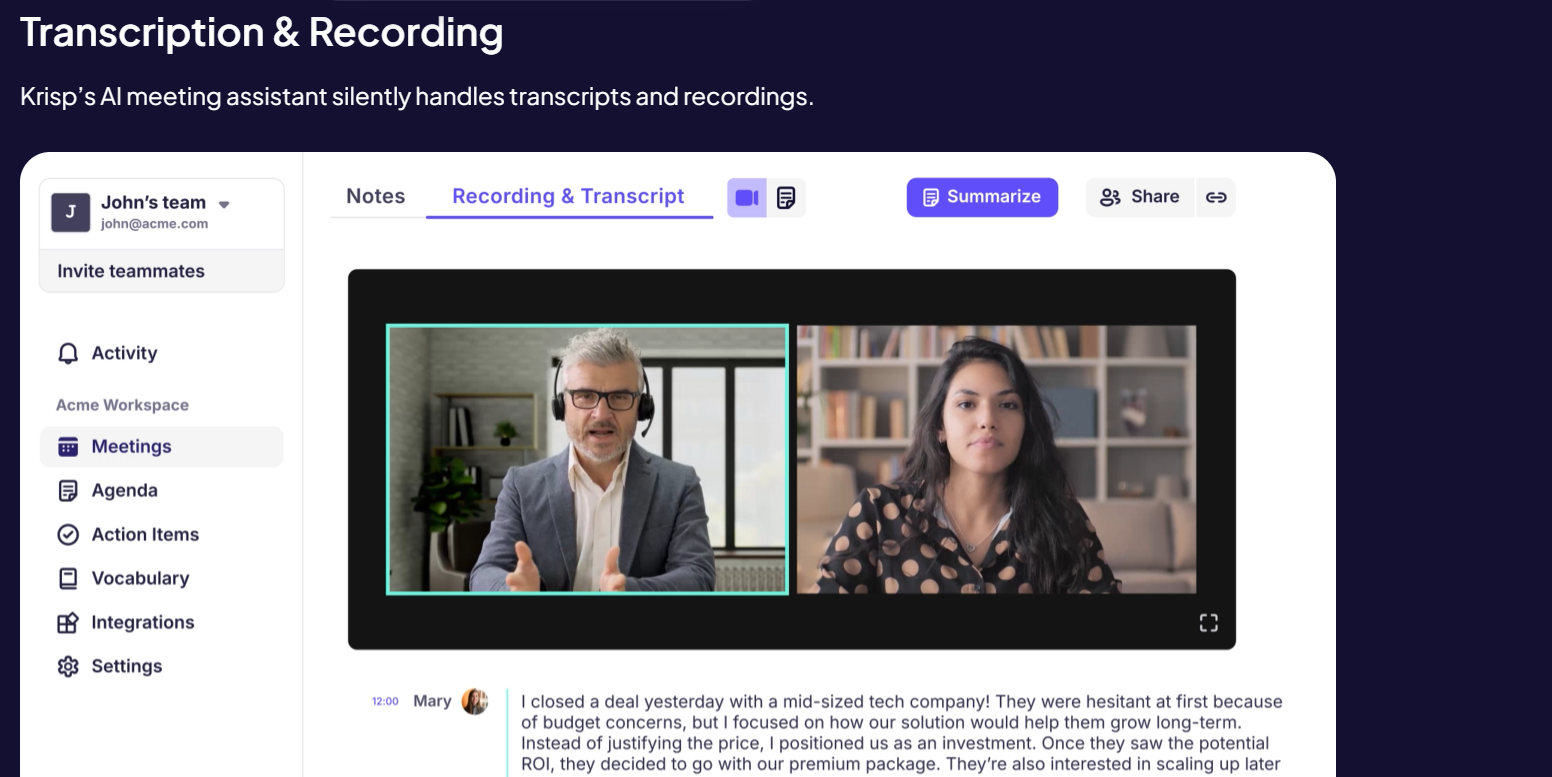
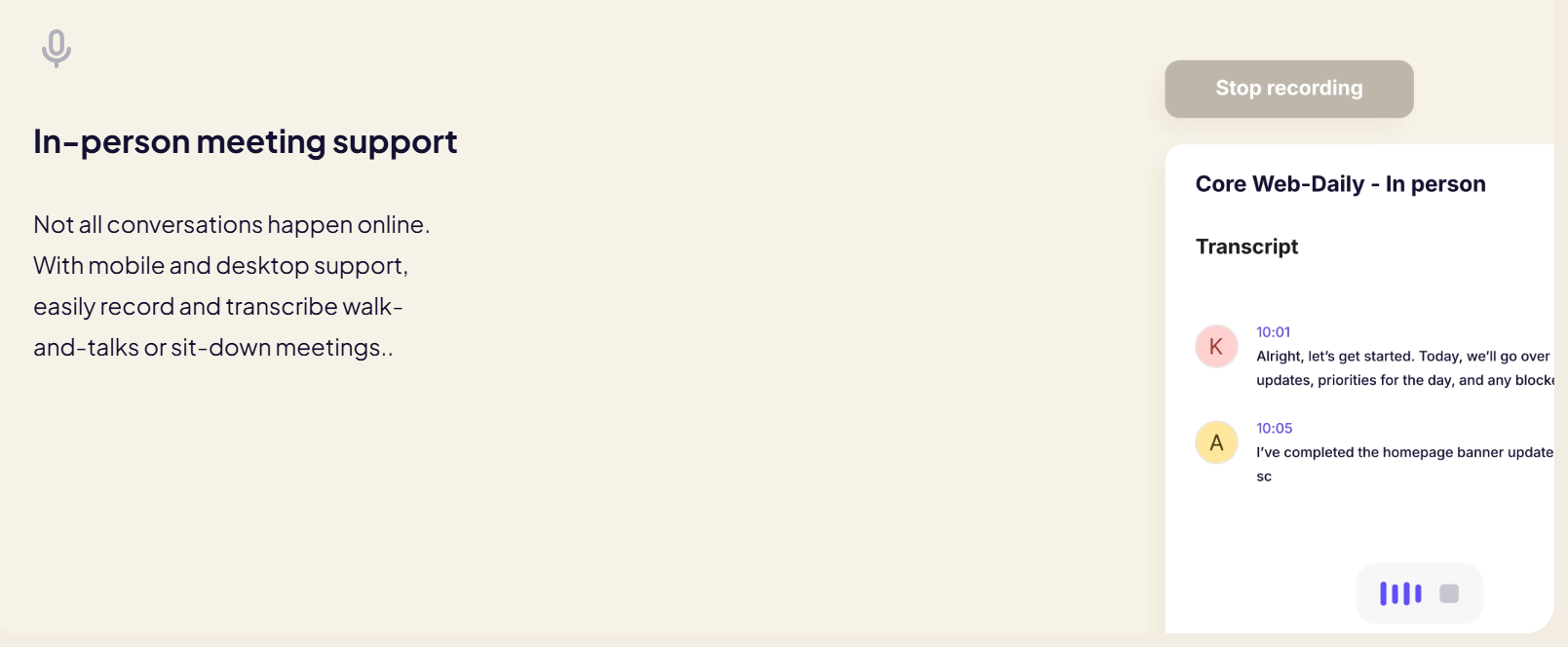
Krisp records audio and video, produces live transcription across roughly 16 to 17 languages with speaker identification, and generates AI summaries with extracted action items after every call. Transcripts are searchable and exportable, and reviewers describe the output as clean enough to paste straight into Notion or Slack without heavy editing. “Ask Krisp” is a chat interface layered over your meeting history, so you can query what was decided across weeks of calls rather than scrolling transcripts. In-person meeting capture is supported too, which many competitors handle poorly.
Accent Conversion, Translation and the Call Centre Platform
Launched as a unified platform in mid-2025, the call-centre offering combines noise cancellation, real-time accent conversion including regional English packs, the AI Live Interpreter for speech-to-speech translation, and an AI Agent Assist layer that provides knowledge-based support to agents during calls plus automated post-call summaries. It ships with enterprise deployment and security requirements in mind. This is a separate product line from the consumer meeting assistant, with separate pricing.
Integrations, Platforms and Compliance
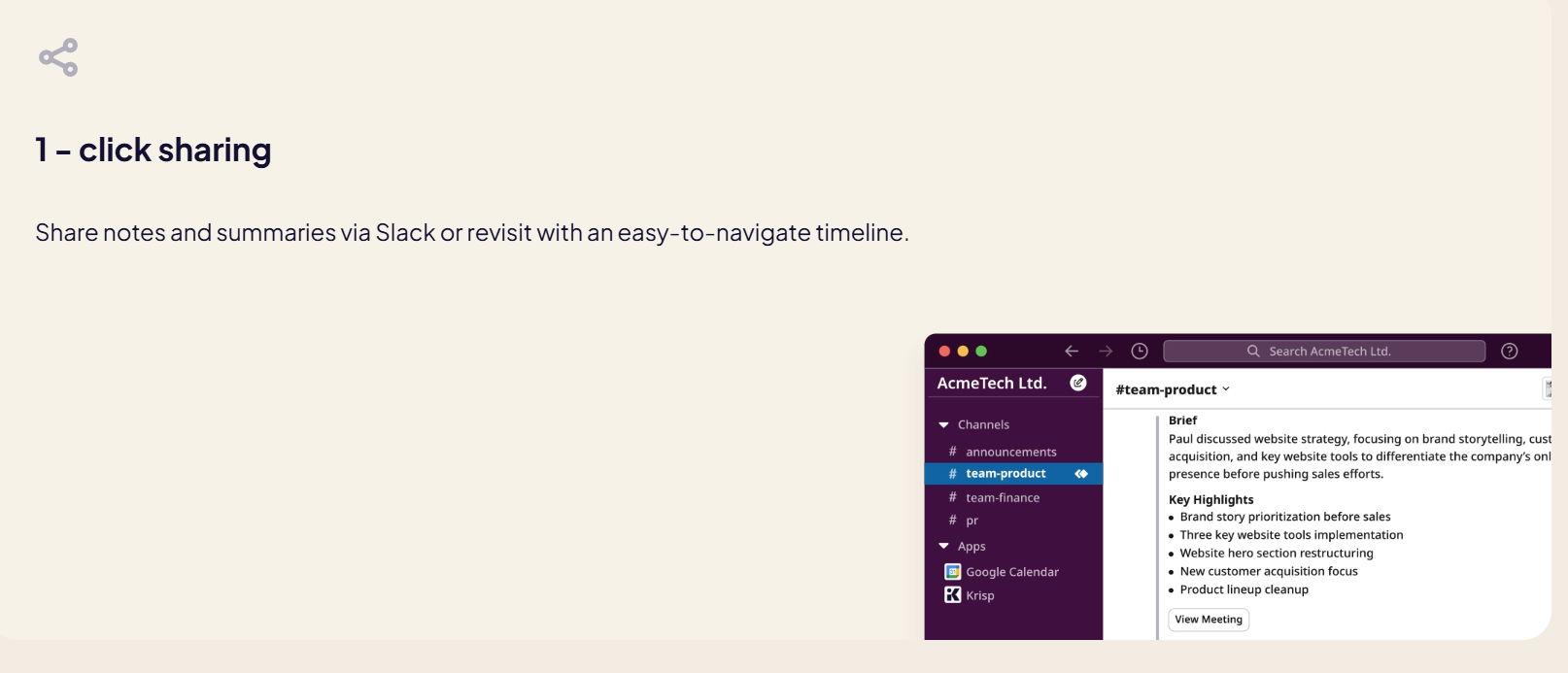
Krisp connects to HubSpot, Salesforce, Slack and Zapier on business tiers, alongside shared workspaces and admin controls. It runs on Windows, macOS, iOS, Android and as a browser extension. Compliance coverage includes SOC 2, GDPR and HIPAA on appropriate plans — the last of which matters enormously if you work in healthcare and have been quietly avoiding meeting assistants for good reason.
Pricing, Plans, and Package Structure
Krisp’s pricing is per seat and billed monthly or annually, with annual carrying a meaningful discount. Reported figures vary widely between trackers — the Pro tier alone is quoted anywhere from roughly $8 to $16 per month depending on whether the source is citing annual or monthly billing and which product line it’s describing. The table below gives realistic approximate ranges for the AI Meeting Assistant as of mid-2026. Call centre and SDK products are priced separately.
| Plan | Approx. Price / Seat | What You Get | Best For |
|---|---|---|---|
| Free tier | $0 — status varies, verify live | Reported as ~60 min/day noise cancellation plus limited daily AI summaries | Occasional callers — but confirm current availability before relying on it |
| 7-day free trial | $0 for 7 days | Full paid access — unlimited noise cancellation, transcription, summaries, recording | Everyone — the reliable way to evaluate the product properly |
| Pro | ~$8/mo annual; ~$12–16/mo monthly | Unlimited noise cancellation, unlimited AI summaries and action items, meeting history, recording, HIPAA/GDPR | The value pick — freelancers, consultants, sales professionals, remote workers |
| Business | ~$10–15/mo annual; ~$15–30/mo monthly | Adds CRM integrations, SSO, admin panel, shared workspaces, expanded storage, priority support | Teams needing centralised control and CRM sync from call notes |
| Enterprise / Call Centre / VIVA SDK | Custom quote | On-device transcription, accent conversion, AI Live Interpreter, Agent Assist, voice-agent SDK, dedicated support | Contact centres, global support teams, and developers building voice AI products |
One structural note worth internalising: the headline pricing everyone quotes applies to the AI Meeting Assistant only. The call centre platform and the VIVA SDK are entirely separate commercial products with their own pricing, so if you arrived here interested in accent conversion or voice-agent isolation, the $8 figure is not the number you’ll be quoted. There’s also a reported perk worth knowing — signing up with a custom company domain rather than a personal Gmail address has historically triggered a longer Pro trial.
How Krisp Compares to Alternatives
The comparison most people get wrong: Krisp and Otter aren’t really the same product. One fixes your audio; the other documents your meeting. Krisp now does both, which is the whole argument.
| Option | Approx. Entry Price | Core Strength | Main Trade-Off |
|---|---|---|---|
| Krisp | ~$8/mo annual (Pro) | Best-in-class noise cancellation, bot-free capture, local processing, accent conversion, works with any app | Narrower transcription language support; fewer meeting-intelligence extras than specialists |
| Fireflies.ai | Free tier, paid from ~$18/mo | Deepest meeting intelligence — 100+ languages, large AI skill library, strong CRM workflows | Bot joins your calls; transcript accuracy degrades badly in noisy environments |
| Otter.ai | Free tier, paid from ~$17/mo | Generous free tier, live collaborative notes, slide capture, simple consumer-friendly interface | No noise cancellation at all; bot-based; mainly English; meeting length caps on free |
| Built-in conferencing suppression | Free with Zoom / Teams / Meet | Costs nothing, already enabled, adequate for mild background noise | Struggles with real noise; one app only; no transcription, summaries or recording |
| Better hardware (headset / mic) | ~$80–300 one-off | No subscription; improves your voice at the source | Can’t remove noise already in the room, can’t clean incoming audio, no AI features |
vs. Fireflies: If meeting intelligence is your priority — deep CRM automation, a huge library of AI skills, transcription across a hundred-plus languages — Fireflies is the more capable notetaker and it isn’t close. But it needs clean audio to work, and it joins your calls as a visible bot. The honest framing is that Fireflies is a better meeting assistant and Krisp is a better call assistant. If your calls happen in noisy places or with strong-accented speakers, Krisp’s transcripts will beat Fireflies’ simply because the input is cleaner.
vs. Otter: Otter has the more generous free tier and a friendlier interface for casual users, and if you only need English transcription of quiet Zoom calls it’s a perfectly reasonable, cheaper choice. What it cannot do is fix your audio — there’s no noise cancellation in the product at all — and it operates via a bot with meeting caps on free plans. Krisp costs more at entry but bundles two capabilities Otter doesn’t have.
vs. built-in suppression and better hardware: Be honest with yourself here. If you work from a quiet home office with a decent headset and Zoom’s own suppression enabled, you may not need Krisp at all. Its value scales directly with how hostile your environment is and how much you’d benefit from automatic notes. Take the trial from your actual working environment before deciding.
Pros and Cons
What Users Love
The audio quality is transformative, immediately: The dominant theme across verified reviews. Users describe the first call after installing as genuinely surprising — noise they’d stopped noticing simply disappears, and colleagues comment on it unprompted. Krisp holds roughly 4.6 out of 5 on G2 across more than a thousand reviews.
Bot-free capture removes real social friction: No notetaker in the participant list means no client asking who “Krisp Assistant” is and why it’s listening. For anyone in relationship-driven work, this is the feature that makes AI notes usable at all.
Setup takes minutes and requires no maintenance: Install, select Krisp as your microphone, done. It works across every app at once with no per-tool integration, and then it stays out of your way permanently.
Privacy architecture that survives security review: On-device processing plus SOC 2, GDPR and HIPAA coverage means Krisp gets approved in regulated environments where cloud-first meeting bots are simply banned.
Strong value against the competition: At roughly $8 a month on annual billing, Pro undercuts most dedicated meeting assistants while including noise cancellation they don’t offer. Buying Otter plus a hardware fix would cost more and deliver less.
A profitable, independent company behind it: Two years of profitability on roughly $18 million raised is a genuine signal in a category full of subsidised products that vanish or get acquired and gutted.
Limitations Worth Knowing
The free tier changed and users felt misled: At least one verified reviewer describes the removal of the previous 60-minutes-per-day free allowance as a bait-and-switch, having chosen the product specifically for it. Whatever the current state, this is a reminder to verify the live terms rather than trusting an older review — including this one.
Transcription language support is narrower than specialists: Roughly 16 to 17 languages against 100-plus from Fireflies. If your meetings run in less common languages, check coverage before subscribing — the noise cancellation is language-agnostic, but the transcription is not.
Local processing costs CPU and battery: The privacy advantage has a physical price. Real-time neural audio processing runs continuously on your machine, and on older or lower-powered laptops that means measurably shorter battery life and occasional performance impact during long call days.
Automatic recording prompts can irritate: Verified reviewers note that being asked to record on every incoming and outgoing call becomes tiresome. It’s configurable, but the default behaviour is more intrusive than some users want.
Reliability complaints appear periodically: Some reviewers report app instability or occasional audio device conflicts, particularly after operating system updates. Not universal, but common enough that you should test properly during the trial rather than assuming it will hold up.
The product line-up is genuinely confusing: Meeting Assistant, call centre platform, and VIVA SDK have overlapping feature names and completely different pricing. Published figures quoted in reviews almost always refer to the first, which trips up buyers arriving for accent conversion or translation.
Meeting intelligence is good, not category-leading: Summaries, action items and AI chat are solid and genuinely useful. They are not as deep as what dedicated meeting-intelligence platforms offer on automation, sales coaching and CRM workflow. If notes are your whole reason for buying, compare carefully.
Who Should Use Krisp
Remote workers in genuinely noisy environments: Co-working spaces, shared homes, cafés, apartments on busy streets, households with children or pets. This is the core use case and where the value is most obvious within a single call. Pro on annual billing covers it.
Freelancers, consultants and client-facing professionals: Two problems solved at once — you sound professional regardless of where you’re working, and you get accurate notes without a bot making clients uncomfortable. For anyone whose credibility is partly audio quality, the return on $8 a month is not a close call.
Developers building voice AI agents: If you’re shipping anything conversational, turn-taking in noisy environments is a known failure point, and the VIVA SDK exists specifically to fix it. Sub-20ms latency and a reported 3.5x improvement in turn-taking accuracy make this worth a technical conversation regardless of what else you use.
Distributed and multilingual teams: Accent conversion and speech-to-speech translation across roughly 90 languages address a friction that better microphones never could. This sits in the enterprise and call centre product line rather than Pro, so budget accordingly.
Regulated industries and privacy-sensitive work: Healthcare, legal, finance, therapy, HR. Local processing plus HIPAA and SOC 2 coverage means Krisp clears reviews that cloud-based meeting bots fail outright. Confirm which compliance features sit on which tier.
Who should skip it: Anyone working from a consistently quiet room with a decent headset — built-in conferencing suppression will likely be enough. Teams whose primary need is deep meeting intelligence and CRM automation should compare Fireflies seriously. And users on older, low-powered laptops should test battery impact during the trial before committing.
Getting Started: Step by Step
- Check the current free-plan terms first. Before anything else, look at the live pricing page to see whether a free tier is available in your region and what it includes. Start the 7-day trial regardless — it gives full access and is the reliable evaluation route.
- Install and set Krisp as your audio device. Download the desktop app, then in each conferencing tool select “Krisp Microphone” and “Krisp Speaker” in audio settings. That’s the entire integration — no plugins, no bot invitations.
- Test it in your worst environment, not your best. Make a call from the noisy café, the open-plan office, the room with the dog. Clean audio in a silent room proves nothing about whether you need this.
- Try both noise cancellation modes. Automatic handles most situations; the stronger setting is for genuinely hostile environments. Have someone tell you how you sound on each, since you can’t hear your own outgoing audio.
- Turn on the meeting assistant and check summary quality. Run it across a few real calls and assess whether the transcripts, summaries and action items are accurate enough to use without heavy editing. Test “Ask Krisp” against your accumulated history.
- Configure recording behaviour and tell people. Adjust the automatic recording prompts to something you can live with, and get into the habit of announcing recording at the start of calls — bot-free capture makes this your responsibility.
- Watch your battery, then decide. Note the impact on a full day of calls before the trial ends. If it holds up, annual Pro roughly halves the monthly cost — and set a renewal reminder either way.
Tips for Getting Maximum Value
Use the speaker-side cancellation as deliberately as the microphone side — cleaning the audio coming from a colleague calling from an airport is often more valuable than cleaning your own, and many users never enable it. Sign up with a company domain rather than a personal address, since that has historically unlocked a longer Pro trial. Set noise cancellation as your permanent default rather than something you switch on when you remember, because the calls where you forget are precisely the ones that go badly. Lean on “Ask Krisp” across accumulated meeting history rather than treating each transcript in isolation — the value compounds once you have weeks of calls to query. Connect your CRM on a business plan so call notes land where your pipeline lives instead of in a separate silo. Announce recording at the start of every call as an unbreakable habit; four seconds of housekeeping removes all consent risk. If battery life matters and you’re on older hardware, use the lighter automatic mode for routine internal calls and reserve the aggressive setting for client-facing ones. And commit annually only after a full month of real usage, since the discount is meaningful but only if the tool has genuinely stuck in your workflow.
Future Outlook and Final Assessment
The most revealing thing about Krisp in 2026 is where its volume actually comes from. When roughly 70% of the audio flowing through a company’s infrastructure is a human talking to an AI rather than to another human, that company has stopped being a productivity app and become part of the plumbing under a much larger shift. Voice agents are proliferating across customer support, sales qualification, scheduling and companionship, and every single one of them fails in exactly the way VIVA was built to fix: they can’t hear properly in the real world, so they interrupt, stall, or mishear. Owning that layer is a strong position.
The company’s structure supports the bet. Profitable for two years, lightly funded by design, founder-led, with a research team that has repeatedly shipped genuinely hard technology — real-time accent conversion and sub-two-second speech-to-speech translation across roughly 90 languages are not trivial engineering. Baghdasaryan’s own framing is that translation represents a market many times larger per hour than noise cancellation ever was, and the product roadmap clearly reflects that view rather than defending the original niche.
The caveats are real but narrow. The free tier shifted and left some users feeling misled. Transcription language coverage trails the specialists. Local processing taxes your battery. The three-product structure confuses buyers. None of these undermine the core proposition — they just shape which tier you buy and how carefully you check the current terms before you do.
Conclusion
Krisp solves an unglamorous problem exceptionally well, and then keeps going. The noise cancellation remains the best available and works with every application on your machine without a single integration. The meeting assistant captures and summarises your calls without putting a bot in the room, which is the difference between AI notes you actually use and AI notes that make your clients uncomfortable. Processing stays on your device, which means it clears security reviews that stop cloud-based competitors at the door. And underneath the consumer app sits a serious voice AI business that has quietly become infrastructure for the agents everyone is building.
It isn’t the deepest meeting-intelligence platform on the market, its transcription covers fewer languages than the specialists, and you should check the current free-plan terms rather than trusting any review including this one. But if you take calls from anywhere less controlled than a soundproofed studio, the value shows up on the very first conversation. Install it, run the trial from the noisiest place you actually work, and let the software handle the leaf blower, the barking, the keyboard clatter and the note-taking — because the right tools working quietly in the background are what make everything easy.
Sound professional from anywhere — and never take meeting notes again.
Explore more honest reviews, tutorials and tool comparisons to find the right tech for the way you work and live — at AI Solutes, where we make everything easy.
👉 Start Your Free Trial: https://ai-solutes.com/krisp
👉 Our YouTube Channel: youtube.com/@ai-solutes
👉 Our Facebook Fanpage: Facebook
👉 Our X (Twitter): @AISolutes
- Master Midjourney V7 Prompts in 2025: Ultimate Guide to Styles, Features, and AI Art Comparisons
- Webydo Review 2026: Unlock Agency-Grade No-Code Web Design With Pricing, Free Trial, and AI Features
- fast.ai
- Explore Polybuzz AI: Secure Android Messaging and Next-Level Persona Customization
- Synthflow AI: The Future of Enterprise Contact Center Voice Automation















