

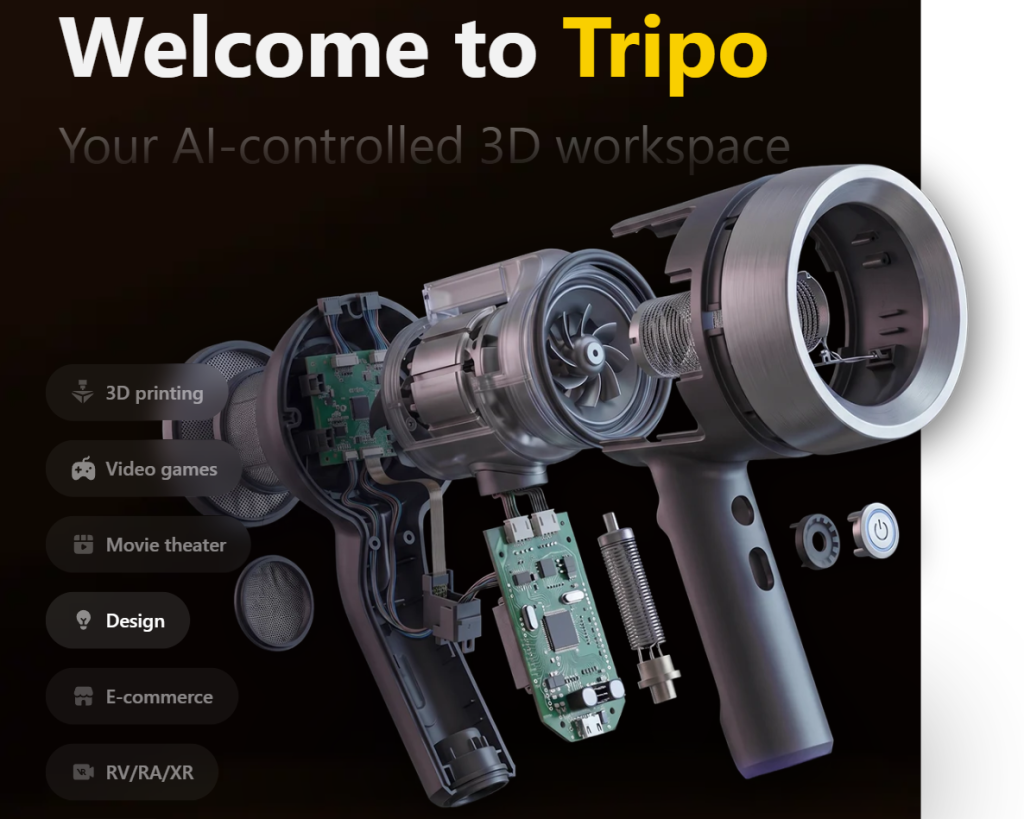
Every studio, indie developer and product team that has needed a 3D asset knows the same bottleneck: one decent model takes a skilled artist an afternoon at best and several days at worst, and there is never enough budget for more. That is exactly what Tripo AI was built to dissolve. Tripo turns a text prompt, a photograph, a sketch or a set of multi-view references into a textured, topology-clean 3D model in seconds — then hands you a browser workspace to segment it, retopologise it, re-texture it, rig it and export it straight into Blender, Unity or a printer slicer. With a permanently free tier carrying 200 credits a month, a $20 entry plan with 3,000, a $50 million round led by Alibaba and Baidu Ventures in March 2026, and a generative-AI-for-3D market analysts size near $3.23 billion in 2026 and project toward $9.4 billion by 2030, Tripo has become one of the most credible answers to the question every creative team is now asking: what if 3D content stopped being the expensive part?
For indie developers building asset libraries solo, hobbyists turning family photos into figurines, e-commerce teams needing product visuals in every colourway, and agencies pitching concepts before a modeller is booked, the case is immediate. This 2026 review walks through Tripo Studio’s full toolset — the two generation engines, the segmentation and rigging pipeline, current pricing with the credit maths that actually matters, head-to-head comparisons against Meshy and Rodin, the licensing catch that trips up new users, the billing complaints worth knowing about, and exactly who should subscribe and who should not.
Tripo AI Review 2026: The Browser-Based 3D Workspace That Turns Prompts and Photos Into Production-Ready Assets
Overview and Background
Tripo AI is a generative 3D platform developed by VAST, a research company shipping versioned 3D foundation models at an unusually fast cadence since its public launch in 2024. It splits into two halves: Tripo Studio, the browser workspace at studio.tripo3d.ai sold on a credit-based subscription, and Tripo API, a separate developer product with its own keys, pay-as-you-go billing and credit pool for teams embedding generation into their own pipelines.
The model lineage tells you a lot about the company’s priorities. Tripo 1.0 and 2.0 arrived through 2024, 2.5 in early 2025, and 3.0 in late 2025 with an Ultra mode reaching two million polygons. In March 2026, alongside a $50 million Series A backed by Alibaba and Baidu Ventures, Tripo announced two new architectures: H3.1, a high-fidelity engine tuned for complex geometry and close-up detail, and P1.0, a Smart Mesh engine producing production-grade quad meshes in seconds. Both model geometry natively in three-dimensional space rather than converting shapes into token sequences the way earlier systems did — a distinction that shows up as cleaner edge flow and fewer of the melted artefacts that characterised the first wave of AI 3D tools. Tripo has also contributed to open research, releasing TripoSR with Stability AI in 2024 and TripoSG and TripoSF in 2025.
Scale is harder to pin down, because the company’s own figures move quickly: at the March 2026 funding announcement Tripo reported roughly 6.5 million creators and close to 100 million assets generated, while its marketing site now advertises 20 million-plus creators and 200 million models. Treat both as company-reported rather than audited. Verifiable is the partner list — Sony, NetEase Games, ByteDance, Tencent Games, Bambu Lab, Creality, Anycubic, Stability AI, HTC and Replit — plus ISO/IEC 27001:2022 certification, a Product Hunt #1 Product of the Day win, and two Trustpilot listings each carrying 600-plus reviews scoring in the mid-to-high fours.

Why Tripo AI Stands Out in 2026
Two generation engines instead of one compromise: Most AI 3D tools give you one pipeline and force you to live with its trade-offs. Tripo ships two. High Detail produces sculpt-quality geometry up to two million polygons, right for rendering, VFX and detailed prints. Smart Mesh produces native quad meshes between 500 and 25,000 polygons with artist-style edge flow, aimed at real-time engines. Choosing correctly at generation time saves the entire retopology step that normally sits between an AI output and a usable game asset.
The most generous credit allocation at the entry tier: Tripo’s clearest commercial advantage. Pro costs $20 a month with 3,000 credits, roughly 200 models at about $0.16 each. Meshy, its closest competitor, charges the same $20 for 1,000 credits. At identical prices Tripo delivers three times the volume — which matters enormously in a workflow where you rarely get the result you want first attempt.
It is a workspace, not just a generator: Generation is the beginning of the process, not the end. In the same browser tab you can split a model into editable parts, retopologise components, repaint textures with a magic brush, apply a skeleton, upscale and batch-export — and because image-to-3D outperforms text-to-3D on structural accuracy, Tripo folds leading image models (Nano Banana, GPT Image 2, Midjourney) into Studio so you can create a reference and convert it without switching tools. That continuity is the real differentiator against tools that hand you a mesh and leave the remaining eighty percent of the work to Blender.
Genuine 8K PBR texturing: Tripo generates full physically-based material sets — albedo, normal, metallic, roughness — up to 8K, alongside clean base-colour output for stylised looks. Unlimited 8K access sits on Max; Free and Pro get limited access. For product visualisation and cinematic renders, texture resolution is often the difference between an asset that survives a close-up and one that does not.
Deep integration with the tools professionals already run: The DCC Bridge plugin set covers Blender, 3ds Max, Unity, Unreal, Maya, Cocos, Godot, ZBrush and Roblox, so assets move into an existing pipeline without a manual download-import-fix cycle. Exports span GLB, FBX, OBJ, USD, STL and 3MF — game engines, DCC applications and printing slicers in one sweep.
A 3D printing path that was clearly designed by people who print: Smart segmentation splits oversized models into parts that fit a standard print bed, Quick Cap shortens the route from generation to sliceable file, and STL and 3MF export is direct. The partnerships with Bambu Lab, Creality and Anycubic are not decorative — the maker community is a core constituency and the feature set reflects it.
Key Features and Technology
Tripo Studio organises itself around a linear flow — generate, refine, prepare for export — with each stage exposing its own controls.
Input Methods: Text, Image and Multi-View
Text-to-3D returns a draft mesh from a prompt, fastest for early exploration. Image-to-3D accepts a JPG, PNG or WEBP up to 20MB and reconstructs geometry, UVs and materials — the mode most users settle on, since a reference image constrains proportion and silhouette far more tightly than a sentence. Multi-view-to-3D, on paid tiers, takes several angles of the same subject for markedly better results on asymmetric objects, and a single-view to multi-view feature synthesises those angles when you only have one photograph.
The Two Model Families: H3.1 and P1.0
Choosing between them is the most consequential decision you make per generation. High Detail (H3.1) maximises surface fidelity and structural precision, reaching two million polygons in Ultra mode — use it for hero assets, cinematic renders, e-commerce close-ups and detailed prints. Smart Mesh (P1.0) generates native quad topology with deliberate edge flow between roughly 500 and 25,000 polygons, plus a Smart Low Poly option for tighter budgets — use it for game props, VR and AR content, and anything bound for a real-time engine. Smart Mesh is limited on free and fully unlocked from Pro upward.
Texturing, Materials and the Magic Brush
AI texturing generates complete PBR sets with automatic UV mapping — up to 8K on higher tiers, 4K on free. Beyond the first pass you can re-texture with a new prompt, edit textures per part rather than across the whole mesh, and paint corrections with the magic brush. For stylised work, base-colour-only output avoids the over-realistic material response PBR forces onto hand-painted art directions.
Smart Segmentation and Part-Based Editing
The V2 segmentation module, built on a multimodal 3D structure understanding model, splits a mesh into logically separate components — a drone into body, arms and rotors; a character into armour and weapon. Each part can then be transformed, retopologised or re-textured independently, and for printing the same mechanism carves an oversized model into bed-sized pieces. It is credit-expensive, so reserve it for models you have committed to.
Auto-Rigging and Animation
Tripo generates production-ready skeletons for humanoid characters and creatures automatically, producing rigs that import into Maya and Unreal with reasonable fidelity. It works well for body movement, but does not currently provide facial rigging — a real gap for expressive characters in storytelling or interactive content, and one experienced users flag repeatedly.
Export, Plugins and the Developer API
Exports cover GLB, FBX, OBJ, USD, STL and 3MF, with batch export on paid tiers, and DCC Bridge pushes assets straight into Blender, 3ds Max, Unity, Unreal, Maya, Cocos, Godot, ZBrush and Roblox. Developers can bypass Studio through the Tripo API — a REST service with an official Python SDK exposing generation, re-texturing, conversion, rigging and segmentation as callable operations.
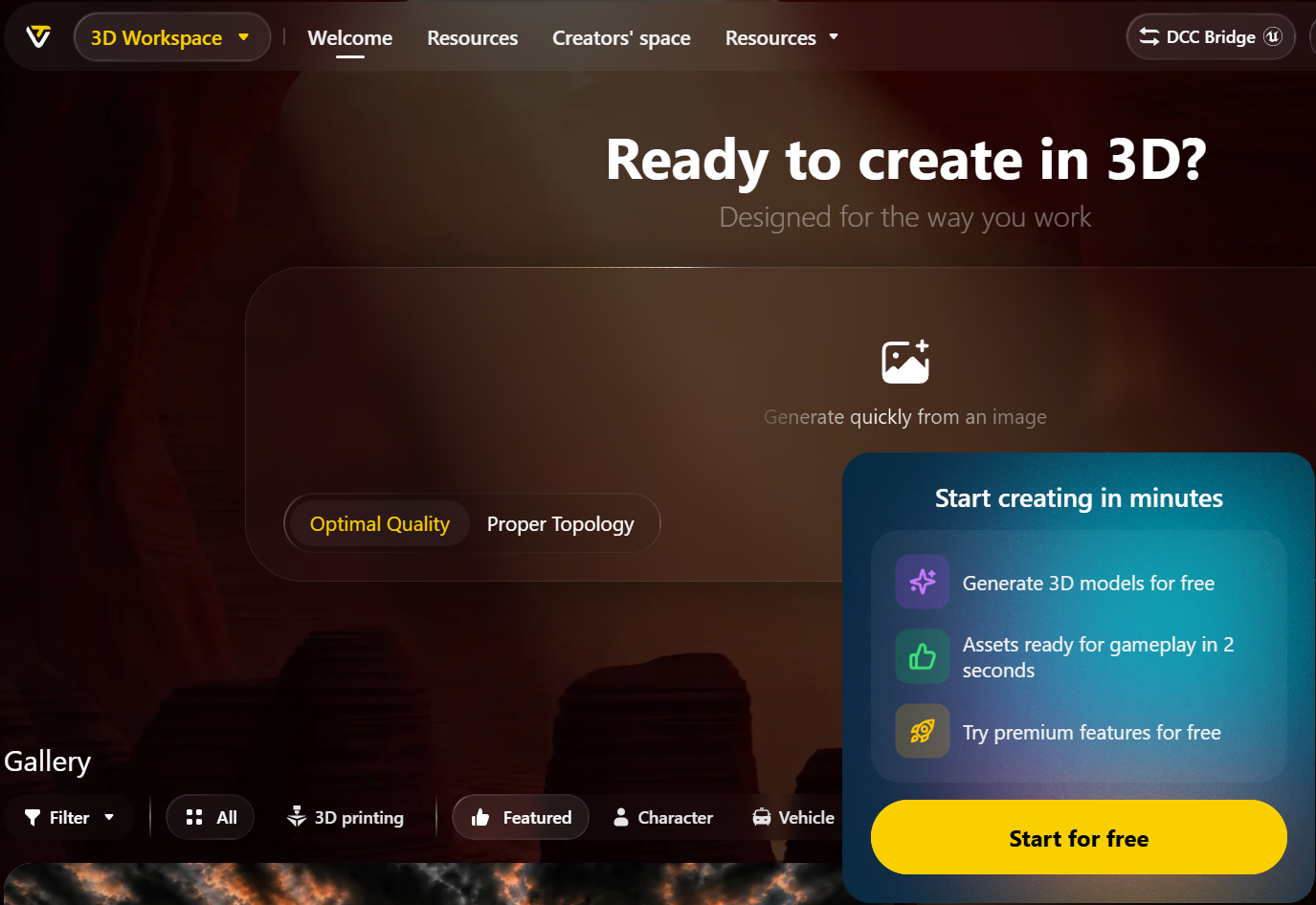
Pricing, Plans, and Package Structure
Tripo Studio runs on a recurring credit-based subscription across four tiers. Credits refresh on your billing date and do not roll over. Every operation draws from the same pool, so retries, texture passes, segmentation jobs and remeshes all compete for the same budget. Figures below reflect the official pricing page at the time of writing, in USD.
| Plan | Price | Monthly Credits | Est. Models | Key Unlocks |
|---|---|---|---|---|
| Free Best for explorers |
$0 forever | 200 | ≈ 13 | Public models under CC BY 4.0, non-commercial. 1 concurrent task, standard queue, 15 exports, 10 stored models, 1-day history, up to 4K textures |
| Pro Best for creators |
≈ $20/mo ≈ $240/yr |
3,000 | ≈ 200 | Private models + commercial rights, Smart Mesh, multi-view to 3D, smart segmentation, batch generation, 10 concurrent tasks, high queue priority, 7-day history, unlimited storage, DCC Bridge |
| Max Best for professionals |
≈ $90/mo ≈ $1,080/yr |
25,000 | ≈ 1,660 | Everything in Pro, plus unlimited 8K textures, 100 concurrent tasks, dedicated queue, permanent edit history, unlimited retries, early beta access, 3 free Pro Refine |
| Team Best for studios |
≈ $110/seat/mo ≈ $55/seat/mo annual |
90,000 | ≈ 6,000 | Everything in Max, plus shared workspace and assets, centralised billing, team management, 200 concurrent tasks, free image generation |
One-off credit packs sit alongside subscriptions and scale in your favour: roughly $10 for 1,000 credits, $100 for 10,000 plus a 2,000 bonus, $500 for 50,000 plus 12,000, and $1,000 for 100,000 plus 30,000. The developer API prices separately at 100 credits per $1.00 USD, with enterprise volume and SLA arrangements handled by sales.
The credit maths deserves scrutiny, because the headline “200 models” assumes light settings. A baseline generation runs 20 to 30 credits, but image-to-3D at high-precision defaults with ultra-clear geometry and textures has been measured near 55. Heavier operations stack on top: segmentation around 80 per job, Smart Mesh 60 to 80, re-texturing 20 to 50. Work at maximum quality and iterate freely, and expect real output closer to half the advertised count.
How Tripo AI Compares to Alternatives
| Option | Free Tier | Entry Paid Plan | Standout Strength | Best For |
|---|---|---|---|---|
| Tripo AI | 200 credits/mo, public + non-commercial | ≈ $20/mo for 3,000 credits | Highest credit volume per dollar; dual engines; full in-browser editing suite | High-volume creators, indie game devs, 3D printing makers |
| Meshy | 100 credits/mo, CC BY 4.0 | ≈ $20/mo for 1,000 credits | Printability checks and auto-repair; rigging and animation at no credit cost; USDZ and BLEND export | Makers who need watertight prints first-try; animated characters |
| Rodin (Hyper3D) | Limited trial credits | ≈ $30/mo Creator tier | Bundled image and video generation alongside 3D | Creators wanting one subscription across multiple media types |
| Manual modelling (Blender + artist) |
Software free; labour is not | Freelance rates per asset | Total creative control and guaranteed technical correctness | Hero assets, precision engineering work, anything with hard spec requirements |
vs. Meshy: The genuine head-to-head, and it splits on philosophy. Tripo optimises for throughput and mesh cleanliness — three times the credits at the same entry price, dual engines, topology tools that reduce cleanup. Meshy optimises for finished output, with printability validation, one-click repair, direct handoff to slicers, and rigging plus animation at zero credit cost. If you iterate heavily, Tripo’s credit pool beats Meshy’s polish; if you need a handful of assets to work immediately without inspection, Meshy’s guardrails earn their price. Note too that a reported blind comparison by senior artists favoured a recent Meshy model over Tripo 3.1 in roughly 64% of cases — a real but not decisive gap, and one H3.1 and P1.0 were designed to close.
vs. Rodin (Hyper3D): Rodin bundles image and video generation into its subscription, which appeals if you want one tool across several media types. But it starts at roughly $30 a month against Tripo’s $20, and its 3D-specific editing depth does not match what Tripo has assembled. If 3D is your primary output rather than one deliverable among several, Tripo is the more focused instrument.
vs. modelling it yourself: A traditional model-to-export pipeline runs three to five days per asset; Tripo compresses that to minutes. But it is not apples to apples — a hand-modelled asset arrives with correct scale, deliberate topology and no surprises, while an AI-generated one arrives fast and needs inspection. The honest framing is reallocation, not replacement: let Tripo produce the props, background objects, variants and concept blockouts, and spend artist hours on the hero assets where craft shows.
Pros and Cons
What Creators Love
Unmatched value at the entry tier: Three thousand credits for $20 is the most generous allocation among the major platforms, and it materially changes how freely you can iterate. Reviewers consistently single out the credit economics as why they stayed.
Topology and reference accuracy that hold up: The most repeated praise across independent reviews is that Smart Mesh output imports into Blender, Unity and Unreal with little or no cleanup — a claim that would have been laughable two years ago. Users likewise report that a well-prepared photograph, background removed and clearly lit, captures proportion and detail with surprising fidelity on props, vehicles, figurines and product shots.
A complete pipeline without leaving the browser: Segmentation, retopology, texturing, rigging, upscaling and export in one workspace removes an enormous amount of file shuffling, and DCC Bridge closes the loop into professional software.
A free tier substantial enough to actually evaluate: Two hundred credits gets you roughly a dozen models — genuinely enough to test whether the platform handles your subject matter before any money changes hands.
Serious financial and technical backing: A $50 million round led by Alibaba and Baidu Ventures, ISO 27001 certification, an enterprise partner list including Sony and Tencent, and roughly two major model generations shipped per year all suggest a platform that will still be here in three years.
Limitations Worth Knowing
The free tier is public and non-commercial: Worth stating twice because it catches people out. Free-plan models go into the public gallery under CC BY 4.0. You cannot sell them, and you cannot keep them private. Commercial rights start at Pro.
Credits do not roll over, and retries burn them: Unused allowance evaporates at each billing date. Since AI 3D generation is inherently iterative, the practical model count often lands well below the advertised estimate — especially at maximum-quality settings, where per-generation cost roughly doubles.
Billing, cancellation and refund complaints are a real pattern: Tripo’s terms state that fees are non-refundable, and a recurring cluster of one-star Trustpilot reviews describes cancellations that appeared to succeed but did not, subsequent unexpected charges, refund requests declined on a short claim window, and slow support. Several users report resorting to bank chargebacks. This is the most serious mark against the platform. Cancel through the billing portal well before renewal, screenshot the confirmation, and keep every email.
Output quality is inconsistent on hard subjects: Complex organic forms, fine mechanical detail and anything containing text or lettering are where results wobble most, and users describe texture quality as variable between generations from similar inputs. Expect to regenerate.
Steeper learning curve than the marketing suggests: The one-prompt-to-model demo is real, but production-quality output means understanding engine selection, quality settings, segmentation behaviour and credit costs. Reviewers who ultimately rated the platform highly still flagged the initial curve as meaningful.
No facial rigging, and monthly-only credit purchasing frustrations: Auto-rigging handles bodies but not facial expression, which limits character work for storytelling. Some users also object that meaningful credit purchasing sits behind a subscription rather than being freely available as standalone top-ups.
Affiliate payout complaints: A smaller but notable thread of reviews describes commissions earned through Tripo’s affiliate program going unpaid past the stated threshold, with limited communication — relevant if you are considering promoting the platform rather than only using it.
Who Should Use Tripo AI
Solo and indie game developers: If you are building a game without an art team, Tripo is close to essential. Smart Mesh output lands in Unity or Unreal at a workable polygon budget, and 3,000 monthly credits covers a real asset library. Start on Pro, annual billing.
3D printing makers and hobbyists: Turning photographs into printable figurines, dioramas, cosplay props and custom parts is one of Tripo’s strongest use cases, with auto-segmentation for print beds and direct STL and 3MF export. If you print occasionally for yourself, the Free plan may genuinely suffice — just remember your models are public. Selling prints requires Pro.
E-commerce and product marketing teams: Photograph in, textured model out in under a minute — then render every colourway without a photoshoot. High Detail mode with 8K textures is the right configuration. Pro for a single operator; Max at catalogue scale.
Concept artists, previz and industrial designers: The value is speed of exploration — blocking out characters, testing product forms, or building a previz scene before anyone commits to a modelling schedule. Pro is ample; the credit pool matters more than the quality ceiling.
Development teams and educators: If you need programmatic generation inside your own application — user-generated content, configurators, automated pipelines — the API with pay-as-you-go credits is the entry point, priced independently of Studio. For teaching, the free tier fits well, since non-commercial use is exactly the classroom scenario. API credits for developers; Free for classrooms.
Who should look elsewhere: If you need dimensionally accurate CAD for engineering or manufacturing, this is the wrong category of tool — use parametric CAD software. If every file must be watertight and print-ready without inspection, Meshy’s validation layer fits better. And if you need only two or three models ever, a freelancer costs less than a subscription and delivers more certainty.
Getting Started: Step by Step
- Open a free account at Tripo Studio. No payment details required. You land in the workspace with 200 credits and immediate access to text-to-3D and image-to-3D generation.
- Prepare a clean reference image first. Image-to-3D consistently beats text-to-3D on structural accuracy. Use a single well-lit subject on a plain background — Tripo’s built-in background removal helps — because input quality is the biggest lever on output quality.
- Choose the right engine. High Detail for prints, renders and close-up product visuals; Smart Mesh for anything going into a game engine or AR experience. Getting this right at generation time saves the entire retopology step later.
- Generate at moderate settings first. Run a standard-quality pass to confirm composition and silhouette before spending credits on ultra-quality geometry or 8K textures. Treat the first output as a proof, not a deliverable.
- Refine inside Studio before exporting. Use segmentation to break the model into parts, the magic brush to fix texture problems, and retopology to hit your polygon target — faster here than in Blender.
- Install the relevant DCC Bridge plugin. Grab the Blender, Unity, Unreal, Maya or ZBrush bridge from Tripo’s plugins page so assets flow into your pipeline without manual downloading and importing.
- Spend your full free allowance before subscribing. Run all 200 credits against subjects that mirror your real work. If results hold up, upgrade to Pro — and commit to annual billing during a promotional window rather than at list price.
Tips for Getting Maximum Value
Treat credits as a real budget and they go considerably further. Prototype at standard settings and reserve ultra-quality geometry, 8K textures and segmentation for models you have committed to, since those cost three to four times a baseline generation. Because credits expire at your billing date, batch-generate anything you know you will need in the final week of a cycle. Feed the system clean, well-lit, background-removed references — that improves results more reliably than any prompt engineering, and multi-view input is worth the extra credits on asymmetric subjects. Check for an active promotion before subscribing, since Tripo advertises annual discounts up to 50% plus a first-month offer, and only one coupon attaches at a time. Do not over-buy your tier: most creators are well served by Pro, and Max only makes sense once concurrency, permanent history and unlimited 8K textures genuinely bind. Budget the API separately, because the two credit pools never touch. And if you decide to leave, cancel through the billing portal several days before renewal, screenshot the confirmation, and export everything you need while the paid subscription is still live — downgrading restricts export options immediately.
Future Outlook and Final Assessment
The structural tailwinds are strong. The generative AI 3D market grew roughly 31% year over year to an estimated $3.23 billion in 2026 and is projected toward $9.4 billion by 2030, driven by games and VFX needing enormous asset volumes, e-commerce moving to interactive product views, and AR and VR needing worlds to fill. Tripo has capitalised deliberately: $50 million from Alibaba and Baidu Ventures, two architectures built around native spatial generation rather than borrowed language-model techniques, and a fast-expanding developer platform. The bet that generation is the entry point to a workflow rather than the product itself looks correct, and it is why Tripo Studio now resembles a 3D application more than a demo.
The honest caveats stand. The free tier is evaluation-only, with public models and no commercial rights. Credits expire monthly and vanish faster than the advertised estimates at high quality. Output remains inconsistent on difficult subjects, and there is no facial rigging yet. Most seriously, a persistent pattern of billing, cancellation and refund complaints — against terms stating fees are non-refundable — means approaching the subscription with your documentation habits switched on. Within those boundaries, Tripo delivers the most credit-generous, most workflow-complete AI 3D platform available in 2026, at a price that makes the experiment nearly free to run.
Conclusion
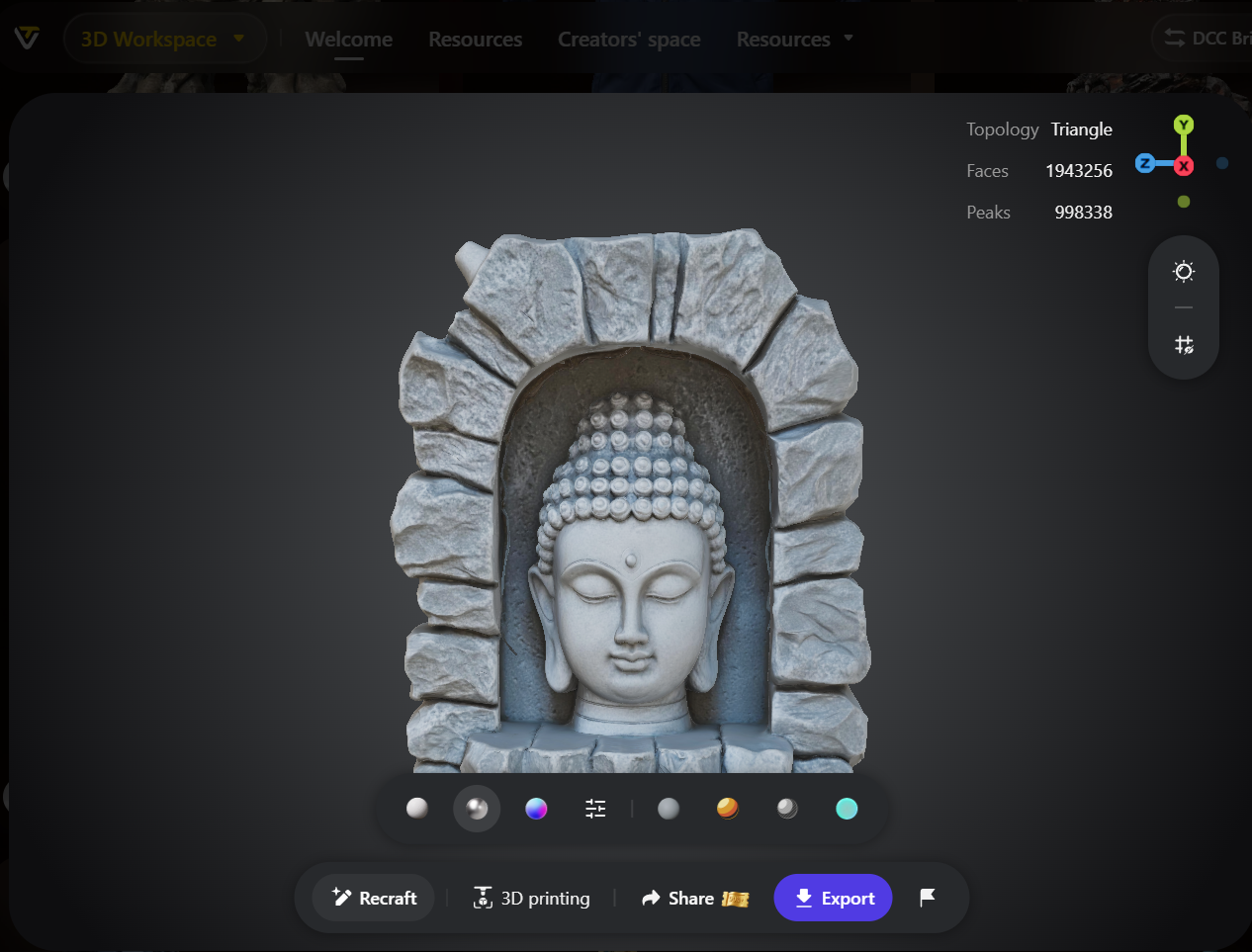
Tripo AI has done something more interesting than building a better 3D generator: it has built the workspace around one. Dual engines let you choose sculpt-quality detail or engine-ready quad topology at generation time, and segmentation, retopology, texturing and rigging turn a raw mesh into a finished asset without a second application. It is not flawless — the free tier’s licensing deserves a closer read than most people give it, credit costs climb quickly at maximum quality, and the billing complaints are a real reason to keep records. But for indie developers, makers, marketers and designers who have spent years treating 3D as the expensive part of every project, Tripo turns a multi-day bottleneck into a coffee-break task. That is exactly the kind of tool that helps make everything easy.
Ready to turn your next idea into a 3D model in under a minute?
Explore more honest reviews, tutorials and tool comparisons to find the right tech for the way you work and live — at AI Solutes, where we make everything easy.
👉 Open Free Account: https://ai-solutes.com/tripo
👉 Our YouTube Channel: youtube.com/@ai-solutes
👉 Our Facebook Fanpage: Facebook
👉 Our X (Twitter): @AISolutes
- Sphere
- Does Dun & Bradstreet Supercharge B2B Sales? Evaluating the Dun & Bradstreet Commercial Data Suite
- What If Generating HD Videos Was Ultra-Fast? Exploring Vidu’s Text-to-Video Magic
- SNOO Smart Sleeper Bassinet Guide: Boost Baby Sleep with FDA-Authorized Safety
- Houston Engagement Rings 2025: Compare Hearts and Arrows Diamonds, Trends, and Whiteflash Showroom Guide















