


Most customer service software asks one question: how fast can we close this ticket? Text asks a different one: what if the conversation itself made money? Text (formerly LiveChat Software, the company behind LiveChat, ChatBot, and HelpDesk) has spent over two decades building live chat and support tools, and its current product folds all of that experience into a single AI-powered platform — live chat, a help desk, an omnichannel inbox, and an autonomous AI Agent that doesn’t just answer questions but recovers abandoned carts, recommends products, and closes sales, all from one login. With plans starting at $19 a user per month, a 14-day free trial with no credit card required, and case studies citing $1.5 million in new revenue in eight months for one customer, Text has positioned itself less as a support cost center and more as a sales channel disguised as customer service. This 2026 review walks through what that actually looks like in practice, the full pricing breakdown, how it compares to Intercom and Zendesk, honest user feedback (including real billing-transparency complaints from the LiveChat brand’s long review history), and exactly who should sign up.
For ecommerce teams, SaaS support teams, and any business that treats live chat as more than an FAQ widget, the pitch is compelling. Let’s dig into whether it holds up.
Text Review 2026: AI Customer Service Built to Sell, Not Just Support
Overview and Background
Text is a publicly traded software company (Warsaw Stock Exchange: TXT) founded in Wrocław, Poland in 2002, originally known as LiveChat Software. Over more than two decades it built out a suite of customer communication tools — LiveChat for real-time chat, ChatBot for no-code conversational bots, HelpDesk for ticketing, KnowledgeBase for self-service, and OpenWidget for lightweight website engagement — before consolidating its flagship offering under the unified Text brand and product. The core idea behind the current product is that live chat, help desk, and AI agents shouldn’t be three separate purchases: Text bundles all of it into one per-seat license, with an AI Agent that’s trained on your own knowledge base and can independently resolve tickets, answer sales questions, and even complete transactions inside the chat window.
The company reports over 36,000 companies using its apps worldwide, and its LiveChat product specifically holds a strong 4.5/5 rating on G2 from roughly 775 reviews. Text cites a 74% AI resolution rate for its own AI Agent versus a 59% industry average, along with customer results like a 63% faster resolution time for one client and a 93% CSAT score sustained through a 15x traffic spike for another.
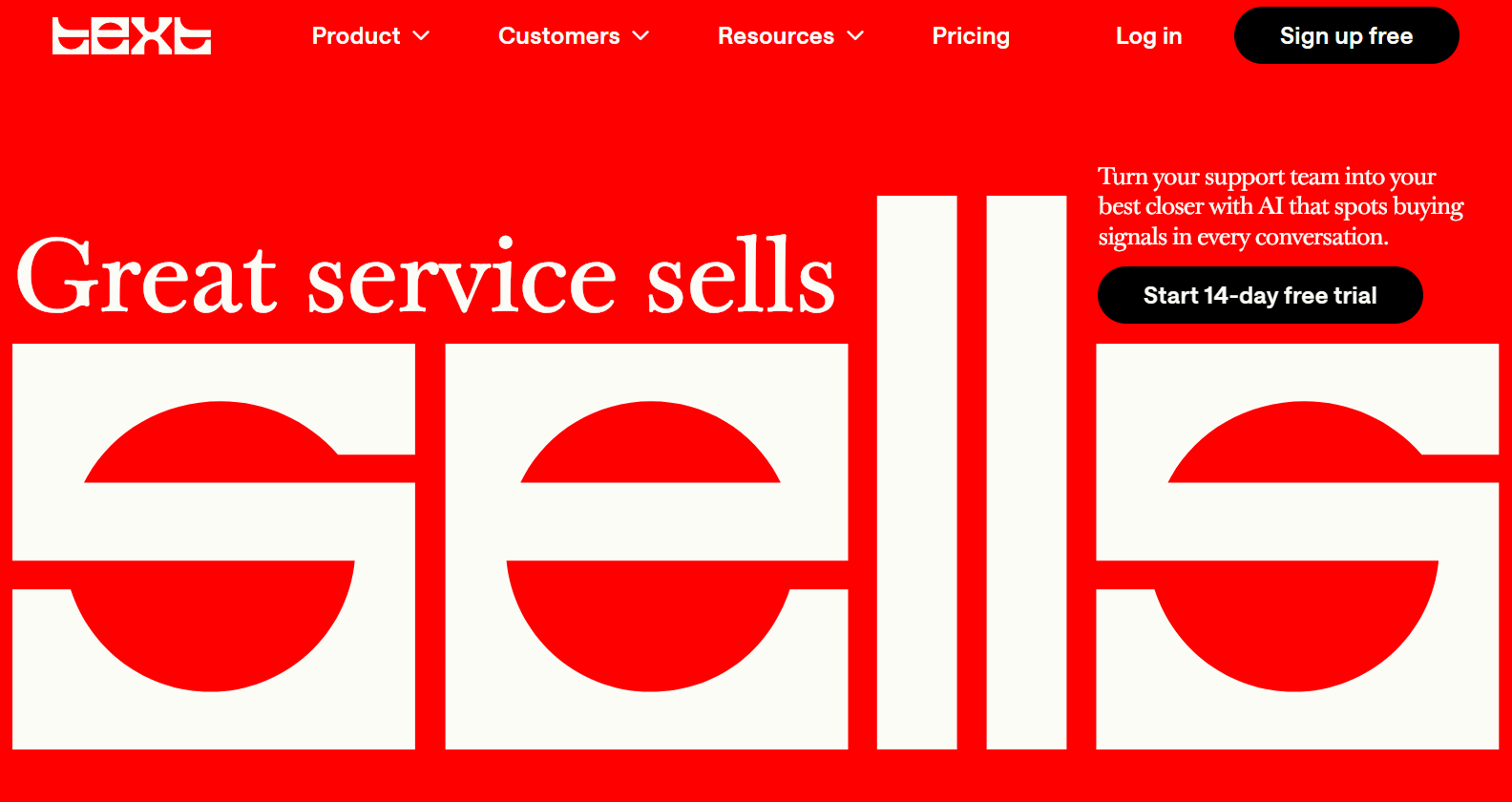
Why Text Stands Out in 2026
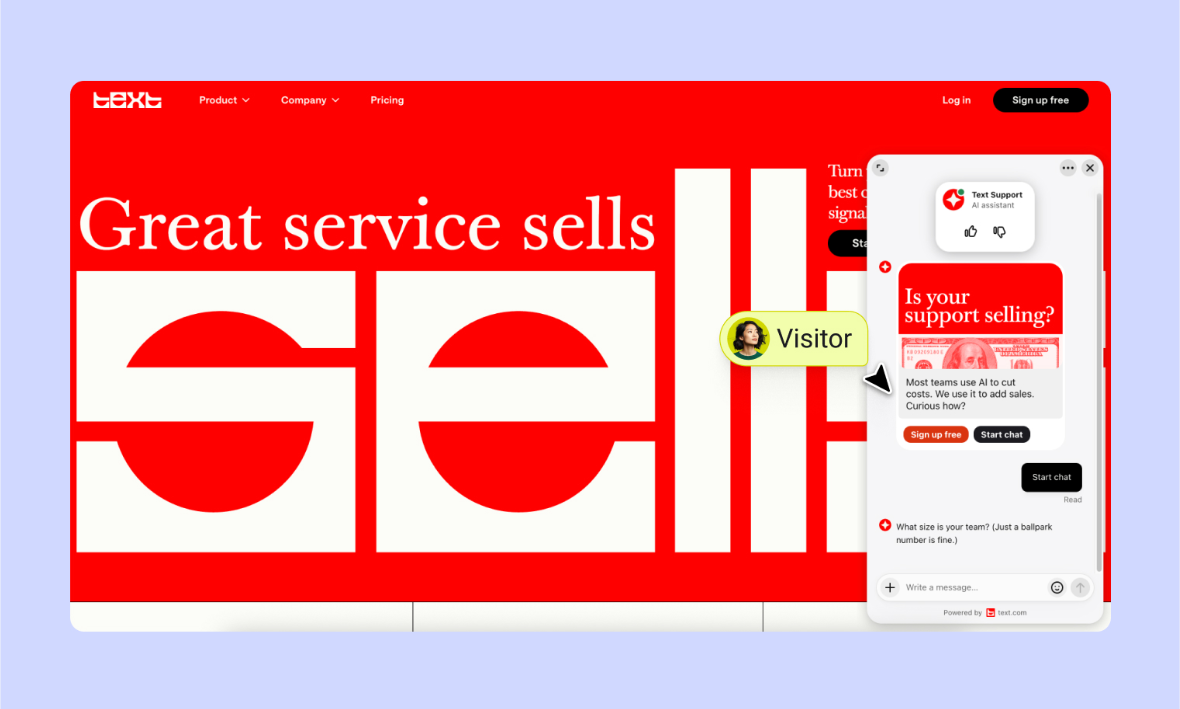
AI Agent that sells, not just answers: the AI Agent can detect buying intent mid-conversation, run qualification flows, apply hesitation-detection and free-shipping skills, recommend products from a live Shopify catalog, and complete a sale — a genuinely different design goal than most AI chatbots, which stop at deflecting support tickets.
Everything in one license, not three separate tools: live chat, help desk ticketing, an omnichannel inbox, and the AI Agent are all included in the same per-user price rather than sold as add-on modules — Text’s own pricing page notes that live chat alone typically costs $15–150/user/month elsewhere, and it’s simply bundled here.
Pay per resolution, not per seat inflation: Text’s model ties cost to how much the AI Agent actually resolves, with the stated design goal that your cost per resolved conversation drops as the AI handles more of the volume — a genuinely different economic model than legacy help desks where every new human agent adds a fixed monthly cost regardless of AI usage.
Real omnichannel, not just a chat widget: website, in-app, Messenger, Shopify, and SMS via Twilio all land in one unified inbox with full customer context, meaning agents (human or AI) aren’t switching tools depending on which channel a customer messaged from.
Fast, low-friction setup: Text’s own claim — that most teams have a working AI Agent live within minutes by pointing it at an existing website, help docs, or FAQ page — is a meaningfully lower lift than platforms requiring a lengthy implementation project.
Genuine enterprise depth when needed: the Enterprise tier adds SOC 2 Type 2, SLAs, custom SSO, audit logs, white-label widgets, and a dedicated implementation team — a real path to scale rather than a hard ceiling at the mid-tier plan.
Key Features and Technology
Text’s platform splits cleanly into four areas: the AI Agent, the human-facing inbox and help desk, sales-focused tools, and the underlying automation layer that ties it together.
AI Agent
Trained on your knowledge sources (website, help docs, FAQs), the AI Agent resolves conversations across chat, email, and social with multilingual support, personalized replies, and a defined tone of voice. Custom skills let you describe a task in plain language — qualifying leads, filtering spam, offering discounts, routing VIP customers — and the agent executes it. Human takeover is built in for when a conversation needs escalation.
Inbox, Help Desk, and Live Chat
A shared inbox handles chats and tickets side by side with smart and manual assignment, chat routing rules, internal notes, canned responses, and (on Growth and above) chat supervision and team-member takeover. AI Copilot assists human agents with reply suggestions, text edits, chat and ticket summaries, and tag suggestions.
Sell Through Service
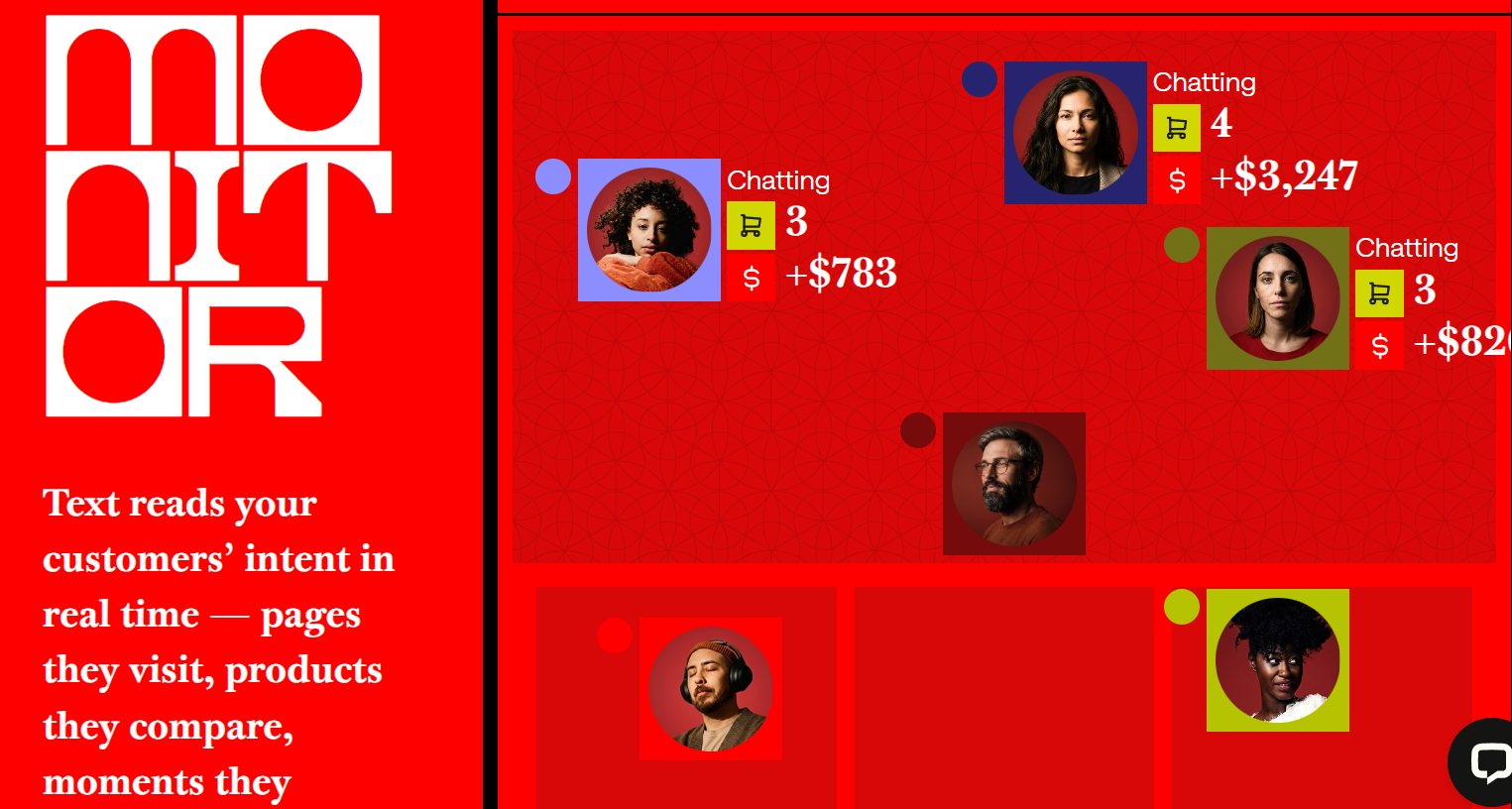
A live Shopify catalog, cart recovery campaigns, live cart previews inside chat, a checkout chat widget, proactive chat invitations, and buying-intent detection are all bundled into every plan — this is arguably Text’s clearest differentiator versus support-first competitors that treat sales as an afterthought.
Workflows, Reporting, and Developer Access
Workflow automation, chat and ticket metrics, an AI Agent sales report, and API access (10,000–20,000 calls/month depending on plan, with a purchasable overage package) round out the platform, alongside a desktop app, web app, and MCP server for connecting the AI Agent to broader automation stacks.
Pricing, Plans, and Package Structure
Text prices per user per month, with all core features (live chat, help desk, inbox, AI Agent) included at every tier — higher tiers add more AI Agents, more included resolutions, and deeper reporting and customization rather than gating basic functionality behind an upsell. Yearly billing saves up to 24% off the monthly rate. Every plan starts with a 14-day free trial, no credit card required.
| Plan | Monthly Price | Yearly Price | AI Agents / Resolutions | Best For |
|---|---|---|---|---|
| Essential | $25/user | $19/user | 1 agent / 10 resolutions per month | Small teams earning first chat revenue |
| Growth | $99/user | $79/user | 10 agents / 200 resolutions per month | Scaling teams driving revenue through chat |
| Enterprise | Custom | Custom | Custom, no hard volume limits | Large orgs needing SLAs, SSO, compliance review |
Overage packages are available if you exceed included limits: 50 additional AI resolutions for $49.50, or 100,000 additional API calls for $29.50. Plans can be upgraded or downgraded at any time with no long-term lock-in contract by default. Always confirm current pricing on Text’s pricing page, since resolution allowances and per-seat rates have shifted with recent plan updates.
How Text Compares to Alternatives
| Platform | Entry Price | AI Agent Included | Standout Strength |
|---|---|---|---|
| Text | $19/user/mo (annual) | Yes, on every paid tier | Sales-focused AI Agent skills, everything bundled per seat |
| Intercom | ~$39/seat/mo + Fin AI usage fees | Add-on, priced per resolution separately | Deep product-led growth and in-app messaging tools |
| Zendesk | ~$55/agent/mo (Suite) | Add-on AI tier, additional cost | Enterprise-grade ticketing depth and ecosystem maturity |
vs. Intercom: Intercom’s Fin AI Agent is widely regarded as strong, but it’s typically billed per resolution on top of the base seat price, which can make total costs harder to predict at scale. Text folds a defined AI resolution allowance directly into its per-seat price, which trades some flexibility for more predictable monthly budgeting, especially for smaller teams.
vs. Zendesk: Zendesk remains the deeper, more enterprise-hardened ticketing platform with a larger app ecosystem, but its AI capabilities are typically an added-cost tier rather than bundled from the entry plan, and its per-agent pricing runs meaningfully higher than Text’s Essential tier. Teams whose priority is sales-through-chat rather than complex multi-department ticketing workflows will likely find Text’s bundled approach a better fit and better value at the entry level.
Pros and Cons
What Users Love
Fast, real-time communication that reduces email/call volume: reviewers consistently cite the speed and ease of live conversation as the core value, with several noting reduced support email and call load after adoption.
Genuinely useful AI Copilot for human agents: reply suggestions and summaries are called out repeatedly as real time-savers rather than gimmicks, helping agents respond faster during busy periods.
Deep integration flexibility: Twilio SMS, Shopify, Salesforce, HubSpot, Slack, and WordPress connections are consistently praised for letting teams route conversations and data exactly where they need it without manual re-entry.
Real, documented revenue results: case studies with named customers and specific figures ($1.5M revenue in 8 months, +25% average order value) give this more credibility than typical vendor claims — worth verifying against your own use case, but a genuinely strong signal.
Limitations Worth Knowing
Billing transparency has been a real complaint on the LiveChat brand: the longer review history for LiveChat (Text’s core product) includes specific complaints about add-ons — like paid Google Analytics — appearing on invoices without clear advance notice, and confusion around billing practices more broadly. Review your invoice and add-on settings carefully in the first billing cycle.
AI accuracy can miss the mark on some queries: a subset of reviewers describe the AI providing wrong or irrelevant answers in certain conversations, underscoring that knowledge-base quality and ongoing tuning genuinely matter for resolution accuracy — this isn’t unique to Text, but it’s worth setting expectations around during your trial.
Costs can climb quickly on the Growth tier and above at scale: one G2 reviewer running a larger deployment noted annual costs exceeding $25,000, a reminder that per-seat AI platforms scale in total cost with team size and volume, even when the entry price looks affordable.
Notification and multi-chat overload during peak periods: several reviewers note that busy periods with many simultaneous conversations can make it easy to miss notifications, which matters for teams with high concurrent chat volume and thin staffing.
Who Should Use Text
Ecommerce brands looking to convert live chat into a genuine sales channel — abandoned cart recovery, in-chat checkout, product recommendations — are Text’s clearest ideal customer, given how much of the feature set is purpose-built around this use case.
SaaS and B2B support teams that want a unified inbox across chat, email, and social without paying separately for live chat, help desk, and an AI layer will find the Essential or Growth plan a straightforward consolidation of tools they’re likely already paying for separately.
Small teams testing whether AI support pays for itself can use the 14-day free trial with no credit card to validate resolution rates and revenue impact against real traffic before committing to a paid tier.
Large enterprises with compliance requirements — SOC 2, custom SSO, audit logs, legal review — should go straight to a conversation with Text’s sales team about the Enterprise tier rather than trying to fit those needs into Essential or Growth.
High-volume, budget-sensitive teams should model out expected AI resolution volume carefully before choosing a tier, since refill packages can add real cost beyond the advertised per-seat price if volume estimates run low.
Getting Started: Step by Step
- Start the free trial — sign up for the 14-day trial with no credit card required to get full platform access immediately.
- Point the AI Agent at your knowledge sources — connect your website, help docs, or FAQ pages so the AI builds its knowledge base automatically.
- Install the chat widget — add the website widget (or connect Shopify, Messenger, or SMS via Twilio) to start capturing real conversations.
- Define custom skills — describe in plain language what you want the AI to handle: lead qualification, discount offers, VIP routing, spam filtering.
- Set escalation and human takeover rules — decide when conversations should route to a human agent rather than the AI resolving independently.
- Review resolution and reporting data — use the AI Agent sales report and chat metrics to see what’s actually converting before adjusting skills or knowledge sources.
- Choose a paid plan based on real trial data — pick Essential or Growth based on your observed resolution volume and team size, not a guess.
Tips for Getting Maximum Value
Use the full 14-day trial to measure your actual AI resolution volume before picking a plan — guessing wrong in either direction either wastes budget on Growth’s higher seat price or triggers repeated $49.50 refill charges on Essential. Invest real time in your knowledge base quality before going live; reviewer complaints about inaccurate AI answers are consistently traceable to thin or outdated source content rather than a platform limitation. Review your invoice line-by-line during the first billing cycle and check any auto-enabled integrations or add-ons, given the billing-transparency complaints on record for the LiveChat brand. If you’re an ecommerce team, prioritize setting up the Shopify catalog and cart recovery campaigns early, since these are the features most directly tied to the platform’s headline revenue results. And if you’re comparing against Intercom or Zendesk, price out your actual expected AI resolution volume across all three platforms rather than comparing sticker prices alone, since the per-resolution versus bundled-allowance models produce very different real costs at scale.
Future Outlook and Final Assessment
Customer service software is rapidly shifting from a cost center to a revenue channel, and Text’s two-decade head start in live chat combined with a genuinely sales-oriented AI Agent puts it in a strong position as that shift accelerates. The documented customer results are a meaningfully stronger evidence base than most AI vendor claims. The honest caveats are worth taking seriously too: the resolution-based billing model rewards careful volume estimation, and the billing-transparency complaints on record for the LiveChat brand are a real signal to review invoices closely rather than assume auto-billed extras won’t happen.
Conclusion
Text earns its position as a genuine contender in AI-powered customer service by doing something most competitors don’t: designing the AI Agent to sell as much as it supports, and bundling live chat, help desk, and AI into one predictable per-seat price. It isn’t flawless — resolution-based billing rewards careful volume planning, and the billing-transparency history on the LiveChat brand is worth a careful first-invoice review. For ecommerce teams, SaaS support teams, and anyone who wants live chat to be a revenue channel rather than just a cost line, Text is well worth the 14-day trial to see real numbers against your own traffic. That’s the whole idea behind AI Solutes, too — we dig through the pricing pages, the fine print, and the real user reviews so you don’t have to, because we believe in helping you make everything easy.
Ready to turn your next chat into a sale?
Explore more honest reviews, tutorials and tool comparisons to find the right tech for the way you work and live — at AI Solutes, where we make everything easy.
👉 Start Your Free Trial: https://ai-solutes.com/text
👉 Our YouTube Channel: youtube.com/@ai-solutes
👉 Our Facebook Fanpage: Facebook















