

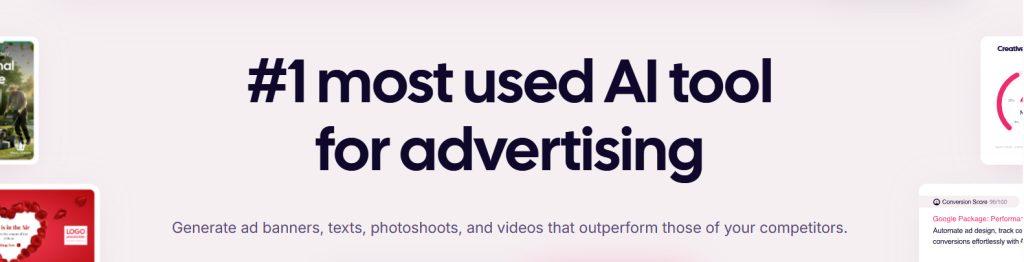
If you run paid ads for a living, you already know where the real bottleneck sits. It isn’t the budget, the targeting, or the landing page — it’s the creative. Meta and Google now reward volume and freshness, which means the advertisers who win are the ones who can put twenty variations into a test this week instead of three next month. That is the exact gap AdCreative.ai was built to close. Founded in Paris in 2021 and acquired by Tokyo-listed AI company Appier in March 2025 for $38.7 million, it has grown into one of the most widely used AI advertising tools on the market — millions of marketers across nearly 200 countries, over a billion creatives generated, and a proprietary advertising language model trained on hundreds of millions of real ad texts. It doesn’t just generate ads. It scores them, predicting which ones are likely to convert before you spend a dollar putting them live.
For performance marketers, agencies juggling client brands, e-commerce operators and solo founders without a designer on speed dial, that pitch is compelling — but it carries real caveats you should understand before entering a card number. This 2026 review walks through the full platform: the AdLLM engine and Creative Scoring AI, the video and product photoshoot suite, competitor intelligence, pricing across every tier, honest comparisons, the billing issues that dominate user complaints, and exactly who should sign up — and who shouldn’t.
AdCreative.ai Review 2026: The AI Ad Generator That Predicts Which Creatives Will Convert Before You Launch
Overview and Background
AdCreative.ai is a generative AI platform that produces conversion-focused advertising assets — static banners, social creatives, ad copy, product photography, and video — and then grades each one with a predicted performance score. The company is headquartered in Paris and holds official “Innovation Company” recognition from the French government. It launched in 2021 and scaled unusually fast — from an AppSumo debut to millions of business users in roughly two years, with G2 naming it among the fastest-growing software products in the world during that stretch.
The defining corporate event came in early 2025. Appier — an AI-native SaaS company founded in 2012 and listed on the Tokyo Stock Exchange’s Prime Market — announced the acquisition in February and closed in March for $38.7 million total, including a $27.3 million base. It was Appier’s fifth acquisition since 2018 and its largest since going public. At the time of the deal, AdCreative.ai had reached roughly $15.9 million in annual recurring revenue in about 18 months with a team of just over 60 people. Under Appier, headcount has expanded sharply and the product now sits inside a much larger full-funnel AdTech stack.
That ownership change matters more than most acquisitions do, because it reshaped the roadmap. Through 2025 and into 2026 the platform shipped a native mobile app for iOS and Android, added enterprise brand partnerships including L’Oréal in Turkey, and pushed hard into Asia-Pacific — a three-city roadshow across Taipei, Tokyo and Seoul, followed by a formal Thailand launch in July 2026. What began as a scrappy European startup is now the creative layer of a publicly traded ad-tech group: more engineering resources and stability, but also the pricing discipline and upsell structure of a larger organization.
Scale claims vary by source, but the consistent picture is three to four million registered users across roughly 195 countries, over a billion creatives generated, and a training corpus built from hundreds of millions of real advertisements. Named customers include L’Oréal, Procter & Gamble and Pernod Ricard — meaning the platform clears enterprise procurement, not just solo-marketer curiosity.
Why AdCreative.ai Stands Out in 2026
Dozens of tools will generate an image with your logo on it. Very few were built by people who understand what makes an ad actually perform. Here’s where AdCreative.ai separates itself from the general-purpose design crowd.
It is trained on advertising data, not general internet imagery: This is the core architectural difference. Most AI design tools sit on general-purpose models that have never seen a conversion metric. AdCreative.ai’s were trained on real campaign data — hundreds of millions of analyzed ads and, by the company’s accounting, tens of billions of dollars in tracked ad spend. The output reflects it: layouts follow direct-response conventions, with headline hierarchy, unambiguous CTA placement and product visibility. It looks like an ad because it was taught by ads.
Predictive scoring before you spend budget: Creative Scoring AI assigns every asset a 1–100 performance prediction using object detection and saliency mapping, plus attention heatmaps showing where a viewer’s eye is predicted to land. The company cites 90%+ accuracy; independent testing is more measured, with one detailed 2026 test finding high-scoring creatives beat low-scoring ones in roughly 65–70% of head-to-head cases. Better than guessing, and a useful prioritization signal — but use it to rank your test queue, not to skip testing.
A purpose-built advertising language model: AdLLM Spark is, as far as we can verify, the first large language model built specifically for ad copy rather than adapted to it — developed with the NVIDIA Inception program, trained on H100 hardware from an open-weight base, and fine-tuned on high-converting ad texts from multiple major platforms. On the company’s own benchmark against previously published ads, it predicted text performance far more accurately than general-purpose chatbots. In practice it writes primary texts, headlines and descriptions using frameworks like AIDA and PAS, in multiple languages, with a predicted score on each option.
Genuine volume in minutes, not days: A single run returns six to eight distinct layouts, and the platform can produce twenty-plus scored variants in under five minutes, auto-resized for Meta, Google Display, LinkedIn, Pinterest and other placements. For anyone fighting creative fatigue on an always-on campaign, that’s the practical value proposition: refresh a tired ad set the same afternoon you notice CTR decay.
Competitor intelligence baked into the workflow: Competitor Insights AI surfaces rivals’ best-performing creatives across Meta and Google alongside traffic context — unique visitors, visit counts, bounce rate, audience demographics. Instead of trawling the Meta Ad Library manually, you get competitor angles in the same place you build your response.
Brand consistency that survives scale: The brand kit stores logos, color palettes, fonts and approved assets, and every generation inherits them. For agencies running ten client brands in parallel, this is the difference between AI being useful and AI being a compliance liability. Higher tiers add locked custom templates so a junior team member physically cannot produce something off-brand. The platform also bundles over 100 million licensed iStock by Getty images, quietly removing both a separate subscription and a category of licensing risk.
Key Features and Technology
The platform is best understood as four connected layers: generation, scoring, intelligence and distribution.
Creative and Copy Generation
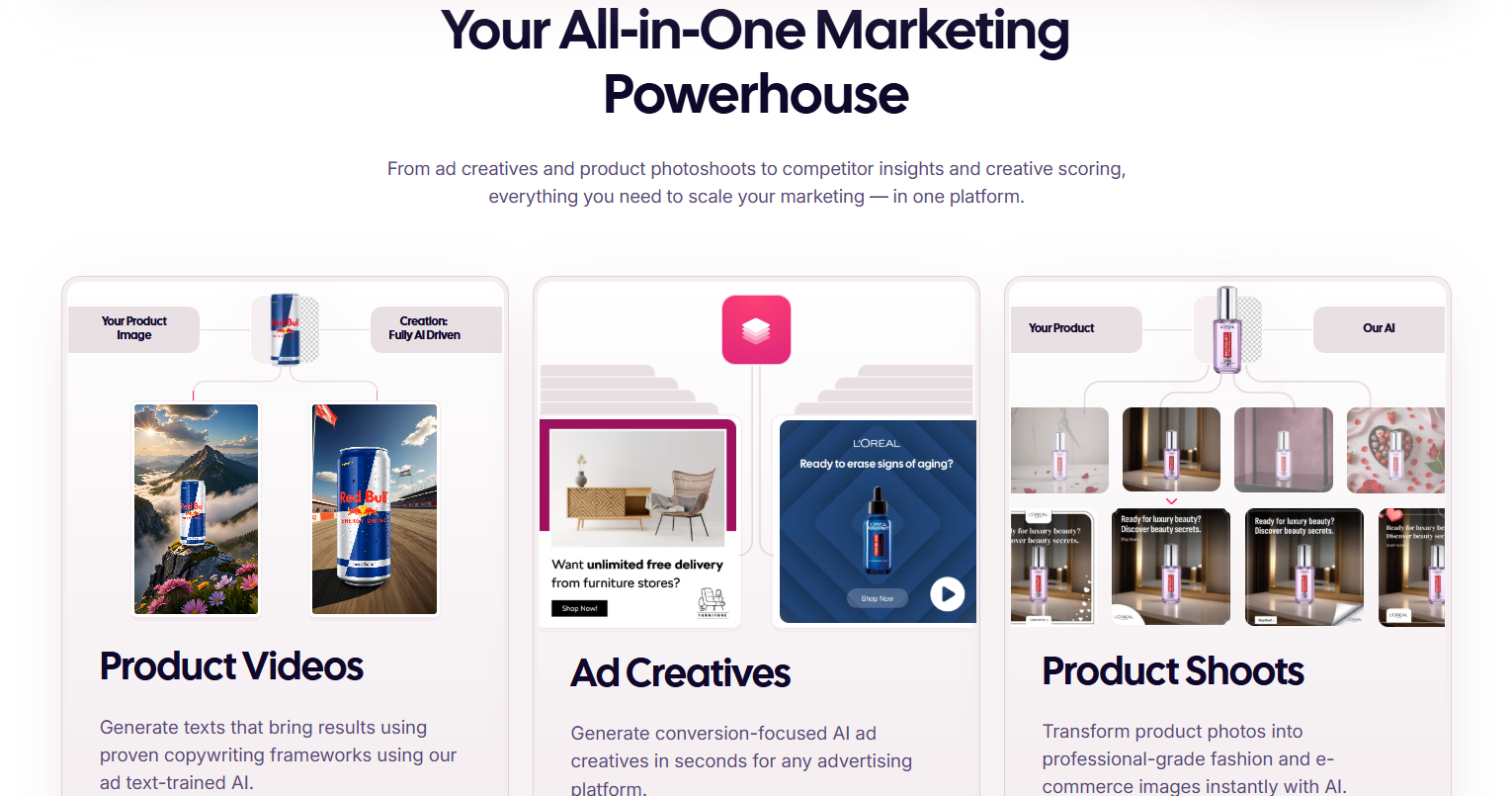
The core workflow is deliberately simple. Create a brand, upload your logo and assets, set colors and fonts, then describe the campaign — audience, objective, offer. The AI returns a batch of scored creative options across your selected ad sizes. Ad text generation runs on AdLLM, producing primary texts, headlines and descriptions, each with a predicted rating so you can pair a strong visual with a strong hook rather than guessing.
Product Photoshoots and Video
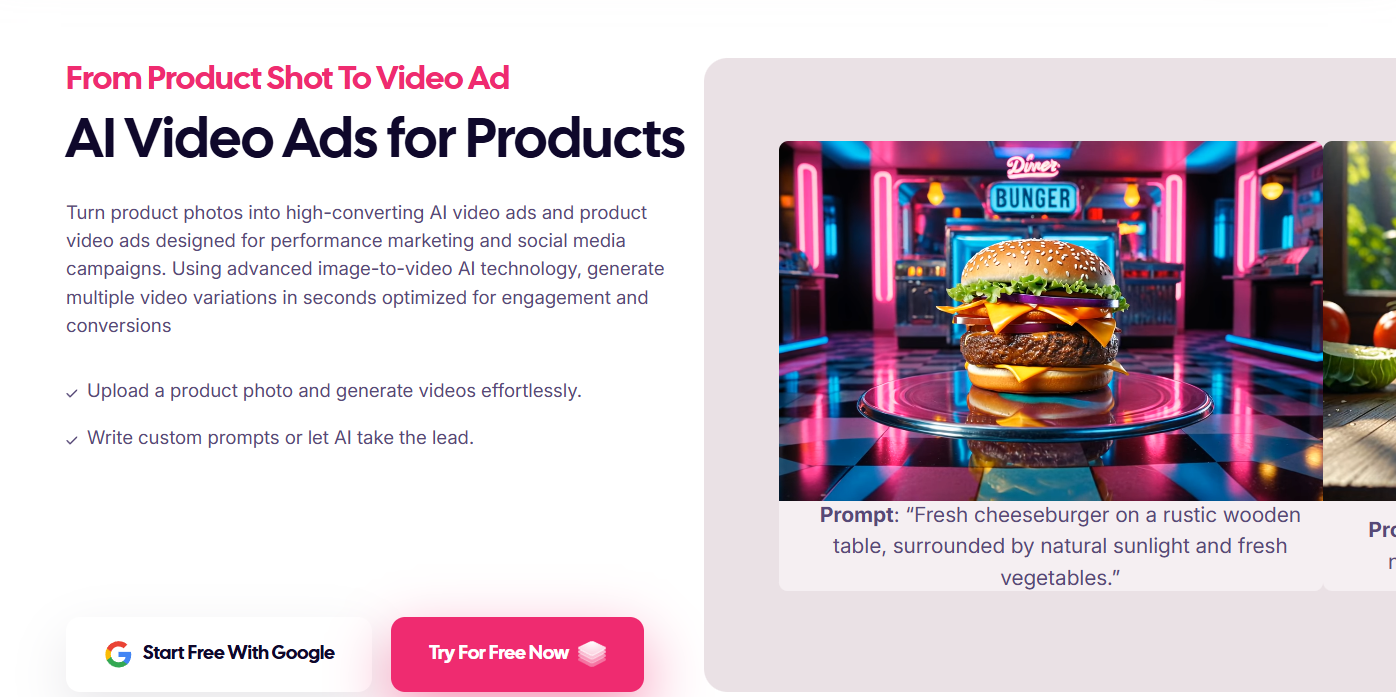
Product Photoshoot AI turns a plain product photo — the kind you shot on a kitchen table — into a professional lifestyle or studio image, with background removal automatic. The video side has expanded considerably: Product Videos convert a still into motion, and AdSora is a text-to-video model built specifically for advertising, outputting clips up to roughly 16 seconds at 1080p with brand-safety and compliance constraints built in. Storytelling Ads, Blog Videos and fashion formats round out the suite, exported for Meta, Google, LinkedIn and YouTube. One important caveat: most of the video toolkit sits on Professional and above, not the entry plan.
Scoring, Insights and Compliance
Creative Scoring AI grades assets before publication; Creative Insights AI works the other direction, analyzing creatives you’ve already run to report average CTR and identify which visual elements correlated with performance. Compliance Checker AI scans for misleading claims, prohibited phrasing and regulatory red flags before anything goes live — a meaningful differentiator in finance, health, supplements or any category where a banned ad account is an existential problem. An ad fatigue and audience generator rounds it out for always-on campaigns.
Integrations, Collaboration and Mobile
Direct connections to Meta Ads Manager and Google Ads push finished creatives into campaigns without manual uploads — testers report publishing more than a dozen variations to Facebook and Instagram simultaneously in minutes. Higher tiers unlock multi-user seats, multi-brand workspaces, batch generation, white-label output and API access. Since late 2025 there’s also a full mobile app on iOS and Android, which matters more than it sounds: an e-commerce operator can shoot a product on their phone, generate a video ad from it, and push it live without opening a laptop.

Pricing, Plans, and Package Structure
AdCreative.ai is a recurring subscription, and its pricing is genuinely difficult to pin down: third-party trackers report meaningfully different numbers for the same tier names, the platform runs frequent seasonal promotions, and figures shift with your billing cycle. Yearly commitments carry the steepest discount (often advertised at up to 50% off), with quarterly in between. The table below gives realistic approximate ranges as of mid-2026 — orientation, not a quote.
| Plan | Approx. Price / Month | Credits & Seats | Best For |
|---|---|---|---|
| 7-Day Free Trial | $0 (card required) | ~10 credits, 1 user | Testing output quality — auto-converts to paid on day 8 |
| Starter | ~$20–39 | ~10 credits, 1–2 users, 1 brand | Solo marketers and small businesses under ~$1,000/mo ad spend; largely image-focused |
| Professional | ~$125–249 | ~50 credits, up to 10 users, up to 10 brands | The real product — unlocks video, Creative Scoring, custom templates, batch generation, compliance checks |
| Ultimate | ~$500–999 | ~100 credits, up to 40 users, up to 25 brands | Agencies and high-volume advertisers; adds priority queue, white-label and API access |
| Enterprise / Custom | Quote-based | Custom credits and unlimited seats | Large in-house teams needing dedicated support and custom AI configuration |
Two structural details deserve emphasis. First, the jump from Starter to Professional is where the platform becomes what the marketing promises — AI video, UGC-style formats, Creative Scoring AI, custom templates, batch creatives and the compliance checker all sit above the entry tier. Subscribe to Starter expecting video ads and you hit a wall immediately, and the upgrade is not a small step. Second, effective cost per creative depends entirely on usage; published estimates land roughly in the $2–6 range per download depending on tier. Against $30–100 for a freelance designer, the math favors AdCreative.ai at volume — but only at volume.
How AdCreative.ai Compares to Alternatives
The AI ad creative category is crowded, and the tools aren’t interchangeable — they optimize for different things. Here’s how the main options stack up.
| Option | Approx. Entry Price | Core Strength | Main Trade-Off |
|---|---|---|---|
| AdCreative.ai | ~$20–39/mo | Performance prediction, ad-specific LLM, competitor insights, compliance checking | Video locked behind a much pricier tier; aggressive trial and billing reputation |
| Canva | Free / ~$15/mo Pro | Enormous template library, full manual control, brand kit enforcement, free tier | General-purpose design tool — no conversion prediction or ad performance layer |
| Creatopy | ~$32–39/mo | Display and HTML5 banner automation at scale, dynamic creative from data feeds | Thinner on social and video; download limits on entry plan |
| Predis.ai | ~$19–39/mo | Social-first content plus native scheduling and auto-posting; Shopify feed support | Export caps and single-brand limits at entry; weaker at paid-performance formats |
| Freelancer / in-house designer | ~$30–100 per creative | True originality, brand nuance, conceptual campaign thinking | Slow turnaround and cost scales linearly — impossible for high-volume testing |
vs. Canva: These solve different problems. Canva is a better design tool — more control, more templates, a genuinely free tier, gentler learning curve. AdCreative.ai is a better advertising tool, built around what converts rather than what looks good. Modest volume and you enjoy designing? Canva is cheaper and more flexible. Running paid campaigns at scale and want a ranked queue of variations to test? The prediction layer is what you’re paying for.
vs. Creatopy: Creatopy dominates display and programmatic banners — hundreds of size variations, HTML5 animation, dynamic feeds, brand locking. AdCreative.ai goes further on intelligence: predictive scoring and competitor research are things Creatopy doesn’t offer. Pick Creatopy for display-heavy media plans; pick AdCreative.ai for Meta and Google performance.
vs. Predis.ai: Predis is the lower-cost, social-native option, and its scheduling and auto-posting cover ground AdCreative.ai leaves alone. But export limits and a single-brand entry plan make it hard to scale, and it has no performance-prediction layer. Predis suits organic-plus-light-paid social; AdCreative.ai suits budget-backed paid acquisition. A gap in both: neither tracks ROAS or optimizes live campaigns — they make creatives, and you still need Ads Manager downstream.
Pros and Cons
What Marketers Love
Speed that changes how you work: The near-universal theme in user feedback. A dozen scored variations in minutes, rather than briefing a designer and waiting days, genuinely changes testing cadence. Marketers repeatedly describe it as the fix for creative fatigue — when an ad set decays, fresh variations are an afternoon’s work rather than a sprint.
You don’t need design skills: The guided wizard runs from brand setup to finished creative without touching a layer panel. Teams without a designer get output that looks professionally produced rather than obviously homemade.
Scoring gives you a rational starting order: Even at imperfect accuracy, having a predicted rank on twenty creatives is far better than choosing by gut. It concentrates limited testing budget on the assets most likely to earn it.
Excellent multi-brand architecture for agencies: Separate brand workspaces, team seats, locked templates and white-label options on upper tiers make this a genuine agency production line rather than a personal tool shared by several people.
Credits burn on download, not generation: A small design decision with a big effect: explore widely, discard freely, pay only for what you ship — far less punishing than tools that charge per attempt.
Real corporate backing behind the roadmap: Tokyo-listed ownership has translated into steady shipping — a mobile app, expanded video models, new market launches. A reasonable signal if you’re wary of betting a workflow on a startup that might vanish.
Limitations Worth Knowing
The trial and billing experience is the platform’s biggest problem: There’s no way to review this honestly without saying it plainly. AdCreative.ai sits around 3.0–3.2 out of 5 on Trustpilot across roughly four thousand reviews, and the complaints are remarkably consistent: unexpected charges after a trial the user believed they had cancelled, annual amounts billed when a monthly plan was expected, refunds taking weeks or months, and time-zone edge cases where a charge landed before the user’s own day-seven deadline. Plenty of reviewers do report excellent human resolutions from named support staff, so the pattern isn’t universal — but the volume is far too high to dismiss.
Video is expensive to reach: The entry plan is effectively image-only; UGC video, product videos and storytelling formats require Professional, several times the Starter price. If video is central to your 2026 strategy — and for most advertisers it is — your real entry price is far above the headline figure.
Output can feel generic on brand work: The AI leans toward safe, structured direct-response layouts because that’s what it was trained on — a feature for performance campaigns, a problem for brand-building work where distinctiveness is the point. Reviewers regularly note needing manual edits to keep a distinct brand identity intact.
Scoring is directional, not definitive: The advertised 90%+ accuracy comes from internal benchmarking; independent testing puts the practical hit rate closer to two-thirds. Useful — but treat the score as ground truth and stop split-testing, and you’ll be wrong often enough to matter.
Credits expire and format coverage has gaps: Unused credits generally don’t roll over, creating use-it-or-lose-it pressure at month end. Several reviewers also report missing ad sizes for specific placements — verify during the trial that the exact formats your media plan needs are supported.
Support is asynchronous with no live chat: Response times on how-to questions are reasonable and resolution quality is generally solid, but there’s no instant channel and advanced documentation is thin. Document every billing interaction in writing.
It stops at the creative: AdCreative.ai makes assets and pushes them to your ad platforms. It does not manage bids, optimize campaigns or report ROAS. It’s one layer of your stack, not a replacement for it.
Who Should Use AdCreative.ai
Performance marketers running always-on paid campaigns: If your job is keeping Meta and Google campaigns fed with fresh creative and you’re measured on CPA or ROAS, this is built for you — scoring plus batch generation directly addresses the creative-fatigue treadmill. Go straight to Professional; Creative Scoring AI and batch creatives are what pay for the subscription.
Agencies managing multiple client brands: Separate brand workspaces, team seats and locked templates make multi-client work genuinely manageable, and per-creative economics beat freelance production past a modest volume. Ultimate is built for this, with white-label output and API access for teams that bill creative services.
E-commerce operators with large catalogs: Product Photoshoot AI and image-to-video are the standout features — turning ordinary product shots into lifestyle imagery and motion ads without a studio budget removes a real cost center. With hundreds of SKUs, batch generation on Professional is where this turns transformative rather than merely convenient.
Solo founders and small businesses without a designer: If you’re spending modestly on ads and currently making creatives yourself in a hurry, Starter on annual billing is a low-risk way to raise the floor on your creative quality. Just be clear-eyed that you’re getting static images, not video, at that tier.
Regulated-industry advertisers: Finance, health, supplements and similar categories live in fear of account bans. The Compliance Checker AI — which flags problematic claims and prohibited phrasing pre-publication — is an underrated reason to pick this over a general design tool. It sits on Professional and above.
Who should probably skip it: Brand teams whose value lies in distinctive, conceptual campaign work will find the output too formulaic. Anyone producing a handful of creatives per month won’t recover the subscription cost — Canva’s free tier serves you better. And if you need campaign management and ROAS reporting in one place, this isn’t that product.
Getting Started: Step by Step
- Start the free trial — and set a reminder first. Before you enter card details, put a calendar alert on day six, not day seven. Note the exact renewal amount and currency shown at checkout. This single habit prevents the most common bad experience users report.
- Build your brand properly. Upload a high-resolution logo, set exact brand colors and fonts, add product imagery. Everything downstream inherits these settings, so ten minutes of care here improves every creative that follows.
- Define your audience and objective. Describe who you’re targeting and what action you want, specifically. Vague inputs produce generic outputs — where most disappointing first results originate.
- Generate a batch and read the scores. Request a full batch rather than a single creative, then sort by predicted performance. Preview generously — credits are consumed on download, so exploring costs nothing.
- Pair strong visuals with strong copy. Run the ad text generator separately and match your highest-scoring headlines and primary texts to your highest-scoring visuals rather than accepting whatever combination appears by default.
- Connect your ad accounts and publish. Link Meta Ads Manager and Google Ads to push creatives straight into campaigns, then launch a genuine A/B test rather than trusting the score outright.
- Decide before the trial converts. If you’re continuing, choose your billing cycle deliberately — annual carries the deepest discount. If you’re not, cancel through Profile → Billing and screenshot the confirmation immediately.
Tips for Getting Maximum Value
Treat billing as an active discipline: commit to annual only once you’re confident the tool fits your workflow, keep written records of every cancellation and support exchange, and check the renewal amount in your own currency before confirming — several reported billing shocks came down to conversion rather than the advertised figure. On usage, batch your generation early in each cycle since credits don’t carry forward, and lean on free previews before spending a download. Feed the AI specific campaign-level briefs, not generic product descriptions; the gap between “our software helps teams” and “project management for agencies drowning in client revisions” shows up immediately in output quality. Run Competitor Insights before you generate, so you’re responding deliberately to what already works in your category. Always split-test even when scores look decisive — the prediction is a prioritization tool, not a verdict. In regulated verticals, make the Compliance Checker mandatory rather than optional. And watch for seasonal promotions, which are frequent and can meaningfully change the annual math; agencies should ask directly about partnership terms rather than defaulting to the public tiers.
Future Outlook and Final Assessment
The market tailwinds are substantial and well documented. Analysts put the AI-in-advertising market at roughly $14.1 billion in 2026, up from about $11.2 billion in 2025 and heading toward $36 billion by 2030 — a compound growth rate in the mid-twenties, with the narrower generative-AI segment growing at a similar clip. Underneath those numbers is a structural shift: platform algorithms increasingly reward creative volume and freshness, making production capacity a competitive advantage rather than a back-office cost. Tools that compress the creative cycle are not a passing enthusiasm.
AdCreative.ai’s position looks reasonably secure. Appier’s ownership has brought engineering depth, enterprise distribution and geographic expansion — the 2026 Thailand launch is part of a broader Asia-Pacific push — and the data moat built from hundreds of millions of analyzed ads isn’t something a new entrant assembles quickly. Competitive pressure is real, particularly from video-first platforms built after the static era ended. But the combination of a purpose-built advertising LLM, predictive scoring and compliance checking remains genuinely differentiated.
The caveats stand. The trial converts automatically and billing is the weakest part of the experience. Video sits behind a substantial paywall. Output skews safe and structured — good for performance marketing, poor for brand work. And the score is a prioritization signal, not a guarantee. None of these are disqualifying, but all should shape which plan you pick and how you use it.
Conclusion
AdCreative.ai is not the most beautiful design tool on the market, and isn’t trying to be. It’s a performance instrument — trained on what converts, grading its own output before you spend, turning one brand kit into twenty testable variations in the time it takes to finish a coffee. For marketers, agencies and e-commerce operators who measure creative in campaigns rather than compliments, that’s a real advantage, and the corporate backing means the roadmap is unlikely to stall.
It asks something in return: attention to the trial terms, realism about what the entry plan includes, and the discipline to keep split-testing even when the AI sounds confident. Go in informed and it’s one of the strongest creative-production tools available to advertisers in 2026. Go in casually and you may end up writing one of those billing reviews. Know which plan you need, set your reminder, and let the AI handle the part of the job that used to take a week — because the right tools, used with your eyes open, are what make everything easy.
Stop guessing which ad will work — generate, score, and launch your next winning creative today.
Explore more honest reviews, tutorials and tool comparisons to find the right tech for the way you work and live — at AI Solutes, where we make everything easy.
👉 Start Your Free Trial: https://ai-solutes.com/adcreative.ai
👉 Our YouTube Channel: youtube.com/@ai-solutes
👉 Our Facebook Fanpage: Facebook
👉 Our X (Twitter): @AISolutes
- Master DocHub PDF Editor: Boost Productivity with Seamless Dashboard, Form Templates, and Secure Digital Signatures
- Webydo Review 2026: Unlock Agency-Grade No-Code Web Design With Pricing, Free Trial, and AI Features
- Hostinger 2026 Review: Compare AI Website Builder, LiteSpeed Speed, Pricing and hPanel Features
- Does Legal Templates Simplify Contract Creation? Evaluating the Legal Templates Document Automation Suite
- Master Suno AI Workflow for Lightning-Fast Music Production in 2025















