


In an age where one wrong click can drain a bank account or hand a small business’s customer database to ransomware operators, Malwarebytes has spent 22 years building one of the most trusted names in consumer and small-business cybersecurity. Founded in 2004 by Marcin Kleczynski — who accidentally downloaded malware onto his family computer and decided to fix the problem at the source — Malwarebytes today protects millions of devices across PCs, Macs, iPhones, and Android phones with a suite covering antivirus, ransomware defense, web protection, a no-log VPN, identity theft monitoring, a new AI-era Scam Guard, and up to $2 million in identity theft insurance. The company has earned 2026 PCMag Best Brands recognition, AVLab Product of The Year 2026, and a 97% protection accuracy score in independent SE Labs Q1 2026 testing. Pricing starts at $0 with a permanent free scanner and scales to a $119.99/year Ultimate plan — all backed by a 60-day money-back guarantee.
For families, freelancers, small business owners, remote workers, content creators, and anyone whose digital life now includes a banking app, a small business inbox, a few dozen passwords, and a phone full of personal photos, the value proposition is immediate. This 2026 review walks through the full Malwarebytes ecosystem — every product line, the new Scam Guard, the AzireVPN-powered Privacy VPN, complete pricing breakdown including the honest auto-renewal trap, head-to-head comparisons with Bitdefender, Norton, McAfee and Windows Defender, real limitations from independent test labs, and exactly who should (and shouldn’t) sign up.
Malwarebytes Review 2026: The All-In-One Cybersecurity Suite That Stops Malware, Scams, and Identity Theft Across Every Device You Own
Overview and Background
Malwarebytes is a consumer and small-business cybersecurity company headquartered in Cork, Ireland, with origins that date back to 2004 — when 14-year-old Marcin Kleczynski reverse-engineered a piece of malware on his family computer and turned the resulting cleanup tool into one of the best-known names in the antivirus industry. The company’s original free Anti-Malware scanner became famous in the late 2000s as the tool security forums recommended for cleaning infected machines that other antivirus engines had missed. Two decades later, that same philosophy — “we catch what others miss” — anchors a much broader product line covering real-time antivirus, web protection, VPN, identity monitoring, and AI-era scam detection.
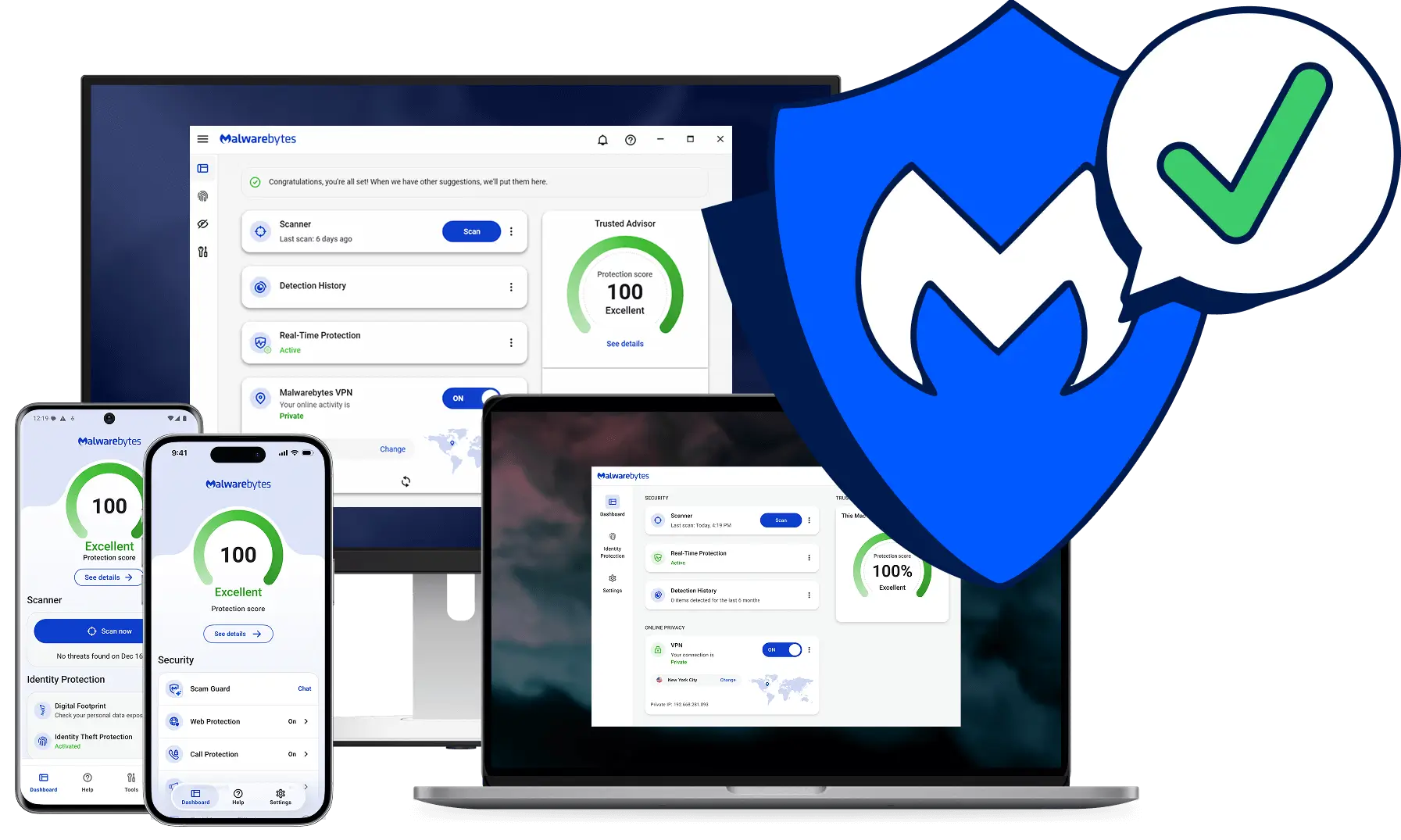
The 2026 Malwarebytes is meaningfully different from the cleanup-tool reputation. Real-time protection runs in the background across Windows, macOS, iOS, and Android. Browser Guard was the world’s first browser extension that could detect and block tech-support scams. The November 2024 acquisition of AzireVPN gave Malwarebytes direct VPN infrastructure ownership — and the April 2026 third-party audit verified the no-log policy at the network level. And the newest addition, Scam Guard, lets users paste suspicious links, phone numbers, or screenshots into the app and get an immediate AI-powered scam assessment — included free in every paid plan and designed for the AI-era threat landscape where deepfakes and AI-written phishing are now mainstream attack vectors.
The 2026 product map covers an unusually wide cybersecurity surface area: Premium Security (antivirus, anti-malware, ransomware, exploit protection); Browser Guard (free extension blocking malicious sites, ads, trackers, tech-support scams); Privacy VPN (no-log VPN on owned AzireVPN infrastructure); Identity Theft Protection (dark web monitoring, credit monitoring, live agent recovery, up to $2M insurance); Personal Data Remover; Scam Guard; Digital Footprint Scanner; plus dedicated mobile apps for iOS and Android. Business customers are now served by ThreatDown — Malwarebytes’ rebranded commercial product line launched in late 2023 with four tiers (Core, Advanced, Elite, Ultimate).
Why Malwarebytes Stands Out in 2026
Genuine “catches what others miss” performance: Malwarebytes built its reputation detecting zero-day malware, fileless attacks, and PUPs that signature-based antivirus engines often miss. Independent SE Labs Q1 2026 testing gives the product a 97% overall performance rating, with 100% threat-blocking rates in real-world February–March 2026 tests.
Scam Guard — built for the AI-era threat landscape: Generative AI has industrialized phishing, deepfake scams, and AI-written social engineering. Scam Guard lets you paste any suspicious link, screenshot, or phone number into the app and get an AI-powered assessment in seconds. Few competitors have a feature this directly aimed at modern, AI-written threats, and it’s included free in every paid plan.
A genuinely useful free tier: Unlike most antivirus brands where “free” means a 30-day trial, Malwarebytes’ free scanner is permanently free and remains one of the most-recommended tools for cleaning infected machines. Not real-time protection — but as a manual cleanup tool, still the gold standard.
Owned VPN infrastructure (AzireVPN acquisition): Most “antivirus + VPN” bundles run on white-labeled third-party VPN infrastructure with vague no-log claims. Malwarebytes’ November 2024 acquisition of AzireVPN gave the company direct ownership of its VPN backbone, and the April 2026 third-party audit verified the no-log policy at the network level.
Up to $2 million in identity theft insurance: The Ultimate tier includes identity theft insurance backed by a real underwritten policy, plus live-agent identity recovery support. If your identity is stolen, you don’t just get an alert — you get a human caseworker who handles the recovery on your behalf.
Cross-platform coverage with one subscription: One Malwarebytes subscription covers Windows, Mac, iOS, and Android — useful for households with a mix of devices, or solopreneurs running multiple platforms. Family and Small Business plans extend to 10–20 devices.
A 60-day money-back guarantee: Twice the length of most competitor guarantees. Buy any annual plan direct from Malwarebytes, test it for two months, and refund without question if it doesn’t fit. The catch: this only applies to direct purchases, not app store or third-party reseller transactions.
Key Features and Technology
Malwarebytes’ strength is how cleanly its products map to the layers of real digital risk a modern user faces. Here’s how the ecosystem breaks down in 2026.
Premium Security — The Core Antivirus Engine
This is the flagship product. Premium Security runs four protection layers in real time: antivirus and anti-malware (signature plus behavioral detection), ransomware protection (rolls back encrypted files), exploit protection (blocks the techniques attackers use to weaponize browser and Office vulnerabilities), and web protection (blocks known-malicious URLs at the network level). All four layers run lightweight enough to coexist with Windows Defender — Malwarebytes is explicitly designed to complement, not replace, the built-in OS antivirus.
Browser Guard — The Underrated Free Hero
Available as a free Chrome, Firefox, Edge, and Safari extension, Browser Guard blocks malicious URLs, ads, trackers, and — uniquely — tech-support scam pages that pop up shouting “your computer is infected, call this number now.” It was the world’s first browser extension built to detect and block tech-support scams, and remains one of the most genuinely useful free security tools available. Install this on every browser you use, regardless of whether you pay for the rest of the suite.
Privacy VPN — Backed by Owned Infrastructure
After acquiring AzireVPN in November 2024, Malwarebytes now owns the network infrastructure behind its Privacy VPN — a meaningful upgrade over the white-label VPN deals that most antivirus bundles rely on. The April 2026 third-party audit verified the no-log policy at the network level. The VPN is included in the Plus and Ultimate plans, and standalone pricing runs $39.99/year for one device or $59.99/year for five. Server count and speed are not market-leading compared to dedicated VPN services like NordVPN or ExpressVPN — but as a bundled VPN with verified no-log claims, it’s one of the more credible options in the antivirus-bundle category.
Identity Theft Protection + $2M Insurance
Included in the Ultimate tier, Identity Theft Protection scans the dark web and breach databases for your personal information (email, SSN, credit card numbers, addresses), monitors credit reports for unauthorized activity, and — critically — provides live agent-supported identity recovery if your identity is stolen. The $2 million insurance policy covers losses, legal fees, and restoration costs. For households with a meaningful digital footprint and savings to protect, this is the kind of coverage most consumers don’t realize they need until it’s too late.
Scam Guard — The AI-Era Defense Layer
The newest addition (rolled out across 2025–2026), Scam Guard is a paste-a-link tool that uses AI to assess suspicious URLs, text messages, screenshots, and phone numbers in seconds. Got an unexpected “your package is delayed, click here” text? Paste it into Scam Guard. Got a sketchy “your bank locked your account” email? Screenshot it, drop it in, and get an assessment. Included free across all paid plans, and one of the best practical defenses against AI-generated phishing on the market.
Personal Data Remover and Digital Footprint Scanner
Personal Data Remover ($99.99/year standalone, included in Ultimate) sends opt-out requests to dozens of data broker sites that publish your name, address, phone, and family details — the same brokers identity thieves use to build dossiers. The free Digital Footprint Scanner gives you a baseline check of where your data has already leaked. Together, they’re a genuinely useful privacy hygiene layer that most antivirus competitors don’t offer at all.
Pricing, Plans, and Package Structure
Malwarebytes uses a tiered subscription model for consumers with a free permanent scanner, three paid tiers (Standard, Plus, Ultimate), and Family and Small Business variants that scale device count. Business customers go through the separate ThreatDown product line (Core, Advanced, Elite, Ultimate) with per-endpoint pricing. Every annual plan ships with a 60-day money-back guarantee when purchased direct from Malwarebytes (not through app stores). Two-year plans typically get a ~15% additional discount over annual. Prices below reflect publicly listed 2026 introductory rates — verify the live price and especially the renewal price on Malwarebytes’ pricing page before checkout, because intro and renewal rates differ meaningfully.
| Plan | Approx. Price (Annual) | What You Get | Best For |
|---|---|---|---|
| Free | $0 forever | On-demand malware scanner + free Browser Guard extension; no real-time protection | Cleaning infected machines, layering with Windows Defender |
| Standard | ~$59.99/year (3 devices) | Real-time antivirus, anti-malware, ransomware, exploit, web protection, Scam Guard | Solo users and households wanting solid baseline protection |
| Plus | ~$79.99/year (3 devices) | Everything in Standard + Privacy VPN | Users who’d otherwise pay separately for a VPN |
| Ultimate | ~$119.99/year intro (~$279.99 renewal) | Everything in Plus + Identity Theft Protection, $2M insurance, Personal Data Remover | Households with savings, credit, and identity to protect |
| Family | Variable by tier | Same protection extended to up to 10 devices | Multi-device households |
| Small Business / Teams | From ~$39.99/year for Teams | Up to 20 devices, business-focused dashboard | Sole proprietors, boutique businesses, small offices |
How Malwarebytes Compares to Alternatives
| Factor | Malwarebytes | Bitdefender | Norton 360 | Windows Defender |
|---|---|---|---|---|
| Real-world threat blocking | 100% (Feb–Mar 2026 tests) | 99.9% (industry top tier) | ~99.7% | ~99% (much improved) |
| False positives | Higher than average (~20 in recent tests) | Very low | Low | Low |
| Identity theft + insurance | Yes (Ultimate, up to $2M) | Limited (varies by tier) | Yes (LifeLock, up to $1M) | No |
| Owned VPN infrastructure | Yes (AzireVPN) | No (Hotspot Shield-based) | Yes (Norton-owned) | N/A |
| AI-era scam detection | Yes (Scam Guard, paste-a-link) | Limited | Genie scam detection | SmartScreen only |
| Entry paid price (annual) | ~$59.99 (3 devices) | ~$59.99 intro (5 devices) | ~$54.99 intro | Free (built into Windows) |
| Best for | Layered protection, scam defense, identity coverage | Pure detection accuracy, low false positives | All-in-one bundle with LifeLock | Baseline coverage at zero cost |
vs. Bitdefender: Bitdefender is the lab-test darling — slightly higher detection scores, far fewer false positives, and Total Security at $59.99 introductory covers 5 devices versus Malwarebytes’ 3. Malwarebytes wins on scam-detection breadth (Scam Guard), owned VPN credibility, and identity-protection depth. For pure antivirus accuracy, Bitdefender; for an integrated digital-life defense package, Malwarebytes.
vs. Norton 360: Norton’s deep LifeLock integration (up to $1M identity insurance) is its trump card, and the suite is well-rounded. Malwarebytes Ultimate offers up to $2M insurance — twice the coverage — and Scam Guard is a more user-friendly AI-era tool than Norton’s equivalent. Norton wins on legacy ecosystem trust; Malwarebytes wins on lighter system footprint and more modern UX.
vs. Windows Defender: Free, built-in, and dramatically better than it was five years ago — Defender alone is a defensible security baseline for many users. The case for Malwarebytes alongside Defender is the additional layers: Browser Guard for tech-support scams, Scam Guard for AI-era phishing, VPN, identity theft protection, and Malwarebytes’ historically stronger detection of zero-day malware and PUPs. If your digital life includes meaningful financial or identity exposure, the upgrade is worth it; for casual users, free Browser Guard + Defender is a legitimate setup.
Pros and Cons
What Users Love
Lightweight, install-and-forget software: Malwarebytes is famously light on system resources. It runs quietly in the background, doesn’t slow down your machine, and doesn’t bombard you with upsell pop-ups the way some legacy antivirus brands do.
Useful free tier and Browser Guard: The permanent free scanner and Browser Guard extension provide a real security baseline at zero cost — a generosity most antivirus brands don’t match.
Scam Guard is a uniquely modern feature: The paste-a-link / paste-a-screenshot scam checker is genuinely useful for the way scams actually arrive in 2026 — via SMS, social DMs, and AI-generated emails. Few competitors have something this directly relevant to the current threat landscape.
Owned VPN with audited no-log policy: The AzireVPN acquisition plus the April 2026 third-party audit gives the bundled VPN real credibility — unusual in the antivirus-bundle category where VPN claims are often vague white-label arrangements.
$2M identity theft insurance with live agent support: The Ultimate tier’s identity protection package — including live-agent recovery and an underwritten insurance policy — is genuinely strong compared to most “identity monitoring” bundles that just send alerts.
60-day money-back guarantee: Twice the length of most competitors. Buy direct, test for two months, refund if it doesn’t fit. The longest no-questions-asked window in mainstream antivirus.
Limitations Worth Knowing
Renewal pricing is aggressive: The Ultimate plan in particular has been reported to roughly double from ~$119.99 introductory to ~$279.99 at renewal — a 100% jump. The Standard and Plus plans see smaller but meaningful increases. Set a calendar reminder before auto-renewal and review the new rate; don’t just let it auto-charge.
Higher-than-average false positive rate: Independent testing has flagged ~20 false positives in recent rounds — one of the highest among tested providers. Most are harmless quarantine prompts, but heavy software developers and power users may occasionally need to whitelist legitimate tools.
VPN is bundled-tier, not market-leading: The Privacy VPN is credible (verified no-log, owned infrastructure) but has limited servers compared to dedicated VPN services like NordVPN or ExpressVPN, and speeds are mid-tier. Good as a bundled VPN; not a reason to switch from a dedicated VPN if you already have one you love.
iOS app availability is geographically limited: The Malwarebytes iOS app is currently only available in select countries (mostly North and Central America). Users outside these regions can’t install the iOS protection that comes with Standard and Plus plans — a meaningful gap for non-US buyers.
60-day refund only applies to direct purchases: Buy from the Apple App Store, Google Play, Amazon, or a third-party reseller and the 60-day money-back guarantee doesn’t apply — you’ll need to follow that platform’s refund policy instead. Always buy direct from Malwarebytes.com to keep the full refund window.
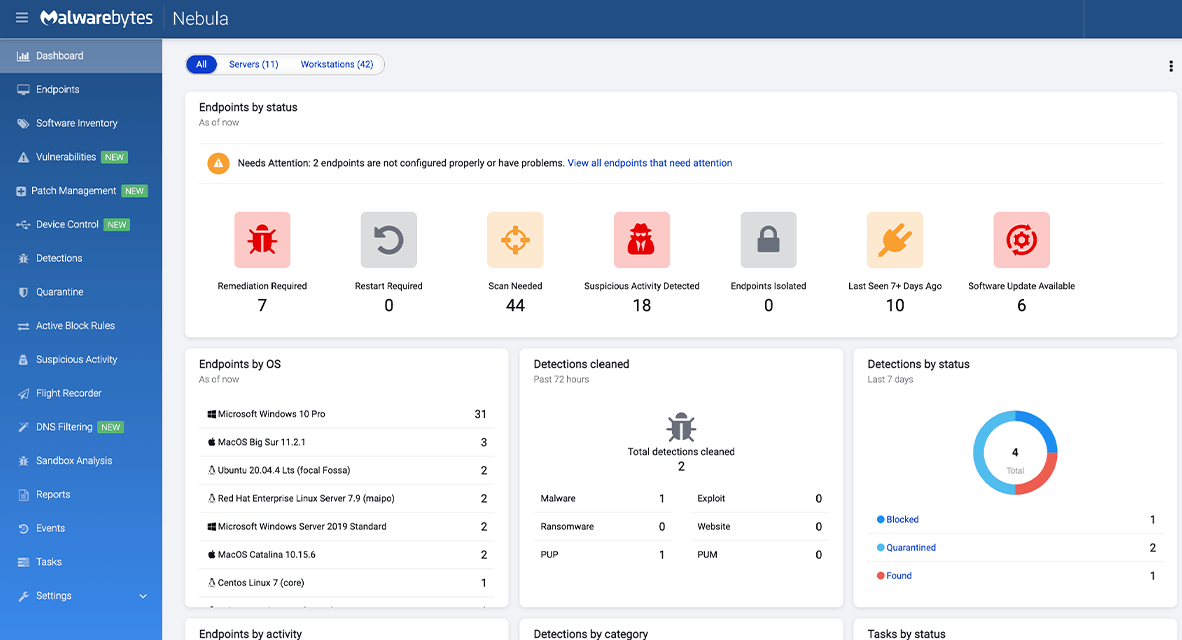
Business buyers go to ThreatDown, not Malwarebytes.com: The consumer brand and the business brand were split in late 2023. Small businesses can still buy Malwarebytes for Teams from $39.99/year, but anything beyond a small office needs to go through ThreatDown — and ThreatDown pricing is “contact sales,” which adds friction for SMBs.
Auto-renewal is the default: Like most SaaS, Malwarebytes auto-renews unless you disable it in your account settings. Disable auto-renewal immediately after purchase if you want to evaluate alternatives before the year ends.
Who Should Use Malwarebytes
Households with active digital lives: If your household banks online, manages investments, shares photos, and runs school or work email on the same devices, Malwarebytes Plus or Ultimate covers the layered defense you actually need — antivirus, scam guard, VPN, and (at Ultimate) identity protection.
Solopreneurs and freelancers handling client data: Anyone shipping client deliverables, handling invoices, or storing customer information on a laptop needs more than free Defender. The Standard or Plus plan at 3 devices is the sweet spot — protects your laptop, phone, and a tablet for under $80/year.
Small businesses with up to 20 devices: Sole proprietors, boutique businesses, and small offices are well-served by Malwarebytes for Teams (from ~$39.99/year) covering up to 20 devices with a business-focused dashboard. Beyond 20 devices, look at ThreatDown.
Users with meaningful identity or financial exposure: Anyone with significant savings, multiple credit cards, real estate, or a credit score worth protecting should consider Ultimate — the $2M identity insurance and live-agent recovery is the kind of coverage you don’t appreciate until you need it. Budget for the renewal jump.
Parents and households with vulnerable users: Older relatives and younger kids are the highest-risk demographic for tech-support scams, phishing texts, and AI-voice impersonation. Browser Guard plus Scam Guard plus a basic Standard plan dramatically reduces the surface area where those scams succeed.
Anyone wanting a layered defense alongside Windows Defender: If you already trust Windows Defender for baseline antivirus, adding Malwarebytes Standard (or even just the free scanner + Browser Guard + Scam Guard) gives you the additional layers Defender doesn’t natively provide — without the conflicts that two full antivirus engines usually create.
Getting Started: Step by Step
- Start with the free scanner and Browser Guard. Download the free Malwarebytes scanner from malwarebytes.com, run a full scan to clean any existing threats, then install the free Browser Guard extension in every browser you use. This is a legitimate security baseline at zero cost.
- Pick the right paid plan for your situation. Standard (~$59.99/yr) for baseline protection on 3 devices, Plus (~$79.99/yr) if you’d otherwise pay for a VPN separately, Ultimate (~$119.99/yr intro) if you have meaningful identity or savings exposure. Family for 10 devices, Teams for sole proprietors.
- Buy direct from Malwarebytes.com, not from an app store. The 60-day money-back guarantee only applies to direct purchases — app store transactions follow Apple/Google refund policies, which are much more restrictive.
- Install across every device you own. Use the same account to activate protection on Windows, Mac, iOS, and Android devices up to your plan’s device limit. iOS users outside North/Central America should note the regional availability gap.
- Configure scheduled scans and Browser Guard. Set a weekly full scan in the desktop client, confirm real-time protection is on, and verify Browser Guard is enabled in your default browser. Most settings are sensible defaults — minimal tweaking required.
- Try Scam Guard on a real suspicious message. Next time a sketchy text, email, or DM lands, paste it into Scam Guard. Building the habit of running suspicious content through it before clicking is the single highest-leverage habit you’ll form.
- Disable auto-renewal and set a calendar reminder. Go to your account dashboard, turn off auto-renew, and set a calendar reminder for day 350 of your subscription. Review the renewal rate before manually renewing — especially on the Ultimate plan, where renewal pricing roughly doubles.
Tips for Getting Maximum Value
Always buy direct from Malwarebytes.com to preserve the 60-day money-back guarantee, and consider the 2-year plan if you’re confident — it typically comes with a ~15% additional discount. Disable auto-renewal immediately after purchase and set a calendar reminder for day 350 to review the renewal rate before it auto-charges — this single habit prevents the most common Malwarebytes complaint. Install the free Browser Guard extension on every browser and device, regardless of whether you pay for the rest of the suite; it’s one of the best free security tools available. For households, the Family plan at 10 devices usually delivers a much lower per-device cost than three separate individual plans. Build the habit of paste-checking suspicious links and screenshots through Scam Guard before clicking anything that arrives via SMS, social DM, or unexpected email. If you already have a dedicated VPN you love, skip the Plus tier and stay on Standard — the bundled VPN is credible but not better than dedicated options. Watch for Black Friday, Cyber Monday, and back-to-school promotions, which routinely knock 30–50% off annual plans.
Future Outlook and Final Assessment
The tailwinds favor Malwarebytes. AI-generated scams, deepfake phishing, and identity theft are growing faster than any other category of digital threat, and Scam Guard is one of the few consumer security features genuinely designed for that new landscape. The AzireVPN acquisition gives the bundled VPN real credibility, the third-party no-log audit closes the trust gap, and continued investment in identity protection puts Malwarebytes in a stronger competitive position than at any point in the last decade. Independent test labs continue to validate the detection engine — 97% overall performance in SE Labs Q1 2026, 100% threat blocking in real-world tests.
The honest caveats remain: false positive rates run higher than competitors like Bitdefender, the Ultimate tier’s renewal pricing is aggressive enough to warrant a calendar reminder, the iOS app has real geographic limitations, and small-business buyers route through ThreatDown. But within those boundaries, Malwarebytes delivers one of the most complete, modern, and genuinely useful consumer cybersecurity packages available in 2026.
Conclusion
Malwarebytes has spent 22 years building one of the most genuinely useful tools in consumer cybersecurity — the antivirus engine your tech-savvy friend installs when nothing else can clean an infected machine. The 2026 platform is much more than that: a layered defense suite covering antivirus, AI-era scam detection, owned-infrastructure VPN, identity theft protection with $2M insurance, and personal data removal, all in lightweight software that doesn’t fight you for system resources. The pricing has its quirks — watch the renewal — but the product is one of the most credible answers to “what should I install to protect my digital life in 2026?” That’s exactly the kind of leverage AI Solutes recommends: pick the platform that makes everything easy, set the auto-renewal reminder, and put the time and money you save back into the work that matters.
Ready to protect every device in your household or small business?
Explore more honest reviews, tutorials and tool comparisons to find the right tech for the way you work and live — at AI Solutes, where we make everything easy.
👉 Open Free Account: https://ai-solutes.com/malwarebytes
👉 Our Website: https://ai-solutes.com/
👉 Our YouTube Channel: youtube.com/@ai-solutes
👉 Our Facebook Fanpage: Facebook
👉 Our X (Twitter): @AISolutes
- Easy YouTube Transcript Maker
- Maximize TopCashback Cashback Rewards in 2026: Earn More Money on Every Online Purchase
- Boost Energy with Vitamin B12 in 2025: Top Foods, Symptoms, and Supplements
- Immerssity AI
- Unlock Retail Success in 2025 with Increff SaaS: Omnichannel Inventory, Automation, and Industry Leadership















