Welcome! Whether you’re searching for the best AI-powered photo editing software of 2025 or drawn in by the latest industry headlines, this article guides you through Skylum’s unforgettable presence at the Photography Show 2025 in Birmingham. Experience the buzz around Luminar Neo, the advances in AI-powered editing, and vibrant stories from the front lines of creative innovation. With hands-on insights, expert recommendations, and visually enhanced content, this deep dive sets you up for smarter, faster workflows and future-proof choices. Explore milestone moments, real-world workflow scenarios, and how Skylum’s tech is empowering creators everywhere. Get ready for an engaging, visually appealing read!
Skylum at Photography Show 2025: Leadership, AI Innovation, and Future-Proof Editing
Skylum at Photography Show 2025

When industry professionals and photo enthusiasts gathered for the Photography Show 2025 in Birmingham’s bustling NEC, there was one booth that had a gravitational pull: Skylum. Already a creative powerhouse thanks to Luminar Neo, Skylum used the event to highlight the future of AI-driven photo editing in the boldest and most interactive way possible.
The Skylum booth was more than just a display—it felt like a creative playground. Flooded with passionate photographers, digital artists, and curious creators, Skylum’s immersive set-up offered hands-on demos, live AI editing showdowns, and sneak peeks at the must-have features launching Spring 2025. But the energy wasn’t just about splashy tech or shiny prizes; it was a testament to Skylum’s dedication to pushing boundaries, embracing community feedback, and inviting everyone into the conversation.
Key Highlights from the Event
- Direct Industry Engagement: Instead of hiding behind screens, Skylum’s top experts took the stage to lead live workshops. Curious about advanced AI masking? Confused about integrating AI into a crowded workflow? No question was too niche. Attendees got real answers from real people—fast.
- AI Feature Unveiling: Anticipation was off the charts for tool debuts like “Atmosphere AI” and “Instant Portrait Touchup”—game-changers for photographers who want to turn flat landscapes into atmospheric masterpieces or retouch portraits in a literal blink.
- Brand Trust: More than just talk, Skylum’s transparent approach—openly inviting feedback and showcasing “beta in progress” tech—solidified their role as an industry leader. This wasn’t about presenting a perfect image; it was about evolving with, and for, the creative community.
“Skylum at The Photography Show is a masterclass in merging AI with artistry—offering tools that empower, not overtake, creative vision.” — Leading Tech Reviewer, Digital Imaging Weekly
That kind of authenticity paid off. Press, influencers, and everyday photographers left not just inspired but convinced. And as the dust settled, it was clear Skylum hadn’t just won awards—they’d won real-world trust. For anyone looking to invest in a platform that’s both current and future-proof, the Photography Show painted Luminar Neo as the editing suite to watch.
The Electric Atmosphere: Through the Eyes of Visitors
If you’ve ever waited in line for the latest phone or sneaker drop, you’ll appreciate the crowd’s infectious excitement. Attendees crowded around Skylum’s demo stations, each vying for a chance to either challenge the AI head-to-head or see their lackluster photos transformed—with gasps and applause sounding off every few minutes. Photographers from wedding pros to YouTube influencers took notes, filmed stories, and shared their experiences live on social media.
It wasn’t just hype, either. Workshop attendees were treated to hanging out with Skylum engineers, diving deep into the AI’s technical side, and walking away with a mastery they could use back at the studio—or share with followers eager for pro tips. Skylum managed to bridge the gap between flashy next-gen tech and the real, sometimes messy, world of everyday photo editing.
Comparing Luminar Neo with Competitors Table

Let’s face it: with so many editing solutions crowding the digital market, choosing your next software can feel like choosing between Spotify, Apple Music, or that obscure indie app everyone on TikTok is suddenly raving about. But Skylum made the decision process much clearer by delivering a straight-up, side-by-side comparison at their booth—real data, real features, no fluff.
Luminar Neo vs. Top AI Photo Editors: Spring 2025 Comparison
| Feature | Luminar Neo | Adobe Lightroom 2025 | ON1 Photo RAW 2025 | DxO PhotoLab 7 | Corel PaintShop Pro 2025 |
|---|---|---|---|---|---|
| AI Sky/Atmosphere Replace | ✔️ Yes | Limited | Yes | Basic | No |
| AI Portrait Touchup | ✔️ Yes | Partial | Yes | No | Yes |
| Batch AI Enhancement | ✔️ Yes | Yes | Yes | Yes | Yes |
| Plugin/Export Ecosystem | Extensive | Best-in-Class | Growing | Limited | Mature |
| Cross-Platform Support | Win/Mac/Android/Online | Win/Mac/iOS | Win/Mac | Win/Mac | Win |
| Subscription/One-Time Option | Both | Subscription only | Both | Both | One-Time Only |
| Price (Base) | $79+ | $119/yr | $99 | $149 | $69 |
| New in 2025 | Atmosphere AI, Portrait Touchup, Android support | Generative Fill, Improved Mobile | Smart Mask AI | DeepPRIME XD 2 | Next-Gen Retouch Tools |
Why Does This Table Matter?
If you’ve ever typed “best AI photo editor 2025” into Google, your head probably spun trying to figure out which features matter most. This chart answers that question at a glance, showing what each editor brings to the table in Spring 2025. Here’s what stands out:
- Feature Highlights:
- AI photo editing features like Atmosphere AI give Luminar Neo an edge in both creativity and ease of use. Want to turn a blah sky into a dramatic sunset or a smoggy city into a crisp morning? It’s just a click away, and you don’t have to be an Adobe wiz.
- Pricing and flexibility actually matter—a lot. Not everyone is a fan of being locked into subscriptions or relegated to one operating system. Luminar Neo’s mix of affordable rates and cross-platform compatibility (now with Android and ChromeOS!) makes it accessible for hobbyists, side hustlers, and serious studios alike.
- Plugin ecosystem: Whether you’re managing a solo workflow or collaborating in a studio, plug-and-play compatibility means you don’t have to break what’s already working. Luminar Neo’s robust system slots in seamlessly, minimizing headaches.
Use Case: Which Software Do You Need?
Let’s say you’re a real estate agency with a dozen agents, managing photos daily for listings. You want batch AI enhancement, cloud support, and pricing that won’t make the accounting team faint. Or maybe you’re a freelance creative who only edits on weekends but wants powerful, one-time-purchase tools. This table is your roadmap—pick your platform, pick your workflow, and get back to creating.
If you’re curious about how these features enable team-based editing and lightning-fast collaboration, check out Watch more.
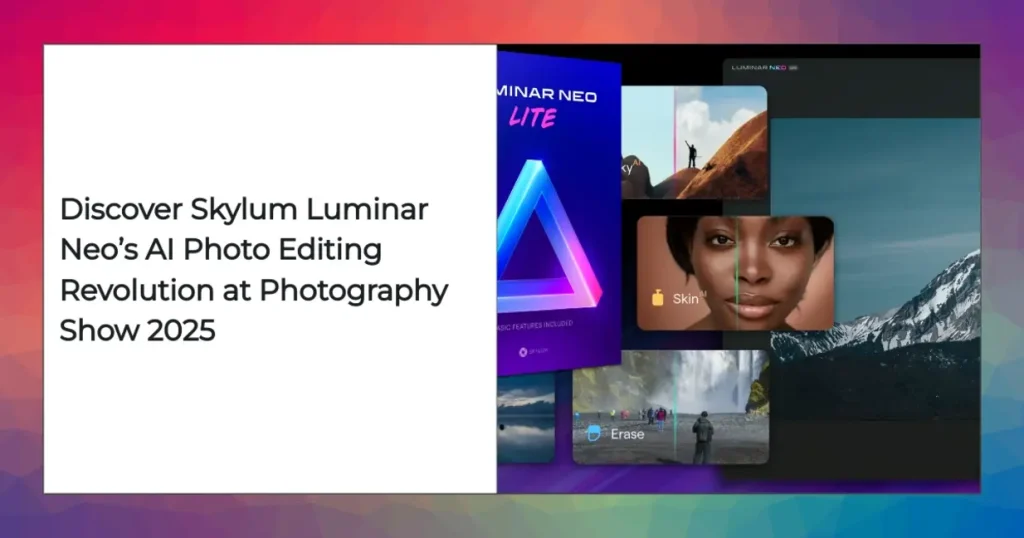
Luminar Neo AI Editing Interface Screenshot

Software can promise the moon, but if the user interface feels like hacking the Matrix, most of us will bail. What’s made Luminar Neo stand out in Spring 2025 is how it walks the line between robust power and real-world usability.
What Stands Out in the New Interface?
- Streamlined Workspace: The key tools—“Auto Adjust,” “Atmosphere AI,” portrait tweaks—are right in the spotlight, never buried in endless menus. Making complex changes is just a click away, which is a huge win when deadlines are looming.
- Visual Tooltips & Tutorials: Ever hovered your mouse, wishing the software would just tell you what to do next? With Luminar Neo, animated tooltips and pop-up tutorials appear right when you need them. It’s like learning Photoshop but with cheat codes activated.
- Layer Integration: Stack creative AI edits—exposure, sky replacement, object removal—like layers on a cake. Adjust each layer on the fly, toggle visibility, and never worry about destroying your originals.
- Workflow Innovation: The new export panel is a timesaver. Build custom presets, launch batch exports to the cloud, or publish directly to Instagram or your stock agency of choice—all from the same window.
Real-World Workflow Scenario
Picture this: You’re a real estate photographer juggling 200 shots from a mansion photo shoot. The deadline? Yesterday. With Luminar Neo, here’s how the workflow shakes out:
- Drag & Drop: Import the entire batch with one swoop—no fiddling with subfolders.
- Apply Batch “AI Enhance” + “Atmosphere AI”: Instantly fix exposure, color, and even sky details across all images. No human can match this speed.
- Fine-Tune with Panel: Skim the review, manually dial in the best shots, and flag any outliers for minor tweaks.
- Export Magic: Use the custom preset to export finished, watermarked files straight to a client-shared folder or social feed without leaving the app.
End result? You’ve just reclaimed an afternoon. That means more time for shooting, meeting clients, or binging the latest crime doc on Netflix.
Interface Design: A Step Further
What’s especially cool about Luminar Neo’s design is the onboarding for first-time users. Imagine you’ve just left the event and you’re opening your trial license. Instead of guessing which button does what, you’re guided step-by-step, with pop-outs and mini-tutorials (think Instagram Story style). Even if you’re new, you feel like a boss by your second edit.
Before and After AI Photo Enhancement

Sometimes numbers and features fade into the background. What really grabs attention—and wraps up the skeptics? Results. Skylum didn’t just tell, they showed, offering jaw-dropping before-and-after photos right at the booth. Here’s where the magic of their AI really shone.
Key Observations
- Automatic Exposure Correction & Color Grading: Flat, overexposed, or muddy photos were revived in moments. AI algorithms detected poor lighting, applied natural corrections, then expertly balanced contrast and warmth. No time for countless sliders or fiddly manual masks.
- Portrait Retouching: Got under-eye bags or a last-minute blemish before a wedding shoot? No problem. With “Intelligent Portrait Touchup,” the AI worked wonders: blemishes vanished, skin smoothed (but not plastic!) and harsh shadows banished. The kind of polish usually reserved for magazine cover shoots.
- Atmospheric Effects: Ever shot the perfect landscape only to discover the sky looks like a gray blanket? Luminar Neo’s AI swapped out dull skies in real time, added dreamy reflections, and even simulated haze for a movie-poster finish. No advanced Photoshop credentials required.
“AI photo enhancement results from Luminar Neo rival those of experienced retouchers, cutting editing time by up to 80% for everyday creators and pros alike.” — User Testimonial, Spring 2025
Pro Tips for Maximizing Results
Ever wanted to edit like a wizard? Here are some battle-tested tips from Skylum’s power users:
- Leverage Presets for Speed & Consistency: Once you find a winning AI formula for landscapes or portraits, save it as a custom preset. This is gold for brand consistency—especially when processing batches for social media or marketplace listings.
- Blend Manual & AI Tools: Let AI handle the heavy lifting, then use manual tweaks for perfecting details—think eyes, jewelry, or subtle local adjustments. The best edits have that hand-crafted feel layered on fast AI results.
- Optimize Export Workflows: Use Luminar Neo’s bulk export options to churn out multiple formats in seconds—RAWs for clients, web-optimized JPEGs for quick uploads, or watermarked versions for sneak peeks.
Real-Life Enhancement Story
Let’s put the theory into practice. Sarah, a freelance portrait photographer, landed an urgent gig photographing graduates against a busy campus backdrop. The weather? Overcast and gloomy. Using Luminar Neo, she batch-applied atmospheric enhancement, subtly brightened faces, retouched skin, and exported fully polished prints before half her competitors had even left their coffee break. The result: a gallery of radiant portraits that won raves (and repeat business) straight away.
Bottom line: With smart shortcuts like these, AI photo enhancement becomes your competitive edge—not just a buzzword.
Industry Recognition & Platform Expansion
With so much innovation splashing across demo booths and press headlines, recognition is more than a bragging right—it’s a sign that a platform has staying power. Skylum, thanks to their nonstop drive, capped off Photography Show 2025 with more than just applause.
2025 Highlights
- Awards: Skylum didn’t just participate—they dominated, taking home “Best AI Imaging Suite” from the prestigious TechImage Awards, edging out giants like Adobe and setting a new industry standard.
- User Growth: Evidence of momentum? Luminar Neo clocked a whopping 34% user base growth year-over-year, propelled by major partnerships with professional studios, photography schools, and creative agencies. That’s not just good marketing—it’s global community building in action.
- Platform Support: One of the biggest flexes was the rollout of full-featured Android and ChromeOS versions. For mobile-first creators (think “Instagram First” influencers or remote freelancers), this means you can access top-tier editing tools from virtually any device, at home or on the go.
Community & Education
- In-Platform Learning: Want cutting-edge features but worry about the learning curve? Skylum’s built-in support offers video tutorials, step-by-step guides, and personalized pop-up tips right inside the software. Education isn’t an afterthought—it’s woven throughout.
- Official Forums & Events: Community means more than just a forum link. Skylum’s ongoing schedule of live virtual workshops and feedback events keeps real users engaged, supported, and heard. Plus, peer-to-peer support is top-notch—solve bugs, trade tips, or just geek out about new releases.
Expanding the Skylum Universe
The numbers only tell part of the story. In 2025, Skylum ramped up international collaborations, partnering with travel photographers, wedding studios, and content creators in emerging markets. Their educational outreach reached high school programs and vocational training centers, giving aspiring photographers a head start with top-tier tools.
Not to mention, their “Creator Grants” and photo contests attracted thousands of entries each month, surfacing new talent and promoting diverse creative perspectives worldwide.
For a deeper look at the shifting tides in AI photo editing, growth trends, and the privacy issues making headlines in 2025, jump into Watch more.
Conclusion: Why Skylum and Luminar Neo are Setting the New Standard in Photo Editing
If you’ve made it this far, you already know 2025 marks a pivot point—not just for photo editing, but for what’s possible when intelligent automation meets user-first design. Skylum’s presence at Photography Show 2025 was much more than a product launch; it was a masterclass in how technology can amplify creativity rather than overshadow it.
From honest feature comparisons that cut through marketing noise, to hands-on demos that let you feel the power of AI in real time, Skylum’s Luminar Neo sets the new gold standard. Whether you’re a professional needing robust batch workflows or a student experimenting with your first creative projects, Neo brings unprecedented value, speed, and a continual sense of discovery.
Here’s what makes it stand out:
- A relentless drive for innovation, with practical features that address real-world challenges—not just wishlist items.
- A commitment to building community, transparency, and open-door support.
- Cutting-edge AI that’s as friendly to beginners as it is empowering for pros.
If you’re at the start of your creative journey, or thinking about switching from “that other” software, Luminar Neo has clear answers and immediate impact. For established studios and businesses, its cross-platform flexibility and competitive price point make it an intelligent, future-ready investment.
Ready to dive deeper, compare today’s AI leaders, or uplevel your editing game with Luminar Neo? Join the conversation. Share your stories, swap workflows, and help shape the next generation of digital creativity—because the real magic starts with you.
👉 Open Skylum Account: https://ai-solutes.com/skylum
👉 Our YouTube Channel: http://www.youtube.com/@ai-solutes
👉 Our Facebook Fanpage: https://www.facebook.com/profile.php?id=61576606911341
👉 Our X (Twitter): https://x.com/AISolutes
- Master Shu Uemura Makeup in 2026: Explore Top Trends, Innovations, and Must-Have Essentials
- Discover FaceApp’s AI Aging Filter, Best-in-Class Privacy Protection, and Viral Download Trends for 2025
- Studyable
- Master DocHub PDF Editor: Boost Productivity with Seamless Dashboard, Form Templates, and Secure Digital Signatures
- AI AVATAR