

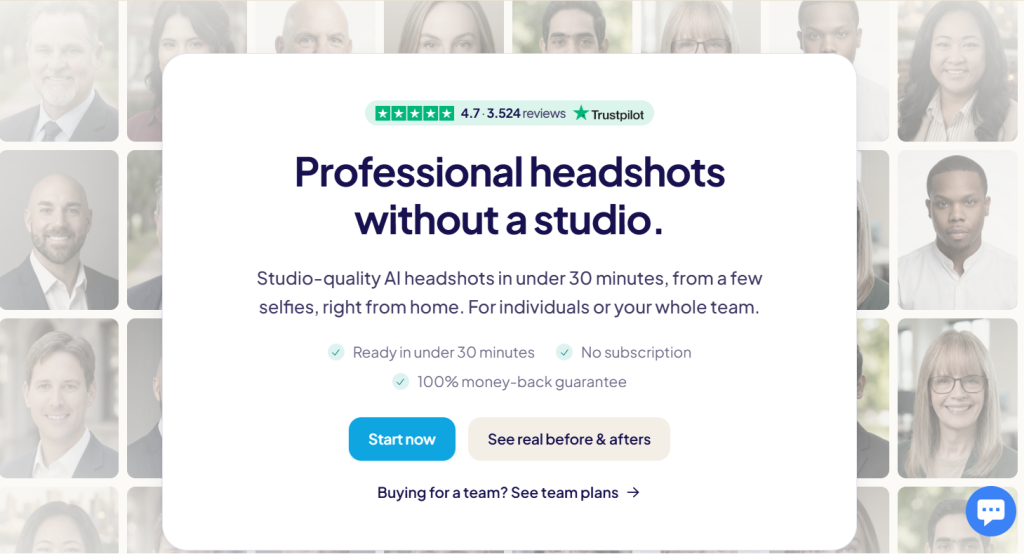
Your headshot is doing more work than almost anything else on your profile. It is the first thing a recruiter, a prospect, or a new hire sees, and for most professionals it is a photo taken for something else entirely — a wedding, a conference badge, a company shoot from four job titles ago. Booking a studio session fixes that, but at $150 to $800 per person and a two-week turnaround, and only until the next rebrand or the next hire. HeadshotPro was built to collapse that whole process into a single upload. You send a handful of selfies, pick your backdrops and outfits, and get back 30 to 70 studio-quality professional headshots in as little as 15 minutes, starting at $29 with no subscription attached. Since launching in 2023 it has processed more than 250,000 orders, carries a Trustpilot score in the 4.7 to 4.8 range across 3,500+ reviews, and is used by teams at HubSpot, Solugenix, Anywhere Real Estate and Price Benowitz LLP — the last of which reports saving over $15,000 a year across 40 offices.
For freelancers refreshing a stale LinkedIn photo, founders who need a decent press shot by Friday, agencies keeping a client-facing roster consistent, and HR leads rolling out headshots across 200 distributed employees, the appeal is obvious. But AI headshots are not a solved problem, and the gap between the marketing page and the actual experience is where most buyers get burned. This 2026 review walks through how HeadshotPro works, every pricing tier and what you really get for it, the team and enterprise tooling, an honest look at the refund terms and likeness variance, head-to-head comparisons with Aragon AI, BetterPic and a traditional photographer, and exactly who should — and shouldn’t — buy in.
HeadshotPro Review 2026: Studio-Quality AI Headshots for One Professional or an Entire Company
Overview and Background
HeadshotPro is an AI headshot generator that turns a small batch of ordinary selfies into a full set of professional portraits. It operates as Headshot Pro Photography Pte. Ltd., a Singapore-registered company, and was founded in 2023 by Danny Postma, a Dutch indie hacker who had already sold his previous AI product, the copywriting tool Headlime, to Jasper for a seven-figure sum roughly eight months after launch. HeadshotPro started life as a solo project built on the back of the Stable Diffusion wave and became one of the clearest commercial successes of that moment, reportedly reaching around $300,000 in monthly revenue inside its first year.
The core insight was narrower than most of its contemporaries. While competitors chased fun avatars and fantasy portraits, HeadshotPro targeted a single boring, expensive, recurring business problem: the professional headshot. That focus shaped everything that followed — the style library skews conservative, the outputs are sized for LinkedIn and company directories rather than social novelty, and the product’s centre of gravity has steadily shifted from individuals toward teams, where the coordination pain is worst and the budget is real.
Three years on, the scale is substantial: over 250,000 orders placed, tens of millions of headshots generated, and a customer base that runs from solo consultants to Fortune 500 marketing departments. The company publishes an internal satisfaction figure of 96.7% and a refund rate of 3.3% based on 217,879 purchases between 2023 and 2026, and it holds SOC 2 Type II compliance with a DPA available on request — the paperwork that matters once procurement gets involved. Independent sentiment broadly agrees: Trustpilot listings for the brand sit at 4.7 to 4.8 stars across 3,500+ reviews, with roughly 83% five-star and about 2% one-star.
Why HeadshotPro Stands Out in 2026
Team rollout is the real product: Most AI headshot tools are single-player. HeadshotPro is the one built for an admin managing 50 people across three time zones. Admins curate the style pool so everyone matches, invite members by email or a domain-restricted open link, chase stragglers with automatic reminders, track who has finished, and bulk-download the entire set. That operational layer — not the image model — is what makes it the default choice for HR and marketing leads.
No subscription, and credits that never expire: Individuals pay once per shoot. Teams buy credits, one credit per person’s full shoot, and those credits sit in the account indefinitely. Buy 40 now, spend 12 this quarter and the rest as you hire. In a category increasingly drifting toward monthly plans, “nothing renews in the background” is a genuine differentiator for finance teams who don’t want another recurring line item.
Volume discounts that stack across your lifetime spend: Discounts are cumulative rather than per-order. Buy 30 credits this quarter and 30 more next quarter, and the second order is priced as though you had bought 60 at once. For a company that hires continuously, that structure is meaningfully better than the flat per-seat pricing most competitors offer.
Speed that actually clears the bar: The Executive tier returns 70 headshots in roughly 15 minutes; Professional lands 50 in about 30 minutes. That is fast enough to run a shoot during a lunch break, and fast enough that a new hire can have a matching directory photo on day one rather than waiting for the next quarterly photographer visit.
A privacy position that survives a security review: Uploaded photos are never used to train models — there is no opt-in path and no exception — and input images auto-delete 30 days after generation. Data is encrypted at rest with AES-256 and in transit over TLS. Combined with SOC 2 Type II and a DPA available to every customer through the Trust Center, this is the rare consumer-priced AI tool that an enterprise IT team will actually approve.
A built-in profile picture editor, not just a download link: Once your set is generated, a self-serve editor crops to platform-exact dimensions for LinkedIn, Slack, email signatures or print, and lets you adjust shape, background, finish and border. Teams can push a logo and text overlay template across every member’s photo, which is branded consistency without hiring a designer.
Genuinely useful free tools around the paid product: A free headshot generator, a LinkedIn photo optimizer and a profile picture editor all sit outside the paywall. They aren’t a substitute for a full shoot, but they are a real way to test whether AI portraiture suits your face before spending anything — and for someone who only needs a cleaner crop and background, they may be enough on their own.
Key Features and Technology
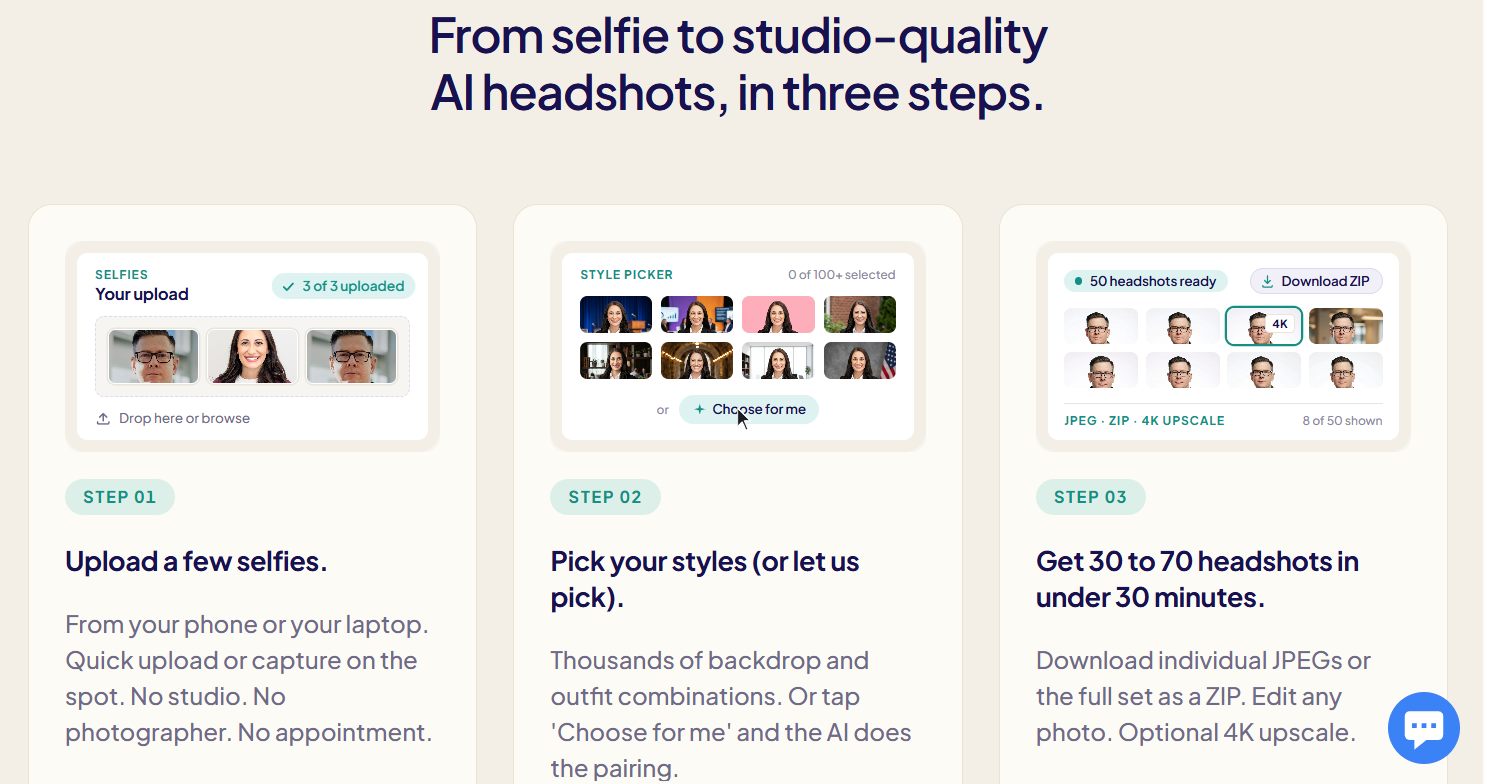
The workflow is deliberately short — upload, choose, download — but each stage has more depth than the three-step marketing graphic implies. Here is how the platform actually breaks down.
The Shoot: Upload, Validation and Generation
You upload a batch of selfies from a phone or laptop — the platform accepts quick uploads or on-the-spot capture, and best results come from a variety of angles in decent light, taken close to how you currently look. An auto-validation step flags photos that fall below submission standards before generation begins, which is the single most valuable piece of engineering here: a bad input set is the leading cause of disappointing output, and catching it early saves the shoot. Generation then produces 30, 50 or 70 headshots depending on your tier, across a mix of backdrops, outfits and angles, in roughly two hours, 30 minutes or 15 minutes respectively.
Styles, Backdrops and Outfits
The style library runs to over 100 backdrops and thousands of backdrop-and-outfit combinations, with per-gender outfit options spanning suits, blouses, scrubs and smart casual — which matters more than it sounds if you work in healthcare, law or trades rather than a generic office. If choosing feels like work, a “Choose for me” option lets the system pair backdrops and outfits automatically. You are not locked into your initial selection either; backdrops and outfits can be swapped afterward using edit credits.
Editing, Retries and Output Formats
Every package includes photo credits for edits — 6 on Basic, 26 on Professional, 46 on Executive, and 16 per member on Team plans. Those credits buy backdrop changes, outfit swaps, blemish removal and extra headroom on a shot you almost like. Professional and Executive also include one free redo of the entire shoot within 14 days, which is the practical safety net if your first upload set was weak. Output is high-resolution JPEG across the board, with 4K upscale and both portrait and landscape formats reserved for the Executive tier.
Team Management and Brand Control
This is the deepest part of the product. Team admins get owner/admin/member roles and sub-teams, invitations by email or managed add, a domain-restricted open invite link, passwordless magic-link login, automatic reminders, CSV export of member statuses, bulk upload and bulk download, results review with follow-up tracking, custom onboarding fields, and automatic shoot-renewal scheduling so photos don’t quietly go stale again. On the brand side, admins enforce backdrop consistency, define per-team style and clothing pools, upload up to 12 custom backdrops, set custom output image sizes, and apply logo templates team-wide.
Integrations, Security and Identity
Team accounts get REST API access rated at 300 requests per minute, webhooks and a Zapier integration — enough to wire headshot generation into an onboarding automation so a new hire’s photo lands in the directory without anyone touching it. Enterprise adds SCIM directory sync for Okta and Entra ID, whitelabel embedding, custom email templates, audit logs and a signed MSA. Single sign-on via SAML 2.0 or OAuth with JIT provisioning is available to any Teams organisation as an add-on, billed at the identity provider’s cost rather than marked up — a notably fair piece of packaging.
Pricing, Plans, and Package Structure
There is no subscription anywhere in the individual product and nothing renews automatically. Individuals buy a one-time package; teams buy credits at one credit per person’s shoot, with automatic volume discounts. The only extras are small photo-credit packs for additional edits and the optional SSO add-on for teams. Note that the published volume-discount tiers differ slightly between HeadshotPro’s own pages — one lists discounts starting at 5 credits and reaching 50%, another starts at 6 credits and reaches 60% at 200+ — so treat the figures below as approximate and confirm the live tiers at checkout.
| Plan | Approx. Price | What You Get | Best For |
|---|---|---|---|
| Basic | ~$29 one-time | 30 headshots, ~2 hour turnaround, 6 photo credits for edits, no free redo | Testing the waters before committing to a team rollout |
| Professional | ~$39 one-time | 50 headshots, ~30 minutes, 26 photo credits, 1 free redo within 14 days | Most individuals — the best balance of volume, edits and safety net |
| Executive | ~$59 one-time | 70 headshots, ~15 minutes, 46 photo credits, 4K downloads, portrait and landscape | Executives, speakers and anyone needing print-resolution files |
| Team (credits) | ~$19.50–$39 per shoot | 40 headshots + 1 free retry per person, 16 edit credits each, admin dashboard, API, invoicing; discounts stack on lifetime spend | Teams from ~5 to 1,000 people; agencies and growing companies |
| Enterprise | Custom quote | Everything in Team plus SSO and SCIM included, signed MSA, Net-30 invoicing, audit logs, dedicated rollout support | 1,000+ headcount organisations with procurement and IT requirements |
| Free tools | $0 | Free headshot generator, LinkedIn photo optimizer, profile picture editor — not a full shoot | Anyone wanting to sanity-check the concept before paying |
How HeadshotPro Compares to Alternatives
| Option | Approx. Cost | Turnaround | Where It Wins |
|---|---|---|---|
| HeadshotPro | ~$29–$59 solo; ~$19.50+ per team shoot | 15 min – 2 hours | Team rollout tooling, API and SSO, cumulative volume discounts, non-expiring credits |
| Aragon AI | ~$35–$75 list, often discounted | 15–45 minutes | Largest review base in the category, class-leading speed, strong premium-tier polish |
| BetterPic | ~$35–$79 | ~1 hour+ | 4K on every tier, human retouching on the top plan, ISO 27001 and EU data residency |
| Photo AI | ~$19–$199 per month | Varies | Unlimited regeneration for people who reshoot constantly; broader creative output |
| Traditional studio shoot | ~$150–$800 per person | 1–2 weeks after booking | Real photographs of the real you, human direction, no disclosure or likeness risk |
vs. Aragon AI: Aragon is the bigger consumer brand, with roughly 6,000 Trustpilot reviews to HeadshotPro’s 3,500 and the fastest premium turnaround in the category. For one person buying one shoot, the two are close enough that price on the day should decide it — Aragon runs frequent promotions that push its real price well below list. The gap opens at team scale: Aragon has no equivalent of HeadshotPro’s admin dashboard, domain-restricted invites, renewal scheduling and SCIM provisioning.
vs. BetterPic: BetterPic competes on output quality rather than logistics — 4K at every tier, automatic AI retouching, and human retouching on its top plan, plus a broader compliance portfolio including ISO 27001 and EU data residency in Frankfurt. If you need one hero image to be genuinely excellent, or you’re in a regulated European industry, BetterPic is the stronger call. If you need 80 people photographed consistently by Friday, HeadshotPro is.
vs. a traditional photographer: The honest comparison isn’t cost per photo, it’s cost per keeper. A studio session might deliver five to fifteen finished images for $150 to $800; HeadshotPro delivers 30 to 70 for $29 to $59, of which most users report keeping around five to ten. On pure economics AI wins by an order of magnitude. But a photographer gives you an actual photograph of you, human direction on posture and expression, and no awkward conversation if someone asks whether the image is real — which, given that a 2024 survey of over a thousand recruiters found roughly two-thirds are put off once they know a headshot is AI-generated, is a factor worth weighing rather than dismissing.
Pros and Cons
What Users Love
The process is genuinely painless: The most consistent praise across thousands of reviews isn’t about the images at all — it’s about how little friction there is. Upload, pick, wait, download. No booking, no travel, no posing, no photo-editing skill required, and it runs in any browser on desktop or mobile.
Cost per usable photo is hard to argue with: Even assuming a modest keeper rate, a $39 package that yields five to ten usable headshots lands somewhere between $4 and $8 per keeper. The equivalent studio figure is typically $30 to $100.
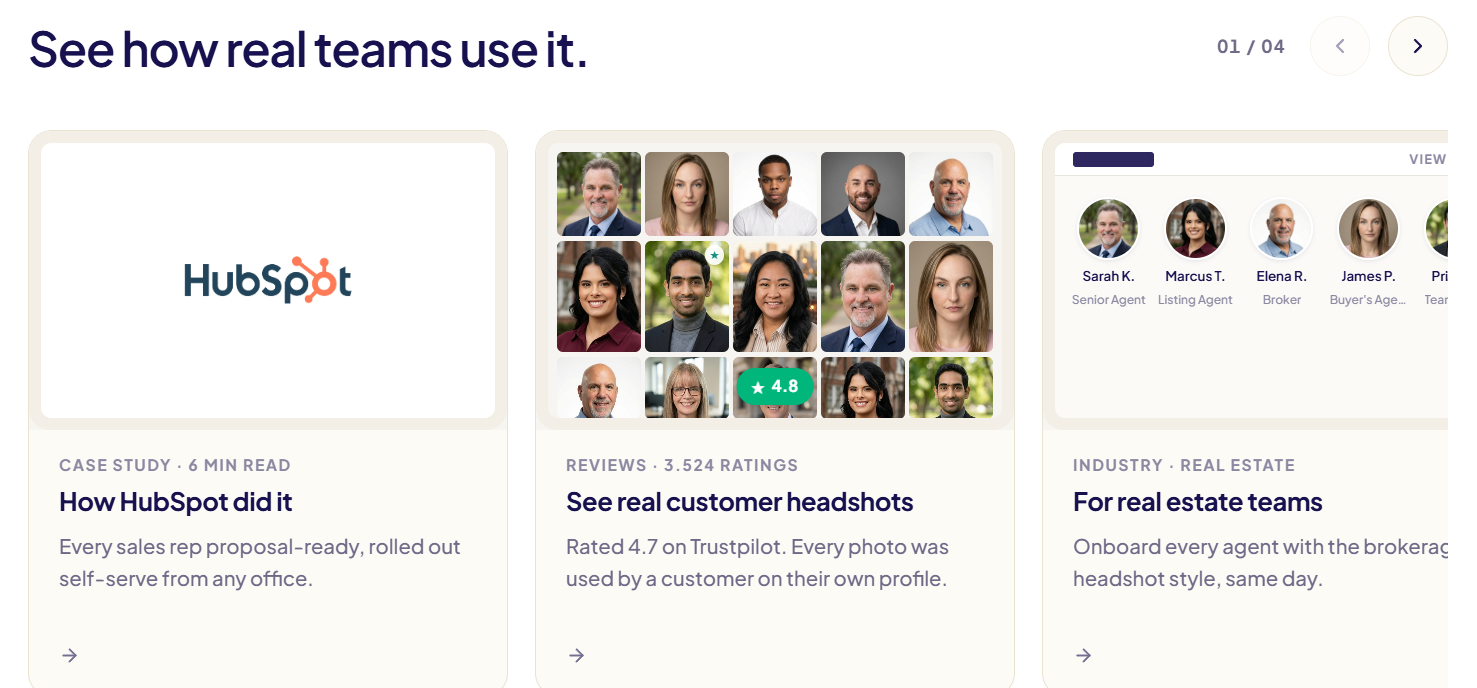
Team consistency solves a real operational headache: Case-study customers cite exactly this — Solugenix unified staff photos across the US, Asia and the Caribbean after years of inconsistent local photographers, and Price Benowitz reports over $15,000 in annual savings across 40 offices.
Backdrop and outfit variety is deep: Reviewers repeatedly mention being surprised by the range of options, and the ability to swap a backdrop or outfit after the fact means a near-miss photo can often be rescued rather than discarded.
Support is responsive and publicly accountable: The company replies to the overwhelming majority of negative Trustpilot reviews, usually within a week, and frequently regenerates photos for dissatisfied customers rather than arguing.
Limitations Worth Knowing
Likeness is variable, and the company says so: HeadshotPro’s own refund page states plainly that you will get some odd photos and that most images in a set won’t be keepers. The most common complaint across the entire category — cited by a large majority of dissatisfied users in industry surveys — is that the generated face doesn’t quite look like them. Reviewers with long hair, distinctive features or limited upload variety report this most often.
The refund terms are stricter than the headline: “100% money-back, no expiry” is the marketing line; “no downloads and within 14 days” is the actual policy. Download one photo and you may lose eligibility. Evaluate in-browser first.
Editing tools can misfire: Multiple 2026 reviewers have reported expression-change edits returning near-identical results, burning credits without producing meaningful variation. It’s not universal, but it’s frequent enough to plan around.
4K is gated to the top individual tier: If you need print-resolution files, Executive is your only option among the individual packages, and the plan comparison lists 4K downloads as unavailable on Team and Enterprise plans — worth confirming with sales if print matters for a company rollout.
There’s no free trial of the real product: The free tools are useful but peripheral — background cleanup and cropping, not a generated shoot. To evaluate actual output quality you have to pay, which is precisely why the refund conditions matter so much.
Everything expires: Download links last 7 days, results and inputs auto-delete at 30. Miss that window and you’re paying for a new shoot.
Who Should Use HeadshotPro
HR and marketing leads running a team rollout: This is the sweet spot and the reason to choose HeadshotPro over its rivals. If you’re coordinating 20 to 500 people across offices and time zones, the admin dashboard, invite links, reminders and bulk download will save you more hours than the software costs. Start with a Team credit purchase and let the cumulative discount build.
Freelancers and consultants with a stale profile: If your LinkedIn photo is more than three years old and a studio session isn’t in the budget this quarter, the Professional package at around $39 is a straightforward upgrade with a redo built in.
Remote and distributed companies: When your team has never been in the same room, a photographer isn’t a practical option at all. Remote-first organisations are the natural constituency here, and the renewal scheduling feature keeps the directory current as people join and leave.
Real estate, sales and professional services teams: Agents, brokers and associates need current, on-brand photos on listings, proposals and firm pages, and headcount churn makes traditional shoots a permanent chore. The industry-specific outfit options and same-day new-hire turnaround are built for exactly this.
Who should skip it: Actors, models and anyone whose headshot is the product itself — casting expects real photography. Executives commissioning a signature portrait for press and annual reports should still hire a photographer, or at minimum choose a tool with human retouching. And if you’re in a field where disclosure of AI imagery would be professionally awkward, weigh that before ordering.
Getting Started: Step by Step
- Try the free tools first. Run the free LinkedIn photo optimizer or profile picture editor to see how AI treats your face and whether a simple crop-and-background fix is all you actually need. It costs nothing and takes two minutes.
- Gather a strong upload set. This is the step that determines your outcome. Use recent photos, eye-level, in good natural light, with varied angles and expressions, no sunglasses, no hats, no group shots, and nothing obscuring your face. If you’ve changed your hair or grown a beard recently, upload the current version.
- Pick the right package. Professional at around $39 is the default recommendation for individuals thanks to the free redo. Choose Executive only if you need 4K or landscape formats. If you’re buying for a team, run one individual shoot first as a quality check.
- Choose your styles — or delegate them. Select backdrops and outfits that match your actual industry rather than the most impressive-looking ones, or use “Choose for me” and let the system pair them. Team admins should lock a shared style pool before inviting anyone.
- Review everything in the browser before downloading. This is the critical step. Assess the full set on screen while your refund eligibility is intact. If nothing looks like you, use the free redo or initiate a refund — then download once you’re satisfied.
- Spend edit credits on your favourite, then save it properly. Pick the one or two shots you genuinely like and use edit credits to generate variations of those rather than spreading credits thinly. Download everything within 7 days, and back it up somewhere permanent before the 30-day auto-delete.
Tips for Getting Maximum Value
Treat your upload set as the real investment: the single highest-leverage thing you can do is spend fifteen minutes taking fresh, well-lit selfies at different angles rather than digging through old camera roll photos, because no model recovers from a weak input set. Judge the result on cost per keeper, not headline price — a $39 package that yields eight usable shots beats a $29 one that yields two. Never download until you’ve reviewed the whole set, since a single download can end your refund window. Use the free redo on Professional and Executive if the first run misses; it’s included and most people forget it exists. Concentrate edit credits on one or two strong photos instead of tweaking many mediocre ones, and expect expression edits in particular to be hit-or-miss. If you’re buying for a team, place the first credit order deliberately rather than incrementally — discounts stack cumulatively, so consolidating purchases into fewer, larger orders reaches the higher tiers faster. And check whether SSO is genuinely needed before adding it; it’s billed at provider cost, but that’s still a cost.
Future Outlook and Final Assessment
The structural tailwinds are strong. The AI headshot segment has grown from a novelty into a category worth several hundred million dollars annually and is still compounding at a double-digit rate, while the traditional headshot photography market — worth somewhere between $1.8 billion and $3.8 billion depending on how you count it — is being squeezed hardest in exactly the $50 to $300 band where AI is now competitive. Remote work has permanently decoupled employees from any single office where a photographer could show up, and corporate HR increasingly treats an updated portrait as a standard onboarding artifact rather than an occasional project. HeadshotPro’s decision to build for administrators rather than individuals looks well-timed for that shift.
The counterweights are equally real. Likeness accuracy remains the category’s unsolved problem and no marketing claim changes that; you are buying a generated approximation, and some people’s faces come back better than others. Perception is shifting too — as AI imagery becomes ubiquitous, the professional cost of a headshot that reads as synthetic may rise rather than fall. And the distance between the “no expiry” refund headline and the actual “no downloads, 14 days” policy is the kind of gap that erodes trust when a customer discovers it at the worst moment.
Conclusion
HeadshotPro isn’t magic, and it doesn’t pretend to be — the company itself tells you upfront that most photos in a set won’t be keepers. What it does deliver, reliably and at a price that barely registers as a business expense, is a handful of genuinely professional portraits without a studio, a photographer, or a calendar negotiation. For solo professionals it’s a cheap fix for a photo that’s been embarrassing you for years. For teams, it’s something closer to infrastructure: a repeatable way to keep a hundred faces consistent, on-brand and current as people join and roles change. Upload carefully, evaluate before you download, choose the tier that matches what you’ll actually use, and one of the most visible pieces of your professional identity stops being a chore — because that’s what good tools do, they make everything easy.
Ready to upgrade the photo everyone sees first?
Explore more honest reviews, tutorials and tool comparisons to find the right tech for the way you work and live — at AI Solutes, where we make everything easy.
👉 Get Started: https://ai-solutes.com/headshotpro
👉 Our YouTube Channel: youtube.com/@ai-solutes
👉 Our Facebook Fanpage: Facebook
👉 Our X (Twitter): @AISolutes
- Unlock Unmatched Enterprise Automation with Google Gemini AI: Multimodal Intelligence and Future-Proof Integration for 2025
- Polyhive AI
- FaceApp AI Face Editing: Features, Competitor Comparison, Revenue, Viral Trends & Demographics
- Unlock Maximum Productivity in 2026 with Panda Planner: A Neuroscience-Driven Guide
- Does HelpDesk Streamline Customer Support? Evaluating the HelpDesk Ticket Management Suite















