


You can write a brilliant ad, target the perfect audience, and still lose almost every dollar you spend the moment someone clicks. That is because the click is only half the transaction — what happens on the page afterwards decides whether you got a customer or just paid for a bounce. Unbounce exists to fix that second half. Founded in Vancouver in 2009 by Rick Perreault and five co-founders tired of waiting on developers to ship a single campaign page, Unbounce essentially invented the dedicated landing page builder category. Sixteen years later it serves more than 15,000 paying customers, powers over 100,000 live websites, and publishes conversion benchmarks drawn from 57 million real conversions across 41,000+ landing pages. Its flagship AI, Smart Traffic, routes every individual visitor to the page variant most likely to convert them, and Unbounce reports an average 30% lift over conventional A/B testing.
For performance marketers, agencies, SaaS teams, ecommerce brands, and freelancers whose income depends on turning paid clicks into leads, that promise is worth taking seriously — but only if you understand what Unbounce actually costs, which features sit behind which paywall, and where real customers say it falls short. This 2026 review walks through the full platform: the two builders, the AI stack, every pricing tier with its traffic caps, honest head-to-head comparisons against Instapage, Leadpages and Landingi, the billing and support complaints you should know about before you subscribe, and exactly who should — and shouldn’t — put a campaign on it.
Unbounce Review 2026: The AI Conversion Platform That Turns Paid Clicks Into Customers — If You Have the Traffic to Feed It
Overview and Background
Unbounce is a Canadian software company headquartered in Vancouver, British Columbia, that builds cloud-based tools for creating, testing, and optimizing landing pages, popups, and sticky bars. The origin story is unusually instructive. In 2009, Rick Perreault convinced five colleagues — among them Oli Gardner, Carl Schmidt, Jason Murphy, Carter Gilchrist and Justin Stacey — that marketers were losing campaigns not to bad creative but to development queues. Every new offer needed a new page; every new page needed a developer who was already booked solid. Their answer was a drag-and-drop editor that let a marketer publish a campaign page without touching code.
The software didn’t launch until summer 2010. For months the company was essentially a blog, because Perreault recognized that nobody could search for a category that did not yet exist. That content-first strategy built the audience that built the company — and it is why Unbounce, rather than any better-funded rival, is still the name most marketers reach for first. Offices followed in Montreal and Berlin, along with the influential Call to Action Conference, and the company bootstrapped for a full decade before taking outside money.
The past six years have reshaped the business considerably. In June 2020 Unbounce raised roughly $38 million led by Denver private equity firm Crest Rock Partners, which took a controlling stake. In 2021 it acquired AI copywriting startup Snazzy AI, which became Smart Copy. A difficult 2022 brought a roughly 20% workforce reduction. Steve Oriola — previously CEO of Pipedrive and Act! — took over in January 2024, and that July Unbounce merged with San Francisco CRM company Insightly, also a Crest Rock holding. Unbounce now sits at the center of a wider go-to-market suite alongside Insightly CRM and attribution platform LeadsRx.
Why Unbounce Stands Out in 2026
Smart Traffic is genuinely different from A/B testing: Conventional split testing eventually crowns one winner and sends everyone there — which means the variant that lost overall still gets discarded even if it dramatically outperformed for mobile users in Germany. Smart Traffic uses machine learning to read attributes like device type, browser, operating system, geography, time of day and referral source, then routes each individual visitor to the variant statistically most likely to convert them. It begins making routing decisions after as few as 50 visits and, according to Unbounce’s own aggregated customer data, produces a median lift of roughly 30% over standard 50/50 splits. No other mainstream landing page builder offers a comparable, mature version of this.
Sixteen years of conversion data behind the AI: Unbounce’s AI is not generic large-language-model output bolted onto a page editor. The Smart Builder draws on more than a decade of platform data covering upwards of 1.5 billion conversions, and the company’s Conversion Benchmark Report analyzes 57 million conversions across 41,000+ pages, putting the median landing page conversion rate around 6.6%. That dataset is a genuine moat, and it powers the industry benchmarking feature on higher tiers.
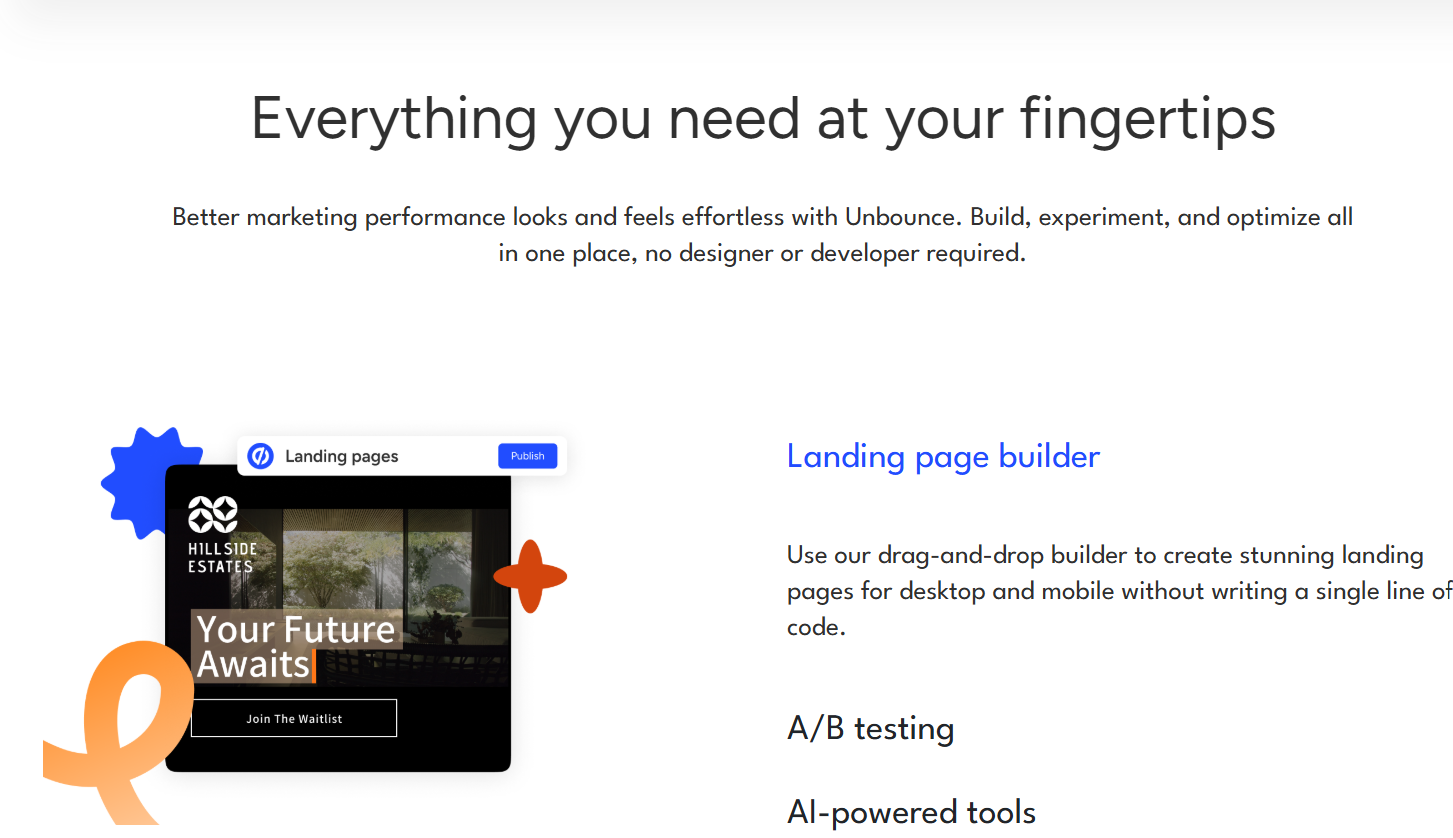
Two builders for two very different users: The Classic Builder gives pixel-perfect, absolutely-positioned control plus custom CSS, JavaScript and tracking scripts — the reason agencies and CRO specialists stay loyal to it. The Smart Builder is the AI-guided path: describe your offer and audience, and it assembles a structured, on-brand page in under a minute. Most platforms force you to pick a philosophy; Unbounce ships both.
Dynamic Text Replacement closes the ad-to-page gap: DTR automatically swaps headline and body copy to match the keyword that triggered a visitor’s ad click, so someone searching “emergency plumber Dallas” lands on a page saying exactly that — without you building fifty near-identical pages. Better message match lifts conversion rates and often improves Google Ads Quality Score, lowering your cost per click. It is one of the most immediately profitable features here.
Pages are fast and independently hosted: Independent testing has clocked Unbounce-hosted pages at around two seconds on average, comfortably ahead of many competitors and far better than a bloated WordPress install running four page-builder plugins. Every plan includes free hosting, but you can also publish to your own domain or push pages into an existing WordPress site.
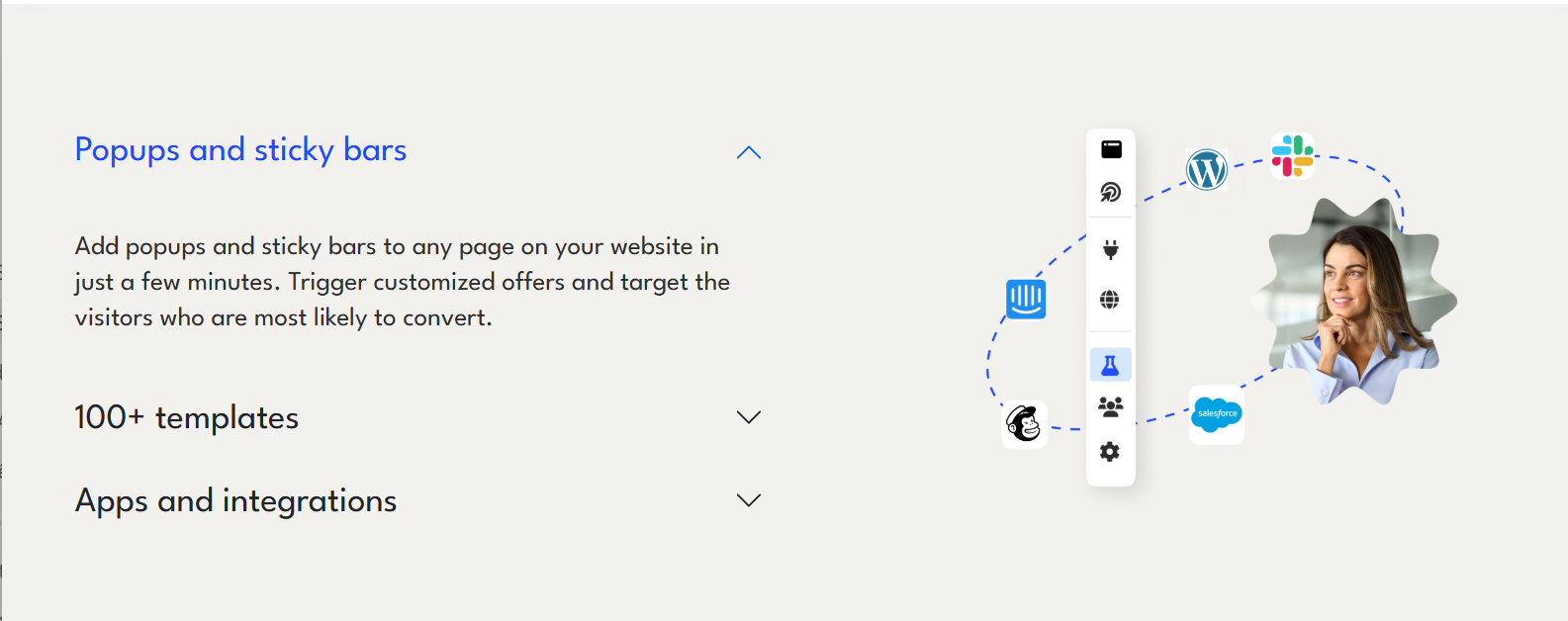
A deep, marketer-friendly integration layer: Unbounce advertises access to over 1,000 integrations, with roughly 60 native connections to tools such as Salesforce, HubSpot, Mailchimp, Slack and Shopify, and thousands more reachable through Zapier. Native Salesforce support in particular is cited repeatedly by reviewers as the reason they stay. Since the Insightly merger, the platform is also being positioned to activate first-party CRM data — increasingly valuable as third-party cookies continue to disappear.
Key Features and Technology
Unbounce’s feature set is organized around a single question: how do you get more conversions from traffic you have already paid for? Here is what that looks like in practice.
Page Building: Classic and Smart
The Classic Builder is a true drag-and-drop canvas with free positioning, custom fonts, background video, parallax sections, lightboxes and full custom code injection, plus 100+ templates organized by industry and campaign type and designed around CRO principles rather than aesthetics alone. The Smart Builder is prompt-first: describe the offer, audience and tone, and the AI generates a complete draft page you then refine. Designers gravitate to Classic; small teams launching quickly get more from Smart.
Smart Traffic and A/B Testing
These two live on different tiers and solve different problems. Unlimited A/B testing arrives on the Experiment plan and includes unlimited variants, manual traffic allocation and confidence intervals, so you can run statistically defensible experiments and know when a result is real. Smart Traffic arrives on the Optimize plan and replaces that manual work with continuous, per-visitor routing driven by a multi-armed bandit algorithm. In practice, most serious teams use both: A/B testing to validate big strategic swings, Smart Traffic to squeeze incremental gains automatically once you have several viable variants live.
Smart Copy and the AI Layer
Smart Copy, which grew out of the 2021 Snazzy AI acquisition, generates and rewrites headlines, body copy, calls to action and matching ad text from short prompts. It is available from the Build plan upward. Beyond copy, the AI layer now includes full page generation from a prompt, conversion-oriented layout recommendations, and — on the roadmap the company has publicly discussed — an agentic AI copilot, expanded generative capabilities, and predictive analytics across the wider Unbounce and Insightly portfolio.
Personalization, Popups and Forms
Dynamic Text Replacement handles keyword-level personalization from the Experiment plan up. Lead-generation forms are available on every tier, with multi-step forms from Build onward — a meaningful conversion lever, since breaking a long form into stages reliably reduces abandonment. Popups and sticky bars are unlimited on paid plans, with advanced triggers (exit intent, scroll depth, time on page) and scheduling unlocked on Optimize, so a Black Friday bar can switch itself off at midnight without anyone logging in.
Analytics, Benchmarking and Compliance
Conversion insights and reporting begin on Experiment, with industry benchmarking and audience insights added on Optimize — letting you compare your conversion rate against the platform-wide dataset for your vertical rather than guessing whether 4% is good. On compliance, Unbounce stores EU lead data within the EU, makes Data Processing Agreements available on request, and supports consent checkboxes for GDPR and CASL workflows — though, as the company notes, overall regulatory compliance remains your responsibility.
Pricing, Plans, and Package Structure
Unbounce is a recurring subscription with no permanently free tier — you get a 14-day free trial with full feature access and no credit card required, and after that you pay monthly or annually. Annual billing saves 25% across all fixed-price plans. Critically, pricing is metered on visitors, not pages: conversions and subdomains are unlimited on every plan, but each tier caps monthly traffic, and exceeding it triggers a one-time overage charge rather than shutting your pages down. The figures below reflect published USD pricing at the time of writing and should be treated as approximate — platforms in this category revise pricing regularly and promotional discounts are common.
| Plan | Monthly / Annual | Traffic & Seats | What It Unlocks |
|---|---|---|---|
| Starter | ~$29 / ~$22 per month | ~500 visitors · 1 user · 1 root domain | Up to 5 pages, drag-and-drop builder, lead-gen forms, free hosting, full support access |
| Build | ~$99 / ~$74 per month | ~20,000 visitors · 1 user · 1 root domain | Unlimited pages, custom scripts & tracking pixels, popups and sticky bars, multi-step forms, AI copywriting, 1,000+ integrations |
| Experiment (most popular) | ~$149 / ~$112 per month | ~30,000 visitors · 3 users · 2 root domains | Unlimited A/B testing, unlimited variants, manual traffic allocation, confidence intervals, Dynamic Text Replacement, conversion reporting |
| Optimize | ~$249 / ~$187 per month | ~50,000 visitors · 5 users · 3 root domains | Smart Traffic AI routing, page/popup/sticky bar scheduling, advanced triggers, industry benchmarking, audience insights |
| Agency | Custom quote | From ~50,000 visitors · from 5 users · from 10 root domains | Multi-client infrastructure, implementation services, dedicated success manager, agency partner directory listing |
| Concierge | Custom quote | From ~100,000 visitors · 15 users · 5 root domains | Flexible limits, implementation services, dedicated customer success management, priority support |
How Unbounce Compares to Alternatives
| Platform | Entry Price (annual) | Standout Strength | Main Trade-Off |
|---|---|---|---|
| Unbounce | ~$22 (Starter) · ~$74 realistic entry | Smart Traffic per-visitor AI routing; deepest conversion dataset; pixel-perfect Classic Builder | A/B testing and Smart Traffic sit two paywalls apart; visitor caps with overage |
| Instapage | ~$99 | Excellent editor, AdMap ad-to-page mapping, strong team collaboration and review workflows | Heatmaps and advanced experimentation gated at ~$199+; reviewers report slow product evolution since its 2023 acquisition |
| Leadpages | ~$37–49 | No traffic caps at any tier, built-in checkout, easiest learning curve, A/B testing at lower tiers | Less design freedom; smaller conversion dataset behind its AI |
| Landingi | ~$24–29 | Best raw value; A/B testing and AI insights bundled around ~$119; strong white-label options for agencies | No equivalent to Smart Traffic’s per-visitor routing; smaller brand ecosystem |
| DIY: WordPress + page builder | ~$5–20 hosting + plugin | Cheapest by far; total ownership; unlimited everything | No native testing infrastructure, no AI routing, slower pages, and you own every technical problem |
vs. Instapage: These are the closest genuine rivals, both premium products aimed at performance teams. Instapage arguably has the more pleasant editor and better collaboration tooling for departments running formal review cycles. Unbounce wins decisively on optimization automation — Instapage has nothing matching Smart Traffic’s per-visitor routing — and it keeps shipping AI features while Instapage reviewers increasingly complain the core builder has stagnated since airSlate acquired it in late 2023. Need approval workflows? Instapage. Need the page to optimize itself? Unbounce.
vs. Leadpages: Leadpages is the value argument, and it is a strong one. It costs roughly half as much, imposes no traffic caps at any tier, includes A/B testing at its entry level rather than two tiers up, and is markedly easier for a beginner. What you give up is design freedom and depth of optimization data. For a solo creator, coach or small local business running modest traffic to a lead magnet, Leadpages is very often the more sensible purchase. For a team where a two-point conversion improvement translates into thousands of dollars of recovered ad spend, Unbounce’s data advantage earns the premium.
vs. WordPress and a page builder: If budget is the binding constraint, a WordPress install with Elementor or a similar builder produces a perfectly serviceable landing page for a fraction of the cost. What it will not give you is variant testing infrastructure, confidence reporting, per-visitor AI routing, or two-second load times without ongoing performance work. Unbounce’s real pitch to a WordPress user is not “better pages” but “stop losing money on traffic you already bought” — and whether that lands depends entirely on how much traffic you buy.
Pros and Cons
What Marketers Love
Genuine independence from developers: This remains the core promise and Unbounce still delivers on it better than almost anyone. Reviewers routinely describe having their first page live and collecting leads within hours, and non-designers consistently report shipping pages they are not embarrassed by.
Best-in-class A/B testing: G2 reviewers score Unbounce’s A/B testing capability at roughly 8.9 out of 10 — among the highest marks in the category. Unlimited variants, manual allocation control and built-in confidence intervals mean you can run real experiments rather than guess at results.
Smart Traffic actually moves the needle at scale: For teams with the volume to feed it, per-visitor routing produces gains that manual testing structurally cannot reach, because it never has to discard a variant that wins for one segment but loses overall.
Strong solid ratings on B2B review platforms: Unbounce sits around 4.3–4.4 out of 5 on G2 across several hundred reviews, roughly 4.5 on Capterra, and about 8.3 out of 10 on TrustRadius — consistent, credible marks from buyers evaluating it on product merit.
Serious integration depth: Native Salesforce and HubSpot connections, 60+ direct integrations, 1,000+ available in total, and Zapier access to thousands more. Reviewers repeatedly cite the Salesforce integration as the single reason they chose Unbounce over a cheaper option.
Limitations Worth Knowing
The feature ladder is steep and deliberately so: A/B testing — arguably the baseline function of any conversion tool — is not on the $99 Build plan, and Smart Traffic, the feature Unbounce is famous for, does not appear until $249. Small teams routinely subscribe expecting the AI and find they are two upgrades away from it. Read the plan comparison carefully before entering card details.
Billing and refund complaints are real and well documented: This is the most important caveat in this review. While Unbounce scores well on G2 and TrustRadius, its Trustpilot rating sits around 1.9–2.2 out of 5 across roughly 170+ reviews, driven overwhelmingly by billing disputes — unwanted auto-renewals, denied refund requests after cancellation, and reported mid-contract price increases. Multiple Capterra reviewers describe requesting partial refunds after cancelling annual plans and being refused. Treat the annual commitment seriously, diarise your renewal date, and understand the cancellation terms before you sign.
Support response times can be slow: Reviewers on G2 and Trustpilot report tickets taking three to seven business days to resolve, with chatbot deflection and reassignments along the way. For an agency running time-sensitive PPC campaigns, that is a real operational risk — keep a fallback publishing route available.
Mobile editing is manual, not fluid: The Classic Builder uses separate desktop and mobile editing views rather than modern fluid CSS responsiveness, which means optimizing every page twice. Roughly a third of reviewers flag this as a frustration, and it is the single most common complaint about the product itself rather than the company.
Traffic caps and overage charges: Every fixed-price tier meters monthly visitors — roughly 500, 20,000, 30,000 and 50,000 across Starter through Optimize. Pages keep running if you exceed the limit, but you get billed a one-time overage. A successful campaign can therefore cost more than you budgeted, and fast-growing teams get pushed up the ladder sooner than expected.
Thin native analytics: Conversion reporting is adequate for page-level decisions but reviewers consistently note it falls short for full-funnel or CRM-level attribution. Expect to pair it with Google Analytics, a heatmap tool or your CRM’s reporting, which adds cost.
Regional availability is not universal: Unbounce’s sign-up flow displays an “unavailable in your location” message for visitors in certain regions, and the platform bills exclusively in USD. If you are outside its core North American, European, Latin American and Australian markets, verify that you can actually create an account before planning a campaign around it.
Who Should Use Unbounce
Performance marketers running paid campaigns: If Google Ads, Meta Ads or LinkedIn Ads are your primary acquisition channel and you spend $3,000 or more a month, Unbounce is built for you. The arithmetic is simple: a 20–30% conversion lift on a $5,000 ad budget dwarfs the subscription cost. Start on Optimize so you get Smart Traffic from day one.
Agencies managing multiple client campaigns: Client sub-accounts, multi-domain support, implementation services and a partner directory listing make the Agency tier a real operational upgrade, and the speed advantage compounds across every client. Request an Agency quote once you are managing five or more accounts; below that, Optimize with three root domains usually suffices.
SaaS and ecommerce growth teams: If you launch offers frequently, test messaging continuously, and need pages that don’t depend on an engineering sprint, Unbounce removes the bottleneck entirely. Dynamic Text Replacement and multi-step forms are especially valuable for trial signups and demo requests. Experiment is the right starting tier, upgrading to Optimize as paid spend scales.
Freelancers and consultants who build pages for clients: Handing a client a tested, measurably higher-converting page is a billable skill, and the Classic Builder gives you the design control to deliver work that looks bespoke. Build or Experiment, depending on whether clients want testing included.
Who should look elsewhere: If your traffic is overwhelmingly organic, if you need a full website rather than campaign pages, if you are sending fewer than a few thousand visitors a month, or if a $74–$112 monthly line item would strain your budget, Unbounce is the wrong tool. Leadpages or Landingi will serve you better at a fraction of the cost, and you will not be paying for optimization technology you cannot yet feed.
Getting Started: Step by Step
- Start the 14-day free trial on the tier you actually intend to buy. The trial gives full feature access with no credit card required, but the limits mirror your chosen plan. Pick Experiment or Optimize if testing and Smart Traffic are why you are here — trialling Starter tells you nothing about the features you are evaluating.
- Choose your builder deliberately. Use the Smart Builder if you want an AI-generated draft in under a minute and are happy to work within its structure. Use the Classic Builder if you need pixel-level control, custom CSS, or scripts. Switching later means rebuilding, so decide early.
- Start from a template that matches your campaign type. The 100+ templates are organized by industry and goal — lead capture, webinar registration, ebook download, click-through to checkout. Templates built around your conversion goal outperform templates chosen because they look attractive.
- Connect your domain and your stack before you publish. Point a subdomain such as go.yourbusiness.com at Unbounce, then wire up your CRM or email tool, install your Google Ads and Meta pixels, and confirm form submissions are landing where they should. Test the whole path with a real submission.
- Optimize the mobile view separately. This is the step most people skip and later regret. Because desktop and mobile are edited independently, always switch to the mobile view and fix spacing, font sizes and button placement before going live — the majority of your paid traffic will arrive on a phone.
- Publish, then test, then automate. Ship the page and drive real traffic before creating a variant that changes one meaningful thing — headline, offer framing, or form length. Let confidence intervals tell you when a result is real. Once two or more variants are live and you are seeing a few hundred visitors a month per page, switch on Smart Traffic and give it several weeks before judging it.
Tips for Getting Maximum Value
Use the full 14 days and build something real during the trial — the platform’s value only becomes obvious once a live campaign runs through it. Take annual billing for the 25% saving if you are confident, but calendar your renewal date the same day you subscribe, because the most common complaint about Unbounce is not the product but unexpected renewals and denied refunds. Do not buy Optimize until your traffic can feed Smart Traffic; Experiment plus disciplined manual testing beats an under-fed algorithm every time, and you can upgrade the moment volume changes. Watch your visitor count in the dashboard rather than discovering the cap through an overage charge. Lean hard on Dynamic Text Replacement if you run search ads, since better message match lifts both conversion rate and Quality Score — which lowers your cost per click and effectively discounts the subscription. And pair Unbounce with a proper analytics layer from the start, because its native reporting will not answer full-funnel attribution questions on its own.
Future Outlook and Final Assessment
The structural tailwinds favor Unbounce. Paid acquisition keeps getting more expensive, which makes post-click conversion rate the lever with the most leverage left in it. The decline of third-party cookies is pushing marketers toward first-party data — precisely the rationale behind the Insightly merger, and the reason Unbounce now positions itself as a connected go-to-market platform rather than a standalone page builder. Management has signalled that 2026 development focuses on deepening conversion optimization in the builder, alongside an agentic AI copilot, expanded generative capabilities and predictive analytics across the portfolio. A platform sitting on sixteen years of conversion data is unusually well placed to make those features work rather than merely demo well.
The honest caveats remain, and they are not trivial. Unbounce is expensive relative to the field, its best feature is locked behind its most expensive self-serve tier, mobile editing is more manual than it should be in 2026, and the volume of billing and refund complaints on consumer review sites is significant enough that you should read your terms carefully and treat annual commitments with real deliberation. None of that erases what the platform does well — but it does mean Unbounce rewards teams who arrive with traffic, budget and a clear optimization plan, and punishes those who subscribe hoping the tool alone will fix a campaign.
Conclusion
Unbounce created the dedicated landing page category and, sixteen years on, still holds the most defensible position in it — not because its editor is the prettiest or its price the friendliest, but because no competitor has matched the combination of a mature per-visitor AI, an enormous conversion dataset, and genuine pixel-level design control in one place. It is a specialist instrument, and specialists earn their price only in the right hands: if you buy paid traffic and every conversion carries a dollar value, Unbounce will likely return more than it costs. If not, a cheaper tool serves you better. Start with the free trial, build something real, check the numbers honestly against your own ad spend, and let the data decide — because the right tool, matched to the right situation, is what makes everything easy.
Ready to stop losing money on the clicks you already paid for?
Explore more honest reviews, tutorials and tool comparisons to find the right tech for the way you work and live — at AI Solutes, where we make everything easy.
👉 Start Your Free Trial: https://ai-solutes.com/unbounce
👉 Our YouTube Channel: youtube.com/@ai-solutes
👉 Our Facebook Fanpage: Facebook
👉 Our X (Twitter): @AISolutes
- Transform Your Support Teams with Hiver: The Ultimate Omnichannel AI Inbox Compared to Zendesk
- Shop Smarter for Kay Jewelers 2026 Engagement Rings: Top Styles, Lab vs Natural, Trends and Best Value Picks
- Master Google AI Studio 2025: Features, Plans, Trends, and Expert Content Strategies Revealed
- Unlock Vyond’s AI Animation Platform for Enterprise Video Success in 2025
- Supercharge Your Job Hunt with Jobscan AI – The Ultimate Resume Optimization Tool















