


If you have ever juggled Canva for graphics, a separate video editor, a logo maker, a website builder, and a fistful of AI tools just to ship one branded campaign, Renderforest is the all-in-one platform built to replace that entire stack. Founded in Armenia in 2013 and now used by over 34 million creators worldwide, Renderforest is an AI-powered creative suite that lets you generate professional videos, animations, logos, mockups, websites, and designs from a single browser tab — no editing experience required. The platform fuses 1,200+ studio-quality video templates with a frontier AI engine that integrates Sora 2, Google Veo 3, Bytedance Seed, Hailuo Minimax, Pixverse, Flux Kontext Max, Seedream 4.0, GPT Image, and Renderforest’s own proprietary model — so a text prompt or rough idea turns into a polished, brand-ready asset in minutes. Pricing starts at $0 with a forever-free plan and scales to a $29.99/month Business tier with 4K exports and a reseller license, and the platform consistently earns a 4.7/5 rating across hundreds of verified G2 reviews.
For small business owners, marketers, freelancers, content creators, HR teams, educators, and anyone tasked with producing branded video and visual content on a deadline, the value proposition is immediate. This 2026 review walks through Renderforest’s complete ecosystem — every major product line, the new frontier-model AI stack, the template library, complete pricing breakdown, head-to-head comparisons with Canva, Animoto and FluxNote, honest limitations, and exactly who should (and shouldn’t) sign up.
Renderforest Review 2026: The AI-Powered Creative Platform That Turns a Prompt Into a Brand-Ready Video, Logo, Website, or Mockup in Minutes
Overview and Background
Renderforest is a browser-based, AI-powered creative platform that bundles five major creation surfaces — video, animation, logo, website, and graphic design — into one workspace with a unified subscription. The core promise is simple: describe what you need, pick a template or AI workflow, and the platform produces a finished asset that’s brand-consistent, properly sized for the channel you’re targeting, and ready to publish. There is no software to install, no per-app license to manage, and no learning curve resembling After Effects or Premiere.
The company was founded in 2013 in Yerevan, Armenia, and has grown into one of the largest creative SaaS platforms outside the Adobe and Canva ecosystems, serving creators in over 200 countries and supporting 10+ languages including English, Spanish, French, German, Portuguese, Arabic, Japanese, Russian, Italian, and Turkish. By 2026 the platform claims more than 34 million users, runs both web and native mobile apps (iOS and Android), and has been validated repeatedly through G2 and Capterra with consistent 4.7/5 ratings across hundreds of small-business reviews. The brand’s 2026 positioning has shifted decisively toward AI: a frontier-model stack now powers the headline tools, and the homepage leads with text-to-video, image-to-video, and AI image generation rather than the template library that originally defined the platform.
The 2026 product map covers an unusually wide surface area: AI Videos (text-to-video, image-to-video, AI animation, AI ad/commercial generators, AI TikTok and Reel makers, AI cartoon generator); Video Templates (1,200+ across animation, intros, music visualizations, social media, slideshows, ads, logo animations); AI Images (image generator, AI logo generator, mockups, logo maker); Websites (AI website builder, marketing and small-business templates, online invitations with RSVP); and Branding Tools (business and YouTube name generators, music visualizer, graphics maker). The result is a creative platform that genuinely competes with stacking three or four point tools together.
Why Renderforest Stands Out in 2026
A genuine all-in-one creative platform, not a single-purpose tool: Most creators today juggle Canva for graphics, a separate AI video tool, a logo maker, a website builder, and a mockup generator. Renderforest collapses all of that into a single subscription with a unified asset library, consistent brand kit, and one billing relationship. Across a year, the consolidation alone typically saves 3–5 separate subscriptions worth of monthly spend.
A frontier-model AI stack, integrated and constantly updated: Renderforest publicly integrates Sora 2, Google Veo 3, Bytedance Seed, Hailuo Minimax, Pixverse, Flux Kontext Max, Seedream 4.0, GPT Image, and its own proprietary engine. That’s a deeper roster of frontier models than almost any competitor at this price point — and the platform routes your prompt to the model best suited for the job rather than locking you into one provider.
1,200+ studio-quality video templates by professional motion designers: The template library is the silent power feature. Animation toolkits, explainer kits, 3D animation packs, mascot stories, healthcare and educational toolkits, business presentation packs — every category includes professionally designed motion graphics that would cost thousands to commission from a freelance motion designer.
Multiple workflows for every use case: Need a 30-second product ad? Use the AI Ad Generator. A vertical TikTok or Reel? The dedicated AI TikTok / Reel maker. A logo animation for your YouTube intro? Logo Animation tool. A business explainer? Explainer Video Toolkit. Each workflow is tuned for the channel and output it serves, rather than asking you to wrestle a generic editor into shape.
Genuine commercial usage rights at the Pro tier: Many AI tools restrict commercial use to enterprise plans. Renderforest’s $19.99/month Pro plan includes full commercial usage rights, making it one of the most affordable platforms a freelancer or small business can legitimately use for paid client work.
Multilingual interface and global reach: The platform supports 10+ languages out of the box — useful both for non-English-speaking creators and for marketing teams producing campaigns across regions without re-tooling between platforms.
Reseller license on the Business plan: The $29.99/month Business plan includes an explicit reseller license — meaning agencies and freelancers can legally produce and resell Renderforest-made assets to clients without licensing friction. Few competitors at this price point offer that clarity.
Key Features and Technology
Renderforest’s strength is how cleanly its five surfaces map to different content needs. Here is how the ecosystem breaks down in 2026.
AI Video Generation — From Prompt to Published Clip
This is the 2026 flagship. The Text-to-Video AI turns a script or topic into a full video with AI-generated visuals, voiceovers, and music. Image-to-Video AI animates a still image into a short clip — ideal for product photography or e-commerce. The AI Animation Generator produces motion-graphics sequences from a prompt; the AI Ad Generator and AI Commercial Generator create ready-to-run ad creative from a brief; AI TikTok and AI Reel generators output vertical-first videos sized for short-form platforms; and the AI Cartoon Generator handles stylized animated content. Each workflow benefits from the same frontier-model backbone, so quality scales as the underlying models improve.
The Template Library — 1,200+ Studio-Quality Starting Points
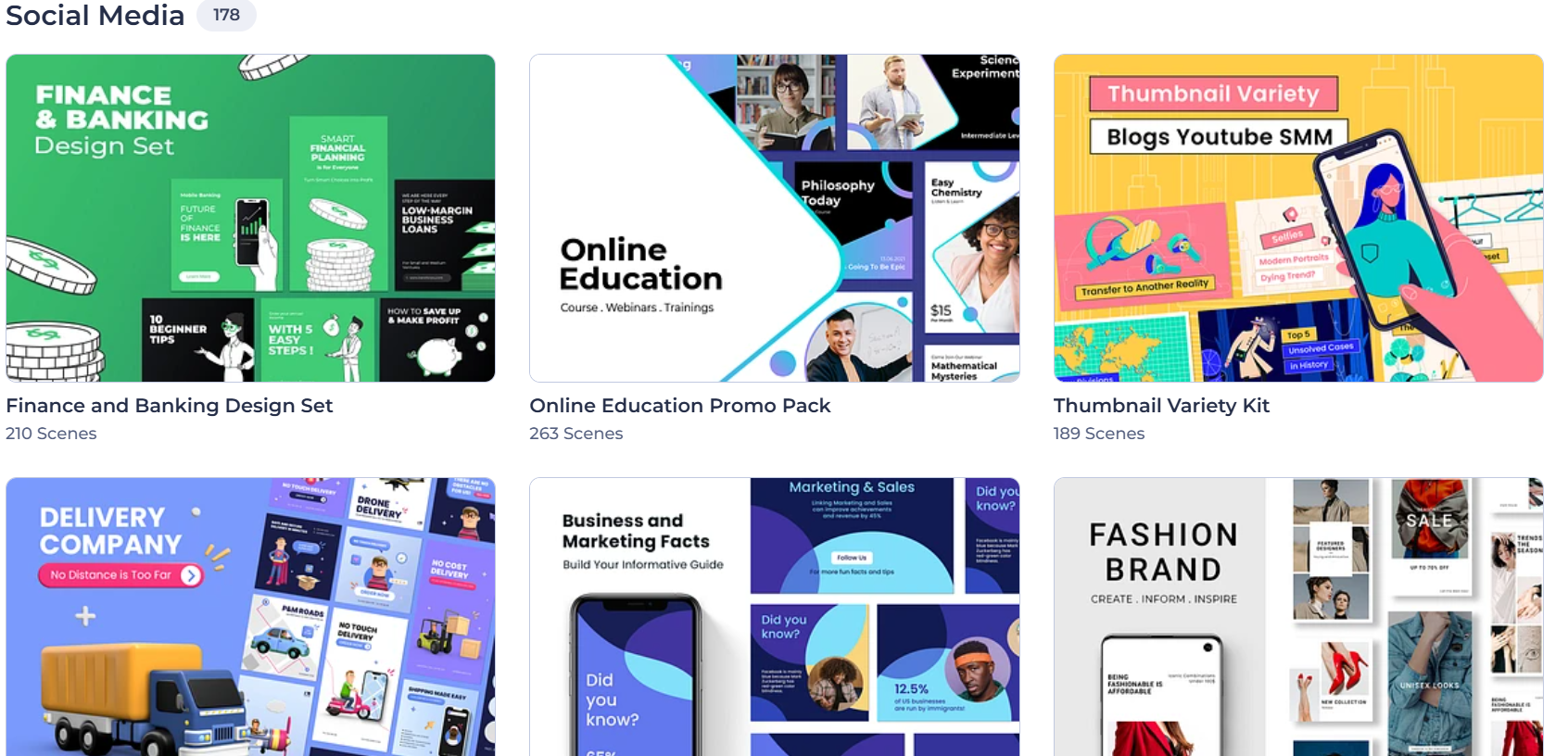
For users who prefer structured starting points over blank-prompt generation, the template library is the original Renderforest superpower. Categories include Animations (whiteboard, 3D, explainer, mascot, anime), Intros and Logos, Social Media Videos (Instagram, TikTok, YouTube shorts), Promo Videos, Typography Videos, Slideshows, and Music Visualizations. Templates are built by professional motion designers and fully customizable — swap your text, logo, colors, music, and footage to match your brand.


AI Image, Logo, and Mockup Generation
The AI Image Generator creates custom visuals from text prompts — useful for blog featured images, social tiles, and visual assets you’d otherwise pay a stock library or designer for. The AI Logo Generator produces brand logos from your business description, while the classic Logo Maker uses a library of templates for design-led starts. The Mockup Generator drops your designs onto realistic product photos — laptops, phones, t-shirts, billboards — for portfolio shots, e-commerce listings, and pitch decks.
AI Website Builder and Website Templates
The AI Website Builder generates a full website from a short business description — copy, layout, imagery, and pages — then lets you customize through a drag-and-drop editor. The template library covers marketing sites, small-business sites, and online invitations with RSVP, making Renderforest a credible one-stop choice for solopreneurs who need video AND a website AND a logo without buying three separate products.
Branding Tools and Utilities
Beyond the main creative surfaces, Renderforest bundles a suite of free utility tools: Business Name Generator, YouTube Name Generator, YouTube Video Ideas generator, Music Visualizer, Graphic Maker, and an Animated Text Generator. These accelerate the “what do I even call this?” phase of starting a brand or channel and are accessible without a paid plan.
Pricing, Plans, and Package Structure
Renderforest uses a tiered subscription model: a free Forever plan, plus three paid tiers (Lite, Pro, Business) and a custom Enterprise option. Annual billing saves roughly 30–40% over monthly. Every paid plan removes the free-plan watermark, increases storage, raises export quality, and lifts the monthly video and AI-credit allowances. Prices below reflect publicly listed 2026 annual-billing rates — confirm the live price and any active promotion on Renderforest’s pricing page before committing, since the brand runs regular seasonal discounts.
| Plan | Approx. Price (Annual) | What You Get | Best For |
|---|---|---|---|
| Free | $0 forever | 360p watermarked exports, ~500MB storage, limited templates | Testing the platform before paying |
| Lite | ~$9.99/month (annual) | 10 HD720 exports/month, no watermark, ~10GB storage, premium templates, vector logos | Solopreneurs and hobbyists with modest output |
| Pro | ~$19.99/month (annual) | 30 Full HD 1080p exports, full music library, commercial usage rights, branding tools | Freelancers and small businesses doing paid work |
| Business | ~$29.99/month (annual) | 60 Ultra HD 4K exports, reseller license, team collaboration, dedicated support | Agencies, marketing teams, resellers |
| Enterprise | Custom pricing | Volume seats, advanced team controls, custom AI quotas, SLAs | Large companies, education networks, multi-brand teams |
How Renderforest Compares to Alternatives
| Factor | Renderforest | Canva Pro | Animoto | Adobe Express |
|---|---|---|---|---|
| Surface coverage | Video, AI image, logo, website, mockups, design | Design + light video, no website builder | Video only | Design + light video, Adobe ecosystem |
| Studio-quality video templates | 1,200+ professionally produced | Thousands but lighter motion | Hundreds, simpler animation | Hundreds via Adobe Stock |
| Frontier AI model stack | Sora 2, Veo 3, Hailuo, Pixverse, Flux, Seedream, GPT Image | Magic Studio (own + partners) | Limited AI features | Adobe Firefly |
| AI website builder included | Yes | Limited (single-page sites) | No | No (Adobe sells separately) |
| Entry paid price (annual) | ~$9.99/month | ~$12.99/month | ~$16/month | ~$9.99/month |
| Reseller license | Yes (Business plan) | Limited | No | Via enterprise license |
| Best for | Branded video + full creative stack on one bill | Static design + light social video | Pure social video creators | Adobe-ecosystem users |
vs. Canva Pro: Canva is the undisputed leader for static design — flyers, social tiles, presentations — and has gotten genuinely capable at light video. But its motion library is lighter than Renderforest’s, it lacks a serious AI website builder, and its template depth in animation and 3D explainer territory is meaningfully smaller. If video is the centre of your output, Renderforest wins; if static design dominates, Canva wins. Many serious creators keep both.
vs. Animoto: Animoto is purpose-built for social and marketing video, with a clean interface and strong stock library. But it’s video-only — no logos, no websites, no mockups, no AI image generation — and pricier at the entry point. Renderforest delivers a comparable video product plus four other creative surfaces for less money.
vs. AI-first video tools (FluxNote, Pictory, Synthesia): AI-first platforms produce text-to-video faster and with fewer manual steps, but their templates are thinner, brand customization is shallower, and they typically don’t extend into logo, website, or mockup territory. Renderforest is the better fit if you want frontier-model AI plus a deep template library plus the rest of the creative stack; AI-first tools are better if pure speed-of-AI-video is your only priority.
Pros and Cons
What Users Love
Genuine all-in-one consolidation: Replacing 3–5 separate creative subscriptions with a single tool is the headline benefit. For a marketing manager or freelancer, the time saved jumping between platforms — and the budget saved on overlapping subscriptions — is real and immediate.
Studio-quality templates that don’t look templated: The motion design caliber is the consistent highlight in user reviews. Whiteboard animations, 3D explainers, mascot stories — finished videos look like agency work, not Canva exports, which matters when you’re presenting to clients or pitching investors.
Frontier AI integration without lock-in: Few competitors expose this many state-of-the-art models behind a single subscription. As the underlying AI improves, your subscription benefits automatically — you don’t have to chase the next AI tool every six months.
Genuinely strong customer support: G2 scores Renderforest at 9.6/10 for quality of support across hundreds of reviews — unusually high for a SaaS at this price point, and a meaningful tiebreaker against pricier competitors.
Browser-based with mobile apps: Web, iOS, and Android — no installs, no rendering on your own machine, no GPU requirements. You can start a video on your phone during a commute and finish it on your laptop at the office.
Limitations Worth Knowing
The free plan is meaningfully limited: 360p exports with a prominent watermark and only ~500MB of storage make the free tier useful for evaluation but not for any real work. Don’t budget around the free plan — budget around Lite or Pro from day one if you plan to publish.
Monthly export quotas can feel tight: Lite caps at just 10 HD720 exports per month, and AI credits are a separate allowance on top of that. Active creators producing daily social content often graduate quickly to Pro or Business, so factor your real output volume into the plan choice.
4K is locked to the Business tier: If you need 4K exports for client deliverables or YouTube uploads, you’re committing to ~$29.99/month annually. Competitors like Pictory and FluxNote offer 4K on cheaper plans.
Not built for cinematic or fully custom production: Renderforest is template-and-prompt driven, not a free-form NLE like Premiere or DaVinci Resolve. If you need frame-by-frame timeline control, complex compositing, or grade work, this isn’t your tool.
Per-video cost is higher than AI-first competitors: On Lite, 10 HD videos for ~$120/year works out to roughly $1.00–$1.50 per video if you fully utilize your quota — competitive, but AI-first tools often offer more video volume per dollar if speed and quantity are your only metrics.
AI credit refills sit on top of the subscription: Heavy AI image and video generation can exhaust your monthly credit pool faster than expected, requiring paid top-ups. Match your plan to realistic AI usage, not just the cheapest tier on the page.
Who Should Use Renderforest
Small business owners building a brand from scratch: If you need a logo, a website, social videos, and product mockups all at once, Renderforest is the one subscription that covers everything. The Pro plan at ~$19.99/month is the sweet spot — commercial rights, 30 Full HD exports, and the full toolset for a complete launch.
Freelancers offering creative services to clients: Pro’s commercial license, combined with the template depth and AI stack, lets you bid against agencies on video and design work without buying enterprise software. Step up to Business once you’re delivering at higher volume or need the reseller license.
Marketing teams producing video at scale: The Business plan is built for teams — 4K exports, 60 videos a month, collaboration features, and dedicated support. For B2B marketing teams running multi-channel campaigns, the per-seat cost is a fraction of agency rates.
Content creators and YouTubers: AI intro animations, Reel and TikTok generators, thumbnail-quality AI images, and YouTube-sized video templates make Renderforest a credible companion (or replacement) for traditional creator tools. Lite or Pro is usually enough.
HR teams and internal communications: Onboarding videos, training clips, town-hall animations, and culture content all become drastically faster to produce in-house. Many companies cite Renderforest as the tool that eliminated their reliance on external video agencies for routine internal content.
Educators and L&D professionals: Video lectures, animated explainers, course intros, and training modules become accessible to anyone — no production background required. Renderforest is a particularly strong fit for online educators who need to maintain a steady publishing cadence.
Getting Started: Step by Step
- Create a free Renderforest account. Sign up with email or Google. The free tier gives you full access to the editor and template library — useful for testing — but exports are watermarked and capped at 360p.
- Pick your starting workflow. Choose between an AI workflow (Text-to-Video, AI Image Generator, AI Website Builder) for fastest results, or a template-based workflow if you want more design control from the start.
- Write a clear, specific prompt or pick a template. For AI workflows, include your industry, target audience, tone, and 3–5 key messages or products. For templates, browse by category and select one that matches your channel (TikTok, YouTube intro, business explainer, etc.).
- Customize with your brand assets. Upload your logo, set your brand colors and fonts in the profile section, and the editor will apply them consistently across every project — useful when producing series content.
- Preview, refine, and approve. Watch the preview, tweak text, swap media, adjust music or voiceover. The browser editor handles all rendering — no GPU required on your machine.
- Pick the right paid plan before exporting. Lite (~$9.99/month) for occasional creators, Pro (~$19.99/month) for freelancers and small businesses with commercial work, Business (~$29.99/month) for teams or anyone needing 4K + reseller rights.
- Export and publish. Download in your chosen resolution and aspect ratio. Renderforest exports natively to 9:16 (Shorts/TikTok/Reels), 16:9 (YouTube), and 1:1 (Instagram feed) — pick the channel-correct format before hitting render.
Tips for Getting Maximum Value
Always pay annually — the 30–40% discount versus monthly is significant, and most creators who plan to use Renderforest at all use it well past the break-even point. Set up your brand kit (logo, colors, fonts) in your profile before starting any project; once it’s configured, every new video and design inherits the same look automatically. For AI video generation, write specific prompts: include the camera angle, lighting, mood, and any motion direction you want — generic prompts produce generic output across every AI tool, Renderforest included. Watch for Black Friday, year-end, and back-to-school promotions, which routinely knock 20–40% off annual plans. If you’re a freelancer pricing client work, the Pro plan’s commercial license effectively becomes free after your first paid video deliverable — most freelancers recover the entire annual subscription on a single project. Don’t over-buy: most solo creators are comfortably served on Lite or Pro and don’t need the Business plan unless they need 4K or are running team workflows. Finally, lean on the template library before reaching for the AI Generator on a tight deadline — a 5-minute template customization almost always beats a 20-minute AI prompt cycle for routine social content.
Future Outlook and Final Assessment
The tailwinds favor Renderforest. The creator-economy and SMB-marketing video markets are still expanding, frontier AI models are getting dramatically better every six months, and Renderforest’s integration-first posture — adding new models as they ship rather than locking users into a single provider — means subscribers benefit from those improvements automatically. The platform’s bet on consolidating five creative surfaces under one subscription is also aligned with where SMB software buyers are heading: fewer tools, deeper integration, simpler bills.
The honest caveats remain: the free plan is too restrictive to do real work, export quotas and AI credits need to match your real usage, and Renderforest is not the right pick for cinematic or fully custom production. But within those boundaries, the platform delivers one of the broadest, most polished, and most genuinely useful creative ecosystems available in 2026 — at prices that make consolidating your creative stack an easy yes for the vast majority of small businesses, freelancers, marketers, and creators.
Conclusion
Renderforest has spent 13 years building something rare in the creative-software world: a single platform that genuinely covers video, AI image, logo, website, and design without forcing you to compromise on quality in any one of them. It’s fast where it counts, broadly capable, sensibly priced, and refreshingly aggressive in its embrace of frontier AI. Describe what you need, let the AI handle the heavy lifting (or pick from 1,200+ templates if you want more design control), and Renderforest turns one of the most time-consuming jobs in modern marketing — producing on-brand video and visual content at the pace platforms demand — into something you can actually keep up with. That’s exactly the kind of leverage AI Solutes recommends to readers building serious businesses on small teams: pick the platform that makes everything easy, and put the time and budget you save back into growing the business itself.
Ready to consolidate your creative stack and start shipping AI-powered videos today?
Explore more honest reviews, tutorials and tool comparisons to find the right tech for the way you work and live — at AI Solutes, where we make everything easy.
👉 Open Free Account: Get Started with Renderforest
👉 Our Website: https://ai-solutes.com/
👉 Our YouTube Channel: youtube.com/@ai-solutes
👉 Our Facebook Fanpage: Facebook
👉 Our X (Twitter): @AISolutes















