


Framer Website Builder Review: Can You Really Build a Fast, Professional Website Without Code?
The landscape of modern web design is evolving at record speed. Creators today expect tools that are flexible, intuitive, and capable of shipping production-ready websites—without relying heavily on code. Framer Website Builder positions itself boldly in this new era, promising designers and teams the freedom to create advanced, interactive websites through a beautifully streamlined workflow.
But is Framer truly capable of replacing traditional coding workflows? And can it deliver the speed, performance, and creative freedom it claims?
In this in-depth review, we explore Framer’s strengths, features, usability, real-world applications, and how it compares to other leading platforms to help you determine if it’s the right choice for your next project.
What Is Framer? A Modern Platform Built for Website Design
Framer began in 2013 as an advanced prototyping tool created by Koen Bok and Jorn van Dijk. Over the years, it evolved from a motion-design and prototyping system into a full-scale website design and publishing platform.
Today, Framer stands out as one of the few tools that combine:
- High-fidelity design capabilities
- AI-powered creation tools
- A no-code and low-code website builder
- Automatic conversion of visual layouts into clean, production-grade code
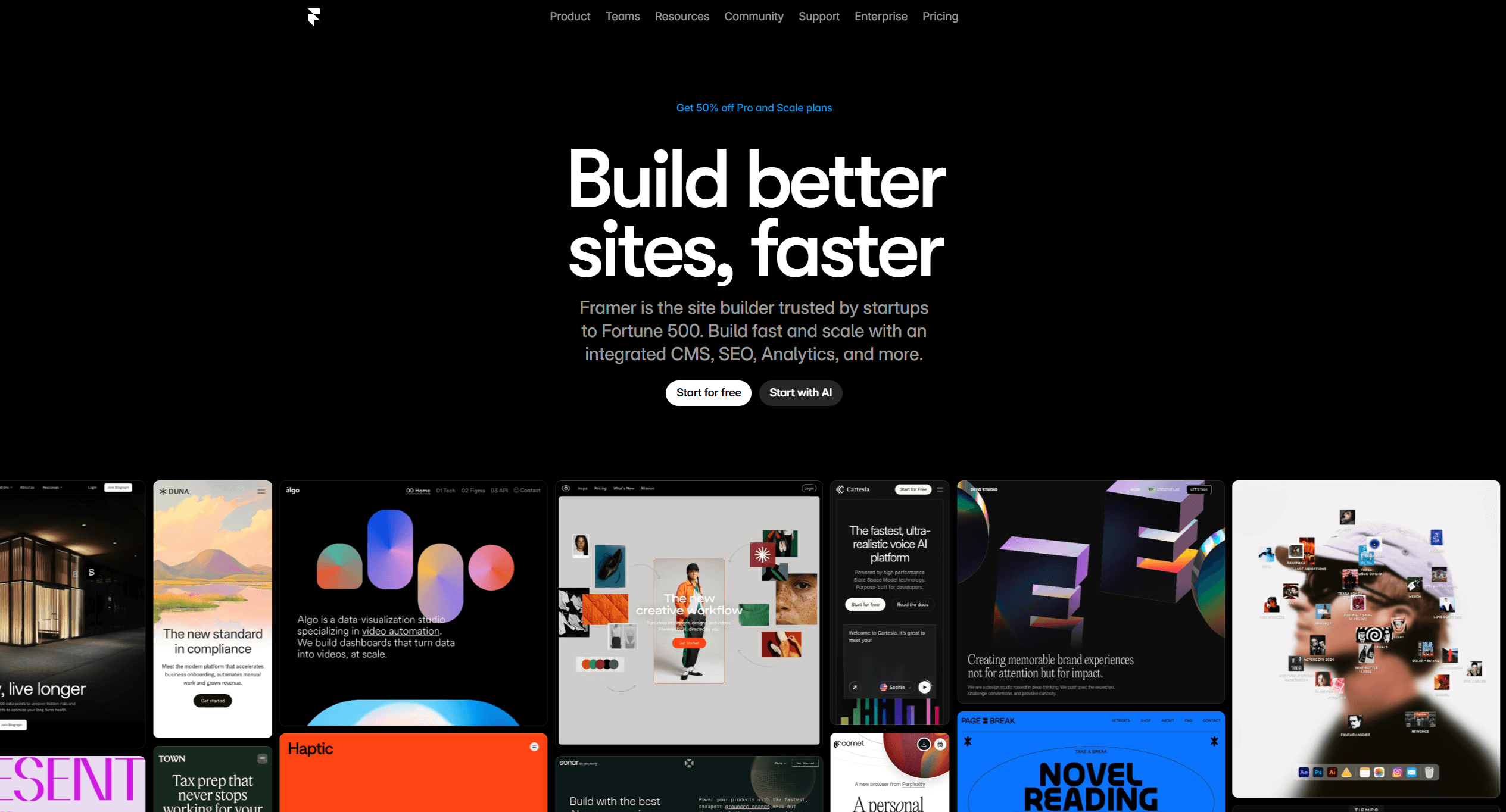
Framer bridges the gap between design and engineering—empowering designers, entrepreneurs, agencies, and developers to build polished marketing websites, dynamic landing pages, animations, portfolios, and more.
Its unique value lies in its design-to-live-website workflow, which eliminates the friction of exporting, developing, and re-implementing designs.
Key Features That Make Framer Stand Out
Framer provides a rich suite of tools that streamline the website creation process from idea to launch.
1. AI Website Generation
Framer’s AI instantly transforms a short prompt into a complete website mockup—including layout structure, styling, and placeholder content. This dramatically accelerates the early stages of web creation and gives you a foundation that you can refine visually.
2. Intuitive Drag-and-Drop Builder
The interface is clean, modern, and extremely fast. Designers can visually build layouts, sections, and components without touching code—making Framer accessible to beginners while still powerful for advanced creators.
3. Automated Design-to-Code Conversion
One of Framer’s biggest strengths:
Your design becomes real, optimized code behind the scenes.
This reduces development time and ensures design accuracy across devices.
4. Custom Code Support for Power Users
Need custom behavior? Framer allows:
- HTML injections
- Custom CSS
- JavaScript
- Third-party scripts
- API connections
This makes it ideal for hybrid creators looking to push functionality beyond what UI tools typically offer.
5. Responsive Design Without the Pain
Adjusting layouts for tablet, mobile, and large screens is intuitive. Breakpoints are flexible, and Framer’s visual controls make responsive design much faster compared to traditional coding workflows.
6. Advanced Animations & Interactions
Framer has always excelled at motion design.
You can create:
- Smooth scroll animations
- Page transitions
- Hover effects
- Smart interactions
—all without custom code.
This elevates the user experience and gives your website a premium, modern feel.
7. AI-Powered Copywriting
Write headlines, descriptions, product copy, and CTAs instantly using AI tools built directly inside Framer. Perfect for creators who want rapid content iteration.
8. SEO Optimization Built In
Framer includes:
- Metadata controls
- Structured data
- Alt tags
- Automatic image optimization
- Lightweight code output
This ensures your website loads fast and ranks better on search engines.
9. Global Styles & Design Tokens
Manage branding effortlessly. Update your global fonts, colors, spacing, or UI components once—and see the change propagate across your entire site.
10. Built-In CMS
Ideal for blogs, portfolios, and dynamic collections. The CMS is simple enough for non-technical editors yet flexible enough for complex content architectures.
11. Hosting, Domains & Fast Deployment
Framer includes:
- One-click publishing
- Free SSL
- CDN-accelerated hosting
- Fast server response times
Meaning your site is always fast, secure, and globally optimized.
12. Real-Time Collaboration Tools
Team members can collaborate, comment, preview, and edit simultaneously—similar to Figma, but directly on a live website builder.
13. Pre-Built Templates
Perfect for creators who want to start fast while maintaining modern design standards.
14. Integrations & APIs
Connect easily with:
- Google Analytics
- CRM tools
- Payment gateways
- Marketing platforms
- Custom API endpoints
This makes Framer suitable for both simple and advanced business websites.
Pros and Cons of Framer Website Builder
Pros
- Outstanding animation & interactive design tools
- No-code builder that still supports code customization
- Fast learning curve for designers
- Real-time preview and responsive visual editor
- Razor-fast hosting infrastructure
- Built-in CMS and SEO optimization
- AI-powered site and content generation
Cons
- Advanced users may still need React or JavaScript for complex features
- Pricing may be high for freelancers or small teams
- Ecosystem lock-in (migrating designs/code out of Framer is limited)
How Does Framer Compare to Other Website Builders?
Framer vs. Webflow
- Framer: Easier to learn, better animations, simpler no-code workflows
- Webflow: More granular control, more CMS power, but a steep learning curve
Framer is the better choice for speed, design freedom, and quick prototyping.
Framer vs. Squarespace
- Squarespace: Beginner-friendly templates but limited customization
- Framer: Greater creative freedom, more modern interactions, better for unique designs
Choose Framer if you care about originality and advanced interactions.
Framer vs. Figma
- Figma: Pure design/prototyping; cannot publish websites
- Framer: Design + motion + hosting + CMS + publishing
Framer delivers the complete pipeline, while Figma remains a design tool only.
Who Should Use Framer?
Framer is perfect for:
- Designers who want creative freedom without coding
- Startups needing fast, beautiful landing pages
- Agencies building interactive websites for clients
- SaaS companies seeking polished marketing sites
- Creators & portfolio owners who need high-quality visuals
- Businesses wanting a modern, responsive, high-performance website
Brands using Framer include Intercom, Datadog, GoDaddy, and Match Group, proving its reliability at scale.
Use Cases: Where Framer Excels
- UX/UI prototyping
- Landing pages for launches and campaigns
- SaaS product websites
- Personal portfolios
- Digital product showcases
- Interactive marketing sites
- Dynamic blogs and content hubs
Its blend of motion, AI, and visual design makes it ideal for any brand that values high-quality aesthetics and user experience.
Final Verdict: Is Framer Worth It?
Yes—Framer is absolutely worth considering for your next website project.
It’s not just another website builder.
Framer represents a new generation of tools where:
- AI accelerates creativity
- Designers have engineering-level control
- Prototypes naturally become production-ready websites
- Animation and interactivity are effortless
- Deployments are fast and secure
Framer offers cutting-edge speed, design flexibility, and technical power with minimal barriers—making it one of the most innovative tools on the market today.
If you want a website that feels premium, modern, and interactive without heavy development overhead, Framer is a standout choice.
Ready to Build Your Framer Website?
At AI Solutes, we help creators, startups, and businesses build fast, secure, high-performing Framer websites that stand out—powered by modern design principles and AI-enhanced workflows.
Whether you need:
- A landing page
- A full marketing website
- A portfolio
- A dynamic CMS site
- Or a high-motion interactive experience
Our team can help turn your ideas into a polished, professional website.
Your dream website is one click away — Let’s build something extraordinary.
If you’d like, I can also create:
✅ SEO title + meta description
✅ A short social-media caption
✅ A Vietnamese translation
✅ A version optimized for LinkedIn, Facebook, or Medium
Just tell me!















