Are you eager to harness the full creative might of AI art and stand at the forefront of digital innovation? In 2025, Midjourney V7 leads a revolution in image generation, blending artistic tradition with cutting-edge technology. Whether you’re a seasoned designer, ambitious indie developer, marketer, or a curious creator just starting out, mastering Midjourney’s prompt system is your ultimate gateway to fast, breathtaking results. Below, discover a visually enhanced, easy-to-navigate comprehensive guide to Midjourney V7 prompts: step-by-step walkthroughs, feature breakdowns, real-world workflow tactics, detailed style showcases, and direct comparisons to DALL·E and Firefly. Enjoy upgraded tables, blockquotes, and links for an inspiring, modern reading experience while diving into everything you need to know about turning your ideas into digital masterpieces!
Complete Guide to Midjourney V7 Prompts: Step-by-Step Tutorial, Features, Styles & 2025 Comparisons
Introduction to Midjourney V7 and AI Art Prompting
Think about this: you type a string of words—“sunset over a neon-lit city, cyberpunk, rain-slicked streets”—and, within seconds, you’re staring at an image that could headline a sci-fi novel. That’s the power of AI art, and leading the pack in 2025 is Midjourney V7.
But how does it work? At the core of every AI-generated image is the prompt—a chunk of text that tells the model what kind of art you want. Midjourney V7 isn’t just another step forward—it's a game-changer. You get unprecedented realism, far more control over style and mood, and an intuitive way to steer the output into exactly what you need.
Whether you’re a marketer itching for viral social posts, a designer dreaming up worlds for games or books, or simply someone who loves to play with new creative tools, mastering the art of the prompt is your golden ticket. In this guide, we’ll break down how to think about prompts in Midjourney V7, from simple starters to gorgeously detailed masterpieces, and place all of this in the broader context of the red-hot AI art scene of 2025.
Step-by-Step Midjourney Prompt Tutorial
If you’re new, don’t panic! You don’t need fancy programming knowledge—just good old creativity and a bit of patience. Prompt engineering with Midjourney V7 is both science and art. The right combination of words can turn a bland composition into a gallery-worthy piece. Let’s roll up our sleeves and get practical.
Why Prompt Engineering Matters
You might be thinking, “Why fuss over wording?” Here’s the deal:
- The prompt is your remote control; it guides what is generated, how it looks, and even the feeling it gives off.
- Changing a single word changes everything. For example, “soft morning light” and “dramatic shadows” produce totally different vibes.
- Clear, well-engineered prompts save you a ton of time—no more endless retries just to get the look you want.
Step-by-Step Walkthrough
Let’s build your first prompt, then level up your skills.
Step 1: Start Simple
Kick off with a clear, concise description.
“A futuristic cityscape at dusk, gleaming skyscrapers, neon reflections in water”
This sets up your subject, setting, and key visuals.
Step 2: Level-Up with Modifiers
Want to flex your style muscle? Add adjectives and style tags:
“A futuristic cityscape at dusk, ultra-detailed, photorealistic, neon reflections, cyberpunk style, cinematic lighting”
Try mixing and matching:
- Style: “surrealism”, “cubism”, “cyberpunk”, “watercolor”, “oil painting”
- Lighting: “soft light”, “dramatic shadows”, “golden hour”, “studio glow”
- Detail: “macro shot”, “wide angle”, “intricate texture”, “minimalism”
The more vivid your words, the more dynamic the results.
Step 3: Use Advanced Parameters
Midjourney V7 lets you dial things in for pixel-perfect results:
- Aspect Ratio: Adjust your canvas with
--ar 16:9or--ar 2:1 - Quality: Get crystal-clear images using
--q 2or even higher - Style Weighting: Push the AI toward a specific vibe with
--style 4c(cinematic) or your custom blend - Seed: Lock in reproducibility and consistency using
--seed 12345
For example:
“Surreal forest, foggy morning, photorealistic, beautiful composition –ar 16:9 –q 2 –seed 58241”
Step 4: Experiment and Iterate
AI art is like pizza—nobody gets it perfectly right on the first try.
- Generate several variations
- Tweak your wording or parameters to see how it changes the mood
- Put results side-by-side in a grid and spot the differences
“A serene lake, misty dawn, hyperrealistic, pastel color palette –ar 2:1 –q 2 –style pastel”
Step 5: Your Actionable Prompt Checklist
Want to get pro-level outputs faster? Stick to this list:
- ✔️ Nail the main subject and scene
- ✔️ Layer on style and mood adjectives
- ✔️ Specify lighting and details clearly
- ✔️ Use parameters for precision and consistency
- ✔️ Iterate with variations to get that perfect result
Feel free to bookmark this section as your go-to workflow booster!
An informative tutorial to guide Midjourney prompts creation
Real-World Prompting Example
Sarah, a game developer working on her indie retro arcade project, needed authentic backgrounds quickly. She tried this:
“Retro arcade interior, neon pink and blue, isometric view, pixel art style, 1980s vibe –ar 4:3 –q 2”
By iterating—tweaking colors, adding and removing adjectives—she produced a full suite of unique backgrounds before lunch. Weeks of manual rendering? Not anymore. AI art is saving creators serious time.
Expert Insight
“Deeply consider your intent—each adjective and parameter is a brushstroke in your digital masterpiece.”
— Dr. L. Park, AI Art Researcher
Popular Midjourney Artistic Styles Explained
One of the coolest things about Midjourney is the library of styles—it’s like having Picasso, Dali, and your favorite video game artist on speed dial.
The Power of Styles in AI Art Generation
Choosing your style is more than just picking a vibe—it can:
- Align your images perfectly with brand identity
- Hit the right emotional notes for your audience (think moody noir for drama, clean modernism for business)
- Spark fresh ideas and innovation, especially for artists, marketers, game studios, and publishers
Core Supported Styles
Let’s break down some favorites with prompts you can steal:
1. Surrealism
- Dreamlike, full of strange and unexpected visuals
- Prompt: “Flying whales over a golden desert, surrealism, Salvador Dali influence, vivid colors”
2. Cyberpunk
- Think neon lights, rain-soaked city streets, futuristic dystopia
- Prompt: “Rainy neon alley, cyberpunk style, reflections on wet pavement, cinematic, night cityscape”
3. Photorealism
- This is as close as you’ll get to a professional photograph—perfect for when realism matters
- Lifelike lighting, textures, and minute detail are front and center
4. Cubism & Steampunk
- Cubism: Bold geometric shapes, abstract forms
- Steampunk: Brass, gears, Victorian flair, smoky ambiance
5. Watercolor, Oil, and Classic Art Styles
- Capture the beauty of hand-crafted art—soft washes, oil brushstrokes, and classic fine art vibes
- Great for book covers, collectibles, and editorial illustration
Style Showcase: Visual Gallery
Feast your eyes:
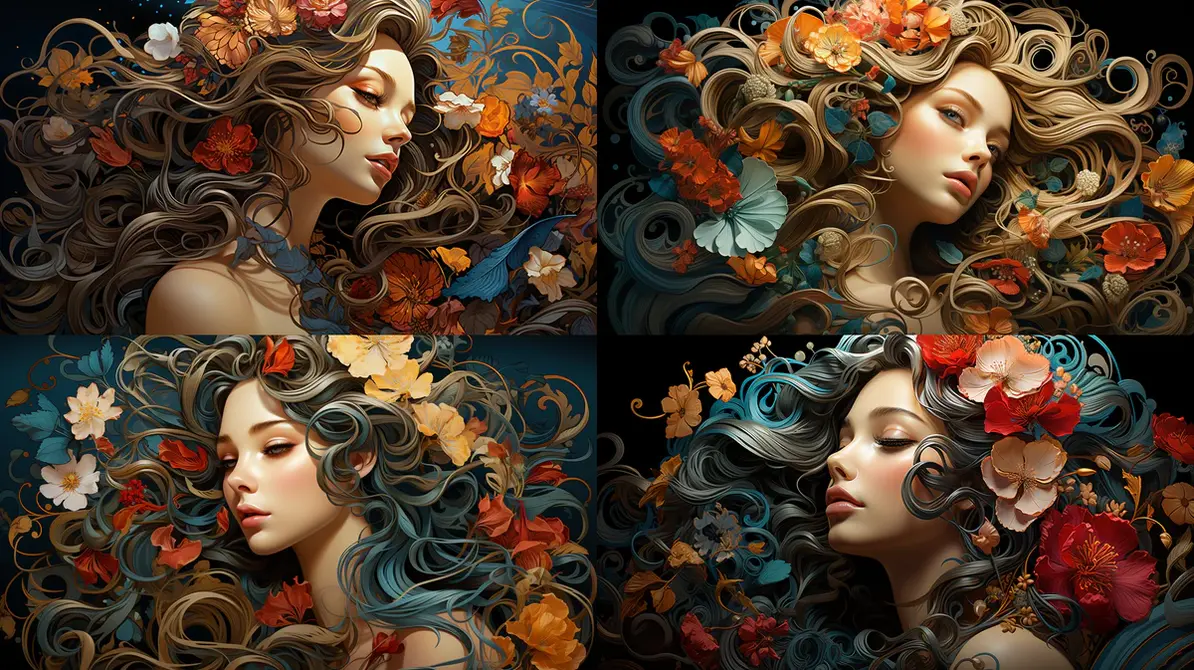
Highlights distinct art styles made with Midjourney
Examples Table: Prompt vs. Output Style
| Prompt Sample | Style Tag Used | Visual Outcome |
|---|---|---|
| “Futuristic tower in a misty valley” | photorealistic | Like a realistic landscape photo |
| “Jazz pianist in a smoke-filled club” | noir, 1950s, cinematic | Moody, high-contrast scene |
| “Giant octopus atop a skyscraper” | surrealism, pastel | Playful, dreamlike |
| “Antique airship above London” | steampunk, oil painting | Vintage, painterly look |
Choosing Your Best Style
Sometimes picking just one style isn’t enough. Here are quick tips:
- Match your output to who’s going to see it (business clients, gamers, art collectors…)
- Blend styles for unique hybrids (“photorealistic steampunk” for a next-level twist)
- Preview and iterate—the style library only gets you so far; your own creative layering will make it pop
Pro tip: You can combine and weight styles—like “75% cyberpunk, 25% watercolor”—to dial in a vibe that’s 100% yours.
Comparing Midjourney vs DALL·E vs Firefly
It’s 2025, and let’s be real—there are tons of AI art generators out there. But which tool do you really want in your creative arsenal? Here’s how Midjourney V7 stacks up against DALL·E 4 and Adobe Firefly.
Why Compare?
- Every platform has noticeable strengths and quirks—speed, realism, price, licensing, ease of use
- Businesses might care about workflow and copyright, whereas artists want control and variety
- Knowing what each tool does best can save you hours (and headaches)
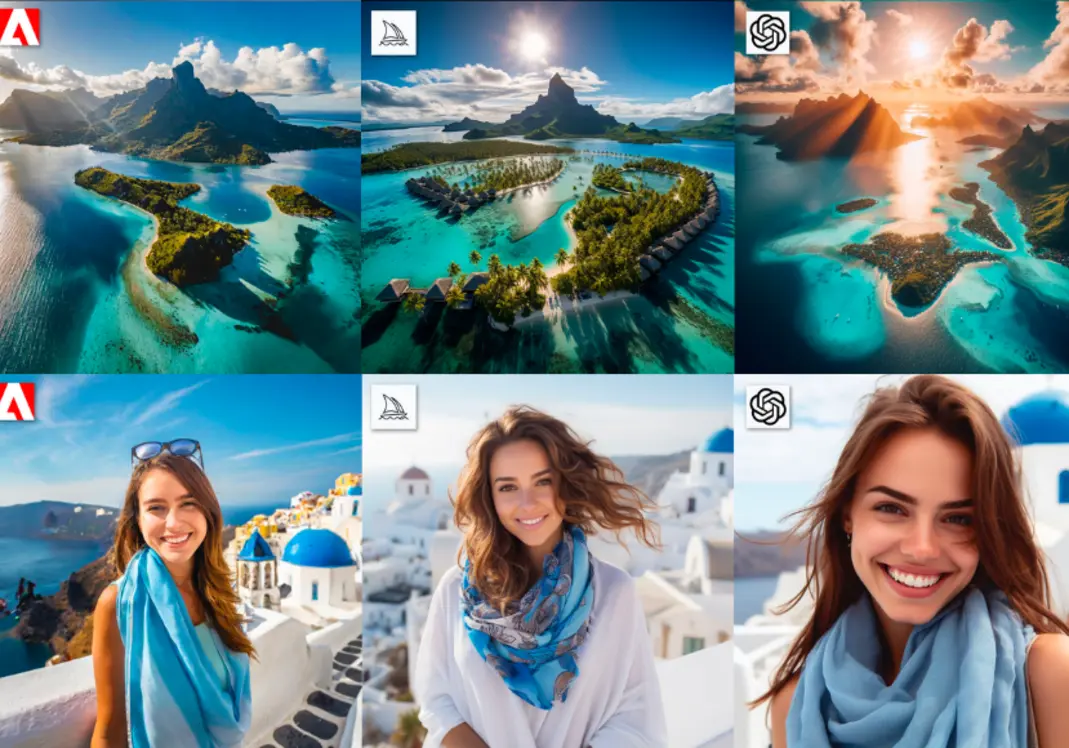
Side by side visual comparison of three art generators
Feature Comparison Table: 2025
| Feature | Midjourney V7 | DALL·E 4 | Adobe Firefly |
|---|---|---|---|
| Output Realism | Outstanding | High | Moderate-High |
| Supported Styles | 25+ (inc. custom mix) | 14+ | 8+ |
| Prompt Control | Fine-grained / Parameters | Text only | Prompt + Filters |
| Workflow Integration | Discord, API | Web, API | Adobe Suite |
| Licensing/Commercial Use | Pro plan, API bulk | OpenAI terms | CC-type, Adobe |
| Community Engagement | 2M+ Discord members | 1M+ API users | Built into Adobe |
| Price per Gen. | Moderate | Free/Licensed tiers | Included w/ CC |
| Unique Features | Style weighting, seed, upscaling | Outpainting, inpainting | AI filters, vectors |
| Cons | Steeper learning curve | Less style control | Fewer unique styles |
Pros and Cons Analysis
Midjourney V7
Pros:
- Unmatched realism (seriously, some outputs look like high-end DSLR shots)
- Deep control over prompts and parameters—think custom recipe blending
- Massive and active Discord community for feedback, daily challenges, and tutorials
Cons:
- Discord interface may confuse newbies (although API and Pro plans exist)
- To get the “wow” factor, you need to learn prompt crafting
- Power users might find pricing a bit steep for high-volume projects
DALL·E 4
Pros:
- Crazy flexible—lets you extend or edit images (outpainting, inpainting)
- Super-fast for simple tasks, and easy onboarding for beginners
Cons:
- Fewer advanced tweaks and less style-specific control
- Sometimes output quality misses the mark for very specific genres
Adobe Firefly
Pros:
- Designed for seamless Adobe suite use (if you’re deep in the Creative Cloud ecosystem, you’ll love it)
- Focused on vectors, quick mockups, brand assets—great for commercial work
- Easy UI, style tweaks are filter-based (no complex prompts needed)
Cons:
- Smaller library of styles—limited for art projects that crave variety
- “Photo” realism isn’t as good as Midjourney (though it’s catching up fast)
Want to see how AI is shaping marketing workflows and SEO? Take a look at this guide:
Watch more
Output Quality Analysis
- Midjourney V7: You get photo-grade realism, complex conceptual mashups, and true hybrid style outputs. Editors and concept artists love it for covers, posters, and deep world-building.
- DALL·E 4: The king of story-based edits—great for adding, subtracting, or tweaking elements. Suits editorial, blog, and media usage.
- Adobe Firefly: Best for the fast lane—branded assets, packaging drafts, and rapid prototyping.
Midjourney V7 AI Art Gallery 2025
Need real inspiration? The gallery says it all. These aren’t just pretty pictures—they’re proof of what you can do with a well-crafted prompt and the right platform.
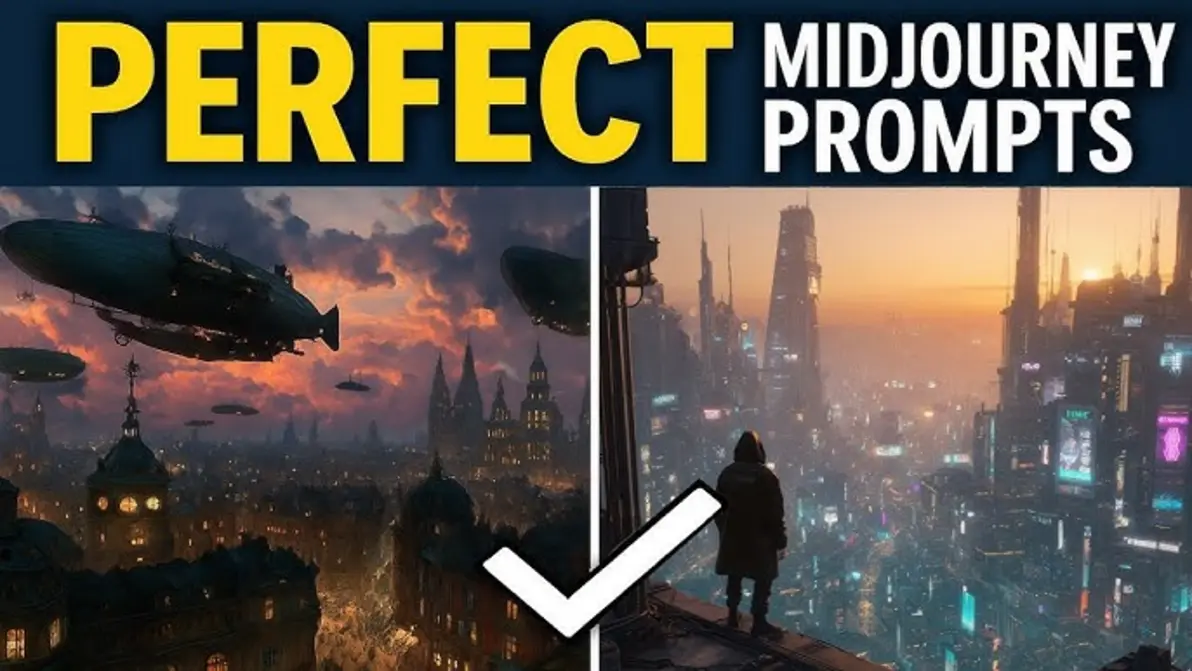
Midjourney V7 Artworks: Technical and creative mastery in action
Gallery Highlights: Output Showcase
- Hyperreal Landscapes: Jaw-dropping city skylines, misty mountain ranges, shimmering seascapes that rival professional photography
- Surreal Dreamscapes: Impossible buildings, animals that defy physics, and dream worlds you’ve never seen before
- Character Portraits: Cinematic humans, fantasy beasts, pop-culture inspired characters—all with photo-like sharpness
- Product Mockups: Picture-perfect visuals for shoes, gadgets, and even luxury packaging
- Hybrid Styles: Oil-painted Cyberpunk? Pastel Steampunk? The only limit is your imagination
Latest Feature Demonstration
What’s new under the hood with V7?
- Advanced Upscaling: Clean, high-res images with minimal artifacts—great for print!
- Aspect Ratio Freedom: More creative cropping with wider (
--ar 2:1) and taller (--ar 9:16) formats - Community Recipe Sharing: Instantly grab and remix trending prompt formulas—it’s like TikTok for AI art prompts
- Speed: Images generate in under 20 seconds (compare that to 2023’s minute-long waits—AI’s gotten way faster!)
Community Engagement by the Numbers
Midjourney’s Discord isn’t just busy—it’s a digital hive:
- 2.5M+ users discussing, sharing, and critiquing every day
- 20,000+ prompt recipes posted (daily!) for you to remix
- 800k+ upvotes for winners of daily art challenges—instant feedback and peer review
- Dozens of live tutorials and critique jams every week
“No other AI art community comes close in sheer volume and engagement—this collective wisdom accelerates skill-building.” — M. Singh, Creative Director
Real-World Story: Community-Driven Breakthroughs
Let’s take James, a freelance illustrator from Berlin. He stumbled onto Midjourney’s challenge board and, within a week, upped his prompt game from basic to brilliant. With generous peer feedback and trending recipes, he landed two new clients—one for a gaming studio, one for a publishing house. That communal vibe? It really does translate into real career wins.
The Social Side: Beyond Just Art
Midjourney’s Discord feels more like Reddit or Twitch chat than a formal art forum. Expect memes, good-natured roasting, hacky prompt swaps—and yes, serious critique. Mods and senior artists host AMAs, tutorials, and even live “prompt battles,” where users compete to outdo each other on wild themes.
It's not just about output; it's about growing as an artist and creative—plus it's actually fun.
Taking the Next Step: Mastering Midjourney and the AI Creator Ecosystem
Feeling fired up yet? With Midjourney V7, you’re not just a passive user—you’re an active creator with superpowers. Grasp the basics of prompt engineering, play with the style mixer, and tap into a worldwide community, and you’ll be light years ahead.
The pace of AI innovation means there’s always something new to try. Artists produce entire comic series in weeks instead of months. Product designers whip up fresh branding concepts almost on the fly. Even indie musicians commission instant cover art that matches their latest drops—not kidding, Spotify’s been full of AI-driven album covers since last year.
Ready to level-up into cinematic video and multimodal content? Here’s a killer resource for what’s next:
Watch more
Frequently Asked Questions
Do I need coding knowledge to use Midjourney V7?
Nope! All you need is your imagination and a knack for describing what you’re picturing. While knowing some basic parameter commands helps, the Discord UI and community tutorials make it totally accessible—even if you’ve never coded a thing in your life.
What file formats does Midjourney output?
Standard outputs spit out high-res JPG and PNG formats (awesome for sharing and printing). If you’re on an advanced plan, you can score PSD (Photoshop files) and upscaled TIFFs for professional projects.
How can I join the community and share my art?
Easy: hop onto the official Discord server. You can jump into daily challenges, critique sessions, or just show off your work in the gallery forums. It’s open to anyone—no special invite required.
Is my generated art unique, or does it get reused?
Your art is created from your prompt and parameters—so unless someone types the exact same thing with the same seed, it’ll be different. Tiny tweaks produce unique variations, so your work stands out.
What’s new in Midjourney V7 compared to V5 and V6?
Big leaps forward: higher realism, more flexible parameters (think aspect ratios and style weighting), community recipe sharing, and much faster generation times. If you liked V6, V7 will blow your mind. Many users report that outputs look indistinguishable from real photographs—some even tricked their Instagram friends!
How is Midjourney helping professionals outside of art?
It’s getting huge for marketers tailoring campaigns, architects visualizing real estate, and even TikTok creators designing viral memes. Brands are leveraging it for instant product shots, while agencies are using it for pitch decks and rapid prototyping. If visual content matters to your job, Midjourney is becoming a go-to utility.
Conclusion
Midjourney V7 isn’t just another AI toy—it’s the new frontier for creative mastery. Whether you’re a professional artist, a startup owner, or a weekend hobbyist, understanding its prompts and styles opens up worlds you simply couldn’t access before.
From technique to community, workflow to wizardry, this guide should be your launchpad. Ready to explore farther and share your vision? You’re in great company.
For more tips, deeper guides, and the latest AI reviews, stay connected:
👉 Our Website
👉 Our YouTube Channel
👉 Our Facebook Fanpage
👉 Our X (Twitter)