Before diving into the technical walkthrough and advanced techniques below, let’s take a moment to set the tone for what follows. This guide is designed for creators who want to enhance their streaming presence with top-notch overlays, widgets, and interaction tools in 2025. It’s not just decoration—it’s about blending technology and design strategy. By the end, you’ll understand how to combine visuals, engagement tools, and emerging trends seamlessly. Now, let’s explore what truly defines a professional streaming experience!
If you’ve ever hit “Go Live” and wondered why some streams explode with activity while yours hang quietly in the background, you’re not alone. For creators in 2025, success on Twitch, YouTube, and Kick isn’t just about gameplay or chatting—it’s also about the vibe you build the moment someone pops into your stream. From eye-catching overlays to slick widgets and interactive moments, today’s streaming world is all about making viewers feel right at home and hyped to participate. The difference between a channel that thrives versus one that struggles could literally be your design—the way your overlays draw in viewers and your widgets keep them coming back for more.
So, let’s cut through the noise and get real: What overlays should you use this year? How do you get them set up in OBS fast, and what instantly engaging widgets are must-haves to keep your chat fired up? What does the leading edge of streaming design look like—think AI-powered layouts, one-click cloud updates, and interactive features? Consider this your deep-dive roadmap. Whether you’re a newbie ready to step up your stream’s look, or a seasoned pro chasing the next big trend, buckle up—because this guide is packed with blueprints, tutorials, best-in-class examples, and the real secrets to building a vibrant streaming community in 2025.
The Ultimate Guide to Stream Overlay Designs, Widgets, and Trends in 2025
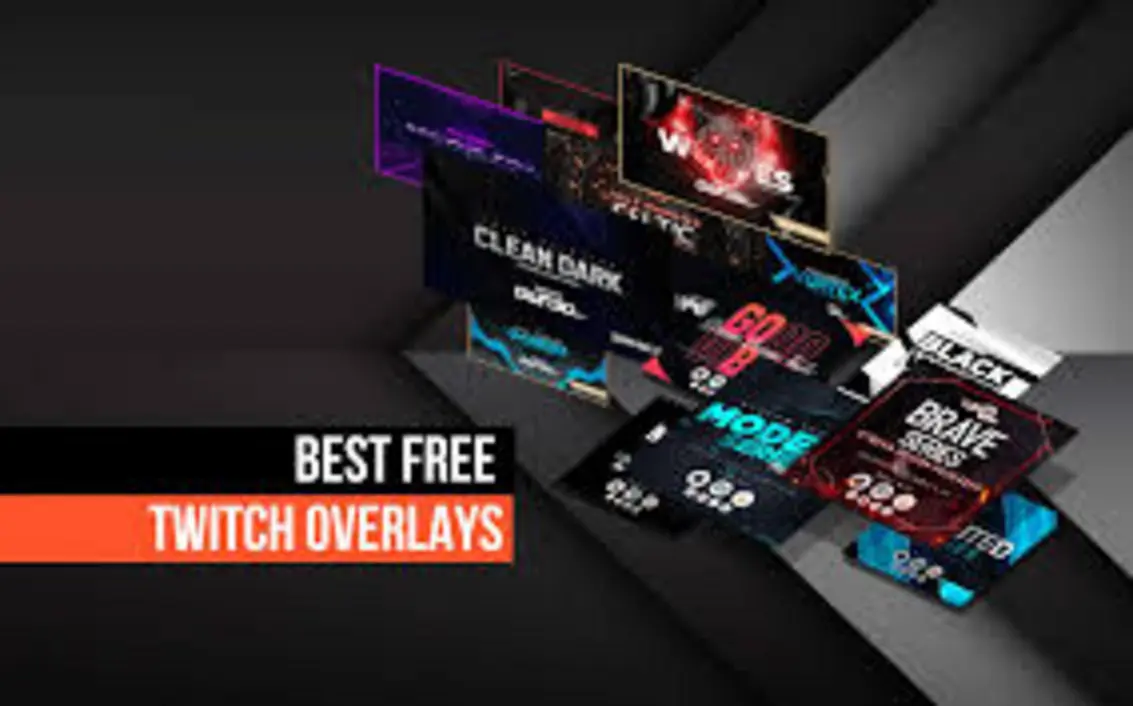
Best Stream Overlay Designs for 2025
Why Stream Overlay Design Matters Now More Than Ever
First impressions are everything. Your overlay is much more than fancy decor—it’s your digital handshake, your brand stamp, and often the sole reason viewers decide to stick around or bounce in those crucial first seconds. In the 2025 streaming scene, overlays act as your personal billboard. Your vibe, your professionalism, and your content’s energy all pulse through those pixels, turning casual visitors into loyal fans.
Think about it: When was the last time you clicked into a Twitch stream and immediately felt drawn in, just from the visual setup? Modern overlays do more than just frame your webcam—they tell your story and signal you mean business. In a world where everyone can technically go live, those who stand out visually are the ones who grow real communities.
Modern Overlay Design Principles for 2025
Let’s talk design principles. What’s actually trending and what works?
- Bold Animations: Animation isn’t about chaos anymore—subtle, smooth transitions run through everything, from alerts and chat pops to scene changes. It’s TV-level polish, not loud distraction.
- Modular Layouts: Overlays are now jigsaw puzzles you can rearrange at will. Want your chat in a bubble on the side? Sponsor bar up top? Recent events tucked in a panel? Do it dynamically.
- Brand Consistency: Your colors, logo, and typefaces should echo across your overlays, social media, and thumbnails. It makes you instantly recognizable—think of it as your streaming “uniform.”
- Platform-Specific Adaptation: Designs that fit natively with Twitch widgets, YouTube’s UI, or Kick’s particular flavor. No two platforms are the same; overlays that feel tailored boost your pro credibility.
Overlay packs have gone next level. These days, you’ll find:
- Purpose-built starting and ending screens.
- Snazzy “BRB” (Be Right Back) prompts for quick breaks.
- Animated banners and lower thirds for announcements or collabs.
- Progress trackers for subs, donations, or special events.
- Stylish chat containers so conversations pop on screen.
Static vs. Animated Overlays
Classic static overlays—simple PNG frames and info panels—still have their fans, especially for minimalist or “just chatting” streams. But let’s be honest, animated overlays are the crowd-pleaser. Top creators use dynamic movements, flickers, and popups that react to alerts and scene swaps, making every viewer feel the channel is alive and kicking.
Real-World Example
Take Channel RevNova:
In early 2025, RevNova switched to a futuristic holographic animated overlay pack. The results? A 38% increase in viewer retention compared to last year, and sponsorship rates through the roof, all thanks to persistent, branded visibility. That’s the kind of stream overlay upgrade that literally pays off.
Now, imagine how that could play out for you—could a single overlay refresh be the thing that finally launches your viewership into orbit?
How to Install Overlays on OBS

Step-by-Step Guide: Installing Overlays in OBS Studio
If you’re new, don’t stress. OBS Studio is hands-down the streaming software of choice for 90% of creators, and overlay installation is way more user-friendly than it looks. With newer overlays made for plug-and-play, set up can be as quick as a TikTok scroll.
1. Download Your Chosen Overlay Pack
Start with trusted sources. Paid packs from design studios or community-driven freebies via Reddit and Discord are your best bet. Most overlays come bundled as .PNG or .WEBM files—you’ll use PNGs for static, WEBMs for animated assets.
Some pro packs even ship with full OBS Scene Collections (ready-to-go setups) or LUT filters (for visual grading).
2. Unzip and Organize
File chaos is a rookie error. Make a clearly named folder for each overlay pack and break it out by scene—starting, intermission, gameplay, etc. Updating later becomes painless.
3. Add Overlay to OBS
- Launch OBS Studio.
- In your scene’s Sources box, hit “+” (Add Source).
- Pick Image for static overlays or Media Source if you’ve got animated/WEBM overlays.
- Name your source (example: “Main Overlay”).
- Browse to your overlay file, scale and position it where you want.
4. Arrange Layer Order
Here’s how to avoid that “mislabeled mess” on stream. Drag your overlay layers to sit just above webcam/game captures, but keep widget sources (like chat or alerts) above the overlay for live interactivity.
5. Adjust for Multiple Scenes
You’ll want your overlay game strong across all your scenes: Starting Soon, Gameplay, Just Chatting, BRB, and more. Clone or customize overlay layers for each, so transitions look smooth.
6. Save and Test
Never skip this: Preview everything in OBS’s Studio Mode. Practice your scene transitions to spot hiccups before you go live.
Tips for Optimized Overlay Installation
- Use OBS Profiles for platform-specific scene setups (Twitch, YouTube, Kick—each can have its own look).
- Take advantage of drag-and-drop support in OBS 30+. It’s as easy as moving files on your phone.
- Some overlay packs offer cloud-synced templates. You edit overlay details in a browser, updates appear instantly in OBS—no relaunching needed.
This streamlined setup isn’t just about looks—solid overlays reduce stream technical errors, helping you build trust with your audience.
Top Interactive Stream Widgets for Twitch

Why Widgets Drive Modern Stream Engagement
Think of overlays as the icing, but widgets are the sugar rush that gets viewers chatting, reacting, and sticking around. In 2025, widgets have crossed over from “extra” to “absolutely required.” They aren’t just bells and whistles—they’re engagement engines.
Must-Have Stream Widgets in 2025
Let’s break down the top widgets every hot channel uses right now:
- Chat Overlay Widgets
- Display chat directly on your stream. YouTube, Twitch, or Kick—making conversations visible lets every viewer feel seen.
- Style and transparency options mean you can tailor how chat blends with your look.
- Event & Goal Trackers
- Show off new subs, follows, donations in real-time.
- Animated progress bars for subathons, charity streams, or event counts.
- Scrolling tickers for donations and followers—adds movement and excitement.
- Interactive Polls & Q&A
- Let viewers vote on what happens next, pick your next game, or toss you questions live.
- Adds a “choose your own adventure” feel! Viewers love making a real impact.
- Game/Trivia Mini-Games
- On-screen mini-games (think trivia popups or audience battles) for those slow moments or breaks.
- Keeps chat engaged even when gameplay pauses.
- Dynamic Countdown Timers
- Countdown clocks for giveaways, match starts, sub milestones—build suspense and drive action.
Real-World Example
Streamer Xylem_Mods:
He hooked up a custom StreamElements poll widget so viewers could pick his Fortnite drop spots. Chat went wild—message rates quadrupled on poll nights and ad revenue shot up by 22%. That’s not just fun, that’s cash.
Best Practices for Widget Integration
- Use Cloud-Based Widgets from StreamElements, Streamlabs, or OWN3D. Add them as Browser Sources in OBS, paste the widget URL, and tweak the size.
- Don’t clutter up your screen. Aim for clarity—a visible chat, a well-placed alert, and your current event tracker.
- Always test widgets on backup accounts or via “private” streams before the real show.
- Switch up widget designs to match seasonal overlays or special event themes. Keep it fresh.
In 2025, audiences now expect interactive widgets. If you’re not offering live engagement, you’re missing the bandwagon.
Community Support, Freebies, and Tutorials

The Power of Community
Streaming isn’t a solo sport—it’s powered by fan groups, fellow creators, and design gurus. These communities offer an incredible library of free overlays, asset packs, guides, and peer troubleshooting. Plugging in not only saves money, it helps you stay in the know and leapfrog technical headaches.
Leading Community Resources
- Reddit (r/Twitch):
Weekly threads share free overlay swaps, crowd-sourced feedback, and cool filter packs. - Discord Overlay Design Servers:
Connect with designers for peer review, collaboration, or even sneak peeks at next-gen overlay betas. - Independent Forums/Blogs:
Websites like Nerd or Die, OWN3D, Visuals by Impulse release free overlay bundles regularly and even hold design contests! - YouTube Tutorial Channels:
Want step-by-step help? Search “OBS Overlay 2025” or “Stream widgets tutorial”—block-by-block walkthroughs, troubleshooting, and creative hacks.
Where to Find Free Overlay Packs in 2025
- Visuals by Impulse Freebies: Fresh monthly drops, often with matching alert and widget kits.
- OWN3D Free Pack: Animated “starter packs” tailored for Twitch and YouTube, updated every few months.
- Streamlabs App Store: Ever-rotating stockpile of community widgets and overlays.
Don’t go it alone—streaming with community means you always have someone to ask and new designs to try before they hit mainstream (plus, less chance of cringe “outdated overlay” moments).
🎯 Pro Tip:
After testing community overlays, many creators level up by comparing pro hardware. Curious how elite mice or keyboards might upgrade your setup? Check out deep dives like Watch more.
Latest Trends & Expert Insights for Stream Enhancements

The Future of Stream Overlays: What’s Next?
Technology is moving ridiculously fast. What you rocked last year is probably old news now. The incoming stream overlay wave isn’t just about pretty graphics—it’s smart, reactive, and built to work with you, not against.
2025’s Defining Overlay Trends
Let’s go deeper:
- AI-Powered Overlay Customization
- AI tweaks graphics, swaps colors, creates animations on-the-fly based on your brand colors or chat energy—your stream literally evolves while you’re live.
- Imagine: Your overlays change color to match in-game moods or react when chat explodes (think: “hype mode” overlays when a raid hits!).
- Cloud-Based Overlay Templates
- Ditch local editing. Change overlays in a browser, updates go live on OBS instantly, even if your stream PC is a thousand miles away.
- Perfect for creators who stream from different setups or travel frequently.
- Deep API Integrations
- Auto shout-outs for lurkers, real-time stats from Twitch or YouTube APIs, live game score tracking widgets. The more data you plug in, the more interactive your stream feels.
- Interactive Monetization
- On-screen donation widgets, instant e-commerce popups, and even mini-games viewers can pay to unlock. Monetization isn’t just alerts—it’s action.
- Mobile-First Widgets
- Edit overlays and widgets on your phone while live. IRL streamers and event content creators swear by it.
Expert Outlook
“The lines between overlays, alerts, widgets, and interactive mini-apps will continue to blur in 2025. Next-generation overlays will be both adaptive and AI-personalized—automatically optimizing layout for device, viewer type, and real-time engagement metrics.”
What does that mean for you? Build with flexibility. Pick overlay packs and widget systems that roll out updates, support plugins, and let the community drive new features. Future-proofing now means you won’t have to overhaul everything next year.
Interested in leveling up across platforms and mastering digital transformation? Our team’s go-to resource is Watch more—get the inside scoop on user experience and AI trends.
Real-World Streaming Scenarios and Success Stories
Let’s get practical—what does all this look like for real creators?
Scenario 1: Small Streamer, Big Growth
Imagine Jane, a university student who streams indie games on Twitch in her free time. In 2024, her overlay was just a plain webcam frame. Fast forward to early 2025, she discovers animated overlay packs on Discord and joins a few design servers. She upgrades her scenes to feature vibrant color-matched overlays, animated alerts, and custom chat boxes.
Within three months:
- Her average viewership doubles.
- Frequent viewers recognize her unique look and drop by just to see new themes.
- With goal trackers and event widgets, Jane launches her first charity subathon and raises $500—something she never thought possible.
Scenario 2: Podcast Streamer, Pro Ambitions
Dan and Kelly run a weekly live podcast on YouTube. In 2025, they invested in a modular overlay that auto-switches layouts for solo interviews, guest panels, and live Q&As. Sponsors took notice—the podcast landed a deal with a local tech brand, thanks to consistently visible sponsor banners and engagement-driven poll widgets.
Their secret? Updating overlays seasonally, using cloud-based management so guests’ branding could be added real-time for special episodes. Professional overlays genuinely changed their revenue game.
Scenario 3: IRL Event Streaming
Tyrell streams live city walks, food tours, and impromptu interviews on Kick. While traveling, he edits overlays and widgets on mobile during transit. Timed countdowns announce surprise scavenger hunts while interactive QR code widgets help viewers tip directly. Mobile-first overlays and donation widgets make it seamless to run events anywhere, at any time.
Statistics That Show the Power of Modern Overlays and Widgets
Curious just how much all of this matters?
- According to StreamElements data, 2025 saw a 44% increase in average chat activity on streams using interactive poll and mini-game widgets.
- OWN3D’s user base reported 3X higher sponsorship conversion rates after updating to branded, animated overlays.
- Twitch’s analytics: Creators with chat overlays and goal trackers had, on average, 26% longer viewer sessions than those without.
From indie streamers to full-fledged brands, modern overlays and widgets don’t just dress up your stream—they drive engagement, retention, and monetization.
Advanced Tips: Making Overlays AND Widgets Work Together
Alright, let’s take it up another notch. The real pros? They coordinate overlays and widgets for seamless, unified experience.
How To Sync Overlays and Widgets Like a Pro
- Match color schemes and fonts across overlays and widgets. Use your brand palette everywhere.
- Design scene transitions with widget visibility in mind. For example, keep your follower alert bar visible during both gaming and Q&A scenes—consistency is key.
- Switch widget styles to match special overlays. Halloween overlays? Make your chat widget orange/pumpkin style for spooky season.
- Test interactions live! Use a private stream or a “test mode” to ensure alerts, polls, and other interactive elements show up just where you want.
Troubleshooting Common Problems
- Widget URLs not showing in OBS?
Double-check you pasted the right URL, that widgets are “live enabled,” and that your browser source isn’t blocked by antivirus. - Animated overlays causing lag?
Try compressing WEBM files or reducing animation speed. OBS 30+ has better optimization—consider upgrading. - Audio alerts too loud/soft?
Check individual widget settings and preview on headphones before going public.
Conclusion: Build Your Streaming Success for 2025 & Beyond
If you’re still with me, congrats—you’ve just uncovered the playbook top creators use to stand out and thrive. Overlay design, widget-powered engagement, and tech-savvy optimizations are no longer optional. In 2025, viewers know quality when they see it—so give them visuals, tools, and community energy that keep them coming back.
You’ve learned:
- How bold and consistent overlays set your brand apart
- The fastest ways to install and optimize overlays in OBS
- Which widgets fans expect (and how to integrate them seamlessly)
- Where to find free, community-driven resources and tutorials
- What next-gen tech (AI overlays, cloud templates, mobile widgets) is changing up the streaming game
- Real-life examples to motivate your next big upgrade
This isn’t just about looking pro—it’s about crafting a stream so interactive, memorable, and fresh that viewers choose your channel every time.
Want to flex your creativity, boost engagement, and future-proof your content? Keep exploring, keep learning, and don’t be afraid to ask the community for input. Your next great stream is always just one overlay—and one killer widget—away. Let’s make your channel the one everyone bookmarks!
Watch More, Learn More!
Ready for more inspiration, gear reviews, and cutting-edge digital workflow tips?
👉 Our Website: https://ai-solutes.com/
👉 Our YouTube Channel: http://www.youtube.com/@ai-solutes
👉 Our Facebook Fanpage: https://www.facebook.com/profile.php?id=61576606911341
👉 Our X (Twitter): https://x.com/AISolutes
- Discover FaceApp’s AI Aging Filter, Best-in-Class Privacy Protection, and Viral Download Trends for 2025
- Master Midjourney V7 Prompts in 2025: Ultimate Guide to Styles, Features, and AI Art Comparisons
- Discover the Best AI Online Video Editors for Social Media Success in 2025
- Does Acorns Simplify Micro-Investing? Evaluating the Acorns Round-Up Suite
- Writefull