If your music, your visuals, or your brand needs to move to a beat, most AI video generators leave you fighting the tool instead of finishing the clip. Runway wants cinematic realism, Pika wants speed, and neither one listens to your audio track. Kaiber was built to solve exactly that gap: it's an AI-powered creative studio, centered on an infinite canvas called Superstudio, that turns text prompts, still images, and — most distinctively — uploaded audio into stylized, beat-synced video. Founded in 2022 by childhood friends Victor Wang and Eric Gao, the bootstrapped studio behind Kaiber has already produced AI-assisted visuals for Linkin Park, Kid Cudi and Grimes, grown past 5 million sign-ups, and built a single subscription that bundles Kling, Luma, Google Veo and Runway's own models under one roof for as little as $29 a month.
For musicians building a Spotify Canvas loop, DJs who need beat-reactive projection for a live set, and TikTok or Reels creators chasing a distinctive visual style, that combination is hard to find anywhere else. This 2026 review walks through what Kaiber actually is, how Superstudio and audioreactivity work in practice, full pricing and credit math, how it stacks up against Runway, Pika and Kling, the honest limitations, and exactly who should — and shouldn't — subscribe.
Kaiber Review 2026: The AI Video Studio Built for Musicians, DJs, and Visual Artists
Overview and Background
Kaiber is a creative technology company, not a general-purpose video generator. It was founded in Arcadia, California by Victor Wang (CEO) and Eric Gao (CTO), alongside Jacky Lu and Christine Zuniga, and the company has stayed entirely bootstrapped since its earliest days. That origin story matters, because it shaped the product: rather than chasing photorealism the way OpenAI's Sora or Runway's Gen-4 line do, Kaiber leaned into a niche few competitors touch — generative art and music-reactive visuals for working artists.
That positioning paid off early. Kaiber's AI-assisted visuals appeared in Linkin Park's “Lost” music video, an AI lyric video for Kid Cudi, and the viral “Astral Jump” TikTok trend, and the platform has since been used by Grimes — including for a Coachella performance visual set — Wu-Tang Clan, and other touring artists. The company reports over 5 million user sign-ups and roughly $2.6 million in annual revenue with a lean team of about two dozen people, which is a meaningfully different scale and funding model than venture-backed rivals like Runway or Pika.
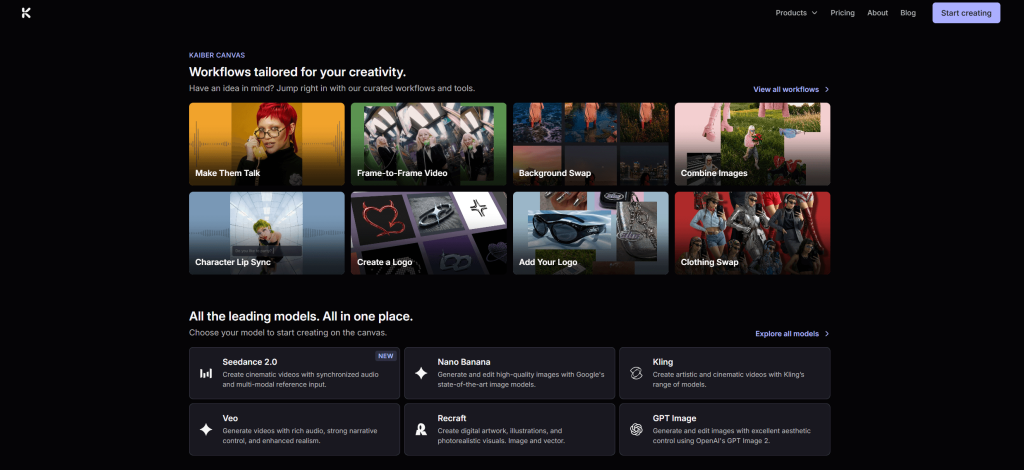
The current product is built around three connected pieces: Canvas, the infinite-workspace generation engine where credits are spent; Cuts, an auto-editor that assembles beat-synced sequences from your generated media; and Editor, a lightweight timeline tool for final trims. All three sit inside Superstudio, Kaiber's node-based interface, which behaves more like a digital whiteboard than the linear timelines found in Adobe Premiere, CapCut, or most competing AI tools.
Why Kaiber Stands Out in 2026
Audioreactivity nothing else does natively: Upload an MP3 or WAV, and Kaiber's engine analyzes the frequency spectrum, BPM, and transient peaks, then maps those events directly onto generated visuals. The result pulses, cuts, and shifts in time with your actual track — not a generic beat-matched template. Runway, Pika, Kling, and Sora have no equivalent feature built into their core workflow.
One subscription, eight models: A single Creator plan unlocks Kling 3.0, Luma Ray 2, Google Veo 3.1, Runway Gen-4.5, MiniMax Hailuo, Wan 2.5, Mochi, and Kaiber's own frame-by-frame Flipbook model — all inside one canvas. Subscribing to Kling, Veo, Luma and Runway individually would easily run past $100 a month; Kaiber bundles access to all of them starting at $29.
A genuinely different canvas metaphor: Superstudio treats every prompt, image, video, and audio clip as a node you can connect and remix on an infinite whiteboard, instead of forcing you into a linear timeline. For iterative, exploratory creative work — trying five variations on a style before landing on the right one — that structure is faster than clicking back and forth between separate generation and editing screens.
Custom LoRA training for consistent style: Creator-tier subscribers and above can train a custom model on their own uploaded artwork or character designs, so every future generation stays visually consistent without re-explaining the style in each prompt — a feature Pika and Sora don't offer at a comparable tier.
Built-in 4K upscaling via Topaz Labs: Generations render at 1080p by default to conserve credits, then can be upscaled to 4K through an integrated Topaz Labs pipeline — no separate upscaling subscription required.
Purpose-built for the music and live-performance workflow: Native 9:16 export for Spotify Canvas, 60fps output for high-motion EDM sets, and stem separation via an integrated Audioshake module so you can sync visuals to an isolated kick drum or vocal instead of the full mix.
Real-world credibility with working artists: This isn't a demo-reel tool. Kaiber's visuals have shipped in released music videos and live performances for major touring artists, which is a level of production-tested validation few AI video startups can point to.
Key Features and Technology
Kaiber's feature set clusters around three jobs: generating stylized visuals, syncing them to sound, and getting a finished, exportable clip out the other end.
Superstudio Canvas and Multi-Model Generation
The Canvas is where credits get spent. You drop in a text prompt, an image, or an audio file, choose a generation model — Kling for movement realism, Luma Ray 2 for cinematic camera motion, Veo 3.1 for richer detail, Runway Gen-4.5 for stylized motion, or Flipbook for a hand-drawn, frame-by-frame look — and connect nodes to build out a sequence. Because every step lives on the same infinite whiteboard, you can branch off a promising result, compare it against three other model outputs side by side, and keep only the version that works.
Audioreactivity and the Audio Module
This is Kaiber's signature capability. Upload a track, pick a sync style — high energy, cinematic, or time skip — and the engine maps detected BPM and transient peaks onto the generated visuals. EDM and hip-hop, with strong defined bass drops, produce the most dramatic sync; acoustic and classical tracks work but land more subtly. Beyond the core engine, Kaiber integrates Stability AI for audio generation and Audioshake for stem separation, so you can isolate a kick drum or vocal line and sync visuals to that single element for a cleaner beat match.
Cuts (Auto-Editor) and the Timeline Editor
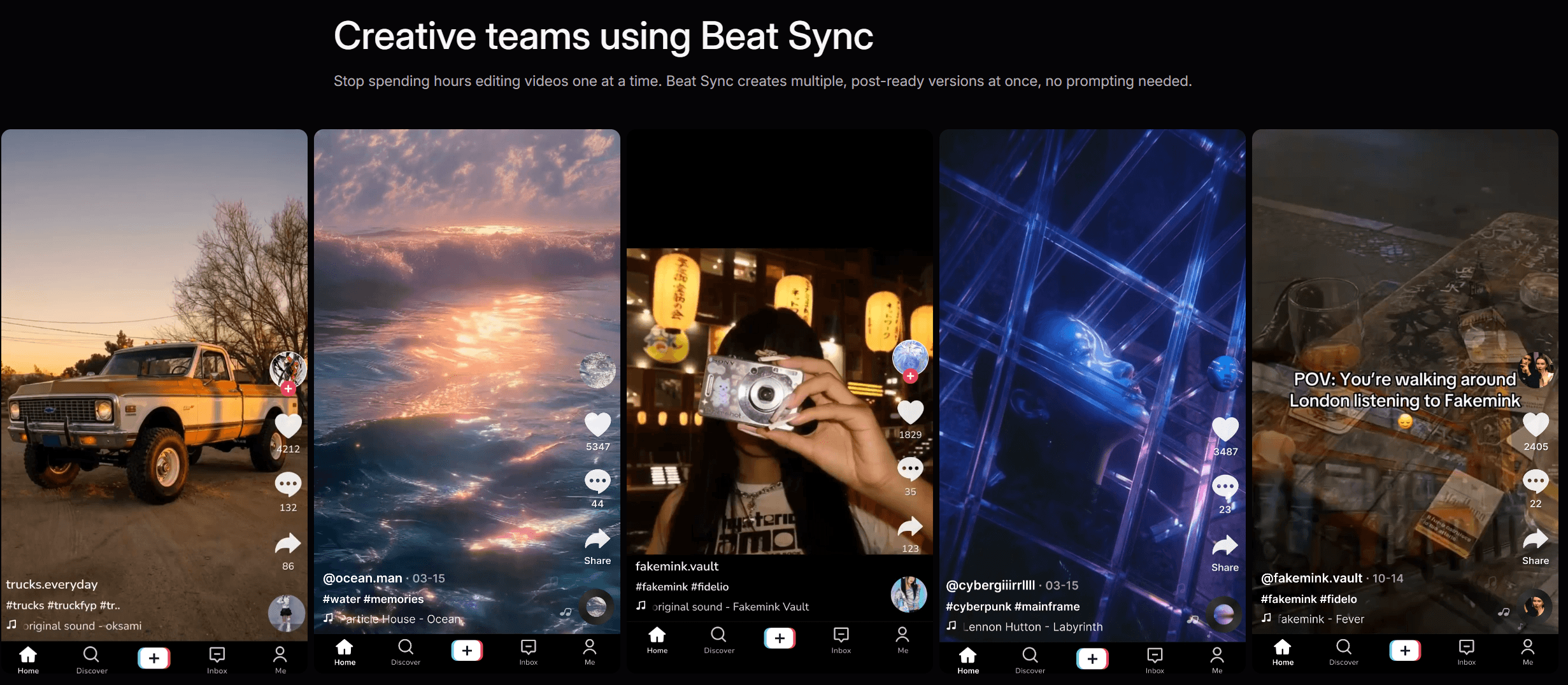
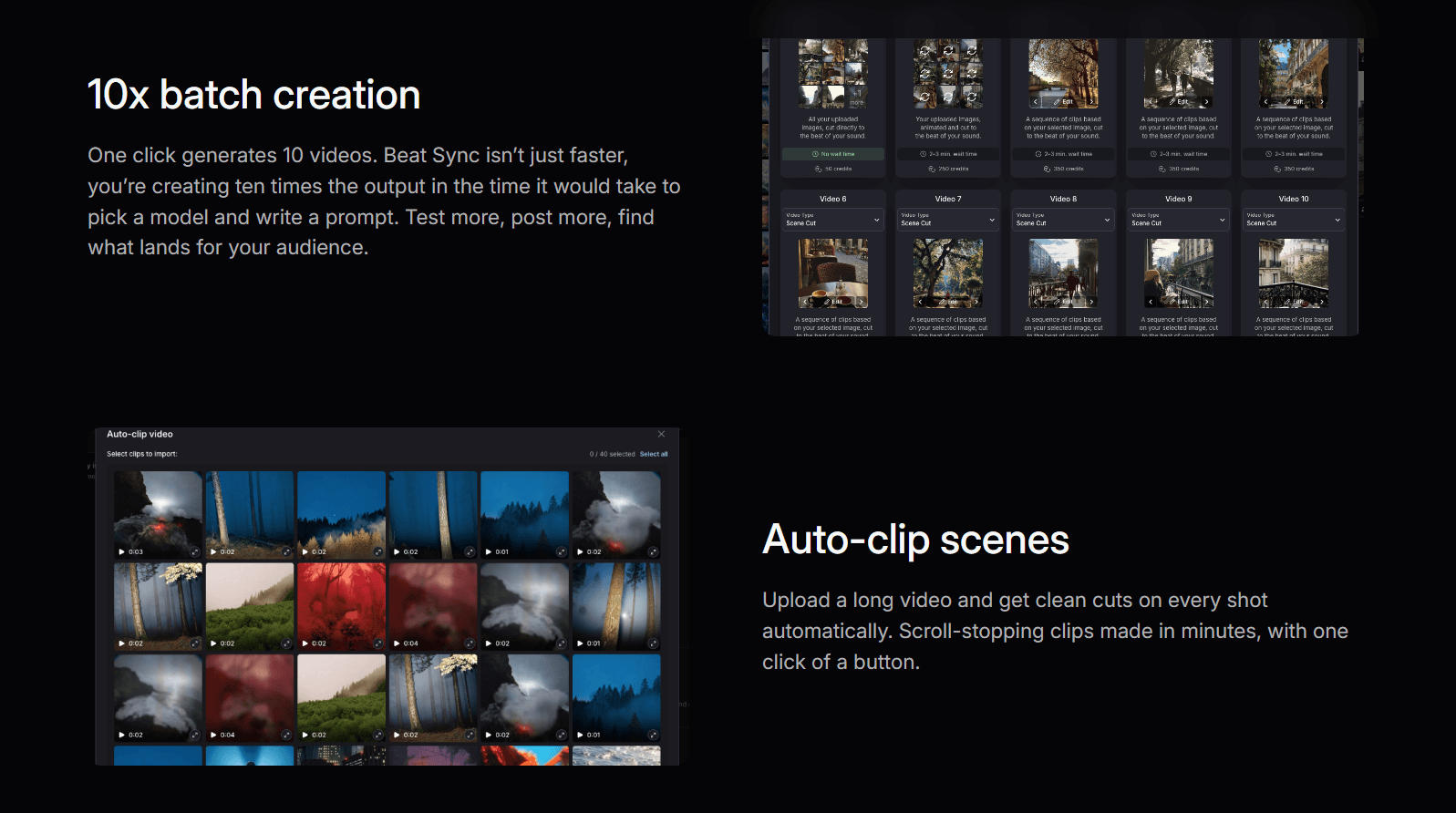
Cuts automatically assembles beat-synced sequences from your generated clips, which is useful for quickly turning a batch of short generations into one coherent visualizer. For final polish — trims, ordering, simple transitions — the built-in Editor offers a basic timeline, though most creators export finished clips into DaVinci Resolve, Premiere Pro, or Final Cut for heavier editing.
Custom LoRA Training and 4K Upscaling
Creator-plan subscribers and above can train a custom LoRA model on 15–20 uploaded images in a consistent art style, teaching Kaiber to reproduce that look automatically. Once you're happy with a generation, the integrated Topaz Labs pipeline upscales it from 1080p to 4K, exporting as MP4 (H.264) or MOV across 16:9, 9:16, 1:1, 4:5, and 21:9 aspect ratios at 24, 30, or 60fps.
Pricing, Plans, and Package Structure
Kaiber runs on a subscription-plus-credits model: every plan bundles a monthly credit allowance, and every generation action — image, video, upscale, or stem separation — deducts from that balance. Subscription credits reset each cycle; separately purchased credit packs never expire. Pricing below reflects Kaiber's published plans as of 2026 and should be confirmed on the live pricing page before you subscribe, since credit-based SaaS pricing shifts often.
| Plan | Monthly Price | Annual Price | Credits/Month | Key Limits |
|---|---|---|---|---|
| Flex (Free) | $0 | $0 | ~50 | Standard models only, no commercial use |
| 5-Day Trial | $5 one-time | — | 500 | Full Creator access, auto-converts after 5 days |
| Starter | ~$10 | ~$8/mo billed yearly | 500 | Standard models only, no commercial use |
| Creator | ~$29 | ~$23/mo billed yearly | 1,500 | All premium models, commercial use, LoRA training |
| Pro | ~$99 | ~$79/mo billed yearly | 5,000 | Priority queue, discounted credit packs |
| Visionary | Custom quote | Custom | Unlimited | White-glove support, agency/studio use |
How Kaiber Compares to Alternatives
| Feature | Kaiber | Runway ML | Pika Labs | Kling AI |
|---|---|---|---|---|
| Audioreactivity | Native, best-in-class | None | None | None |
| Multi-model access | Kling, Veo, Luma, Runway and more, one canvas | Runway models only | Pika models only | Kling models only |
| Photorealism | Stylized, not photorealistic | Strong | Moderate | Strong |
| Entry price | ~$10/mo, $5 trial | ~$15/mo | ~$8/mo | ~$7/mo |
| Workflow style | Node-based infinite canvas | Linear | Linear | Linear |
| Free tier | Limited (~50 credits) | Very limited | More generous | Available |
vs. Runway ML: Runway is the stronger choice for cinematic realism, narrative film, and commercial production, and it offers native 4K without a third-party upscaler. Kaiber's Creator plan actually includes Runway Gen-4.5 as one of its bundled models, so a Kaiber subscriber isn't giving up Runway output — they're adding Kling, Veo, Luma and audioreactivity on top of it for a comparable or lower monthly cost.
vs. Pika Labs and Kling AI: Both are cheaper single-model entry points — a good fit if you only need one style of clip on a tight, predictable budget. Neither offers audioreactivity, multi-model access, or a node-based canvas, which is precisely the gap Kaiber is built to fill for music and performance content.
vs. doing it yourself with open-source tools: Kaiber's roots are in open-source diffusion tooling like AnimatedDiff, ControlNet, and Deforum, packaged into a single hosted product with a UI, credit system, and support team. Recreating Kaiber's audioreactive pipeline from raw open-source components is possible but demands real technical setup time that most musicians and creators would rather spend making content.
Pros and Cons
What Creators Love
Audioreactivity nobody else matches: The beat-synced visual generation is genuinely unique in the mainstream AI video space, not a marketing exaggeration.
Serious model access for the price: Kling, Veo, Luma, Runway, MiniMax, Wan, Mochi and Flipbook in a single $29/month plan is a real value proposition against subscribing to each individually.
Integrated 4K upscaling and stem separation: Topaz Labs and Audioshake are built into the workflow, removing the need for separate subscriptions to those tools.
Mobile app with cross-device sync: iOS and Android apps let you review projects and generate quick clips on the go, syncing back to the desktop canvas.
Purchased credit packs never expire: Useful for occasional or project-based users who don't want a standing monthly commitment.
Limitations Worth Knowing
Credit costs are unpredictable: A single 4-second full-resolution clip can run 40–60 credits, and heavy experimentation drains a monthly allowance faster than the sticker price suggests.
No generous permanent free tier: The Flex plan offers only around 50 credits, and the appealing $5 trial auto-converts to a paid Creator subscription after five days if you don't cancel.
Not built for photorealism: Corporate video, talking-head content, and documentary-style realism are outside Kaiber's lane — Synthesia, HeyGen, or Runway serve those needs better.
Refund policy generates friction: Trustpilot and Reddit users report difficulty getting refunds after forgetting to cancel the auto-converting trial, though Kaiber support has stated it does process refunds when contacted with account details.
Learning curve on the canvas: The node-based Superstudio workflow is unfamiliar if you're used to a standard linear editor, and it takes a project or two to feel natural.
Mobile app is a lighter experience: The full multi-model, node-based canvas workflow is desktop-only; mobile is best for quick generations and reviewing projects.
Who Should Use Kaiber
Musicians and recording artists: If you need Spotify Canvas loops, YouTube Music visualizers, or Apple Music artwork animation that actually reacts to your track, Kaiber's audioreactivity is purpose-built for exactly this — start on the Creator plan.
DJs and live performers: Beat-reactive, loopable visuals for Resolume Arena or Serato Video projection make Kaiber a natural fit for club and festival sets; the Creator or Pro plan supports the credit volume regular set production needs.
TikTok, Reels and short-form creators: Native 9:16 export, 60fps output, and a distinctive stylized look help EDM- and hip-hop-adjacent content stand out from generic AI clips — the Creator plan's 1,500 monthly credits comfortably covers regular posting.
Visual artists and illustrators: Custom LoRA training lets you animate your own style consistently without re-prompting every time, making the Creator or Pro tier worthwhile for anyone building a recognizable brand look.
Agencies and studios: Teams producing music-driven content at volume, or needing white-glove support and unlimited credits, should go straight to a custom Visionary quote rather than stacking multiple Pro seats.
Getting Started: Step by Step
- Sign up at kaiber.ai. Start with the $5 five-day trial to get full Creator-level access and 500 credits to test the whole workflow before committing.
- Open a new Superstudio canvas. From the dashboard, click “New Canvas” to enter the infinite node-based workspace.
- Upload your audio track. Click “Audioreactivity,” upload an MP3 or WAV, and let the engine analyze BPM and frequency data.
- Choose your generation model. Pick Kling for realism, Luma Ray 2 for cinematic motion, Veo for detail, Runway for stylized effects, or Flipbook for hand-drawn frame animation.
- Write a specific prompt. Combine a subject, a motion descriptor, a style, and a lighting cue — vague prompts produce vague, credit-wasting results.
- Preview at low resolution first. Confirm the direction is right before spending 40–60 credits on a full-resolution render.
- Upscale and export. Push the final clip through Topaz Labs for 4K if needed, then export as MP4 (H.264) for social platforms or MOV for further editing.
Tips for Getting Maximum Value
Treat credits like a budget, not an afterthought: always render a low-resolution preview before committing to a full-quality generation, since a single bad 4-second clip at full resolution can burn 40–60 credits you won't get back. Keep audioreactive clips to 4–6 seconds where possible — cost scales with length, and shorter loops are usually all a Spotify Canvas or DJ set needs anyway. Use the Flipbook model for early concept testing since it's typically cheaper per generation than premium models like Veo or Kling, then switch to a premium model only once you've locked the direction. If your music has a complex or polyrhythmic mix, run it through Audioshake stem separation first and sync to an isolated kick or vocal rather than the full track — it noticeably tightens the beat match. And set a calendar reminder the moment you start the $5 trial, since it auto-converts to the paid Creator plan after five days if you don't cancel from Account Settings first.
Future Outlook and Final Assessment
The direction of the AI video market favors specialists like Kaiber. As general-purpose models from OpenAI, Google, and Runway keep pushing toward photorealism, the market for stylized, artist-driven, music-synced content is becoming a distinct and defensible niche rather than a stopgap until “real” video generation arrives. Kaiber's decision to bundle competing frontier models — Kling, Veo, Luma, Runway — inside one canvas, rather than building a single proprietary model to compete head-on, is a pragmatic bet that plays to its strengths as a bootstrapped, artist-focused studio rather than a foundation-model lab.
The honest caveats stand, though: budget realistically for how fast credits disappear once you start experimenting, don't expect photorealism, and set a reminder before that $5 trial auto-converts. Within those boundaries, Kaiber remains one of the most distinctive and genuinely useful AI video tools available in 2026 for anyone whose work lives and dies by the beat.
Conclusion
Kaiber isn't trying to be Runway, Sora, or Kling, and that's exactly why it works. By staying focused on audioreactivity, multi-model access, and a node-based canvas built for artists, it has carved out a lane — musicians, DJs, and stylized short-form creators — where it genuinely has no direct competitor in 2026. Confirm your credit budget, start with the Creator plan or the $5 trial, remember to preview before you render, and Kaiber turns a track into a matching visual without the friction — proof that AI Solutes' mission to make everything easy applies to creative tools too.
Ready to turn your track into a matching visual?
Explore more honest reviews, tutorials and tool comparisons to find the right tech for the way you work and create — at AI Solutes, where we make everything easy.
👉 Start Your Free Trial: https://ai-solutes.com/kaiber
👉 Our YouTube Channel: youtube.com/@ai-solutes
👉 Our Facebook Fanpage: Facebook
👉 Our X (Twitter): @AISolutes
- How Can Motion Seamlessly Reschedule Missed Tasks Without Requiring Manual Drag-and-Drop Adjustments?
- Why is Ulike US Trending Worldwide? Reviewing the Ulike US At-Home Laser Alternatives
- The Keto Box Subscription Review 2026: Compare Snacks, Pricing, and Keto Krate Alternatives
- Researcher.life
- Make 3D