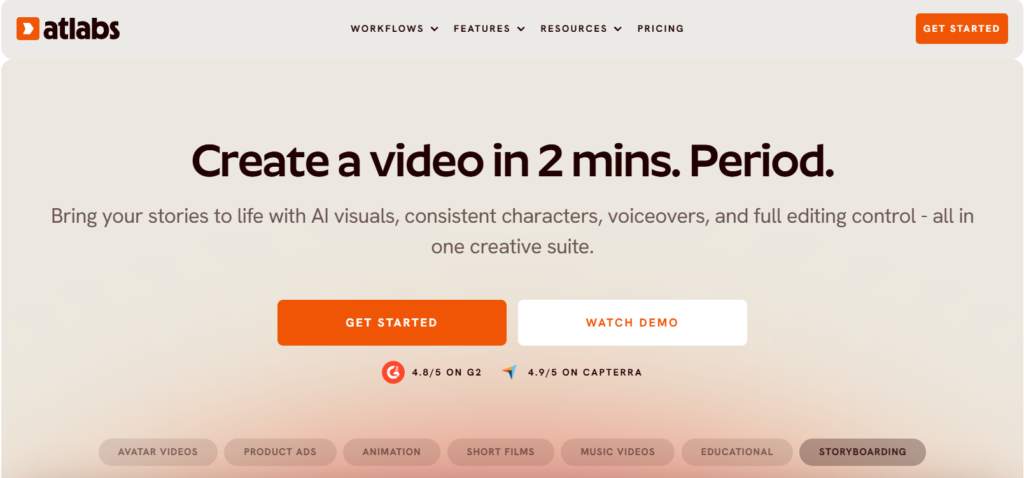
Making a video used to mean a camera, a crew, an editor and a week you did not have. Today a single idea typed into a text box can become a finished clip with visuals, voiceover, captions and motion, and the real question has shifted from “can AI make video?” to “which tool lets me actually finish one without burning through my budget?” Atlabs is one of the platforms built to answer that. It is an AI video creator that turns a prompt, a script, an audio file or an existing video into a complete video, with consistent characters across scenes, voiceovers and lip sync in 40+ languages, automatic captions, and access to many of the leading AI video and image models from one dashboard. Plans start at roughly $15 per month on annual billing, the company says more than 50,000 creators, brands and agencies have used it to produce over 100,000 videos, and it competes in a generative video market that Straits Research sizes at about $751 million in 2025 and projects to reach roughly $3.76 billion by 2034. For anyone who needs video but not a production studio, Atlabs is built around a simple promise: what if the whole pipeline lived in one place?
For marketers producing ads, freelancers delivering social content, YouTubers running faceless channels, educators, musicians and small business owners, the appeal is immediate. This 2026 review walks through what Atlabs is, how its idea-to-export workflow works, every pricing tier, how it compares with InVideo AI, HeyGen and Synthesia, what real users praise and complain about, and exactly who should (and should not) sign up.
Atlabs Review 2026: The All-in-One AI Video Creator That Turns a Prompt, Script or Song Into a Finished Video
Overview and Background
Atlabs describes itself as an all-in-one, AI-powered video creation platform. You start with a text prompt, a written script, a product photo, a music track or just a rough idea, and the platform builds a storyboard, generates the visuals, adds a voiceover, animates the scenes and exports a finished file. No camera, no timeline-based editing software and no separate subscriptions to half a dozen AI tools are required to get a first cut out the door.
The company was founded in 2024 by alumni of IIT Delhi and London Business School, with Archit Rathi and Tushar Tuteja named as co-founders on its About page, and its stated mission is to make video storytelling accessible to everyone, so that stories are not limited by cost, complexity or team size. Its team page lists a mix of engineers, product designers and AI filmmakers. Public detail about funding and headquarters is thin, which is worth knowing if you are evaluating a vendor for long-term business use.
Atlabs positions itself differently from a simple prompt-to-clip generator. Its G2 listing describes an agent-orchestrated studio, and its help center explains that agentic workflows route each project to the AI model that best suits the target look, whether that is a music video, an animated cartoon or a product ad. In practice that means you pick the kind of video you want and the platform decides how to build it, while still letting you step in at any stage: idea, script, visuals, voice, motion or export.
Why Atlabs Stands Out in 2026
One workspace for the whole pipeline: Most creators who experiment with AI video end up juggling a script tool, an image generator, a video model, a voice tool and an editor. Atlabs collapses that into one flow: idea, script, visuals, voice, motion and export. Capterra reviewers consistently highlight this all-in-one approach, saying they can handle scripts, visuals, voice and editing without leaving the platform, with script-to-video and storyboard features singled out for praise.
Multi-model access without multiple subscriptions: Atlabs gives you access to a large catalog of AI models, with Google Veo, Kling, Seedance and Flux Kontext named on its site, and Capterra reviewers specifically mention Kling 3.0 and Seedance 2.0. The company cites 50+ models on its homepage and 100+ on its pricing page, so treat the exact count as a moving target. What matters is the practical benefit: you can match the model to the shot instead of being locked into one engine’s strengths and weaknesses.
Consistent characters, locations and objects: Keeping a character looking the same from scene to scene is the hardest part of AI storytelling, and it is a core Atlabs feature. Higher tiers go further. Plus adds a consistent character library of 150+ options with unlimited training of characters, locations and objects, while Max adds unlimited custom actors, styles, locations and products. For anyone building a series, a brand mascot or a recurring presenter, this is the difference between a toy and a workflow.
Voiceover, lip sync and 40+ languages: The platform generates AI voiceovers with automatic lip sync and offers captions and voiceovers in 40+ languages, with male and female options for each. The Lite plan lists 300+ voices, Pro adds AI motion and lip sync, and Plus adds emotion control in AI voices. Voice cloning is advertised on the homepage, although the pricing page lists it under Enterprise, so confirm availability on your plan before counting on it.
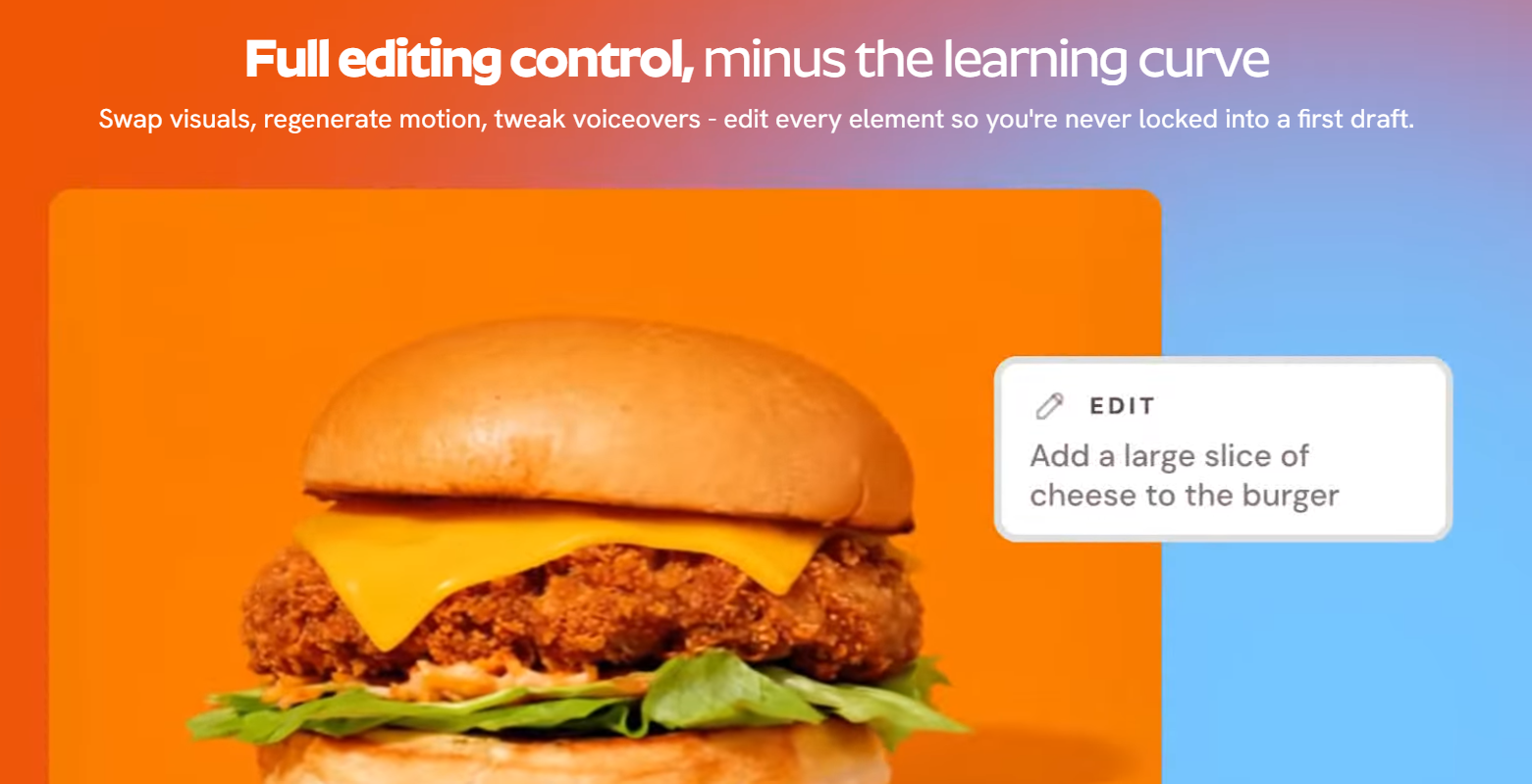
Storyboard-first control: Instead of handing you a finished clip and a shrug, Atlabs builds a storyboard you can edit. You can swap visuals, regenerate motion for a single scene, refine the script and tweak the voiceover. That scene-level control is what lets you fix one weak shot without paying to rebuild the whole video, which matters a great deal in a credit-based system.
Captions, reframing and one-click translation: Atlabs claims 95%+ caption accuracy, offers 10+ subtitle styles with editable text, reframes a video to any aspect ratio, and can translate a finished video with one click, although the pricing page lists full translation to 40+ languages as a Max feature. For creators publishing the same story to YouTube, Shorts, Reels and TikTok in several markets, that finishing layer saves real time.
Brand control and professional export: An AI Brand Model lets you upload logos, fonts and tone so output stays on brand, and videos export as MP4 or, on Plus and above per the pricing page, to Adobe Premiere Pro for further editing. Commercial use is listed on the paid plans, which matters for freelancers and agencies delivering client work.
Key Features and Technology
Atlabs is easiest to understand as a production line with a different set of presets for each type of video. Here is how the platform breaks down.
The Core Workflow: From Idea to Export
Every project follows the same backbone. You write or upload a starting point (a prompt, script, song or idea), customize the style by choosing a look, building consistent characters, objects and locations, and picking a voice, then generate and edit a storyboard where you can adjust scenes and add music, and finally animate and export with motion and lip sync added. The help center says finished videos can be exported in 1080p or 4K, and you can intervene at any point instead of waiting for a black-box result.
Guided Workflows for Different Video Types
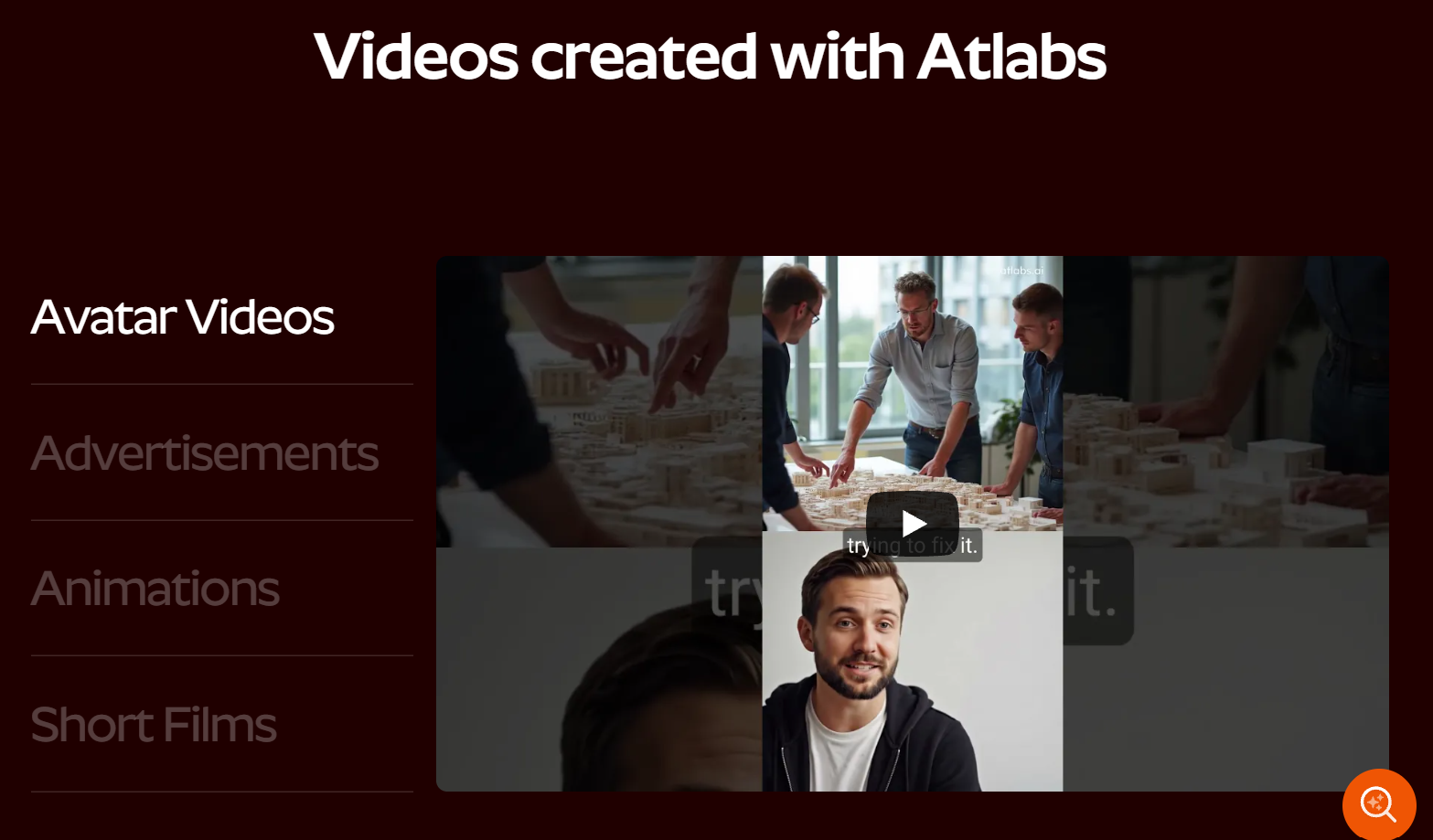
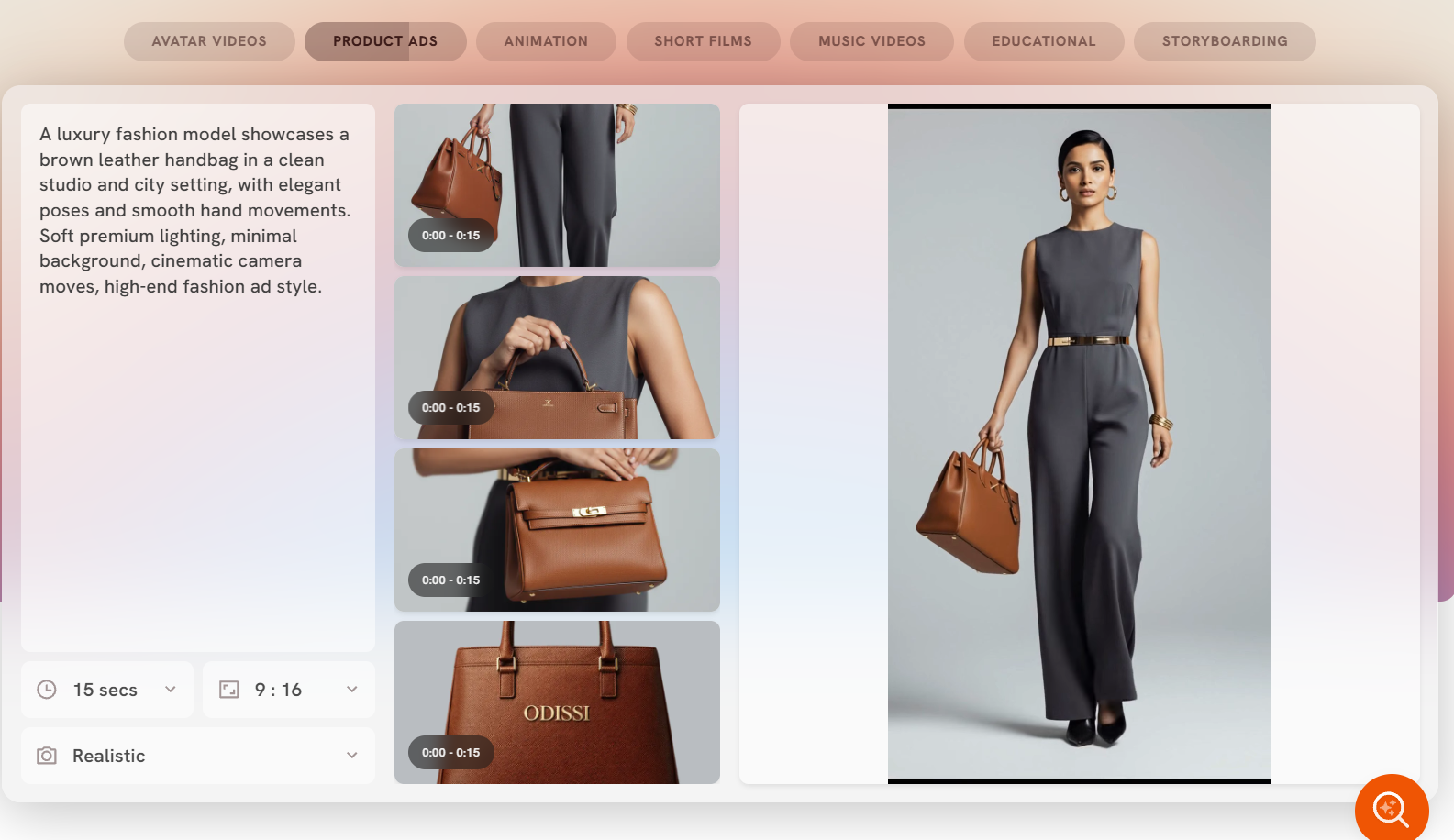
Rather than one generic generator, Atlabs offers workflows for specific outputs: brand ads and promos, avatar videos, animations, short films and film prototypes, music videos and educational videos. A Motion app handles single clips, and a Blank Story mode lets you build a short video scene by scene. Maximum video length is tied to your plan, running from 2 minutes on Lite to 5 minutes on Pro, 10 minutes on Plus and 20 minutes on Max. Music creators get a particularly strong pitch, because Pro and above include music-to-video workflows and a music analysis tool, and Trustpilot reviewers single out music videos as a standout use case.
Models, Voices and Language Support
Under the hood, Atlabs combines top AI models for video, image, voice and text in a single interface. Voiceovers and captions cover 40+ languages, translation to those languages is a Max-tier feature on the pricing page, and a voice changer is included at the same tier. The practical upshot is that one script can become several localized versions without re-recording anything, which is a genuine advantage for educators, course creators and brands with international audiences.
Editing, Brand Control and Collaboration
Editing happens at the scene level, and Plus and above add premium ad templates (the pricing page cites a library of 200+), product ads up to 15 seconds and premium explainer formats. Max adds brand customization, an account manager and onboarding. Real-time team collaboration is marked as coming soon on the site, so teams that need several people editing the same project at once should not buy on that promise alone.
Pricing, Plans, and Package Structure
Atlabs is a subscription product with a credit system on top. Each AI action consumes a set number of credits depending on the model and length, annual plans receive their credits upfront for the year, and credits roll over while you remain subscribed. Annual billing is advertised as 25% off, which the FAQ describes as the equivalent of three free months. Both monthly and annual plans auto-renew, and you can switch that off in account settings. Extra credit packs can be bought at any time, with discounts on Plus and Max. One practical note: parts of the pricing page show savings in rupees alongside dollar figures, so check the currency at checkout.
| Plan | Monthly / Annual (per month) | Annual Credits (Video Covered) | Key Limits and Perks | Best For |
|---|---|---|---|---|
| Free | $0 | One full video creation experience; no credit card | A single guided test of the platform | Anyone who wants to try it before paying |
| Lite | $19 / $15 ($180 billed yearly) | 1,800 credits (about 24 min) | 2-min videos, 720p, 30+ styles, 300+ voices, commercial use, standard speed | Hobbyists and short social clips |
| Pro | $39 / $29 ($348 billed yearly) | 4,200 credits (about 36 to 48 min) | 5-min videos, music-to-video, motion and lip sync, 40+ languages, discounted credit packs | Solo creators and musicians |
| Plus (Most Popular) | $79 / $59 ($708 billed yearly) | 9,000 credits (about 84 to 120 min) | 10-min videos, 1080p, train your own models, Premiere export, 2x render speed, 200+ ad templates, 5 GB storage | Marketers, freelancers, small agencies |
| Max (Best Value) | $249 / $189 ($2,268 billed yearly) | 31,200 credits (about 300 to 420 min) | 20-min videos, 5x render speed, unlimited custom actors, brand customization, account manager, 10 GB storage | High-volume teams and agencies |
| Enterprise | Custom | Custom | Unlimited 4K, voice cloning, SSO, dedicated support, custom models | Large organizations |
How Atlabs Compares to Alternatives
| Factor | Atlabs | InVideo AI | HeyGen | Traditional Production |
|---|---|---|---|---|
| Core strength | Story-driven scenes, music videos, ads, consistent characters | Prompt-to-video for social and marketing content | Talking-presenter and avatar videos | Fully custom, human-directed footage |
| Multi-model access | Yes (Veo, Kling, Seedance, Flux Kontext) | Yes (credit cost varies by model) | Centered on its own avatar technology | Not applicable |
| Free tier | One full video, no card | Limited, resets weekly | 3 videos per month, 1 min each, watermarked | None |
| Entry price | $15 to $19 per month | About $20 per month | About $29 per month | Quoted per project |
| Credit rollover | Yes, while subscribed | Monthly credits reset on paid plans | Limited rollover on monthly plans | Not applicable |
| Best for | Creators who want storyboard control | Fast, template-style marketing videos | Spokesperson and training videos | Brand films and high-stakes campaigns |
vs. InVideo AI: InVideo AI is Atlabs’ most direct rival for prompt-to-video content. Third-party trackers put its paid plans at roughly $20, $60 and $135 or more per month, with monthly credits that reset rather than roll over and extra credits sold separately from about $5. InVideo is quick and template friendly, while Atlabs leans into storyboards, consistent characters and music video workflows. If you want a fast marketing clip with minimal tinkering, InVideo is worth a look; if you want to direct a multi-scene story, Atlabs gives you more control, and its credit rollover is a real plus.
vs. HeyGen and Synthesia: These two are built around presenter-style avatars. HeyGen’s plans are listed by trackers at about $29 (Creator), $49 (Pro) and $149 or more (Business) per month, with a watermarked free plan, while Synthesia is listed at roughly $29 (Starter) and $89 (Creator) per month with a limited free tier. They excel at the talking-head explainer and corporate training format. Atlabs is the better fit when you want cinematic scenes, animated stories, music videos or ads rather than a single presenter reading a script.
vs. traditional production: A freelance editor or agency still wins when you need real people, real locations, precise brand direction or legal certainty on every frame. But it is quoted per project, takes far longer and costs far more than a monthly subscription. For explainers, social content, concept films and ad variations, Atlabs delivers a large share of the benefit at a fraction of the cost and turnaround.
Pros and Cons
What Creators Love
Easy to learn: Capterra reviewers rate ease of use at 4.7 out of 5 and describe the interface as clean, intuitive and beginner friendly. You can get a first video out without learning a timeline editor.
Everything in one place: Script, visuals, voice, motion and editing live in one workflow, with storyboard and script-to-video features earning repeated praise. That cuts the tool juggling that makes AI video projects slow.
Strong model variety: Access to engines such as Kling and Seedance alongside other leading models means you are not stuck with one look, and users say the visual quality can be impressive, including for music videos.
Responsive support: Customer service scores 4.8 on Capterra, and Trustpilot reviewers say the team is helpful, with one noting a live person was available during business hours, and Capterra reviewers add that the team even helped with urgent credit issues.
Credits that roll over: Credits carry over while you stay subscribed, annual plans load them upfront, and annual billing takes 25% off the monthly rate, which makes the system more forgiving than plans that reset every month.
Limitations Worth Knowing
Credits can disappear quickly: This is the most common complaint on both Capterra and Trustpilot. Premium video models are credit hungry, failed or unsatisfying generations can waste credits, and one Trustpilot reviewer noted that the quoted video lengths seem to assume lower-end models and no re-renders.
Quality and consistency can vary: Several users say image-to-video output loses sharpness and detail compared with the source image, that results can feel random, and that characters or scenes sometimes shift. Some outputs look unmistakably AI-made and character expressions may need rework.
Export options and reliability: Reviewers describe the download and export settings as confusing, with unclear quality labels, and some report generations that fail repeatedly or pages that load slowly. The mobile experience is also described as clunky compared with desktop.
Content restrictions: Users cite limits on real-face references in models such as Seedance 2.0 and Kling, along with restrictions on copyrighted and violent content. If your project depends on likenesses of real people, expect friction.
Thin public track record: G2 shows a strong 4.9 rating but from only 7 reviews, Capterra shows 4.7 from 51 reviews and Trustpilot 4.6 from 79 reviews, all noticeably smaller samples than the big names in the category. Trustpilot also notes the company has not replied to negative reviews, and details such as funding and headquarters are not publicly stated.
Team features are not here yet: Real-time collaboration is marked as coming soon, and reviewers ask for a node or canvas style workflow, batch image generation and more advanced controls.
Who Should Use Atlabs
Social media marketers and small business owners: If you need ad creatives, product promos and short branded clips on a regular schedule, Atlabs turns a product photo or a few lines of copy into a finished video fast. Start with Pro, and move to Plus when you want the 200+ ad template library and discounted extra credits.
YouTubers and faceless channel creators: Consistent characters, voiceovers in many languages and scene-level editing suit story-driven channels, explainers and shorts. Pro covers most solo creators, and the one-click translation helps you reach new audiences.
Musicians and music video makers: Music-to-video workflows and music analysis tools are available from Pro upward, and music videos are one of the use cases reviewers praise most. Pro is the sensible starting point, with Plus for longer, multi-character productions.
Freelancers and small agencies: Commercial use, custom model training, Premiere Pro export and faster rendering make Plus the practical choice for client work, while Max suits agencies producing at volume and wanting an account manager.
Educators and course creators: Educational video workflows, multilingual voiceovers and translation make it easy to produce lessons in several languages. Pro is enough for most, with Max if translation at scale is central.
Curious beginners: If you simply want to see what AI video can do, the free plan lets you create a full video with no credit card. Just remember it is a trial of the platform, not a permanent monthly allowance.
Getting Started: Step by Step
- Create your account. Open Atlabs through the link at the end of this review and sign up. The free plan does not require a credit card, so you can test the workflow before paying.
- Choose your starting point. Pick a workflow that matches your goal, such as an ad, an animation, a music video or an educational video, then start from a prompt, a full script, a product photo or a song.
- Set the look and the cast. Choose a visual style, create the characters, objects and locations you want to stay consistent, and select a voiceover language and voice.
- Review the storyboard before animating. Edit the script and fix weak scenes while they are still cheap, because regenerating motion is where credits are spent.
- Animate, add sound and polish. Add motion and lip sync, choose background music, and turn on captions in a style that suits your platform.
- Export and download. Check your plan’s export resolution, download the finished file or send it to Premiere Pro on a plan that supports it, then judge your real credit usage before picking a paid tier.
Tips for Getting Maximum Value
Treat your first week as a credit-budgeting exercise. Lock the script and storyboard before you generate any motion, keep early drafts short, and save the most expensive models for the shots that truly need them, since each AI action costs credits according to the model and length. Test a project on the free plan or a monthly subscription before committing to annual billing, then switch to annual once you know your real burn rate, because the 25% saving is only worth it if you will use the credits. Download finished videos promptly, because data retention is limited to three months and storage on Lite and Pro is 2 GB. Avoid real-face references in models that restrict them, double-check export settings before every render, and keep a library of prompts and character settings that work so you do not pay to rediscover them. Finally, resist over-buying: if you only need a handful of short videos a month, Lite or Pro is plenty, and Plus makes sense only once custom training, Premiere export or faster rendering will genuinely earn their keep.
Future Outlook and Final Assessment
The tailwinds favor tools like Atlabs. Straits Research projects the global AI video generator market to grow from about $751 million in 2025 to roughly $3.76 billion by 2034, a compound annual growth rate near 20%, and demand for short-form, localized, always-on video content keeps rising for brands, creators and educators alike. Atlabs’ bet on a model-agnostic studio, rather than one proprietary engine, means it can fold in new video models as they appear, and its roadmap already points to real-time team collaboration.
The honest caveats remain. Credits can burn faster than the headline video lengths suggest, output quality still varies from scene to scene, some models restrict real faces and copyrighted material, and the company is young with limited public information beyond its own pages and a modest number of user reviews. Within those boundaries, Atlabs offers one of the more complete, approachable and fairly priced all-in-one AI video workflows available in 2026.
Conclusion
Atlabs takes the messy, multi-tool process of making an AI video and gives it one clear path from idea to export. It is approachable for beginners, flexible enough for working creators, and honest enough in its structure that you can see how credits, plans and lengths fit together, even if you should plan for re-renders. Confirm the live pricing, test the free plan on a real project, choose the tier that matches how often you actually publish, and let the platform handle the heavy lifting so you can focus on the story. The best tools make everything easy, and Atlabs gets closer to that than most.
Ready to turn your next idea into a finished video?
Explore more honest reviews, tutorials and tool comparisons to find the right tech for the way you work and live — at AI Solutes, where we make everything easy.
👉 Start Your Free Trial: https://ai-solutes.com/atlabs
👉 Our YouTube Channel: youtube.com/@ai-solutes
👉 Our Facebook Fanpage: Facebook
👉 Our X (Twitter): @AISolutes
- Patient Intake AI
- Master E-File 2026: How Digital Tax Filing and Automation Transform Compliance
- Vitacost Login Guide: Access Your Account Fast, Fix Sign-In Issues, and Boost Security
- Scale and Digitize Your Photo Studio in 2025: Best Photo Studio Management Software, Workflow Checklist, and Proven Cost Cuts
- Unlock Enterprise Transformation with Amazon Nova AI: Advanced Multimodal Automation, Customization, and ROI Strategies