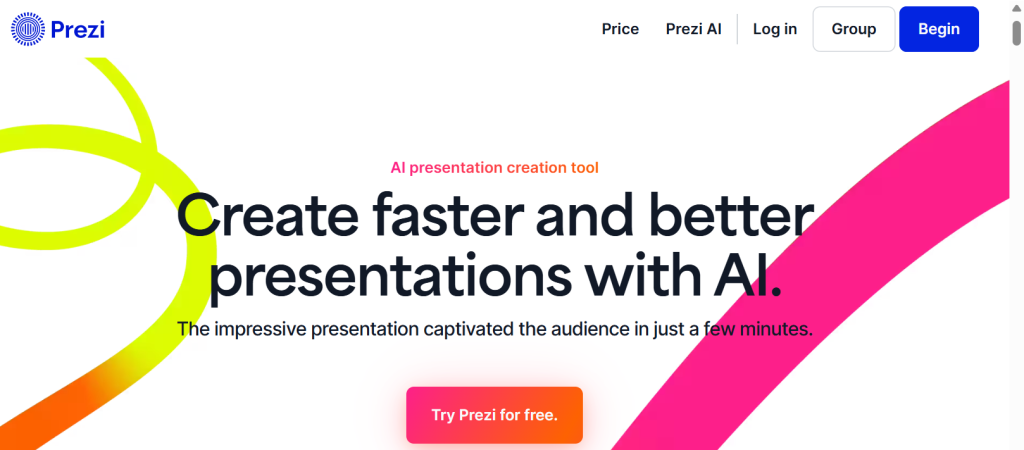
Be honest: most slide decks are forgotten the moment they end. We’ve all sat through a hundred linear PowerPoints, clicking from one bullet-point slide to the next, and remembered almost none of them. If you pitch clients, teach, sell, or create content for a living, “forgettable” is the last thing you can afford. Prezi takes a fundamentally different approach. Instead of flat slides, it uses a zooming canvas — you place all your content on one infinite space and move through it by zooming in to detail and back out to context, so a presentation feels like a journey through ideas rather than a list of bullets. Add Prezi Video, which puts your content on screen right beside you while you’re on camera, and a new wave of AI tools that can generate a full presentation from a single prompt, and you have a genuinely modern alternative to traditional slideware. Founded in 2009 and now trusted by more than 100 million users and organizations like Cisco, Salesforce, and Autodesk, Prezi starts free, offers paid plans from around $7/month, and includes a 14-day trial of its premium features.
For public speakers, educators, online coaches, marketers, sales professionals, content creators, and small business owners who want their audience to actually remember the message, Prezi’s visual, non-linear style is a real draw. This 2026 review walks through everything that matters: what Prezi actually is, its three products and standout features, the new AI presentation maker, the full plan-by-plan pricing breakdown, how it compares to PowerPoint, Canva, and AI-native tools like Gamma, the honest limitations worth knowing — including motion sickness and a strict billing policy — and exactly who should, and shouldn’t, use it.
Prezi Review 2026: The Zooming, Non-Linear Way to Make Presentations People Actually Remember
Overview and Background
Prezi is a cloud-based presentation platform built around a zooming user interface, or ZUI. Where PowerPoint and Google Slides move through slides sequentially, Prezi places all your content on a large, open canvas and lets you define a path that zooms and pans between sections in any direction. The effect is spatial and map-like — think of it as a mind map you can present — and when it’s done well, it’s visually striking and memorable in a way linear decks rarely manage.
The company pioneered this format back in 2009 and has since grown to well over 100 million users worldwide, with adoption at major organizations including Cisco, Salesforce, and Autodesk. Prezi is available as a web app, with desktop applications for Windows and macOS on paid plans, and it spans three products: Prezi Present for zoomable presentations, Prezi Video for presenting on camera, and Prezi Design for interactive charts and infographics.
In 2025 and 2026, Prezi made a significant leap by adding AI across the platform. Powered by OpenAI, Prezi AI can now generate a complete presentation from a text prompt or an uploaded PDF, PowerPoint, or Word file, create custom images from descriptions, and offer “Ask AI” text tools to shorten, expand, simplify, or turn text into visual elements — with an editable outline stage before the final deck is built. Prezi states that user inputs aren’t used to train third-party AI models.
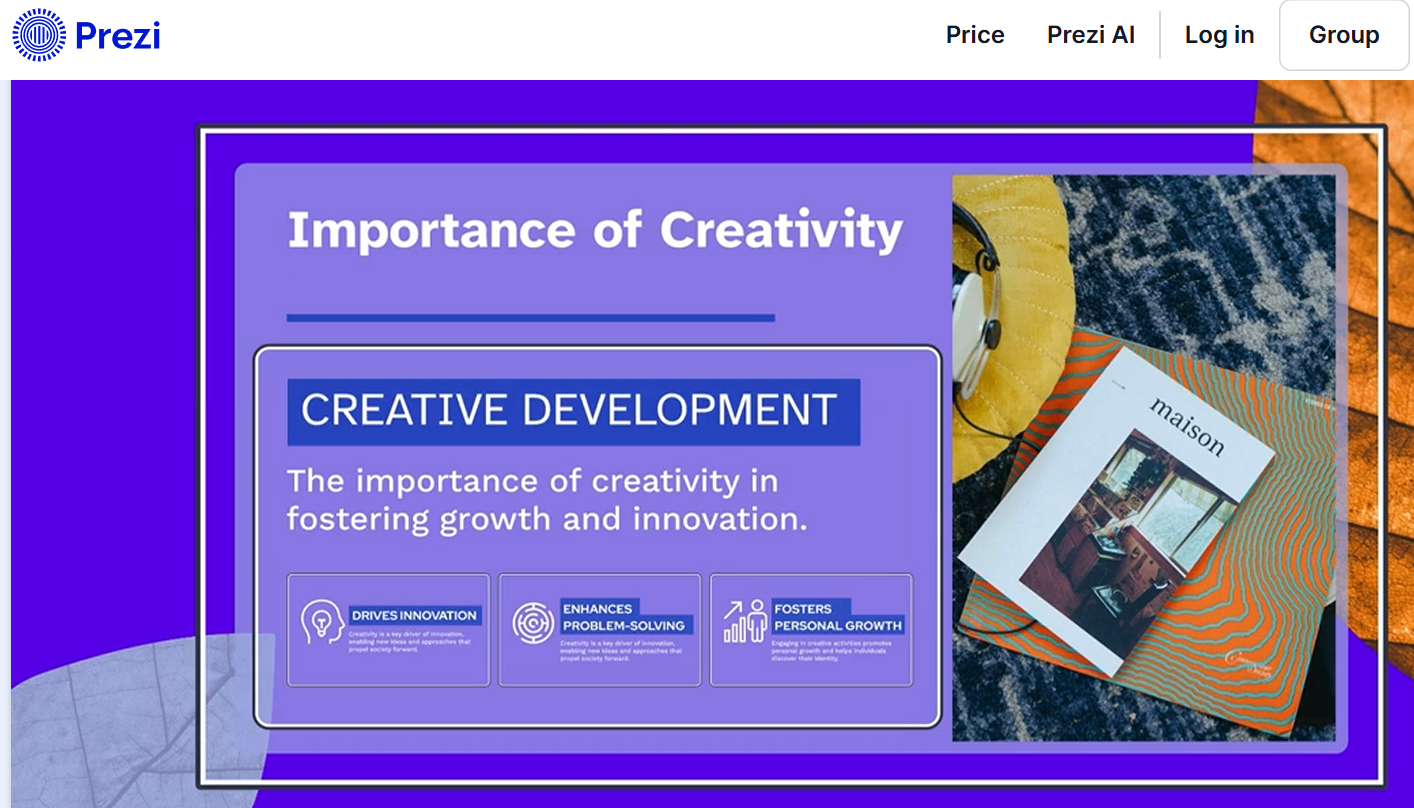
Why Prezi Stands Out in 2026
The zooming canvas is genuinely different: This is the whole reason Prezi exists. Navigating a large canvas by zooming between ideas creates a sense of structure and relationship that flat slides can’t convey — you can show the big picture, then dive into a detail, then pull back to context. For storytelling, pitches, and teaching, that spatial narrative is distinctive and memorable, and it’s why people who love Prezi really love it.
Prezi Video keeps you on camera: One of Prezi’s genuinely unique features lets your presentation content appear next to or around you while you’re on screen — like a news broadcaster with graphics beside them. It works inside Zoom, Microsoft Teams, Google Meet, and Webex without screen sharing, so you can maintain eye contact with your audience while showing visuals. For remote and hybrid presenting, webinars, and online courses, this is surprisingly effective and something most slide tools simply don’t offer.
It’s built to be remembered: Engagement is Prezi’s core value proposition. Users in education, healthcare, and sales consistently report that the non-linear, dynamic format improves audience attention and retention compared with linear slide decks — which is exactly why it earns its premium for high-stakes settings like investor pitches and client presentations where being memorable directly drives results.
AI removes the old time barrier: Historically, Prezi’s biggest drawback was the time it took to build spatial layouts from scratch. The new AI presentation maker fixes that — enter a title and short description, or upload a document, and Prezi generates a full 20-plus-slide presentation with content, images, layouts, color palettes, and its signature zooming animations in under a minute, with an editable outline you can refine first. It’s the single biggest improvement to the Prezi experience in years.
Real data visualization with Prezi Design: Beyond presentations, Prezi Design lets you build interactive charts, graphs, and infographics, importing data from spreadsheets and visualizing it with bar charts, scatter plots, timelines, and maps. Advanced plans add live data features that update charts automatically when the underlying numbers change, making Prezi useful for dashboards and reports, not just decks.
Smart Branding and a deep template library: Paid plans include Smart Branding, which automatically extracts your brand colors and fonts from your website or uploaded media and applies them across a presentation, plus hundreds of well-designed templates across business, education, and marketing categories so you’re never staring at a blank canvas.
Collaboration and viewer analytics: Real-time collaboration lets teams edit together with editor or viewer permissions and password-protected sharing, while Live Prezi enables remote co-presenters for webinars. On Premium and business plans, Prezi Analytics reveals who viewed a presentation, which sections they watched, and how long they spent — valuable intelligence for sales follow-up and lead generation.
Key Features and Technology
Prezi’s strength is how its tools serve presenters who care about impact. Here’s how the most important pieces break down.
The Zooming Canvas: Present Like a Journey
Instead of building individual slides, you arrange content on an open canvas and set a path that zooms into and out of different sections. Prezi gives you two kinds of topics: “planet” topics that branch outward in a circular, non-linear way, and “page” topics for when you want a more linear flow — so you can mix structure to fit your story. You can insert images, video, audio, charts, GIFs, icons, and even existing PowerPoint or PDF files, and apply animations like zoom and fade. The customization is genuinely deep, and the result is a presentation that feels like moving through a connected idea-space rather than flipping through a stack.
Prezi Video: Be On Camera With Your Content
Prezi Video lets you present alongside your visuals while you’re live on camera or recording. You can use the “Record as a Video” option to narrate a presentation while appearing beside your content, or use the Prezi Video app to import a deck from Prezi, Google Slides, or PowerPoint, add a virtual background, and present it as an interactive video. Because it overlays content next to you rather than replacing your face with a shared screen, it’s a natural fit for online courses, sales calls, webinars, and any remote meeting where keeping a human connection matters.
Prezi AI: Generate Presentations From a Prompt
The AI presentation maker is the headline 2026 addition. You describe what you need or upload a source document, review and edit the AI-generated outline, pick a color palette and design style, and Prezi builds the full presentation — complete with its zooming animations — typically in under a minute. The “Ask AI” tools then help you refine text and even convert plain text into visual elements like flowcharts and visual lists. In honesty, Prezi’s AI is more of an assistant than a one-click deck factory: compared with AI-native tools like Gamma, it nudges and suggests rather than producing a polished final deck untouched, so you’ll still do meaningful creative work yourself. But for getting past the blank canvas, it’s a big step forward.
Design, Branding, Collaboration, and Analytics
Rounding out the platform, Prezi Design handles interactive data visualization and standalone infographics, Smart Branding keeps everything on-brand automatically, and real-time collaboration with permission controls lets teams work together and co-present live. Prezi Analytics, on higher tiers, tracks viewer engagement down to which sections held attention and for how long — turning a presentation into a measurable sales and marketing asset rather than a one-and-done file.
Pricing, Plans, and Package Structure
Prezi offers a free plan plus four paid tiers, with discounted plans for students and educators. The prices below reflect annual billing, which is cheaper than month-to-month — though note that paid plans are billed annually and charged upfront. The figures are approximate and can shift with promotions and plan changes, so confirm the live pricing on Prezi’s site before subscribing. All paid plans come with a 14-day free trial (a credit card is required), and there’s no refund once you’re billed.
| Plan | Approx. Price (annual) | What You Get | Best For |
|---|---|---|---|
| Basic (Free) | $0 | Core editor, ~500 AI credits/month, but presentations are public | Casual users testing the zooming canvas |
| Standard | ~$7/month | Privacy controls and basic AI; make presentations private | Occasional presenters who need privacy |
| Plus | ~$15–19/month | Unlimited AI, offline access, PDF export, PowerPoint import, recording, Smart Branding | Regular presenters — the value sweet spot |
| Premium | ~$25–29/month | Everything in Plus plus Prezi Analytics, advanced training, priority phone support | Professionals who need viewer insights |
| Teams / EDU | ~$39/user (Teams); ~$4–8 (EDU) | Teams adds collaboration, brand kits, SSO; EDU mirrors Plus/Premium at a discount | Organizations; verified students and educators |
How Prezi Compares to Alternatives
| Factor | Prezi | PowerPoint | Canva | Gamma |
|---|---|---|---|---|
| Format | Zooming, non-linear canvas | Linear slides | Linear slides + design | Linear cards |
| AI deck generation | Yes (assistant-level) | Yes (Copilot) | Basic | Excellent (its core) |
| On-camera video | Yes (Prezi Video) | No | Limited | No |
| Learning curve | Steep | Familiar | Easy | Very easy |
| Price | Free; paid from ~$7/mo | Bundled with MS 365 | Free; Pro ~$15/mo | Free; paid from ~$8–10/mo |
vs. PowerPoint and Google Slides: These are the incumbents, and their advantages are real — they’re familiar, they handle data-heavy charts and editable files well, and you’re very likely already paying for them inside Microsoft 365 or Google Workspace. That makes Prezi an additional cost for a capability you partially have. Where Prezi wins is memorability: its zooming format creates a visual narrative that audiences remember, which matters most for pitches, sales, and teaching. For routine internal decks or anything that needs to be an editable PowerPoint deliverable, the incumbents are the practical choice; for standing out, Prezi is.
vs. Canva: Canva is cheaper, has a generous free tier, and is faster and more versatile for general design and quick decks, with a gentle learning curve. Its weakness against Prezi is that it’s fundamentally a design tool producing fairly conventional slides — it doesn’t offer the zooming spatial format or anything like Prezi Video. If you want easy, affordable, all-purpose design, Canva is excellent; if the unique non-linear experience and on-camera presenting are what you’re after, that’s Prezi’s territory.
vs. Gamma and AI-native tools: This is where Prezi feels the most pressure. Tools like Gamma, Tome, and others can generate a complete, polished deck from a single prompt in seconds, and their AI is more capable than Prezi’s assistant-level features. But they produce conventional card or slide layouts — they don’t offer Prezi’s zooming canvas, its data-visualization depth, or live on-camera video. If your priority is the fastest possible first draft, an AI-native tool wins; if you want a distinctive, memorable format and you’re willing to do more of the design yourself, Prezi offers something they don’t.
Pros and Cons
What Users Love
A memorable, distinctive format: The zooming, non-linear canvas creates presentations that genuinely stand out and stick with audiences — the core reason fans choose Prezi over flat slides.
Prezi Video for remote presenting: Appearing on camera beside your content adds real value for webinars, online courses, and sales calls, and integrates smoothly with Zoom, Teams, and Meet.
Strong templates and design control: Hundreds of polished templates and deep customization let even non-designers produce striking, on-brand presentations quickly.
Measurable engagement: Users in sales, education, and healthcare report better audience attention and retention, and Premium analytics let you prove and act on that engagement.
A free tier and faster AI start: You can try the zooming canvas at no cost, and the new AI maker removes the old barrier of building spatial layouts from scratch.
Limitations Worth Knowing
Motion sickness is a real risk: This is the number-one complaint. Overusing zoom and pan can make your audience physically dizzy, so the effect must be used sparingly — and it’s easy to overdo.
A steep learning curve: The canvas-based interface is fundamentally different from PowerPoint or Google Slides, and you should expect several hours of learning before you’re efficient.
AI trails the dedicated tools: Prezi’s AI suggests and assists but doesn’t build polished, finished decks from a single prompt the way Gamma or Tome do, so you still do much of the work.
PowerPoint export loses the magic: Exporting to PPTX flattens the zoom effects into static slides and drops animations, which is a dealbreaker if editable PowerPoint files are required.
It’s pricey versus bundled suites: A presentation-only tool that costs more than a full Microsoft 365 or Google Workspace subscription strikes some users as steep, especially if you already pay for those.
Annual-only billing with no refunds: Paid plans charge a full year upfront, there’s no monthly option, and Prezi doesn’t refund after the 14-day trial — so missing your cancellation window is costly.
Who Should Use Prezi
Public speakers, sales pros, and pitchers: If you deliver investor pitches, client presentations, or sales decks where being memorable drives results, Prezi’s zooming narrative is purpose-built for you. Plus covers most needs; Premium adds the viewer analytics that help with sales follow-up.
Educators, trainers, and online coaches: The non-linear format encourages deeper teaching and improves student attention, and Prezi Video is ideal for recorded lessons and live classes. The EDU plans make it genuinely affordable for students and teachers.
Content creators and remote presenters: Anyone running webinars, courses, or video content who wants to stay on camera alongside their visuals will find Prezi Video a standout tool. Plus, with recording and offline access, is the right fit.
Marketers and small business owners: For memorable, on-brand presentations — pitches, reports, or campaign decks — Smart Branding and the engagement edge are worth it. Plus or Premium depending on whether you need analytics.
Who should look elsewhere: In fairness, if you make quick routine decks, need heavy data charts or editable PowerPoint deliverables, or simply want the fastest AI-generated first draft, PowerPoint, Google Slides, or an AI-native tool like Gamma will serve you better than Prezi.
Getting Started: Step by Step
- Create a free account or start the trial — and set a reminder. Sign up free to explore the canvas, or start the 14-day trial of premium features (a card is required); either way, set a cancellation reminder so you only pay on purpose.
- Choose your starting point. Generate a draft with Prezi AI from a prompt or uploaded document, pick a template, or start from a blank canvas if you want full control.
- Build your story and set the path. Arrange your content as planet or page topics, add media, and define the zoom path that walks your audience through the narrative.
- Apply your branding. Use Smart Branding to pull your colors and fonts from your website or logo so the whole presentation looks on-brand automatically.
- Rehearse — and go easy on the zoom. Practice your delivery and deliberately limit the panning and zooming so the motion enhances your story rather than making viewers dizzy.
- Present, record, or share — then pick a plan. Present live, record with Prezi Video, or share a link, and choose the subscription (ideally Plus) that fits before your trial ends.
Tips for Getting Maximum Value
The most important habit is to test on the free plan or trial first and set a cancellation reminder, since billing is annual and non-refundable. When you build, use zoom and pan sparingly — overdoing the motion is the single biggest mistake new users make and the fastest way to lose an audience to dizziness. Lean on the AI to get past the blank canvas, then refine the content yourself, since the AI assists rather than finishes. For most people, the Plus tier is the value pick because it unlocks unlimited AI, offline access, PDF export, PowerPoint import, and Smart Branding, while Premium is worth it only if you need viewer analytics for sales. If you’re a student or educator, claim the EDU pricing for a big discount. Use Prezi Video for any remote meeting where eye contact matters, let Smart Branding apply your brand colors automatically, and budget a little patience for the learning curve on your first few presentations. Finally, because the PowerPoint export strips out the zoom effects, present directly from Prezi whenever you can to preserve the experience you built.
Future Outlook and Final Assessment
The tailwinds for Prezi are about attention. In a world of endless content and remote, hybrid work, presentations that are genuinely memorable — and the ability to present on camera while staying connected to your audience — are increasingly valuable, and those are exactly Prezi’s signature strengths. The 2025–2026 addition of AI removes its biggest historical drawback by slashing the time it takes to build, and with over 100 million users and adoption at major enterprises, Prezi remains a distinctive, well-established player in a crowded space.
The honest caveats are equally clear: AI-native rivals generate polished decks faster, the learning curve is real, the zooming effect can backfire if overused, and the premium price combined with annual-only, non-refundable billing demands confidence before you commit. But for presenters who value visual impact and storytelling — and who handle the trial deliberately — Prezi delivers an experience that flat slides simply can’t, and that distinctiveness is precisely what makes audiences remember both the presentation and the presenter in 2026.
Conclusion
Prezi set out to make presentations that people remember, and its zooming canvas, Prezi Video, and growing AI toolkit still deliver an experience that traditional slideware can’t match. It rewards presenters who care about storytelling and engagement, with the honest asterisks that it asks for patience to learn, restraint with its motion effects, and confidence before committing to its annual billing. Whether you’re a coach designing a course, a founder pitching investors, or a marketer who refuses to be forgettable, Prezi can turn a flat, ordinary deck into a journey your audience actually remembers — making everything easy, from your first idea to your most memorable presentation.
Ready to make presentations people actually remember?
Explore more honest reviews, tutorials and tool comparisons to find the right tech for the way you work and live — at AI Solutes, where we make everything easy.
👉 Open Free Account: https://ai-solutes.com/prezi
👉 Our Website: https://ai-solutes.com/
👉 Our YouTube Channel: youtube.com/@ai-solutes
👉 Our Facebook Fanpage: Facebook
👉 Our X (Twitter): @AISolutes
- Unlock Smarter Language Learning in 2025 with Preply’s AI-Powered Dashboard and Top Tutors
- 2025 Flight Price Comparison Guide: Book Smarter and Save More with Apps and Promo Codes
- Master VEED AI Video Editor 2026: New Features, Pricing Plans, and Top Alternatives Compared
- Can RankPrompt Streamline Output Selection? Examining Its Automated Response Ranking Systems
- ZCode System: The Ultimate AI Sports Betting Platform for 2026