


Every small business eventually runs into the same wall: a spreadsheet that has quietly turned into the system that runs the company. It tracks inventory, logs customer requests, holds the project plan, doubles as a CRM — and it works, right up until three people are editing it at once, a row gets deleted, and nobody can use it on a phone. Glide exists to break that wall down. It’s a no-code app builder that takes the spreadsheet or database you already have and turns it into a polished, secure, mobile-ready app — no developers, no months of waiting, and increasingly, no manual busywork at all, thanks to a layer of AI that can generate apps and run tasks on your behalf. Founded in 2018, Glide has grown into one of the most recognizable names in a no-code market that analysts project will swell to roughly $187 billion by 2030, and it’s trusted by teams at companies including Volkswagen, Airbus, HP, Costco and Domino’s Pizza to build the internal tools their operations depend on.
For small business owners, operations managers, marketers, freelancers and content creators who are comfortable in a spreadsheet but have never written a line of code, the appeal is immediate: build the exact tool you need in days, not months, for the price of a software subscription rather than an engineering hire. This 2026 review walks through Glide’s entire offering — how it actually works, the AI features, real pricing with every pitfall flagged, head-to-head comparisons with Bubble, Softr and a custom build, the honest limitations (there are real ones), and exactly who should — and shouldn’t — make it their app-building platform.
Glide Review 2026: The No-Code Platform That Turns Your Spreadsheet Into a Real, AI-Powered App
Overview and Background
Glide is a no-code application platform that lets non-technical people build custom mobile and web apps from structured data. You connect a data source — Google Sheets, Excel, Airtable, a SQL database, or Glide’s own built-in tables — and Glide reads your columns and rows and helps you assemble a working app through a visual, drag-and-drop editor. The result publishes instantly as a Progressive Web App (PWA): a link or QR code your team or customers open on any phone, tablet or desktop, with an interface that looks and feels like a native mobile app. The company’s own pitch captures the idea neatly — combine the power of apps with the logic of spreadsheets — and that spreadsheet-first DNA is exactly why people who already live in Sheets find Glide so natural.
There is one thing worth understanding before you go further, because it’s the most common source of mismatched expectations. Glide is built first and foremost for internal business tools and data-driven apps — CRMs, inventory trackers, dashboards, field-service apps, employee directories, client portals — not for shipping a mass-market consumer app to the Apple App Store or Google Play. Glide apps are web apps, not compiled native code, and that single fact shapes both its strengths (speed, simplicity, instant updates) and its ceiling (no native app-store presence, limited deep-OS features). Know which job you’re hiring it for, and Glide rarely disappoints; expect it to be the next Instagram and you’ll hit its limits fast.
Over the years Glide has steadily climbed from a hobbyist-friendly “turn a Google Sheet into an app” toy into a genuine business platform. It added its own performant data store (Glide Tables and Big Tables), a node-based Workflow builder for automation, role-based permissions, enterprise-grade security and compliance, and — most consequentially for 2026 — a deep layer of AI that can generate app structures from a prompt and run agents that handle tasks like drafting emails and extracting data. For teams that want a finished product rather than a build process, Glide also runs Glide Solutions, a service where vetted agency partners deliver a professional custom app in as few as four weeks.
Why Glide Stands Out in 2026
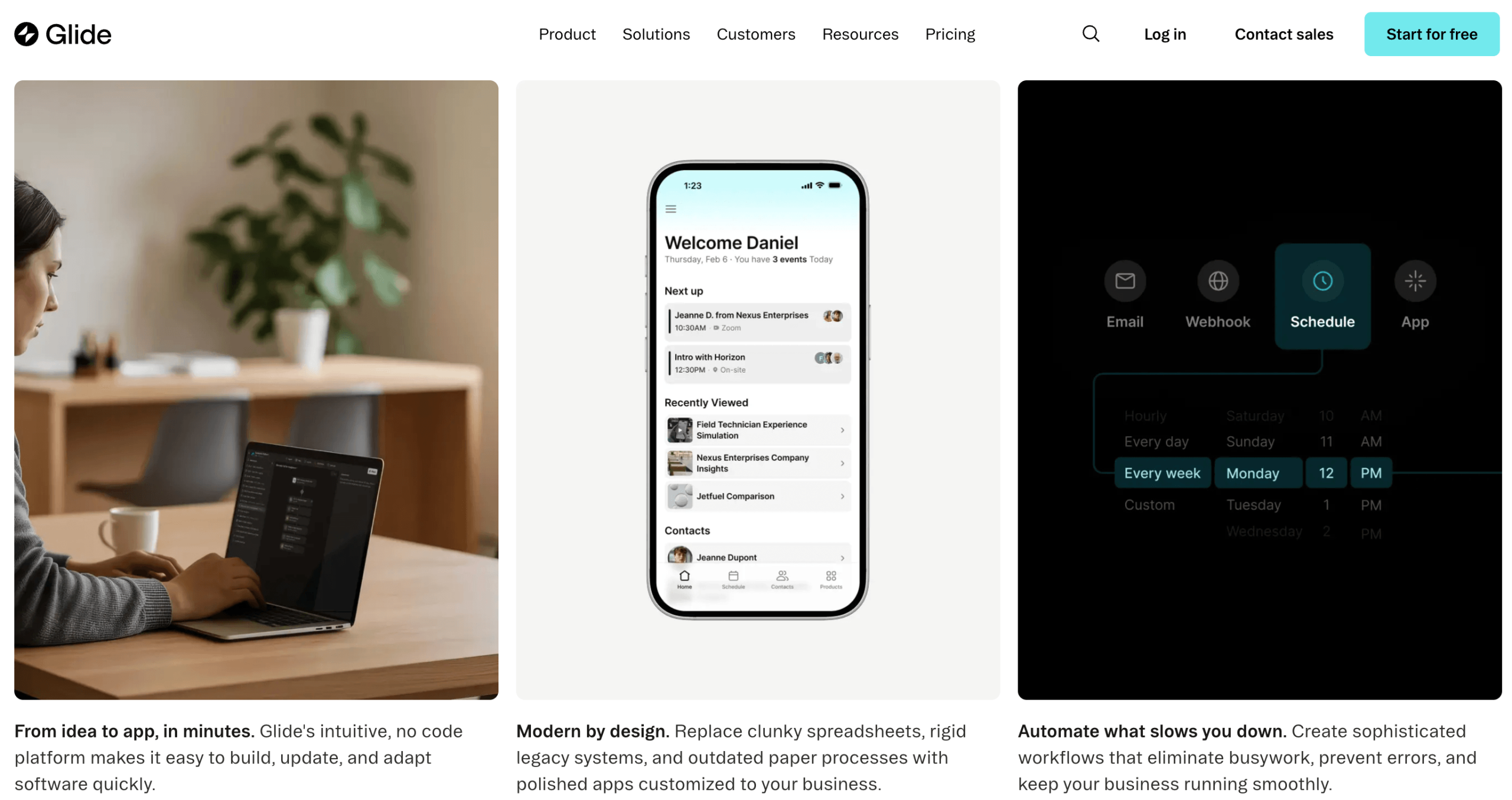
Genuinely the easiest builder to learn: This is Glide’s signature strength. Reviewers who build apps for a living consistently rank it as the most intuitive no-code tool they’ve used — the kind of platform a non-technical operations manager can be productive on within an afternoon. Connect a data source in under three minutes, watch Glide auto-generate a starting app from your columns, then drag screens and components into place with a live preview updating beside you. Testers regularly report building a functional multi-screen app in well under two hours on a first session.
Beautiful by default: Glide’s templates and prebuilt components are designed so that almost anything you assemble looks clean and professional without you touching CSS or worrying about responsive layouts. KPI cards, charts, lists, forms, image galleries and maps all render polished out of the box and adapt automatically to mobile, tablet and desktop. For makers who care about how a tool presents to clients or colleagues, this “polished without effort” quality is a real differentiator.
Real automation through the Workflow builder: Glide is no longer just a pretty front end for a spreadsheet. Its node-based Workflow builder lets you chain actions together — update a row, send an email, create a record, call an external API — triggered by button clicks, form submissions, or schedules. You can send a weekly report every Monday automatically, or fire off a confirmation email the instant someone submits a request. It supports webhooks and conditional logic, turning a static data app into something that actually does work for you.
AI that does more than autocomplete: This is where Glide intersects most directly with the broader AI-tools wave. Glide AI can generate a custom app from a description, and — more interestingly — lets you build AI agents that perform real tasks inside your app: drafting emails, summarizing and extracting data from documents, classifying inputs, and running image recognition. Instead of bolting a chatbot onto the side, Glide weaves AI into the data and workflows your app already runs on, which is exactly the direction professional tooling is heading.
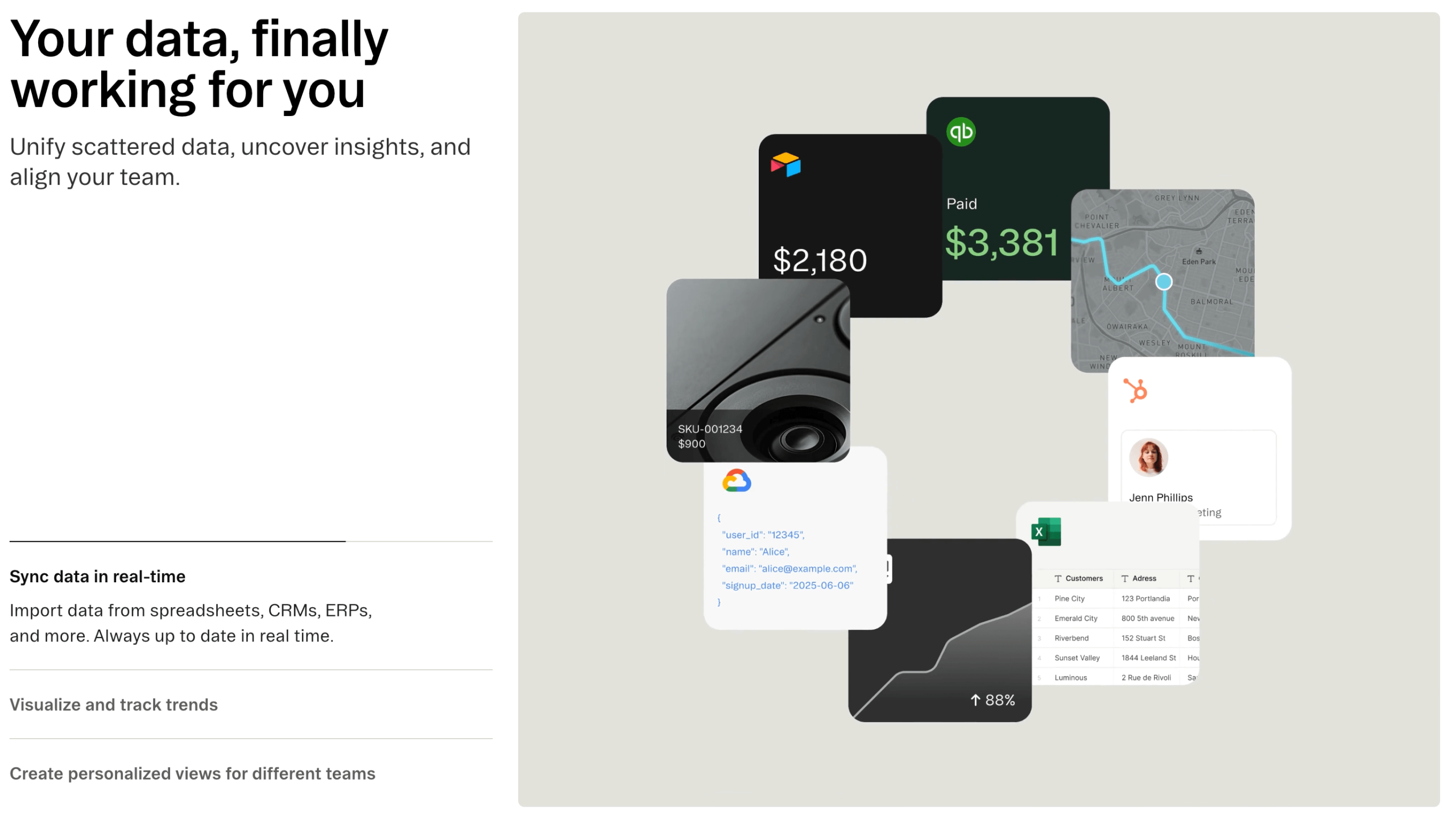
It connects to the data you already have: Glide doesn’t demand you migrate everything into its world. It syncs with Google Sheets, Excel, Airtable and SQL databases (MySQL, PostgreSQL), and integrates with 35+ services including Stripe, Twilio, SendGrid, Slack, Microsoft Teams, DocuSign, Make and Zapier. Your data can stay where it lives while Glide wraps an app-like interface around it — a major reason teams already running on spreadsheets adopt it so quickly.
Enterprise-grade security under a beginner-friendly hood: Behind the simple editor sits serious infrastructure. Glide encrypts data in transit and at rest, runs regular security audits, and aligns with rigorous frameworks including SOC 2 Type 2, ISO 27001, GDPR, PCI and FedRAMP. Higher tiers add single sign-on (SSO) and granular, role-based access control. That combination — approachable for citizen developers, defensible to an IT security team — is rarer than it sounds.
Instant updates and effortless sharing: Because Glide apps are web-based, there’s no build queue, no app-store review, no asking users to download an update. Change something in the editor and it’s live; share by sending a link or letting someone scan a QR code. For internal tools that evolve weekly, this iterate-and-ship-instantly loop is a quiet superpower that native development simply can’t match.
Key Features and Technology
Glide’s capabilities cluster into four areas: how it handles data, how you design the interface, how it automates work, and how it applies AI. Here’s how each piece fits together.
Data Sources and the Spreadsheet-Style Editor
Everything in Glide starts with data. You can connect external sources — Google Sheets, Excel, Airtable, and SQL databases — or use Glide’s own native tables (Glide Tables for most apps, Big Tables for larger datasets) which are faster and tightly integrated with every feature. You manage all of it through a familiar, spreadsheet-like data editor, so the mental model never leaves your comfort zone. On top of raw data sit computed columns: formula-driven fields, lookups, relations between tables, and conditional logic that you configure with a few clicks rather than writing spreadsheet formulas by hand. This is the layer that lets a non-coder build genuinely useful business logic.
The Visual App Builder and Components
The builder is pure drag-and-drop. You add screens, drop in components — buttons, forms, lists, charts, KPI cards, image pickers, maps, signature pads and more — and bind them to your data, all with an instant live preview. Powerful touches that punch above the “simple builder” label include conditional visibility (show or hide elements based on user role or data state), custom actions that chain multiple steps behind a single button, and a deep template gallery covering CRMs, inventory systems, project trackers, directories and client portals that you can clone and customize rather than starting from a blank canvas.
Workflows, Integrations and AI
The Workflow builder is Glide’s automation engine: trigger-based, node-style sequences that can update data, send emails or notifications, hit external APIs, and run on schedules or in response to user actions. It plugs into 35+ services and, via Make and Zapier, into thousands more. Layered over all of this is Glide AI — app generation from natural-language prompts plus configurable AI agents that draft, classify, extract and summarize. The practical effect is that a single Glide app can capture data, apply logic, automate the follow-through, and use AI to handle the fuzzy human-language parts, without you stitching together five separate tools.
Publishing, Security and Glide Solutions
Published apps are PWAs shareable by link or QR code, installable to a phone’s home screen, and updatable instantly. Security and compliance (SOC 2 Type 2, ISO 27001, GDPR, PCI, FedRAMP, SSO, role-based access) are built in, scaling up on the Enterprise plan. And if you’d rather not build at all, Glide Solutions pairs you with a vetted agency partner who scopes, builds and supports a custom app — typically delivered in as few as four weeks — for teams that want the outcome without the DIY.
Pricing, Plans, and Package Structure
Glide is a subscription product with a free tier, and its pricing has two wrinkles that catch people out, so read this section carefully. First, the headline monthly prices below assume annual billing (which saves about 20%); paying month-to-month costs more. Second, beyond the base price, two usage meters affect your real cost: updates (any action that changes or syncs data — extra ones cost about $0.02 each, and crucially, external sources like Google Sheets consume updates while Glide’s own tables do not) and, on the Business plan, extra users beyond the included allotment. The table shows the published structure as of late 2025 into 2026; always confirm the live numbers on Glide’s pricing page before you commit, since plans have changed more than once.
| Plan | Approx. Price (annual billing) | What You Get | Best For |
|---|---|---|---|
| Free | $0 | Unlimited draft apps, up to ~25,000 rows, Glide Tables only — but you can’t publish for others to use | Learning Glide and prototyping before you pay |
| Explorer | ~$19/mo ($25 monthly) | 1 published app, Workflows, Glide AI, light external integrations | Solo makers shipping their first small app |
| Maker | ~$49/mo ($60 monthly) | More apps, unlimited personal users, external data sources (incl. Google Sheets), custom domain | MVPs, communities, schools, personal-brand tools |
| Business | ~$199/mo ($249 monthly) | Unlimited apps, 30 users included (then ~$5–6/user), Airtable & Excel, role-based access, priority support | Internal tools for small-to-medium teams |
| Enterprise | Custom (contact sales) | SQL & advanced data sources, SSO, FedRAMP/ISO/SOC 2 controls, dedicated support, scale | Large organizations needing security, scale & SLAs |
How Glide Compares to Alternatives
| Factor | Glide | Bubble | Softr | Custom dev / agency build |
|---|---|---|---|---|
| Sweet spot | Spreadsheet-driven internal tools, portals, dashboards | Complex custom web apps & SaaS | Simple client portals on Airtable/Sheets | Anything, fully bespoke |
| Ease of use | Very high (hours to learn) | Lower (20+ hrs to get fluent) | High | N/A (needs developers) |
| Output | PWA (web app, mobile-styled) | Web app | Web app / portal | Native or web — your choice |
| App Store / Play publishing | No | No (web) | No | Yes (if built native) |
| Built-in AI | App generation + AI agents | AI plugins / assistant | Limited | Whatever you build |
| Entry price | Free / ~$19+/mo | Free / ~$32+/mo | Free / ~$15+/mo | ~$30K–100K+ one-time |
vs. Bubble: Bubble is the most powerful tool in the no-code web-app space — if you need nested logic, custom workflows and pixel-level design control for a consumer-facing SaaS product, it can do things Glide simply can’t. The trade-off is a much steeper learning curve (think 20-plus hours versus an afternoon) and more time spent building. For spreadsheet-driven internal tools, Glide gets you to a polished, working app dramatically faster; choose Bubble only when your app’s complexity genuinely demands it.
vs. Softr: Softr overlaps heavily with Glide for client portals and internal tools built on Airtable or Google Sheets, and it’s similarly approachable. Glide’s edge is its deeper data layer (computed columns, relations, Big Tables), its more robust Workflow automation, and its more integrated AI agents. If you’re firmly in the Airtable ecosystem and want the simplest possible portal, Softr is worth a look; for a tool you can grow more business logic into, Glide is the more capable platform.
vs. a custom build or agency: A bespoke app from a development agency gives you total control, native app-store publishing and full ownership of the code — but it typically costs tens of thousands of dollars up front, takes months, and locks change requests behind a developer queue. Glide delivers most of the day-to-day value of an internal tool for the price of a subscription, in days rather than months, editable by your own team. For the vast majority of operational software, that trade is a clear win; reserve the custom route for products where ownership and native performance are non-negotiable.
Pros and Cons
What Users Love
Astonishingly fast to a working app: The number-one praise is speed. People with no coding background routinely go from spreadsheet to functional, good-looking app in an afternoon — a process that would otherwise mean weeks of development or a five-figure agency invoice.
Polished results with zero design skill: Templates and components look professional by default and adapt to every screen size automatically, so the apps you ship to clients or colleagues feel finished rather than improvised.
It meets your data where it already is: Native syncing with Google Sheets, Excel, Airtable and SQL, plus 35+ integrations and Zapier/Make, means most teams can wrap an app around existing data without a painful migration.
Real automation and a forward AI angle: The Workflow builder removes genuine busywork, and Glide AI’s app generation and task-running agents put it ahead of plain builders — aligning your internal tools with the way professionals increasingly use AI everywhere else.
Trusted, compliant infrastructure: SOC 2 Type 2, ISO 27001, GDPR, PCI and FedRAMP alignment, plus SSO and role-based access on higher tiers, mean even security-conscious organizations can adopt it without rebuilding their compliance story.
Limitations Worth Knowing
No native apps, no app-store presence: Glide produces PWAs, full stop. You can’t publish to the Apple App Store or Google Play, and some deep native features (advanced push, background tasks, hardware integrations) are limited. For a discoverable consumer mobile product, this is a hard dealbreaker — pick a native builder instead.
The pricing model can surprise you: Two meters — updates and per-user charges — make real costs hard to predict. External data sources burn updates (Glide Tables don’t), and the Business plan’s $5–6 per user beyond 30 means a large customer-facing portal can balloon into thousands of dollars a month. Model your usage before you scale.
Data sources are gated behind tiers: Syncing Google Sheets effectively requires Maker; Airtable and Excel push you to Business; SQL, Salesforce and HubSpot require Enterprise. If your data already lives in those systems, you may be forced into a pricier plan than the features alone would suggest.
Complex logic hits a ceiling: Glide handles formulas, relations and conditional actions well, but deeply nested logic, loops and sophisticated multi-step form wizards are awkward or impossible. The classic no-code pattern applies: the first 80% is delightful, the last 20% can be a wall. Power workflows also aren’t beginner-friendly to configure.
Editor-seat caps and vendor lock-in: Lower tiers limit how many people can build (roughly two editors on Explorer/Maker, around ten on Business), forcing upgrades just to add builders. And because you can’t export your app as code, outgrowing Glide means rebuilding elsewhere from scratch.
The free tier can’t publish: Free is excellent for learning and prototyping, but you cannot share a published app with real users on it. That trips up founders trying to validate an idea cheaply — budget for at least Explorer or Maker the moment you go live.
Who Should Use Glide
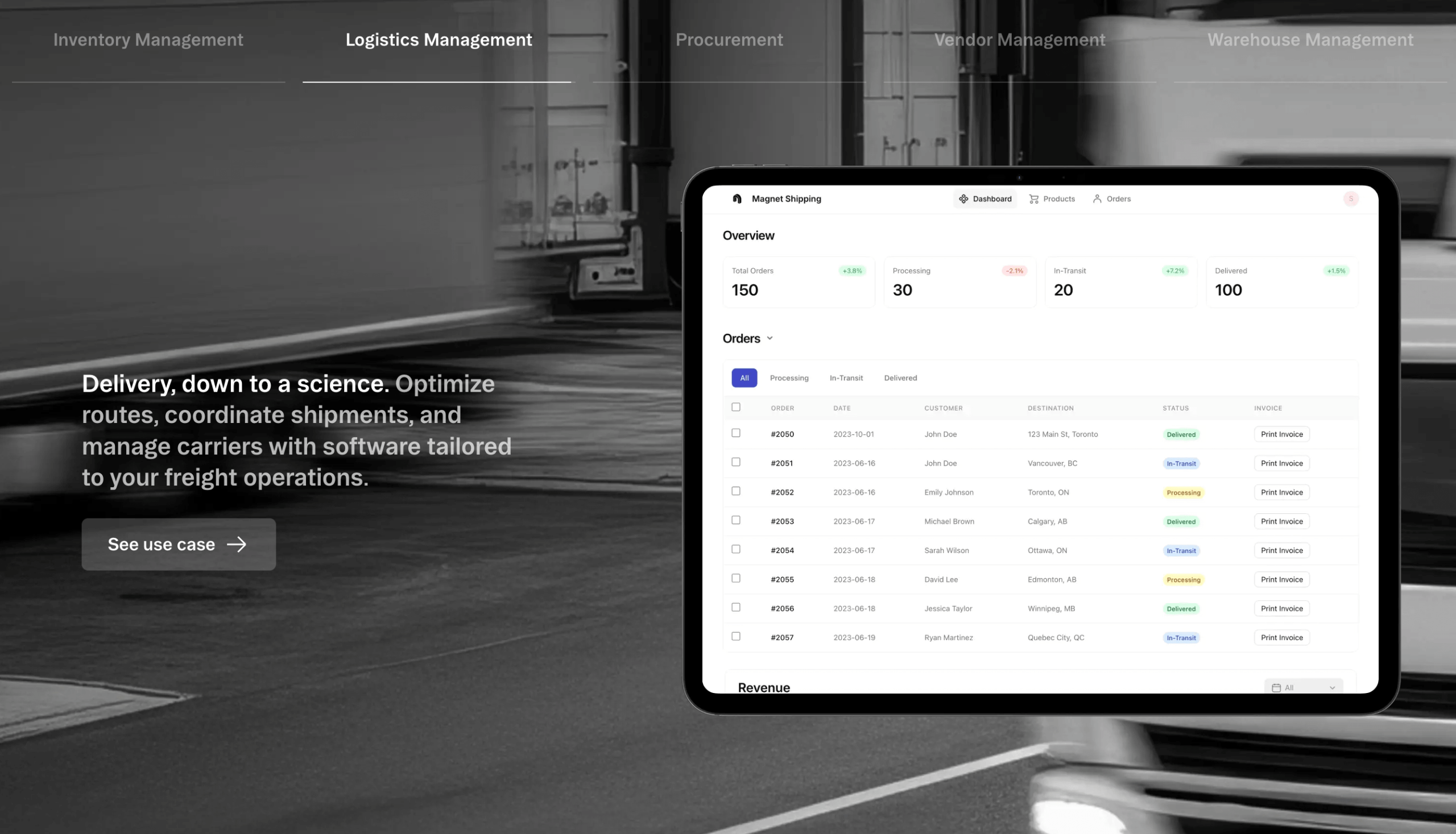
Small business owners and operations teams: If your business secretly runs on a spreadsheet, Glide is the fastest way to turn it into a real, multi-user, mobile-friendly tool — an inventory tracker, CRM, scheduling app or dashboard your whole team can actually use. Start on the Business plan if you have a team; validate first on Free or Maker if it’s just you.
Freelancers and agencies building for clients: The polished-by-default output and four-week-or-faster delivery make Glide a strong way to ship internal tools and portals to clients without a developer. Maker covers most solo client work; step up to Business when projects need more users and integrations.
Marketers, content creators and community builders: Directories, resource hubs, member portals, event apps and lightweight internal trackers come together quickly here, and the unlimited personal users on Maker make community-facing tools affordable. Maker is the natural home for this profile.
Startup founders building an MVP: For validating an internal-tool-style or data-driven idea fast and cheaply, Glide is ideal — just go in clear-eyed that you may rebuild natively if the product takes off and needs the App Store. Begin on Free, move to Explorer or Maker to put it in front of users.
Who should look elsewhere: If you need a discoverable consumer app on the App Store, deeply custom logic, full code ownership, or unlimited users without per-seat fees, Glide will frustrate you — a native builder, Bubble, or a custom build is the better fit. Be honest about which camp you’re in before you invest.
Getting Started: Step by Step
- Create a free account. Sign up at glideapps.com — no credit card needed — and you immediately have unlimited draft apps to experiment with.
- Bring or build your data. Connect a Google Sheet, Excel file or Airtable base, or start fresh in a Glide Table. To keep future costs predictable, lean toward Glide Tables, which don’t consume your update allowance.
- Let AI generate a first draft. Use Glide AI to spin up an app structure and screens from a plain-language description of what you’re building, then treat it as a starting point rather than the finished product.
- Refine in the visual editor. Drag in components, arrange screens, and bind everything to your data, watching the live preview update as you go. Add computed columns and relations for the logic you need.
- Add automation and AI agents. Open the Workflow builder to automate emails, data updates and scheduled tasks, and configure AI agents for any drafting, extraction or classification your app should handle.
- Set roles and test on your phone. Configure role-based visibility and permissions, then open the app via link or QR code on a real device to confirm it feels right on mobile.
- Upgrade and publish. When you’re ready for real users, move to the plan that fits (Explorer/Maker for solo, Business for teams), publish, and share the link — updates you make afterward go live instantly.
Tips for Getting Maximum Value
Get the most out of Glide by being deliberate about a few things. Start every project on the free plan and prove the concept before you pay a cent, then upgrade only to the tier that unlocks the specific capability you actually need — don’t jump to Business if Maker covers you. Default to Glide Tables (or Big Tables for large datasets) rather than syncing external sources, because native tables don’t consume updates and will keep your monthly bill from creeping upward as usage grows; reserve external syncing for data that genuinely must stay live in Sheets or Airtable. Take advantage of the 14-day free Business trial and the 14-day money-back window to stress-test the expensive features risk-free, and remember that annual billing shaves roughly 20% off. Watch your usage dashboard so update overages and per-user charges never ambush you, lean on the template gallery and the AI builder to skip the blank-canvas stage, and check Glide University and the active community when you get stuck — most “how do I do X” questions have already been answered there. Finally, keep your apps’ scope honest: Glide shines at focused internal tools, so resist cramming in logic that’s fighting the platform when a second, simpler app would serve better.
Future Outlook and Final Assessment
The wind is firmly at Glide’s back. The no-code and low-code market is forecast to power well over half of all application development and grow toward roughly $187 billion by 2030, and AI is rapidly becoming the default way these tools work — the exact territory Glide has invested in with app generation and task-running agents. As businesses keep facing developer shortages and pressure to ship software faster, a platform that lets the people closest to the problem build the solution themselves is only going to get more valuable.
None of that erases the honest caveats restated here: Glide makes web apps, not native ones, so there’s no App Store path; its update-and-per-user pricing can scale unpredictably if you don’t plan around it; data-source gating can force you up a tier; and the deepest custom logic lives beyond its ceiling. Go in expecting an exceptional builder of focused, data-driven business tools — not a universal app factory — and you’ll get exactly what it’s brilliant at.
Conclusion
Glide has earned its reputation as one of the most approachable, polished and genuinely useful no-code platforms available in 2026. It won’t put a consumer app on the App Store or replace a bespoke engineering team, and its pricing rewards people who plan ahead — but for the enormous group of professionals, small business owners, marketers, creators and freelancers who simply want their spreadsheet to become a real tool their team can use on any device, it’s hard to beat. The combination of a beginner-friendly editor, beautiful default output, real automation, built-in AI agents and enterprise-grade security means you can ship in days what used to take months or thousands of dollars. If your business is being held together by a spreadsheet and you’ve been waiting for the right moment to build something better, Glide is the platform that makes everything easy — and that’s exactly the kind of leverage AI Solutes loves to put in your hands.
Turn your spreadsheet into a real app today — start building with Glide for free.
Explore more honest reviews, tutorials and tool comparisons to find the right tech for the way you work and live — at AI Solutes, where we make everything easy.
👉 Open Free Account: https://www.glideapps.com/
👉 Our YouTube Channel: youtube.com/@ai-solutes
👉 Our Facebook Fanpage: Facebook
👉 Our X (Twitter): @AISolutes
- Kiwi Fruit Market 2025: Explore Varieties, Nutrition Benefits, and Global Growth Leaders
- Webcam Motion Capture
- Need High-End GPU Power Without the Massive Cost? Inside RunPod’s On-Demand Cloud Instances
- Unlock Next-Gen AI Video Editing in 2025: VEED.io vs CapCut and Opus Clip Compared
- Transform Retail Success with Increff: AI-Powered Inventory Optimization and Predictive Analytics















